> For the complete documentation index, see [llms.txt](https://docs.ovaledge.com/llms.txt). Markdown versions of documentation pages are available by appending `.md` to page URLs; this page is available as [Markdown](https://docs.ovaledge.com/deployment-and-maintenance/upgrade/elasticsearch-upgrade-windows.md).
# Elasticsearch Upgrade (Windows)
This article provides detailed instructions to upgrade Elasticsearch on a Windows environment. It includes all necessary preconditions, step-by-step upgrade actions, and post-upgrade validation procedures to ensure a reliable transition with minimal downtime and no data loss.
## **Prerequisites**
* Administrative access to the Windows system.
* A stable internet connection for downloading the upgrade package.
* Sufficient disk space to hold both the current and new Elasticsearch installations and their data.
* Backup of the following directories from the existing Elasticsearch installation:
* `config`
* `data`
* `logs`
## **Upgrade Steps**
**Target Example:** Upgrade from version **7.17.26** to **7.17.28**.\
The same steps apply for similar version upgrades.
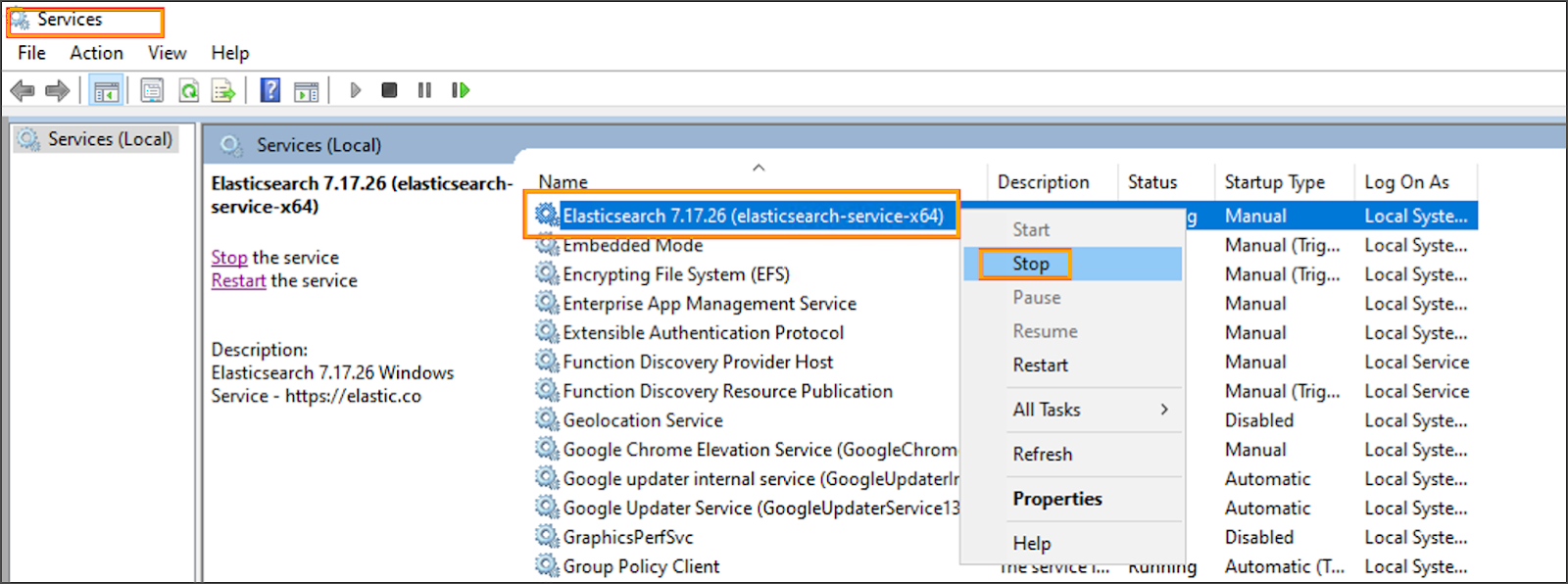
* **Stop the Existing Elasticsearch Service**
* Press `Win + R`, type `services.msc`, and press **Enter**.
* Locate the **Elasticsearch** service.
* Right-click the service and select **Stop**.
 * **Download the New Elasticsearch Version**
* Download the `.zip` package for the new version:\
[Elasticsearch 7.17.28 Windows x86\_64](https://ovaledge.s3.us-west-1.amazonaws.com/scripts/packages/elasticsearch-7.17.28-windows-x86_64.zip?utm_source=chatgpt.com)
* **Download the New Elasticsearch Version**
* Download the `.zip` package for the new version:\
[Elasticsearch 7.17.28 Windows x86\_64](https://ovaledge.s3.us-west-1.amazonaws.com/scripts/packages/elasticsearch-7.17.28-windows-x86_64.zip?utm_source=chatgpt.com)
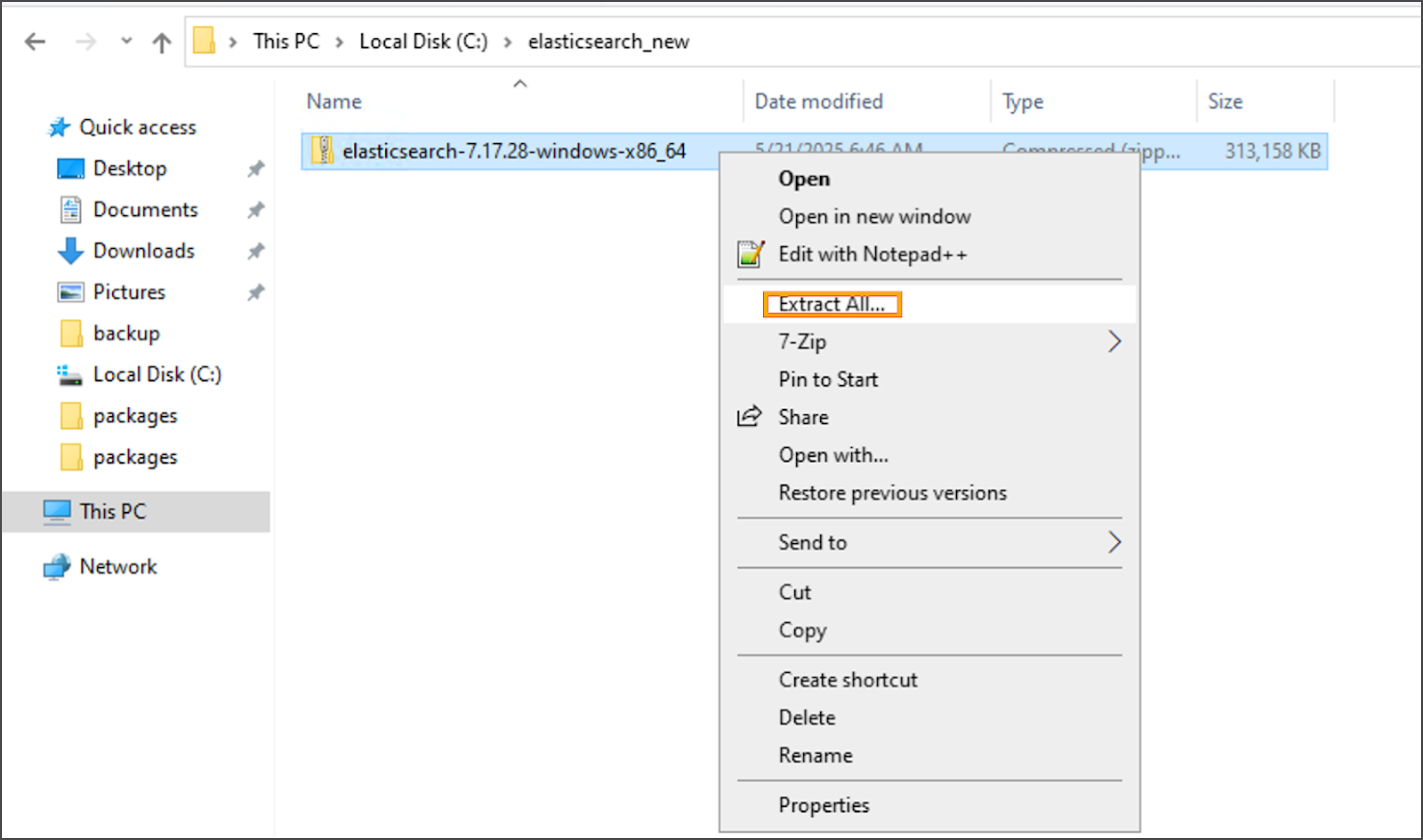
 * **Extract the New Version**
* Extract the `.zip` file to a new directory, for example:
```
C:\elasticsearch-7.17.28
```
* **Extract the New Version**
* Extract the `.zip` file to a new directory, for example:
```
C:\elasticsearch-7.17.28
```
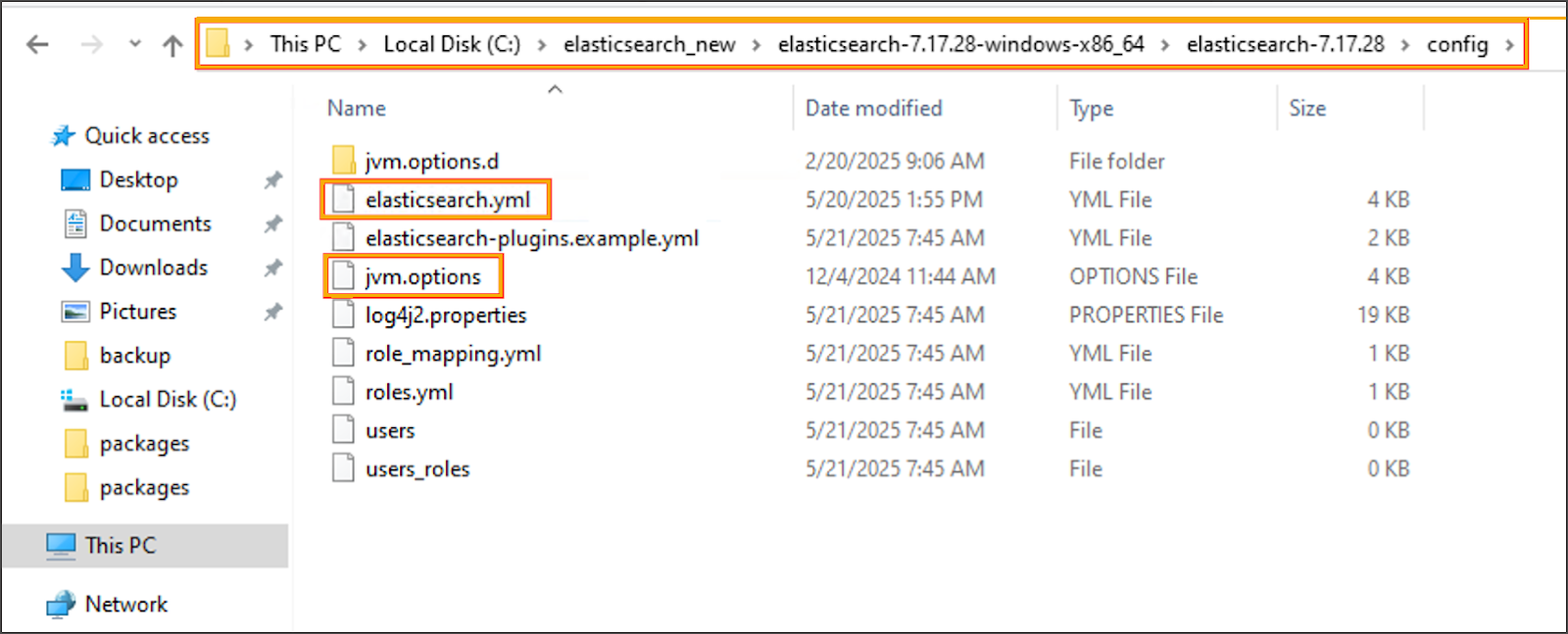
 * **Migrate Configuration and Data**
* Copy the following from the old installation (e.g., `C:\elasticsearch-7.17.26`) :
* `config\elasticsearch.yml`
* `config\jvm.options`
* Entire `data` directory
* **Migrate Configuration and Data**
* Copy the following from the old installation (e.g., `C:\elasticsearch-7.17.26`) :
* `config\elasticsearch.yml`
* `config\jvm.options`
* Entire `data` directory

 * Paste them to the new installation (`C:\elasticsearch-7.17.28`)

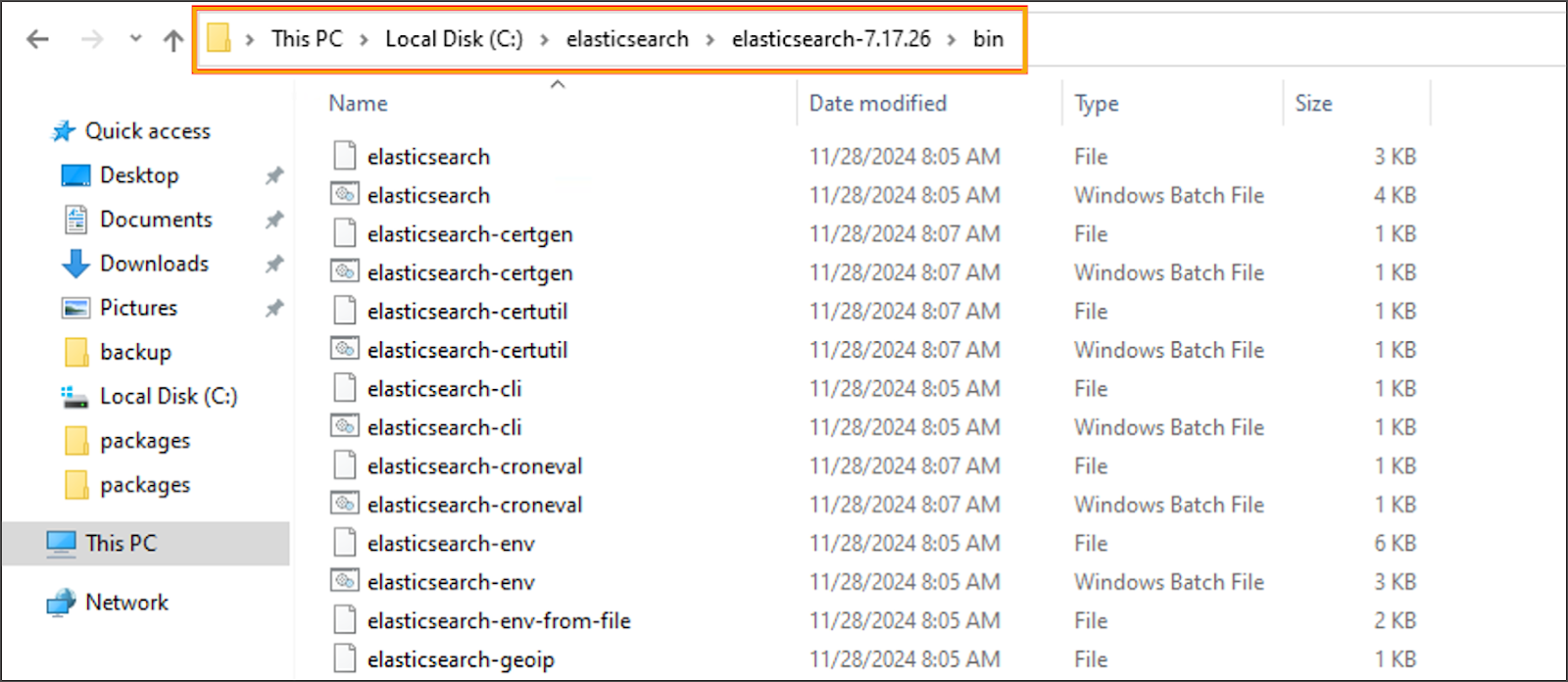
 * **Remove the Old Elasticsearch Windows Service**
* Open **Command Prompt as Administrator**.
* Navigate to the old installation’s `bin` directory and remove the service:
```cmd
cd C:\elasticsearch-7.17.26\bin
elasticsearch-service.bat remove
```
* **Remove the Old Elasticsearch Windows Service**
* Open **Command Prompt as Administrator**.
* Navigate to the old installation’s `bin` directory and remove the service:
```cmd
cd C:\elasticsearch-7.17.26\bin
elasticsearch-service.bat remove
```
 * **Install the New Version as a Windows Service**
* From the same Command Prompt, navigate to the new installation’s `bin` directory and install the service:
```cmd
cd C:\elasticsearch-7.17.28\bin
elasticsearch-service.bat install
```
* **Install the New Version as a Windows Service**
* From the same Command Prompt, navigate to the new installation’s `bin` directory and install the service:
```cmd
cd C:\elasticsearch-7.17.28\bin
elasticsearch-service.bat install
```

 * **Start the New Elasticsearch Service**
* Open `services.msc`.
* Locate the **Elasticsearch** service (now pointing to the new path).
* Right-click the service and select **Start**.
* **Start the New Elasticsearch Service**
* Open `services.msc`.
* Locate the **Elasticsearch** service (now pointing to the new path).
* Right-click the service and select **Start**.
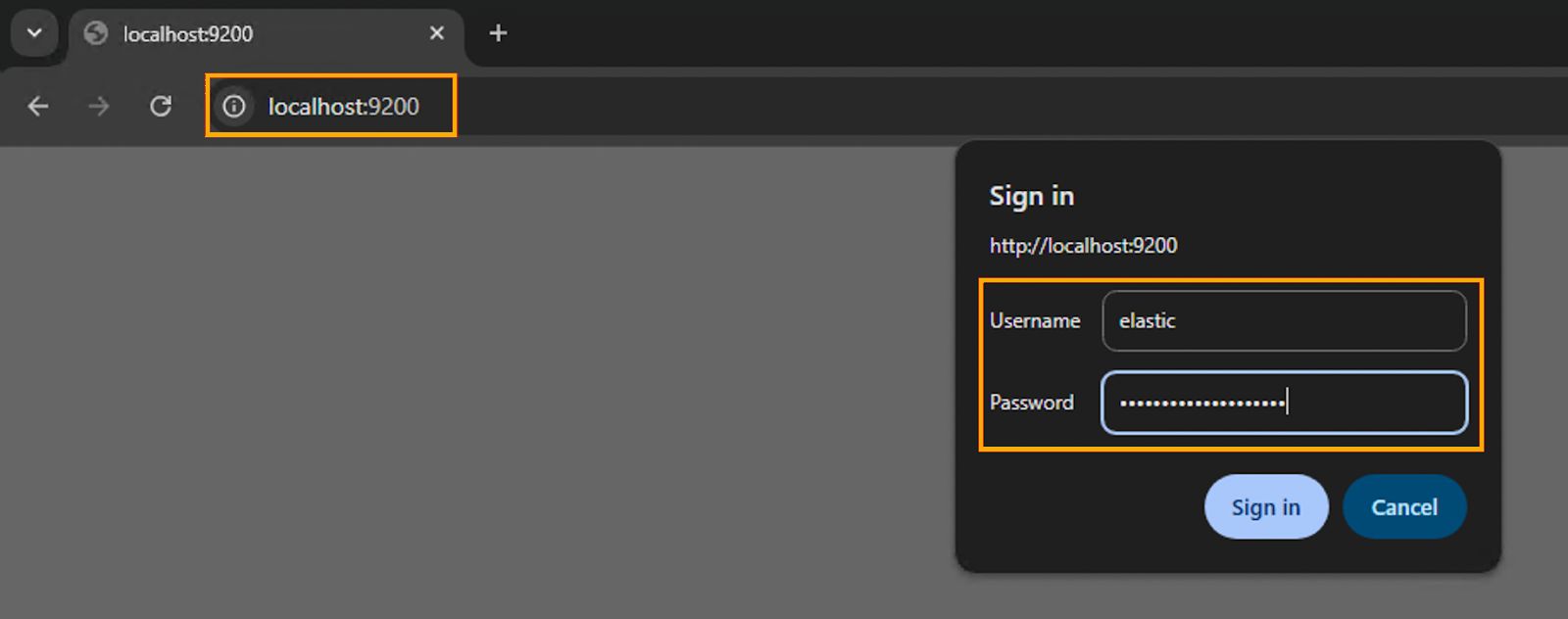
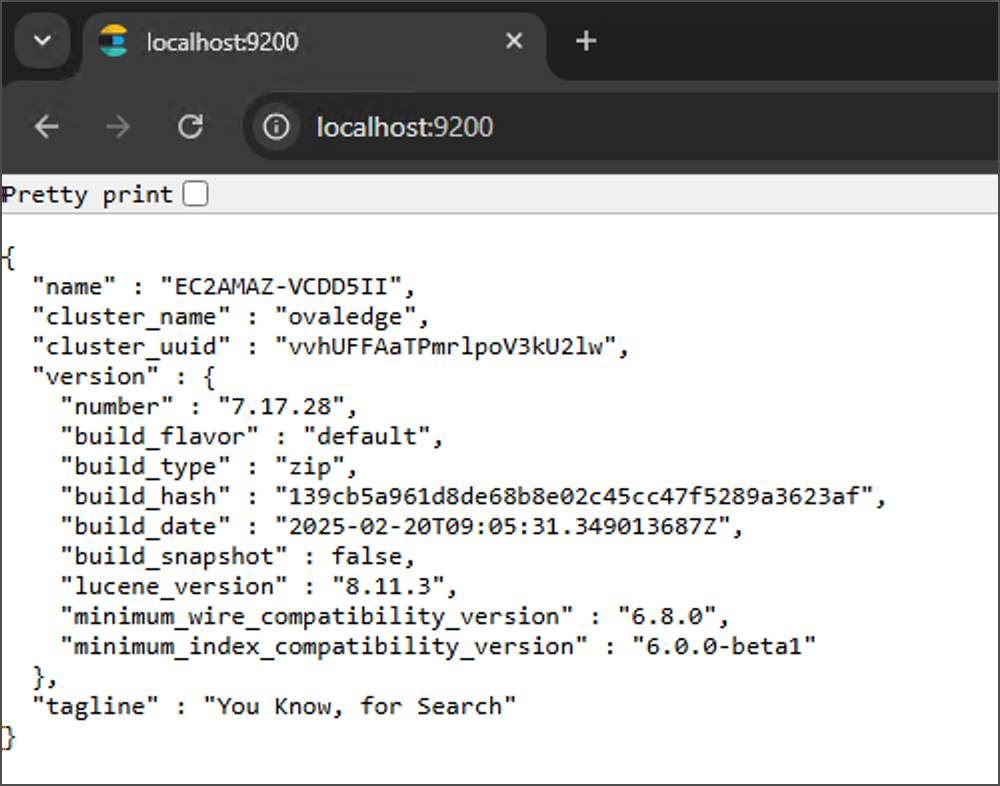
 * **Verify the Upgrade**
* Access the Elasticsearch API using a browser, `curl`, or Postman:
* **Verify the Upgrade**
* Access the Elasticsearch API using a browser, `curl`, or Postman:
```
http://localhost:9200
```
 * The response should include the upgraded version:
```json
{
"name" : "YOUR-NODE-NAME",
"cluster_name" : "elasticsearch",
"cluster_uuid" : "xxxxxxxxxxxxxxxxx",
"version" : {
"number" : "7.17.28"
}
}article
```
 ***
Copyright © 2025, OvalEdge LLC, Peachtree Corners, GA, USA.
---
# Agent Instructions
This documentation is published with GitBook. GitBook is the documentation platform designed so that both humans and AI agents can read, navigate, and reason over technical content effectively. Learn more at gitbook.com.
## Querying This Documentation
If you need additional information that is not directly available in this page, you can query the documentation dynamically by asking a question.
Perform an HTTP GET request on the current page URL with the `ask` query parameter, and the optional `goal` query parameter:
```
GET https://docs.ovaledge.com/deployment-and-maintenance/upgrade/elasticsearch-upgrade-windows.md?ask=&goal=
```
`ask` is the immediate question: it should be specific, self-contained, and written in natural language.
`goal` is optional and describes the broader end goal you are ultimately trying to accomplish on behalf of the user. GitBook uses it to tailor the answer towards what is most useful for that goal.
The response will contain a direct answer to the question and relevant excerpts and sources from the documentation.
Use this mechanism when the answer is not explicitly present in the current page, you need clarification or additional context, or you want to retrieve related documentation sections.
***
Copyright © 2025, OvalEdge LLC, Peachtree Corners, GA, USA.
---
# Agent Instructions
This documentation is published with GitBook. GitBook is the documentation platform designed so that both humans and AI agents can read, navigate, and reason over technical content effectively. Learn more at gitbook.com.
## Querying This Documentation
If you need additional information that is not directly available in this page, you can query the documentation dynamically by asking a question.
Perform an HTTP GET request on the current page URL with the `ask` query parameter, and the optional `goal` query parameter:
```
GET https://docs.ovaledge.com/deployment-and-maintenance/upgrade/elasticsearch-upgrade-windows.md?ask=&goal=
```
`ask` is the immediate question: it should be specific, self-contained, and written in natural language.
`goal` is optional and describes the broader end goal you are ultimately trying to accomplish on behalf of the user. GitBook uses it to tailor the answer towards what is most useful for that goal.
The response will contain a direct answer to the question and relevant excerpts and sources from the documentation.
Use this mechanism when the answer is not explicitly present in the current page, you need clarification or additional context, or you want to retrieve related documentation sections.