rectangle-listData Product Summary

The Data Browser opens the Data Product Summary from the Featured Data Products section to evaluate whether the Data Product meets business or analytical requirements. The Data Browser reviews business context, governance details, and availability before deciding whether to subscribe to or consume the Data Product.

The Summary shows key information about a Data Product, including:

  • Business and detailed descriptions explaining the Data Product’s purpose and context

  • Key metadata and attributes for understanding and reference

  • Associated data objects, related objects, and tags for discovery and navigation

  • User ratings to help assess the Data Product’s value and adoption

Summary

The summary tab provides high-level insights into Data Product usage and quality.

  • Connected Sources: Shows the number of data sources linked to the Data Product through associated data objects.

  • Total Objects: Shows the total number of data objects linked to the Data Product. Selecting this option opens a consolidated view of related objects and their governance details.

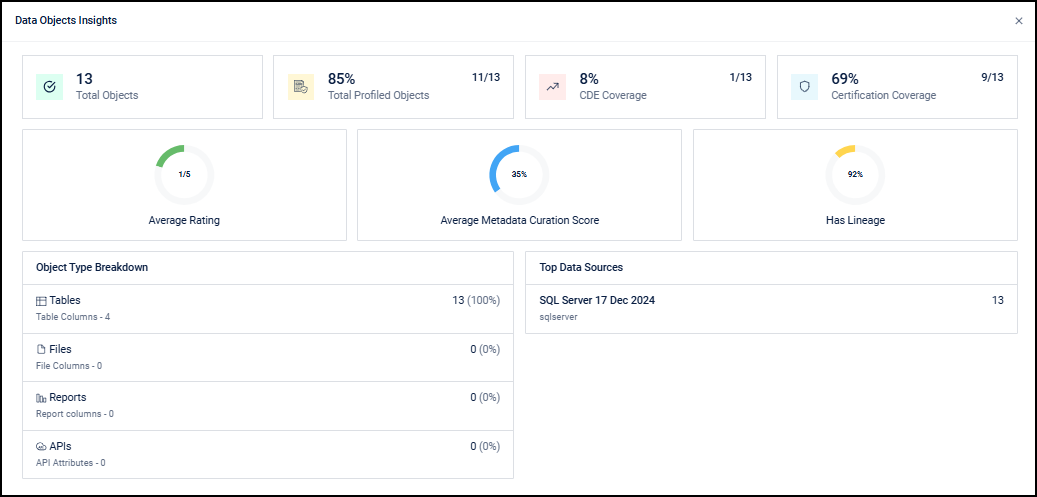
    • Data Object Insights

      • Total Objects: Shows the number of data objects included in the Data Product.

      • Total Profiled Objects: Shows the number of objects that have been profiled.

      • CDE Coverage: Shows the number of objects that include Critical Data Elements (CDEs).

      • Certification Coverage: Shows the number of certified objects.

      • Average Rating: Displays the overall user rating for the data objects.

      • Average Metadata Curation Score: Shows the completeness of metadata for the associated data objects.

      • Lineage Availability: Shows the number of objects with lineage information.

    • Object Type Breakdown

      • Shows the number of objects by type, such as Tables, Files, Reports, and APIs.

      • Displays the number of columns or attributes for each object type.

    • Top Data Sources

      • Lists the primary source systems for the data objects.

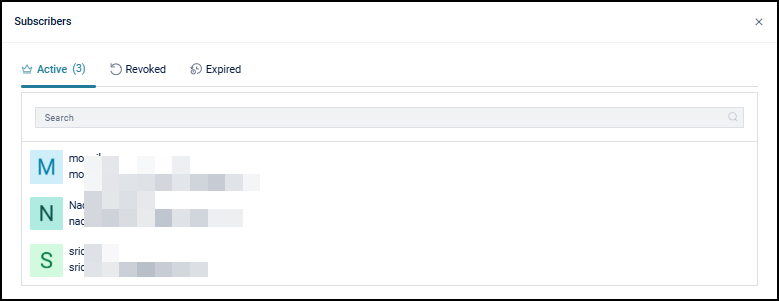
  • Lifetime Subscribers: Shows the total number of subscribers to the Data Product. Selecting this metric opens the Subscribers window, which lists all subscription records for the Data Product.

    The window organizes subscriptions into Active, Revoked, and Expired tabs for tracking current and past access. A search option helps locate specific subscribers. If no subscriptions exist, the window displays a message indicating that no subscriptions are available.

  • Average Data Quality Score: Displays the average data quality score of data objects covered under Data Quality.

Descriptions

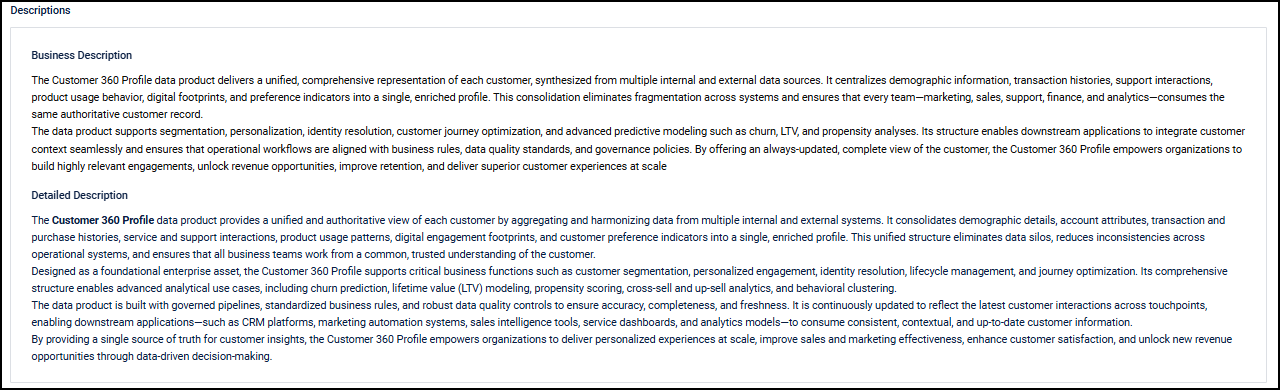
  • Business Description: A concise, high-level summary of the Data Product’s purpose and business relevance. It explains the business problem the Data Product addresses and how it supports decision-making or operational workflows. This section gives Data Browsers a clear understanding of the Data Product’s business relevance and intended use.

  • Detailed Description: A comprehensive overview of the Data Product’s purpose, scope, and business context. It explains how the Data Product is intended to be used, the problems it addresses, and the insights it provides. This section gives Data Browsers a clear understanding of the Data Product’s context and applicability before use.

Product Details

  • Published By / Published On: Shows who published the Data Product and when it became available.

  • Last Modified By / Last Modified Date: Shows who last updated the Data Product and when the update occurred.

  • Created By / Created Date: Shows who created the Data Product and when it was first registered.

  • Product ID: A system-generated identifier used to track and reference the Data Product.

  • Popularity Score: A metric that reflects user engagement with the Data Product. The score is based on recorded interactions such as views and comments, indicating how often the Data Product is accessed.

Tags

Tags help Data Browsers identify and discover relevant Data Products by grouping them under common business or subject-based labels. A Data Product can have multiple tags, and the same tag can apply to multiple Data Products, supporting efficient filtering and discovery.

For example, assigning a tag such as “Customer Details” allows Data Browsers to find all Data Products related to customer information.

Data Objects

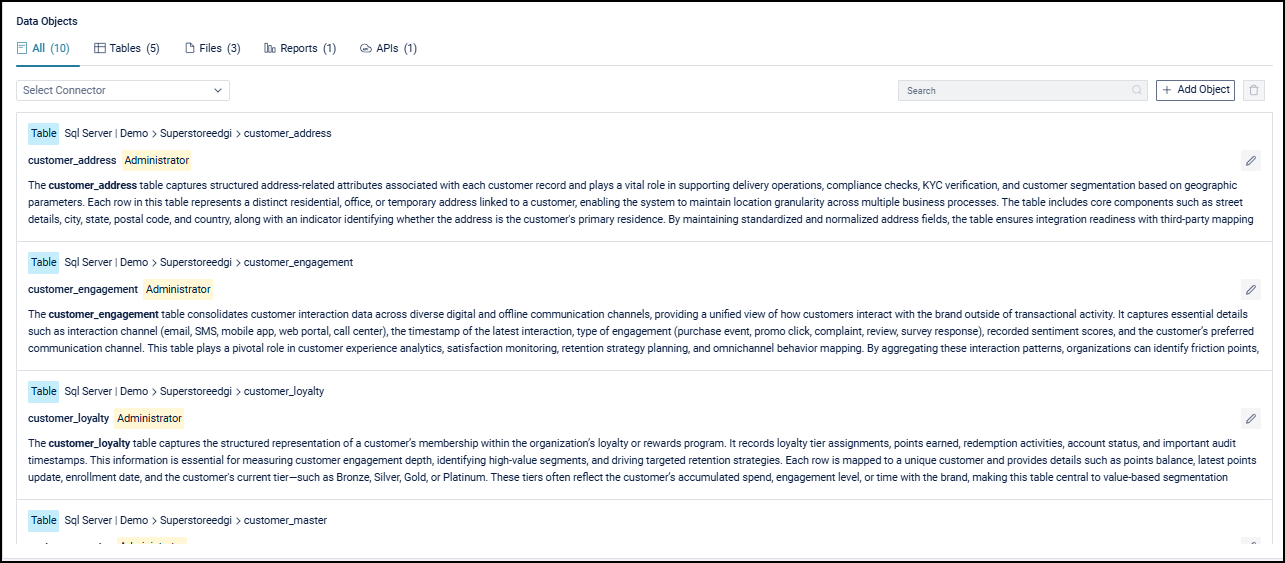
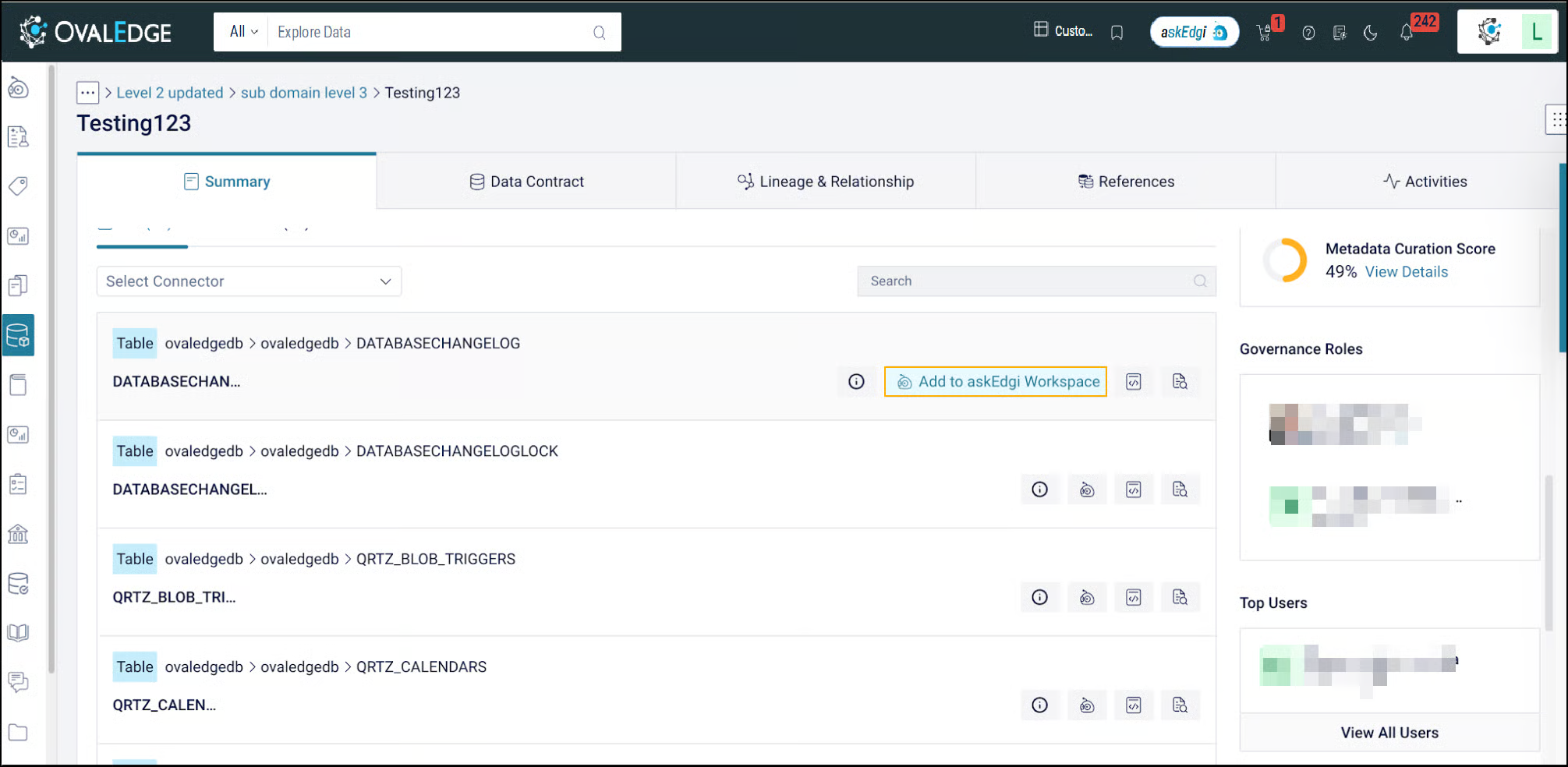
The Data Objects section shows all supporting assets associated with a Data Product, such as Tables, Files, Reports, and APIs, in one view. These objects represent the business concept of the Data Product and show the data sources that support it. Objects are grouped into tabs with counts for easier navigation across object types. This section supports search and connector-based filtering.

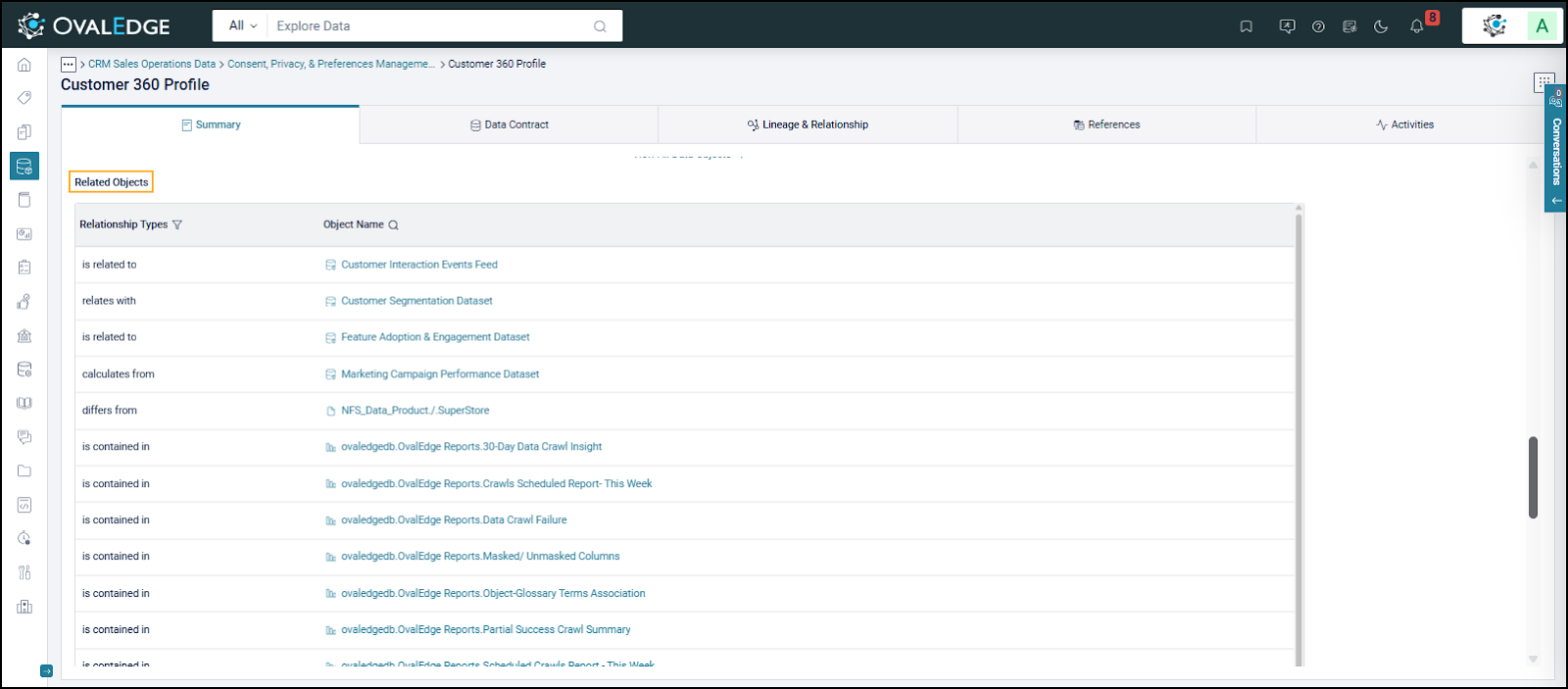
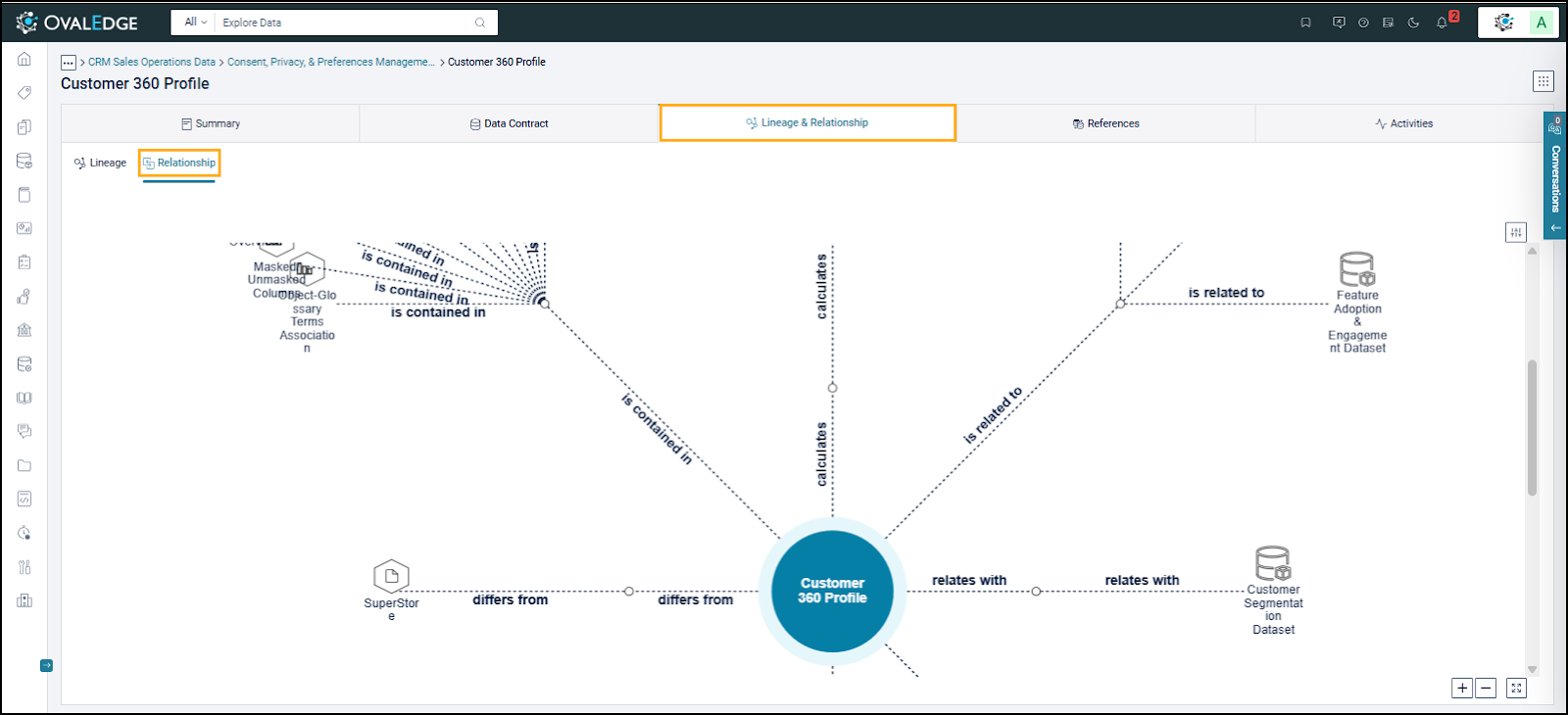
Related Objects show how a Data Product connects to other Data Products and supporting data objects. These relationships show logical and dependency-based connections. They help Data Browsers discover related data, identify alternatives, and understand how data is derived or reused across domains.

Supported relationship types (such as Contains, Is Related To, Calculates From, Replaced By, Filtered By, Duplicates, Qualifies, and Is Synonym To) describe how Data Products and data objects are connected. These relationships complement lineage by showing logical connections and highlighting data reuse and dependencies across domains.

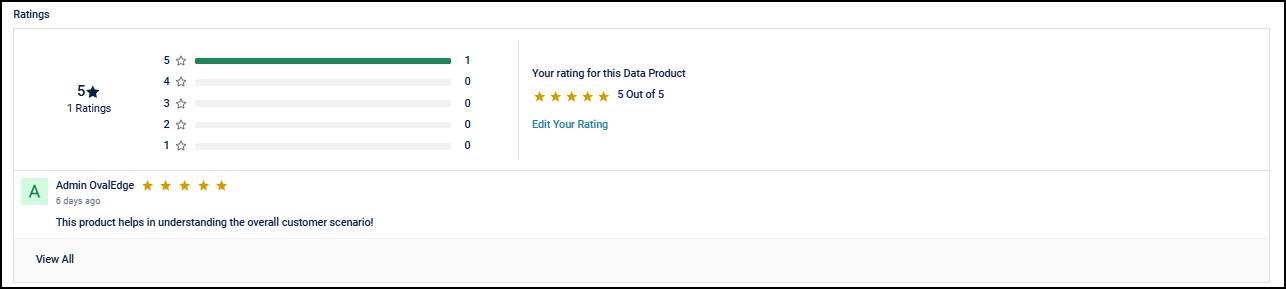
Ratings

Ratings help Data Browsers assess the usefulness of a Data Product based on feedback from other Data Consumers. The overall rating shows the average of all submitted ratings. Data Consumers can assign a star rating from 1 to 5 to rate a Data Product.

Status

Status shows the current lifecycle state of the Data Product, such as Published or Pending Approval. It shows whether the Data Product is available for subscription or use.

Actions

The Actions section shows options for accessing and consuming a Data Product. If a Data Product is not immediately available, Request to Subscribe lets the Data Browser submit an access request. Assigned Data Product or governance roles review and approve the request to maintain controlled access.

After approval, the Data Browser accesses the Data Product based on the granted delivery access mode. The Actions section also shows subscription status so the Data Browser can track whether access is pending, active, expired, or revoked.

If the action button shows Subscribe instead of Request to Subscribe, the subscription mode is Instantly Available rather than By Request. Instantly Available means eligible Data Browsers can access the Data Product immediately without approval. When a Data Product is marked Instantly Available, the system grants access automatically based on the defined delivery access mode and governance policies.

Additional Info Section

Domain

Domain identifies the business or functional area to which the Data Product belongs. Domains are organized hierarchically, such as a domain and a subdomain. It provides context about business ownership, subject area, and governance for the Data Product.

Criticality

Criticality shows the business importance and impact level of a Data Product. Levels include Low, Medium, High, and Critical. It shows how essential the Data Product is for business operations, decision-making, reporting, and regulatory processes. It also sets expectations for reliability, availability, and governance controls.

Sensitivity

Sensitivity shows the level of data confidentiality and access restriction for a Data Product. Levels include Public, Internal, Confidential, and Restricted. It is based on factors such as privacy, regulatory requirements, and business risk. It helps enforce appropriate access controls and handling rules.

Metadata Curation Score

The Metadata Curation Score shows how complete and governed the Data Product is before consumption. Based on the completeness of key metadata across the Data Product and its associated objects, the score indicates the product’s quality, readiness, and reliability, enabling informed decisions on subscription and usage within the permitted access level.

The score is derived from the following parameters:

Parameters
Score

Business Description

5 points

Detailed Description

5 points

Governance Maturity check

10 points

Presence of at least one associated data object

5 points

Presence of at least one related object

5 points

Tag association

5 points

Custom field metadata completeness

10 points

Data Contract metadata completeness

15 points

Associated objects’ metadata completeness

40 points

Based on the final percentage score:

  • 🔴 0–25% (Critical Alert): The Data Product has significant metadata gaps and is not ready for publication.

  • 🟠 25–75% (Needs Improvement): The Data Product is moderately curated; publishing is allowed, but a warning is displayed recommending a review of metadata completeness.

  • 🟢 75%+ (Ready to Publish): The Data Product is well curated and considered ready for publishing with high confidence.

Governance Roles

The Governance Roles section shows the accountable contacts for a Data Product. It lists assigned Owners, Stewards, Custodians, and other governance roles. This helps Data Browsers identify contacts for questions or issue resolution. Governance role assignments are view-only and cannot be modified by Data Browsers.

Top Users

Top Users shows the most active users associated with the Data Product based on interaction scores. For a Data Browser, this section shows key contacts and frequently engaged Data Consumers. It helps identify contacts for collaboration or clarification. The score is based on interactions such as viewing the Data Product summary or adding comments, indicating engagement level.

Data Contract

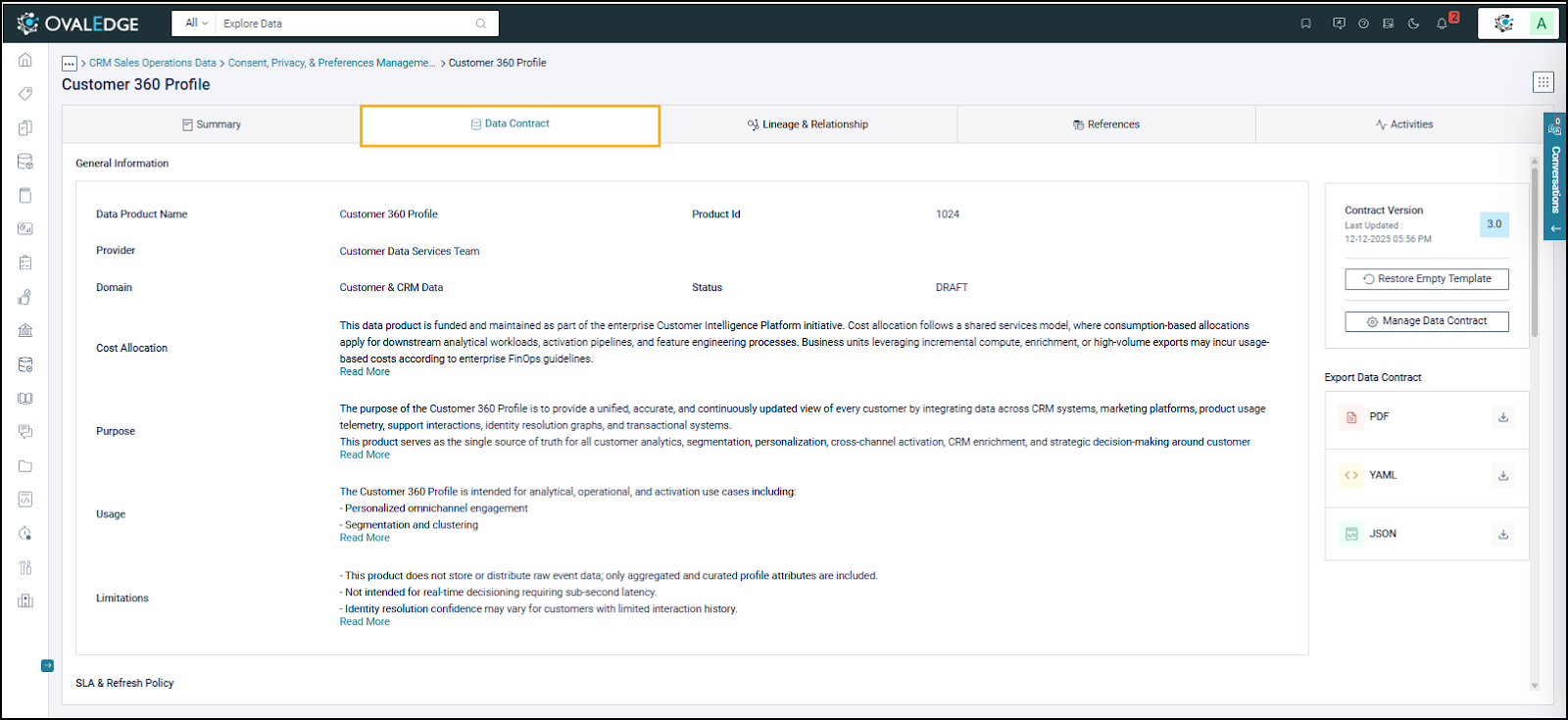
The Data Contract defines how the Data Product is structured, governed, refreshed, and consumed. It provides reference details, including data structure, expected data quality, refresh frequency, usage guidelines, and service-level commitments.

The Data Browser can view and export the Data Contract to review details such as Service Level Agreements, refresh policies, data availability, latency, retention rules, and access or compliance constraints. This information helps the Data Browser assess suitability for use and ensure compliance with defined governance standards.

Contract Version

Contract Version shows the Data Contract version number. The default version starts at 0 and increases by 1 each time the Data Product is published.

For example:

  • When a Data Product is created, the contract version is 0.

  • After the first publication, the version becomes 1.0.

  • If it is revised and republished, the version becomes 2.0, and continues to increase with each publication.

For a Data Browser, the Contract Version shows how the Data Product changes over time. It shows whether the Data Contract has been updated since the last use. By comparing versions, Data Browsers can identify updates and assess potential impact before continuing to use the Data Product.

Export Data Contract

The Export Data Contract option lets Data Browsers download the Data Product’s Data Contract in supported formats such as PDF, YAML, and JSON. It allows Data Browsers to review data definitions, SLAs, refresh policies, and governance rules.

Lineage & Relationships

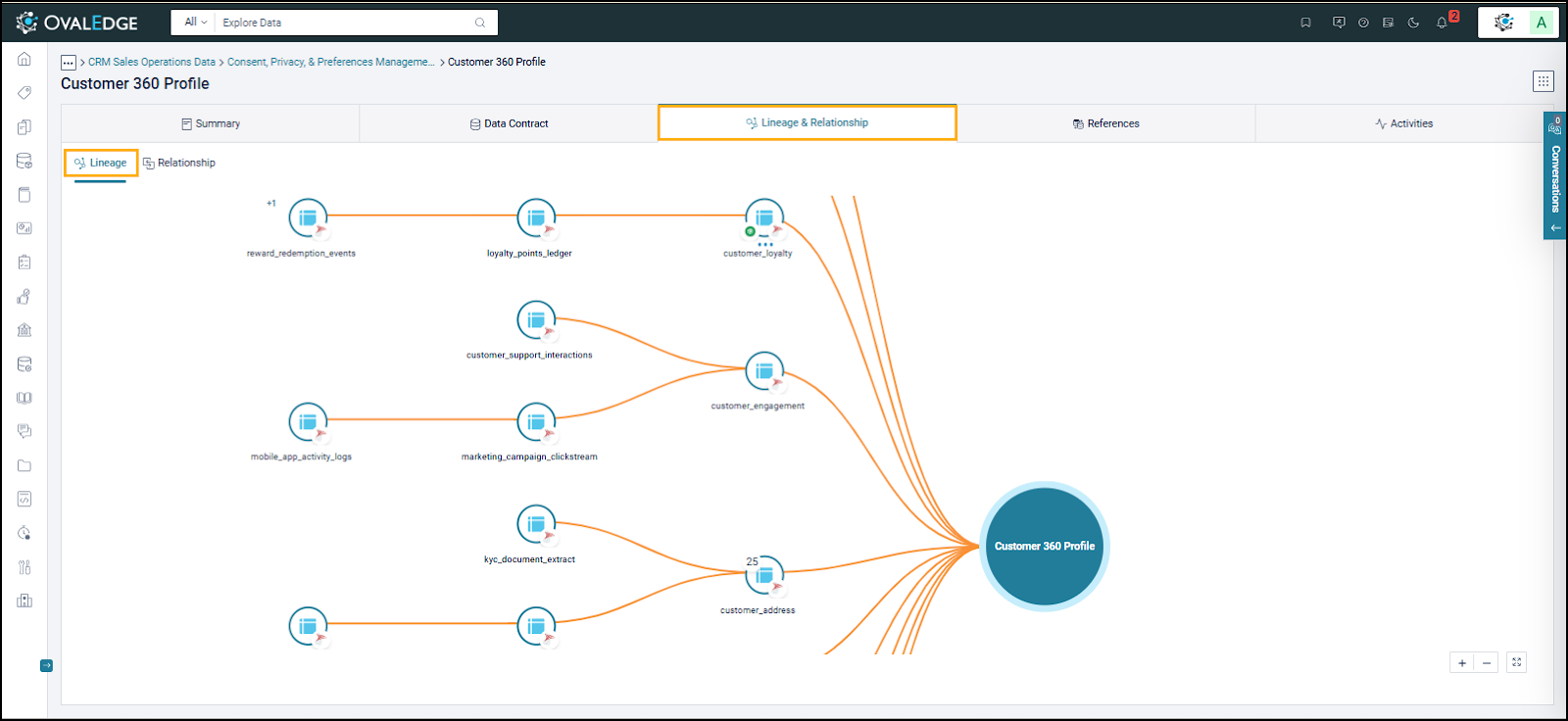
The Lineage & Relationships view shows how a Data Product connects to other governed assets. Based on assigned access, Data Browsers can view upstream and downstream connections, including data origins, dependencies, and usage context.

From a lineage perspective, Data Browsers can trace how the Data Product is sourced, transformed, and delivered. They can view upstream contributing objects and downstream dependent assets to understand data origin, derivation, and the potential impact of changes. Lineage shows data flow and dependencies without exposing unauthorized details.

From a relationships perspective, Data Browsers can view logical associations between the Data Product and related tables, files, reports, APIs, and other Data Products. These relationships show business-level connections beyond technical lineage and help identify related or reusable assets.

Lineage and relationships help Data Browsers assess dependencies, impact, and reuse before consumption.

References

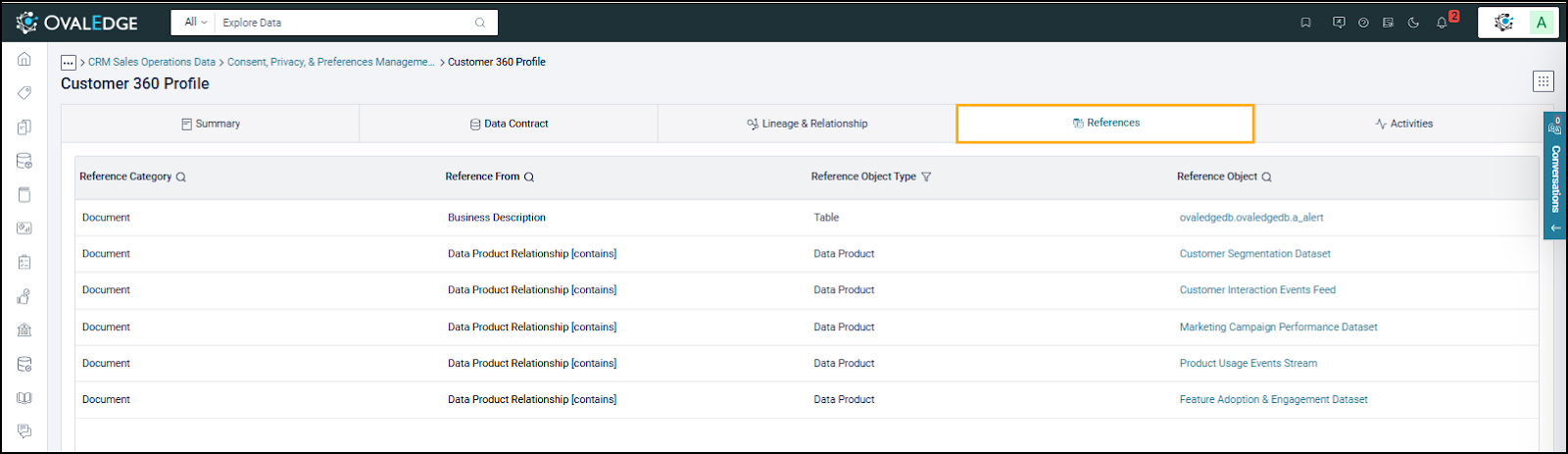
The References section shows where a Data Product is referenced across the catalog. It shows documented relationships and references so Data Browsers can understand dependencies, reuse patterns, and cross-product associations. This view is read-only.

  • Reference Category: Shows the type of reference, such as documentation or descriptive metadata, where the Data Product appears.

  • Reference From: Shows the source section or context (for example, business description or relationship type) where the reference originates.

  • Reference Object Type: Shows the type of asset (such as Data Product or Table) that is referencing or referenced.

  • Reference Object: Shows the name of the related asset and allows navigation to it.

Activities

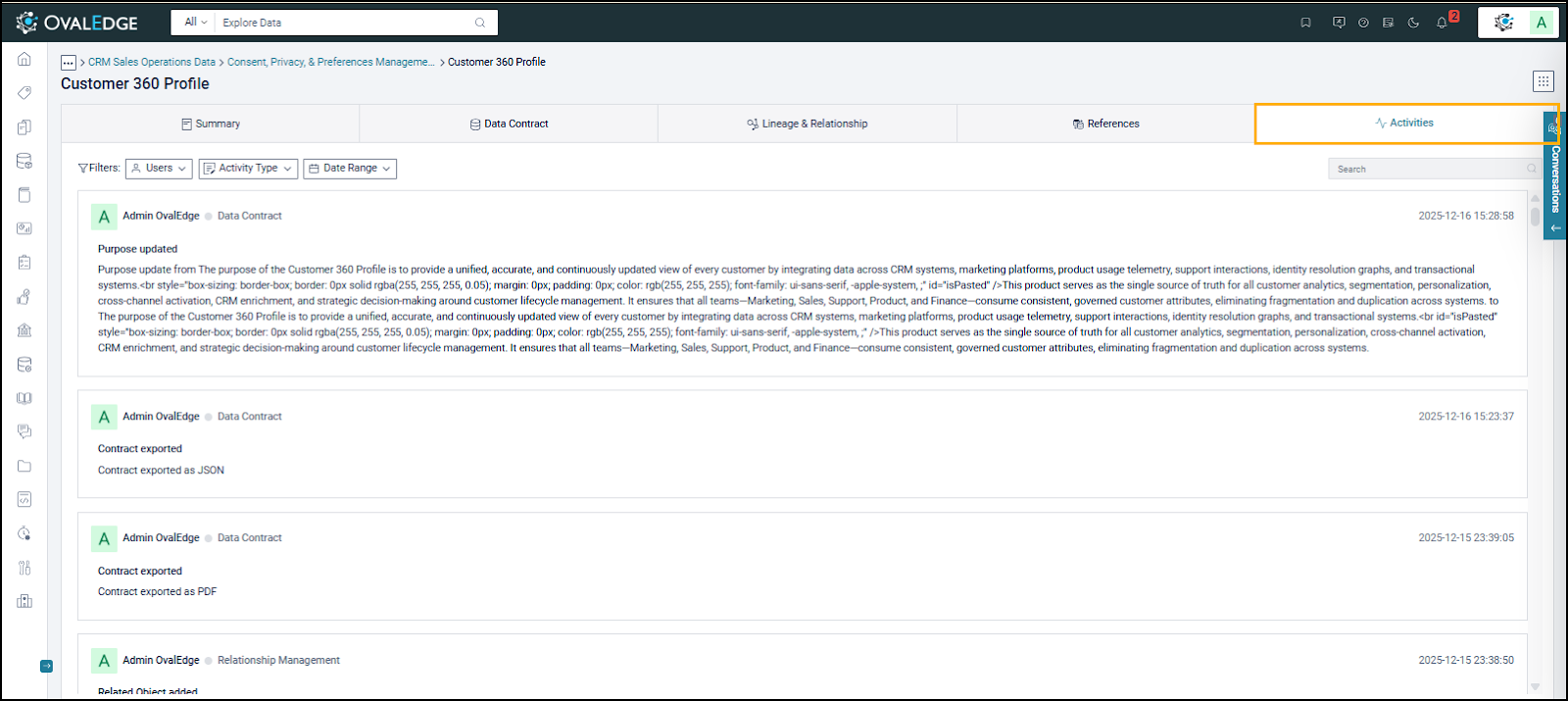
The Activities section shows a read-only audit view of key actions and changes made to a Data Product over time. It shows events such as metadata updates, Data Contract changes, relationship updates, and exports, along with the user or role and timestamp. This information helps Data Browsers understand the Data Product’s history and assess its stability and governance.

Filters in the Activities tab:

  • Users: Filters activities by user or role to identify ownership and accountability.

  • Activity Type: Filters by specific actions (such as metadata changes, ratings, subscription & access, etc.).

  • Date Range: Filters the activity log to a selected time period.

Subscription

A Data Browser requests access to a Data Product through a governed subscription process. After the Data Product Manager approves the request, the Data Browser is granted access in accordance with the defined delivery access mode and governance policies.

The Data Browser selects Request to Subscribe in the Actions section to request access. After approval by the Data Product Manager, the Data Browser receives access to the Data Product. Stage 01: Data Browser raises a request

Stage 02: Followed by Pending Approval Request

Stage 03: Data Browser subscribed to the Data Product

circle-info

When a Data Product is set to Instantly Available, eligible Data Browsers automatically receive access upon subscription, without an approval workflow. Access is granted immediately based on the defined delivery access mode (Data Preview or Data Read) and remains valid until the configured expiration date. This mode is used for well-governed Data Products intended for broad, time-bound access while maintaining centralized governance and auditability.

triangle-exclamation

Consumption

Once subscribed to the Data Product, the Data Browser transitions into a Data Consumer role. As a Data Consumer, access is granted to the following delivery modes:

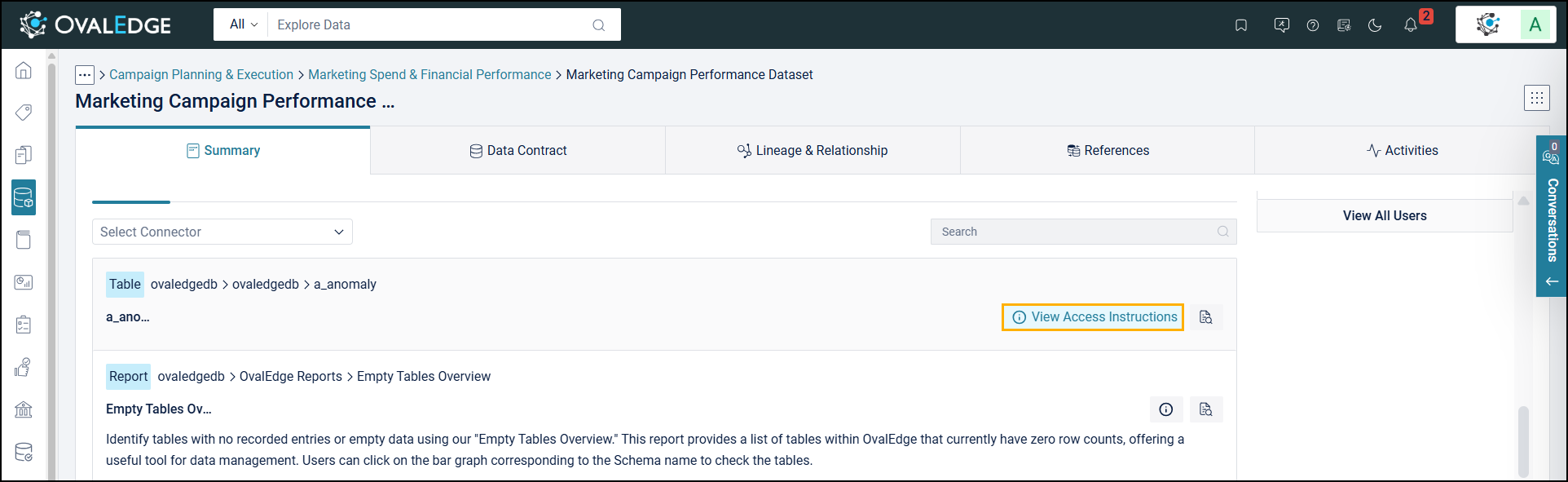
  1. View Access Instructions: The Data Consumer uses the Access Instructions section to access and use associated data. This section provides step-by-step instructions, required permissions, connection details, and supported access methods.

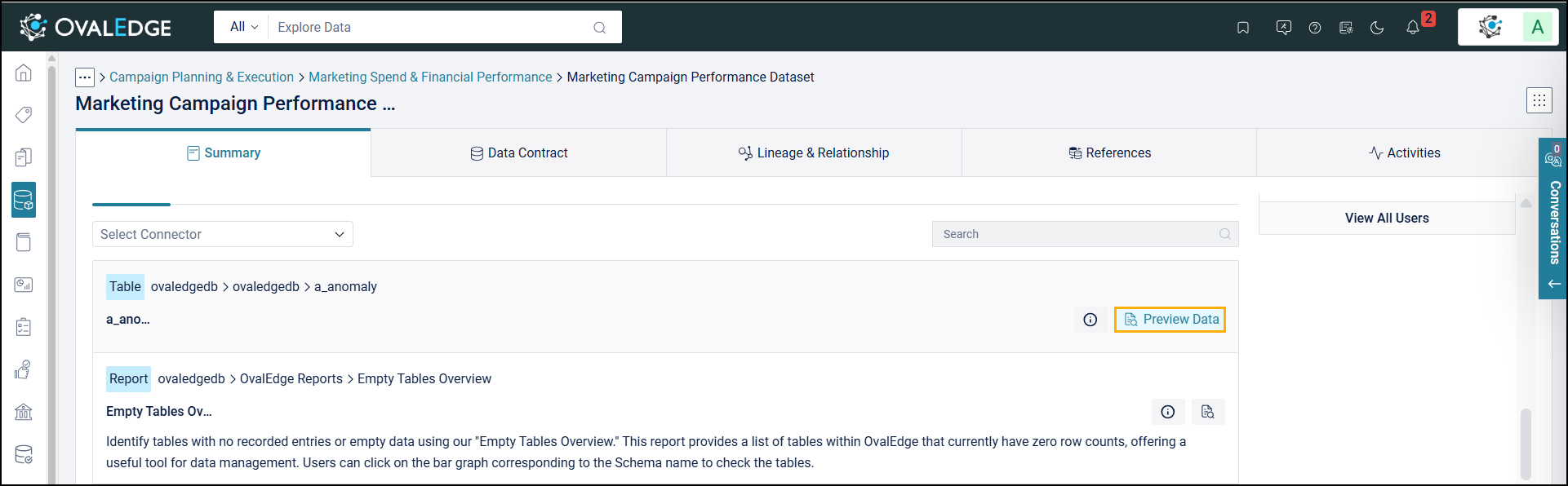
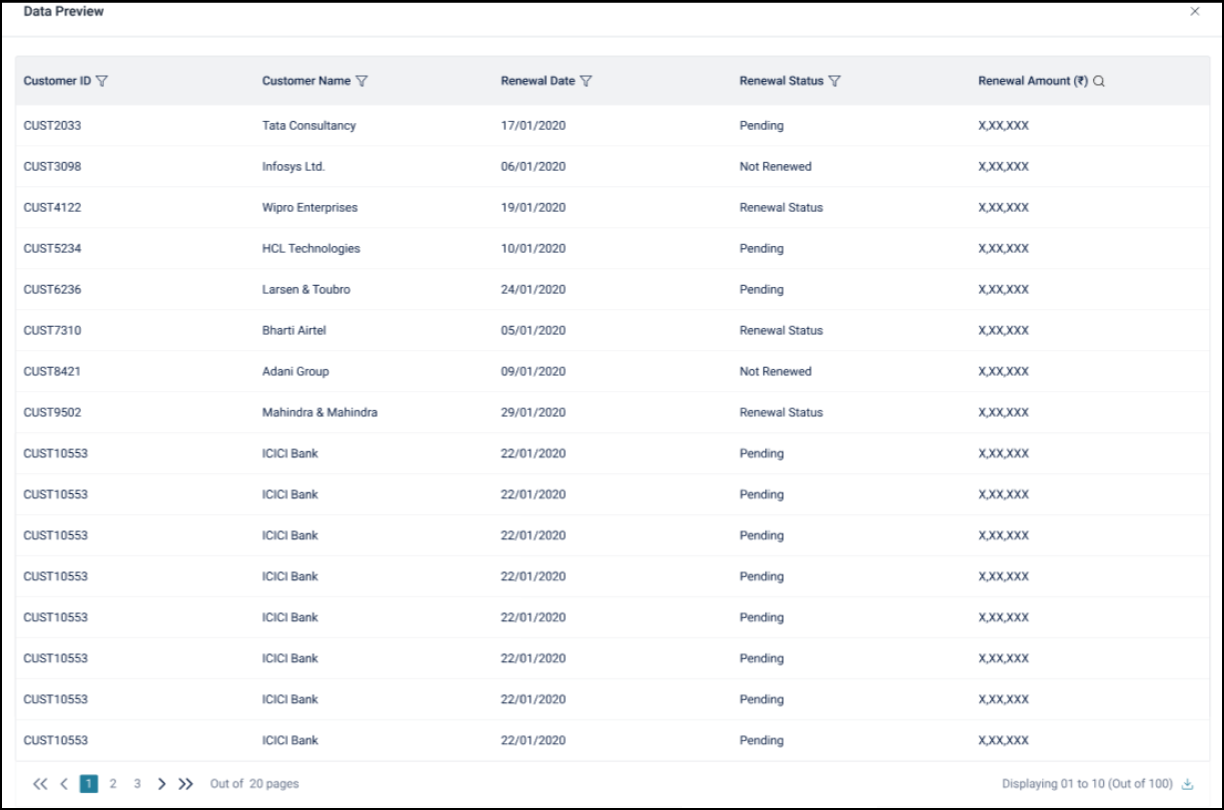
  2. Preview Data: Data Consumers use Preview Data to view a small sample, helping them quickly understand what is available and whether it meets their needs.

    triangle-exclamation
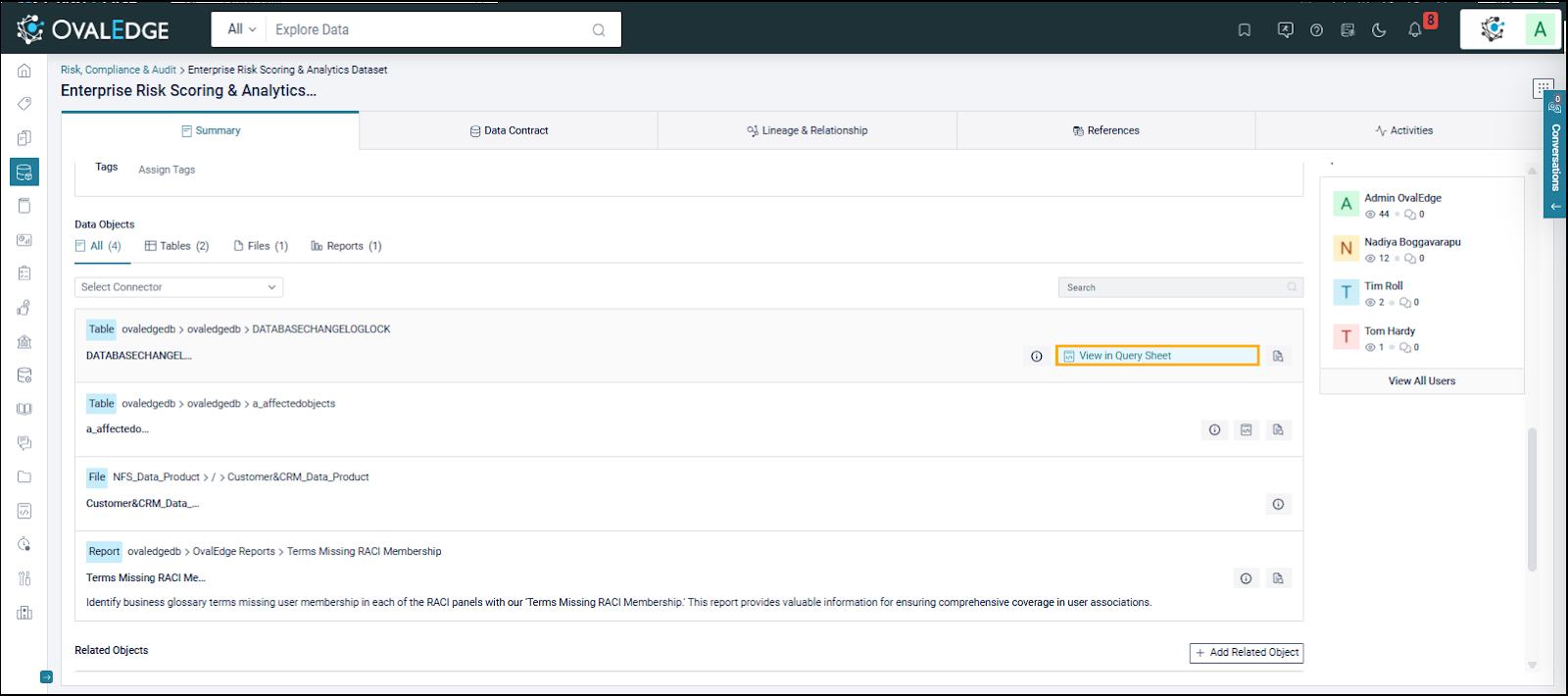
  3. View in Query Sheet: The Query Sheet enables the Data Consumer to explore and analyze data using SQL within the platform. It is an interactive workspace where the Data Consumer writes and executes SQL queries against associated data objects for further analysis beyond preview access.

Watchlist

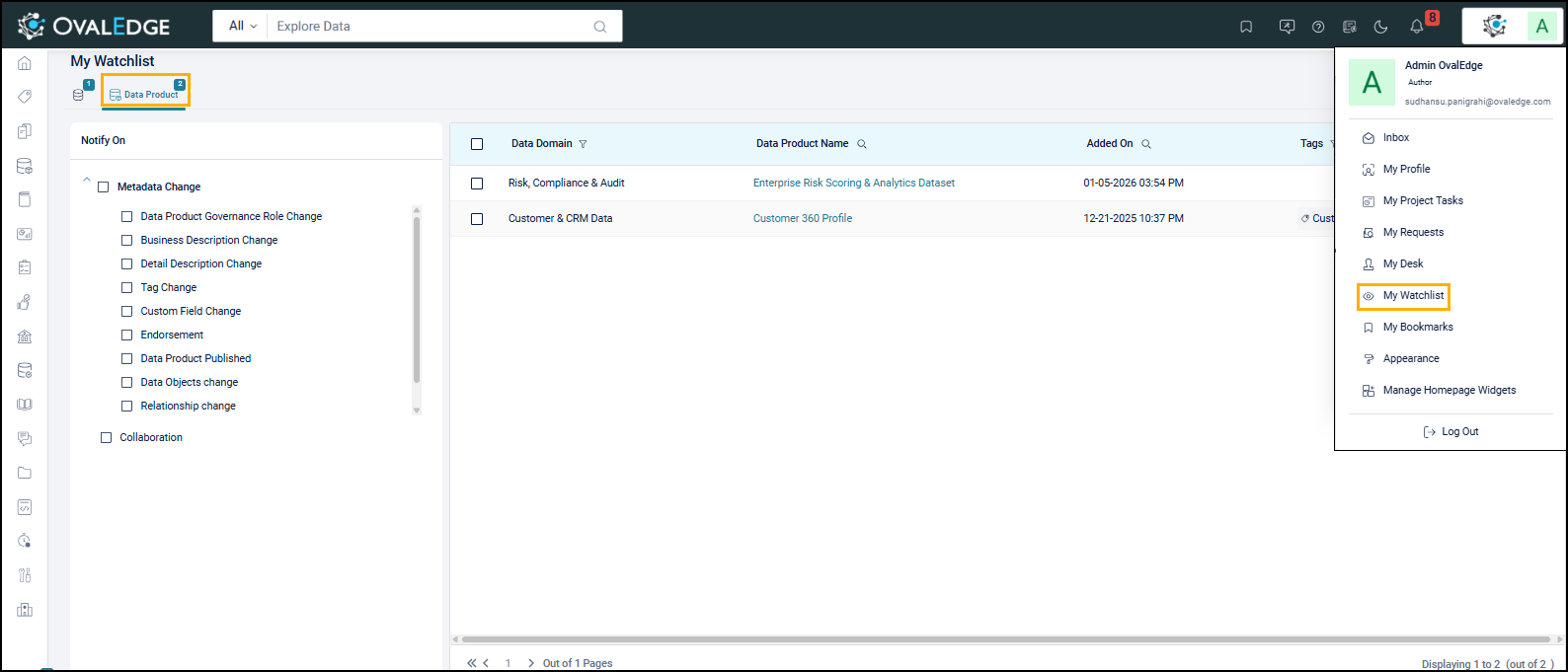
The Watchlist lets a Data Browser track Data Products of interest, even without access to them. When a Data Browser adds a Data Product to the Watchlist, it appears in the "My Watchlist" section. This helps the Data Browser stay informed about changes such as:

  • Metadata Updates

  • Governance Role Changes

  • Publication Status

  • Associated Data Object Changes

  • Endorsements

The Watchlist helps Data Browsers monitor changes to a Data Product before requesting access or subscribing.

Conversations

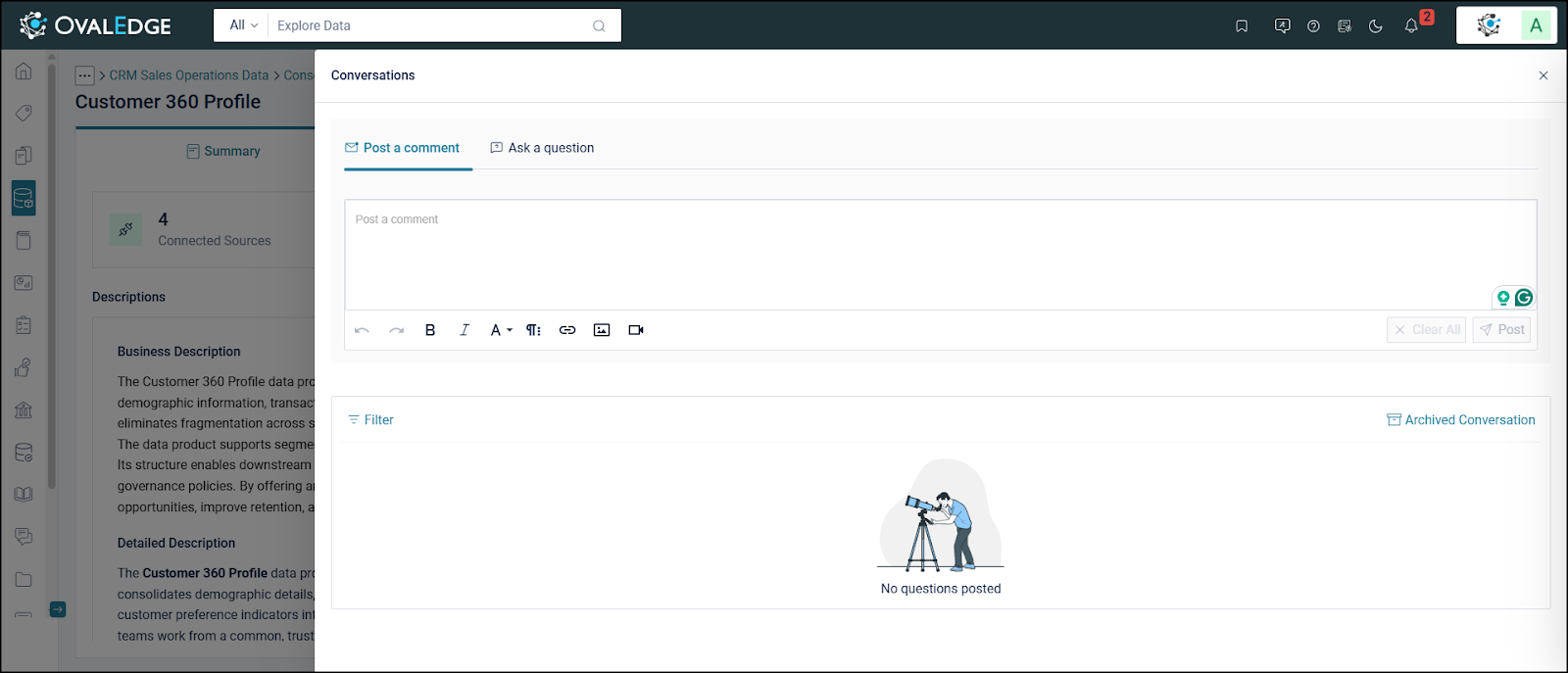
The Conversations Panel enables contextual collaboration within the application by allowing discussions, comments, and notes to be directly associated with specific pages, objects, or records. It streamlines communication by keeping discussions within the application, reducing the need for external tools like email or chat. A user can perform the following tasks:

  • @Mention: Tag team members to notify them about specific discussions.

  • In-Context Comments: Add comments and clarifications directly to the relevant object or record.

  • Rich Text Formatting: Format text, attach files, and insert links.

  • Historical Traceability: View and revisit past conversations for audit or reference.

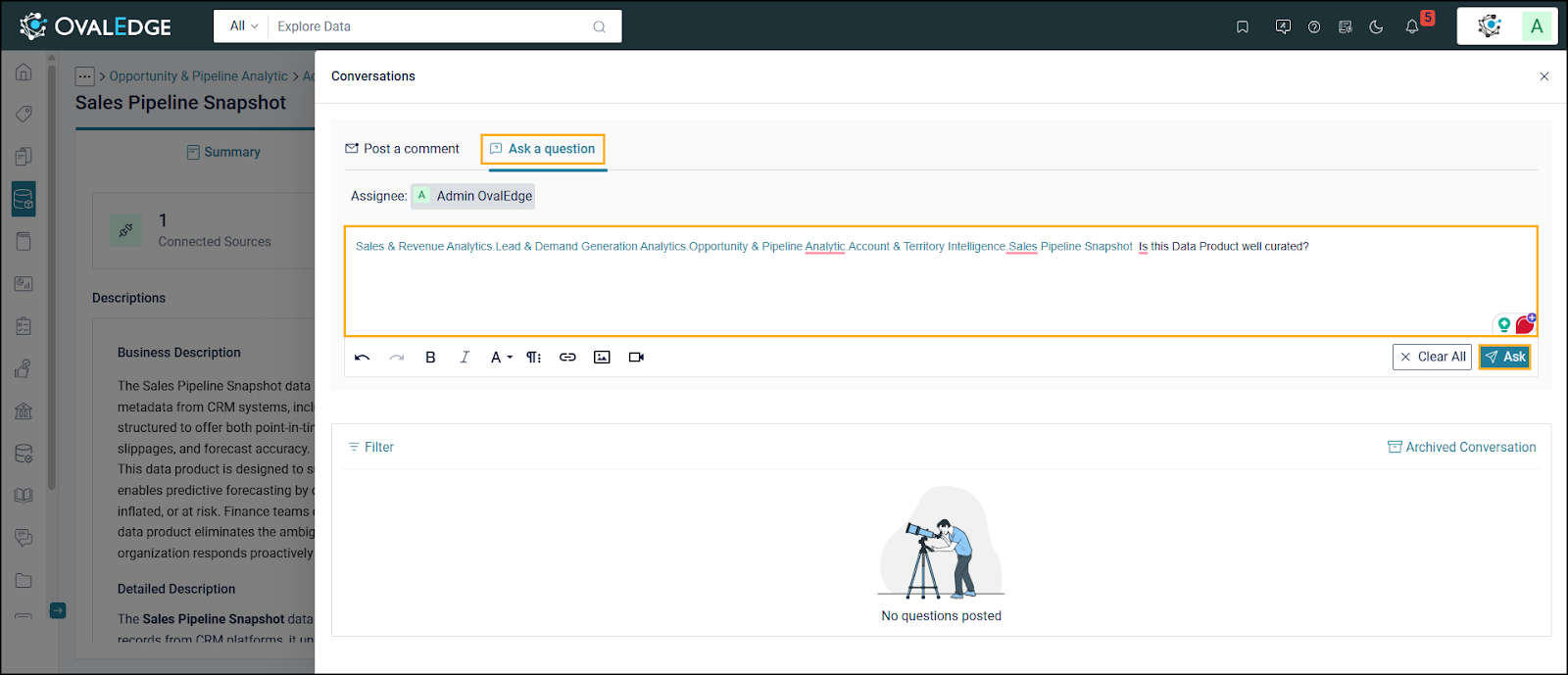
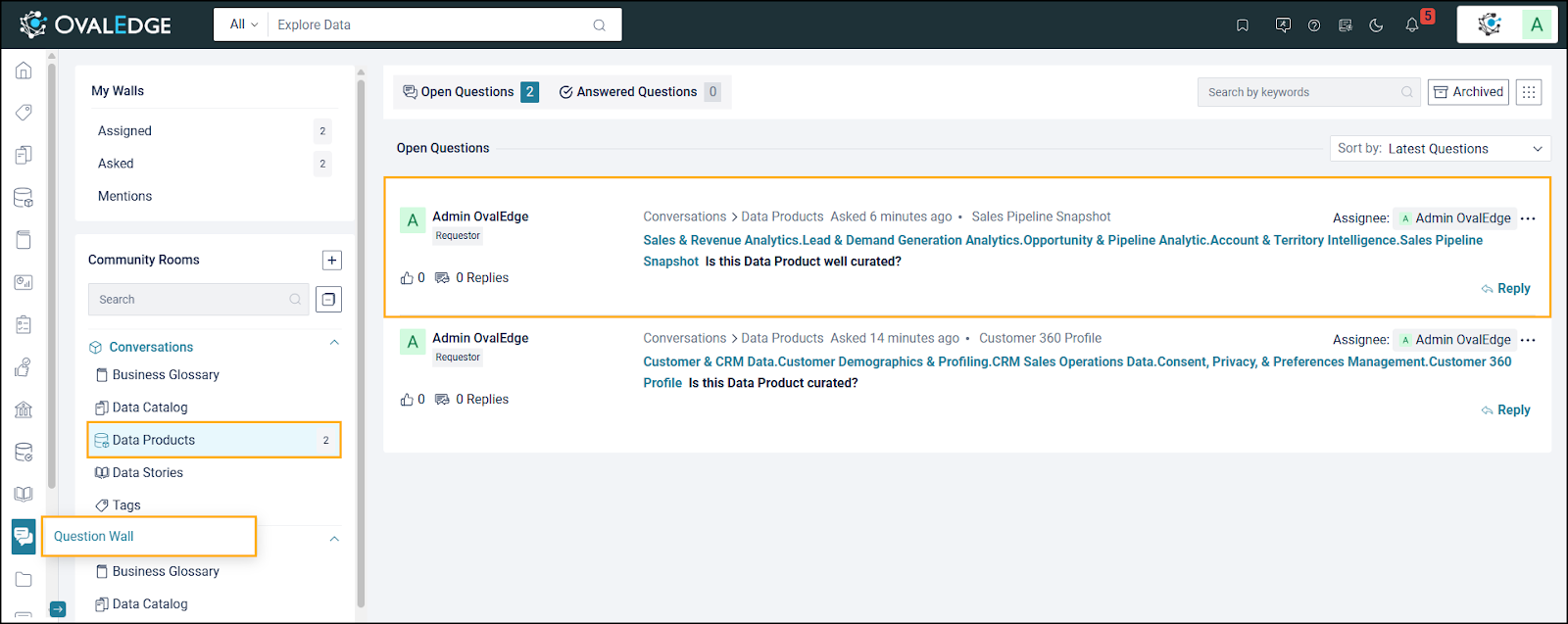
The Ask a Question feature on the Data Product Summary page lets Data Browsers submit questions about a specific Data Product, such as its content, usage, governance, or quality. The question is posted to the Question Wall and linked to the Data Product. It is routed to the relevant Data Governance roles so Owners and Stewards can respond.

The previous sections described how the Data Browser accesses and subscribes to a Data Product. The following sections focus on the Data Product Manager, responsible for creating and managing Data Products within a Data Domain.


Copyright © 2025, OvalEdge LLC, Peachtree Corners, GA, USA.

Last updated

Was this helpful?