# About OvalEdge

OvalEdge is a modern data governance and catalog platform that serves as a central hub for managing enterprise data. It connects to various data sources across an organization, allowing users to discover, catalog, govern, and leverage data effectively.

OvalEdge provides an integrated suite of tools that supports both current and future data governance requirements.

<figure><img src="https://1813356899-files.gitbook.io/~/files/v0/b/gitbook-x-prod.appspot.com/o/spaces%2FhTnkoJQml0pok9awFDhx%2Fuploads%2FErQMoQNEoY74035gWHhd%2Fimage.png?alt=media&amp;token=4b4c449c-f4eb-47f2-ac0b-6599f463218d" alt=""><figcaption></figcaption></figure>

## Core Capabilities of OvalEdge

**1. Data Cataloging**

OvalEdge builds a centralized data catalog by crawling and profiling metadata from connected systems:

* **Crawling**: Discovers metadata elements such as tables, views, columns, stored procedures, functions, and their source code.
* **Profiling**: Analyzes structures to extract row and column counts, sample data, and statistical information (e.g., minimum/maximum values, null counts, distinct values).

**2. Data Governance**

OvalEdge supports governance initiatives with the following features:

* **Data Literacy**: Enables classification, domain assignment, category mapping, and glossary creation. APIs allow for managing glossary terms and linking them to data objects.
* **Data Quality**: Provides a lifecycle for creating and managing data quality rules, identifying issues, and ensuring resolution. Includes built-in functions, tooltips, and help center guidance.
* **Privacy Compliance**: Supports privacy classification and management of Records of Processing Activities (ROPA).

**3. Data Discovery**

Users can discover data through global search, tag-based navigation, and guided exploration tools.

**4. Data Lineage**

Supports both automatic and manual lineage creation, allowing users to trace data flow and perform impact analysis.

**5. Access Management**

Manages access to data, metadata, and application-level assets through robust security controls for users, roles, and objects.

**6. Connectivity**

OvalEdge connects to a wide range of data sources through built-in connectors. A list of key connectors is provided below:

* **RDBMS**: Oracle, MySQL, Amazon Redshift, SAP HANA
* **Data Warehouses**: Google BigQuery, Snowflake, Vertica
* **ETL Tools**: AWS DMS, Azure Data Factory, Informatica PowerCenter
* **File Systems**: Amazon S3, Azure Data Lake, HDFS, SharePoint
* **Applications**: Salesforce, SAP BO
* **NoSQL Databases**: Azure Cosmos DB, MongoDB
* **Analytics Systems**: SSAS
* **Reporting Tools**: Power BI, Tableau, MicroStrategy Cloud

{% hint style="warning" %}
Base Connector Licenses cover core features like crawling and profiling. Add-ons are available for advanced features such as lineage and data quality.
{% endhint %}

**7. Self-Service Tools**

Provides users with tools to:

* Query data across sources
* Use query sheets for analysis
* Compare datasets
* Manage projects
* Access glossary terms, catalog entries, bookmarks, and report issues using a browser extension integrated with web applications

**8. Operational Features**

OvalEdge includes tools to:

* Monitor and manage background jobs
* View logs and control job execution
* Track changes to data and metadata over time to ensure integrity

***

Copyright © 2025, OvalEdge LLC, Peachtree Corners, GA, USA.


# Release7.2

OvalEdge **Release7.2** delivers significant enhancements across the application, focusing on usability, governance, and performance.&#x20;

### Key Highlights

* **Login & Security**
  * Restriction on concurrent logins for better account security.
  * End User License Agreement (EULA) pop-up disabled in production environments.
* **Home & Navigation**
  * Customizable homepage widgets, announcement banners, and personalized layouts.
  * Improved first-login experience with actionable inbox pop-ups.
* **Browser Extension**
  * Guest user login for external stakeholders with secure domain restrictions.
  * Enhanced visibility of reports, datasets, steward information, and audit logs.
* **Tags & Business Glossary**
  * Master Tags hierarchy and secure governance with role-based access.
  * Improved filtering, cascade tagging, and glossary role updates across terms.
* **Data Catalog & Lineage**
  * Toggle between summary and detailed lineage views.
  * Column-level transformation visibility and Critical Data Element recommendations.
  * Improved lineage graph readability and new attributes for source identification.
* **Service Desk**
  * Configurable templates with rich-text formatting, ticket integrations (Jira, ServiceNow, Azure DevOps).
  * Draft versions for templates, file upload fields, configurable views, and SLA enhancements.
* **Data Quality**
  * Row-based scoring for accuracy, incremental rule execution, and UDF remediation support.
  * Expanded coverage with BOX connector support (BETA) and standardized file functions.
* **New Modules**
  * **Policy Manager** for managing and enforcing data policies.
  * Enhanced **GDPR ROPA** with alerts, customizable attributes, and compliance tracking.
* **Connectors**
  * Extended support for SharePoint Lists, Delta Lake, and DBT Cloud.
  * Connector health checks, license tracking improvements, and role-based authentication for AWS.
* **Dashboards & Projects**
  * Enhanced Data Quality Scoreboards and execution reports.
  * Auto-assignment of tasks, custom priority labels, and improved project workflows.
* **Other Enhancements**
  * Schema comparison, history, and scheduling.
  * Impact analysis with version comparisons.
  * Advanced jobs for migration, lineage building, and metadata sync.
  * Improved role management, user-role transfers, and advanced job utilities.

### Release Details:

<table><thead><tr><th width="136.33331298828125" align="center">Release Type </th><th width="149.6666259765625" align="center">Release Version</th><th width="247.66668701171875" align="center" valign="middle">Build &#x3C;Release. Build Number. Release Stamp></th><th align="center" valign="middle">Build Date</th></tr></thead><tbody><tr><td align="center">Minor Release</td><td align="center">Release7.2</td><td align="center" valign="middle">Release7.2.7200.b97830f</td><td align="center" valign="middle">19 August, 2025</td></tr></tbody></table>

### **Release Trailer:**

Discover the key highlights of **OvalEdge Release7.2** through our trailer. This quick walkthrough showcases the major enhancements in usability, governance, performance, and other improvements across the application.

{% embed url="<https://youtu.be/MGMXiXK63xg>" %}

***

Copyright © 2025, OvalEdge LLC, Peachtree Corners, GA, USA.


# Release Notes

**Release7.2** focuses on **usability, governance, security, and performance** across the OvalEdge platform. The release introduces new modules, enhances core features, and strengthens compliance and data management capabilities.

**Notable updates include:**

* **Login & Security:** Restriction on concurrent logins and EULA disabled in production environments.
* **Home & Navigation:** Enhanced homepage widgets, theme customization, and announcement banners.
* **Browser Extension:** Guest user login, improved metadata visibility, audit logs, and steward display.
* **Tags & Business Glossary:** Master Tags hierarchy, secure tag governance, enhanced filters, and glossary-role cascades.
* **Data Catalog & Lineage:** Summary/Detailed lineage toggle, column-level transformation visibility, and Critical Data Elements recommendations.
* **Service Desk:** Configurable templates, ticket integrations (Jira, SNOW, Azure DevOps), rich-text fields, and file uploads.
* **Data Quality:** Row-based DQ scoring, incremental rule execution, function auditability, and BOX support.
* **Connectors:** Expanded support for SharePoint Lists, Delta Lake, and DBT Cloud; connector health checks and improved license tracking.
* **New Modules:** Introduction of Policy Manager and enhanced GDPR ROPA capabilities.
* **Other Enhancements:** Improved dashboards, schema comparison history, impact analysis, user-role transfers, and advanced job utilities.

***

Copyright © 2025, OvalEdge LLC, Peachtree Corners, GA, USA.


# Login & Home

## <mark style="color:$primary;">Login</mark>&#x20;

## New & Improved

### Restrict Concurrent Logins

A new system setting, restrict.concurrent.logins, has been introduced to enhance account security by limiting users to a single active session.

* When enabled, any new login automatically terminates existing sessions on other browsers or devices. This does not impact multiple tabs within the same browser.&#x20;
* When disabled (default), users can maintain multiple concurrent sessions across different devices or browsers.

### EULA Disabled for Prod Login

The EULA (End User License Agreement) pop-up, previously displayed during the first-time login, is now disabled by default in all production environments.&#x20;

{% hint style="info" %}
This change applies only to production environments. Non-production environments (such as development or staging) remain unaffected.
{% endhint %}

## <mark style="color:$primary;">Home</mark>&#x20;

## New & Improved

### Appearance

In My Resources, Appearance allows theme customization with six color options, each one is available in light and dark modes, offering 12 unique combinations. A toggle button in the header allows switching between light and dark themes while retaining the selected base color. The default theme is set to OvalEdge Blue and Light Mode.

### Inbox Pop-Up for First Login

Inbox displays pending actions through a pop-up during the initial login. Each item can be clicked to view details. Automatically closes upon switching tabs and does not reappear during the same session.

### Announcement Banner

Administrators can configure an announcement banner at the top of the homepage to share updates. Banner content and visibility are managed in System Settings.

### Restore to Default Layout

A “Restore to Default Layout” button is now available in the “Manage Homepage Widgets” section. Upon confirmation, the current layout is reset to the admin-defined default layout. All user customizations, including widget size and placement, are cleared.

### Custom Data Story Widget

Administrators can now add specific Data Stories to the homepage using the new ‘Add as Custom Homepage Widget’ option. These widgets are user-personalized and enhance the visibility of targeted content directly on the homepage. Created by users with admin privileges.

### Enhanced Homepage Widgets

* **Widget Management Enhancements:** Admins can now manage and configure homepage widgets from Administration > Security > Manage Homepage Widgets.\
  \
  They can assign widget owners, control visibility for authors, enable or disable widget resizing/removal, and push or withdraw widgets across all user homepages.
* **Widget – User Preferences:** In My Profile > Manage Homepage Widgets, users can personalize their homepage layout using intuitive drag-and-drop functionality to:
* Add or remove widgets.
* Rearrange widget positions.
* Resize widgets for optimal display.

{% hint style="info" %}
By default, no widgets are selected. Users have full control over their homepage configuration.
{% endhint %}

* **My Bookmarks Widget: The** My Bookmarks widget now supports unlimited bookmarks with actions like Edit, Pin, Delete, and easy reordering. &#x20;

### <mark style="color:$primary;">Customization via System Settings</mark>

<table><thead><tr><th width="306.16668701171875">Name</th><th>Description</th></tr></thead><tbody><tr><td>home.videos.viewall.link</td><td><p>Configure to redirect the specific helpful resources link.</p><p><strong>Parameters:</strong> </p><ul><li>Enter the specific URL link in the Value column.</li></ul></td></tr><tr><td>ovaledge.main.logo</td><td><p>Configure to upload the main logo at the top-left black bar.</p><p><strong>Parameters:</strong> </p><ul><li>Enter the specific image in the Value column.</li></ul></td></tr><tr><td>ovaledge.login.logo</td><td><p>Configure to upload the logo for display on the login page. </p><p><strong>Parameters:</strong> </p><ul><li>Enter the specific image in the Value column. </li><li>Allowed image types: png, jpeg, and jpg</li></ul></td></tr><tr><td>ovaledge.onboarding.widget.enable</td><td><p>Configure to enable/disable the onboarding widget screen.</p><p><strong>Parameters:</strong></p><ul><li>The default value is False.</li><li>If set to True, the onboarding widget screen is enabled.</li><li>If set to False, the onboarding widget screen is disabled.</li></ul></td></tr><tr><td>login.support.enable</td><td><p>Configure to enable/disable the support information on the Login page.</p><p><strong>Parameters:</strong></p><ul><li>The default value is False.</li><li>If set to True, the support information will be displayed on the Login page.</li><li>If set to False, the support information will not be displayed on the Login page.</li></ul></td></tr><tr><td>ovaledge.login.title</td><td><p>Configure to view the title or tagline for the application on the Login page.</p><p><strong>Parameters:</strong></p><ul><li>The default value is Empty.</li><li>Based on the specified value, the title or tagline will be displayed on the Login page.</li></ul></td></tr><tr><td>ovaledge.login.description1</td><td><p>Configure to view the description for the application on the Login page.</p><p><strong>Parameters:</strong></p><ul><li>The default value is Empty.</li><li>Based on the specified value, the description will be displayed on the Login page.</li></ul></td></tr><tr><td>ovaledge.login.description2</td><td><p>Configure to view the additional description for the application on the Login page.</p><p><strong>Parameters:</strong></p><ul><li>The default value is Empty. </li><li>Based on the specified value, the additional description will be displayed on the Login page.</li></ul></td></tr><tr><td>login.doc.link</td><td><p>Configure to view the documentation and video URL link for the application on the Login page</p><p><strong>Parameters:</strong></p><ul><li>The default value is Empty.</li><li>Based on the specified value, the URL will be displayed on the Login page.</li></ul></td></tr><tr><td>login.faq.link</td><td><p>Configure to view the Frequently Asked Questions URL link for the application on the Login page.</p><p><strong>Parameters:</strong></p><ul><li>The default value is Empty.</li><li>Based on the specified value, the URL will be displayed on the Login page.</li></ul></td></tr><tr><td>home.actionitems.alert.enable</td><td><p>Configure to enable/disable the alert pop-up functionality.</p><p><strong>Parameters:</strong></p><ul><li>The default value is True.</li><li>If set to True, the alert pop-up functionality will be enabled.</li><li>If set to False, the alert pop-up functionality will be disabled.</li></ul></td></tr><tr><td>online.assistance.enable</td><td><p>Configure to enable/disable the Online Assistance.</p><p><strong>Parameters:</strong></p><ul><li>The default value is False.</li><li>If set to True, the Online Assistance option will be enabled.</li><li>If set to False, the Online Assistance option will be disabled.</li></ul></td></tr><tr><td>restrict.concurrent.logins</td><td><p>It allows administrators to control whether users can log in to multiple sessions simultaneously.</p><p><strong>Parameters:</strong></p><ul><li>The default Value is False (users can log in to multiple sessions)</li><li>To Restrict: Set the value to True to limit users to a single active session at a time.</li></ul></td></tr><tr><td>enable.welcome.story</td><td><p>Configure to view if the Data Story can be added to the Home Page or set as Welcome Story.</p><p><strong>Parameters:</strong></p><ul><li>The default value is False.</li><li>If set to True, the Data Story can be added to the Home Page or set as Welcome Story.</li><li>If set it to False; the Data Story should neither be added to the Home Page nor set as Welcome Story.</li></ul></td></tr><tr><td>oe.profile.importancescore.threshold</td><td>This setting defines a threshold value for the importance score of data assets in the profiling process. Only assets with an importance score equal to or greater than this threshold will be included in the profiling. This ensures a focus on high-priority data, optimizing resource use and enhancing the relevance of profiling outcomes. Value should be in the range of 0-100.</td></tr></tbody></table>

{% hint style="info" %}
The Online Assistance setting (online.assistance.enable) in System Settings should be set as False by default for all customers.
{% endhint %}

## <mark style="color:$primary;">My Resources</mark>&#x20;

## New & Improved

### Email Configuration

Administrators can configure system-defined email notifications using SMTP, and now also through AWS SES and Azure Graph API.

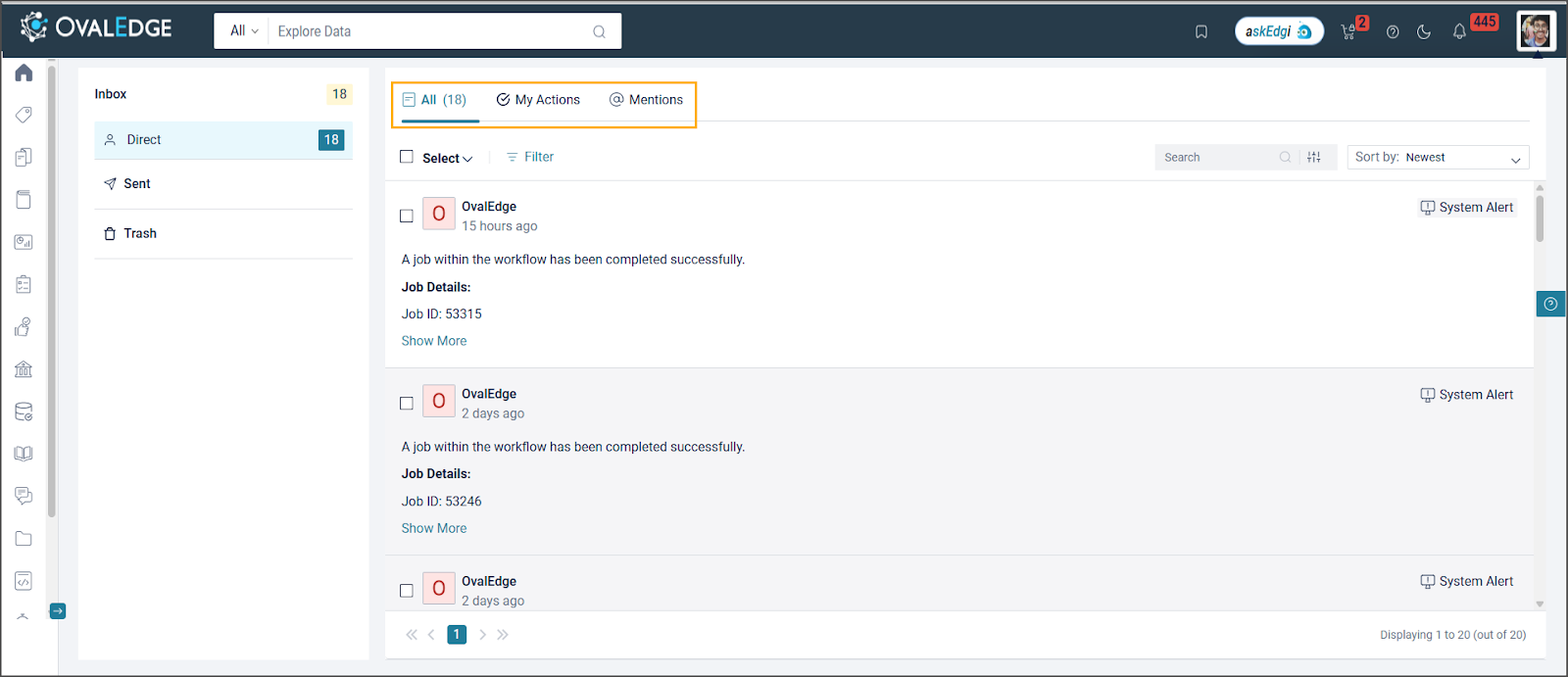
### Inbox Notifications

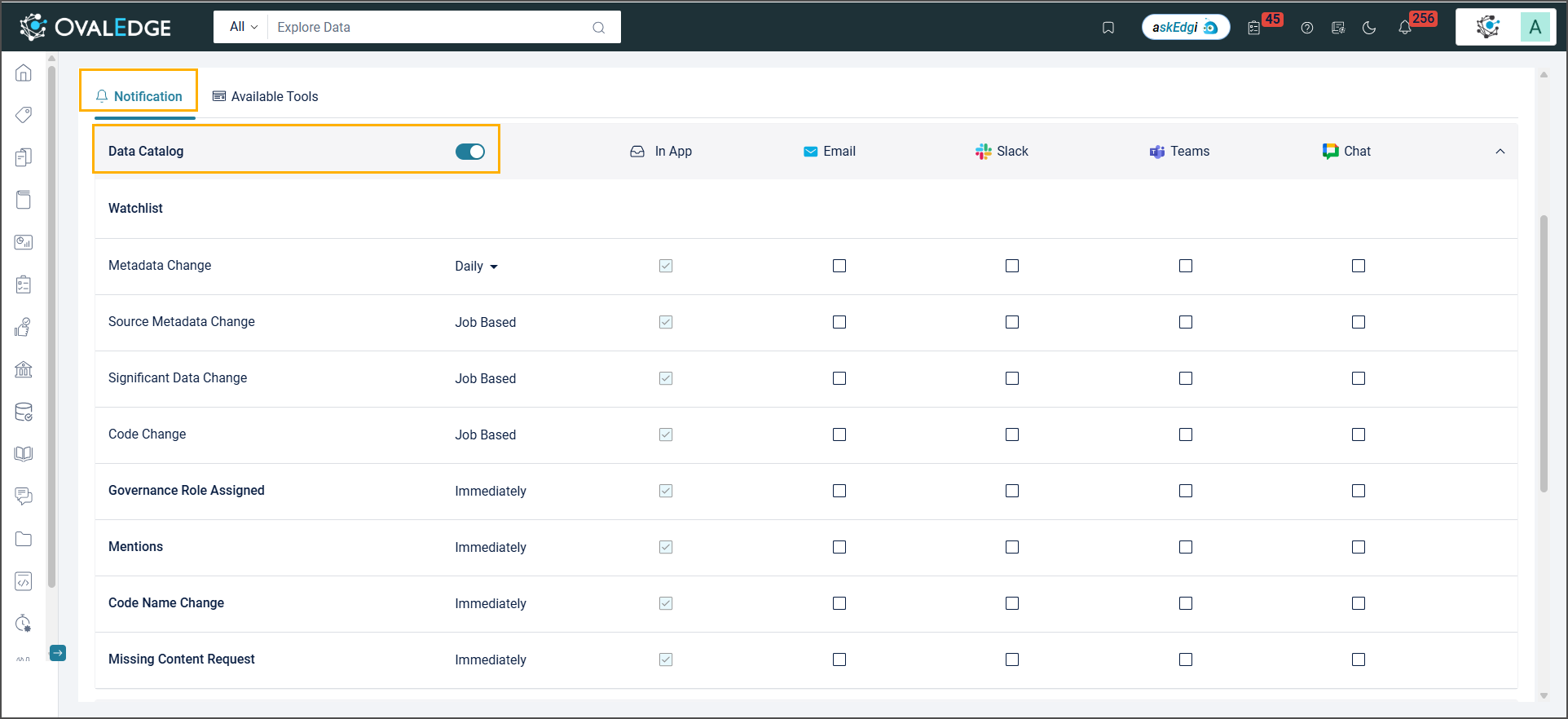
Provides a simplified way to manage platform notifications.

* **Key updates include:**
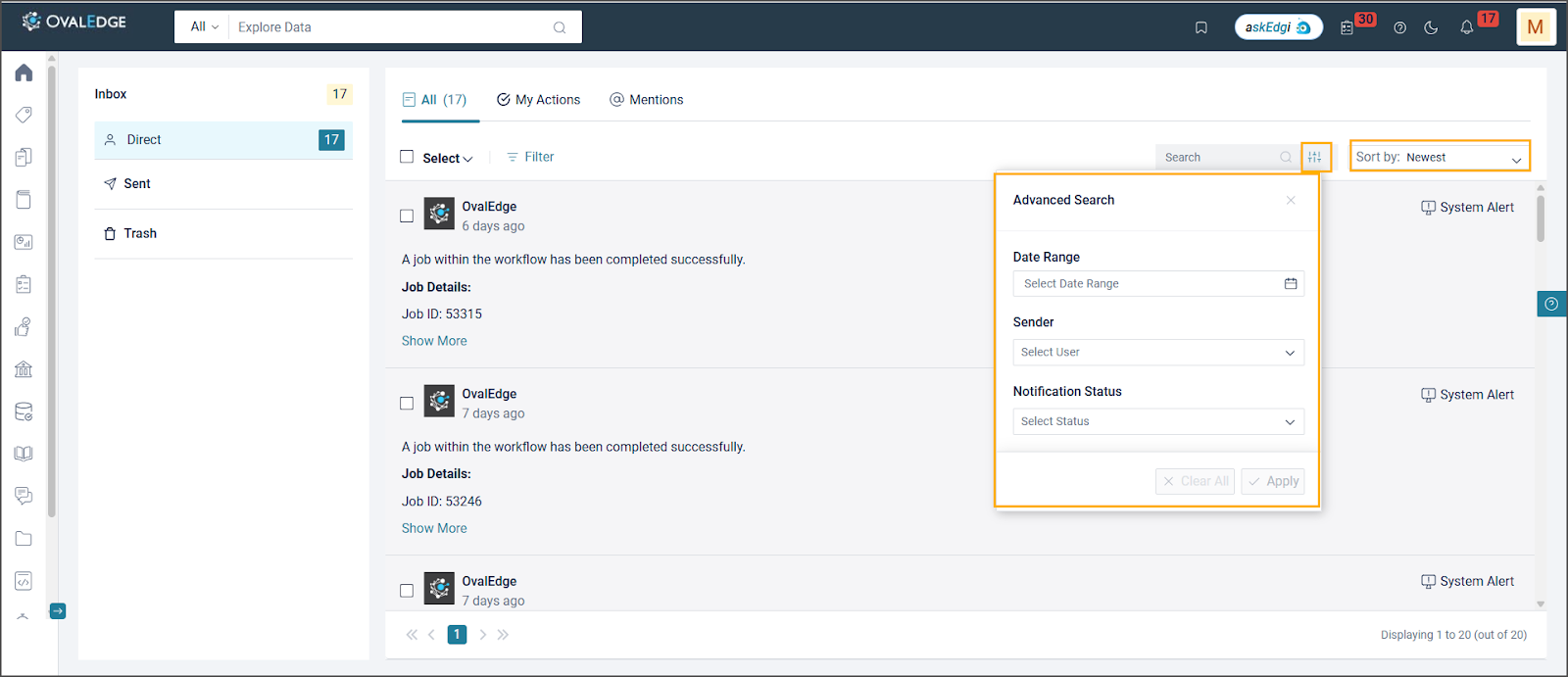
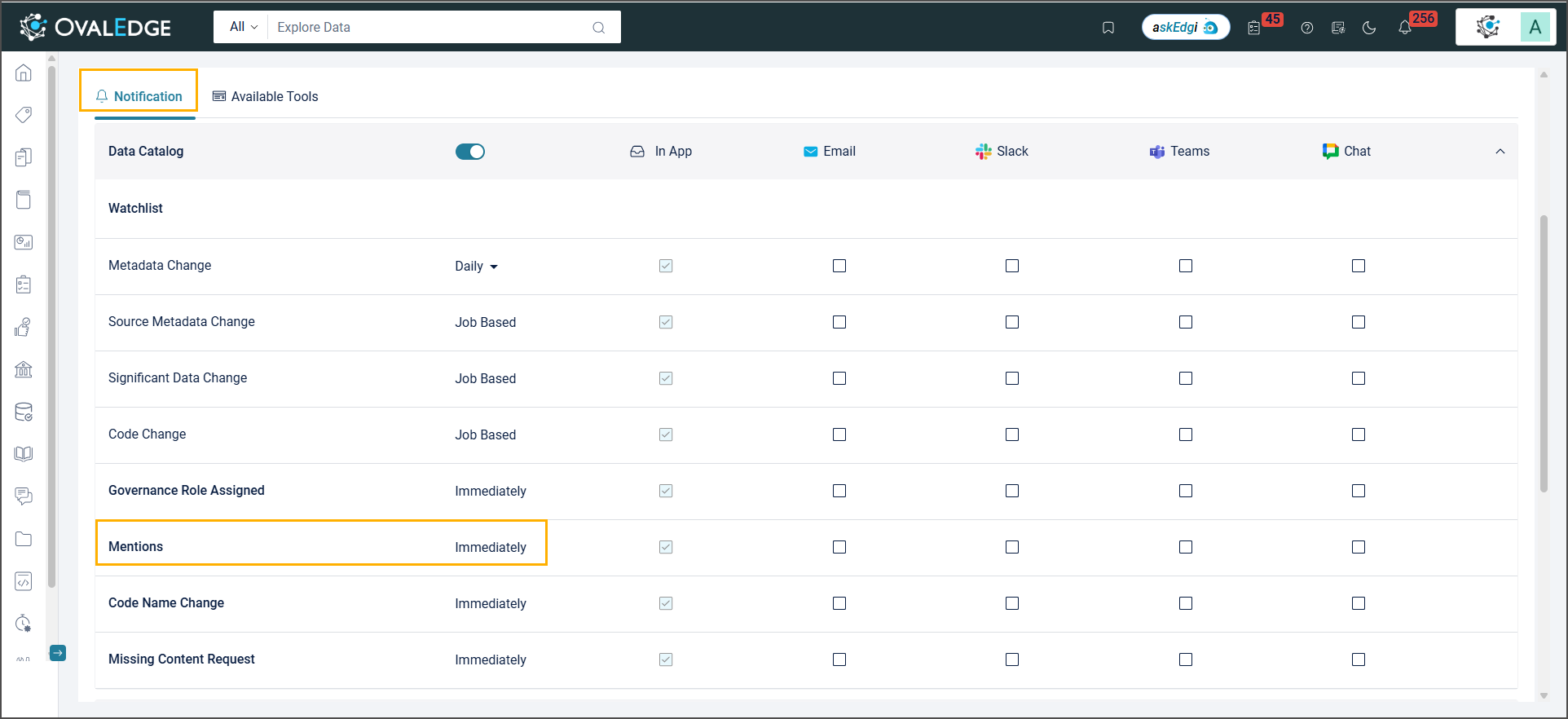
  * **Categorized Notifications:** Organizes notifications into All, My Actions, and @mentions for system and custom-triggered alerts.
  * **Bulk Actions:** Allows marking as read, deleting, or archiving multiple notifications at once.
  * **Advanced Filtering & Sorting:** Filters by event type, read status, or module, and sorts alerts to highlight important ones.
* **My Watchlist Significant Data Change Notifications:** Triggers a notification when significant changes occur in remote data objects, such as row addition or deletion. A threshold between 0.0001% and 100% can be set, and if the row count change exceeds this limit, the system sends an alert.\
  **Example:** if the threshold is set to 50% and the row count of the data object increases by more than 50%, a notification will be generated.
* **Compare Schema Notifications:** Notifications are automatically sent when schema differences are detected.

### <mark style="color:$primary;">Customization via System Settings</mark>

<table><thead><tr><th width="319">Name</th><th>Description</th></tr></thead><tbody><tr><td>enable.slack.communication</td><td><p>Configure to enable/disable Slack on the My Profile page.</p><p><strong>Parameters:</strong></p><ul><li>The default value is False</li><li>If set to True, the Slack option is enabled.</li><li>If set to False, the Slack option is disabled.</li></ul></td></tr><tr><td>enable.slack.channel</td><td><p>Configure to view the 'Add Slack id' on the Profile page.</p><p><strong>Parameters:</strong></p><ul><li>The default value is False</li><li>If set to True, the Add Slack id option displays on the Profile page. </li><li>If set it to False, the Add Slack id option does not display on the Profile page.</li></ul></td></tr><tr><td>enable.google.chat.channel</td><td><p>Configure to view the 'Add GoogleChat Webhook URL' on the Profile page.</p><p><strong>Parameters:</strong></p><ul><li>The default value is False</li><li>If set to True, the 'Add GoogleChat Webhook URL' option displays on the Profile page. </li><li>If set it to False, 'Add GoogleChat Webhook URL' option does not display on the Profile page.</li></ul></td></tr><tr><td>enable.ms.teams.channel</td><td><p>Configure to view the 'Add Microsoft Teams Webhook URL' on the Profile page.</p><p><strong>Parameters:</strong></p><ul><li>The default value is False.</li><li>If set to True, the 'Add Microsoft Teams Webhook URL' option displays on the Profile page.</li><li>If set it to False, 'Add Microsoft Teams Webhook URL' option does not display on the Profile page.</li></ul></td></tr><tr><td>ms.teams.integration.type</td><td><p>Configure Microsoft Teams integration method for sending notifications.</p><p><strong>Parameters:</strong></p><ul><li>The default value is Webhook.</li><li>If you have updated Microsoft Teams to a version that no longer supports Webhooks, switch the integration method to Workflows and set the value to Workflow.</li></ul></td></tr><tr><td>ovaledge.email.server.type</td><td><p>It allows users to select the type of email server used for sending notifications.</p><p><strong>Parameters:</strong></p><ul><li>The default value is SMTP.</li><li>Users can choose the server type from the dropdown list (SMTP, AWS SES, and Azure Graph API).</li><li>Based on the selection, the relevant configuration fields will be enabled.</li></ul></td></tr><tr><td>ovaledge.azure.graphapi.emailaddress</td><td><p>It allows users to specify the sender email address used for sending notifications through the Azure-authorized application.</p><p><strong>Parameters:</strong></p><ul><li>The default value is EmptyNote. </li><li>Users must enter a valid and active email account within the organization’s Microsoft environment with Outlook access.</li><li>The Azure application will use this email to send notifications on the user’s behalf.</li></ul></td></tr><tr><td>ovaledge.azure.graphapi.tenantid</td><td><p>It allows users to specify the Tenant ID from the Azure application registration.</p><p><strong>Parameters:</strong></p><ul><li>The default value is Empty. </li><li>Users must enter the Tenant ID associated with your organization's Azure Active Directory.</li></ul></td></tr><tr><td>ovaledge.azure.graphapi.clientid</td><td><p>It allows users to specify the Client ID of the OvalEdge application from Azure application registration.</p><p><strong>Parameters:</strong></p><ul><li>The default value is Empty. </li><li>Enter the Client ID assigned during Azure application registration.</li></ul></td></tr><tr><td>ovaledge.azure.graphapi.clientsecret</td><td><p>It allows users to store the Client Secret generated during Azure application registration securely.</p><p><strong>Parameters:</strong></p><ul><li>The default value is Empty. </li><li>Enter the Client Secret obtained from the Azure portal for the registered application.</li></ul></td></tr><tr><td>ovaledge.awsses.smtp.server</td><td><p>It allows users to specify the AWS SES SMTP Server URL for sending email notifications.</p><p><strong>Parameters:</strong></p><ul><li>The default value is Empty. </li><li>Enter the SMTP Server URL provided by AWS SES.</li></ul></td></tr><tr><td>ovaledge.awsses.smtp.port</td><td><p>It allows users to specify the AWS SES SMTP Server Port used for sending email notifications.</p><p><strong>Parameters:</strong></p><ul><li>The default value is Empty. </li><li>Enter the port number provided by AWS SES (e.g., 25, 465, or 587).</li></ul></td></tr><tr><td>ovaledge.awsses.smtp.mode</td><td><p>It allows users to specify the mode used by the AWS SES SMTP server for secure communication.</p><p><strong>Parameters:</strong></p><ul><li>The default value is Empty. </li><li>Enter the server mode (e.g., TLS, SSL) based on your AWS SES configuration.</li></ul></td></tr><tr><td>ovaledge.awsses.smtp.username</td><td><p>It allows users to specify the username for the AWS SES SMTP server.</p><p><strong>Parameters:</strong></p><ul><li>The default value is Empty. </li><li>Enter the SMTP username provided by AWS SES to authenticate and send email notifications.</li></ul></td></tr><tr><td>ovaledge.awsses.smtp.password</td><td><p>It allows users to specify the password for the AWS SES SMTP server.</p><p><strong>Parameters:</strong></p><ul><li>The default value is Empty</li><li>Enter the SMTP password associated with the AWS SES username. This is required for authenticating and sending email notifications.</li></ul></td></tr><tr><td>ovaledge.awsses.smtp.from.address</td><td><p>It allows users to specify the email address used to send notifications through the AWS SES SMTP server.</p><p><strong>Parameters:</strong></p><ul><li>The default value is Empty</li></ul><p><strong>Note:</strong> This must be a verified email address in your AWS SES configuration.</p></td></tr><tr><td>conversation.notification</td><td><p>Configure governance roles to receive notifications for new questions, comments, and unanswered questions in Conversations.</p><p><strong>Parameters:</strong></p><ul><li>The default value is Empty. </li><li>Click the field to select one or more roles from the drop-down.</li><li>You can configure any combination of the following roles: Steward, Owner, Custodian, Governance Role 4, Governance Role 5, Governance Role 6.</li></ul></td></tr></tbody></table>

## <mark style="color:$primary;">Global Search</mark>&#x20;

## New & Improved

### Enhanced Search and Visibility Options

* In Service Desk, all service requests and their statuses now appear in search results. Only the created requests are visible to viewers, while authors can access all requests.
* In Data Catalog, selected filter values now display on object cards, providing clearer context during browsing. The Curation Score is available as a filter and also appears in Quick View and on object cards to support more informed decisions.
* When specific modules are disabled through Application Security, related data is excluded from search results, ensuring restricted access by design. Additionally, members of the Admin and Governance Role members can configure search keywords for Data Catalog objects to improve search accuracy and relevance.

### <mark style="color:$primary;">Customization via System Settings</mark>

<table><thead><tr><th width="323.16668701171875">Name</th><th>Description</th></tr></thead><tbody><tr><td>search.es.searchcontext</td><td><p>Configure to view the object types in the Search box drop-down list.</p><p><strong>Parameters:</strong></p><p><strong>Available object types:</strong> All, Table, Topic, File, Report, API, Schema, Query, Data Attributes, Business Glossary, Service Request, Help &#x26; Resources, Project, Question Wall. </p><ul><li>The default value is All.</li><li>Select them from the drop-down list to add more objects to the Value. The selected values appear in the Search drop-down.</li><li>If left blank, "All" is displayed.</li></ul></td></tr><tr><td>search.es.pagination.count</td><td><p>Configure to specify the maximum number of records to be added to an Index while running the advanced job to fetch from the local DB to Elasticsearch.</p><p>Supports: Min - 5000, Max - 10000.</p><p><strong>Parameters:</strong></p><ul><li>The default value is 5000.</li><li>Enter the required value in the field provided. Based on the specified value, the records will be added to an Index.</li></ul></td></tr><tr><td>search.es.activedetails</td><td><p>Configure to show the active objects in the search results.</p><p><strong>Parameters:</strong></p><ul><li>The default value is Active.</li><li>If set to Active, active objects are displayed in the search results.</li><li>If set to Inactive, inactive objects are displayed in the search results.</li><li>If set to Empty, then both the active and inactive data object results are displayed in the search results.</li></ul></td></tr><tr><td>search.score.use.synonym</td><td><p>Configure to include the Synonym score in the Relevance score formula to determine the most relevant search results.</p><p>The relevance score is calculated based on three components: the Elasticsearch score, the popularity score, and the synonym score (if configured).</p><p><strong>Parameters:</strong></p><ul><li>The default value is False</li><li>If set to True, the search results calculation includes the Synonym score.</li><li>If set to False, the search results calculation excludes the Synonym score.</li></ul></td></tr><tr><td>search.score.use.popularity</td><td><p>Configure the Popularity Score in the Relevance score formula to determine the most relevant search results. The relevance score is calculated based on three components: the Elasticsearch score, the popularity score, and the synonym score (if configured).</p><p><strong>Parameters:</strong></p><ul><li>The default value is False</li><li>If set to True, the search results calculation includes the popularity score.</li><li>If set to False, the search results calculation excludes the popularity score.</li></ul><p>The relevance score calculation depends solely on the Elasticsearch score and the settings configured for synonym score.</p></td></tr><tr><td>search.es.active.filters</td><td><p>Configure the specific active filters used on the Global Search page to refine search results. Each filter corresponds to a particular attribute of the search items, allowing users to narrow down results based on various criteria. Users can remove filters based on the requirement.</p><p><strong>Parameters:</strong></p><ul><li>The default value are Connection, Schema, Business Glossary, Table Type, Folder, Report Group, Term Status, Quality Index, Service Request Status, Question Wall, Additional Information, and Created Date.</li><li>Enter the required value in the field provided. Filters will be displayed on the Global Search page based on the specified values.</li></ul></td></tr><tr><td>globalsearch.match.type</td><td><p>Configure the Global Search function that analyzes search queries against document fields:</p><p><strong>best_fields:</strong> This type optimizes precision by searching multiple fields and returning the highest score for the best match.</p><p><strong>most_fields:</strong> This type is used to optimize recall, which means it adds the scores of each match across multiple fields to potentially increase overall relevance scores.</p><p><strong>cross_fields:</strong> This type analyzes multiple fields as a single combined field, increasing relevance for queries that span multiple fields. It's beneficial for searches that are expected to have various terms across different fields.</p></td></tr><tr><td>ovaledge.searchbar.enable</td><td><p>Configure to enable/disable the search bar on the home screen.</p><p><strong>Parameters:</strong></p><ul><li>The default value is False</li><li>If set to True, the search bar on the home screen is enabled.</li><li>If set to False, the search bar on the home screen is disabled.</li></ul></td></tr><tr><td>search.es.governancerole.filters.optional</td><td><p>Configure to view the Governance Roles filters used on the Global Search page to refine search results.</p><p><strong>Parameters:</strong></p><ul><li>Owner, Steward, Custodian, Governance Role 4, Governance Role 5, Governance Role 6</li><li>The default value is Data Owner.</li><li>To add more Governance Roles to the Value, select them from the drop-down list.</li><li>If left blank, "Empty" is displayed.</li></ul></td></tr><tr><td>search.es.dataobjects.filters.optional</td><td><p>Configure to view the additional filters for data objects used on the Global Search page to refine search results.</p><p><strong>Parameters:</strong></p><ul><li>Certification, Rating, API Group, Popularity, Report Type, Metadata Curation Score</li><li>The default value is Certification.</li><li>Select them from the drop-down list to add additional filters to the Value.</li><li>If left blank, "Empty" is displayed.</li></ul></td></tr><tr><td>index.max.result.window</td><td><p>Configure to return the maximum number of Data Catalog records in a single search request.</p><p><strong>Parameters:</strong></p><ul><li>The default value is 10,000.</li><li>The minimum allowed value is 5000, and the maximum is 10,000.</li></ul></td></tr><tr><td>es.datacatalog.grid.mysql.fallback.force</td><td><p>Configure to fetch the Data Catalog data from My SQL or Elastic Search.</p><p><strong>Parameters:</strong></p><ul><li>The default value is False</li><li>If set to True, Data Catalog data will be fetched from the My SQL.</li><li>If set to False, Data Catalog data will be fetched from the Elastic Search.</li></ul></td></tr><tr><td><p>Custom.search.requirements</p><p><br></p></td><td><p>Configure custom tuning of relevance scoring for search results.</p><p><strong>Parameters:</strong></p><ul><li>The default value is "level1": 500, "level2": 300, "level3": 50}.</li></ul></td></tr><tr><td>Additional.sorting.options</td><td><p>Configure to enable sorting of search results based on object types with the highest number of service requests.</p><p><strong>Parameters:</strong></p><ul><li>The default value is False</li></ul></td></tr></tbody></table>

## <mark style="color:$primary;">Browser Extension</mark>

## New & Improved

### Browser Extension Authentication Options

The OvalEdge Browser Extension supports multiple authentication methods for secure and flexible access.&#x20;

* **Licensed users** log in using their OvalEdge Server URL, User ID, and Password on the plugin login screen.&#x20;
* **Guest User Login:** The Guest (External) User Flow in the OvalEdge browser extension provides limited access to predefined functionalities for external stakeholders, including consultants, third-party vendors, or external teams.
  * External users log in using their email. Only emails from approved domains (configured in the System Settings under the Browser Extension tab) are allowed access.
  * To ensure secure access, the administrator specifies valid email domains (e.g., @overage.com, @gmail.com).
  * **External Users can:**
    * Access Published Terms and Submit Data Quality Requests: View only glossary terms marked as Published and raise data quality requests by submitting a URL with relevant details. A proxy user, defined in system settings, handles these requests.
    * Authenticate via the More Option: Use the More option to access various login methods, including OvalEdge credentials, SSO, and API tokens.
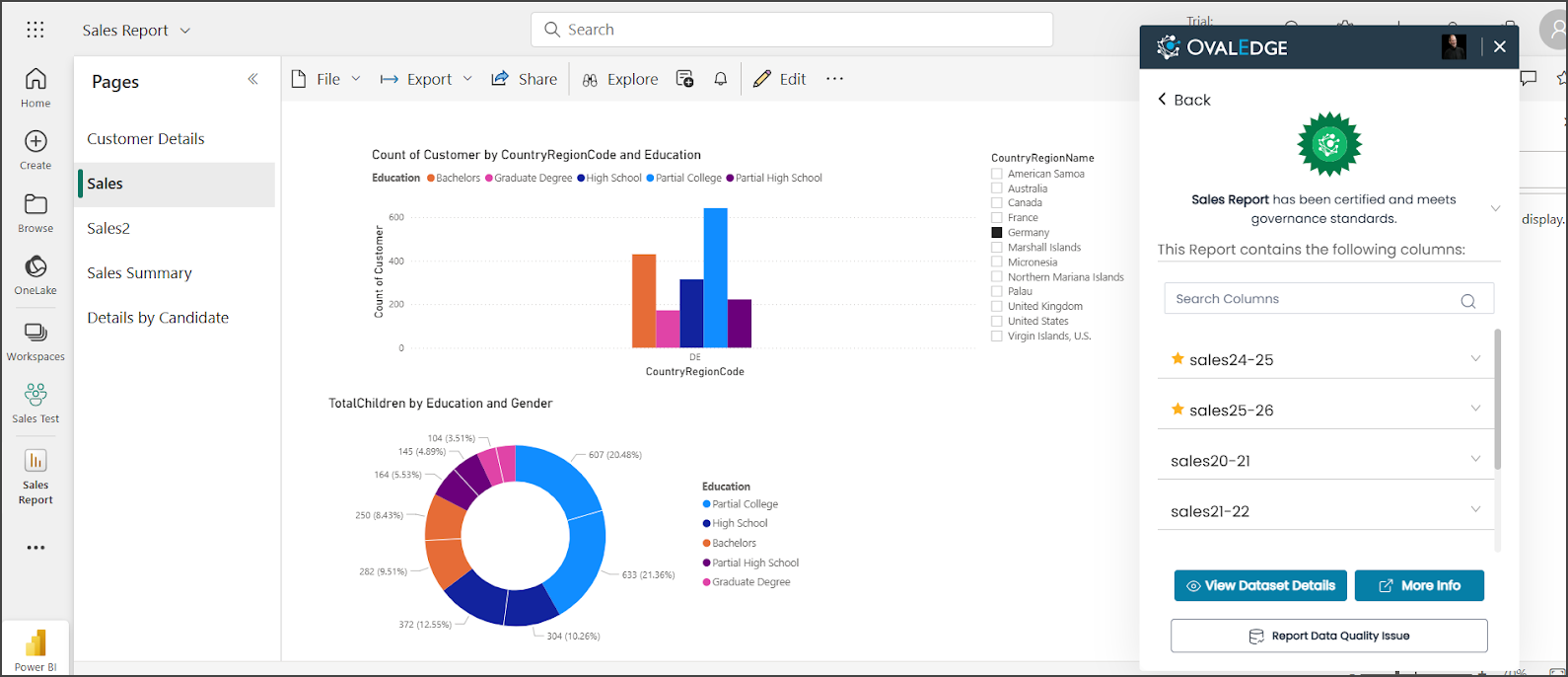
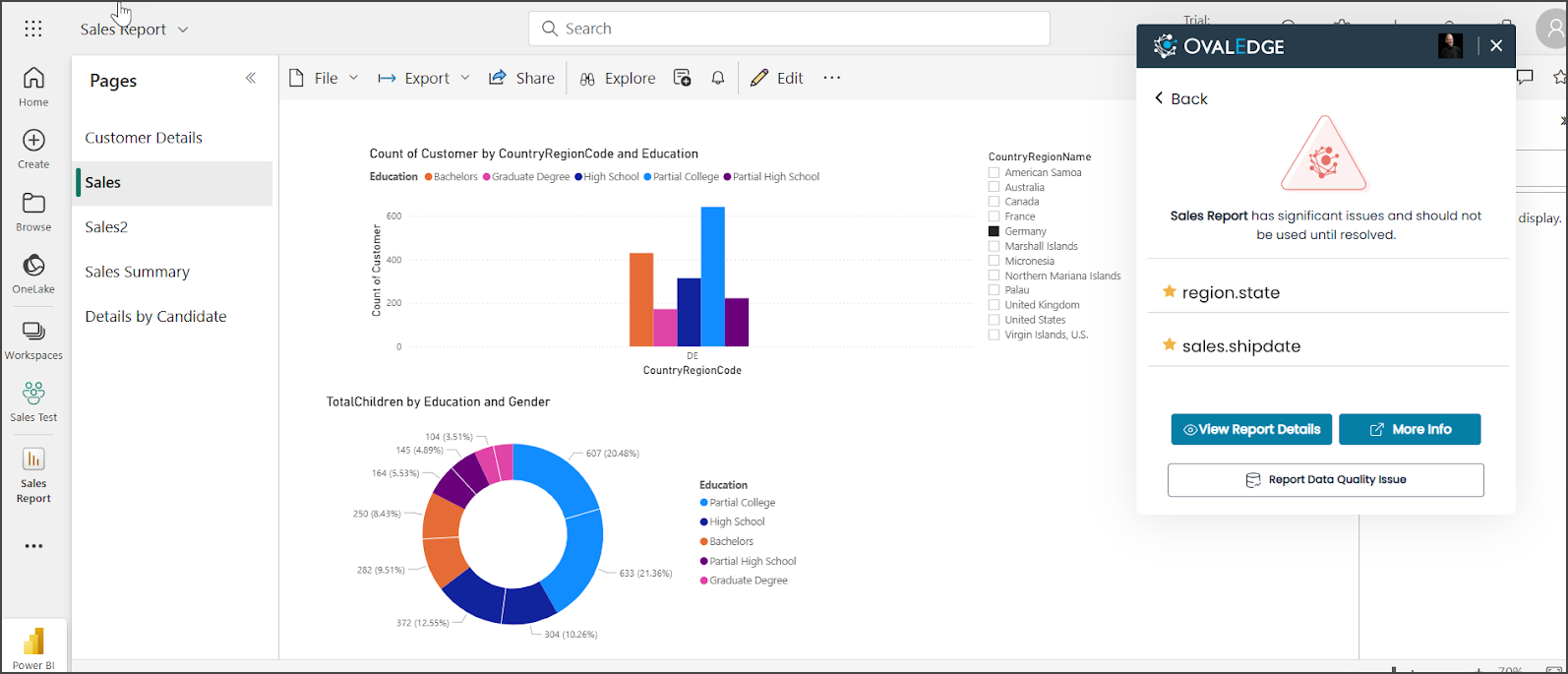
    * View Report Certifications: Access report certification statuses such as Certify, Caution, and Violation for reports from Power BI, Tableau, Qlik Sense, and Delta Lake.

### Enhanced Report and Dataset Visibility in Browser Extension

In the OvalEdge Browser Extension, metadata visibility for reports and datasets has been enhanced across key report sources. For Power BI, both Report and Dataset object types are now viewable. In Tableau, the extension displays the View Type as 'Report', and in Delta Lake, the Table object type is accessible.

* Report details can be viewed even if the report is not certified, including the business description, associated terms, and column details.
* A new "View Dataset Details" option provides access to the related semantic model (dataset), including its business description, semantic columns, and related terms, directly within the extension.
* The "View Report Details" option enables navigation back to the report view from the dataset screen.
* For Guest access, only Favorite Columns are displayed in both views to maintain metadata restrictions.

### Audit Logs for Browser Extension

A new Audit Logs feature has been introduced to track user sign-in and sign-out activities in the OvalEdge Browser Extension. It records key details such as user email, name, type, sign-in/sign-out time, session duration, IP address, browser, OS, and session status (success or failure). Failed login attempts, along with failure reasons, are also logged.

### Display of Steward Information in Browser Extension

The Browser Extension now displays the assigned Steward’s name, governance role, and avatar directly below the names of Terms, Data Objects, and Data Stories (Story Authors). This helps identify the appropriate point of contact for clarification or data governance queries.

### <mark style="color:$primary;">Customization via System Settings</mark>

<table><thead><tr><th width="336.5">Name</th><th>Description</th></tr></thead><tbody><tr><td>browser.extension.enable.guest</td><td><p>Configure to enable/disable the Browser Extension for non-licensed users.</p><p><strong>Parameters:</strong></p><ul><li>The default value is False</li><li>If set to True, enable the Browser Extension.</li><li>If set to False, disable the Browser Extension.</li></ul></td></tr><tr><td>browser.extension.allowed.email.domains</td><td><p>Configure access for guest users to the browser extension by specifying valid email domains as comma-separated values.</p><p><strong>Parameters:</strong></p><ul><li>The default value is Empty. </li><li>Enter the valid email domains in the specified Value field.</li></ul><p><strong>Example:</strong> @ovaledge.come, @google.com</p></td></tr><tr><td>browser.extension.proxy.user.for.guest</td><td>Specifies the admin user to be associated with data quality service requests raised by guest users through the plugin. The actual email of the guest user will be recorded separately in the service request details.</td></tr><tr><td><p>Ovaledge.browser.extension.isauthdb</p><p><br></p></td><td><p>Configure to enable or disable database login through the browser extension.</p><p><strong>Parameters:</strong></p><ul><li>The default value is False</li><li>Enter true to enable or false to disable.</li></ul></td></tr></tbody></table>

## <mark style="color:$primary;">Advanced Jobs</mark>

| Name                                            | Description                                                                                                                                                                                                                                                                                                                                                                                                                                                                                                                                                                                                                           |
| ----------------------------------------------- | ------------------------------------------------------------------------------------------------------------------------------------------------------------------------------------------------------------------------------------------------------------------------------------------------------------------------------------------------------------------------------------------------------------------------------------------------------------------------------------------------------------------------------------------------------------------------------------------------------------------------------------- |
| Migrate Homepage Widgets                        | This job migrates the Homepage Widgets layout from 6.3.x and 7.x versions to the 7.2 version.                                                                                                                                                                                                                                                                                                                                                                                                                                                                                                                                         |
| Advance Job for adding subject in comment table | This job adds subject information for team-related notifications, ensuring that the details appear in the My Recent Notifications widget on the homepage.                                                                                                                                                                                                                                                                                                                                                                                                                                                                             |
| User Notification Preferences Manager           | This job enables the addition of new modules and submodules in the notification preference table of the My Profile section for all users.                                                                                                                                                                                                                                                                                                                                                                                                                                                                                             |
| Migration of Mention and Myaction Comments      | This job updates the 'tab' column in the 'comment' table with 'Mention' or 'My Action' for existing messages. All existing messages are marked as Read, except for 'My Action' messages, which remain pending without requiring action. This advanced job should be run only once post-migration.                                                                                                                                                                                                                                                                                                                                     |
| Collaboration Message Migration                 | This job migrates all collaboration messages older than Release 6.2 and should be executed only once after the migration.                                                                                                                                                                                                                                                                                                                                                                                                                                                                                                             |
| Advance Job for Indexing Existing               | <p>This advanced job enables the indexing of pre-existing data into Elasticsearch and controls the indexing process based on the specific object types you select.</p><p>Enter the names of the object types that need to be supported in Attribute1, such as 'oetable' or 'oeschema'. The data corresponding to the specified object types will be indexed in Elasticsearch. If multiple object types need to be indexed, separate them with commas. If no object types are provided, data from all object types will be indexed.</p><p><strong>Attributes:</strong></p><p>Comma separated Object Types - oetable,oecolumn, etc.</p> |

***

Copyright © 2025, OvalEdge LLC, Peachtree Corners, GA, USA.


# Tags

## New & Improved

### Tags Security

A new system setting (tag.security.mode) defines the tag governance model.&#x20;

* In Open Mode (default), centralized administrators retain full control, consistent with previous behavior.&#x20;
* In Secure Mode, access is managed at the Master Tag level through role-based/user-based permissions, and Governance Roles (Owner, Steward, and Custodian) offering more granular governance. This mode can be enabled or disabled as needed.
* Two separate LMDF (Load Metadata from Files) template versions are now available based on the selected Tag Security Mode (Open or Secure).

### Master Tags

* **Master Tags Hierarchy:** Master Tags are first-level tags that serve as domains or containers for regular tags. Through Master Tag Administration, designated personnel can create, delete, and assign permissions for Master Tags and control who can manage tags within each domain.
* **Master Tag Custom Fields Configuration:** Configuration of custom fields (Text, Code, Number, Date) for Master Tags is now available only when the Tags security model is set to Secure Mode. Additionally, the custom field settings defined for a Master Tag are automatically cascaded to all tags within it, ensuring consistency.

### Enhanced Tags Filter & Search Options

* Advanced Filtering Options in Tags List View:
  * Single-value columns: Use ‘Equals’ to include and ‘Not Equals’ to exclude matching values.&#x20;
  * Multi-value columns (e.g., custom fields): Use ‘Any of’ to match any selected values and ‘All of’ to match all selected values.
* Tag Search with Single Character Input: In Tree View, Tags can now be searched using a single character. The same search behavior is available in the tag association pop-up within the Data Catalog Grid View.

### Cascade Tags in Data Catalog

In Data Catalog objects (Databases/Tables/Files/Reports/APIs) Grid View, Tags can now be managed using the Nine Dots menu through the ‘Add Tags / Remove Tags’ options.

Add Tags with Cascade Support

* When ‘Add Tags’ is selected, tags can now be cascaded to child hierarchies based on the object type:
  * Databases → Tags cascade to Tables and Table Columns
  * Tables → Tags cascade to Table Columns
  * Files → Tags cascade to File Columns
  * Reports → Tags cascade to Report Columns
  * APIs → Tags cascade to API Attributes

Remove Tags with Cascade Support

* The Remove Tags option removes all the existing cascaded tags. When a tag is removed from a parent object, all previously cascaded tags are also removed from associated child objects (e.g., columns or attributes).

## <mark style="color:$primary;">Customization via System Settings</mark>

<table><thead><tr><th width="309.8333740234375">Name</th><th>Description</th></tr></thead><tbody><tr><td>ovaledge.mastertag.creator</td><td><p>Configure to create a Master Tag privilege for the specified role.</p><p><strong>Parameters:</strong></p><ul><li>The default value is OE_ADMIN.</li><li>Choose the specified roles from the drop-down list in the Value column to add more roles.</li></ul></td></tr><tr><td>tags.dag.enabled</td><td><p>Configure to show/hide the Data Asset Groups Security tab.</p><p><strong>Parameters:</strong></p><ul><li>The default value is False. </li><li>If set to True, Data Asset Groups Security will be displayed.</li><li>If set to False, Data Asset Groups Security will not be displayed.</li></ul></td></tr><tr><td>ovaledge.mastertag.admin</td><td><p>Designate roles as Master Tag Administrators to manage Master Tags and their associated Tags. </p><p>The behavior is based on Tag Security Mode (tags.security.mode), </p><p><strong>Parameters:</strong></p><ul><li>The default value is OE_Admin.</li><li>Select additional roles from the drop-down list to assign them as Master Tag Administrators. </li></ul></td></tr><tr><td>Tag.security.mode</td><td><p>Configure the security model for Tags within OvalEdge.</p><p><strong>Parameters:</strong></p><ul><li>The default value is Open. </li><li>Allowed values: Open, Secure.</li></ul><p><strong>Open (Default):</strong></p><p>Centralized Admins manage all Tags.</p><p>Master Tag-specific features are disabled:</p><p>Custom fields for Master Tags</p><p>Tags homepage widgets</p><p>Role-based governance enforcement (Owner, Steward, Custodian)</p><p>Security inheritance from Master Tags</p><p><strong>Secure:</strong></p><p>Enables role-based security at the Master Tag level.</p><p>Access and management are controlled based on permissions assigned to governance roles.</p><p>Unlocks additional features:</p><p>Master Tag-specific custom fields</p><p>Tags homepage widget visibility</p></td></tr></tbody></table>

## <mark style="color:$primary;">Advanced Jobs</mark>

<table><thead><tr><th width="317.3333740234375">Name</th><th>Description</th></tr></thead><tbody><tr><td>Grant the role for master tag</td><td>This job cascades all previously assigned master tag (First-level tag) creator roles defined in the system setting "ovaledge.mastertag.creator.”</td></tr><tr><td>Cascade tags to folder and files</td><td><p>This job aims to cascade tags from a bucket to its downstream folders and files. Two attributes need to be specified for this job:</p><p>attribute1: The S3 Connection ID</p><p>attribute2: The bucket name if only a single bucket is to be processed.</p></td></tr><tr><td>Upgrade Image Avatars </td><td>This job upgrades the image avatars from circular to square.</td></tr></tbody></table>

***

Copyright © 2025, OvalEdge LLC, Peachtree Corners, GA, USA.


# Data Catalog

## New & Improved

### Summary and Detailed Lineage Views

A new toggle option is now available in the Lineage tab to switch between Summary Lineage View and Detailed Lineage View. The toggle appears at the top left of the screen and updates the view instantly without requiring a page reload.

**View options include:**

* Summary Lineage View shows a simplified flow across core systems, excluding technical components such as transformation logic, datasets, and semantic tables. This view is suited for business users.
* Detailed Lineage View displays the full data flow from source to destination, including transformation logic, datasets, semantic tables, and system-level components.

### Summary Page – Added “Request Missing Content”&#x20;

Report missing or incomplete metadata directly from the Summary Page for any data object, including tables, files, reports, or APIs.

### Column-Level Transformation Code - Lineage

Column lineage now displays only the transformation code relevant to the specific column data flow instead of the entire code block. This update helps business users focus on the exact transformations applied to a column, improving clarity and usability in analyzing data flow.

### Visual Clarity in Lineage Graph

The Lineage graph now displays full object names and enhanced tooltip content to improve readability and accuracy. Full names provide better visibility across nodes, while structured tooltips offer clear, detailed information to support accurate data analysis.

### Critical Data Element Recommendation

A Critical Data Element (CDE) is an important data asset, like a table or column, that impacts business decisions, reporting, or compliance. Only SGAs (Security & Governance Admins) and Governance Roles (such as Owners or Stewards) can use the Yes/No toggle beside "Mark as Critical Data Element" to easily update their status.&#x20;

### Other Enhancements

* **Tree View for Report Column Summary:** Allows drilling down through the report structure, report Pages → Visuals → Columns.
* **Attribute Panel for Full-Screen Mode:** Filters, search inputs, and sorting set in the Attributes section remain active when switching to Full-Screen mode.
* **Qlik Sense Sheet Identification Improved:** The sheet identification in Qlik Sense reports with Streams enabled. The Data Catalog now distinguishes sheets with the same name, making it easier to find the correct sheet and report.
* **Configuration View – Added Missing Fields:** Server Name and Database Type are now visible in both My View and Public View.&#x20;
* **Added Authoritative & Originating Source Attribute:** The Catalog Details section now shows two new attributes:
* **Originating Source** indicates how the data object was created (Manual, Crawl, or Virtual).
* **An authoritative source confirms whether** the object comes from a trusted, official system.
* **Added File Type Attribute:** The File Type attribute in the Catalog Details section shows each file's format or extension.&#x20;
  * **Common file types include:**
    * CSV (.csv): Comma-separated values
    * TXT (.txt): Plain text file
    * XLSX / XLS (.xlsx / .xls): Excel spreadsheet
    * JSON (.json): JavaScript Object Notation file
    * AVRO (.avro): Apache Avro serialized data
    * YAML (.yaml): YAML Ain’t Markup Language file
    * PDF (.pdf): Portable Document Format
    * DOC / DOCX (.doc / .docx): Microsoft Word documents
    * JPEG / JPG / GIF (.jpeg / .jpg / .gif): Image files
* Codes Summary Page SQL queries appear in a multi-line, indented format. This makes queries easy to read, understand, and debug, especially for longer or more complex code blocks.
* **Add Object Widget:** Added a Report Type column and filter to the Add Object widget. &#x20;
* **Dynamic Filter Behavior:** Introduced dependent filtering to refine results based on selected filter values. Filter options dynamically update according to other selections, enabling more contextual and precise searches.
* **Advanced Filtering Support in List View:** In Data Catalog > All Objects List View:
  * **Single-Value Columns (e.g., Type, Connection Name, Schema):** Support "Equals to" and "Not equals to" options.
  * **Multi-Value Columns (e.g., Tags, Terms, Classification): Support:**
    * Equals to Any of
    * Equals to All of
    * Not Equals to Any of
    * Not Equals to All of
  * Filter Behavior Enhancements for Multi-Value Fields
    * Equals to Any of: Displays objects matching any selected value.
    * Equals to All of: Displays only objects matching all selected values.
    * Not Equals to Any of: Excludes objects matching any selected value.
    * Not Equals to All of: Excludes objects matching all selected values.
* **Role-Based Access for Report Preview:** Admins can now control access to the Report Preview tab in Report Summary. Configuration available under Administration > Security > Applications by enabling role-based authentication.
* **Top Values:** The Top Values section in the Table and File Column summary includes both count and percentage for each value.
* **Elastic Search for Faster Filtering:** List View filtering uses Elastic Search instead of SQL, enabling faster object lookup and result display.
* **Customizable Code View Sections:** Left and right sections of Codes (in Data Catalog > Codes) are configurable using custom fields. Configuration path: Administration > Custom Fields > Object Type (Code) > Manage Sections.
* **Call-to-Action Button Configuration:** The Call-to-Action button in Object Summary can now be shown or hidden as needed. Customization available under Administration > Custom Fields > Object Type > Global > Call To Action.
* **‘Last Crawled Date’ in List View:** Added a new column to display 'Last Crawled Date' for all object types in the All Objects List View.
* **Search and Sort on Data Quality Score:** Enabled search and sort functionality for the Data Quality Score column across all relevant objects in List View.
* **Improved Object Title Placement:** In List View, the Object Title column now appears immediately next to the Object column.&#x20;
* **New Checkbox Filters for Domain Hierarchy Columns:** Added checkbox filters for “No Domain,” “No Category,” and “No Sub-Category” when configuring views for Domain-related columns.
* **Default Display of Access Instructions:** Access Instructions now display by default in the Table Summary for business users.
* **Configurable Description Types:** Business, Technical, and Source Description fields in Object Summary are now configurable for visibility. Configuration path: Administration > Custom Fields > System Fields.
* **Hover View of Data Governance Team:** Hovering over Governance Team columns in Objects List View now displays assigned Custodian, Steward, Owner, and additional Governance Roles (4, 5, 6).

## <mark style="color:$primary;">Customization via System Settings</mark>

<table><thead><tr><th width="323.166748046875">Name</th><th>Description</th></tr></thead><tbody><tr><td>lineage.summary.view</td><td><p>Configure the lineage.summary.view key in System Settings to control access to the Summary Lineage View across the instance.</p><p><strong>Parameters:</strong></p><ul><li>The default value is False</li><li>If set to True to enable the Summary Lineage toggle in the Lineage screen</li><li>If set to False to hide the toggle</li></ul><p><strong>Notes:</strong></p><ul><li>Only System Administrators can modify this key</li><li>A complete lineage rebuild is required after enabling or migrating this setting to ensure data accuracy</li></ul></td></tr><tr><td>es.datacatalog.filter.size</td><td><p>Configure to set the filter size of the catalog objects on a page.</p><p><strong>Parameters:</strong></p><ul><li>The default value is 100.</li><li>The minimum allowed value is one, and the maximum is 100.</li></ul></td></tr><tr><td>catalog.es.oetp.additional.ops.allowed</td><td><p>Configure to enable/disable the Advanced Filter option in the Data Catalog.</p><p><strong>Parameters:</strong></p><ul><li>The default value is True.</li><li>If set to True, the Advanced Filter option will be enabled.</li><li>If set to False, the Advanced Filter option will be disabled.</li></ul><p><strong>Note:</strong> This is supported only when the Elastic Search option is enabled for the Data Catalog.</p></td></tr></tbody></table>

## <mark style="color:$primary;">Advanced Jobs</mark>

| Name                                      | Description                                                                                                                                                                                                                                                                                                                                                                                                                                                                                                                                                                                                                                                                                                                                                                                                                                                                                                  |
| ----------------------------------------- | ------------------------------------------------------------------------------------------------------------------------------------------------------------------------------------------------------------------------------------------------------------------------------------------------------------------------------------------------------------------------------------------------------------------------------------------------------------------------------------------------------------------------------------------------------------------------------------------------------------------------------------------------------------------------------------------------------------------------------------------------------------------------------------------------------------------------------------------------------------------------------------------------------------ |
| Profile By Importance Score               | <p>This job allows admins to perform targeted profiling of tables based on their Importance Score. Users can specify a threshold range (e.g., 80-100) to profile only the most critical tables within that range. The job supports filtering by a specific connection and its associated schemas. Attributes:</p><p>Attribute 1: Connection ID (Required) Enter the ID of the connection. Only one connection can be selected per job.</p><p>Attribute 2: Schema IDs (Optional) Provide one or more schema IDs. All schemas must belong to the selected connection.</p><p>Attribute 3: Low Range (Required) Enter the lower limit of the Importance Score range (e.g., 80). The value should be between 0 and 100.</p><p>Attribute 4: High Range (Required) Enter the upper limit of the Importance Score range (e.g., 100). The value must be greater than the Low Range and less than or equal to 100.</p> |
| Catalog Parent Folders                    | This job catalogs all parent folders of a catalog file or folder.                                                                                                                                                                                                                                                                                                                                                                                                                                                                                                                                                                                                                                                                                                                                                                                                                                            |
| Remove Access For Inactive Tables         | This job removes access for inactive objects.                                                                                                                                                                                                                                                                                                                                                                                                                                                                                                                                                                                                                                                                                                                                                                                                                                                                |
| Generate GUID                             | This job generates GUIDs for existing unassigned catalog objects, tags, and terms. A GUID is a unique identifier for objects within the application. This job will generate and assign the unassigned objects with GUIDs.                                                                                                                                                                                                                                                                                                                                                                                                                                                                                                                                                                                                                                                                                    |
| Image Upload Security Enhancement         | This job updates the identifiers of previously uploaded images in the Business Description, Technical Description, and other Froala Editor fields. Earlier, images were stored with sequential IDs, posing a security risk as users could access other uploaded images by modifying the URL. Running this job after migration replaces all existing image IDs with unique, non-sequential keys, ensuring enhanced security and preventing unauthorized access.                                                                                                                                                                                                                                                                                                                                                                                                                                               |
| Inconsistent Objects Diagnostic & Cleanup | This job identifies and removes inactive objects from OvalEdge to maintain metadata accuracy. When executed, it provides a diagnostic report on the number of inactive parent objects in the job logs. If the cleanup attribute is set to true in Attribute1, the job will proceed to delete these inactive objects while ensuring hierarchical integrity, removing dependent child objects. By default, the cleanup attribute is set to false, allowing admins to review the impact before performing deletions.                                                                                                                                                                                                                                                                                                                                                                                            |

***

Copyright © 2025, OvalEdge LLC, Peachtree Corners, GA, USA.


# Business Glossary

## New & Improved

### Term Enhancements&#x20;

* **Multi-Page Term Selection:** In the Business Glossary List View, term selections persist across pages, enabling multi-page selection without losing previous selections.
* **Multi-Select Authoritative Sources in Term Summary:** In the Term Summary’s Associated Objects tab, users can select multiple authoritative sources from the Authoritative Source column.
* **Complete Domain Hierarchy Display in Tree View:** Tree View displays all domains, categories, and subcategories by default. If no published terms exist, the structure appears as empty.
* **Control Relationship Type Visibility:** Admins can manage the visibility of system-defined and custom relationship types via Business Glossary System Settings under ‘Relationship Type Settings.’ Hidden types are no longer shown when editing relationships in Term Summary.
* **Synced Term-Object References:** When a term is referred on an object (e.g., a table), the reference appears in both the term and the object reference sections. If the term is deleted, the term reference is automatically removed from the object's reference section, ensuring the object displays only current and active references.

### Governance Role Updates Cascade to Existing Terms

In the Domains security, it is possible to cascade governance roles to all Terms (both published and drafted) related to that particular category or subcategory.&#x20;

* For published terms, updated governance roles automatically apply to all associated objects.
* For draft terms, the roles do not cascade to their associated objects.&#x20;

This ensures consistent role assignments across both new and existing terms.

### Manage Data Association Preferences

The Copy Tags to Catalog option automates copying tags from a Business Glossary term directly to its associated catalog objects. If a term is deleted or removed, the tags copied from it will be automatically removed from the catalog objects. Furthermore, if a catalog object already includes the same tags as the term, duplicates are eliminated, and only the unique tags are copied.

## <mark style="color:$primary;">Customization via System Settings</mark>

| Name                          | Description                                                                                                                                                                                                                                                                            |
| ----------------------------- | -------------------------------------------------------------------------------------------------------------------------------------------------------------------------------------------------------------------------------------------------------------------------------------- |
| businessglossary.term.publish | <p>Configure the roles to publish terms through the term Summary page directly.</p><p><strong>Parameters:</strong></p><ul><li>The default value is Empty. </li><li>Select the roles from the drop-down list. Selected roles can publish terms through the term Summary page.</li></ul> |

***

Copyright © 2025, OvalEdge LLC, Peachtree Corners, GA, USA.


# Dashboards

## New & Improved

### Improved Data Quality Scoreboard

The Data Quality Scoreboard has been enhanced to provide a clearer and more structured view of dataset quality. It evaluates data compliance with key standards, including completeness, accuracy, consistency, timeliness, and relevance. The dashboard is divided into two views, each offering specific insights:

* **Overall Scores View:**
  * Displays high-level quality scores for each schema at the connector level.
  * Uses donut charts to represent the aggregate score of all child objects within a schema.
  * Clicking a schema or object name opens the Detailed Scores view.
* **Detailed Scores View:**
  * Provides deeper insights into the quality of individual data objects, including schemas, tables, columns, files, and file columns.
  * Includes the following visualizations:
  * Overall Data Quality Score Gauge
  * Data Quality Metric Scores Bar Chart
  * DQ Score Trend Area Chart
  * Dimension Metrics Donut Chart

### Reset Button - Lineage Graph

A Reset button is now available in the Lineage graph to restore all nodes to their original structured layout.&#x20;

### Data Quality Last Execution Report Dashboard

The Data Quality Last Execution Report Dashboard provides insights into the total number of objects associated with different dimensions. It categorizes objects based on their data quality status, allowing data analysts to track data integrity and performance across multiple dimensions.

The dashboard presents the most recent validation results by retrieving the latest Execution ID for each object and rule. This helps in identifying issues quickly and supports timely corrective actions to maintain or improve data quality.

## <mark style="color:$primary;">Advanced Jobs</mark>

| Name                             | Description                                                                                        |
| -------------------------------- | -------------------------------------------------------------------------------------------------- |
| Migrating Lineage Dashboard Data | This job allows the insertion of data into the Lineage Table to build a Connection Dashboard view. |

***

Copyright © 2025, OvalEdge LLC, Peachtree Corners, GA, USA.


# Projects

## New & Improved

### Priority Labels & Custom Colors

In Projects Board View, each task card now includes a label that displays its priority level, such as High, Medium, or Low.&#x20;

In Board View, each task card now displays a priority label (e.g., High, Medium, Low). Project admins can configure and assign colors to custom task priorities. These colors are visible in both Board and List views and can also be modified from the Task Shutter.

### Auto-Assign Tasks on Status Change

In the Project’s Summary (Status Workflow), Project Admins and Owners can configure a Default Assignee for each status in the workflow. When a task transitions to a new status, it is automatically assigned to the designated user for that status.&#x20;

### Other Enhancements

* **Task Description Column Added:** In the Projects List View, a 'Task Description' column has been added for all associated object types, allowing detailed task descriptions to be viewed directly within the list.
* **Task Download Access for Non-Admins:** Non-admin users also have the ability to download tasks directly from the Project's List View.
* **Create Non-Object Tasks:** It allows users to create and manage tasks that are not linked to specific data objects.
* **Bulk Task Field Updates via Nine Dots:** In Projects List View (Nine Dots), bulk updating of task fields, including priority, status, assignee, task description, start date, and end date, is now supported.
* **Assignee Selection While Adding Objects:** In the Objects Grid View and Object Summary, it is possible to select an assignee while adding object(s) to the project.
* **Copy Status Workflow from Existing Projects:** While creating a new project, users can now copy the status workflow from an existing project to streamline setup.

### <mark style="color:$primary;">Customization via System Settings</mark>

<table><thead><tr><th width="314.00006103515625">Name</th><th>Description</th></tr></thead><tbody><tr><td><p>project.baseline.limit</p><p><br></p></td><td><p>It allows users to set the number of baselines for a project to enhance performance.</p><p><strong>Parameter:</strong> </p><ul><li>The default value is 5 </li><li>Users can set any number of baselines as needed.</li></ul></td></tr><tr><td>projects.advanced.mode.enable</td><td><p>It allows users to show or hide specific fields (Plan View, Task Categories, % Complete, Estimated Effort, Time Log, Remaining Effort, and Extended Bulk Update in List View) in the Projects module.</p><p><strong>Parameters:</strong></p><ul><li>The default value is False</li><li>The default value is false</li><li>If set to true: Fields will be visible for users to input data.</li><li>If set to false: These fields will be hidden. </li></ul></td></tr><tr><td>projects.beta.mode.enable</td><td><p>It allows users to show or hide specific fields (Project Groups, Parent Tasks, Project Audit, Baseline Feature, Dependencies, and Custom Fields in Task Shutter and List View) in the Projects module.</p><p><strong>Parameters:</strong></p><ul><li>The default value is False</li><li>If true: Fields will be visible for users to input data.</li><li>If false: These fields will be hidden.</li></ul></td></tr></tbody></table>

***

Copyright © 2025, OvalEdge LLC, Peachtree Corners, GA, USA.


# Service Desk

## New & Improved

### Service Desk Template Enhancements

Any Service Desk Template is now organized into four separate tabs to provide detailed and precise information - Template Details, Template Fields, Workflow, and Ticketing Integration Systems. The configuration for each template field is now provided through a simple and intuitive UI, replacing the earlier complex JSON structure, making it easier to manage and update field settings.

### Data Classification Field Added to Term Templates

A new template field, 'Data Classification,' has been added to the system templates - Term Creation Request and Term Metadata Change Request.

### Data Catalog Supports Certify Requests

In the Data Catalog, a service request to certify data objects can now be initiated directly from the Grid View or Object Summary page.&#x20;

### Enhanced Description Field Formatting

The Description field in Service Requests has been upgraded from a plain-text editor to a rich-text editor, allowing for better formatting and clarity. Additionally, the character limit has been increased from 1,000 to 10,000 characters, giving users more flexibility to provide detailed information.

### Grouped and Approval Ticket Labels Standardized

In Service Desk, Grouped tickets now follow the standard format (e.g., SR-1001). Approval tickets linked to these groups adopt a child format, such as SR-1001-01, SR-1001-02, and so on, to indicate their relationship to the main ticket.&#x20;

### Service Desk Configurable Views

In the Service Desk module, the list view now supports column customization, enabling the addition or removal of columns as needed.&#x20;

### Enhanced CTA Template Mapping

In Service Desk Administration, administrators can now map both global and connector-specific templates to Call To Action (CTA) buttons. The system prioritizes active system templates during the mapping process. If no active system template is available, it automatically selects the custom template with a generic object type.&#x20;

### Template Availability Status

In Service Desk Templates, each template now includes an availability status: Active or Inactive. Only Active templates are available for creating service requests and configuring Call-To-Actions (CTAs). &#x20;

### Draft Versions for Published Templates

In Service Desk Administration, administrators can now create a draft version of an already published service request template. While editing the draft, the existing published version remains available for raising service requests.&#x20;

### Fulfillment Instructions Configuration

Admins can define fulfillment instructions for service requests at the service desk template level.&#x20;

### Service Desk and Service Desk Templates changes

The 'Near Expiry' option in the SLA Status filter within the Service Desk List View has been renamed to 'Less than a Day.'&#x20;

### Accurate SLA Pending Time for Each Request

In Service Desk, the SLA Pending Time required for each service request approval can be viewed from the Pending Time column. This value is dynamically calculated based on the configured business hours, business days, and holiday settings, providing a more accurate representation of the time remaining for approvals.&#x20;

### Nudge

The Nudge feature is a reminder system for requesters to send notifications to approvers based on the configured setting (nudging.cool.off.period). By default, Nudge is set to a 24-hour time period in System Settings.&#x20;

### User Delegation

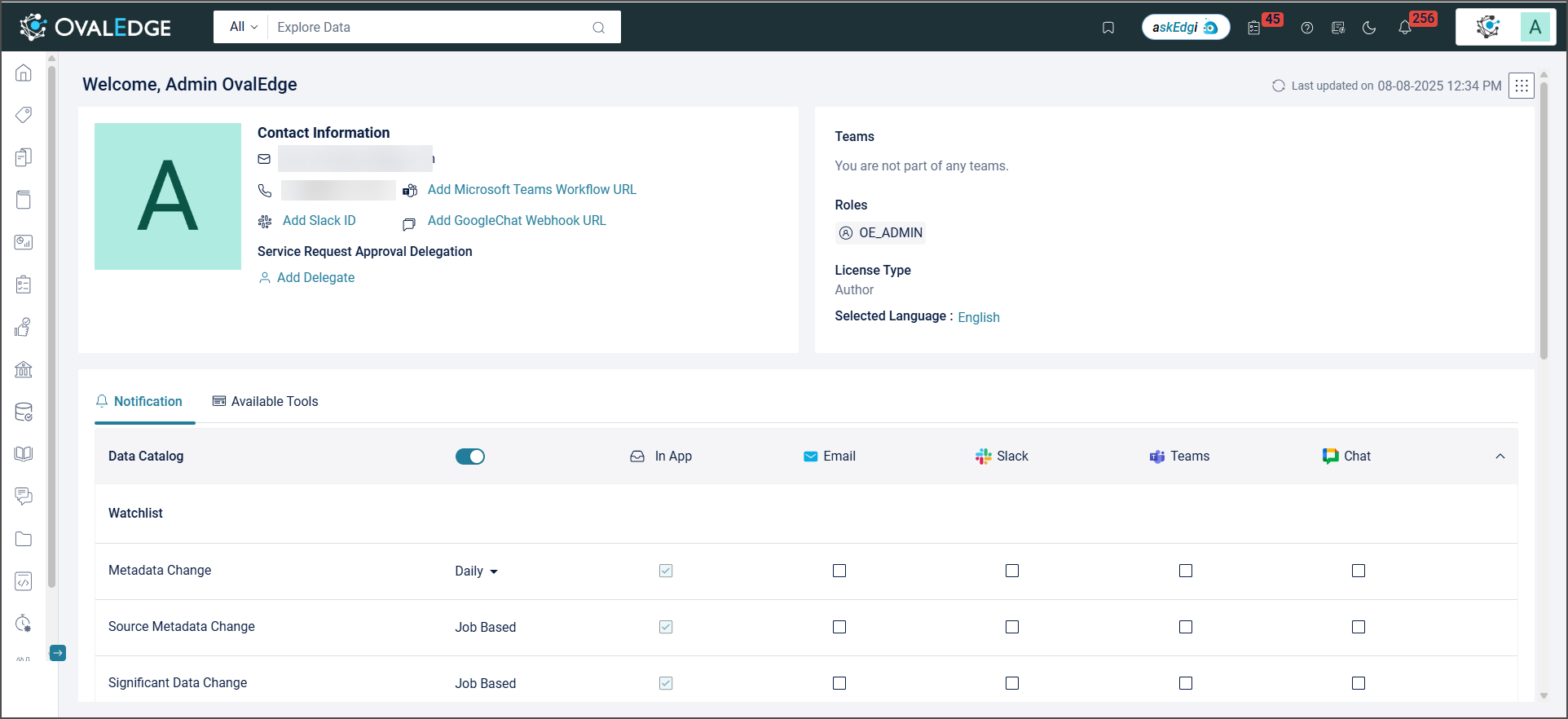
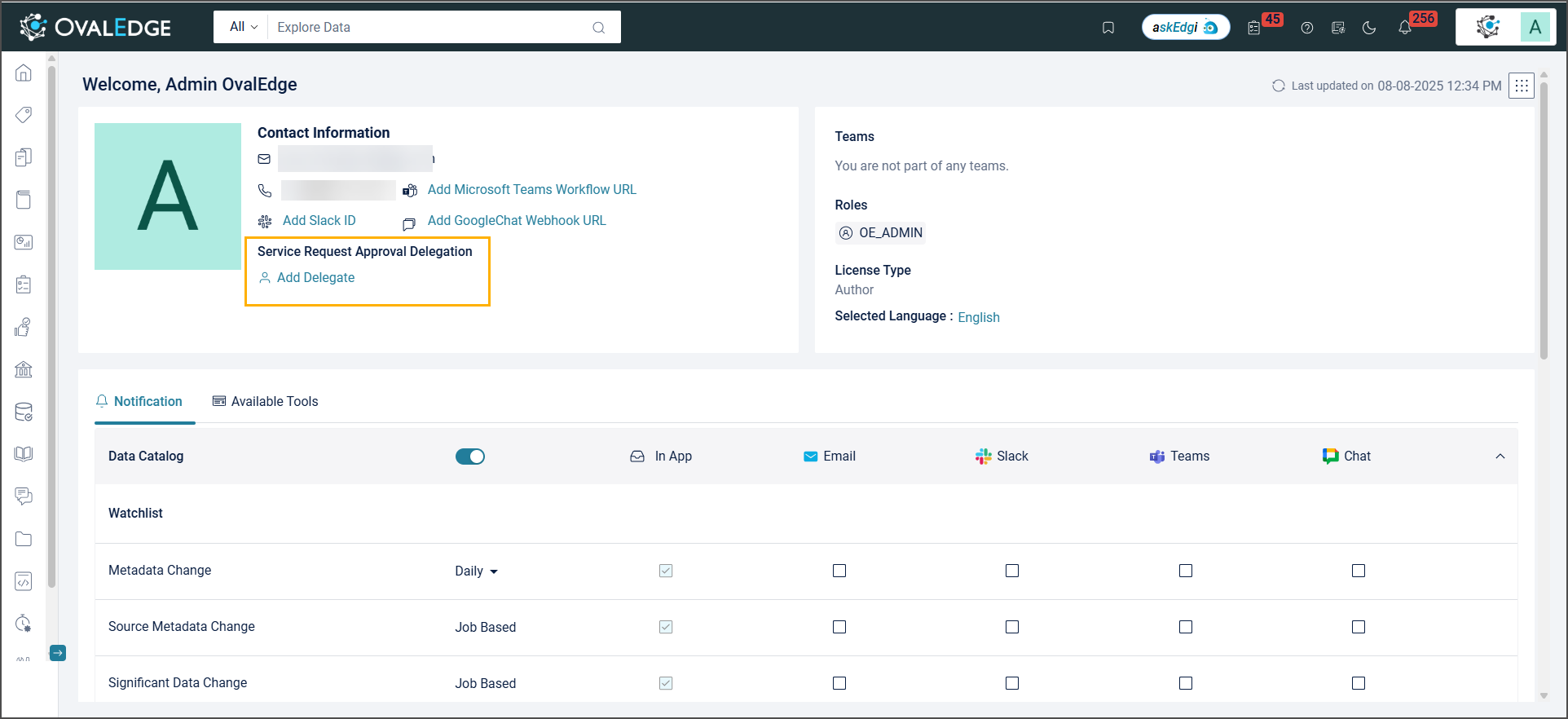
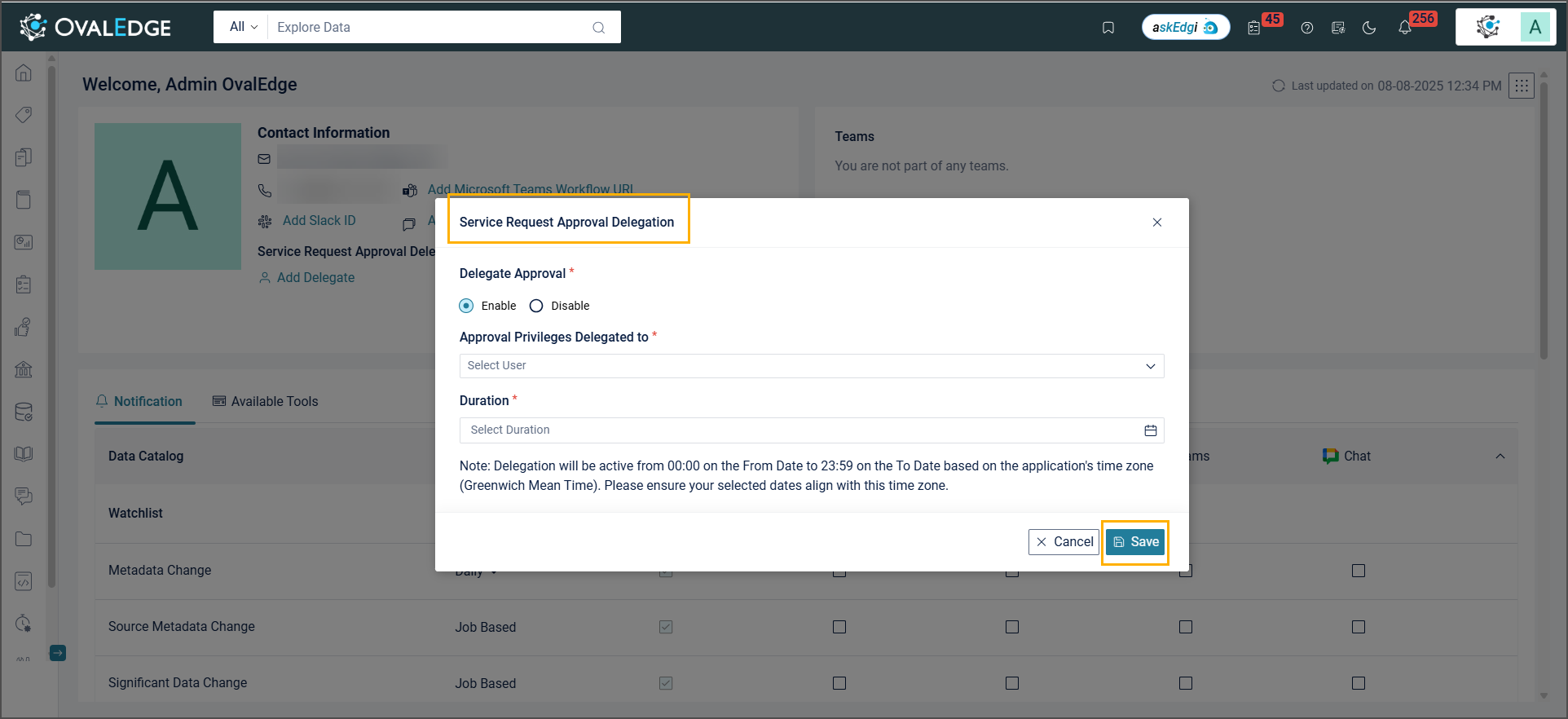
When approvers are unavailable for a specific period, they can delegate approval of service requests to another user from My Profile.&#x20;

### New 'Upload File' Field in Templates

In Service Desk Templates, a new ‘Upload File’ field allows requesters to attach files when submitting service requests. Supported storage options for File Upload in Service Requests now include AWS, Azure, and NFS.&#x20;

### Service Desk Templates Audit&#x20;

The Service Desk Templates Audit records all modifications made to service desk templates, workflows, and integrations. It captures details of additions, updates, and deletions, allowing administrators to track changes effectively.

### Other Enhancements

* **Story Zone Service Requests:** Service requests can now be raised for a Story Zone. A corresponding system template, 'Request for a Story Zone,' has been added to Service Desk Templates.
* **Request Revisions by Approvers:** Approvers can now send requests back to requesters for additional information, enabling a more collaborative process by allowing requesters to update and resubmit incomplete or incorrect requests.
* **Workflow Actions & Status:** Duplicate workflow actions or statuses can be added individually. However, the system prevents duplication of the same action-status combination, ensuring unique workflow configurations.
* **'Forward To' Option in Template Properties:** The ‘Forward To’ field in Template Properties can be enabled to allow approvers to either forward requests to approvers beyond the subsequent approver or fulfill them directly.
* **Latest Approver Comment Displayed:** The latest comment added by approvers when approving a service request will be displayed in the Latest Comment/Remark column.
* **Hide Priority Field at Template Level:** In Service Requests, the Priority field can now be hidden at the service desk template level. Although this field remains a mandatory system field and cannot be deleted, it will no longer appear on the form if configured to be hidden within a specific template.
* **Service Requests Grouped by Connection and Workflow:** Service requests are grouped by connection name. Within each service request, approval tickets are further grouped based on the associated workflow.

## <mark style="color:$primary;">Customization via System Settings</mark>

<table><thead><tr><th width="352.3333740234375">Name</th><th>Description</th></tr></thead><tbody><tr><td>nudging.cool.off.period</td><td><p>Configure to send the notifications to the approvers via email and In-App alerts.</p><p><strong>Parameters:</strong></p><ul><li>The default value is 24.</li><li>The Nudge button is enabled for the specified hours based on the entered value.</li></ul><p><strong>Note:</strong> Only numeric values with whole numbers are allowed.</p></td></tr><tr><td>allowed.file.types.for.file.upload</td><td><p>It allows users to define which file types can be uploaded and cataloged from external sources.</p><p><strong>Parameters:</strong></p><ul><li>The default value is pdf, txt, rtf, docx, odt, xlsx, ods, csv, pptx, odp, jpg, jpeg, png, gif, bmp, tiff, tif, svg, json, xml, log.</li><li>Users can choose the allowed file types for uploading in service requests.</li><li>Files not included in the list will be rejected.</li></ul></td></tr><tr><td>service.desk.file.upload.storage.service</td><td><p>It allows users to configure where files uploaded from Governance Apps are stored.</p><p><strong>Parameters:</strong></p><ul><li>The default value is Empty</li><li>Users can select a storage service (NFS, S3, or Azure) to store files uploaded through the Service Desk.</li><li>If no option is selected, the file storage location remains unconfigured.</li></ul></td></tr><tr><td>service.desk.file.upload.connector.id</td><td><p>It allows users to specify the connection ID for the selected storage service.</p><p><strong>Parameters:</strong></p><ul><li>The default value is Empty. Users must enter the connection ID associated with the chosen storage service.</li></ul></td></tr><tr><td>service.desk.file.upload.bucketname</td><td><p>It allows users to specify the bucket name for the selected storage service.</p><p><strong>Parameters:</strong></p><ul><li>The default value is Empty</li><li>Enter the bucket name for the storage service.</li><li>This is mandatory for S3 and Azure.</li></ul></td></tr></tbody></table>

## <mark style="color:$primary;">Advanced Jobs</mark>

| Name                                           | Description                                                                                                                                                                                                                                                                                                                            |
| ---------------------------------------------- | -------------------------------------------------------------------------------------------------------------------------------------------------------------------------------------------------------------------------------------------------------------------------------------------------------------------------------------- |
| Retry Fulfillment for Service Requests         | This job collects Service Requests in Fulfillment Error and attempts to re-initiate their fulfillment. It groups the Service Requests by Template ID. If the retry fails for the first request in a group, the entire group is skipped, and the process moves to the next group, assuming the integrated system has not yet recovered. |
| Update TicketParams For Snowflake              | This job updates the ticket parameters for a Snowflake connection, including field code, field type, and option value.                                                                                                                                                                                                                 |
| Update SR data for Backward Compatibility      | This job updates the default data for existing tickets by adding new fields.                                                                                                                                                                                                                                                           |
| Update Group Info for Service Requests         | This job updates the Group Info for existing Service Requests, excluding API Access Requests.                                                                                                                                                                                                                                          |
| Add connection details to ticketparam2         | This job adds connection details to the ticketparam2 table.                                                                                                                                                                                                                                                                            |
| Snowflake Table Access Deprovision             | This job deprovisions table access in Snowflake based on the expiration date of Service Requests.                                                                                                                                                                                                                                      |
| Update Fulfillment Detail for Service Requests | This job updates the Fulfillmentdetailid for pending service requests.                                                                                                                                                                                                                                                                 |

***

Copyright © 2025, OvalEdge LLC, Peachtree Corners, GA, USA.


# Governance Catalog

## <mark style="color:$primary;">Data Classification Recommendations</mark>

## New & Improved

### Showcasing Recommendations in the Object Summary

AI-generated term recommendations can now be accepted or rejected directly from the Object Summary in the Data Catalog.

Each term recommendation can be validated by selecting Accept (✔) or Reject (✖).

* Accepted recommendations are immediately applied to the corresponding data object.
* If multiple recommendations are available for a data object, all are displayed for review.
* Each recommendation can be evaluated individually to select the most relevant term.

### Enhanced Data Classification Recommendation Model with Data Type-Aware Scoring

The recommendation model now considers data types when recommending business glossary terms, improving accuracy.

* The system compares the data type of a data object (e.g., int, char, varchar) with the data types of objects already associated with a glossary term. If the data types match, the smart score for that term increases by +10.

**Example:** Suppose the glossary term "Transaction Date" is already linked to Date data type columns across the system.

* When the model evaluates a new column, "Order Date" of Date type, it identifies a data type match.
* The smart score for recommending "Transaction Date" increases by +10 points, making it a stronger candidate.

However, if the system evaluates "Transaction ID" (an int column), no data type match occurs, so no additional points are added. This reduces the chance of irrelevant suggestions.

## <mark style="color:$primary;">Governed Data</mark> <mark style="color:$primary;"></mark><mark style="color:$primary;">**Query**</mark>

## New & Improved

### Governed Data Query Enhancements

* **Bulk Ticket Creation from GDQ Results:** Select results from the GDQ Results page and create service desk tickets in bulk using the 9-dots menu at the top-right corner.
  * Create one ticket per table.
  * Create one ticket per table column.
* **Add GDQ - Teams Visibility in Governance Roles:** Governance Role dropdown now includes Teams, allowing role assignment to Teams during GDQ creation.
* **Highlighted Column Entries:** The “Entries Found” column in GDQ Results now highlights specific columns after execution.
* **Configure Terms:** Term configuration supports adding multiple terms with AND / OR conditions.
* **Add Governed Data Query:** The Add GDQ form now includes fields to select key governance roles:
  * Steward
  * Custodian
  * Owner
  * Governance Role 4
  * Governance Role 5
  * Governance Role 6
* **GDQ View Results Filter Added:** A column-based filter has been added to the GDQ View Results page to search and highlight specific columns after execution.

## <mark style="color:$primary;">ROPA</mark>

## New & Improved

### ROPA Enhancements

* **Configure ROPA Attributes:** All dropdowns in Configure RoPA Attributes are now editable. Administrators can define, manage, and customize dropdown fields used in Records of Processing Activities (RoPA). Fields can be added, edited, or removed to align forms.
* **Field Value:** The description field in ROPA is expanded to 10,000 characters. All other fields remain limited to 1,000 characters.
* **Support for Custom and System Views:** The GDPR ROPA module supports System and Custom Views.
* **Automatic Alerts:** The system sends automatic alerts to stewards one day before the end of a Processing Activity, ROPA Report, or Retention Period.
* **Enhanced Field Configuration:** The ROPA Processing Activity Summary page now includes improved field options,
  * Select "Indefinite" or leave End Date blank for ongoing activities.
  * Enter custom values when choosing "Specify Others" in Security Control in Data Storage or Collection Point Parties in Data Processing.&#x20;
  * Select "Interns" under Data Subjects with External/Internal options.
  * Choose the Retention Period in Days, Months, or Years.
  * Fill in the Country field when data is transferred to another country.

## <mark style="color:$primary;">Policy Manager</mark>

## New & Improved

A new module, Policy Manager, is introduced to create, manage, and enforce data policies. It supports regulatory compliance, enhances governance, and ensures data security across the organization.

* **Policy Changes Captured in Audit Trails:** All policy changes—name updates, action additions/deletions, user who modified, and timestamps—are recorded in Audit Trails.
* **Policy Version:** A policy version is a specific iteration created with each change—driven by regulations, compliance, or business needs.
* **Related Policies:** Interconnected rules or guidelines that collectively support compliance, risk management, and operational consistency across the organization.
* **Import Policy:** Enables linking to policies from internal or external repositories, with automatic updates from the source, removing the need for manual revisions.
* **Link Policies to Data Catalog Objects:** Policies can be linked to Data Catalog objects to associate governance and compliance rules with cataloged assets.

## <mark style="color:$primary;">Advanced Jobs</mark>

| Name                                   | Description                                                                                                                                                                                                                                                                                                                                                                                                          |
| -------------------------------------- | -------------------------------------------------------------------------------------------------------------------------------------------------------------------------------------------------------------------------------------------------------------------------------------------------------------------------------------------------------------------------------------------------------------------- |
| GDQ Compliance Data Migration          | This job transfers entries from the deprecated GDQ table to the active GDQ table.                                                                                                                                                                                                                                                                                                                                    |
| Migrate Ropa Dropdown Data             | This job migrates data from multiple ROPA tables into a single unified ROPA table.                                                                                                                                                                                                                                                                                                                                   |
| Assign and Recommend Terms for Columns | This job processes an Excel file provided as input, which includes the objects to consider and an Auxiliary Domain, along with the terms to be considered for the process. It creates a Data Classification Model and runs the custom process. It then assigns/recommends terms to the specified columns by evaluating keyword matches with the data in Snowflake for the tables and views listed in the Excel file. |

***

Copyright © 2025, OvalEdge LLC, Peachtree Corners, GA, USA.


# Data Quality

## New & Improved

### Data Quality Functions

The Data Quality Functions module enables centralized management of system-defined (read-only) and custom functions for data objects such as tables, columns, and files. Key updates include:

* **Custom Function Management:** Create and edit functions with details such as object type, name, description, and dimension (e.g., Uniqueness, Completeness).
* **Function Details Panel:** View function name, type, status, and description.
* **Criteria Configuration:** Define logic and success criteria for data validation.
* **Function Queries:** View connector-specific queries and supported data types.
* **Help Documentation:** Access function help with formulas, examples, and pass/fail scenarios.
* **History Tracking:** Track changes with username, date, and time for auditability.

### Connector and Function Support&#x20;

* **Summary**\
  A new Summary View displays the number of supported Data Quality functions for each connector, including the connector name, connector category, and counts for object-level functions (system/custom), attribute-level functions (system/custom), and the total functions count, which is the combined number of object-level and column-level functions. Clicking any function count opens the Data Quality Functions tab with filters applied, showing details such as object type, function name, and supported data or file types.
* **Data Quality Functions**\
  A new Data Quality Functions tab provides a detailed view of all data quality functions across connectors, including the object type, connector, function name, creation type (system or custom), and applicable data types.

### Object Status Management in DQRs

A new status management feature in Data Quality Rules enables tracking and control of associated objects (tables, columns, files, codes) with Active or Inactive status.&#x20;

* Objects are Active by default when a rule is created and become Inactive if a connector license is removed or if their data type changes.&#x20;
* Stewards and Role Admins can update status from the 9-dot menu on the Object Detail page, while other users have view-only access.&#x20;
* Rules run only on Active objects, with Inactive ones skipped automatically.&#x20;
* The configuration page displays and filters objects by status, and during rule edits or additions, the system validates license and data type compatibility, blocking actions and showing errors if checks fail.

### Incremental Rule Execution for Data Quality

Data Quality Rules can now run incrementally on large datasets. Instead of scanning the entire table, rules evaluate only newly added or updated records by specifying an incremental tracking column, such as last\_updated or created\_at. This column identifies changes made since the last successful rule execution. The feature can be enabled at the rule level for both system-defined and custom rules.

### Improved Data Quality Score Calculation

In the Data Catalog, the Data Quality Score now uses row-level calculations to provide a more accurate assessment of data quality. Previously, the score was determined by the number of rules that passed or failed, which could misrepresent quality, especially when multiple rules applied to a single table. If all rules failed, the Quality Index displayed no score, making it difficult to evaluate the table’s condition.

With the updated approach, the score reflects the percentage of rows that pass or fail data quality checks. This change ensures visibility into data quality, even when rules fail.

### Data Quality Remediation Fields Configuration

In Data Quality Rules, metadata fields—Monetary Value (business impact), Criticality (severity level), Violation Message (issue description), and Corrective Action (resolution steps)—can now be configured independently of the remediation setting. Previously, these fields were available only when failed rows or values were sent to the Remediation Center, limiting the ability to fully define a rule.&#x20;

With this update, Stewards and Admins can capture the intent and business impact of a rule without enabling remediation. When the remediation toggle is off, the metadata fields remain visible and editable in draft status. All other rule validation checks remain unchanged.

### Remediation Support for UDF-Based Rules

In the Data Quality Remediation Center, remediation SQL generation now supports User Defined Functions (UDFs). Previously, the system generated remediation SQL only for rules using Out-of-the-Box (OOTB) functions, which limited remediation options for User Defined Functions (UDFs) rules.

With this update, remediation SQL for UDFs is generated from the Failed Values Query defined in the rule and is visible within the Remediation Center. The query can be reviewed and executed directly to address data quality issues.

### Updated Naming Rules for Data Quality Rule Names

Naming rules for Data Quality (DQ) rules have been updated to restrict the use of special characters such as `>`, `=!`, and similar symbols. Existing DQ rules created earlier continue to work as expected. However, when a rule is edited, the name must follow the updated naming conventions before it can be saved.

### Data Quality Support Extended to BOX Connector (BETA)

The Data Quality module now supports the BOX connector, allowing users to apply data quality rules to files stored in the BOX platform. With this enhancement, users can assess and monitor the quality of structured data within supported file formats (such as CSV, XLSX) directly from the BOX.

### File Function Standardisation in DQ (BETA)

In Data Quality Rules, all functions related to files and file columns have been standardised to ensure consistent behavior. Redundant functions have been removed, and the execution logic has been simplified. The associated documentation, including function help, has been updated to reflect these changes accurately.

## <mark style="color:$primary;">Customization via System Settings</mark>

<table><thead><tr><th width="361.50006103515625">Name</th><th>Description</th></tr></thead><tbody><tr><td>dataquality.score.external.max.score</td><td>Configure the base score for the Data Quality score calculation.</td></tr><tr><td>anomaly.detection.default.assignee</td><td><p>Configure the default governance role for anomaly detection if a user wants to assign someone other than the default custodian.</p><p><strong>Parameters:</strong></p><ul><li>Select the role from the specified drop-down list.</li></ul></td></tr><tr><td>dataquality.associatedobjects.files.limit</td><td><p>Configure to set the maximum number of file objects (files and file columns) that can be associated with a Data Quality Rule.</p><p><strong>Parameters:</strong></p><ul><li>The default value is 20.</li><li>The minimum allowed value is one, and the maximum is 250.</li><li>Enter the value in the provided field.</li></ul></td></tr><tr><td>dataquality.associatedobjects.tables.limit</td><td><p>Configure to set the maximum number of table objects (tables and table columns) that can be associated with a Data Quality Rule.</p><p><strong>Parameters:</strong></p><ul><li>The default value is 1000.</li><li>The minimum allowed value is one, and the maximum is 1000. </li><li>Enter the value in the provided field.</li></ul></td></tr><tr><td>dataquality.rulescore.calculation.method</td><td><p>It allows users to choose how the Data Quality Score is calculated either Object-Based or Row-Based.</p><p><strong>Parameters:</strong></p><ul><li>The default value is Object-Based</li><li><strong>If Object-Based:</strong> Score is calculated based on how many rules each object passes.</li><li><strong>If Row-Based:</strong> Score is calculated based on how many rows meet the rule conditions.</li></ul></td></tr><tr><td><p>Dq.execution.connection.validation</p><p><br></p></td><td><p>Configure to enable connection health check during Data Quality rule execution.</p><p><strong>Parameters:</strong></p><ul><li>The default value is false.</li><li>Set to true to validate the connection during rule execution.</li></ul></td></tr><tr><td>Dataquality.incremental.supported.datatypes</td><td><p>Define the list of data types used to identify incremental data in tables during data quality rule execution.</p><p><strong>Functionality:</strong></p><p>Only records with newly added or modified values based on these data types are considered during rule execution.</p><p>Supports diverse source systems by allowing customization of acceptable date/time data types for incremental filtering.</p><p><strong>Parameters:</strong></p><ul><li>The default value is timestamp, date, datetime, smalldatetime.</li><li>To support additional or non-standard data types used in your source systems, append them as comma-separated values.</li></ul></td></tr></tbody></table>

## <mark style="color:$primary;">Advanced Jobs</mark>

| Name                                   | Description                                                                               |
| -------------------------------------- | ----------------------------------------------------------------------------------------- |
| Sync DQ Policy Execution Summary to OE | This job synchronizes the policy execution summary results to OvalEdge (OE).              |
| Load Dataset For Data Quality          | This job involves loading the dataset from the XLSX file to associate data quality rules. |

***

Copyright © 2025, OvalEdge LLC, Peachtree Corners, GA, USA.


# Data Stories

## New & Improved

### Froala Editor Enhanced with Advanced Formatting Options

The Froala Editor now offers improved formatting features for better content styling and flexibility:

* **Text Alignment:** Align text left, center, or right.
* **Headings:** Customize heading levels with font size and color.
* **Font Family & Size:** Selected Font Family and Font Size are now clearly visible in the editor.
* **More options:** Editor options that are not frequently used are now listed under "More Options", and can be accessed only when necessary.

### Versioning and Audit Logs for Data Stories

In Audit Trails, all changes made to the Parent Story and Story Zone within the Data Stories category are now visible. These changes include updates to the Story Zone and individual stories, including additions, deletions, the name of the person who made the change, and the date of modification. Versioning support has also been added, enabling the tracking and management of changes across different versions of a story.

### Drag-and-Drop & Tree View in Data Stories

* A new Tree View has been introduced, providing a structured and hierarchical visualization of Story Zones and their associated content. Users can now add content directly to a Story Zone.
* A new three-line icon has been added, allowing users to drag and drop stories or story zones.

## <mark style="color:$primary;">Advanced Jobs</mark>

| Name                               | Description                                                                                                    |
| ---------------------------------- | -------------------------------------------------------------------------------------------------------------- |
| StoryZoneAllowContentEditMigration | Run this advanced job when migrating from R6.x or R7.2 to allow adding or editing content to Data Story Zones. |

***

Copyright © 2025, OvalEdge LLC, Peachtree Corners, GA, USA.


# File Manager

## New & Improved

### Enhanced Connectivity for Data Lakes

Improved support for connecting to data lakes using available connectors and upload tools. Supported storage includes S3, HDFS, Google Drive, NFS, and others.

### Folder OvalSight Scheduler in File Explorer

Introduced a Folder OvalSight icon in File Explorer to schedule scans across entire connectors. Scheduled scans capture metadata such as total files, empty subfolders, total subfolders, and last folder level.&#x20;

* Access restricted to Admin users.
* Manual job initiation via 9 Dots is disabled once a folder is scheduled.

### Folder OvalSight Scheduler Tabs

* **Upcoming Section:** Displays the next scheduled scan with options to configure:
  * **Frequency:** Bi-weekly, Monthly, Custom, or None
  * **Next Analysis On:** Set date and time
  * **Include/Exclude Buckets:** Choose specific buckets
* **Analysis Details Section:** Displays job status, analyzed/scheduled bucket counts, total bucket count, and scheduler's username.
* **History Section:** Logs all scheduled activities with timestamps and usernames.

### Data Lake OvalSight Dashboard

Available in File Explorer after scan completion, indicated by a green icon. Presents detailed folder-level metrics and supports deep exploration.

* **Folder Details Tiles:** Show Last Folder Level, Total Folders, Empty Folders, and Total File Count.
* **Expandable Views:** Allows drill-down into folder names, file counts, and last modified dates.
* **File Navigation:** Click folder or file names to open detailed views in File Explorer.
* **Search Functionality:** Enables quick lookup of specific folders and files.

## <mark style="color:$primary;">Advanced Jobs</mark>

| Name                       | Description                                                                                       |
| -------------------------- | ------------------------------------------------------------------------------------------------- |
| Ovalsight Bridge Migration | This job creates multiple DuckDB files, specific to each connector, from an existing DuckDB file. |

***

Copyright © 2025, OvalEdge LLC, Peachtree Corners, GA, USA.


# Question Wall

## New & Improved

### New Archive and Restore Options

An Archive option has been added to both the Conversations Shutter and Question Wall, enabling questions and comments to be archived without permanent deletion. Archived items are hidden from the default view and can be accessed from the newly introduced Archived Conversations page.

A Restore option is also available to return archived questions and comments to the active list when needed. Only the users with appropriate permissions and governance roles can archive or restore questions and comments.

### Ability to Modify Default Assignee

The General Room in the Question Wall now supports updating the default assignee. Selecting 'Edit Wall' allows users to change the default assignee and route questions directly to the appropriate individual or team. This enhancement streamlines question management by removing the need to create new rooms or walls for reassignment.

***

Copyright © 2025, OvalEdge LLC, Peachtree Corners, GA, USA.


# Advanced Tools

## <mark style="color:$primary;">Impact Analysis</mark>

## New & Improved

### Impact Analysis Enhancements

* **“Path” Column in Impacted Objects:** A new “Path” column is now available under Impacted Objects, showing the exact location of each impacted report or object.
* **Compare Source and Impacted Objects Across Versions:** A side-by-side comparison view has been introduced to analyze Source Objects and Impacted Objects across the five most recent versions, enabling easier identification of changes over time.
* **Selection Panel Now Displays Object Types:** The selection panel now displays the object type (e.g., Report, Dataset, Page) when adding source objects, improving clarity during configuration.

## <mark style="color:$primary;">Compare Schema</mark>

## New & Improved

### Enhanced Schema Comparison with History, Scheduling, and Notifications

The Compare Schema module is enhanced to support comparison history, job scheduling, and result notifications.

* Comparison Folders can now be created to save schema pairings along with relevant metadata, enabling on-demand or scheduled comparisons.
* Each folder retains the latest comparison result, providing an at-a-glance view of schema differences and supporting actions such as re-run, delete, and impact analysis.
* This enhancement enables the tracking of schema changes over time, automates routine comparisons, and facilitates faster responses to discrepancies, thereby streamlining governance in dynamic data environments.

## <mark style="color:$primary;">Load Metadata from Files</mark>

## New & Improved

### LMDF Template Upload – Improved Validation Handling

LMDF uploads no longer rely on template file names for validation. A hidden sheet within each template now handles validation, allowing renamed templates to be uploaded successfully. Column structure validation remains active to ensure metadata accuracy and formatting integrity.

### **Masking & Restriction**&#x20;

The LMDF table column template supports masking and restriction using Yes/No options.&#x20;

* It allows assigning an existing masking policy to a column by matching the exact policy name.
* For restrictions, authorized roles can be specified to exempt them from access limitations.

## <mark style="color:$primary;">Build Auto Lineage</mark>

## New & Improved

### Rebuild Summary Lineage Option

The Build Auto Lineage module now includes a new option in the Nine Dots menu to rebuild the Summary Lineage for reporting and ETL connectors. The option supports rebuilding for either selected source codes or all source codes in the instance. It updates the simplified data flow view with the latest information for the selected source without impacting the lineage of other sources.

## <mark style="color:$primary;">Customization via System Settings</mark>

<table><thead><tr><th width="354.8333740234375">Name</th><th>Description</th></tr></thead><tbody><tr><td>buildlineage.exclude.jobtypes</td><td><p>Configure job types that need to be excluded from the Build Auto Lineage page.</p><p><strong>Parameters:</strong></p><ul><li>The default value is Empty.</li><li>Enter the job types separated by a comma(,).</li></ul><p><strong>Example:</strong></p><ul><li><strong>Single job type</strong> - View</li><li><strong>Multiple job types</strong> - View, Trigger</li></ul></td></tr><tr><td>lineage.summary.view</td><td><p>Configure the lineage.summary.view key in System Settings to control access to the Summary Lineage View across the instance.</p><p><strong>Parameters:</strong></p><ul><li>The default value is False</li><li>If set to True to enable the Summary Lineage toggle in the Lineage screen</li><li>If set to False to hide the toggle</li></ul><p><strong>Notes:</strong></p><ul><li>Only System Administrators can modify this key</li><li>A complete lineage rebuild is required after enabling or migrating this setting to ensure data accuracy</li></ul></td></tr></tbody></table>

## <mark style="color:$primary;">Advanced Jobs</mark>

| Name                                                                                            | Description                                                                                                                                                                                                 |
| ----------------------------------------------------------------------------------------------- | ----------------------------------------------------------------------------------------------------------------------------------------------------------------------------------------------------------- |
| Curated report column info that maps to the appropriate reporting object based on the connector | This job enables the movement of curated column-level metadata from higher-level reporting objects to their associated downstream entities, supporting consistent metadata alignment across all connectors. |
| S3 to Snowflake Lineage using DDL Commands                                                      | This job creates a lineage from S3 to Snowflake.                                                                                                                                                            |
| Build Lineage from Excel File                                                                   | This job builds the lineage from an Excel file.                                                                                                                                                             |
| Lineage using YML Files                                                                         | This job creates the lineage using the YML files.                                                                                                                                                           |
| HDFS to HIVE Lineage                                                                            | This job establishes lineage from HDFS to Hive based on the location of Hive external tables, as specified in the custom fields of the Hive table.                                                          |
| FME TO CARTO VISTA Lineage                                                                      | This job establishes lineage from FME to Carto Vista based on the FME components.                                                                                                                           |

***

Copyright © 2025, OvalEdge LLC, Peachtree Corners, GA, USA.


# Administration

## <mark style="color:$primary;">Data Access</mark>

## New & Improved

### Data Access Management and Permission Sync

Data Access Management now supports SAP Analytics Cloud (SAC), enabling the cataloging of permissions, mapping of users and groups, handling of access requests, approvals, and audit tracking. The system also syncs story-level permissions across multiple SAC connectors within the same instance to ensure consistent permission management.

### Audit Logging for Object Status Changes

The system logs status changes between active and inactive, including when a parent object’s deactivation automatically sets its child objects to inactive. All changes are recorded in the audit log for accurate tracking.

### Data Access Reports

In the Administration > Data Access section, Data Access Reports have been introduced to display a consolidated access report for the selected user and service account. The report shows all associated groups, roles, and source objects such as databases, schemas, tables, columns, projects, reports, folders, stories, and warehouses within the selected instance, along with the relevant connector and permissions fetched during the crawl.

### Connection Validation for Data Access Module

In the Administration > Connectors section, when the Data Access license add-on is enabled and connection details are saved, users are now prompted with a message to validate the connection. After successful validation, the connection is automatically displayed in the Data Access module.

### <mark style="color:$primary;">Advanced Jobs</mark>

| Name                            | Description                                                                                                                                                                                                                                                                                                                                                    |
| ------------------------------- | -------------------------------------------------------------------------------------------------------------------------------------------------------------------------------------------------------------------------------------------------------------------------------------------------------------------------------------------------------------- |
| RDAM Deleted Instance Migration | This job migrates deleted RDAM instances and their associated records to ensure consistency after a version upgrade.                                                                                                                                                                                                                                           |
| Load Axiomatics Policies        | This job will take a folder or file (in JSON format) as input that contains Axiomatics Policies and load them into OvalEdge. This job also reconciles the discrepancies in policies between OvalEdge and Axiomatics.                                                                                                                                           |
| Crawl Snowflake Users and Roles | This job crawls users, roles, and warehouses for a Snowflake connection.                                                                                                                                                                                                                                                                                       |
| Compare Axiomatics Policies     | This job compares Axiomatics policies created or updated via API Access Requests from OvalEdge with the existing policies in the Axiomatics application. It identifies and logs any discrepancies in the job logs. An email with an attachment listing the mismatched policies is sent. This process helps in understanding and reconciling any discrepancies. |

## <mark style="color:$primary;">Users & Roles</mark>

## New & Improved

### Enhanced Role Management

In Role Management, admins can now create, edit, and delete roles with greater control. They can assign or remove individuals from specific roles, update license types, and modify role descriptions. Admins can set default roles for newly cataloged objects and apply these defaults to existing ones. They can also designate a default admin role with full privileges for all new cataloged objects.&#x20;

### Simplified Column Masking

In Column-Level Security, masking policies can now be applied directly to individual columns without enabling column security at the table level. To enforce masking, select the Mask Column checkbox on the desired column.

### Improved User ID Behavior

In the Users List module, the User ID field is no longer clickable to access a user’s desk. This functionality has been relocated to the Users & Roles module to comply with OvalEdge's security standards. Within the Users tab, users with the roles oe.user.role.admin or ovaledge.role.admin can click any User ID to open the corresponding user's desk. Author license users can view the full user list, but can only click their own User ID to access My Desk.

### New 'Additional Information' Field

In the Users & Roles module, a new optional field called Additional Information has been added to enhance user categorization. This field allows organizations to group users based on contextual data. It is available during new user creation and can be edited in-line for existing users. Only users with the oe.user.role.admin can add or edit this field.

### User Role Transfer Capability

In the Users & Roles module, administrators can now transfer a user's responsibilities and roles to another user without deleting or deactivating the original account. This option is accessible through the 9-dot menu in the Users tab. The existing Delete/Deactivate option has been renamed to Delete/Deactivate/Transfer. Only users with the oe.user.role.admin role can perform this action. All transfers are recorded in the audit trail to maintain traceability and support compliance.

### Download Option for Roles Tab

In the Users & Roles module, a Download button has been added to the Roles tab. This allows authorized users to export the list of roles in a simple and detailed format.

### Assign Multiple Roles to View Job Logs

In the System Settings module, the ovaledge.jobs.view\.role setting now supports assigning multiple roles to view all job logs. Previously, only one role could be configured. Users not assigned to this setting can view only the logs of the jobs they initiated.

### <mark style="color:$primary;">Advanced Jobs</mark>

| Name                                   | Description                                                                                                                                                                                                                                                                                                                                                                                                                                                                                                                                                                                                                |
| -------------------------------------- | -------------------------------------------------------------------------------------------------------------------------------------------------------------------------------------------------------------------------------------------------------------------------------------------------------------------------------------------------------------------------------------------------------------------------------------------------------------------------------------------------------------------------------------------------------------------------------------------------------------------------- |
| Assign Role to Users                   | This job takes a role as input and assigns that role to all the users in OvalEdge.                                                                                                                                                                                                                                                                                                                                                                                                                                                                                                                                         |
| OvalEdge User Licenses AD Verification | <p>This job generates a comparison report that includes users in AD groups and users with OvalEdge licenses.</p><p>Attributes:</p><p>Attribute 1: Compare Azure AD Groups with Author License (comma separated).</p><p>Attribute 2: Compare Azure AD Groups with Viewer License (comma separated).</p><p>Attribute 3: Notify Users (comma separated) - Enter the users to notify.</p><p>Attribute 4: Notify Team (comma separated) \[The users in the Team will be notified] - Enter the team names.</p><p>Attribute 5: Notify Roles (comma separated) \[The users of given Roles will be notified] - Enter the roles.</p> |

## <mark style="color:$primary;">Security</mark>

## New & Improved

### Bulk Role Access Configuration

In the Application Security module, administrators can now assign or revoke access to multiple modules or submodules for multiple roles in a single action. The new Update Authorized Roles and Remove Authorized Roles options in the 9-dot menu simplify role-based access control.

### <mark style="color:$primary;">Advanced Jobs</mark>

| Name                                                              | Description                                                                                         |
| ----------------------------------------------------------------- | --------------------------------------------------------------------------------------------------- |
| Advance job for modifying the column lengths of userid (Security) | This job allows data to be inserted into the userid column with a maximum length of 255 characters. |

## <mark style="color:$primary;">Advanced Jobs</mark>

## New & Improved

### "Last Run By" Column Added

A new "Last Run By" column has been added, allowing users to see who last executed the advanced job.

## <mark style="color:$primary;">Custom Fields</mark>

## New & Improved

### **Audit History and Layout Enhancements for Custom Field Sections**

Audit history now tracks changes to Sections and System Fields, including visibility updates, name changes, creation, and deletion.

### **Layout management improvements include:**

* New "Section Type" column to distinguish system and custom sections
* Drag-and-drop to rearrange sections
* Hide/Unhide using checkbox controls
* Section names now support up to 100 characters

### <mark style="color:$primary;">Advanced Jobs</mark>

| Name                             | Description                                                                                                                                                                                                                                                       |
| -------------------------------- | ----------------------------------------------------------------------------------------------------------------------------------------------------------------------------------------------------------------------------------------------------------------- |
| Migrate TCF Text TO Rich Text    | This job migrates existing text to rich text format for text custom fields.                                                                                                                                                                                       |
| Cascade Customfields for Buckets | <p>This job cascades custom fields from buckets to their downstream folders and files. Two attributes need to be specified for this job:</p><p>attribute1: The S3 Connection ID</p><p>attribute2: The bucket name if only a single bucket is to be processed.</p> |

### <mark style="color:$primary;">Customization via System Settings</mark>&#x20;

<table><thead><tr><th width="347.3333740234375">Name</th><th>Description</th></tr></thead><tbody><tr><td>enable.time.customfield</td><td><p>Configure to show/hide the time components (hour, minute, second) from the Date Custom Fields across all relevant modules: Data Catalog, Business Glossary, Tags, Data Quality, and ROPA.</p><p><strong>Parameters:</strong></p><ul><li>The default value is True.</li><li>If set to True, the time component will be displayed.</li><li>If set to False, the time component will not be displayed.</li></ul></td></tr></tbody></table>

## <mark style="color:$primary;">System Settings</mark>

## New & Improved

### Organized System Settings by Module Name

System settings are grouped under newly added sections based on modules, including:

* All&#x20;
* Bridge
* Login & Home
* Browser Extension
* Business Glossary
* Jobs
* Governance App
* Data Catalog
* Data Access Management
* Metadata Governance
* Crawling & Profiling
* File Manager

An "All" tab has also been introduced to view all settings in a single location, simplifying navigation.

## <mark style="color:$primary;">Audit Trails</mark>

## New & Improved

### Object Access Auditing

The Object Access now provides a detailed audit trail of actions performed on specific objects. It displays the object type (such as Dashboard, Table, or Connector), object name, the assigned role or user, and the permissions before and after the change. The log includes the name of the user who made the update and the exact date and time of the action.

**Project Audit Trails & Versioning:** Audit Trails now capture all changes made to Projects, including updates to project names, actions (additions or deletions), modified by, and modification date. Versioning support has also been added, enabling tracking and management of changes across different versions of a project.

### <mark style="color:$primary;">Advanced Jobs</mark>

| Name                                   | Description                                                                                                                                                                                                                             |
| -------------------------------------- | --------------------------------------------------------------------------------------------------------------------------------------------------------------------------------------------------------------------------------------- |
| Process KAFKA ACLs Dump File For Audit | This job loads the specified .xlsx file and processes ACL information into the audit table. It is designed exclusively for the Kafka connector. Ensure the Crawler ID/Name and file name (only .xlsx files are supported) are provided. |

***

Copyright © 2025, OvalEdge LLC, Peachtree Corners, GA, USA.


# Connectors

## New & Improved

### Connectors Improvements

#### **Connector Description**

An optional description field is now available on the connector creation page to provide context for connector names. This update improves clarity in the Data Catalog and simplifies connector identification and management.

#### **License Count Logic**

The license count logic has been updated for all connectors to improve accuracy. Instead of relying only on IP addresses, the system now uses a unique identifier specific to each connector. This change ensures more reliable license tracking across all connector types.

#### **Connector Health Check and Crawling Job**

The system now stops all scheduled crawling jobs immediately when a connector health check fails. If a job is already in progress at the time of failure, a warning message appears to notify the user.\
This update enables conditional job control based on real-time connection status, prevents unnecessary job execution, and reduces system load during connection failures.

#### **Proxy Configuration for REST API Connectors**

Centralized proxy management is now available for all REST API-based connectors with the following updates:

* Adds “Use Proxy” option in the connector create and edit screens
* Routes traffic through global proxy settings when set to Yes
* Applies proxy to all HTTP calls if enabled
* Skips proxy usage when set to No

#### **API Connector Info Display Enabled**

The connector page now displays complete connector information for API connections. The details appear correctly on the connector page and are also visible in the data lineage view, ensuring accurate visibility of API connector metadata across the platform.

#### **Column-Level Profiling for RDBMS Connectors**

Column-level profiling is now enabled for all RDBMS connectors. When a table is selected with specific columns excluded, the profiling job includes only the allowed columns as per the configuration.

#### **Error Message Handling for RDBMS Connectors**

Scheduled crawl and profile jobs now display accurate error messages when the connector health status is red. Replaced the incorrect message "User account is temporarily locked" with "The connector health status is in red. Unable to crawl/profile the metadata."\
This update ensures clear job logs and avoids confusion during error analysis.

#### **Dynamic JAR load for CSP, Lineage, and Advanced Job**

Implemented support to load CSP, Lineage, and Advanced Job JAR files without full application redeploy. Removed the need for restarts during minor code or configuration changes, reducing downtime and speeding up the deployment of updates and fixes.

#### **Looker Report Access via 9-dot Menu**

An option is now available to open Looker reports directly from the 9-dot menu. Replaced the preview with a clickable link, similar to Power BI reports, to allow quick access from the report listing interface.

#### **Custom Server Support in the DBT Cloud Connector**

A new field has been added to the DBT Cloud connector to define a custom server address. This allows the use of organization-specific servers instead of the default, enabling compatibility with dedicated DBT Cloud environments.

#### **Dataset Crawling Enabled in DBT Connector**

The DBT connector now supports crawling datasets. This update enables the connector to extract and catalog dataset metadata, expanding its integration capabilities.

#### **Catalog and Profile Task Schedule for File Connectors**

Catalog and profile tasks for file connectors, including NFS file sources, can now be scheduled from both the Job Workflow and crawler levels. Schedules can be set with top-level folders and buckets, enabling automation of file and file column metadata processing. This update aligns file connector capabilities with RDBMS connectors and enables complete task automation.

#### **Role-Based Authentication for AWS Connectors**

Role-Based Authentication is now the default method for all AWS connector configurations. New AWS connectors automatically use this method during setup to ensure consistent access control across environments.\
This update sets Role-Based Authentication as the default authentication method for all newly created AWS connectors.

#### **Governance Role for Credential Manager Connectors**

Governance role assignment is now supported for Credential Manager connectors. Roles such as Owner, Steward, Custodian, and custom-defined roles can be assigned to connectors, including Azure Key Vault, AWS Secrets Manager, HashiCorp Vault, Azure DevOps, and others. When a connector's health status changes to Red, the system automatically notifies the assigned Steward.&#x20;

{% hint style="info" %}
For existing connectors, governance roles must be updated manually.
{% endhint %}

#### **Path-Based File Access in SharePoint Connector**

The SharePoint connector now supports reading files from a user-defined path instead of the default root directory. This update provides more control over file access and selection.

#### **Crawling for SharePoint On-Prem Authentication**

Crawling is now supported for SharePoint connectors configured with On-Prem Basic and On-Prem Kerberos authentication methods. The system allows metadata crawling for connections using either of these authentication types.

#### **SharePoint Connector Supports Crawling SharePoint Lists**

The SharePoint connector can now crawl SharePoint Lists. This enhancement allows metadata extraction from list-based content, expanding coverage beyond document libraries.

#### **SharePoint Connector - 9 Dot Menu**

New options are now available under the 9 Dots menu in the SharePoint connector. These options provide easier access to cataloging and file management actions directly from the connector screen.\
The following actions are now supported:

* File Manager:
  * Catalog all files/folders
  * Upload file/folder
* Data Catalog:
  * Catalog all the subfolders
  * Catalog all the files
  * Profile folder

#### **Salesforce Commerce Cloud (BETA) - Connector Page**

The Salesforce Commerce Cloud (BETA) connector is now available on the connector page for configuration. This update ensures the connector appears as expected and can be used to establish and manage connections with SFCC environments.

#### **Advanced Job Added for Delta Lake Unity Catalog**

A new advanced job, 'Advance Job for updating Deltalake customFields', is now available in the Delta Lake Unity Catalog connector. This job fetches business and technical descriptions and updates them in the Data Catalog.

#### **Service Principal Authentication Delta Lake Connector**

The Delta Lake connector now supports Service Principal authentication. This enables secure and scalable access by using credentials managed through Azure Active Directory.

#### **Azure Active Directory – Azure Synapse**

The Azure Synapse connector now supports Azure Active Directory - Password authentication. This method allows a secure connection using Azure AD credentials for authentication.

#### **Additional Crawl Option Removed - Oracle Connector**

The Additional Crawl option has been removed from the Oracle connector settings. The regular crawl process now manages the entire crawling functionality, eliminating the need for a separate crawl configuration.

#### **Account ID Field Removed - S3 Connection Setup**

The Account ID field is no longer required during the setup or update of S3 connections. The system now retrieves this value automatically based on the authentication method:

* For IAM User Authentication, the Account ID is fetched using the Access Key and Secret Key.
* For Role-based Authentication, the Account ID is derived from the Cross-Account Role ARN.

### Bridge Improvements

#### Bridge Client System Statistics

Bridge client now records CPU usage, memory consumption, and other system-level statistics. Users can monitor performance, detect resource issues, and check the current status of the Bridge client.

#### Bridge Health and Connector Synchronization

The bridge now supports the following enhancements for managing connector health:

* Displays the last crawled date for each connector
* Maintains bridge health status history
* Aligns the dependent connector status with the bridge status
* Verifies bridge availability before initiating crawling
* Stops crawling and logs details if the bridge is unavailable
* Synchronizes downstream actions during bridge downtime

## <mark style="color:$primary;">Customization via System Settings</mark>

<table><thead><tr><th width="174.83343505859375">Name</th><th>Description</th></tr></thead><tbody><tr><td>issaas.client</td><td><p>Configure to specify if the client is SAAS or not.</p><p><strong>Parameters:</strong></p><p>The default value is False.</p><p>If set to <strong>True</strong>, the Credential Manager drop-down displays "<strong>OE Credential Manager</strong>" on the connection creation page.</p><p>If set to <strong>False</strong>, the Credential Manager drop-down displays "<strong>Database</strong>" on the connection creation page.</p></td></tr></tbody></table>

## <mark style="color:$primary;">Advanced Jobs</mark>

| Name                                                          | Description                                                                                                                                                                                                                                                                                                                                                                                                                                                                                                                                                                                                                                                                                                                                                                                                                                                                                                                                                                                                                                                                                                                                                                                                                                                                              |
| ------------------------------------------------------------- | ---------------------------------------------------------------------------------------------------------------------------------------------------------------------------------------------------------------------------------------------------------------------------------------------------------------------------------------------------------------------------------------------------------------------------------------------------------------------------------------------------------------------------------------------------------------------------------------------------------------------------------------------------------------------------------------------------------------------------------------------------------------------------------------------------------------------------------------------------------------------------------------------------------------------------------------------------------------------------------------------------------------------------------------------------------------------------------------------------------------------------------------------------------------------------------------------------------------------------------------------------------------------------------------- |
| Copy Metadata Between Connectors/Schemas                      | <p>This job enables Admin users to copy metadata of tables and table columns from a source connector to a specified target connector. Users can select specific metadata types and filter by connection and schema to ensure only relevant metadata is copied.           </p><p>Attributes:</p><p>Attribute 1: Source Connector Name (Required) - Enter the source connector name to initiate the job. Note that only one connection can be selected per job.</p><p>Attribute 2: Source Schema Name - Enter the Source Schema of the respective given source connector.           </p><p>Attribute 3: Object Type and Attributes (Required) - Enter the object type and meta attributes (Object type - e.g., oetable, oecolumn).           </p><p>         {"objectType": "oetable","tag":true,"term":true,"title":true,"businessDescription":true,"technicalDescription":true,"certification":true,"governanceRoles":true,"customFields":true,"objectAccess":true,"objectSecurity":true}     </p><p>Attribute 4: Target Connector Name (Required) - Enter the name of the target connector. Please note that only one connection can be selected per job.           </p><p>Attribute 5: Target Schema Name - Enter the source schema associated with the selected target connector.</p> |
| Sync Descriptions to Snow Flake                               | This job updates the business, technical description, and source descriptions to Snowflake.                                                                                                                                                                                                                                                                                                                                                                                                                                                                                                                                                                                                                                                                                                                                                                                                                                                                                                                                                                                                                                                                                                                                                                                              |
| CRAWL\_PARTITION\_TABLES                                      | This job helps crawl the partition tables from the source system.                                                                                                                                                                                                                                                                                                                                                                                                                                                                                                                                                                                                                                                                                                                                                                                                                                                                                                                                                                                                                                                                                                                                                                                                                        |
| PROFILE\_PARTITION\_TABLES                                    | This job helps in profiling the partition tables of the given connector and schemas.                                                                                                                                                                                                                                                                                                                                                                                                                                                                                                                                                                                                                                                                                                                                                                                                                                                                                                                                                                                                                                                                                                                                                                                                     |
| Azure SQL Database Masking Sync                               | <p>Run this job to fetch details of all the corresponding masked Azure SQL Database columns from the source into OvalEdge.</p><p>Attributes: 1. Connection Id<br><br></p><p>Note: Only Security and Governance admins of the corresponding connection (Defined while creating a connection) and OvalEdge’s super admin (ovaledge.role.admin) can run this job.</p>                                                                                                                                                                                                                                                                                                                                                                                                                                                                                                                                                                                                                                                                                                                                                                                                                                                                                                                       |
| IPC Parameter file processing                                 | This job copies the parameter file from a remote machine to a local machine and processes the file for configuration details.                                                                                                                                                                                                                                                                                                                                                                                                                                                                                                                                                                                                                                                                                                                                                                                                                                                                                                                                                                                                                                                                                                                                                            |
| License Issue                                                 | This advanced job, related to migration, aims to add additional attributes to certain existing connectors, fetch unique values for the connectors, and update the license accordingly.                                                                                                                                                                                                                                                                                                                                                                                                                                                                                                                                                                                                                                                                                                                                                                                                                                                                                                                                                                                                                                                                                                   |
| Advance Job for updating Deltalake customFields               | This advanced job will update technical and business descriptions for tables in Delta Lake.                                                                                                                                                                                                                                                                                                                                                                                                                                                                                                                                                                                                                                                                                                                                                                                                                                                                                                                                                                                                                                                                                                                                                                                              |
| Reporting Connector Analysis Report                           | <p>This job generates a comprehensive analysis of the report connector build lineage.</p><p>Attributes:</p><p>Connection ID: This is the identifier for the connection you are analyzing.</p><p>Report ID: This is the identifier for the specific report you want to analyze.</p><p>File Path: This is the location where the report file is stored.</p>                                                                                                                                                                                                                                                                                                                                                                                                                                                                                                                                                                                                                                                                                                                                                                                                                                                                                                                                |
| Tableau columns curated info moving from report to Datasource | This job transfers curated information from the report column to the data source column.                                                                                                                                                                                                                                                                                                                                                                                                                                                                                                                                                                                                                                                                                                                                                                                                                                                                                                                                                                                                                                                                                                                                                                                                 |
| Report Crawl Analysis                                         | This job facilitates the analysis of activated and inactivated objects during the second crawl of the Power BI server. Upon running the job, a report is generated that provides details about the updated, activated, and inactivated objects of the Power BI server in OvalEdge, enabling users to track and manage object status effectively.                                                                                                                                                                                                                                                                                                                                                                                                                                                                                                                                                                                                                                                                                                                                                                                                                                                                                                                                         |

***

Copyright © 2025, OvalEdge LLC, Peachtree Corners, GA, USA.


# General Advanced Jobs

| Name                                              | Description                                                                                                                                                                                                                                                                                                                                                                                                                                                                                                                            |
| ------------------------------------------------- | -------------------------------------------------------------------------------------------------------------------------------------------------------------------------------------------------------------------------------------------------------------------------------------------------------------------------------------------------------------------------------------------------------------------------------------------------------------------------------------------------------------------------------------- |
| Re-Encrypt DB Sensitive Data                      | This job re-encrypts sensitive database information using updated encryption keys to ensure data security and compliance.                                                                                                                                                                                                                                                                                                                                                                                                              |
| Normalize Jobflow                                 | This job reorganizes the X and Y coordinates in job flows, eliminating gaps and aligning the structure.                                                                                                                                                                                                                                                                                                                                                                                                                                |
| Restore archived data                             | <p>This Job allows users to retrieve historical data related to tags and terms that were previously archived and are no longer visible in the application. It ensures continuous access to past operations for auditing and compliance purposes. Users can restore the archived data into the original or a temporary table, making it easier to track changes, maintain data governance, and meet regulatory requirements even after data has been archived.</p><p><br></p><p>Note: This job is run based on the client's request</p> |
| Reset TimeZones For Schedule                      | This job updates the time zones for schedules that do not have a valid time zone associated with them. It will update the time zone to match the server's time zone.                                                                                                                                                                                                                                                                                                                                                                   |
| Remove Base URL from Image Paths                  | This job removes the base URL prefix from image paths stored in descriptions, enabling proper rendering of images after version migration. It is beneficial when migrating instances where the image links contain hardcoded URLs from the previous environment.                                                                                                                                                                                                                                                                       |
| MetaData Change Report Sync Service               | This job imports all the data from the XLSX sheet and inserts it into the database, removing any existing records.                                                                                                                                                                                                                                                                                                                                                                                                                     |
| DataLake Analysis Second Level                    | This job is the second-level analysis of the data lake. It requires two attributes attr1: datalake connectioninfoid, attr2: folderPath                                                                                                                                                                                                                                                                                                                                                                                                 |
| Delete Inactive Users for SSO                     | This job deletes inactive users in OvalEdge by verifying their status in Azure AD.                                                                                                                                                                                                                                                                                                                                                                                                                                                     |
| Cache scopes associated to a Business Application | This advanced job retrieves the scopes associated with the Business Application and caches them in OvalEdge.                                                                                                                                                                                                                                                                                                                                                                                                                           |
| Caching of Business Applications from UPC         | This job will sync business applications from UPC to OE cdr\_products. These products will be consumed to raise the Service Requests.                                                                                                                                                                                                                                                                                                                                                                                                  |

***

Copyright © 2025, OvalEdge LLC, Peachtree Corners, GA, USA.


# General System Settings

| Name                                             | Description                                                                                                                                                                                                                                                                                                                                                                                                                                                                                                                  |                                                                                                                  |
| ------------------------------------------------ | ---------------------------------------------------------------------------------------------------------------------------------------------------------------------------------------------------------------------------------------------------------------------------------------------------------------------------------------------------------------------------------------------------------------------------------------------------------------------------------------------------------------------------- | ---------------------------------------------------------------------------------------------------------------- |
| alert.popup.duration                             | <p>Specify the time in seconds to show the alert.</p><p><strong>Parameters:</strong></p><p>The default value is 3</p><p>Min value - 3</p><p>Max value - 15</p><p><strong>Note:</strong> Recommended duration is 5.</p>                                                                                                                                                                                                                                                                                                       |                                                                                                                  |
| ovaledge.font.family                             | <p>Configure to set the font across the application from the pre-defined fonts - Lufga, Open Sans, Roboto, Arial, and Lato.</p><p><strong>Parameters:</strong></p><p>The default value is Empty.</p><p>Based on the specified value, the application font will be applied.</p>                                                                                                                                                                                                                                               |                                                                                                                  |
| deployment.service.msg                           | <p>Configure to enable/disable the service message to notify users about latency information in the deployment process.</p><p><strong>Parameters:</strong></p><p>The default value is False.</p><p>If set to True, the service message to notify users about latency information in the deployment process is enabled.</p><p>If set to False, the service message to notify users about latency information in the deployment process is disabled.</p>                                                                       |                                                                                                                  |
| deployment.msg                                   | <p>Configure to customize the deployment message.</p><p><strong>Parameters:</strong></p><p>The default value is blank.</p><p>The entered message in the Value column is shown as a service message.</p>                                                                                                                                                                                                                                                                                                                      |                                                                                                                  |
| deployment.date                                  | <p>Configure to set the time duration to show the service message.</p><p><strong>Parameters:</strong></p><p>The default value is blank.</p><p>Enter the time in mm/dd/yyyy hh:mm format.</p>                                                                                                                                                                                                                                                                                                                                 |                                                                                                                  |
| application.date.format                          | <p>Configure to set the default date format to be applied across the application. Users can choose from over 30 formats, with options to use slash or dash separators. Common format parameters include: YYYY for Year, MM for Month, DD for Day, HH for 24-hour format Hour, hh for 12-hour format Hour, mm for Minutes, ss for Seconds, and A for am/pm.</p><p><strong>Parameters</strong></p><p>The default format is set to MM-DD-YYYY hh:mm A.</p><p>Users can choose any available format from the drop-down list.</p> |                                                                                                                  |
| ovaledge.instance.name.color                     | <p>Configure the background color for the environment name displayed in the top header.</p><p><strong>Parameters:</strong></p><p>The default value is Blue.</p><p>Allowed values from the drop-down list: Green, Red, Yellow, and Blue.</p>                                                                                                                                                                                                                                                                                  |                                                                                                                  |
| notification.system.administration.user          | Displays the system administration user.                                                                                                                                                                                                                                                                                                                                                                                                                                                                                     |                                                                                                                  |
| system.url.max.length                            | <p>Configure to define the maximum allowable length for URLs generated in the application.</p><p><strong>Parameters:</strong></p><p>The default value is 2000 characters.</p><p>Enter any positive integer in the Value field.</p><p><strong>Note:</strong> If the URL exceeds the specified length, the system truncates the URL or provides a warning message.</p>                                                                                                                                                         |                                                                                                                  |
| application.font.family                          | <p>It allows users to select the font displayed in the application interface. The selected font will be applied across the application. Available options: Open Sans, Lufga Regular, Lato, Arial, Roboto</p><p><strong>Parameters:</strong> Default font: Roboto</p>                                                                                                                                                                                                                                                         |                                                                                                                  |
| dashboard.dataquality.dqscoretrend.maximumvalues | <p>It allows users to configure the maximum number of data points displayed for a specific time interval.</p><p><strong>Parameters:</strong></p><p>The default value is 30</p><p>Maximum value: 200</p>                                                                                                                                                                                                                                                                                                                      |                                                                                                                  |
| enable.policy.manager                            | <p>It allows users to enable or disable the visibility of the Policy Manager module under the Governance App. </p><p><strong>Note:</strong> A system restart is required for the changes to take effect.</p><p><strong>Parameters:</strong></p><p>The default value is false</p><p>true: The Policy Manager module is visible to users.</p><p>false: The Policy Manager module is hidden from users.</p>                                                                                                                     |                                                                                                                  |
| show\.timeout.popup                              | <p>It allows users to control the visibility of the session timeout popup.</p><p><strong>Parameters:</strong></p><p>The default value: true</p><p>If set to true: The timeout popup will be displayed before the session expires.</p><p>If set to false: The timeout popup will not be shown.</p>                                                                                                                                                                                                                            |                                                                                                                  |
| dashboard.report.type.restricted                 | <p>It allows users to restrict certain report types from being added to custom dashboards. </p><p><strong>Parameters:</strong></p><p>The default value is Empty</p><p>Users can enter or select report types from the dropdown to restrict them from being used in dashboards.</p>                                                                                                                                                                                                                                           |                                                                                                                  |
| etl.new\.connectorid                             | <p>It allows users to specify the new connector ID for running ETL jobs.</p><p><strong>Parameters:</strong></p><p>The default value is Empty</p><p>Enter the connector ID on which ETL jobs should be executed.</p>                                                                                                                                                                                                                                                                                                          |                                                                                                                  |
| ovaledge.concat.delimeter                        | <p>It allows users to specify the delimiter used to join multiple values into a single field.</p><p><strong>Parameters:</strong></p><p>The default value is Comma</p><p>Enter a character (e.g., semicolon, #, $ ) to be used as the delimiter.</p>                                                                                                                                                                                                                                                                          |                                                                                                                  |
| escape.sequence.regex                            | <p>This setting uses a regular expression to replace predefined special characters with escape sequences when cloning a Business Glossary Term.</p><p><strong>Parameters:</strong> </p><p>The default value is(\[^$.\*+?()\[]{}                                                                                                                                                                                                                                                                                              | /\&#]) </p><p>Note: Users can add any special characters in the value to replace them with escape sequences.</p> |
| home.lastlogin.enable                            | <p>It allows users to enable the last successful login date, time, along with timezone, and displays the number of failed login attempts between the Last successful login and the current login below the header section. </p><p><strong>Parameters:</strong></p><p>The default value is False. If True, enables the last login date along with timestamp and unsuccessful login attempts. If false, it disables the display of the last login information. </p>                                                            |                                                                                                                  |
| max.character.count.for.text.custom.fields       | <p>It allows users to define the maximum number of characters allowed in text-type custom fields.</p><p><strong>Parameters:</strong></p><p>The default limit is 1000 characters</p><p>Maximum allowed: Up to 5000 characters</p>                                                                                                                                                                                                                                                                                             |                                                                                                                  |
| ovaledge.announcement.banner.enable              | <p>Configure the background color for the environment name displayed in the top header.</p><p><strong>Parameters:</strong></p><p>The default value is Blue.</p><p>Allowed values from the drop-down list: Green, Red, Yellow, and Blue.</p>                                                                                                                                                                                                                                                                                  |                                                                                                                  |
| ovaledge.announcement.banner.header              | <p>Configure the text to display as the header of the announcement banner. Rendered in bold red text.</p><p><strong>Parameters:</strong></p><p>Considered only when ovaledge.announcement.banner.enable is set to true.</p><p>The default value is Attention required.</p>                                                                                                                                                                                                                                                   |                                                                                                                  |
| ovaledge.announcement.banner.content             | <p>Configure the main content to display below the banner header.</p><p><strong>Parameters:</strong></p><p>Considered only when ovaledge.announcement.banner.enable is set to true.</p><p>The default value is blank.</p>                                                                                                                                                                                                                                                                                                    |                                                                                                                  |
| candelete.application.diagnostic.data            | <p>This setting controls whether users can delete application diagnostic data.</p><p><strong>Parameters:</strong></p><p>The default value is True</p><p>If true: Users can delete diagnostic data.</p><p>If false: Deletion of diagnostic data is restricted.</p>                                                                                                                                                                                                                                                            |                                                                                                                  |

***

Copyright © 2025, OvalEdge LLC, Peachtree Corners, GA, USA.


# Change Management

OvalEdge Release7.2 introduces major upgrades across the OvalEdge platform, emphasizing usability, governance, and security.

### **Login & Home**

* **Home:** Customizable My Desk views, flexible widgets, and better Data Story controls.
* **Browser Extension:** Basic Authentication removed for SaaS; token-based authentication added.
* **My Resources:** Support for SMTP, AWS SES, and Azure Graph API; finer change detection thresholds.
* **Global Search:** Synonym configuration restored; clear guidance on date filters.

### **Metadata Governance**

* **Data Catalog:** Smarter profiling, easier lineage search, Parent Report visibility, longer descriptions, standard date formats, and consistent user displays.
* **Virtual Objects:** Bulk create, edit, or delete using templates.
* **Business Glossary:** Improved role scoring, full hierarchy view, role updates for all terms, and cleanup of invalid references.
* **Tags:** Stronger governance with Master Tags, security modes, and simpler tag creation.
* **Governance Catalog:** More accurate AI recommendations and clearer certification messages.
* **Governed Data Query (GDQ):** Notifications on completion, role-based permissions, support for more roles, more conditions, and easier results filtering.
* **User’s List:** Better navigation from Users & Roles to user desks.
* **Data Quality:** Metadata fields (value, criticality, message, action) can be set independently.
* **Query Sheet:** Shows only the latest query with a clear reset option.
* **Jobs:** Clearer job actions; unused options removed.

### **Collaboration**

* **Data Stories:** Content for Story Zones, multilingual support, richer formatting, and stable display.
* **Projects:** Viewer license users now have default access to Projects and their submodules.
* **Service Desk:** Draft editing for templates, longer descriptions, image and rich text support, request tracking, better workflows, and Snowflake masking updates.
* **Question Wall:** Default assignee is now configurable.

### **Advanced Tools**

* Impact Analysis is limited to proper roles.
* API group support in Lineage Maintenance.
* Schema crawl scheduling via API.
* Simplified schema comparison with history and multiple runs.
* Safer LMDF uploads and controlled downloads.

### **Connectors**

* Metadata enrichment and regex profiling fixes.
* New authentication options (Azure Entra, Managed Identity, AWS role-based).
* Accurate licensing and Snowflake job stability.
* SharePoint and MySQL enhancements.
* Bridge Client system monitoring and proxy support.

### **Administration**

* Azure Synapse access reporting.
* Encrypted RDAM sync with Azure SQL.
* Improved SSO role handling.
* Updated labels and viewer access defaults.
* Better custom fields and system settings.
* Session timeout and login control improvements.
* Audit Trails with a new “Others” tab for all audit events.

***

Copyright © 2025, OvalEdge LLC, Peachtree Corners, GA, USA.


# Login & Home

## <mark style="color:$primary;">Home</mark>

* The Home page supports personalization, allowing users to move, resize, and remove widgets to create a customized layout.

  <div data-gb-custom-block data-tag="hint" data-style="info" class="hint hint-info"><h3>What Changed</h3><p>In the Home page, previously, widgets were static—non-movable, non-resizable, and non-removable—providing limited flexibility.</p><p>Now, on the Home page, widgets are movable, resizable, and removable, allowing users to personalize their homepage layout. </p><p><strong>Affected Users:</strong> Administrators, Authors, Viewers</p></div>

## <mark style="color:$primary;">Browser Extension</mark>

* In Browser Extension, Basic Authentication is removed for SaaS deployments and replaced with token-based authentication.

  <div data-gb-custom-block data-tag="hint" data-style="info" class="hint hint-info"><h3>What Changed</h3><p>In Browser Extension, Basic Authentication (database login using user ID and password) was previously supported for both SaaS and on-premises deployments. Depending on the login flow, credentials were either entered after providing the server URL or accessed via the More option in the login UI. This approach carried security risks, including credential exposure in headers, replay attacks, and logging vulnerabilities.</p><p>Now, Basic Authentication is removed for SaaS deployments and replaced with token-based authentication. A SaaS flag controls this behavior:</p><ul><li><p>For SaaS deployments:</p><ul><li>If Guest Login is available, the DB Login option under More… is replaced with token authentication.</li><li>If Guest Login is not available, the DB Login screen after entering the server URL is replaced with token authentication.</li></ul></li><li>For on-premises deployments, Basic Authentication remains available for backward compatibility.</li></ul><p>This update improves security for SaaS deployments while leaving on-premises deployments unaffected.</p><p><strong>Affected Users:</strong> All users</p></div>
* In Browser Extension - Data Quality Request Templates, the Potential Business Impact Amount and Corrective Action fields are now hidden for a specific client.

  <div data-gb-custom-block data-tag="hint" data-style="info" class="hint hint-info"><h3>What Changed</h3><p>In Browser Extension, the Potential Business Impact Amount and Corrective Action fields in Data Quality Request templates were previously visible to all users and customers. Now, these fields are hidden in Data Quality Request templates for a specific client. This update affects only field visibility and does not introduce any functional changes. </p><p><strong>Affected Users:</strong> All users</p></div>

## <mark style="color:$primary;">My Resources</mark>

* Expanded Significant Data Change threshold range to 0.001%–100%

  <div data-gb-custom-block data-tag="hint" data-style="info" class="hint hint-info"><h3>What Changed</h3><p>In My Resources, previously, data change monitoring in OvalEdge used a minimum threshold of 1% for significant changes. For large tables with millions of rows and hundreds of columns, this threshold was too high, limiting the ability to detect smaller but important data changes. Now, the range for configuring Significant Data Change notifications has been expanded to support thresholds from 0.001% to 100%. Users can specify thresholds with up to three decimal places, allowing more granular monitoring of subtle changes in large datasets. </p><p><strong>Affected Users:</strong> Administrators, Authors, Viewers</p></div>

## <mark style="color:$primary;">Global Search</mark>

* Reintroduced “Configure Search Keyword” for Projects, Tags, Data Stories, and Business Glossary.

  <div data-gb-custom-block data-tag="hint" data-style="info" class="hint hint-info"><h3>What Changed</h3><p>In Global Search, the Configure Search Keyword option was not available for Projects, Tags, Data Stories, or the Business Glossary, preventing business users from viewing synonym words. Now, the Configure Synonyms for Search feature (formerly Configure Search Keyword) is available for Projects, Tags, Data Stories, and the Business Glossary. Business users can view synonym words created by GR users or administrators. </p><p><strong>Affected Users:</strong> All users</p></div>
* Added a note in the date filter to inform users that the available date range is limited to the dates present in the search results.

  <div data-gb-custom-block data-tag="hint" data-style="info" class="hint hint-info"><h3>What Changed</h3><p>In Global Search, previously, the date filter allowed selection only from dates present in the current search results. This restriction was not clearly communicated, which could confuse users about unavailable dates. Now, a note has been added to the date filter explaining that the selectable date range is restricted to the available dates in the search results. </p><p><strong>Affected Users:</strong> All users</p></div>

***

Copyright © 2025, OvalEdge LLC, Peachtree Corners, GA, USA.


# Metadata Governance

## <mark style="color:$primary;">Data Catalog</mark>

* In Data Lineage, keyword search is now enabled on the lineage page without requiring the full object name.

  <div data-gb-custom-block data-tag="hint" data-style="info" class="hint hint-info"><h3>What Changed</h3><p>In the Data Catalog, previously, the lineage page search in the lineage tab required entering the full object name, which limited flexibility and made it harder to locate lineage objects quickly. Now, users can search using keywords or any portion of the object name, improving search efficiency, accuracy, and overall navigation within the lineage page. </p><p><strong>Affected Users:</strong> All Users</p></div>
* In Data Catalog, a Parent Report column is now added before the Report Name, showing each sheet’s parent report.

  <div data-gb-custom-block data-tag="hint" data-style="info" class="hint hint-info"><h3>What Changed</h3><p>In Data Catalog, previously, when streams were enabled in Qlik Sense, the Data Catalog did not provide a way to distinguish between multiple sheets with the same name from the same stream. This made it difficult to identify and differentiate sheets belonging to different reports within the same stream. Now, a Parent Report column has been added to the Report and Report Column List pages, positioned before the Report Name in the System View. This column displays the parent report for each sheet, enabling users to differentiate sheets with the same name from different reports within the same stream. The Parent Report column supports filtering, sorting, and advanced search (Elastic, Equal/Not Equal), and is included in both Simple Download (CSV) and Detailed Download (LMDF Template) exports. </p><p><strong>Affected Users:</strong> All Users</p></div>
* In Data Catalog, the Access Cart button now appears only when the default project is set to Access Cart.

  <div data-gb-custom-block data-tag="hint" data-style="info" class="hint hint-info"><h3>What Changed</h3><p>In Data Catalog, previously, the Access Cart button was always visible on the Data Catalog List Page, appearing after the Custom View button, regardless of the user’s default project. Now, the Access Cart button is visible only when the user’s default project is set to Access Cart. It is placed before the Custom View button. If the condition is not met, the button is hidden. </p><p><strong>Affected Users:</strong> All Users</p></div>
* In Data Catalog, the Columns tab view on object summary pages has been restored (as in version 6.3.x) with application security enabled.

  <div data-gb-custom-block data-tag="hint" data-style="info" class="hint hint-info"><h3>What Changed</h3><p>In Data Catalog, clicking on a column previously navigated users to a separate column summary page outside the parent object view, disrupting workflow and requiring extra navigation. The API Attribute Summary tab also lacked application security controls. Now, a dedicated Columns/Attributes tab is available within the parent object’s Summary Page (Table, File, Report, API). Clicking a column opens the parent Summary Page with the Columns/Attributes tab active. Application security is enabled for supported attribute types, including Table Columns, File Columns, and Report Columns. </p><p><strong>Affected Users:</strong> Business &#x26; Technical Users</p></div>
* In Data Catalog, increase the technical description limit to 1,000,000 characters.

  <div data-gb-custom-block data-tag="hint" data-style="info" class="hint hint-info"><h3>What Changed</h3><p>In Data Catalog, the system previously displayed an error when adding a technical description exceeding 10,000 characters in Data Catalog tables. This limit prevented storing detailed descriptions for large datasets or complex metadata. Now, the character limit for technical descriptions has been expanded to 1,000,000 characters across supported modules. Updates have been applied to both the application and LMDF templates to handle large content. The Load Metadata configuration now includes options to update or ignore descriptions based on completeness, with visual indicators for partial entries. </p><p><strong>Affected Users:</strong> Authors</p></div>
* In Data Catalog, Objects Certification marked with "None" appear first when sorting, instead of being excluded from certification type sorting.

  <div data-gb-custom-block data-tag="hint" data-style="info" class="hint hint-info"><h3>What Changed</h3><p>In the Data Catalog, previously, when an object's certification status was set to None and sorting was applied, objects with None appeared at the top of the list. None was incorrectly treated as a valid certification type during sorting. Now, sorting by certification has been removed, preventing None objects from being treated as a certification type in sorting results. </p><p><strong>Affected Users:</strong> All Users</p></div>
* In Data Catalog, the Top Users display is standardized to show 5 users for all object types.

  <div data-gb-custom-block data-tag="hint" data-style="info" class="hint hint-info"><h3>What Changed</h3><p>In Data Catalog, the Top User system setting previously did not apply consistently across all object types. For example, setting it to 3 displayed 3 users for schemas, 2 for tables, and 1 for table columns, rather than 3 for all objects. Now, the Top Users section consistently displays a fixed number of 5 users across all object types, regardless of the system configuration. </p><p><strong>Affected Users:</strong> All Users</p></div>
* Full Description content for Business, Technical, and Source descriptions will be displayed by Default.

  <div data-gb-custom-block data-tag="hint" data-style="info" class="hint hint-info"><h3>What Changed</h3><p>In Data Catalog and other applicable modules (Tags &#x26; Business Glossary), the description fields (Business, Technical, and Source) previously displayed only approximately 3 lines by default. Users had to click the Read More button to expand and view the complete content. Now, the entire description content is displayed by default without truncation. The Read More button has been removed, allowing users to view full descriptions immediately without additional interaction. </p><p><strong>Affected Users:</strong> Administrators</p></div>
* Profiling now supports flexible table selection using absolute Importance Scores and configurable percentage ranges.

  <div data-gb-custom-block data-tag="hint" data-style="info" class="hint hint-info"><h3>What Changed</h3><p>In Data Catalog, previously, the Importance Score calculation was scaled to 0-100 using revised parameters, which altered table prioritization for profiling. Profiling was performed using the ProcessImpScore job, which selected tables based solely on the scaled Importance Score logic. Now, the Importance Score calculation has been reverted to the original absolute scoring model (not scaled to 0–100), with the original parameters restored. Additionally, a new Advanced Job (ProfileByImportanceScore) enables administrators to define a percentage range (for example, 80%–100%) to select and profile tables dynamically based on any Importance Score range. This provides greater flexibility and control over profiling prioritization. </p><p><strong>Affected Users:</strong> Administrators</p></div>

## <mark style="color:$primary;">Virtual Objects</mark>

* Virtual objects can now be created, edited, or deleted in bulk for tables, files, reports, and APIs using the LMDF template.

  <div data-gb-custom-block data-tag="hint" data-style="info" class="hint hint-info"><h3>What Changed</h3><p>Virtual objects could previously be created only manually, and any updates or modifications had to be performed manually as well. Now, virtual objects can be created, edited, or deleted in bulk for tables, table columns, files, file columns, reports, report columns, APIs, and API attributes through the LMDF template. </p><p><strong>Affected Users:</strong> All Users</p></div>

## <mark style="color:$primary;">Business Glossary</mark>

* Governance role scoring no longer assigns points when the steward or owner is the default admin principal. For all other roles, the score increases by 5 points.

  <div data-gb-custom-block data-tag="hint" data-style="info" class="hint hint-info"><h3>What Changed</h3><p>In the Business Glossary, the governance role score previously did not increase when the steward or owner had the OE_Admin role. Now, if the steward or owner is the configured default admin principal, no points are added. If the steward or owner is not the default admin principal, the governance role score increases by 5 points. </p><p><strong>Affected Users:</strong> Administrators, Authors, Viewers</p></div>
* The Business Glossary List view Published Section now displays the complete domain hierarchy — including domains, categories, and subcategories — regardless of term status (published, draft, or none).

  <div data-gb-custom-block data-tag="hint" data-style="info" class="hint hint-info"><h3>What Changed</h3><p>In the Business Glossary, the Published Terms view previously displayed only domains, categories, and subcategories that contained at least one published term. If a domain or category had only draft terms or no terms, its hierarchy was hidden. Now, the Published Terms Tree View displays the complete Business Glossary hierarchy, including all domains, categories, and subcategories, even if no published terms exist. Empty categories or subcategories remain visible but do not list terms until they are published. </p><p><strong>Affected Users:</strong> Administrators, Authors, Viewers</p></div>
* Governance role updates at the category or subcategory level can now be applied to all existing terms.

  <div data-gb-custom-block data-tag="hint" data-style="info" class="hint hint-info"><h3>What Changed</h3><p>In the Business Glossary, governance roles previously set at the category or subcategory level applied only to new terms. Existing terms did not inherit updated roles, and there was no option to propagate changes, resulting in inconsistent role assignments. Now, users can cascade governance role changes to all existing terms in a category or subcategory. In Domain settings, under Configure Category or Configure Subcategory, the new Cascade to all terms option triggers a background job that applies updated roles to all existing terms. </p><p><strong>Affected Users:</strong> Administrators, Authors</p></div>
* In the Term or Data Object summary, the Reference section now displays only valid, existing objects.

  <div data-gb-custom-block data-tag="hint" data-style="info" class="hint hint-info"><h3>What Changed</h3><p>In the Business Glossary Term Summary, when a referenced object (e.g., a Data Story) was deleted previously, the reference to it remained visible in the Reference section of the Term or Data Object Summary page. Clicking on this reference resulted in an error or a message indicating that the object no longer exists. Now, when a referenced object is deleted, it is automatically removed from the Reference section of the Term or Data Object Summary page. </p><p><strong>Affected Users:</strong> Administrators, Authors, Viewers</p></div>

## <mark style="color:$primary;">Tags</mark>

* Tags can now be created under Non-Assignable Parent Tags, allowing more flexibility in tag hierarchy.

  <div data-gb-custom-block data-tag="hint" data-style="info" class="hint hint-info"><h3>What Changed</h3><p>In the Tags module, tags previously could not be created under Non-Assignable Parent Tags. Now, tags can be created under a Non-Assignable Parent Tag. </p><p><strong>Affected Users:</strong> Administrators, Authors</p></div>
* Tag management now uses Master Tags and governance roles, providing structured organization, control, and standardization across the system.

  <div data-gb-custom-block data-tag="hint" data-style="info" class="hint hint-info"><h3>What Changed</h3><p>In Tags, all tags were previously managed globally without tag-level security or governance roles. Permissions were centralized and controlled primarily by administrators. Now, Master Tags serve as first-level domains or containers for regular tags. Designated users can manage Master Tags by creating, deleting, and assigning permissions, thereby controlling tag management within each domain. A new system setting, Tags Security Mode, provides two options:</p><ul><li>Open Mode (default): Maintains centralized administrator control, consistent with legacy behavior. </li><li>Secure Mode: Enables granular security and role-based governance at the Master Tag level, with flexible security toggling.</li></ul><p>Two versions of the Tags LMDF template are maintained based on the selected mode. Governance roles—Owner, Steward, and Custodian—are now enforced at the Master Tag level, with permissions equivalent to Authors with Admin Access within their domains. </p><p><strong>Affected Users:</strong> All Users</p></div>
* In Tags, the system now allows the creation of tags and master tags with a single character.

  <div data-gb-custom-block data-tag="hint" data-style="info" class="hint hint-info"><h3>What Changed</h3><p>In Tags, previously, creating Tags and Master Tags required a minimum of three characters. Now, Tags and Master Tags can be created with as few as one character, with no minimum character limit. </p><p><strong>Affected Users:</strong> Administrators, Authors</p></div>
* “Sub Tags” Renamed to “Child Tags” in the Summary.

  <div data-gb-custom-block data-tag="hint" data-style="info" class="hint hint-info"><h3>What Changed</h3><p>In Tags, previously, a subsection on the Summary Page was labeled "Sub Tags," which was inconsistent with standard parent–child terminology. Now, the Sub Tags have been renamed to Child Tags. The updated terminology is also reflected in the Manage Sections tab, ensuring consistency in naming and improving clarity in tag hierarchy management. </p><p><strong>Affected Users:</strong> All Users</p></div>
* Tile View Set as Default and “Grid” Renamed to “List" in Tags

  <div data-gb-custom-block data-tag="hint" data-style="info" class="hint hint-info"><h3>What Changed</h3><p>In Tags, previously, the default landing page was set to the Tree view. Additionally, the third view option was labeled "Grid". Now, the default landing page for Tags is set to the Tile view. The third view option has been renamed from Grid to List. </p><p><strong>Affected Users:</strong> All Users</p></div>

## <mark style="color:$primary;">Governance Catalog</mark>

### Data Classification Recommendations

* In the AI Recommendation Engine, temporary lineage objects are no longer considered in recommendations.

  <div data-gb-custom-block data-tag="hint" data-style="info" class="hint hint-info"><h3>What Changed</h3><p>In the AI Recommendation Engine, recommendations for Business Glossary terms to data objects were previously generated using name similarity with fuzzy matching, data values and patterns, and associated objects and their lineage, including both normal and temporary lineage. Temporary lineage could not be excluded, which sometimes resulted in irrelevant or inaccurate suggestions. Now, temporary lineage objects are excluded by default from recommendations, which improves accuracy by preventing false positives, reducing noise in suggestions, and increasing trust in the recommendations. </p><p><strong>Affected Users:</strong> Administrators, Authors</p></div>
* In Data Classification Recommendation and Business Glossary Term Summary, accepting a recommended term now automatically removes the current term and associates the recommended term with policies updated accordingly.

  <div data-gb-custom-block data-tag="hint" data-style="info" class="hint hint-info"><h3>What Changed</h3><p>In the Data Classification Recommendation module, the Model Summary previously displayed two columns, Current Term and Recommended Term. When Apply was selected, a background job was triggered. If a data object already had a different primary term, the recommendation was not applied, and a message indicated that the primary term could not be replaced. The existing term had to be manually removed from the Data Object or Term Summary page before the recommendation could be accepted. This process introduced unnecessary manual steps and reduced the usability of AI-based recommendations.</p><p>Now, accepting a recommendation in the Data Classification Recommendation module or the Business Glossary Term Summary page displays a confirmation pop-up:</p><p>“Accepting the recommendation will remove the associated term and replace it with the recommended term. Note: Policies associated with the previous term will be removed, and new term policies will be implemented on the data object.”</p><p>Selecting Continue completes the replacement, while Cancel aborts the action. On confirmation, the current term is replaced with the recommended term, and term-level policies are updated as follows:</p><ul><li>If the previous term had masking or restriction policies and the new term does not, existing policies remain.</li><li>If the previous term had no policies and the new term has policies, the new policies are applied.</li><li>If both terms have policies, the new term’s policies override the existing ones.</li></ul><p>A background job executes the association change and policy updates. This update eliminates manual steps, ensures policy and governance consistency, prevents policy gaps, enhances adoption of AI recommendations through a more intuitive workflow, and preserves auditability for compliance and traceability. </p><p><strong>Affected Users:</strong> Administrators, Authors</p></div>

### Certification Policy

* In Data Catalog, the certification message now appears in table view when hovering over the certification type icon.

  <div data-gb-custom-block data-tag="hint" data-style="info" class="hint hint-info"><h3>What Changed</h3><p>In Data Catalog, in the table view, the certification message was previously not displayed when hovering over the certification type icon. Now, the certification message in the table view is displayed when hovering over the certification type icon.</p><p><strong>Affected Users:</strong> All users</p></div>

### Governed Data Query

* Governed Data Query | Notification for GDQ Execution Completion.

  <div data-gb-custom-block data-tag="hint" data-style="info" class="hint hint-info"><h3>What Changed</h3><p>In Governed Data Query, the executions completed previously without notifying the executor, requiring manual status checks and delaying access to results. Now, an option is available to send execution completion notifications. The system alerts the GDQ executor when an execution finishes, including the GDQ name, entry name, and a direct download link for results. The notification subject is “GDQ Execution Completed.”</p><p><strong>Affected Users:</strong> Administrators, Authors</p></div>
* Governed Data Query | Enable role-based GDQ Creator Configuration.

  <div data-gb-custom-block data-tag="hint" data-style="info" class="hint hint-info"><h3>What Changed</h3><p>In Governed Data Query, the creation of Governed Data Queries (GDQs) was previously restricted to Admin roles. Authorized non-admin users could not create, execute, or delete GDQs, causing bottlenecks and delaying query workflows. Now, a new system configuration, ovaledge.GDQ.admin has been introduced in the User &#x26; Roles list to define GDQ creator permissions. Roles added to this list can create, execute, and delete GDQs without requiring Admin privileges, enabling authorized roles such as domain stewards or data users to manage GDQs independently.</p><p><strong>Affected Users:</strong> Administrators, Authors</p></div>
* Governed Data Queries (GDQs) now support assigning all applicable governance roles, not just the Steward role.

  <div data-gb-custom-block data-tag="hint" data-style="info" class="hint hint-info"><h3>What Changed</h3><p>In GDQ, previously, Governed Data Query (GDQ) assigned only the Steward role. Other governance roles were missing, causing inconsistent role assignments. Now, GDQ displays all configured governance roles, including Steward, Owner, Custodian, and additional roles (Governance Role 4, 5, 6) based on configured names. Roles are dynamically fetched from Administration → Security → Governance Roles and appear only if enabled for Privacy and Compliance in the admin panel configuration.</p><p><strong>Affected Users:</strong> Administrators, Authors</p></div>
* Governed Data Query | Extend the ‘AND’ condition to more than 4 and the ‘OR’ condition to more than 12.

  <div data-gb-custom-block data-tag="hint" data-style="info" class="hint hint-info"><h3>What Changed</h3><p>The Governed Data Query (GDQ) previously allowed a maximum of 4 ‘AND’ conditions and 12 ‘OR’ conditions, limiting the ability to build complex queries across multiple attributes or term associations. Now, GDQ supports dynamic addition of AND and OR conditions beyond the previous limits, allowing users to include more than 4 AND conditions and more than 12 OR conditions.</p><p><strong>Affected Users:</strong> Administrators, Authors</p></div>
* Governed Data Query | Add filter, search, and column navigation features to GDQ results.

  <div data-gb-custom-block data-tag="hint" data-style="info" class="hint hint-info"><h3>What Changed</h3><p>The Governed Data Query (GDQ) results previously lacked filter and search functionality for specific columns, making it difficult to locate and navigate to detailed column information. Now, GDQ results include filter and search features, enabling users to find and highlight specific columns efficiently. A column navigation option allows direct access to column details from the entries, improving navigation and usability.</p><p><strong>Affected Users:</strong> Administrators, Authors</p></div>

### User's List

* In Governance Catalog – User Management, the User list layout has been updated, and navigation to a user’s desk is now available from the Users & Roles section.

  <div data-gb-custom-block data-tag="hint" data-style="info" class="hint hint-info"><h3>What Changed</h3><p>In Governance Catalog – User Management, the User List layout and navigation have been updated. Previously, in the User’s List, each User ID included a hyperlink, and the columns Authorized Roles and Users were displayed for each user. In Users &#x26; Roles, no hyperlink was available against each User ID to navigate to the user’s desk.</p><p>Now, in the User’s List, hyperlinks against each User ID are removed, and the Authorized Roles and Users columns are no longer displayed. In Users &#x26; Roles module, a hyperlink is added against each User ID, allowing direct navigation to the user’s desk.</p><p><strong>Affected Users:</strong> Administrators, Authors</p></div>

## <mark style="color:$primary;">Data Quality</mark>

* In Data Quality Rules, monetary value, criticality, violation message, and corrective action can now be configured independently of the “Add Failed Rows to Remediation Center” setting.

  <div data-gb-custom-block data-tag="hint" data-style="info" class="hint hint-info"><h3>What Changed</h3><p>In Data Quality Rules, configuring remediation metadata fields (monetary value, criticality, violation message, and corrective action) was previously dependent on enabling the Add Failed Rows to Remediation Center toggle. These fields could not be populated unless the toggle was enabled, which often resulted in missing contextual details and made it challenging to assess business impact, prioritize fixes, and maintain governance.</p><p>Now, remediation metadata fields can be configured regardless of the toggle status. The toggle only determines whether failed rows are sent for further review. This enhancement allows rules to include full contextual details even when remediation is not required.</p><p>This update removes the restrictive dependency, improves compliance tracking and prioritization, and ensures governance consistency. Remediation workflows remain unchanged for backward compatibility. Minor adoption considerations include updating guidance to clarify that metadata fields are optional but recommended, and reviewing legacy rules to populate missing metadata where necessary.</p><p><strong>Affected Users:</strong> Administrators, Authors</p></div>
* In Data Quality Rules, the rule names now follow updated naming conventions that restrict the use of special characters.

  <div data-gb-custom-block data-tag="hint" data-style="info" class="hint hint-info"><h3>What Changed</h3><p>In Data Quality Rules, rule names previously allowed special characters such as <code>></code>, <code>=!</code>, and similar symbols. Rules with these names could be created, edited, and saved without validation. This flexibility led to inconsistencies, especially when searching for rules and managing them at scale.</p><p>Now, validation is enforced on <strong>new and modified</strong> Data Quality rule names to restrict special characters. Existing rules created before this change continue to work as expected. However, if an existing rule is edited, the rule name must be updated to comply with the new naming conventions before it can be saved. This update standardizes rule naming and improves manageability without disrupting existing rules.</p><p><strong>Affected Users:</strong> Administrators &#x26; Authors</p></div>

## <mark style="color:$primary;">Query Sheet</mark>

* In the Query Sheet, the Query Editor displays only the latest query, highlights the related table, and includes a manual clear option.

  <div data-gb-custom-block data-tag="hint" data-style="info" class="hint hint-info"><h3>What Changed</h3><p>In the Query Sheet, in the Query editor, the query used to fetch results previously remained in the editor. Selecting a different table did not clear the query; instead, new queries were appended to the existing one. Now, the Query editor displays only the latest query. The table linked to the current query and results is highlighted in the left panel, and a clear button is available to manually remove the query when needed.</p><p><strong>Affected Users:</strong> Administrators &#x26; Authors</p></div>
* In OvalEdge, users can query only crawled objects; querying uncrawled objects is no longer allowed.

  <div data-gb-custom-block data-tag="hint" data-style="info" class="hint hint-info"><h3>What Changed</h3><p>In the Query Sheet, previously, users could run queries on objects that had not been crawled into OvalEdge. Now, querying is allowed only for objects that have been successfully crawled and are available in OvalEdge.</p><p><strong>Affected Users:</strong> Administrators &#x26; Authors</p></div>

## <mark style="color:$primary;">Jobs</mark>

* Job execution actions renamed and simplified for clarity.

  <div data-gb-custom-block data-tag="hint" data-style="info" class="hint hint-info"><h3>What Changed</h3><p>In Jobs, the Initialize/Resume Job option previously resumed the same job instance using the same Job ID. The Hold Job option was available but had no practical use. Now, the Initialize/Resume Job option has been renamed to Initiate Fresh Job and starts a new job instance with a new Job ID. The Hold Job option has been removed from the Manage Jobs dropdown.</p><p><strong>Affected Users:</strong> Administrators</p></div>

***

Copyright © 2025, OvalEdge LLC, Peachtree Corners, GA, USA.


# Collaboration

## <mark style="color:$primary;">Data Stories</mark>

* Users can now add content to Story Zones and search for both stories and story zones simultaneously.

  <div data-gb-custom-block data-tag="hint" data-style="info" class="hint hint-info"><h3>What Changed</h3><p>In the Data Stories, previously, there was no flexibility to add content for a Story Zone. Now, content can be added to a Story Zone, and users can search for both Stories and Story Zones simultaneously. </p><p><strong>Affected Users:</strong> Authors</p></div>
* Data Stories table now correctly displays content in both Arabic and English, ensuring proper rendering of multilingual data.

  <div data-gb-custom-block data-tag="hint" data-style="info" class="hint hint-info"><h3>What Changed</h3><p>In the Data Stories table, previously, Arabic and English content did not display in the correct order, and copying descriptions from Word documents retained unwanted HTML elements. Now, Arabic and English content displays in the proper order in the Data Story table, and descriptions copied from Word documents no longer contain unwanted HTML elements. </p><p><strong>Affected Users:</strong> Authors</p></div>
* The Data Stories Editor has been enhanced to support extended formatting options, allowing users to create richer, more visually appealing stories.

  <div data-gb-custom-block data-tag="hint" data-style="info" class="hint hint-info"><h3>What Changed</h3><p>In Data Stories, previously, the Froala editor lacked display options such as text size, font family, headers, and other formatting features. Now, the Froala editor in Data Stories includes additional formatting options such as text size, font family, headers, and more. </p><p><strong>Affected Users:</strong> Authors</p></div>

## <mark style="color:$primary;">Projects</mark>

* In the Projects Module, viewer license users now have default access to Projects and associated submodules.

  <div data-gb-custom-block data-tag="hint" data-style="info" class="hint hint-info"><h3>What Changed</h3><p>In Projects, viewer license users previously lacked default access to Projects and their associated submodules. Access had to be explicitly configured by application admins. Now, viewer license users have default access to Projects and related submodules. This update eliminates the need for manual access configuration, simplifying administration. </p><p><strong>Affected Users:</strong> Admin and Viewers</p></div>

## <mark style="color:$primary;">Service Desk</mark>

* In Service Requests, when fulfillment remarks are updated, all the remarks are now captured in the Remarks History.

  <div data-gb-custom-block data-tag="hint" data-style="info" class="hint hint-info"><h3>What Changed</h3><p>In the Service Desk, updating a fulfillment remark in a service request previously would overwrite the existing remark, causing the older remark to be lost. Now, when a fulfillment remark is updated, the older remark is captured in the Remarks History. </p><p><strong>Affected Users:</strong> All users</p></div>
* Draft versions can now be created and edited for published templates.

  <div data-gb-custom-block data-tag="hint" data-style="info" class="hint hint-info"><h3>What Changed</h3><p>In the Service Desk, previously, once service requests were raised using a template, the template could no longer be edited. Now, templates with raised service requests can be moved to Draft status for editing. In Draft status, new fields can be added, existing fields can be deleted, and configurations can be updated.</p><p><strong>Affected Users:</strong> Administrators</p></div>
* Customizable Service Desk list view with updated naming conventions.

  <div data-gb-custom-block data-tag="hint" data-style="info" class="hint hint-info"><h3>What Changed</h3><p>The Service Desk list view is customizable. Service Request Groups are labeled as SR-1000, and approval tickets are labeled as SR-1000-01.</p><p><strong>Affected Users:</strong> All users</p></div>
* In Service Desk, after a term is deleted, cloning the request and approving it caused the job logs to display “null” instead of proper log entries.

  <div data-gb-custom-block data-tag="hint" data-style="info" class="hint hint-info"><h3>What Changed</h3><p>In the Service Desk, previously, service requests with the request type Change term structure could be cloned, but the cloned requests failed during fulfillment if the object was unavailable or its order had changed. Now, Service Desk templates with the request type Change term structure can no longer be cloned, preventing fulfillment failures caused by unavailable objects.</p><p><strong>Affected Users:</strong> All users</p></div>
* Service Desk now allows adding fulfillment comments to track the service request progress.

  <div data-gb-custom-block data-tag="hint" data-style="info" class="hint hint-info"><h3>What Changed</h3><p>In the Service Desk, previously, users could not add fulfillment comments to track the progress of a service request. Now, in Service Desk, users can add fulfillment comments to track the progress of any service request. These comments are also displayed in the Latest Comment/Remark column of the All Requests tab.</p><p><strong>Affected Users:</strong> All users</p></div>
* The Priority field in Service Desk Templates can now be hidden at the template level.

  <div data-gb-custom-block data-tag="hint" data-style="info" class="hint hint-info"><h3>What Changed</h3><p>In Service Desk Templates, users could not hide the Priority field when creating Service Desk templates. Now, the Priority field can be hidden at the template level. Although it remains a mandatory system field and cannot be deleted, it will not appear on the form if configured to be hidden within a specific template.</p><p><strong>Affected Users:</strong> Administrators</p></div>
* Service request descriptions now support rich text formatting with a 10,000-character limit.

  <div data-gb-custom-block data-tag="hint" data-style="info" class="hint hint-info"><h3>What Changed</h3><p>In Service Desk, the default description limit for service request text areas was 1,000 characters. Now, the default description limit for service request text areas is 10,000 characters, allowing more detailed request information.</p><p><strong>Affected Users:</strong> All users</p></div>
* Service Desk templates now feature separate tabs for easier viewing and creation, replacing JSON structures with a user-friendly properties manager for configurations.

  <div data-gb-custom-block data-tag="hint" data-style="info" class="hint hint-info"><h3>What Changed</h3><p>Service Desk templates used JSON structures for configuration, making them harder to view and edit. All configurations were managed in a single interface without separation by template aspect. Now, Service Desk templates are easier to view and create, with separate tabs for different aspects of the template. JSON structures have been removed, and a user-friendly properties manager has been introduced for configurations.</p><p><strong>Affected Users:</strong> Administrators</p></div>
* Approvers can now send requests back for additional information instead of rejecting them.

  <div data-gb-custom-block data-tag="hint" data-style="info" class="hint hint-info"><h3>What Changed</h3><p>Previously, in Service Desk, approvers could only reject a request during the approval process. After rejection, the requester could reopen the ticket and make changes. Now, approvers can refer a request back to the requester when additional information is required. A new status, Additional Information Needed, has been introduced for this purpose. If a request is explicitly marked as Rejected, no further changes can be made to the ticket. </p><p><strong>Affected Users:</strong> All users</p></div>
* SLA calculation now excludes configured leaves and holidays, pausing timers during non-working periods.

  <div data-gb-custom-block data-tag="hint" data-style="info" class="hint hint-info"><h3>What Changed</h3><p>Previously, in Service Desk, SLA (Service Level Agreement) was calculated continuously, including during configured leaves and holidays. Now, SLA calculation excludes leaves and holidays as configured in System Settings. SLA timers pause during non-working periods and resume when work begins. </p><p><strong>Affected Users:</strong> All users</p></div>

## <mark style="color:$primary;">Question Wall</mark>

* In Question Wall, the default assignee for the General Question Wall can now be changed.

  <div data-gb-custom-block data-tag="hint" data-style="info" class="hint hint-info"><h3>What Changed</h3><p>In Question Wall, the default assignee for the General Question Wall was previously fixed as OE_Admin and could not be changed. Now, the default assignee for the General Question Wall is editable. This update provides flexibility to update the default assignee as needed.</p><p><strong>Affected Users:</strong> All users</p></div>

***

Copyright © 2025, OvalEdge LLC, Peachtree Corners, GA, USA.


# Advanced Tools

## <mark style="color:$primary;">Impact Analysis</mark>

* Users with a Meta Read & Author License can now perform all operations in Impact Analysis, including adding and deleting objects, discovering impacts, and versioning.

  <div data-gb-custom-block data-tag="hint" data-style="info" class="hint hint-info"><h3>What Changed</h3><p>In Impact Analysis, actions could be performed by Meta Read Data No-Access (MRDN) users. Now, security controls restrict these actions. Only users with Meta Write Access can perform critical actions such as adding objects to Impact Analysis, deleting objects, discovering impact for added objects, and versioning objects. </p><p><strong>Affected Users:</strong> Administrators</p></div>

## <mark style="color:$primary;">Lineage Maintenance</mark>

* In Lineage Maintenance, the API Group dropdown was missing for API objects.

  <div data-gb-custom-block data-tag="hint" data-style="info" class="hint hint-info"><h3>What Changed</h3><p>In Lineage Maintenance, the API Group field dropdown was not available, which prevented the selection or assignment of an API group for API objects. Now, the API Group field has been added, allowing users to select and assign an API group directly within the maintenance interface. This enhancement improves organization, management, and visibility of API objects.</p><p><strong>Affected Users:</strong> All Users</p></div>
* In the Advanced Tool, an API to schedule schema crawl for connectors.

  <div data-gb-custom-block data-tag="hint" data-style="info" class="hint hint-info"><h3>What Changed</h3><p>Schema crawls for connectors had to be scheduled manually after adding and validating a connector, which added extra steps and delayed automation. Now, a new API allows users to schedule schema crawls immediately after connector setup, enabling automated crawling and improving efficiency.</p><p><strong>Affected Users:</strong> Administrators</p></div>

## <mark style="color:$primary;">Build Auto Lineage</mark>

* In the Build Auto Lineage, the option to add column-level lineage has been removed from Lineage Shutter.

  <div data-gb-custom-block data-tag="hint" data-style="info" class="hint hint-info"><h3>What Changed</h3><p>The option to add column-level lineage using the Lineage Shutter did not function as intended and caused complications. Now, column-level lineage can no longer be added or managed through the Lineage Shutter. This update ensures a more stable, reliable, and predictable lineage experience for users.</p><p><strong>Affected Users:</strong> Administrators &#x26; Authors</p></div>

## <mark style="color:$primary;">Load Metadata from Files</mark>

* LMDF upload allows “Ignore if empty” and “No action” settings for business descriptions.

  <div data-gb-custom-block data-tag="hint" data-style="info" class="hint hint-info"><h3>What Changed</h3><p>In LMDF, during a Business Glossary LMDF upload, setting the configuration to “Ignore if empty”, removing the business description, and uploading the template triggered a “Mandatory field missing” error. The system incorrectly validated the business description field despite the “Ignore if empty” setting. Additionally, when the configuration was set to “No action”, only the detailed description was updated, and the business description remained unchanged. Now, the LMDF upload process honors the “Ignore if empty” setting, skipping validation for empty business description fields while applying other updates successfully. The “No action” setting correctly preserves the existing business description while allowing detailed description updates.</p><p><strong>Affected Users:</strong> Administrators</p></div>
* LMDF – Unified Download Settings: A new setting, unified download.row\.limit, has been added. Additionally, the “Download with Data Template” option has been disabled.

  <div data-gb-custom-block data-tag="hint" data-style="info" class="hint hint-info"><h3>What Changed</h3><p>In LMDF, downloading tables with data through LMDF failed for large datasets (for example, 1 million objects), as the job was terminated before completing the export. Now, the Download with Data Template option is disabled for modules such as Data Catalog, Business Glossary, and Tags. A unified download.row.limit setting enforces a maximum download size (default 10,000 rows, configurable up to 50,000) across the application. The deprecated rows.to.download setting has been removed.</p><p><strong>Affected Users:</strong> Administrators</p></div>
* Load Metadata from Files Template uploads now include hidden sheet–based validation to ensure data integrity and correctness before processing.

  <div data-gb-custom-block data-tag="hint" data-style="info" class="hint hint-info"><h3>What Changed</h3><p>In LMDF, LMDF template uploads were validated based on the file name and column structure. Users who renamed templates for business purposes or collaboration encountered errors, even if the column structure was correct. Now, LMDF template uploads are validated using a hidden sheet within the template that stores required validation details. File name–based validation has been removed, and the system validates only the hidden sheet and column structure. Column structure validation continues unchanged to ensure data integrity.</p><p><strong>Affected Users:</strong> Administrators</p></div>

## <mark style="color:$primary;">Compare Schema</mark>

* In Compare Schema, schema comparisons can now be run from saved folders that contain the schemas to compare, enabling history tracking of previous comparison results.

  <div data-gb-custom-block data-tag="hint" data-style="info" class="hint hint-info"><h3>What Changed</h3><p>In Compare Schema, schema comparisons previously required users to manually enter the schema and date each time before running a comparison. Results were displayed after the job was completed, but no history of past comparisons was available. Now, users must create a folder to store the schemas for comparison and run the comparison from the 9-dot menu. This new approach maintains a history of schema comparisons for reference.</p><p><strong>Note:</strong> Customers using Compare Schema must coordinate with the GCS team to transition to this new workflow.</p><p><strong>Affected Users:</strong> Administrators &#x26; Authors</p></div>
* In Compare Schema, schema comparison supports multiple schema comparisons instead of a single comparison.

  <div data-gb-custom-block data-tag="hint" data-style="info" class="hint hint-info"><h3>What Changed</h3><p>In Compare Schema, previously, only a single schema comparison could be performed at a time. Now, the module supports multiple schema comparisons in one execution, expanding its comparison capability.</p><p><strong>Affected Users:</strong> Administrators &#x26; Authors</p></div>

***

Copyright © 2025, OvalEdge LLC, Peachtree Corners, GA, USA.


# Connectors

* In Connectors, Data Quality is enabled only for supported connectors during creation.

  <div data-gb-custom-block data-tag="hint" data-style="info" class="hint hint-info"><h3>What Changed</h3><p>In connectors, the system did not restrict Data Quality configuration based on connector compatibility, which could allow the selection of unsupported connectors. Now, only connectors that support Data Quality are enabled during connector creation. Connectors that do not support Data Quality remain disabled, consistent with the behavior for Lineage and RDAM. This ensures proper configuration and prevents the selection of incompatible connectors.</p><p><strong>Affected Users:</strong> Administrators</p></div>
* In Connectors, the crawl process for SQL, Oracle, and Greenplum connectors now retrieves index and constraint details along with other metadata.

  <div data-gb-custom-block data-tag="hint" data-style="info" class="hint hint-info"><h3>What Changed</h3><p>In connectors, the crawl process retrieved only general metadata such as schemas, tables, and columns, omitting index and constraint details from the source databases. Now, after validating the connection and initiating the crawl, index and constraint information is also captured and included in the crawl results. This enhancement provides a more complete view of database metadata.</p><p><strong>Affected Users:</strong> Administrators</p></div>
* In Connectors, licensing for each connection is now calculated using a unique field assigned to the connection instead of the connector’s IP address.

  <div data-gb-custom-block data-tag="hint" data-style="info" class="hint hint-info"><h3>What Changed</h3><p>In connectors, licensing for each connection was determined based on the connector’s IP address. Connectors without an IP address could not be identified accurately, leading to incorrect license counts. Now, a unique field assigned to each connection is used for licensing calculations, ensuring accurate license counts for all connectors, including those without an IP address.</p><p><strong>Affected Users:</strong> Administrators</p></div>
* In AWS connectors, the default authentication method during connector setup is set to role-based authentication.

  <div data-gb-custom-block data-tag="hint" data-style="info" class="hint hint-info"><h3>What Changed</h3><p>In AWS connectors, IAM user authentication was the default method for all AWS connectors, requiring users to switch to role-based authentication if needed manually. Now, role-based authentication is applied automatically as the default, while IAM user authentication remains available as an alternative option that must be explicitly selected. This change streamlines connector setup and enhances security.</p><p><strong>Affected Users:</strong> Administrators</p></div>
* In RDBMS connectors, profiling regex now manages profile status at the column level.

  <div data-gb-custom-block data-tag="hint" data-style="info" class="hint hint-info"><h3>What Changed</h3><p>In RDBMS connectors, the profiling regex did not manage profile status at the column level. When a table was included and specific columns were excluded, the excluded columns were still profiled. Now, profiling regex respects both table and column-level configurations, and only the intended columns are processed. This ensures profiling behaves as expected and improves the accuracy of metadata extraction.</p><p><strong>Affected Users:</strong> Administrators</p></div>
* In Connectors, temporary lineage connectors must not appear on the connector page after lineage build.

  <div data-gb-custom-block data-tag="hint" data-style="info" class="hint hint-info"><h3>What Changed</h3><p>In connectors, temporary lineage connectors generated during a lineage build appeared on the connector page, which could cause confusion between temporary and actual connectors. Now, these temporary connectors are hidden, ensuring that only actual connectors are displayed and providing a more precise and accurate view of connector information.</p><p><strong>Note:</strong> This change only affects the display of temporary connectors. Lineage results and connector configurations remain unchanged.</p><p><strong>Affected Users:</strong> Administrators</p></div>
* In AKV Managed Identity - User Assigned, the label “Tenant” was displayed instead of “Tenant ID.”

  <div data-gb-custom-block data-tag="hint" data-style="info" class="hint hint-info"><h3>What Changed</h3><p>In connectors, the label for the tenant field was displayed as “Tenant” when creating an Azure Key Vault connection with Managed Identity – User Assigned, which could confuse. Now, the label has been updated to “Tenant Id,” aligning with standard field naming conventions and improving consistency in the connector setup interface.</p><p><strong>Affected Users:</strong> Administrators</p></div>
* In the SharePoint connector, all previously disabled functions are now fully supported.

  <div data-gb-custom-block data-tag="hint" data-style="info" class="hint hint-info"><h3>What Changed</h3><p>In the SharePoint connector, several SharePoint functions were disabled due to incomplete development. The UI displayed options for authentication, cataloging, profiling, and uploading, but these features were not functional. The following capabilities are now fully supported:</p><ul><li>Authentication Options: On-Prem Basic and On-Prem Kerberos authentication methods are enabled.</li><li>Version Selection: SharePoint version selection has been restored.</li><li>File Manager Actions: Cataloging and uploading are available through the 9 Dots menu.</li><li>Data Catalog Actions: Subfolder and file cataloging, as well as profiling, are re-enabled.</li><li>Security Controls: Only authorized users can perform these actions.</li></ul><p><strong>Affected Users:</strong> All Users</p></div>
* In the MySQL connector, Azure Entra authentication is now supported in addition to basic authentication.

  <div data-gb-custom-block data-tag="hint" data-style="info" class="hint hint-info"><h3>What Changed</h3><p>In the MySQL connector, only basic username/password authentication, requiring manual entry of credentials for database crawling and ETL report generation, was supported. Now, the connector provides two authentication options:</p><ul><li>Basic Username/Password Authentication</li><li>Azure Entra ID Authentication (when selected, the Password field is hidden)</li></ul><p>This enhancement enables secure connections using Azure Entra authentication for database crawling and ETL report generation, reducing reliance on manual credential entry.</p><p><strong>Affected Users:</strong> Administrators</p></div>
* In Connectors, the Gudu Parser now provides independent SQL parsing capabilities outside of lineage processing.

  <div data-gb-custom-block data-tag="hint" data-style="info" class="hint hint-info"><h3>What Changed</h3><p>In connectors, the Gudu Parser could parse SQL only as part of lineage processing, limiting its usability for other modules. Now, SQL statements can be parsed independently of lineage, allowing other modules to consume the parsing functionality directly. This enhancement improves modularity, reusability, and consistency of SQL parsing across the platform.</p><p><strong>Affected Users:</strong> Administrators</p></div>
* In the Sisense connector, report curation is now implemented for subreports and dashboards.

  <div data-gb-custom-block data-tag="hint" data-style="info" class="hint hint-info"><h3>What Changed</h3><p>In the Sisense connector, subreports and dashboards did not fully reflect curated fields due to limitations in the reporting architecture. Now, the connector uses the updated reporting architecture, copying all columns from subreports into dashboards and transferring curation metadata. This ensures that curated fields are accurately and consistently reflected across subreports and dashboards.</p><p><strong>Affected Users:</strong> All Users</p></div>
* In the Bridge Client, system statistics are now displayed for resource monitoring.

  <div data-gb-custom-block data-tag="hint" data-style="info" class="hint hint-info"><h3>What Changed</h3><p>The Bridge Client did not display system statistics, making it challenging to monitor CPU, memory, and other resource usage. Now, the client captures key metrics and presents them in a dedicated window, providing improved visibility into system performance and enabling easier monitoring and troubleshooting.</p><p><strong>Affected Users:</strong> Administrators</p></div>
* REST API Connectors > Introduce Proxy attribute in connector settings.

  <div data-gb-custom-block data-tag="hint" data-style="info" class="hint hint-info"><h3>What Changed</h3><p>In the REST API connector, a proxy attribute is now available in the connector settings. When enabled, the connector uses the global Proxy configuration for all API calls. When disabled, the connector bypasses the Proxy and connects directly. This update enforces consistent proxy handling across REST API connectors, improving security and manageability.</p><p><strong>Affected Users:</strong> Administrators</p></div>
* Manage Bridge Button > Restrict activation to OE\_Admin role.

  <div data-gb-custom-block data-tag="hint" data-style="info" class="hint hint-info"><h3>What Changed</h3><p>The Manage Bridge button was active for users with the Connector Creator role, allowing non-admin users to access Bridge management functions. Now, the button is enabled only for OE_Admin users, while users with the Author role (non-admin) see the button disabled. This change ensures that only administrators can perform Bridge management tasks, improving control and security.</p><p><strong>Affected Users:</strong> Administrators</p></div>
* In the Snowflake connector, all scheduled crawling service account jobs are halted if the connection health check fails.

  <div data-gb-custom-block data-tag="hint" data-style="info" class="hint hint-info"><h3>What Changed</h3><p>In the Snowflake connector, scheduled crawling service account advanced jobs continued to run even when the connection health check failed, which could lead to errors or inconsistent data. Now, if a connection health check fails, all scheduled jobs are halted, and a warning message is displayed for any job already running. This prevents jobs from executing on unhealthy connections and improves overall system stability.</p><p><strong>Affected Users:</strong> Administrators</p></div>
* In the Data tab, the error encountered while checking sample data has been resolved.

  <div data-gb-custom-block data-tag="hint" data-style="info" class="hint hint-info"><h3>What Changed</h3><p>Running generic queries to check sample data could return very large volumes of data, causing errors and potential failures. Now, a code fix has been implemented to prevent these errors. Users are advised to run more specific queries with partition columns and date filters to retrieve the required information safely.</p><p><strong>Affected Users:</strong> Administrators</p></div>
* In Azure Key Vault connectors, Managed Identity authentication is now supported.

  <div data-gb-custom-block data-tag="hint" data-style="info" class="hint hint-info"><h3>What Changed</h3><p>In Azure Key Vault connectors, only Azure Service Principal authentication was supported, requiring explicit credentials to connect and access secrets. Now, Azure Managed Identity can be used, allowing connectors to authenticate securely without providing explicit credentials. This simplifies setup, reduces manual credential management, and enhances security by leveraging Azure AD–based authentication.</p><p><strong>Affected Users:</strong> Administrators</p></div>
* In File Connectors, the connector page now displays accurate counts for folders, files, and file columns.

  <div data-gb-custom-block data-tag="hint" data-style="info" class="hint hint-info"><h3>What Changed</h3><p>In File Connectors, clicking the eye icon beside a connector displayed incorrect counts: the file folder count always showed “1” regardless of the actual number of folders, the file count included both files and folders, and the file columns count did not match the cataloged data. Now, these issues have been resolved, and the connector page correctly reflects the counts for file folders, files, and file columns, improving visibility and tracking.</p><p><strong>Affected Users:</strong> Administrators &#x26; Authors</p></div>
* In BridgeVM, encryption and decryption key management have been enhanced for secure storage and reuse.

  <div data-gb-custom-block data-tag="hint" data-style="info" class="hint hint-info"><h3>What Changed</h3><p>The OEDBCP processor handled encryption keys on the Bridge Client side without a dedicated mechanism for secure storage or key reuse. Now, a dedicated OEEncryptDecrypt processor manages the encryption key securely: it is transmitted once, stored on BridgeVM, and reused for subsequent requests. If the key changes in the application, it is securely updated and synchronized, ensuring consistent and secure key handling.</p><p><strong>Affected Users:</strong> Administrators</p></div>
* In the OneDrive connector, the Delete Connector action no longer displays the schema page for file-based connectors.

  <div data-gb-custom-block data-tag="hint" data-style="info" class="hint hint-info"><h3>What Changed</h3><p>In the OneDrive connector, clicking Delete Connector from the 9-dots menu for file-based connectors displayed the schema page, which is not applicable because these connectors do not contain tables or schemas. Now, the schema option has been removed, and clicking Delete Connector correctly bypasses the schema page. This improves UI accuracy and prevents confusion during connector deletion.</p><p><strong>Affected Users:</strong> Administrators</p></div>
* In Data Profiling, the default profiling timeout has been increased from 60 to 180 seconds.

  <div data-gb-custom-block data-tag="hint" data-style="info" class="hint hint-info"><h3>What Changed</h3><p>Profiling jobs had a default timeout of 60 seconds, which caused failures for larger datasets, complex schemas, or high-latency data sources. Now, the default timeout is increased to 180 seconds, allowing profiling jobs to complete successfully, reducing job failures, and improving the reliability of metadata extraction for broader and more complex datasets.</p><p><strong>Affected Users:</strong> Administrators</p></div>

***

Copyright © 2025, OvalEdge LLC, Peachtree Corners, GA, USA.


# Administration

## <mark style="color:$primary;">Security</mark>

* In the Security Module, the label Admin in the Update Roles and Permissions table has been renamed to Security and Governance Admin.

  <div data-gb-custom-block data-tag="hint" data-style="info" class="hint hint-info"><h3>What Changed</h3><p>In the Update Roles and Permissions table, the label was previously Admin. Now, the label is updated to Security and Governance Admin.</p><p>This update involves only a label change and does not introduce any functional changes.</p><p><strong>Affected Users:</strong> Administrators</p></div>
* In the Projects Module, viewer license users now have default access to Projects and associated submodules.

  <div data-gb-custom-block data-tag="hint" data-style="info" class="hint hint-info"><h3>What Changed</h3><p>In the Projects Module, viewer license users previously did not have default access to Projects and associated submodules. Access had to be explicitly configured by application admins. Now, viewer license users have default access to Projects and related submodules. </p><p>This update eliminates the need for manual access configuration, simplifying administration.</p><p><strong>Affected Users:</strong> Admin and Viewers</p></div>

## <mark style="color:$primary;">Service Desk Administration</mark>

* Simplified Interface for Creating and Managing Service Desk Templates.

  <div data-gb-custom-block data-tag="hint" data-style="info" class="hint hint-info"><h3>What Changed</h3><p>Previously, in Service Desk Administration, creating and viewing Service Desk templates was technical and difficult to follow. Templates relied on JSON structures for configuration, and all settings were managed within a single interface, making the process complex and less intuitive for administrators. Now, viewing and creating Service Desk templates is simplified and more user-friendly. Separate tabs are provided for different aspects of the template, improving clarity and navigation. JSON-based configurations have been removed and replaced with a structured Properties Manager featuring a simplified UI.</p><p><strong>Affected Users:</strong> Administrators</p></div>

## <mark style="color:$primary;">Advanced Jobs</mark>

* RDAM Sync encryption capability is now supported for Azure SQL Databases through private server link connectivity with Azure AD authentication.

{% hint style="info" %}

### What Changed

Previously, sensitive columns in OvalEdge had to be manually identified and masked, even if masking was already applied at the source SQL Server/Azure SQL Database level. This required additional manual effort and could lead to inconsistencies between source-level masking and OvalEdge masking policies.

Now, a dedicated advanced job has been introduced (re-enabled from a previously deprecated job) that automatically syncs source-level masked columns into OvalEdge. Once the advanced job is executed, columns already masked at the SQL Server/Azure SQL Database source level are automatically identified and masked in OvalEdge as well, using a default masking scheme policy.

**Affected Users:** Administrators
{% endhint %}

## <mark style="color:$primary;">Job Scheduling</mark>

* The system now supports scheduling and running jobs in the application using the client's specific time zone.

  <div data-gb-custom-block data-tag="hint" data-style="info" class="hint hint-info"><h3>What Changed</h3><p>In Jobs, previously, the system did not support scheduling jobs based on the server's time zone. Users had to manually adjust for time zone differences, which often caused misalignment with business hours and compliance requirements. Now, the system supports scheduling and running jobs according to the server’s configured time zone, ensuring accurate and consistent execution.</p><p><strong>Affected Users:</strong> Administrators</p></div>

## <mark style="color:$primary;">Custom Fields</mark>

* Custom fields now use a rich text editor configured to allow only hyperlink insertion, replacing the previous plain text format.

  <div data-gb-custom-block data-tag="hint" data-style="info" class="hint hint-info"><h3>What Changed</h3><p>In Custom Fields, the text custom fields were limited to plain text. Hyperlinks could be added, but there was no user-friendly editor or formatting support. Now, text custom fields use a rich text editor configured to allow only hyperlink insertion. This maintains hyperlink functionality while preventing other rich text formatting and improves usability for adding and managing links.</p><p><strong>Affected Users:</strong> Authors</p></div>
* Custom field names now display correctly in downloaded templates for all object types.

  <div data-gb-custom-block data-tag="hint" data-style="info" class="hint hint-info"><h3>What Changed</h3><p>In Custom Fields, Global Custom Fields in LMDF templates were displayed as system-generated codes (e.g., gtcf1, gtcf2, gtcf3), making fields difficult to identify. Connector-specific Custom Fields appeared before Global Custom Fields, creating inconsistencies in the UI structure. This issue affected all LMDF templates supporting Custom Fields, including Data Catalog object templates, Tags templates, and DQR templates. Now, downloaded object templates display user-defined names for both Global and Connector-level Custom Fields. Global Custom Fields are positioned before Connector-specific Custom Fields, ensuring a consistent display across all object types, including Data Catalog, Tags, and Business Glossary.</p><p><strong>Affected Users:</strong> Authors</p></div>

## <mark style="color:$primary;">System Settings</mark>

* Reorganize system settings into module-based tabs.

  <div data-gb-custom-block data-tag="hint" data-style="info" class="hint hint-info"><h3>What Changed</h3><p>In System Settings, all 135 system settings were listed under the Others tab, making it challenging to locate specific keys. Now, new tabs have been added in System Settings based on modules and module groups for better organization. A Global Search feature allows searching across all system setting keys, improving findability and usability.</p><p><strong>Affected Users:</strong> Authors</p></div>
* System setting to enable or disable the session timeout warning pop-up.

  <div data-gb-custom-block data-tag="hint" data-style="info" class="hint hint-info"><h3>What Changed</h3><p>The application displayed a session timeout pop-up after a period of inactivity, warning users before the session ended. There was no option to disable the pop-up, and the behavior was inconsistent—sometimes the pop-up appeared, other times users were redirected directly to the login screen. </p><p>Now, a new system setting, show.timeout.popup, has been introduced under the Others tab to control the display of the pre-session timeout pop-up: </p><ul><li>True (default): The timeout warning pop-up appears before the session ends.</li><li>False: The session ends immediately after the inactivity period, bypassing the pop-up and redirecting directly to the login screen.</li></ul><p><strong>Affected Users:</strong> Administrators</p></div>
* Restrict Concurrent Login setting logs out newly logged-in users regardless of True or False value.

  <div data-gb-custom-block data-tag="hint" data-style="info" class="hint hint-info"><h3>What Changed</h3><p>In System Settings, Restrict Concurrent Login to either True or False caused any user logging into OvalEdge to be immediately logged out, preventing active sessions regardless of the setting. Now, a new system setting, restrict.concurrent.logins, controls session concurrency. When enabled, a new login automatically terminates existing sessions on other browsers or devices, while multiple tabs in the same browser remain unaffected. When disabled (default), users can maintain multiple concurrent sessions across devices or browsers.</p><p><strong>Affected Users:</strong> All Users</p></div>
* A new system setting, application.date.format, was introduced in version 7.x to standardize date formatting across the application.

  <div data-gb-custom-block data-tag="hint" data-style="info" class="hint hint-info"><h3>What Changed</h3><p>The date formatting across the OvalEdge application was not centrally controlled or consistent. The setting is.dateformat.yyyymmdd existed but had no practical impact on how dates were displayed.</p><p>Now, a new system setting, application.date.format, controls the date format uniformly across the application (introduced in version 7.x). Administrators can define a consistent format (e.g., MM/dd/yyyy, dd-MM-yyyy, yyyy/MM/dd) that applies across all relevant modules and interfaces. The setting is.dateformat.yyyymmdd is deprecated, as it no longer serves any functional purpose. </p><p><strong>Affected Users:</strong> All Users</p></div>

## <mark style="color:$primary;">Audit Trials</mark>

* In Audit Trails, a new Others tab is introduced to capture all audit events generated by the audit service.

  <div data-gb-custom-block data-tag="hint" data-style="info" class="hint hint-info"><h3>What Changed</h3><p>In Audit Trails, previously, audit events for different modules were captured in separate tabs. Now, a new Others tab is available to capture all audit events generated by the audit service. This tab includes filtering options based on predefined categories and subcategories, allowing users to refine audit records for specific operational areas or activity types. </p><p>For example, selecting the category Security and subcategory Object Access displays detailed audit logs of actions performed on objects such as dashboards, tables, and connectors. </p><p>This update introduces only the new tab; no other functional changes are made.</p><p><strong>Affected Users:</strong> Administrators</p></div>

***

Copyright © 2025, OvalEdge LLC, Peachtree Corners, GA, USA.


# Release7.2.x

The service release focuses on delivering essential bug fixes and minor enhancements to maintain platform stability, performance, and usability. It resolves identified functional issues, improves operational efficiency, and refines existing features for smoother workflows. The update ensures consistent system behavior, enhanced reliability, and an optimized user experience across all modules.

<div align="left"><figure><img src="https://1813356899-files.gitbook.io/~/files/v0/b/gitbook-x-prod.appspot.com/o/spaces%2FhTnkoJQml0pok9awFDhx%2Fuploads%2FavegmUCfVHgpM6OSYk6S%2Fimage.png?alt=media&amp;token=d548335d-15cc-447b-9418-b58b95916bb1" alt=""><figcaption></figcaption></figure></div>

***

Copyright © 2025, OvalEdge LLC, Peachtree Corners, GA, USA.


# Release7.2.1

OvalEdge **Release7.2.1** is a **service release** designed to strengthen governance participation, improve license management, enhance session security, and resolve key issues across core modules. The release builds on Release7.2 with targeted fixes and incremental improvements that stabilize the platform and refine the user experience.

**Key Highlights**

* **Session Security**
  * Automatic session logout when the last browser tab or window is closed, ensuring secure handling of user sessions.
* **Data Catalog & Tags**
  * Fixes for filtering, downloads, partition folder visibility, and correct removal of deleted tag references.
  * Nullable column filters and lineage checks now function as expected.
* **Business Glossary**
  * Improved handling of default classifications in domain templates.
  * AI-driven **Data Classification Recommendations** no longer override primary terms incorrectly.
* **Data Quality**
  * New “Has Schedule” column in rules summary for easier monitoring of scheduled and unscheduled rules.
* **Collaboration (Question Wall)**
  * Introduction of a **Question Summary Page** for centralized discussion.
  * New **Accept Answer** capability ensures only the reporter marks the validated answer, with auto-accept and notification features for accountability.
* **File Manager**
  * Fixes for Bridge job failures and OvalSight visibility issues.
* **Connectors**
  * Enhanced job logs now capture connector configuration details.
  * BigQuery connector supports multi-region dataset crawling.
* **System Settings & Audit Trails**
  * Fixes for notification template filters and audit trail catalog filters.
  * New system settings introduced for API Basic Authentication and lineage relationship building.

## Release Details

<table><thead><tr><th width="136.0001220703125" align="center">Release Type</th><th width="152.66668701171875" align="center">Release Version</th><th width="346.22210693359375" align="center">Build &#x3C;Release. Build Number. Release Stamp></th><th width="180" align="center">Build Date</th></tr></thead><tbody><tr><td align="center">Service Release</td><td align="center">Release7.2.1</td><td align="center">Release7.2.1.7210.7d50a74</td><td align="center">10 September, 2025</td></tr></tbody></table>

## Login & Home <a href="#login-and-home" id="login-and-home"></a>

### New & Improved

### Session Logout

The system now automatically logs out users when they close the last browser tab or window. This improvement ensures better session security by preventing users from staying logged in after leaving the application without manually logging out.&#x20;

## Tags

### Fixed

### Deleted Tag Removed from Object Reference Section

In Tags, an issue occurred where adding an object (e.g., a table) from the tag description using an @ annotation created a tag reference in the object's reference section. However, deleting this tag did not remove it from the object's reference section. This issue has been fixed, and deleting a tag now correctly removes it from the object reference section.

## Data Catalog&#x20;

### Fixed

### Report Summary Importance Search Not Working

In the Reports Summary, the search in the Importance field was not functioning correctly. Users were unable to search and filter values without errors, and the 8-dot conditions also failed to function. This issue has been fixed, and the search now works as expected with all conditions. In addition, users can create a custom view with all fields and apply conditions in the Importance field as expected.

### Advanced Filters Not Handling Empty Values&#x20;

In the Data Catalog, advanced filters such as Equals To and Not Equals To for custom fields did not return the expected results for empty or null values. When users applied the Not Equals To condition after selecting True and False, the system returned no data exists instead of retrieving rows with blank fields. This happened because the filter logic did not recognize empty values. The issue has been fixed, and advanced filters now correctly handle empty or null values.

### Download Option Only Exported First Page

In the Table Summary, when users downloaded table summary columns, only the first page of results was exported. The same issue occurred for all objects. This issue has been resolved, and downloads now include all pages of results as expected.

### Table Columns Download&#x20;

In the Data Catalog, the download option for table columns was not functioning. Users were unable to export the table column details as expected. This issue has been fixed, and the download option now works correctly.

### Filtered Data Not Downloading Correctly in Simple View

In the Data Catalog, when users filtered table columns and tried to download them in Simple View, the system still downloaded all table columns rather than just the filtered data. This issue has been fixed, and downloads now correctly include only the filtered table columns in Simple View.

### Partition Folder Files Without Lineage Not Visible&#x20;

Files of type partition folder with “no lineage” were not displayed in the Data Catalog as expected. This happened because the system did not correctly handle lineage checks for such files. The issue has been fixed, and all partition folder files without lineage now appear correctly in the Data Catalog. Additionally, data consistency issues in extension tables have been resolved to ensure accurate filtering.

### **Security ACL Entries Advanced Job**

In the Create Security ACL Entries Advanced Job, users could not provide access to Reports because the Reports and Report Columns were not visible in the Data Catalog. This happened in rare cases due to database slowness or large data volume. The issue has been resolved, and running the job now makes all reports and related columns visible. Additional logging has been added to monitor similar scenarios.

### Nullable Column Filter

The Nullable column filter in the Data Catalog did not work as expected and failed to return correct results. This happened because the filtering logic failed to evaluate the column’s nullable property. The issue has been fixed, and the filter now works correctly, displaying accurate results.

### Empty File List

In the Data Catalog, the File List page displayed an error message instead of showing the message “No data exists.” This occurred because the system executed an incomplete SQL query when no files were available. The issue has been resolved, and the page now correctly displays “No data exists” when no files are present.

## Business Glossary

### Fixed

### Default Checkbox Requires Valid Classification Name

In Administration | Security Domains, an issue occurred when uploading classifications through the Domain LMDF template. If the classification name was missing and the Default field was set to Yes, the system incorrectly enabled the Default option for the empty classification after upload. This issue has been resolved. The Default checkbox is now applied only when a valid classification name is provided in the domain template, ensuring consistency between template input and system behavior.

## Data Classification Recommendations

### New & Improved

### Data Classification Recommendations | Incorrect Term Replacement

In the Data Classification Recommendations section, the primary term in the glossary is replaced with an auxiliary term after approving an AI recommendation using the thumbs-up icon. The system now keeps the existing primary term when an auxiliary term is recommended. This fix also ensures consistent term handling across related modules, including Business Glossary and Data Catalog.<br>

## Data Quality

### New & Improved

### Data Quality Rules – Has Schedule Column

In Data Quality Rules, a new “Has Schedule” column is added to the summary view to indicate whether a rule has scheduling configured. Previously, users had to inspect each rule to verify scheduling manually. With this enhancement, the column displays a clear Yes or No value, making it easy to find unscheduled rules and ensure proper monitoring of all Data Quality Rules.

## File Manager

### Fixed

### Jobs Running Continuously in Bridge&#x20;

In the File Connector - Bridge setup with HashiCorp Vault authentication, OvalSight jobs failed to complete. When users triggered a job, it intermittently failed, got killed, and continued running in the background. On the OvalSight Summary page, an error pop-up appeared but showed no error message. This issue has been resolved. Jobs now complete as expected, and in case of failure, meaningful error messages are displayed on the Summary page.

### OvalSight Not Visible Without Re-Running File

In the OvalSight, the OvalSight visualization should appear after running the file once. However, users had to re-run the same file again after some time to make OvalSight visible. This caused unnecessary re-execution and impacted usability. The issue has been resolved. OvalSight now appears as expected after a single file run without requiring repeated execution.

## Question Wall

### New & Improved

### Question Summary Page

A new Question Summary Page has been introduced to improve collaboration and knowledge sharing. Each question now has its own dedicated page where all replies, including accepted answers, are displayed. Users can reply directly from the summary page, where only the conversations related to that question are visible. With this enhancement, a question will have a centralized summary page, and users can also access it directly from the Conversation Shutter for easier navigation.

### Question Wall – Accept Answer

In the Question Wall, a new Accept Answer capability improves the accuracy and reliability of responses. Previously, any reply automatically moved a question to the Answered state. This created uncertainty when multiple or incomplete replies existed. With this enhancement, only the question reporter can mark the most relevant reply as the accepted answer, ensuring accountability, building trust in shared information, and enabling quick identification of validated responses within the Question Wall.

**Core Functions**

* The question reporter selects a single reply as the accepted answer.
* Accepted answers are visually highlighted with a green tick and label.
* A previously accepted answer can be withdrawn, which reopens the question.
* The reporter can assign acceptance to a different reply when needed.
* Admin override is available in exceptional cases.

**Auto-Accept**

* If no reply is accepted within the configured duration (10, 20, or 30 days), the latest reply is automatically accepted.
* A reminder is sent to the question reporter one day before auto-acceptance.
* Auto-accepted replies display a distinct label to differentiate them from manually accepted answers.
* The auto-accept cycle restarts if the question is reopened or a reply is withdrawn.

**Notifications**

* Notification to the responder when a reply is accepted.
* Notification when an accepted answer is withdrawn.
* Reminder and confirmation notifications for auto-accepted replies.
* Notification preferences can be managed under My Profile > Question Wall.

**Sorting Enhancements**\
Users can sort questions to view them in a preferred order:

* Open Questions: Sort by Latest Posted (default), Oldest Posted, or Latest Replied.
* Answered Questions: Sort by Recently Accepted (default), Question Created Date, or Latest Reply.

**Availability**

The Accept Answer feature is supported across the Question Wall and Conversation Shutter, ensuring consistent validation of responses across collaboration areas.

👉[Click here for more details.](https://docs.ovaledge.com/question-wall/features-and-operations#accept-answer-and-auto-accept-introduced-in-release7.2.1)

## Load Metadata from Files

### Fixed

### Upload Option Disappeared

On the LMDF main page, the Upload option disappeared when users zoomed in on the page. In some cases, the option even disappeared at the default 100% zoom. This happened because the page layout did not adjust correctly for different zoom levels. The issue has been resolved, and the Upload option now remains visible at all zoom settings.

### Table Column Metadata Not Updating

In LMDF, the Table Column metadata fields (Business Description, Technical Description, Tags, Terms, Governance Roles, and Custom Fields) were not updating as expected. The issue occurred due to a build instability. This issue has been fixed, and all column metadata fields are updated correctly.

### Viewer License User Incorrectly Assigned&#x20;

In the Advanced Tools, Load Metadata from Files > Users section, users with a Viewer license could be assigned the Author role. The system accepted the role assignment without validating the license type, allowing Viewer-licensed users to gain Author-level permissions. This issue has been fixed, and the system now enforces proper role-to-license validation.

## Connectors

### New & Improved

### Job Logs

In crawl and profile jobs, the logs now capture and display all connector settings that were active during the job execution. These details appear at the beginning of each log entry, allowing users to review configuration parameters and validate applied settings. This enhancement improves transparency and supports easier troubleshooting during job analysis.

### BigQuery Connector Crawl

In the BigQuery connector, crawling now supports datasets across multiple regions. A new connector attribute allows specifying regions as input, including multiple regions separated by commas. This enhancement ensures that datasets from all configured regions appear during the crawl process.

## System settings&#x20;

### Fixed

### Notification Templates

In the Notification Templates, the Created By search field allowed users to type text instead of only selecting a date. This happened because the date picker configuration (allowInput=true) permitted text entry alongside date selection. The issue has been resolved, and the field now correctly restricts input to valid dates only.

### Module Filter Displayed Incorrect Results

In SystemSettings > Notification > Notification Template, the Module filter did not work correctly. When filtering by Governance Catalog or Business Glossary, the system also displayed results from other modules rather than just the filtered data. This issue has been fixed, and the filter now returns only the correct module-specific results.

## Audit Trails

### Fixed

### Catalog Filter Showing Incorrect Object Type

In the Audit Trails > Catalog > Description filter, the object type is displayed as "Code" while the actual object type is shown as "Query". This mismatch happened because the filter label was not aligned with the object type value. The issue has been resolved, and the filter now displays the correct object type consistently.

## Change Management

### Login & Home

* In the application, the user session now ends automatically when the last browser tab or window is closed. When the application is reopened, users are required to sign in again.

  <div data-gb-custom-block data-tag="hint" data-style="info" class="hint hint-info"><h3>What Changed</h3><p>In the application, previously, the user session remained active if the browser tab was closed without logging out, allowing access to the application without entering credentials and posing a security risk. Now, the application ends the session when the last browser tab or window is closed. On reopening the application, users are required to sign in again, ensuring secure access and proper session handling.</p><p><strong>Affected Users:</strong> Viewers</p></div>

### Question Wall

In Question Wall – Accepted Answer, question reporters can now explicitly mark a response as the Accepted Answer.

{% hint style="info" %}

### What Changed

In Question Wall, previously, any response from the assigned user or team would automatically mark the question as Answered, regardless of accuracy. Now, only the question reporter can designate an Accepted Answer. The accepted answer is visually highlighted, limited to one at a time, and can be reassigned if needed. Notifications are triggered for accepted answers, and a new “Notify on Accepted Answer” option is available in My Profile > Question Wall.&#x20;

For existing questions, the most recent answer is auto-marked as accepted to maintain consistency.&#x20;

This change improves clarity by highlighting validated solutions, holds reporters and responders accountable, and strengthens collaboration and user experience through consistent answer validation.

**Affected Users:** All Users
{% endhint %}

## New Advanced Jobs

| Name                                                           | Description                                                                                                                                                                                                |
| -------------------------------------------------------------- | ---------------------------------------------------------------------------------------------------------------------------------------------------------------------------------------------------------- |
| Update Servicedesk Date columns from UTC to Database time zone | This job converts ticket creation and SLA (Service Level Agreement) dates from UTC to the database Time Zone. It also processes all tickets created after the first build date for the Release6.3 version. |

## New System Settings

| Name                        | Description                                                                                                                                                                                                                                                                                                                                                                                                                                                                                                                                   |
| --------------------------- | --------------------------------------------------------------------------------------------------------------------------------------------------------------------------------------------------------------------------------------------------------------------------------------------------------------------------------------------------------------------------------------------------------------------------------------------------------------------------------------------------------------------------------------------- |
| api.basic.auth.enabled      | <p>This configuration controls whether Basic Authentication is enabled for accessing OvalEdge APIs. Basic Authentication requires API clients to provide a username and password in the HTTP request header for Authentication. A system restart is required for changes to take effect.</p><p>Parameters:</p><ul><li>The Default value is false (Basic Authentication is disabled)</li><li>Enter the value as true to enable Basic Authentication for APIs, and enter the value as false to disable Basic Authentication for APIs.</li></ul> |
| Lineage.build.relationships | <p>This configuration determines whether OvalEdge should build and display data lineage relationships for datasets within the same connection. For datasets with over 100,000 records associated with the same connection, it is recommended to set this parameter to false.</p><p>Parameters:</p><ul><li>The default value is True.</li><li>Set the value to true to enable building lineage relationships for datasets within the connection. Set the value to false to disable lineage relationship building.</li></ul>                    |

***

Copyright © 2025, OvalEdge LLC, Peachtree Corners, GA, USA.


# Release7.2.2

OvalEdge **Release7.2.2** is a service release that introduces improvements to notifications, data cataloging, data quality, query management, connectors, service desk integration, and system settings. It also strengthens lineage building, job monitoring, and API error handling while simplifying audit data archival.

**Key Highlights:**

* **Notifications:** Configurable templates with event-based subjects and global email footers.
* **Data Catalog:** Support for schema references, script uploads (.py/.sql), tag references in descriptions, and filtered profiling for large datasets.
* **Data Quality:** Concise, performance-optimized rule notifications with optional detailed reports.
* **Query Sheet:** Read-only access enabled to restrict data modification.
* **Jobs & Lineage:** Alerts for inactive jobs, improved SAP BODS workflow lineage.
* **Connectors:** Updates to Salesforce, SQL Server, ADF, and MicroStrategy connectors with clearer validation and improved stability.
* **Service Desk:** Expanded field mapping for integrations and broader user permissions.
* **System Settings:** New configuration to control user creation when using external identity providers.
* **Audit Trails:** Automated archival table population, detailed monitoring fields, and standardized CSV archival.

## Release Details:

<table><thead><tr><th width="147.1112060546875" align="center">Release Type   </th><th width="150.22222900390625" align="center">Release Version</th><th width="345.6666259765625" align="center">Build &#x3C;Release. Build Number. Release Stamp></th><th align="center">Build Date</th></tr></thead><tbody><tr><td align="center">Service Release</td><td align="center">Release7.2.2</td><td align="center">Release7.2.2.7220.ceac1d7</td><td align="center">08 October, 2025</td></tr></tbody></table>

## Home

### New & Improved

### Enhanced Watchlist Notifications

Watchlist notifications now include updates from collaboration activities such as comments and questions on terms, ensuring complete visibility into all changes to watchlisted items.

### Notification Template Configuration

Notification emails now include the event name in the subject line for better clarity and prioritization. The “Edit Notification Message” pop-up allows insertion of pre-approved variables in the subject line for selected notifications. Administrators can enable and configure a global footer using the system settings **ovaledge.email.footer.enable** and **ovaledge.email.footer.configure**, ensuring consistent branding, disclaimers, or compliance messages across all email notifications.

## Data Catalog

### New & Improved

### Schema Reference Support Added

The Data Catalog now supports **@ reference** for Schemas in descriptions and collaboration messages. A new References tab has been added to the Schema Summary Page, along with a Reference Count field in Configure View and Catalog Details. Quick View for reference counts is also available.

### Added support for .py and .sql file uploads

The Data Catalog did not support .py file uploads, requiring Python scripts to be stored as .txt files, which resulted in the loss of formatting and indentation. The enhancement now supports uploading and viewing .py and .sql files in the Data Catalog while preserving script formatting.

### Tag Reference in Business Description

In the Data Catalog | Objects Summary (Tables, Table Columns, Reports, Report Columns, Files, and File Columns), users can now add a tag reference in the Business Description using the ‘@’ symbol. This improvement makes it easier to link and reference tags directly within Business Descriptions.

### Data Preview and Profiling Filters

* A new option has been introduced to optimize profiling and data preview operations for large datasets. This enhancement enables the application of custom filters to focus on the most recent or relevant records, thereby improving performance and supporting the profiling of recent records. It also provides greater control over profiling behavior for object administrators.\
  \
  **Key Features:**\
  Data Catalog > Table Summary > 9 Dots > Manage Profiling and Data Preview.
  * A configuration modal with two sub-tabs for Profiling and Data Preview is now available.
  * Filters can be saved at the table level and are automatically applied during profiling and data preview until updated.
  * Access is restricted to Integration Administrators for secure control.

### Replace Quick View Cards with Shutter

Quick View cards in the Data Catalog and related modules have been replaced with the Quick View shutter, except on the Search Results page. Earlier, compact cards displayed limited information and required extra navigation. The new shutter interface delivers comprehensive metadata previews with a consistent layout, improving visibility and usability.

## Data Quality

### New & Improved

### Downloadable Failed Values in Notifications

In the Data Quality Rules Summary, a new feature has been introduced to enhance Data Quality Rule (DQR) notifications. Notifications now include a concise summary by default, with the option to download a detailed report of failed values when rules fail.

* **Default Behavior**: Notifications contain only a summary table with execution metrics, ensuring emails and inbox alerts remain clear and consistent.
* **New Toggle Option**: A toggle labeled “Include Detailed Report in Notifications” has been added at the rule level in the Data Quality Rule Summary page. When enabled, notifications append a downloadable file with row-level failure details.
  * **When the Toggle is OFF (default)**: Notifications include only the summary table, providing key execution metrics in a concise format.
  * **When the Toggle is ON**: Notifications include the summary table and a full detailed report with failed values and row-level results. The detailed report is sent as an attachment in email notifications.
* **Inbox Notifications**: Regardless of the toggle setting, a link is provided after the summary to redirect users to the Data Quality Rule page.
* **User Benefit**: Business users can download and review failed values directly from notifications, improving accessibility and reducing dependency on higher-licensed roles.

## Query Sheet

### Fixed

### Read-Only Access Enforced in Query Sheet

In the Query Sheet, an issue occurred where all data operations, including CREATE, DELETE, UPDATE, etc., were allowed, thereby creating a risk to data integrity. This issue has been resolved. The module now enforces read-only access, restricting all data modification operations.

## Jobs

### New & Improved

### Job Monitoring Alerts for Inactive Jobs Without Logs

In Jobs, Job Monitoring notifications are now triggered when a job becomes inactive because no logs are being generated. These alerts are delivered to the Inbox and via Email (if configured), ensuring timely awareness of inactive jobs. To prevent notification overload, repetitive alerts are suppressed. This enhancement helps reduce delays in corrective action and minimizes troubleshooting efforts.

## Build Auto Lineage

### New & Improved

### SAP BODS | Workflow Lineage

In **SAP BODS**, the workflow lineage now includes the following updates:

* Automatic detection of missing SQL links to ensure accurate lineage generation.
* Updated parsing patterns and code changes to improve SQL identification within workflows.
* Server access in the acceptance environment now allows correct loading of related tables.
* Reliable execution of data flows and crawling, so workflows run as expected.
* Consistent workflow lineage generation, with manual lineage required only for complex cases.

## Application APIs

### Fixed

### Error Handling for Add/Delete User Requests

In the Application APIs, the Add User and Delete User API requests now return clear error messages when an invalid request body is sent. In earlier versions, invalid requests resulted in a generic 404 error (“Oops! Technical issue. Retry later. We apologize for the inconvenience”), which created confusion and made troubleshooting difficult.&#x20;

The API token generation and role assignments were functioning correctly, but the invalid request body was not handled properly. With this update, error messages are more descriptive and accurately identify invalid request scenarios.

## Connectors

### New & Improved

### Salesforce Connector Setup

In the Salesforce connector setup, the following updates have been implemented:

* Entering an invalid API version now triggers a clear and accurate error message, helping users quickly identify and resolve issues.
* Unsupported API versions have been removed to prevent selection errors.
* Validation now uses the latest supported API version to ensure proper connector setup.

### SQL Connectors | Deletion Job

In the **SQL Server connectors**, deletion jobs now complete successfully and accurately report their status. The performance issue in the deletion service has been resolved, and the deletion process has been optimized to handle all associated objects and dependencies. Connector removals are now fully executed and consistently reflected across all related components in the system.

### Connection Pool Login Management

Database accounts are no longer inactivated due to repeated failed login attempts in the connection pool. The system now safely manages multiple incorrect login attempts, ensuring account stability while maintaining connectivity for active sessions. Logs clearly capture failed attempts, helping administrators monitor authentication issues without affecting the database account status.

### Connection Page | Quick View

In the **Connection Page**, the Quick View now displays detailed information on key data elements and operational metrics, providing faster access and improved monitoring.\
\
The following updates have been implemented:

* A new tabbed layout shows detailed information for catalog objects, certified objects, reports, dashboards, and queries.
* Tables can be sorted and filtered for easier navigation and review.
* Automatic refresh displays updated information as soon as the jobs are completed.
* Layout changes improve access to insights and support better operational monitoring.

### ADF Connector | Crawling Process

In the ADF connector, duplicate objects no longer appear when crawling is performed after migration to the AKS environment.

The following updates have been implemented:

* Crawling after migration to the AKS environment now prevents duplicate factories and pipelines.
* Parent dataset mismatches that previously caused duplicates have been resolved.
* Metadata integrity is now maintained during both fresh and re-crawls.
* The crawling process ensures that accurate and consistent object information is maintained after migration.

### MicroStrategy Cloud Connector | Validation and Crawl

In the MicroStrategy Cloud Connector, validation failed because the connector was unable to establish communication with the server, which affected subsequent operations.\
The following updates have been implemented:

* Connector validation now completes successfully and functions as expected.
* Issues that caused communication failures during validation have been resolved.
* Crawl failures observed after validation are now tracked separately for better monitoring and troubleshooting.

## Service Desk Administration

### New & Improved

### Enhanced Field Mapping for External Integrations

In Service Desk Templates, field mapping has been enhanced to provide greater flexibility when integrating with external systems.

* All fields (system and custom) from an external integration are now available for selection when mapping fields between OvalEdge and the integrated tool.
* For ServiceNow integrations, this support extends to custom fields of API type – Service Catalog.
* A new system template field, Service Request Source, has been introduced. This is a dropdown with a default option of OvalEdge. It can be mapped to external integrations as Label, Parent, or Source, and can be edited or removed at the template level as needed.

This improvement ensures more comprehensive field mapping, better alignment with external service desk tools, and greater flexibility in template configuration.

### External Integration via Read-Write Permissions

In Service Desk Templates, only users with Admin permissions on external integrations (Azure DevOps/ServiceNow) were able to integrate with OvalEdge. This limitation has been addressed. Now, users with Read-Write permissions on these external integrations can also establish and manage integrations with the OvalEdge application, enabling broader access while maintaining security and governance controls.

## System Settings

### New & Improved

### Authentication: Control User Creation with External Identity Providers

In Administrator > System Settings, a new configuration, nonlocal.user.creation, has been introduced to manage new user creation when authentication is handled through external identity providers (SSO such as Okta, Azure Entra, ADFS, etc.) instead of a local User ID and Password.

* When set to False (default), the Add User icon is disabled, and user creation is restricted to external systems integrated with OvalEdge.
* When set to True, the Add User icon is enabled, allowing new users to be created directly in OvalEdge.

This update enhances security and compliance for organizations with strict user management requirements.

## Audit Trails

### New & Improved

### Table-Level Actions and Standardized CSV Format

Audit Data Archival now provides administrators with greater control and visibility. A new column allows table-level action selection, with options to **Archive in CSV, Do not archive,** or **Delete without archiving** once the retention period is reached.

Additional monitoring fields have been introduced, including **Current Row Count, Retention Row Limit, Retention Period (days), Processing Batch Size, Last Archived On, Last Archived Rows, Last Execution Status, Last Run Error, Last Execution Start & End Time, Execution Duration (ms),** and the **user who executed the job.**

Archival format options have been simplified. The SQL option has been retired, and all archival is now standardized to **CSV format only.**

## Change Management

### Home

* Notification subjects now include the variable name, improving clarity and prioritization.

  <div data-gb-custom-block data-tag="hint" data-style="info" class="hint hint-info"><h3>What Changed</h3><p>In the Notification Template, previously, subjects contained only static text, making it difficult to distinguish and prioritize multiple notifications. Variable names are now appended to the subject line for easier identification.</p><p><strong>Affected Users:</strong> Administrators</p><p>👉 For more details, see <a href="#notification-template-configuration">Notification Template Configuration</a>.</p></div>

### Data Catalog

* Quick View shutter replaces Quick View cards in the Data Catalog, providing more consistent object previews.

  <div data-gb-custom-block data-tag="hint" data-style="info" class="hint hint-info"><h3>What Changed</h3><p>Quick View cards in the Data Catalog and related modules are replaced with the Quick View shutter, except on the Search Results page. The shutter shows richer metadata with a consistent layout, improving visibility and usability.</p><p><strong>Affected Users:</strong> All Users</p><p>👉 For more details, see <a href="#replace-quick-view-cards-with-shutter">Quick View Cards with Shutter</a>.</p></div>

### Data Quality

* Data Quality Rule (DQR) notifications now include a concise summary by default, with the option to download detailed reports of failed values.

  <div data-gb-custom-block data-tag="hint" data-style="info" class="hint hint-info"><h3>What Changed</h3><p>In the Data Quality Rule (DQR) Summary, notifications previously included complete execution details, such as row-level data and extended metadata, which made them lengthy and slowed inbox performance. </p><p>In the current version, notifications display only a concise summary table by default, with a new toggle to include detailed failed values when required. This change enhances readability, improves performance, and allows users to download detailed reports as needed.</p><p><strong>Affected Users:</strong> Administrators and Business Users.</p><p>👉 For more details, see <a href="#downloadable-failed-values-in-notifications">DQR Failed values</a>.</p></div>

### Query Sheet

* Read-only access has now been enabled on the Query Sheet, preventing any data modification actions.

  <div data-gb-custom-block data-tag="hint" data-style="info" class="hint hint-info"><h3>What Changed</h3><p>In the Query Sheet, previously, all data operations (CREATE, DELETE, UPDATE, etc.) were allowed. Now, the Query Sheet is restricted to read-only access.</p><p><strong>Affected Users:</strong> Administrators</p><p>👉For more details, see <a href="#read-only-access-enforced-in-query-sheet">Read-Only Access in Query Sheet</a>.</p></div>

### Application APIs

* In Advanced Tools, Application APIs: Add and Delete User requests now return descriptive error messages for invalid request bodies, improving clarity and troubleshooting.

  <div data-gb-custom-block data-tag="hint" data-style="info" class="hint hint-info"><h3>What Changed</h3><p>In the Application APIs, previously, Add and Delete User requests returned a generic 404 error for invalid request bodies, which caused confusion and slowed troubleshooting. </p><p>In the current version, these APIs return descriptive error messages that clearly identify issues with the request body. This change improves error clarity, reduces troubleshooting time, and enhances integration reliability.</p><p><strong>Affected Users:</strong> Administrators</p><p>👉 For more details, see <a href="#error-handling-for-add-delete-user-requests">Error Handling User Requests</a>.</p></div>

### Connectors

* In the Connection Page, connection statistics now provide real-time and detailed insights into connection health, performance, and usage.

  <div data-gb-custom-block data-tag="hint" data-style="info" class="hint hint-info"><h3>What Changed</h3><p>In the Connection Page, previously, the Quick View showed only high-level statistics. Now, the Quick View displays detailed information for catalog objects, certified objects, reports, dashboards, and queries with options to sort, filter, and automatically refresh tables.</p><p><strong>Affected Users:</strong> Administrators and business users</p><p>👉 For more details, see <a href="#connection-page-or-quick-view">Connection Page | Quick View</a>.</p></div>
* In the ADF connector, duplicate objects no longer appear when crawling is performed after migration to the AKS environment.

  <div data-gb-custom-block data-tag="hint" data-style="info" class="hint hint-info"><h3>What Changed</h3><p>In the ADF connector, previously, crawling after migration to the AKS environment created duplicate objects. Now, the crawling process prevents duplicates and maintains metadata integrity.</p><p><strong>Affected Users:</strong> Administrators and users managing ADF connectors</p><p>👉 For more details, see <a href="#adf-connector-or-crawling-process">ADF Connector | Crawling Process</a>.</p></div>
* In the **MicroStrategy Cloud** Connector, validation now completes successfully, ensuring stable connectivity and normal operation.

  <div data-gb-custom-block data-tag="hint" data-style="info" class="hint hint-info"><h3>What Changed</h3><p>In the MicroStrategy Cloud Connector, validation previously failed due to server communication issues. Now, validation works as expected, and crawl failures are tracked separately.</p><p><strong>Affected Users:</strong> Administrators and users managing MicroStrategy Cloud Connectors</p><p>👉 For more details, see <a href="#microstrategy-cloud-connector-or-validation-and-crawl">MicroStrategy | Validation and Crawl</a>.</p></div>

### Service Desk Administration

* In Service Desk Templates, users with Read-Write permissions on external integrations such as Azure DevOps/ServiceNow can integrate with OvalEdge.

  <div data-gb-custom-block data-tag="hint" data-style="info" class="hint hint-info"><h3>What Changed</h3><p>In Service Desk Templates, previously, only users with Admin permissions on external integrations (Azure DevOps/ServiceNow) could integrate with OvalEdge. Now, Users with Read-Write permissions on external integrations can integrate with OvalEdge.</p><p><strong>Affected Users:</strong> All Users</p><p>👉 For more details, see <a href="#external-integration-via-read-write-permissions">External Integration | Read-Write Permissions</a>.</p></div>

### Audit Trails

* Audit Data Archival now supports table-level action selection with new monitoring fields.

  <div data-gb-custom-block data-tag="hint" data-style="info" class="hint hint-info"><h3>What Changed</h3><p>In Audit Data Archival, previously, administrators had no table-level control, and archival followed a uniform process with the option to select between CSV and SQL formats. </p><p>In the current version, administrators can define table-level actions and view enhanced monitoring fields, while archival is standardized to CSV format. This change improves flexibility, transparency, and consistency in data archival.</p><p><strong>Affected Users:</strong> Administrators</p><p>👉 For more details, see <a href="#table-level-actions-and-standardized-csv-format">Table-Level Actions</a>.</p></div>

## New Advanced Jobs

| Name                              | Description                                                                                                                                                                                                                                                                                                                                                                                                                                                                                                                                                                                                                                                                                                                                                                                                                                                                                               |
| --------------------------------- | --------------------------------------------------------------------------------------------------------------------------------------------------------------------------------------------------------------------------------------------------------------------------------------------------------------------------------------------------------------------------------------------------------------------------------------------------------------------------------------------------------------------------------------------------------------------------------------------------------------------------------------------------------------------------------------------------------------------------------------------------------------------------------------------------------------------------------------------------------------------------------------------------------- |
| User Favorite Code Migration Job  | This job migrates user favorite codes by matching navigation links to appropriate favobj values. It processes all user favorites in the userfavorite table and updates their favobj column based on the link patterns.                                                                                                                                                                                                                                                                                                                                                                                                                                                                                                                                                                                                                                                                                    |
| Migrate Descriptions From Alation | <p>This job loads object metadata from the Excel sheets in the given folder path into the stage table. Then it reads descriptions from the OvalEdge database, updating the references from the Alation format to the OvalEdge format.</p><p>Attributes:</p><ol><li>Folder Path: Path of the folder that contains the Excel sheets of object metadata required to identify the related object IDs in the database</li><li><p>Load Excel Data to stage table(true/false)?</p><ol><li>The default value is true.</li><li>If set to True, the job first loads the data into the stage table from the sheets in the given folder path and then updates the references.</li><li>If set to False, the job does not load any data; instead, it updates the references directly. It must be False when the user re-initiates the job on the same folder path, which prevents data duplication.</li></ol></li></ol> |

## New System settings

<table><thead><tr><th width="256.7777099609375">Key </th><th>Description</th><th>Impacted Modules</th></tr></thead><tbody><tr><td>inactive.job.threshold</td><td><p>Configure the time (in minutes) after which a job with no log generation is considered inactive.</p><p>Parameters:</p><p>The default value is 60 minutes.</p><p>Enter the required threshold in minutes.</p></td><td>Jobs &#x26; Notification</td></tr><tr><td>inactivejob.notification.timeout</td><td><p>Configure the time (in hours) to identify inactive jobs for notifications.</p><p>Parameters:</p><p>The default value is 24 hours.</p><p>Enter the required timeout in hours.</p></td><td>Jobs &#x26; Notification</td></tr><tr><td>lineage.codes.process.limit</td><td><p>Configure the maximum number of codes to be parsed when building lineage for new or changed codes.</p><p>Parameters:</p><p>The default value is Empty (no limit; parses all codes).</p><p>Enter a numeric value (X). Only the first X codes are parsed, and the remaining are skipped.</p><p>Example: If set to 500 and 1500 codes are detected, only 500 are parsed.</p></td><td>Data Catalog</td></tr><tr><td>long.running.job.threshold</td><td><p>Configure the maximum duration (in hours) a job can run before it is considered long-running.</p><p>Parameters:</p><p>The default value is 24 hours.</p><p>Enter the required duration in hours.</p></td><td>Jobs</td></tr><tr><td>nonlocal.user.creation</td><td><p>Configure whether to allow new user creation when authentication is managed through external providers.</p><p>Parameters:</p><p>The default value is False.</p><p>If set to True, new users can be created with non-local authentication.</p><p>If set to False, new user creation is disabled with non-local authentication.</p></td><td>Users</td></tr><tr><td>ovaledge.email.footer.configure</td><td><p>Configure the text to display as a footer in all email notifications.</p><p>Parameters:</p><p>The default value is Empty.</p><p>Enter the required footer text for consistent branding, compliance, or disclaimers.</p></td><td>Notifications &#x26; System Settings > Notification Templates</td></tr><tr><td>ovaledge.email.footer.enable</td><td><p>Configure to enable or disable a global footer in all email notifications.</p><p>Parameters:</p><p>The default value is True.</p><p>If set to True, footer text is displayed.</p><p>If set to False, footer text is disabled.</p></td><td>Notifications &#x26; System Settings > Notification Templates</td></tr><tr><td>stripe.api.key</td><td><p>Configure the Stripe API key.</p><p>Parameters:</p><p>The default value is Empty.</p><p>Enter the required API key.</p></td><td>AI</td></tr><tr><td>stripe.public.key</td><td><p>Configure the Stripe public key.</p><p>Parameters:</p><p>The default value is Empty.</p><p>Enter the required public key.</p></td><td>AI</td></tr><tr><td>stripe.webhook.secret</td><td><p>Configure the Stripe webhook secret.</p><p>Parameters:</p><p>The default value is Empty.</p><p>Enter the required webhook secret.</p></td><td>AI</td></tr></tbody></table>

## Known Vulnerabilities

This release includes some known security vulnerabilities. These issues come from third-party open-source libraries packaged with the product images and **do not affect OvalEdge’s own code**.

### Standard Image

* 7 High-severity vulnerabilities were found in commonly used libraries:
  * Netty (CVE-2025-55163, CVE-2025-24970)
  * Tomcat (CVE-2025-48989)
  * Spring (CVE-2025-41248, CVE-2025-41249)
  * Commons IO (CVE-2024-47554)
  * Jetty (CVE-2024-13009)
* These issues could cause service disruption, denial of service, or unauthorized access.
* No Critical vulnerabilities were found.

### Big Data Image

* 1 Critical vulnerability was identified in Hive JDBC (CVE-2018-1282), which could allow SQL injection attacks.
* 17 High-severity vulnerabilities were also detected in libraries such as:
  * Hadoop (CVE-2021-33036)
  * Hive (CVE-2015-7521, CVE-2016-3083, CVE-2015-1772)
  * Protobuf (CVE-2021-22569, CVE-2022-3509, CVE-2022-3510, CVE-2024-7254)
  * Gson (CVE-2022-25647)
  * Commons IO (CVE-2024-47554)
  * Netty (CVE-2019-16869, CVE-2025-55163, CVE-2025-24970)
  * Tomcat (CVE-2025-48989)
  * Spring (CVE-2025-41248, CVE-2025-41249)
  * Jetty (CVE-2024-13009)
* These issues could allow unauthorized access, denial-of-service attacks, or data handling risks.

### Action Plan

* The identified vulnerabilities, including both critical and high-severity issues, will be remediated in the upcoming release. Fixes will be applied through updated libraries and components to ensure the product images include the latest security patches.

***

Copyright © 2025, OvalEdge LLC, Peachtree Corners, GA, USA.


# Release7.2.3

OvalEdge **Release7.2.3** is a service update that focuses on improving AI-driven data insights and data quality monitoring. This release introduces significant updates to askEdgi, Data Quality, and the Data Classification Recommendation (DCR) AI Model, as well as several usability and governance enhancements across other modules.

**Key Highlights:**

* **askEdgi**&#x20;
  * askEdgi is a conversational AI assistant embedded within OvalEdge. Users can perform natural language queries, analyze datasets, create reusable recipes, and manage AI-enriched workflows with improved control and security.
  * It supports multiple deployment editions (Public, SaaS, On-Prem) and introduces new controls for subscriptions, token tracking, and governance settings.
* **Data Quality Enhancements**
  * A new Rules Summary view provides a comprehensive overview of all rule executions and scheduled jobs.
  * The Rule Execution ID dropdown enables users to filter dashboards by specific executions, facilitating better tracking and comparison.
  * These updates simplify monitoring and improve visibility into rule performance and scheduling.
* **Data Classification Recommendation (DCR) AI Model**
  * The DCR engine now supports multiple algorithms—LLM (Semantic), Cosine Similarity, Levenshtein Similarity, and Fuzzy Logic—for higher accuracy.
  * Users can configure scoring logic, manage pattern or data matching, and set thresholds for recommendations.
  * This gives complete control over how data classifications are suggested and validated.
* **Data Catalog**
  * Administrators can now set custom weightages for curation scores to match governance standards.
  * Index crawling for RDBMS connectors automatically captures index details for better metadata visibility.
* **Business Glossary**
  * When a term is moved to a new domain, both the term and related objects automatically inherit the new governance roles.
  * A configurable Notes field is added to related objects for collaboration and clarity.
* **Tags and Terms**
  * Tags and Terms in the tree view are now sorted alphabetically, making it easier to locate and assign them.
* **Service Desk**
  * When stewards or governance roles change, SLA alerts and approvals are automatically updated, ensuring proper request routing.
  * A new job aligns all date and time columns with the database time zone for consistent SLA tracking.
* **Jobs**
  * Users can now run INIT-state jobs on a priority queue, preventing delays and improving reliability.
  * Large output logs can now be downloaded without memory errors.
* **Connectors**
  * A new Connector Summary Page gives a complete view of connector health, profiling status, and recent job activity.
  * Connection Pool settings are now configurable, and Credential Manager visibility is added for easier administration.
* **Upload File or Folder**
  * Duplicate uploads to the same directory are now restricted, preventing accidental overwrites in shared environments.
* **Advanced Jobs and System Settings**
  * New Advanced Jobs have been added to support operations such as Synapse label fetching and table archival.                                                                      &#x20;
  * Several System Settings are introduced for askEdgi, Data Classification, Jobs, and Dashboard configurations, giving administrators better control and flexibility.

## Release Details:

<table><thead><tr><th width="150" align="center">Release Type   </th><th width="156.99993896484375" align="center">Release Version</th><th width="348" align="center">Build &#x3C;Release. Build Number. Release Stamp></th><th width="161.333251953125" align="center">Build Date</th></tr></thead><tbody><tr><td align="center">Service Release</td><td align="center">Release7.2.3</td><td align="center">Release7.2.3.7230.8b8e7a4</td><td align="center">16 October, 2025</td></tr></tbody></table>

## Home

### New & Improved

### **Browser Extension – Display Certification Status of Data Objects**

The Browser Extension now displays the certification status of data objects in both the List View and Detailed View.

Users can quickly identify whether a data object is certified, requires caution, or has a violation. This enhancement improves transparency and governance by allowing users to view certification details directly within the extension without navigating to other modules.

Previously, the extension did not display certification indicators, requiring users to verify certification details manually. In this update, certification status indicators are displayed next to each data object in the List View, and the Detailed View includes a dedicated badge at the top that clearly indicates the certification status of the selected object.

### Browser Extension – Display Stakeholders for Data Objects

The Browser Extension now displays all governance roles—such as Steward, Owner, Custodian, and other configured roles—for each data object and business glossary term accessed through the plug-in.

Previously, only the Steward information appeared in the summary view, limiting visibility into other governance roles.

With this enhancement, the extension shows all assigned roles along with user details. If a user holds multiple roles, all are displayed together to ensure transparency. This improvement helps users easily identify responsible stakeholders, promotes accountability, and facilitates faster collaboration.

## Tags

### New & Improved

### Improved Tags and Terms Selection with Alphabetical Sorting

The Tree view for Tags and Terms previously displayed objects based on their creation date. Now, the Tree View displays Tags and Terms in alphabetical order at every hierarchy level:

* Tags: Master Tags → Root Tags → Child Tags
* Terms: Domain → Categories → Sub-Categories → Terms

This alphabetical ordering is also applied in the Assigning component, ensuring a consistent and user-friendly experience when locating or assigning Tags and Terms.

## Data Catalog&#x20;

### New & Improved

### Configurable Weights for Curation Score

In Data Catalog and Business Glossary, the Metadata Curation Score was calculated using fixed, predefined weights for various metadata attributes. This limited flexibility for users who prioritize different attributes when evaluating metadata quality. With this enhancement, users can now configure weightages for metadata attributes to align the scoring model with governance standards. The system automatically ensures that the total weightage equals 100, maintaining scoring consistency and accuracy across evaluations.

### Enhanced System Views and Catalog Options for Codes in Data Catalog

In the Data Catalog, a new system view (System View - Temporary Cataloged Codes) has been introduced to display only temporarily cataloged codes. The existing system view will now display only permanently cataloged codes, and the Catalog column will no longer be visible in system view.

Users can create custom views that include both permanent and temporary codes. The Catalog column, which can be added to any custom view, has been renamed to 'Is Permanently Cataloged' for better clarity.

Additionally, in Query Sheet → Queries History, the Catalog option has been renamed to Permanently Catalog.

### Index crawling

In the Data Catalog module, for RDBMS Connectors, index crawling has been implemented to automatically discover and manage database indexes during metadata crawling, with index attributes captured and integrated into table and column metadata to enhance visibility and governance.

**Key capabilities include:**

* Automatic Index Discovery: Identifies primary, unique, composite, and full-text indexes.
* Metadata Enrichment: Adds index type, uniqueness, and usage details to tables and columns.
* Connector-Level Configuration: Index crawling can be enabled or adjusted per connector.
* Framework Integration: Operates within the existing connector framework without additional setup.

### Detail Lineage - Selective Node Enhancement

In Detail Lineage, the feature now supports the addition of selective nodes for summary lineage, improving visualization and analysis efficiency.

The following updates have been implemented:

* Users can include only relevant nodes in lineage views to focus on specific data flows.
* Visual clutter is reduced, allowing clearer interpretation of data movement.
* The enhancement enables faster analysis of complex lineage scenarios while maintaining contextual accuracy.

### Fixed

### Last Crawl Date Now Includes Timezone

In Data Catalog | Reports, an issue occurred where the exported Sample Report lacked the timezone information in the Last Crawl Date column. This issue has been resolved. The Last Crawl Date column now includes the timezone information.

### Temporary File Connections Without Data Are Hidden&#x20;

In Data Catalog, an issue occurred where temporary file connections appeared in the Connector Name filter list even though they had no associated data. Selecting these filters returned no results. This issue has been resolved. Temporary file connections without associated data are now automatically hidden, preventing empty filter results and improving user experience.

### Tableau-Filtered Reports Load in Preview

In Data Catalog | Reports, an issue occurred where reports filtered using the Tableau connector in any open "view" report did not load in the preview tab and remained stuck. This issue has been resolved. Reports now load correctly in the preview tab after applying the Tableau connector filter.

### Exclude Deactivated Columns in Description Downloads

In Data Catalog, an issue occurred where downloading descriptions from the object summary also included deactivated columns in the exported file. This behavior was observed across all objects. This issue has been resolved. The download now excludes descriptions for deactivated columns, ensuring only active columns are included.

## Business Glossary

### New & Improved

### Term and Associated Objects Align with New Domain Roles

In the Business Glossary, an improvement has been made to ensure that Governance Roles remain consistent when a Term is moved from one Domain to another. Previously, only the Term Governance Roles were updated based on the new Domain, while their associated objects retained their old roles.

With this enhancement, both the Term and its associated objects now automatically inherit the Governance Roles of the new Domain, ensuring alignment and reducing the need for manual adjustments. This functionality applies only when the Copy Governance Roles policy is enabled for the Term and is permitted on the associated objects.

### Configurable Notes for Related Objects

In Business Glossary | Term summary, a 'Notes' column has been added for the related object section. The 'Notes' column is configurable via the system setting 'notes.relatedobjects' (True/False), with the default set to False (disabled). When enabled, users can add free-text notes for each related object to explain logic or context.

**Key capabilities include:**

* Notes appear in the Relationship Diagram Quick View with relationship details.
* Notes can be edited, viewed, or deleted.

### Fixed

### Update Governance Roles Functionality Corrected

In Business Glossary (Terms – Update Governance Roles), an issue occurred where the Update Governance Role functionality did not work as expected. The fields sometimes appeared empty when revisiting the Governance Roles. This issue has been resolved. Updates to Governance Roles now display correctly, ensuring accurate governance information in the Business Glossary.

### Warning Message Before Deleting Categories/SubCategories with Terms

In Domain Security, previously, there was no warning message when deleting a category or subcategory with associated terms, which could lead to unintended data loss.

Now, users see a warning message with two options when deleting a category or subcategory:

1. Delete the category and move all terms to the parent domain. Subcategories are deleted, but their terms are moved to the same parent domain.
2. Delete the category and permanently delete all associated terms and subcategories.

Users can select the desired option and operate safely, ensuring better control and preventing accidental deletions.

## askEdgi

### New

askEdgi is a conversational AI assistant embedded within OvalEdge, designed to deliver governance-first, context-aware insights. Unlike traditional AI tools, askEdgi understands metadata, business terms, stewardship information, and governance policies, ensuring secure, compliant, and accurate analytics. It enables users to discover data, analyze datasets, enrich them with AI, save workflows as reusable recipes, and access guided platform support.

askEdgi operates across Public, SaaS, and On-Prem deployments, with functionality tailored to each environment.

**askEdgi Editions & Deployment Models**

* **Public Edition**: Provides open access for users to perform metadata search, analyze public datasets or uploaded files, and create, execute, and share recipes. Users can also publish recipes to the Marketplace with monetization options. The workspace supports Smartᵝ, Discoveryᵝ, and Analytics modes, enabling end-to-end analysis, workflow management, and seamless recipe lifecycle operations.
* **SaaS – Data Analytics**: Full analytics on catalog and connected sources, AI enrichment, and recipe management with internal sharing. Marketplace recipes can be executed as per policy.
* **SaaS – Metadata Analytics**: Metadata-focused insights from the OvalEdge catalog. Recipes operate on metadata only, with optional Marketplace access for metadata workflows.
* **On-Prem Edition**: Operates entirely within client infrastructure, supporting metadata analytics only. Recipes are limited to catalog metadata, with strict governance and no external AI enrichment.

**Modes of Operation**

* **Smartᵝ Mode:** Ask questions in natural language. Edgi interprets intent, locates relevant data, applies the correct analysis, and delivers complete answers.
* **Discoveryᵝ Mode:** Focus on data discovery across catalogs, glossary terms, projects, and templates, with options to add datasets to the Workspace.
* **Analytics Mode**: Analyze datasets in the Workspace, generating summaries, tables, or charts, and applying AI functions when needed.

**Key Features**

1\. **Search Across Metadata**

askEdgi interprets natural language queries and returns context-aware results across multiple metadata domains, including:

* **Data Catalog**: Tables, columns, schemas, files
* **Business Glossary**: Terms, categories, subcategories
* **Projects**: Active projects
* Service Desk Templates

2\. **Perform Data Analysis**

askEdgi enables natural language analysis directly in the Workspace:

* Add datasets from the catalog
* Upload external files (CSV, Parquet up to 100 MB)
* Ask analytical questions
* Generate tables, summaries, and visual charts (bar, line, pie, scatter)

3\. **AI Enrichment Functions**

AI enrichment enhances datasets in the Workspace using natural language prompts:

* Calculated columns (e.g., return\_rate, profit margin)
* Classifications (High/Medium/Low risk)
* Sentiment, intent, and emotion analysis
* Text classification and proofreading
* Prompt analysis to refine queries

4\. **Recipes**

Recipes capture repeatable workflows:

* Save datasets, joins, AI enrichments, and visualizations
* Assign name, description, and steps
* Rerun with updated data
* Share internally or publish in the Marketplace (Public)

Recipe types include:

* Diagnostic Recipes: Assess data quality and compliance readiness
* Success Metrics/Adoption Recipes: Measure governance adoption
* Business Recipes: Analyze business objectives, e.g., sales, churn

5\. **Knowledge Agent**

The embedded knowledge agent provides step-by-step guidance on using OvalEdge features, accelerating onboarding, reducing support dependency, and building confidence in platform exploration.

6\. **Track & Monetisation (Public Only)**

In the Public instance, askEdgi enables recipe consumption, subscriptions, usage tracking, and monetisation:

* Marketplace for free or paid recipes
* Subscription plans: Free Trial, Business, Business Plus, Enterprise
* Track AI token usage, AWS compute, and recipe executions
* Secure payments via Stripe
* Enforce spend limits and plan-specific caps

7\. **Security & Privacy**

askEdgi follows a strict governance-first architecture:

* Direct, controlled data access with temporary workspaces
* Hybrid AI model: in-house governance layer + trusted LLMs for language understanding
* Metadata classification, PII handling, and role-based access checks
* Encryption in transit and at rest
* Admin configurations for fine-tuned queries and AI behavior
* Full transparency into data access, usage, and ownership

## Service Desk

### New & Improved

### SLA Alerts and Approvals Now Auto-Updated with Steward Changes

In Service Desk, when the steward of a domain was changed, the update was not reflected in the service requests. As a result, SLA notifications continued to be sent to the old steward, which caused delays in approvals and confusion in the request management process.

Now, when a governance role is changed, the system automatically updates the governance role user in the existing service requests, which ensures that SLA alerts and approvals are always routed to the correct, active governance role user.

### Align Service Desk Date Columns with Database Time Zone

The Advanced Job ‘Update Service Desk Date Columns from UTC to Database Time Zone’ ensures that all date and time columns in Service Desk are correctly aligned with the application and database time zones, improving consistency in display and SLA calculations.

**Scenarios:**

* **Application and Database Time Zones differ**:\
  Running the job converts all Service Desk columns to the application time zone.
* **Application and Database Time Zones are the Same, but not UTC**:\
  Before migrating to R7.2.x, time columns were displayed in UTC, whereas SLA calculations used a different time zone. After running the job, all time columns and SLA calculations are aligned to the application and database time zone.
* **Application and Database Time Zones in UTC**:\
  The job is not required to be run, as the time zones are already consistent.

This enhancement ensures accurate time displays and SLA calculations across Service Desk.

## Data Classification Recommendations

### New & Improved

### Data Classification Recommendation Enhancement

The Data Classification Recommendation (DCR) framework has been enhanced into a fully configurable, algorithm-driven engine that allows users to customize how glossary-term recommendations are generated, scored, and automated, providing greater control, transparency, and flexibility.

Key Enhancements

1. **Algorithm Selection (New)**
   1. Users can now choose the desired Name-Matching Algorithm within the AI Model:
      1. **LLM (Semantic)** – Context-aware, high accuracy
      2. **Cosine Similarity** – Embedding-based vector comparison
      3. **Levenshtein Similarity** – Character-level distance
      4. **Fuzzy Logic** – Lightweight, typo-tolerant
   2. Each model can run with the algorithm best suited to its dataset, allowing better precision testing and fine-tuned model accuracy.
2. **Heuristic & Configurable Scoring Controls (New)**
   1. A new heuristics layer enables users to design their own scoring strategy:
   2. Turn Data and Pattern scoring ON/OFF as needed.
   3. Define whether to consider or ignore regex-based patterns at the term level.
   4. Decide which score components to boost, penalize, or omit from the final calculation.
   5. This gives stewards the ability to tune DCR accuracy dynamically for each model or domain.
3. **Pattern & Data Matching Toggles (New Controls)**
   1. Dedicated toggles allow complete control over content-based recommendations:
      1. **Data Matching ON/OFF** – Compare or skip actual data-value similarity.
      2. **Pattern Matching ON/OFF** – Include or exclude structural format checks (e.g., DDD-DD-DDDD for SSN).
   2. These toggles help optimize runtime and precision based on available profiling depth.
4. **Label Enhancements**
   1. Clearer field labels and placeholders (e.g., “Minimum Smart Score for Recommendation”, “Auto-Acceptance Threshold”).
5. **UI and Usability Improvements**
   1. Added Tag-based Object Filtering and Regex Exclusion/Exception for precise model scope control.
   2. Updated tooltips and help text for score fields and algorithm descriptions.

## Data Classification Recommendation

### New & Improved

### Configurable Object Limit for DCR AI Models

In Data Classification Recommendation (DCR), a new system setting, dcr.object.limit, has been introduced to allow administrators to configure the maximum number of objects that can be added to a Data Classification Recommendation AI model. Previously, the limit was fixed at 20 objects, which restricted the ability to create bulk AI recommendation models for different data sets. With this improvement, the default limit remains 20, but it can now be increased up to 99 through system settings.

## Certification Policy

### Fixed

### Caution Tag Propagates to Downstream Objects

In the Certification Policy, an issue occurred where the caution tag was applied only to the directly associated object when a Data Quality (DQ) rule failed, instead of propagating to downstream objects. This issue has been resolved. The caution tag now correctly applies to both the associated object and all downstream objects (table types), ensuring accurate visibility of data quality impact across the lineage.

## Data Quality

### New & Improved&#x20;

### Rules Summary

A new Rules Summary feature is introduced in Data Quality Rules, providing a centralized view of all rule executions, object executions, and upcoming scheduled jobs. It enables users to monitor rule performance, execution history, and future schedules in one place.

**The Rules Summary page includes three tabs:**

* **Rule Executions**: Displays the complete execution history of all data quality rules across rule types (Table, Column, File, and Code). Key details include Rule Name, Object Type, Execution ID, Result, Passed/Failed/Undetermined Objects, Start/End Time, Duration, and Run By.\
  Users can filter or sort by Rule Execution ID and Object Execution ID for quick navigation.
* **Object Execution Results**: Provides detailed insights for each executed object, including Rule Name, Object Type, Execution IDs, Connection Name, Schema/Folder/Object/Attribute, Row Counts (Passed/Failed/Total), Result Value, and Run On. Supports filtering by Rule Execution ID and Object Execution ID to access specific results.
* **Upcoming Executions**: Displays future scheduled data quality jobs, sourced from Jobs > Jobs Summary > Upcoming Jobs, showing the scheduled date, time, and associated rules for easy monitoring of upcoming runs.

### Rule Execution ID Dropdown and Dashboard Header Updates

The Data Quality Rule Dashboard now includes a Rule Execution ID dropdown to view results for a specific rule execution. When an Execution ID is selected, all dashboard components—Execution Overview, Object Results Distribution, Failure Insights, and Quality Trends—automatically refresh to display the corresponding data.

By default, the dashboard displays the most recent execution. Additionally, section headers have been updated to remove the word “Last” to ensure consistent and clear labeling across the dashboard.

### Navigation Enhancements for Rules, Job Workflows, and Schedules

The Data Quality module now includes enhanced navigation features to improve usability and streamline access to related information. Two new optional columns, Job Workflows and Schedules, have been added to the Data Quality Rules table. These columns display the count of job workflows and schedules associated with each rule. Each count serves as a navigational link, redirecting users to the respective Job Workflows or Schedules page, automatically filtered by the selected Data Quality Rule.

## Query Sheet

### Fixed

### Support for Parameterized Queries and Custom Configurations

In the Query Sheet, an issue occurred where custom configurations and parameterized queries were not supported. This issue has been resolved. Users can now define parameterized values, and when executing a query using these parameters, the system automatically retrieves the corresponding configuration values, restoring full support for custom configurations and parameterized queries.

## Jobs

### New & Improved

### INIT-State Jobs Can Be Queued for Priority Execution

In Jobs, users can now select the ‘Run On Priority Queue’ option from Manage Jobs to prioritize jobs in the INIT state. Users can set any number of jobs to run on the priority queue, but these will be prioritized only after the current execution jobs are done.

The Run Now configuration defines the count of a separate queue for priority jobs, ensuring they can run even if they are stuck in the INIT state due to the ‘ovaledge.running.jobs.count’ limitation. For example, if the configuration limit is set to 3, then the maximum number of jobs that can be set to run now will be 3.

### Job Log Page Metrics

In Jobs, the Job Log 'Page Metrics' provides a detailed overview of key performance indicators and diagnostic data for each job execution. The Page Metrics button is associated with every Job Log linked to a specific Job.

It captures critical metrics, such as Job Title, Job Duration, and Velocity (processing speed), along with counts of Application Database calls, Source System calls, and Asynchronous calls, which help in understanding system interaction and load. Additionally, it tracks SQL Error Counts, Log Error Counts, and Slow Queries Count, providing insight into potential issues that may impact performance or data quality. Each metric entry also includes a Page Request ID and the corresponding Page URL, allowing administrators to trace and troubleshoot specific requests within the application.

### Fixed

### INIT State Issue Fixed for Report Downloads

In Jobs, an issue occurred where downloading Data Catalog reports in CSV format caused jobs to remain stuck in the INIT state. This issue has been resolved, and the Report downloads now complete successfully.&#x20;

### Large Output Logs Download Without Errors

In Jobs, an issue occurred where jobs with large output failed to download logs due to memory exhaustion and timeout errors. This issue has been resolved, and logs for all jobs, including those with large output, can now be downloaded successfully.

### Reliable Execution of Data Quality Scheduled Jobs

In Jobs, an issue occurred where Data Quality Scheduled Jobs sometimes showed inconsistent execution statuses, such as ‘Partial Success’, while rerunning the same job displayed ‘Passed’. In some cases, jobs failed due to connector pooling timeout errors.

These issues have been resolved. Data Quality Scheduled jobs now execute reliably according to their scheduled periods, ensuring consistent and accurate job statuses.

## Impact Analysis

### Fixed

### Loader Added for Downloading Impacted Objects

In Impact Analysis | Download Impacted Objects, an issue occurred that caused delays when downloading reports. Repeatedly clicking the download button by users sometimes led to production Tomcat server crashes. This issue has been resolved. A loader has been added to the download pop-up to indicate progress and prevent multiple clicks.

## Load Metadata from Files

### Fixed

### UserID Column Displays Updated Details

In the Business Glossary LMDF Template, an issue occurred where the UserID column did not display updated information after downloading the template with metadata. This issue has been resolved. The UserID column now correctly reflects the updated details in the downloaded template.&#x20;

## Data & Metadata Changes

### New & Improved&#x20;

### Analyze Data Using Report Type Filter

In Data & Metadata Changes, the Reports tab now includes a Report Type filter column, enabling users to filter and analyze data by report type. This enhancement improves data visibility, making it easier to locate and work with specific types of reports.

### Fixed

### Consistent Last Meta Sync Date Across Reports

In Data and Metadata Changes (Reports Tab), an issue occurred where the Last Meta Sync Date values were inconsistent with those shown in the Data Catalog. This issue has been resolved. The Last Meta Sync Date column now displays consistent and accurate values across both the Data and Metadata Changes (Reports Tab) and the Data Catalog (Reports Tab).

## Upload File or Folder

### New & Improved&#x20;

### Duplicate Upload Restriction for NFS Connector

In the Upload File or Folder module, users could previously re-upload the same file or folder multiple times to the same location using the NFS Connector. This behavior could cause unintentional overwriting and confusion due to the absence of validation or warning messages.

With this enhancement, the system now validates uploads to prevent duplicates within the same directory. If a file or folder with the same name already exists, the system displays an error message and restricts the upload. Users must rename the file or folder before re-uploading.

This improvement ensures data integrity, prevents accidental overwrites, and maintains clarity in shared storage environments.

## Connectors

### New & Improved

### Salesforce | Column Relationship Type Display

In Salesforce, the column relationship type is now displayed to provide better visibility into field dependencies and metadata understanding.

**The following updates have been implemented:**

* Relationship types such as Master-detail, Lookup, Many-to-many, External lookup, Indirect lookup, and Hierarchical are now visible for Salesforce columns.
* The enhancement helps stewards identify incorrect relationships that could affect data quality or calculations.

### Configurable Connection Pool

In the Connectors module, connection pooling settings are now configurable directly within the application for improved flexibility and performance management.

The following updates have been implemented:

* A new Connection Pooling tab is available under Administrator > Connectors > Settings.
* Administrators can configure parameters such as maximum pool size, idle time, connection timeout, validation timeout, and leak detection threshold.
* Default values are applied automatically and can be modified with proper validation controls.
* All configured values are stored and applied during the next job execution without affecting active sessions.
* The update standardizes connection pool management across all RDBMS connectors, improving scalability and monitoring through logs and metrics.

### Connector Summary Page

In the Connectors module, the Connector Summary Page is now available to provide a centralized view of a connector, enabling efficient monitoring, management, and analysis of connector performance and data quality.

**It displays:**

* Connector description, authentication type, credential manager, environment, and governance roles (Data Steward, Data Owner, Data Custodian, Integration Admin, Security Admin).
* Crawl details, including last crawl status, job reference, duration, and objects (new, updated, deleted).
* Profiling details such as coverage %, last profile status, job reference, and top profiled tables (table name, row count, null %, distinct %) with pagination.
* Recent job activity with job ID, type, triggered by, status, duration, and error message; supports pagination.
* All scheduled jobs with type, frequency, scheduled run time, and associated workflows.

### Credential Manager Visibility

In the Connectors module, a new field is now available to display the enabled credential manager, improving visibility and operational efficiency.

**Implemented Features:**

* The Credential Manager column has been added to the connector list view.
* The column displays the configured credential manager, such as Vault, AWS Secret Manager, Azure Key Vault, or HashiCorp Vault.
* If no credential manager is configured, the field displays Empty.
* Eliminates the need to access connector settings to view credential details, streamlining navigation and management.

### Azure Synapse | Classification Metadata Fields

In Azure Synapse, all classification-related metadata fields are now fetched and mapped to improve data categorization and understanding.

**Implemented Features**

* Support has been added to fetch all classification fields for Synapse objects instead of only a single field.
* Each classification field is mapped to connector-level custom fields for accurate data representation.
* Alias columns are added for all custom field types to assist in mapping and identification.
* Advanced jobs now validate and fetch classifications for all required schema tables.
* Audits are added for alias fields to support tracking and reference.

## Advanced Jobs

### New & Improved

### Extended Functionalities of Alation to OvalEdge URL Migration Job&#x20;

The migration process previously converted Alation URLs to the OvalEdge format by reading the description field from the Wiki table only. This functionality has been extended. The migration job now also reads data from the Storyline table, and any Alation URLs present in story content are automatically converted to OvalEdge URLs. This enhancement ensures a more complete and accurate URL migration.

### Alation URL Conversion Failed Due to Missing Double Quotes

When running an Alation URL conversion advanced job, links failed to migrate correctly because double quotes were missing between the attributes in the HTML. The issue was resolved by correcting the link format, re-uploading the descriptions, and re-running the migration advanced job. URLs now convert successfully into the OvalEdge format.

## Change Management

### Tags

* Alphabetical sorting is applied at all hierarchy levels for Tags and Terms in the Tree View.

  <div data-gb-custom-block data-tag="hint" data-style="info" class="hint hint-info"><h3>What Changed</h3><p>In Tags and Business Glossary, previously, Tags and Terms in the Tree component were sorted by creation date. Now, alphabetical sorting is applied at all hierarchy levels for Tags (Master, Root, Child) and Terms (Domain, Categories, Subcategories, Terms).</p><p><strong>Affected Users:</strong> Administrators and Business Users</p><p>👉 For more details, see <a href="#improved-tags-and-terms-selection-with-alphabetical-sorting">Improved Tags and Terms Selection</a>.</p></div>

### Data Classification Recommendations

* The AI Recommendation Model now provides advanced configuration options for algorithm selection, scoring, and object filtering, enabling precise control over recommendation accuracy and scope.

  <div data-gb-custom-block data-tag="hint" data-style="info" class="hint hint-info"><h3>What Changed</h3><p>Previously, the AI Recommendation Model relied solely on Fuzzy Logic for Name Score calculation and lacked configurable scoring parameters or advanced filtering options. The Business Glossary also used a single regex field for both name and data matching.</p><p>In the current version, users can choose from multiple algorithms—Cosine Similarity, LLM (Semantic), Levenshtein Similarity, or Fuzzy Logic—to determine how name comparisons are performed. The model setup now supports Tag Selection and Regex-based inclusion/exclusion, allowing users to control which objects are included in recommendations. Scoring logic is fully configurable, with options such as Data Type Match Boost and Heuristic Scoring for enhanced accuracy.</p><p>Additionally, the Business Glossary now includes separate configuration fields for Object Name Matching Regex and Object Data Matching Regex, each with its own Boost Score, providing more granular control and precision in term-level scoring.</p><p><strong>Affected Users:</strong> Administrators, Authors, and Data Stewards.</p></div>

### Data Quality

* The Data Quality Rule Dashboard now includes a Rule Execution ID dropdown, allowing users to view results for specific rule executions rather than just the most recent one.

  <div data-gb-custom-block data-tag="hint" data-style="info" class="hint hint-info"><h3>What Changed</h3><p>Previously, the Data Quality Rule Dashboard only displayed the most recent execution statistics and results, limiting users' ability to analyze past executions.</p><p>In the current version, a new Rule Execution ID dropdown allows users to select a specific execution, which automatically refreshes all related dashboard components—Execution Overview, Object Results Distribution, Failure Insights, and Quality Trends—to display the corresponding data. Section headers have also been updated to remove the word “Last,” ensuring consistent and clear labeling.</p><p><strong>Affected Users:</strong> Administrators and Business Users</p><p>👉 For more details, see <a href="#data-quality-rule-execution-id-dropdown-and-dashboard-header-updates">Data Quality - Rule Execution ID Dropdown</a>.</p></div>

### Impact Analysis

* In Impact Analysis, the download process now runs as a background job, allowing users to download the impacted objects as a ZIP file from the Job Logs.

  <div data-gb-custom-block data-tag="hint" data-style="info" class="hint hint-info"><h3>What Changed</h3><p>In Impact Analysis, the impacted objects were previously directly downloaded using the download button. However, when the Download button is clicked, a job is initiated in the background. The data can then be downloaded as a ZIP file from the Job Logs.</p><p><strong>Affected Users:</strong> Admin Users</p></div>

### Service Desk Administration

* Governance role changes now automatically update users/teams in both new and existing service request workflows.

  <div data-gb-custom-block data-tag="hint" data-style="info" class="hint hint-info"><h3>What Changed</h3><p>In Service Desk Templates, previously, when the governance role of an object is updated, the associated user/team in the workflow of existing service requests is not automatically updated. The change applies only to newly created service requests. Now, when the governance role of an object is updated, the associated user/team in the workflow of existing service requests is automatically updated.</p><p><strong>Affected Users:</strong> All users (Only users who are added as Governance Role)</p><p>👉 For more details, see <a href="#sla-alerts-and-approvals-now-auto-updated-with-steward-changes">SLA Alerts and Approvals</a>.</p></div>

* Integration details have been moved from the Service Desk Administration module to a separate component under the main Administration module.

  <div data-gb-custom-block data-tag="hint" data-style="info" class="hint hint-info"><h3>What Changed</h3><p>In Service Desk Administration, integration details were previously included under the Service Desk Administration module; however, they are now added as a separate component under the main Administration module.</p><p><strong>Affected Users:</strong> Author license users</p></div>

## Advanced Jobs

The latest release introduces a set of new advanced jobs that allow users to update the data specific to modules or features using advanced algorithms.

| Name                                | Description                                                                                                                                                                                                                                                                                         |
| ----------------------------------- | --------------------------------------------------------------------------------------------------------------------------------------------------------------------------------------------------------------------------------------------------------------------------------------------------- |
| Merging Temp Lineage Tables in Bulk | This job merges temporary lineage tables into their original tables within a specified schema in bulk.                                                                                                                                                                                              |
| Fetching Labels for Synapse Columns | This job helps fetch Synapse labels at both table and column levels.                                                                                                                                                                                                                                |
| Table Archival                      | This job archives data present in the table according to the specified retention period. For example, if the retention period is set to 5 days, the recent 5 days of data will persist, and all other data will be deleted and archived in CSV format into the specified temppath/table\_archival/. |

## System settings

The latest release introduces new system settings that enhance user control over the application's behavior.

<table><thead><tr><th width="324.44439697265625">Key </th><th>Description</th><th>Impacted Modules</th></tr></thead><tbody><tr><td>askedgi.recipe.marketplace.base.url</td><td><p>Configure the URL of the recipe marketplace used for editing or generating public/shareable links.</p><p>Parameters:</p><p>The default value is Empty.</p><p>Enter the required marketplace URL</p></td><td>askEdgi, Recipe</td></tr><tr><td>askedgi.recipe.marketplace.password</td><td><p>Configure the password used to authenticate with the recipe marketplace APIs.</p><p>Parameters:</p><p>The default value is Empty.</p><p>Enter the required marketplace password.</p></td><td>askEdgi, Recipe</td></tr><tr><td>askedgi.recipe.marketplace.url</td><td><p>Configure the base URL of the recipe marketplace for API calls.</p><p>Parameters:</p><p>The default value is Empty.</p><p>Enter the required marketplace URL.</p></td><td>askEdgi, Recipe</td></tr><tr><td>askedgi.recipe.marketplace.username</td><td><p>Configure the username used to authenticate with the recipe marketplace APIs.</p><p>Parameters:</p><p>The default value is Empty.</p><p>Enter the required marketplace username.</p></td><td>askEdgi, Recipe</td></tr><tr><td>askedgi.s3.public.connector</td><td><p>Configure the S3 public connector ID used for S3-to-S3 copy operations in AskEdgi. When a connection matches this ID, the system uses copy mode instead of download-to-local mode.</p><p>Parameters:</p><p>The default value is Empty.</p><p>Enter the required S3 connector ID.</p></td><td>askEdgi</td></tr><tr><td>askedgi.workspace.objects.limit</td><td><p>Configure the maximum number of objects allowed in a workspace.</p><p>Parameters:</p><p>The default value is 50.</p><p>Enter the required workspace object limit.</p></td><td>askEdgi</td></tr><tr><td>askedgiplus.enable</td><td><p>Configure to enable or disable AskEdgi Plus.</p><p>Parameters:</p><p>The default value is False.</p><p>If set to True, AskEdgi Plus is enabled.</p><p>If set to False, AskEdgi Plus is disabled.</p></td><td>askEdgi</td></tr><tr><td>max.concurrent.bridgeclient.tasks</td><td><p>Configure the maximum number of client-side data processing tasks allowed to run simultaneously.</p><p>Parameters:</p><p>The default value is 5.</p><p>Enter the required task limit.</p></td><td>askEdgi</td></tr><tr><td>max.concurrent.bridgeserver.tasks</td><td><p>Configure the maximum number of server-side data processing tasks allowed to run simultaneously.</p><p>Parameters:</p><p>The default value is 3.</p><p>Enter the required task limit.</p></td><td>askEdgi</td></tr><tr><td>oe.edgi.free.plan.price.id</td><td><p>Configure the Stripe price ID for the free plan.</p><p>Parameters:</p><p>The default value is Empty.</p><p>Enter the required Stripe price ID.</p></td><td>askEdgi, Recipe</td></tr><tr><td>ovaledge.edgi.host.type</td><td><p>Configure the application hosting type.</p><p>Parameters:</p><p>The default value is Empty.</p><p>Enter the hosting type (e.g., public).</p></td><td>askEdgi</td></tr><tr><td>askedgi.edition</td><td><p>This value is used for choosing the askEdgi edition: Catalog Insights or Insights &#x26; Analytics</p><p>Parameters:</p><p>Available editions: Catalog Insights / Insights &#x26; Analytics</p><p>The default value is '.</p><p>Catalog Insights: Catalog search with metadata analytics across tables and files</p><p>Insights &#x26; Analytics: Full analytics on top of files and catalog tables for deeper analysis</p></td><td>askEdgi</td></tr><tr><td>askedgi.ovaledge.recipe.connection.id</td><td>Default OvalEdge recipe connectId</td><td>askEdgi, Recipe</td></tr><tr><td>askedgi.metadata.analytics.role</td><td><p>Define the role permitted to perform metadata analytics in AskEdgi (SaaS v2 and On-Prem variants).</p><p>A role from any license level can be selected.</p><p><br></p><p>As a best practice, configure a role associated with a limited number of users (ideally 4–5) to ensure stable performance of workspaces.</p><p>Parameters:</p><p>The default role is OE_ADMIN</p></td><td>askEdgi</td></tr><tr><td>dcr.object.limit</td><td><p>Set the maximum number of objects that can be added to the scope of the DCR Model.</p><p>Parameters:</p><p>Default Value: 20</p><p>Max Value: 100</p></td><td>Data Classification Recommendations</td></tr><tr><td><p>jobs.priority.running.count</p><p><br></p></td><td>This configuration defines the count of a separate queue for priority jobs, ensuring they can run even if they are stuck in the INIT state due to the ovaledge.running.jobs.count limitation.</td><td>Jobs</td></tr><tr><td>ai.config</td><td><p>This configuration is used to store the AI config. This opens a pop-up to configure the AI settings.</p><p>Parameters :</p><p>AI Config</p><p>The default value is the standard config without the api keys</p></td><td>AI</td></tr><tr><td>notes.relatedobjects</td><td>The notes section will appear in the Related Objects of Business Glossary when the configuration is turned on.</td><td>Business Glossary</td></tr><tr><td>restrict.newuser.saml.login</td><td><p>This configuration is used to restrict/allow new users to log in if set to true.</p><p>Note: A user must be created in advance through the login process or administrative setup.</p><p>Parameters:</p><p>The default value is false.</p></td><td>Login</td></tr><tr><td>dashboard.apache.superset.enabled</td><td><p>This configuration controls the integration of the Apache Superset external application when set to True.</p><p>Parameters:</p><p>The default value is false.</p></td><td>Dashboards</td></tr><tr><td>dashboard.apache.superset.base_url</td><td>This configuration allows users to add the required Apache Superset base URL.</td><td>Dashboards</td></tr><tr><td>dashboard.apache.superset.user_name</td><td>This configuration enables users to add their username to the base URL.</td><td>Dashboards</td></tr><tr><td>dashboard.apache.superset.password</td><td>This configuration allows users to enter a password for the base URL.</td><td>Dashboards</td></tr><tr><td>dashboard.external.dashboard.admin</td><td><p>This configuration defines the user role authorized to access the Apache Superset external application.</p><p>Parameters:</p><p>The default value is OE_Admin.</p></td><td>Dashboards</td></tr></tbody></table>

## Known Vulnerabilities

This release addresses known security vulnerabilities identified by Trivy scans. These issues originate from third-party open-source libraries packaged with the product images and do not come from OvalEdge’s own custom code.

### Standard Image

The scan identified a total of 3 High severity vulnerabilities. No Critical, Medium, or Low severity issues were reported. The vulnerabilities are in core web libraries and include:

* Netty (CVE-2025-55163 - HTTP/2 "Made YouReset" DoS, and CVE-2025-24970 - SslHandler Native Crash).
* Tomcat (CVE-2025-48989 - HTTP/2 "Made YouReset" DoS).

These issues primarily pose a Denial of Service (DoS) risk by causing resource exhaustion or a native application crash.

### Big Data Image

The scan identified 1 Critical vulnerability and a total of 11 unique High severity CVEs in third-party libraries packaged with the Big Data container.

* 1 Critical vulnerability was identified: CVE-2018-1282 in Hive JDBC. This is an improper input validation flaw that could allow a remote attacker to execute arbitrary SQL commands (SQL Injection), potentially leading to data theft or modification.
* 11 High-severity vulnerabilities were detected, including issues in big data and utility components:
  * Hadoop (CVE-2021-33036 - YARN Privilege Escalation).
  * Protobuf-Java (CVE-2024-7254, CVE-2022-3509 & CVE-2022-3510, CVE-2021-22569).
  * Gson (CVE-2022-25647 - Deserialization of Untrusted Data).
  * Netty (CVE-2019-16869 - HTTP Request Smuggling).
  * Commons IO (CVE-2024-47554 - Denial of Service).
  * Jetty (CVE-2024-13009 - Gzip Request Buffer Flaw).
  * Hive (CVE-2015-7521 - Authorization Bypass, CVE-2015-1772 - LDAP Auth Bypass, CVE-2016-3083 - Improper Certificate Validation/MITM).

These issues could allow unauthorized access (authorization/authentication bypass), privilege escalation, denial-of-service (DoS) attacks, or compromise connection integrity.

### Action Plan

The identified vulnerabilities, including both critical and high-severity issues, will be remediated in the upcoming release. Fixes will be applied through updated libraries and components to ensure the product images include the latest security patches.

***

Copyright © 2025, OvalEdge LLC, Peachtree Corners, GA, USA.


# Release7.2.4

The OvalEdge **Release7.2.4** is a service release focused on usability, performance, and security enhancements across key modules.&#x20;

## Module-wise Summary

**Data Catalog**

* **Role-based Query Visibility:** Limits query access to specific roles to protect sensitive data.
* **Tooltip Fix:** Long tooltips now display correctly when updating governance roles for files.
* **Power BI Descriptions Retention:** Curated report descriptions remain intact after schema crawl.

**Business Glossary**

* **Tree View Enhancements:**
  * Shows draft/published term counts and classification counts.
  * Displays authoritative source counts.
  * Renames Additional Information to Term Details for clarity.
* **Improved Reporting:** Better visibility across domains, categories, and terms.

**askEdgi**

* **Thread Sharing:** Users can now share AskEdgi analysis threads through unique public links (read-only).
* **Workspace Stability:** Enhanced performance, restart options, and workspace capacity upgrade features.
* **Tabular Search Download:** Tabular search results can now be downloaded as CSV.
* **Folder Structure:** Users can organize workspace objects into folders for better management.

**Reports**

* **Filter Fix:** Reports now display data correctly when filters contain spaces (e.g., “Data Owner”).

**Projects**

* **Label Change:** The Progress column has been renamed Completed Tasks for clarity.

**Data Quality**

* **Improved Notifications:** Horizontal scrolling is enabled for wide tables; numeric fields display correctly.
* **New Connector Support:** Data Quality is now available for IBM DB2 AS/400 and Google BigQuery connectors.
* **Anomaly Detection Fix:** The selected algorithm (Deviation or IQR) now appears correctly in settings.

**Jobs**

* **Job Control Fix:** Jobs in HOLD status can now be stopped after system upgrades.

**Application APIs**

* **Flexible Updates:** Business and technical descriptions for columns can now be updated independently.

**Users & Roles**

* **Naming Convention Update:** Team names can now include a dot (“.”) symbol for better alignment with corporate standards.

**Connectors**

* **S3 Connection Pooling:** Introduced to reuse connections, improve performance, and reduce resource load.

**Advanced Jobs**

* **New Jobs Added:**
  * Business Glossary Associated Count Stats – Consolidates object association counts.
  * Update Project Task Weight Factors in Bulk – Calculates and updates project task weights in batches.
  * Migration Data Metrics – Captures key data metrics across all configured modules.
  * QlikSense Metadata Export Service – Exports metadata of Qlik Sense apps into files.
  * ConnectorLevelSemanticMapping – Migrates temporary lineage schemas by updating connection references and replacing "templineage" with the original connection name.

## Release Details:

<table><thead><tr><th width="147.333251953125" align="center">Release Type   </th><th width="151.66656494140625" align="center">Release Version</th><th width="346" align="center">Build &#x3C;Release. Build Number. Release Stamp></th><th width="172" align="center">Build Date</th></tr></thead><tbody><tr><td align="center">Service Release</td><td align="center">Release7.2.4</td><td align="center">Release7.2.4.7240.806b9d6</td><td align="center">21 November, 2025</td></tr></tbody></table>

## Browser Extension

### New & Improved

### Display Governance Roles in Certification Pop-up

The Browser Extension now displays governance roles Owner, Steward, and Custodian in the certification pop-up for reports. When a user views a report’s certification details, the associated governance roles are shown, providing clear visibility into the stakeholders responsible for the certified report.

## Data Catalog&#x20;

### New & Improved

### Role-based Query Visibility

In the **Lineage module**, a security enhancement was implemented to restrict access to dataset query details for specified roles. This update addresses the requirement to prevent unauthorized roles from viewing or copying dataset queries during onboarding.

The following enhancements are included:

* Query visibility is restricted for designated roles on the dataset lineage screen.
* Access allowed only for roles with approved permissions.
* Implementation completed after requirement review, governance alignment, approval, and validation.

### Fixed

### Special Character Validation for Titles

In Data Catalog | Objects summary grid view, an issue occurred in which updating a title triggered an error when the title already contained the same existing special characters. The system incorrectly applied validation even when no new special characters were added. This issue has been fixed, and the title can no longer be edited or updated with other new special characters.

### Tooltip Visibility in Update Governance Roles for Files&#x20;

In Data Catalog | Files | 9 Dots | Update Governance Roles, an issue occurred in which the complete Governance Roles tooltip, containing lengthy text with quotation marks, was not visible. This issue has been fixed, and the full tooltip now displays as expected.

### Curated Power BI Descriptions Retained After Crawl

In Data Catalog | Reports, an issue occurred in which the curated business descriptions for Power BI reports were removed after a scheduled schema crawl. Although the descriptions were initially saved and recorded in the audit trails, they disappeared after crawling. This issue has been fixed, and curated business descriptions now remain intact after each crawl.

### Mentions Now Correctly Linked to Object References

In Conversations, an issue occurred in which mentions created with “@” for tables or objects did not appear under the corresponding object’s References tab. This issue has been resolved, and mentions in Conversations now correctly create and display references under the respective object’s References tab.

## Business Glossary

### New & Improved

### Tree View Enhancements

The Tree View now includes several improvements to enhance visibility and usability across Domains, Categories, Subcategories, and Terms.

* **Term Status Count:** In the Resources section of Domains, Categories, and Subcategories, users can now view the exact count of Draft and Published Terms. Selecting the Draft or Published Terms icon opens the Global Search window, displaying the respective Terms.
* **Source Count Display:** In the Additional Information section of Domains and the Term Details section of Terms, the system now displays the count of Authoritative and Originative sources.
* **Classification Count Display:** In the Classifications section of Domains and Terms, users can view the number of objects classified under each classification value.
* **Section Renaming for Clarity:** In the Term Summary, the Additional Information section has been renamed to Term Details to improve clarity and usability.

## askEdgi

### New & Improved

### Sharing Capability for askEdgi Threads

A new Share Thread feature is introduced in the askEdgi conversation module to enable public viewing of analysis discussions in the Public Edition.

* **Share Modal Options:** The share modal provides options to copy a generated link or share via supported platforms.
* **Unique Public Link Generation:** Each share action generates a unique public link that presents the analysis in read-only mode.
* **Static Snapshot View:** Viewers can access a static snapshot containing the prompts, responses, and visual summaries from the shared thread.
* **Non-Interactive Shared Page:** The shared view is non-editable and non-executable, ensuring content integrity and data security.
* **Content Consistency:** The shared snapshot remains unchanged, even if further updates occur in the original thread.
* **Source Information Display:** The shared view includes a note about the analysis source and an option to continue the analysis after login.

**Note:** This feature is available only in the Public Edition in this release.

### Workspace Stability and Performance

In the askEdgi Workspace module, performance controls and status visibility are enhanced to address scenarios where the workspace becomes unresponsive or loads slowly.

**Key updates include**

* Expanded status panel with options to view logs, restart the workspace, and upgrade capacity.
* Ability to review recent workspace actions and system messages through a logs view.
* Restart option to recover the session while retaining uploaded files.
* Upgrade option for increasing workspace capacity when limits are reached.
* Visual indicators for connection and activity states to support clarity during workspace actions.

### Download Option for Tabular Search Output

In the askEdgi search results module, a download capability is introduced for tabular outputs.

**Key updates include**

* CSV download option for tabular results.
* Row limit governed by the existing system configuration.
* The download includes rows from the top of the results to the system-configured limit and remains active for twenty-four hours.

## Service Desk

### Fixed

### ‘Forward To’ Button Now Works as per the Approval Order

In Service Desk, an issue occurred where the 'Forward To' button was enabled before it was the approver's turn, allowing subsequent approvers to skip previous approval levels. This issue has been fixed, and the 'Forward To' button now becomes active only when it is the approver's designated turn in the approval sequence.

## Reports

### New & Improved

### Data Not Displayed When Using Filters with Spaces

In OvalEdge Reports, some reports, such as User Activity on the Data Catalog and Business Glossary, did not display any data when users applied filters that included spaces in their names (for example, “Data Owner”). This issue has now been resolved, and reports correctly display data even when filters contain spaces.

## Data Quality

### New & Improved&#x20;

### Inbox, Notifications, and Alerts&#x20;

The Data Quality Notification inbox now supports horizontal scrolling, allowing users to view all columns in wide tables. Additionally, integer values in notification results are now displayed in the correct format, resolving issues where identifiers such as Customer ID and Account Number appeared as decimals or in scientific notation.&#x20;

### Data Quality Support for IBM DB2 AS/400 Connector

Data Quality (DQ) support has been added to the IBM DB2 AS/400 connector. With this enhancement, the connector now extracts and synchronizes metadata, integrates data lineage, and is fully compatible with the data quality rule engine. This also enables comprehensive data quality checks, including profiling, rule validation, and monitoring on AS/400 data sources, allowing data stewards to identify issues, reduce errors, and improve overall data reliability.

### Data Quality Support for Google BigQuery Connector

Data Quality (DQ) support has been added to the Google BigQuery connector. With this enhancement, organizations can now leverage BigQuery’s native SQL capabilities to automate validation, cleansing, and monitoring of cloud data.

### Fixed

### Incorrect Display of Deviation or IQR in Anomaly Detection Settings

In the Data Anomaly Detection module, the selected algorithm (Deviation or IQR) was not displayed correctly in the user interface. When Deviation was configured in System Settings, the corresponding radio button in Crawler Settings > Anomaly Detection Settings (Global and Custom) was not enabled, though it was active. This issue is fixed. The Anomaly Detection Settings page now accurately reflects the configured algorithm, allowing the correct radio button (Deviation or IQR) based on the system configuration.

## Query Sheet

### Fixed

### Fixed Numeric Formatting in Query Sheet and Data Quality Reports

In the Query Sheet and Data Quality Report, an issue occurred in which specific numeric values crawled from the source were displayed in an incorrect format, such as alphanumeric or scientific notation (e.g., “8.607E7”) rather than the standard numeric format. This formatting issue has been fixed, and numeric values now display correctly as integers.

## Jobs

### Fixed

### Resolution for Jobs in HOLD Status

Jobs in HOLD status could not be stopped after a system upgrade. This issue is now resolved. Users can select and terminate jobs that remain in the HOLD status after an upgrade.

## Application APIs

### New & Improved

### Independent Update of Business or Technical Description

The Column API now supports independent updates of the Business Description or Technical Description for table columns in the Data Catalog. Previously, the API required both fields to be provided, which caused errors when only one field needed updating. With this enhancement, users can now update either field individually, and an error is returned only if both fields are empty or missing.

## Connectors

### New & Improved

### Connection Pooling for S3 Connector

Connection pooling has been introduced in the S3 connector to improve performance and optimize resource utilization.

**The following enhancements are included:**

* The earlier process opened a new connection for each operation, which caused performance overhead.
* A new Connection Pooling tab is now available under Administrator > Connectors > Settings.
* Connection pooling enables connection reuse, reducing initialization time and improving overall efficiency.
* The enhancement is applied to both bridge and non-bridge configurations.
* The update ensures stable behavior with no impact on existing operations.

## Change Management

### askEdgi

In the askEdgi workspace, a folder structure has been introduced to organize objects and support workspace management.

The following changes are included:

* Users can create and name folders to group related objects
* Objects can be moved into or out of folders for logical organization
* Drag and drop actions support arranging objects and folders
* Folders and contents persist across sessions
* Folders can be deleted with an option to retain or move contained objects
* Bulk removal of objects and folders from the workspace is supported
* Folder-level interactions support search, pinning behavior, and AI enrichment indicators

{% hint style="info" %}

### What Changed

Objects in the workspace can now be grouped and managed through a folder structure to improve organization and usability.

**Affected Users:** askEdgi workspace users
{% endhint %}

### Projects

* In Projects | All Projects, the ‘Progress’ column label has been renamed to ‘Completed Tasks’ for improved clarity.

  <div data-gb-custom-block data-tag="hint" data-style="info" class="hint hint-info"><h3>What Changed</h3><p>In Projects | All Projects, the ‘Progress’ column label was previously displayed; it has now been renamed to ‘Completed Tasks.’</p><p><strong>Affected Users:</strong> Project Members</p></div>

* In Projects | Project List View, deleting a parent object no longer automatically removes its child objects. Only the selected parent is deleted; child objects must be removed manually.

  <div data-gb-custom-block data-tag="hint" data-style="info" class="hint hint-info"><h3>What Changed</h3><p>In Projects | Project List View, when a parent object, such as a Table, File, Report, or API, was deleted from a Project, all of its associated child objects (Table Columns, File Columns, Report Columns, or API Attributes) were automatically deleted along with it. This cascading deletion occurred without requiring separate confirmation, often leading to the unintended removal of child-level tasks. However, now deleting a parent object no longer automatically deletes its associated child objects. Only the selected parent object is removed from the project. If the child objects also need to be removed, they must be deleted individually by the user.</p><p><strong>Affected Users:</strong> Project Members</p></div>

### Data Quality

* Data Quality Rule (DQR) deletion no longer removes previously reported remediation values from the Remediation Center.

  <div data-gb-custom-block data-tag="hint" data-style="info" class="hint hint-info"><h3>What Changed</h3><p>In the Data Quality Rule (DQR) module, deleting a rule earlier removed all associated remediation values from the Remediation Center.</p><p>In the current version, deleting a rule does not delete the remediation values that were already reported. If users want to remove these values, they must update their status manually in the Remediation Center. This change ensures that past remediation records remain available for traceability and audit purposes.</p><p><strong>Affected Users:</strong> Administrators and Business Users</p></div>

### Users & Roles

* **Dot Symbol in Team Naming Convention:** Team names can now include the dot (“.”) symbol, supporting standard organizational naming formats.

  <div data-gb-custom-block data-tag="hint" data-style="info" class="hint hint-info"><h3>What Changed</h3><p>In the User and Roles, previously, the system allowed only dash (“-”) and underscore (“_”) symbols in team names. The dot (“.”) symbol is now supported, improving flexibility and consistency in team naming.</p><p><strong>Affected Users:</strong> Administrators</p></div>

## Advanced Jobs

The latest release introduces a set of new advanced jobs that allow users to update the data specific to modules or features using advanced algorithms.

| Name                                       | Description                                                                                                                                                    |
| ------------------------------------------ | -------------------------------------------------------------------------------------------------------------------------------------------------------------- |
| Business Glossary Associated Count Stats   | This job consolidates and migrates the counts of objects associated with terms into a single unified table for better consistency and reporting.               |
| Update Project Task Weight Factors in Bulk | This job calculates and updates task and baseline weight factors for all projects in batches, helping the Advanced project management fields work as intended. |
| Migration Data Metrics                     | This job captures all the important data metrics from all configured modules.                                                                                  |
| QlikSense Metadata Export Service          | This job exports the metadata of Qlik Sense apps to files.                                                                                                     |
| ConnectorLevelSemanticMapping              | This job helps migrate temporary lineage schemas by updating their connection reference and replacing "templineage" with the original connection name.         |

## System settings

The latest release introduces new system settings that enhance user control over the application's behavior.

<table><thead><tr><th width="236.44439697265625">Key </th><th width="340">Description</th><th>Impacted Modules</th></tr></thead><tbody><tr><td>db.calls.limit.per.work.unit</td><td><p>This configuration allows setting a limit on DB calls per work unit. </p><p><strong>Parameters:</strong></p><p>The default value is 30.</p></td><td>Jobs</td></tr><tr><td>job.logs.limit.per.work.unit</td><td><p>This configuration allows setting the Job Logs Limit per work unit.</p><p><strong>Parameters:</strong></p><p>The default value is 30.</p></td><td>Jobs</td></tr><tr><td>app.logs.limit.per.work.unit</td><td><p>This configuration allows setting a limit on App logs per work unit.</p><p><strong>Parameters:</strong></p><p>The default value is 30.</p></td><td>Jobs</td></tr><tr><td>job.load.retention.days</td><td><p>This setting helps calculate the date, based on the configured retention period.</p><p><strong>Parameters:</strong></p><p>The default value is 30.</p></td><td>Jobs</td></tr><tr><td>qs.forceselect</td><td><p>This configuration enforces SELECT as the query type when the query type is NULL, OTHER, or DCL. It serves as a workaround to allow query execution when the system fails to identify the query type.</p><p><strong>Parameters:</strong></p><p>The default value is False.</p></td><td>Query Sheet</td></tr></tbody></table>

***

Copyright © 2025, OvalEdge LLC, Peachtree Corners, GA, USA.


# Release7.2.5

The OvalEdge **Release7.2.5** is a service release focused on usability, performance, and security enhancements across key modules. It introduces a new governed marketplace for curated data assets.

## **Key Highlights**

**Introduction of the Data Products Module**

* A new governed marketplace enables users to discover, subscribe to, and consume curated data assets with full lifecycle management, versioned data contracts, governance controls, lineage, and audit visibility.

**Enhanced Data Discovery and Catalog Accuracy**

* Global Search now supports Report and Sub-Report filtering.
* Improved Code Custom View filtering, crawl tracking (via lastmetasyncdate), and Dell Boomi subsystem lineage access.
* Power BI refreshed dates are now captured.

**Strengthened Governance and Metadata Quality**

* Improved governance role inheritance in Business Glossary.
* New Summary view in Data Quality for faster remediation insights.
* Programmatic rule score updates via new API.
* Separate notification templates for rule failures and execution failures.

**Improved Query, Workflow, and Job Operations**

* Query Sheet now runs queries on masked tables with masking applied to sensitive fields.
* Commented SQL queries are processed correctly.
* The jobs page includes a JSON viewer for quick diagnostics.
* Automated Job Workflows now honor the configured parallel or series execution mode.

**Expanded Connector Capabilities**

* IBM Cognos subfolder Regex filtering.
* SQL Server JDBC driver bundled with application WAR.
* Optimized Bridge metrics storage.
* Support for MS Fabric Warehouse via SQL Server connector with Managed Identity.
* Qlik Sense KPI name extraction corrected.

**User Experience and Security Enhancements**

* Team references now open an inline shutter showing team details.
* Bulk permission updates support cross-page selections.
* System tables previously hidden by oe.crawl.excludeTables are now available in read-only mode.

**Audit and Retention Improvements**

* Updated audit table retention defaults and new “Last Updated By/On” fields.
* Table–based retention rules were introduced to ensure consistent archival management.

**Release Details:**

<table><thead><tr><th width="135.9998779296875">Release Type   </th><th width="127.33331298828125">Release Version</th><th width="350.3333740234375">Build &#x3C;Release. Build Number. Release Stamp></th><th>Build Date</th></tr></thead><tbody><tr><td>Service Release</td><td>Release7.2.5</td><td>Release7.2.5.7250.bf2a055</td><td>26th Dec 2025</td></tr></tbody></table>

## Data Products

### New & Improved

A new Data Products module is introduced to provide a governed marketplace-style environment for discovering, subscribing to, and consuming reusable, curated data assets. It centralizes secure access to trusted datasets, enhances data transparency, and accelerates analytics, AI, and operational decision-making across the organization.

**Key Capabilities**

* **Governed Data Domains & Security**
  * Domain-based structuring with role-based access controls (Admins, Governance, Product Managers, Browsers, Consumers).
  * Automated security provisioning and cancellation during subscription and lifecycle transitions.
  * Auto-subscription for governance roles; controlled or instant subscription access for others.
* **End-to-End Lifecycle Management**
  * **Full lifecycle**: Draft → Curation → Publish → Subscribe → Consume → Update → Republish.
  * Inline editing of metadata, tags, governance roles, and associated objects.
  * Metadata Curation Score ensures quality before publishing.
* **Data Product Registry & Marketplace**
  * Central registry for creating and managing Data Products with configurable views and governance metrics.
  * Marketplace for exploring Data Products using filters like domain, rating, tags, delivery mode, and popularity.
  * **Subscription actions**: Subscribe, Unsubscribe, Watchlist, AskEdgi Workspace with delivery shortcuts (Preview, Query Sheet, Access Instructions).
* **Rich Product Summary & Object Actions**
  * Unified summary page featuring descriptions, lineage, relationships, ratings, conversations, and audit activity.
  * Supports multiple asset types (Tables, Files, Reports, APIs).
* **Data Contracts & Versioning**
  * Structured, version-controlled contract templates with automatic version updates and mandatory re-acceptance on change.
  * Exportable as PDF, YAML, or JSON.
* **Lineage, Relationships & Tracking**
  * Upstream lineage visualization, object relationship diagrams, and system-wide reference tracking.
* **Integrations & Audit**
  * Integration with Service Desk workflows and AskEdgi Workspace.
  * Support for NFS file uploads and object-level quality scores.
  * Detailed audit history of governance, metadata, contracts, lineage, and subscription activity.

## Home-Global Search

### New & Improved

### Improved Report Discovery

In the Global Search, a new “Report Level” filter has been added, allowing selection between “Reports” and “Sub-Reports” as needed. The backend clearly identifies sub-reports to support accurate filtering while maintaining existing performance. This will enable users to filter and view only Reports in their search results when needed.

## Tags

### New & Improved

### Enhanced Configurable Visibility for Tag Views&#x20;

The Tags module now includes configurable visibility options for the Tag views: Tiles, Tree, and List. This enhancement allows administrators to hide or unhide required Tag view types from the Security Settings, ensuring better alignment with organizational preferences and improving the user experience in environments that require simplified Tag navigation.&#x20;

To configure Tag Views, navigate to Administration | Security | Application Security and search for Tag Views from the Application Name.

## Data Catalog

### New & Improved

### Data Catalog Code Custom View Filters

In the Codes grid view, filtering now supports viewing records with blank custom field values. When filters are applied to code custom fields in custom views, rows with empty values are now included in the results, improving visibility of incomplete metadata and enabling more effective data quality and governance analysis.

### Access to Sub-Process Lineage in Dell Boomi

In the Dell Boomi connector, users required a more efficient way to navigate from a process call dataset to its corresponding lineage from the main process lineage screen. To address this, a new “View Process Lineage” option has been added to the three-dot menu for process call datasets. Users can now click this option to navigate directly to the lineage of the selected process call within the same tab, improving workflow efficiency and reducing manual steps.

### Refreshed Date Support for Power BI Assets

In the Data Catalog, the system now captures the “Refreshed Date” for Power BI reports and datasets. Previously, this field was not extracted during connector crawls, creating a visibility gap for users relying on data freshness. The platform now fetches the Refreshed Date from Power BI APIs during crawling and displays it as a read-only field under the Crawl Details section. The value updates automatically on each recrawl, providing accurate, up-to-date information about the most recent refresh of Power BI assets.

### Fixed

### Improved LMDF Download Accuracy in Table Columns

In Data Catalog | Table Columns Grid View, an issue occurred when downloading data from a configured view. The downloaded file did not include the expected information as follows:

* Columns for Classification and Data Quality Score were missing from the downloaded file.&#x20;
* Arabic text appeared as question marks in the downloaded sheet.&#x20;
* After switching the interface to English, column headers in the downloaded file also appeared as question marks.&#x20;
* Only the first five rows were downloaded in both Arabic and English modes.&#x20;
* Data downloaded in Arabic mode displayed content in English instead of Arabic.&#x20;

These issues have been resolved. Data now downloads correctly with complete row counts, accurate classification values, and proper Arabic text rendering.

### Access Cart Option Disabled for Table Columns&#x20;

In the Data Catalog | Table Columns Grid View, the Access Cart option for the Table Column object type was incorrectly enabled. This option was not supported according to the system setting access.cart.support.object.types. The issue has been resolved by disabling the Access Cart option for Table Columns. The behavior is now consistent across the Catalog and matches the handling applied to File Columns.

### Incorrect Metadata Date Usage in Reporting Connectors

In the Data Catalog, an issue occurred for Reporting Connectors where the last modified date was updated on every crawl and, in some cases, disappeared after recrawls, even when no metadata changes existed. The issue was caused by the crawl logic using the last modified date instead of the last metadata sync date, treating each crawl as a metadata update. The issue has been resolved, and now the crawl logic uses the last metadata sync date for change tracking, so the last modified date updates only when metadata changes exist and remains unchanged during recrawls.

## Business Glossary

### New & Improved

### Governance Role Inheritance and Selection Update&#x20;

In the Term Summary | 9 Dots | Update Governance Roles, the assignment and management of governance roles have been improved. This update resolves a functional gap in which the system failed to correctly inherit governance roles when an empty value was provided during an update.&#x20;

The enhancements include:&#x20;

* A dropdown list is now available when updating the governance role, enabling selection from all available users rather than requiring manual entry.&#x20;
* While updating governance roles, the user shows the existing governance roles for the term. Changes can be made, and new roles can be updated.&#x20;
* Empty value updates, which were previously problematic, are now resolved by a change to this component.

### Fixed

### Improved Tag Copying Behavior for Associated Data Objects&#x20;

In the Term summary, an issue occurred in which additional tags added to a published term were not copied to the associated data object when the 'Copy Tags to Catalog' option is enabled in the 'Manage Data Association Preferences'. Tags were only assigned after manually drafting and republishing the Term. This issue has been resolved. New tags added or unassigned to a published Term now automatically copy or unassign from the associated data object without requiring Term republishing.

## Projects

### New & Improved

### Manual Archive for Completed Projects

A new manual archiving feature allows Project Admins and Project Owners to move completed projects to a dedicated Archived Projects page, improving workspace organization and lifecycle management. Archived projects remain accessible for reference or audit purposes and can be restored or deleted when needed.

## Service Desk

### New & Improved

### MetaWrite Permission Validation for Approval Workflows

An enhancement has been introduced in Service Desk to improve the approval workflow for content change requests, new asset requests, and term approval requests. This update ensures that only authorized users with the required MetaWrite permissions can approve changes that affect metadata and content integrity.

With this update, the MetaWrite permission check has been moved from the fulfillment stage to the approval stage. Service requests can now be approved only if the workflow includes at least one approver with MetaWrite permission. If no eligible approver exists in the workflow, approval actions will be restricted.

### Delegation of Approval Responsibilities in Viewer Plus

In Service Desk Viewer Plus instances, approval delegation has been expanded to include both Authors and Viewers.

Approval delegation in Viewer Plus instances now allows both Authors and Viewers to be designated to approve service requests. This enhancement provides greater flexibility in managing approval workflows, ensures continuity when handling service requests, and helps reduce dependency on a limited set of approvers.

## Data Classification Recommendations

### Fixed

### Incorrect Pagination and Count Display

The Data Classification Recommendations page showed “0 to 0 (out of 0)” for non-admin users, even when many recommended objects were visible. This made it difficult for users to understand the actual number of recommendations and verify classification results. This issue has been fixed. The pagination and object count now display correctly based on each user’s access.

## Data Quality

### New & Improved&#x20;

### New Summary Tab for Aggregated Remediation Insights

The Remediation Center now includes a Summary tab that provides an aggregated view of remediation status before loading detailed failed values. Earlier, the All tab displayed every failed record individually, which led to slow performance and made it difficult to understand the overall remediation workload, especially for large datasets.

The new Summary tab offers a high-level view of failures grouped by object, attribute, rule, scheme, and connector. It displays a progress bar for New and In Progress counts, along with a summarized table that supports sorting, filtering, pagination, and data export. Users can drill down into detailed pages or open the All tab with relevant filters applied. Workflow actions remain disabled in this view to keep it informational.

This enhancement improves navigation, reduces load time, and enables faster triage for data quality stewards by separating summary monitoring from detailed remediation actions.

### API for Updating Data Quality Rule Scores

A new API has been introduced to enable programmatic updates of data quality rule scores for connectors that do not currently support data quality capabilities. With this enhancement, organizations can now integrate their existing workflows or external source systems to push rule scores directly into OvalEdge, ensuring accurate, consistent, and real-time data quality metrics.

### Distinct Notification Templates for Rule Failures and Execution Failures

Data Quality notifications now use dedicated templates for rule failures and execution failures. Previously, both failure types relied on a single shared template, making it difficult for users to determine whether an issue resulted from a business rule validation or a technical problem.&#x20;

In the updated version, the system generates context-specific notifications that clearly indicate whether a failure is rule-related or due to execution issues, such as connection problems or query errors. This enhancement enables users to quickly identify the failure type and take the appropriate corrective action without confusion.

### Query Sheet

### New & Improved

### Enhanced Masking Support for Queries&#x20;

The Query Sheet now allows queries on tables that contain masked or restricted columns without blocking execution. With this enhancement, only the sensitive columns are masked in the result set while the query continues to run, aligning the Advanced SQL behavior with Auto SQL. This improvement supports use cases in which users must access datasets containing PII or other protected attributes, while ensuring that sensitive values remain securely masked.

Navigate to Administration | System Settings | Others, and search with the Key (querysheet.masked.column.security). By default, the value is set to ‘Advanced’, which blocks query execution on tables containing masked columns. If users select ‘Standard’ as the default, queries are allowed to run, and masking is applied to sensitive columns in the results.

### Fixed

### Handle SQL Queries with Comments&#x20;

In the Query Sheet, an issue occurred in which SQL queries containing comments were incorrectly marked as “Error,” and no results were displayed. The execution stopped before completing, rather than processing the query normally. This issue has been resolved. Queries that include comments now execute successfully, display results correctly, and show the appropriate job status, such as “Finished” or “Success.”

## Jobs

### New & Improved

### View JSON Data on Jobs Page

In the Jobs module, a new eye icon has been added to each job entry, allowing users to view the complete JSON data for that job. Clicking the icon opens a modal that displays the unformatted JSON in a readable, scrollable format, with a clear close option. This provides quick access to job details without leaving the Jobs Page, improving visibility and debugging efficiency.

## Advanced Tools-Impact Analysis

### New & Improved

### Enhanced Report Asset Selection with Report Type Filter&#x20;

The Impact Analysis workflow now includes a 'Report Type' dropdown to clearly distinguish between selected report categories, such as Datasets, Dashboards, Pages, etc. This enhancement resolves the limitation that prevented identical-named objects from being differentiated during selection, improving clarity and accuracy when adding report-based assets to Impact Analysis.

## Advanced Tools-Build Auto Lineage

### Fixed

### ADF Lineage | Metadata Parsing and Detection Issue

In the ADF Lineage module, an issue occurred where lineage could not be generated due to parsing gaps, incomplete activity detection, and run-discovery issues. The issue has now been resolved with improved parsing and metadata handling, and lineage is now generated correctly based on the available metadata.

## Advanced Tools-Data & Metadata Changes

### Fixed

### Improved Filter Performance for Multi-Schema Selection&#x20;

In Data & Metadata Changes, an issue occurred when applying filters with a Connection Name and selecting all Schemas. The system returned a 400 Bad Request error because the filter request exceeded the allowed request size when all Schemas were selected. This issue has been resolved by optimizing the filter handling process. Filtering by Connection Name with multiple Schemas now works without errors.

## Administration-Connectors

### New & Improved

### IBM Cognos Analytics | Subfolder Regex Filtering

In the IBM Cognos Analytics connector, the system now supports defining regular expressions (Regex) for subfolder-level inclusion or exclusion. Previously, all subfolders were crawled by default, resulting in long processing times and increased manual effort to apply security restrictions. With this improvement, crawls can focus on only relevant subfolders, significantly reducing crawl duration, lowering database load, improving efficiency, and simplifying security configuration for business units.

### Bridge | Enhanced Metrics Optimization

In the Bridge Metrics module, the earlier design results in significant data growth and unclear tracking due to missing JobStepId and multiple rows per metric. With this change, JobStepId is added to provide precise step-level mapping, and all metrics for the same JobStepId and connector are stored in a single JSON record. This reduces data volume, improves traceability, and provides a clean JSON pop-up view for better debugging.

### MS Fabric – SQL Server Service Principal Connectivity

In the MS Fabric connector module, support for SQL Server authentication through Service Principal is now enabled to meet customer requirements for secure access to SQL Server within MS Fabric Warehouse. This enhancement includes updates to the connection logic and authentication flow, along with validation across multiple SQL Server authentication types in a Windows VM environment with on-premise Bridge on SaaS. This improvement provides a more secure, scalable, and authenticated option for users adopting MS Fabric.

### Support for MS Fabric Warehouse Using SQL Server Connector

In the SQL Server connector, support is added to connect directly to Microsoft Fabric warehouses using Azure Managed Identity. This enhancement allows users moving to Fabric to use the same SQL Server connector for metadata extraction and Data Quality checks through the Fabric SQL analytics endpoint. Two new authentication options, System-Assigned and User-Assigned Managed Identity, are introduced, unnecessary credential fields are hidden, and a new client ID field is added where required. Backend updates ensure secure connectivity and smooth migration from existing SQL Server connections without impacting current setups.

### External SQL Server JAR files

In the SQL Server connectors, the SQL Server driver is now included within the application WAR. The system references the built-in driver by default for all SQL Server connections. External SQL Server JAR files (\<file name>) in the third-party JAR path are no longer required and must be removed.

### Fixed

### KPI Names Displayed as IDs in Qlik Sense Connector

In the Data Catalog, certain KPIs in the Qlik Sense connector were displayed using their IDs instead of actual names. The issue was caused by the title extraction logic handling only plain string titles, not expression-based ones. This has been resolved, and KPI names now display correctly, fetching names from the source when available and using IDs only if the source name is missing.

## Administration-Job Workflow

### New & Improved

### Automated Job Workflow Execution&#x20;

The Automated Job Workflows functionality has been improved to ensure that workflows execute according to their configured execution policy. Users can now enable workflows to run either in parallel or in series, depending on the specific requirement.

Automated Job Workflows are segregated based on their independent behaviors and executed accordingly. Workflows configured for parallel execution now run concurrently, while those requiring sequential execution continue to run in series, as intended.

## Administration-User Management

### New & Improved&#x20;

### Team Member Visibility Through Reference Links

A new enhancement simplifies how users access team details when a team is referenced in business or technical descriptions. Previously, clicking a team reference redirected users to the Teams module, which restricted visibility for many users, especially those with Viewer licenses who lacked permission to open the Teams page.&#x20;

With the update, selecting a team reference now opens a shutter displaying the team’s name, description, a searchable list of all members with email addresses, the total number of members, and an option to copy all visible email IDs. This improvement enables users to view essential team information directly from their current page, without navigating away or requiring elevated permissions.

## Administration-Security

### New & Improved

### Bulk Permission Updates with Selection Retention

The Security module now supports selection retention across multiple pages, allowing users to update permissions for many data objects in one action. Earlier, selections had to be made page by page, which made bulk updates slow and difficult for large datasets.

With this enhancement, selections across pages are retained, the total selected count is shown, and bulk actions apply to all selected items at once. This update simplifies permission management, reduces manual effort, and ensures accurate audit logging for all bulk updates.

### System-Driven Restriction and Enablement for Metadata Table Columns

The system setting oe.crawl.excludeTables has been removed to ensure complete metadata availability and improve the reliability of dependent features. Previously, several OvalEdge system tables, such as connection, oecolumn, filecolumn, user, and role, were hidden through this setting, which caused metadata gaps that affected features like AskEdgi, diagnostic recipes, and success metric recipes.

With this enhancement, all system tables that were previously excluded are now available in the Security and Data Catalog modules with read-only access. Sensitive or irrelevant columns remain restricted at the connection layer, ensuring they are not exposed anywhere in the application. This update provides full metadata visibility needed for system features while maintaining strong protection of sensitive information.

## Administration-Advanced Jobs

### Fixed

### Detailed Object Tracking Enabled for URL Migration Logs&#x20;

In Advanced Jobs | Migrate Descriptions From Alation, an issue occurred in which job logs for the URL migration process only displayed summary counts of updated and failed Wiki IDs, without showing which specific objects failed, which limited the ability to identify affected tables, schemas, or columns. The fix adds detailed information to the job logs. Failed Object IDs and Object Names now appear alongside the existing counts, enabling precise identification of objects that did not update successfully during URL conversion.

### Object-Level Logging in Alation URL Migration

In Advanced Jobs, an issue occurred with Alation's URL Migration: The job logs lacked sufficient detail to identify which specific tables, schemas, or columns failed during the URL conversion process. The logs only displayed total, updated, and failed Wiki ID counts, making it difficult to determine which objects were not successfully updated. This issue has been fixed. The job logs now include the failed Object IDs and Object Names for tables, schemas, and columns. This enhancement allows clear identification of objects requiring further investigation.

## Administration-Audit Trails

### New & Improved

### Updated Default Retention Periods and New Audit Fields

The default retention settings for audit data have been updated to avoid the unintended deletion of historical comments during upgrades or migrations. Previously, the comment table used a 7-day retention period, which caused older comments to be removed immediately after migration.

With this update, the comment and message tables now use a 2-year retention period, and all other audit tables use a 30-day default retention period. Existing user-defined retention settings remain intact. Additionally, the User column has been replaced with “Last Updated By” and “Last Updated On” to improve audit tracking.

These changes prevent loss of historical comments, maintain consistency during upgrades, and provide clearer audit information.

### Default Retention Settings by Table Type

Audit Data Archival now applies predefined retention periods based on table type, creating a more consistent and efficient archival process. Previously, all archival tables followed the same default retention policy, leading to inconsistent outcomes and, at times, unnecessary long-term data retention.&#x20;

In the updated version, system tables are grouped into four categories, each with a specific default retention period:&#x20;

* **Audit Table**: 2 years (730 days)
* **Main Table**: Do not archive
* **Main-Large Table**: 6 months (180 days)
* **Diagnostic Table**: 30 days

These retention values are automatically applied based on the table classification defined in system settings, while still allowing users to modify retention periods to meet their operational needs.&#x20;

## Advanced Jobs

The latest release introduces a set of new advanced jobs that allow users to update the data specific to modules or features using advanced algorithms.

<table><thead><tr><th width="221.111083984375">Name</th><th>Description</th></tr></thead><tbody><tr><td>Crawl Table Columns</td><td>This advanced job loads table column metadata from files located in the configured folder. It updates the corresponding table structures in the system based on the column information found in the files, ensuring that table definitions and column details remain accurate and up to date.</td></tr><tr><td>Diff and Process SAP Hana Tables From Files</td><td>This advanced job processes SAP HANA tables by comparing the latest files generated by the Bridge with previously processed files. Only the differences identified between these files are used to load and update SAP HANA table metadata, ensuring that changes are captured efficiently without reprocessing unchanged data.</td></tr><tr><td>Syncing Views, Procedures, and Functions</td><td><p>This advanced job synchronizes all Views, Procedures, and Functions within the specified schema. It ensures that the system accurately reflects the latest database object definitions from the source, keeping the metadata up to date.</p><ul><li>Attribute1: Provide Connection ID</li><li>Attribute2: Provide Schema Names with Comma(,) separated</li></ul></td></tr></tbody></table>

## Existing Advanced Jobs - Updated

The latest release includes updates to existing advanced jobs, enhancing functionality to improve data-processing accuracy and operational efficiency across supported modules.

<table><thead><tr><th width="207.22235107421875">Name</th><th width="143.9998779296875">Updated Field</th><th>Description</th></tr></thead><tbody><tr><td>LITAT_SNAPSHOT_JOB</td><td>Help</td><td>This advanced job captures lineage information for each connection and stores it in JSON format. The generated lineage files are saved under the OvalEdge temp path inside the LITATSnapShotFolder, allowing the system to maintain connection-level lineage snapshots for further use.</td></tr><tr><td>Migrate Descriptions From Alation</td><td>Help</td><td><p>This job loads object metadata from Excel sheets in the specified folder path into the stage table. It then reads descriptions and stories from the OvalEdge database that contain Alation-format references and updates them to an application-supporting format to enable proper navigation.</p><p><strong>Attributes</strong></p><ul><li><p>Folder Path</p><ul><li>Path of the folder that contains the Excel sheets of object metadata required to identify the related object IDs in the database.</li></ul></li><li><p>Load Excel Data to stage table (true/false)</p><ul><li>Default value: true</li><li>If set to True, the job first loads data into the stage table from the Excel files in the specified folder path, then updates the references.</li><li>If set to False, no data is loaded into the stage table, and the job directly updates the references.</li></ul></li></ul></td></tr><tr><td>Migrate Descriptions From Alation</td><td>ajname</td><td><p>ajname – Update References To Application Format</p><ul><li>Specifies the name of the advanced job that updates existing references to an application-supported format.</li></ul></td></tr><tr><td>Migrate Descriptions From Alation</td><td>ajtype</td><td><p>ajtype – UpdateReferencesToApplicationFormat</p><ul><li>Defines the job type used to identify and execute the reference update process.</li></ul></td></tr><tr><td>Migrate Descriptions From Alation</td><td>classname</td><td><p>classname – com.ovaledge.oasis.advance.UpdateReferencesToApplicationFormat</p><ul><li>Specifies the fully qualified class responsible for executing the logic to update references to the application format.</li></ul></td></tr><tr><td>REPORTING_CONNECTORS_ANALYSIS</td><td>Attrubute5label</td><td><p>Specifies the type of analysis to be generated for the QlikSense connector.</p><ul><li>1 – Crawling Analysis</li><li>2 – Lineage Analysis</li><li>Blank – Both Crawling and Lineage Analysis</li></ul></td></tr><tr><td>REPORTING_CONNECTORS_ANALYSIS</td><td>Help</td><td><p>This advanced job generates analysis reports for reporting connectors based on the provided input attributes. The analysis results are saved as Excel file(s) in the specified folder path.</p><p><strong>Attributes</strong>:</p><ul><li><p>Attr1 (Connection Id)</p><ul><li>Reporting connector connection ID (e.g., QlikSense, Power BI).</li></ul></li><li><p>Attr2 (Report Id)</p><ul><li>Optional single report or chart ID.</li><li>If left blank, analysis is generated for all reports.</li></ul></li><li><p>Attr3 (File Path)</p><ul><li>Folder path where the analysis Excel file(s) will be created.</li></ul></li><li><p>Attr4 (Report Group Id)</p><ul><li>Optional report group or domain ID.</li><li>Restricts the analysis to the specified report group.</li></ul></li><li><p>Attr5 (Qliksense Analysis Type – For Qliksense Connector only)</p><ul><li>Blank - both analyses</li><li>1 - Crawling Analysis only</li><li>2 - Lineage Analysis only</li></ul></li></ul></td></tr></tbody></table>

## System Settings

The latest release introduces new system settings that enhance user control over the application's behavior.

<table><thead><tr><th width="219.6666259765625">Key </th><th width="367.77783203125">Description</th><th>Impacted Modules</th></tr></thead><tbody><tr><td>adf.runs.app.processing</td><td><p>This system setting determines where Azure Data Factory pipeline run processing is handled during crawling. It controls whether pipeline run information is processed within the application or at the platform level, helping define how and where pipeline execution details are managed during the crawling process.</p><p><strong>Parameters</strong>:</p><ul><li>When enabled, pipeline runs are processed at the application level.</li><li>When disabled, pipeline runs are processed at the CSP layer.</li></ul></td><td>Connectors</td></tr><tr><td>merge.adf.runs</td><td><p>This system setting controls whether Azure Data Factory pipeline runs are merged during crawling. It defines how multiple executions of the same pipeline are handled and helps determine how pipeline run information is grouped during the crawling process.</p><p><strong>Parameters</strong>:</p><ul><li>When enabled, multiple pipeline runs are merged into a single consolidated run.</li><li>Reduces duplication and simplifies pipeline run information.</li></ul></td><td>Connectors</td></tr><tr><td>adf.enable.partitionfiles</td><td><p>This system setting controls whether lineage is built for Azure Data Factory partition files. It determines whether lineage information is generated for partitioned files, helping capture and represent partition-level data flow details.</p><p><strong>Parameters</strong>:</p><ul><li>When enabled, lineage is generated for partitioned files.</li><li>When disabled, lineage for partitioned files is not generated.</li></ul></td><td>Lineage</td></tr><tr><td>qliksense.websocket.timeout</td><td><p>This system setting configures the timeout (in milliseconds) for Qlik Sense WebSocket request–response communication. It defines the maximum time the system waits for Qlik Sense to respond after a request is sent and controls how long the system continues waiting before marking the request as unsuccessful, especially when working with large or complex Qlik Sense applications.</p><p><strong>Parameters</strong>:</p><ul><li>Specifies the wait time for a response from the Qlik Sense Engine after a WebSocket request is sent.</li><li>If no response is received within the configured time, the request is stopped and marked as a timeout error.</li><li>Useful when Qlik applications are large or require additional processing time.</li><li>Increasing the timeout helps avoid “WebSocket response timeout” or “Engine request timeout” errors during crawling.</li><li>If left empty, the application’s default WebSocket timeout is used.</li></ul></td><td>Connectors</td></tr><tr><td>querysheet.masked.column.security</td><td><p>This system setting determines how the Query Sheet handles tables that contain masked or restricted columns. It controls how queries behave when accessing data with sensitive information, ensuring data security while allowing access to non-sensitive columns.</p><p><strong>Parameters</strong>:</p><ul><li><p>Advanced:</p><ul><li>Blocks query execution when masked or restricted columns are detected.</li><li>Prevents any data from being returned.</li><li>Used when stronger data protection is required.</li></ul></li><li><p>Standard:</p><ul><li>Allows queries to run even when masked columns are present.</li><li>Sensitive columns remain masked in the query results.</li><li>Allows access to permitted data without exposing restricted information.</li></ul></li></ul></td><td>Query Sheet</td></tr><tr><td>sync.mincounttowritetofiles</td><td><p>This system setting controls when collected objects are written to files based on the total object count. It defines when the system saves objects during processing and helps manage file creation based on the volume of objects processed.</p><p><strong>Parameters</strong>:</p><ul><li>Objects are written to files only when the total number of objects exceeds the configured threshold.</li><li>If the object count does not reach the threshold, file creation is skipped.</li></ul></td><td>Bridge</td></tr><tr><td>sync.mincounttoprocess</td><td><p>This system setting determines when the Bridge synchronization process is executed. It controls whether the sync runs based on the number of objects identified during processing and helps manage system load by skipping synchronization when the object count exceeds the defined limit.</p><p><strong>Parameters</strong>:</p><ul><li>The Bridge sync process is skipped if the total number of objects exceeds the configured limit.</li><li>Prevents execution of sync operations that may impact performance due to large object volumes.</li></ul></td><td>Bridge</td></tr><tr><td>lineage.build.transformations</td><td><p>Controls whether transformation logic is extracted and identified during lineage building. It determines whether the specific code segments that contribute to lineage are captured and highlighted in the Data Catalog.</p><p><strong>Parameters</strong>:</p><ul><li>When enabled, the system extracts, maps, and highlights transformation code associated with lineage during lineage building.</li><li>When disabled, lineage is generated without extracting or storing details of the transformation code.</li></ul><p><strong>Note</strong>: Enabling this setting may increase lineage build time due to additional code parsing and extraction.</p></td><td>Lineage</td></tr><tr><td>oetp.sort.by.default</td><td><p></p><p>Controls how results are sorted when no explicit ORDER BY clause is defined in a query. It determines whether sorting prioritizes readability or performance by default.</p><p><strong>Parameters</strong>:</p><ul><li>The default value is True.</li><li>When enabled, results are sorted alphabetically by name (e.g., column name or table name).</li><li>When disabled, results are sorted based on the primary key to ensure faster performance and consistent ordering.</li></ul></td><td>Others</td></tr><tr><td>data.product.default.relationship.type</td><td><p></p><p>Defines the default relationship type assigned to a data product. It determines how relationships are categorized when they are created for a data product, ensuring consistency in relationship classification.</p><p><strong>Parameters</strong>:</p><ul><li>When set, the specified relationship type is automatically applied as the default for data products.</li><li>If not set, no default relationship type is applied, and the relationship type must be defined manually.</li></ul></td><td>Data Products</td></tr><tr><td>ovaledge.datadomain.admin</td><td><p>Controls which roles are granted permission to create Data Domains. It defines access to Data Domain creation functionality, ensuring that only authorized roles can perform this action.</p><p><strong>Parameters</strong>:</p><ul><li>The default value is OE_ADMIN.</li><li>Select one or more roles from the dropdown to grant Data Domain creation privileges.</li></ul></td><td>Data Products</td></tr></tbody></table>

## Change Management

Change Management helps stakeholders understand what has changed from the previous version to the latest version, who is impacted, and how processes or permissions are affected. This ensures smooth adoption and reduces operational risk.

The impacted modules include Service Desk, Data Quality, Job Workflow, User Management, Security, and Audit Trails.

### Service Desk

* In Service Desk, approval of content change, new asset requests, and term approval requests now requires at least one approver with MetaWrite permission.

  <div data-gb-custom-block data-tag="hint" data-style="info" class="hint hint-info"><h3>What Changed</h3><p>In Service Desk, previously, for content change, new asset requests, and term approval requests, fulfillment would fail if the workflow did not include any MetaWrite approvers. Now, service requests cannot be approved unless at least one approver in the workflow has MetaWrite permission. There is no Meta-Write check in fulfillment, because users select this option when approving the service request.</p><p><strong>Affected Users:</strong> Service Request Approvers</p><p>👉 For more details, see <a href="#metawrite-permission-validation-for-approval-workflows"><strong>MetaWrite Permission Validation for Approval Workflows</strong></a><strong>.</strong></p></div>

* In Service Desk Viewer Plus instances, approval delegation has been expanded from only Authors to include both Authors and Viewers.

  <div data-gb-custom-block data-tag="hint" data-style="info" class="hint hint-info"><h3>What Changed</h3><p>In Service Desk, previously, only Authors could be selected to delegate service request approvals in Viewer Plus instances. Now, both Authors and Viewers can be designated to delegate approval responsibilities in Viewer Plus instances.</p><p><strong>Affected Users:</strong> Viewer license users (only in viewer plus instances)</p><p>👉 For more details, see <a href="#delegation-of-approval-responsibilities-in-viewer-plus"><strong>Approval Delegation in Viewer Plus Instances</strong></a>.</p></div>

### Data Quality

* Introduced separate notification templates for rule failures and execution failures to improve clarity and enable accurate remediation.

  <div data-gb-custom-block data-tag="hint" data-style="info" class="hint hint-info"><h3>What Changed</h3><p>In Data Quality, previously, a single notification template was used for both rule failures and execution failures, resulting in limited clarity. </p><p>In the updated version, separate templates are now used for each failure type. This change provides precise identification of the issue and allows users to respond with the appropriate remediation action.</p><p><strong>Affected Users:</strong> Administrators and Business Users.</p><p>👉 For more details, see <a href="#distinct-notification-templates-for-rule-failures-and-execution-failures"><strong>Distinct Notification Templates in Data Quality</strong></a>.</p></div>

### Administration-Job Workflow

* Automated Job Workflows now run according to their execution policy, either in parallel or series.

  <div data-gb-custom-block data-tag="hint" data-style="info" class="hint hint-info"><h3>What Changed</h3><p>In Job Workflows, previously, automated Job Workflows executed in series, regardless of the configured execution policy. They are now segregated based on their independent behavior and can run in either parallel or series configurations, as intended.</p><p><strong>Affected Users:</strong> Administrators</p><p>👉 For more details, see <a href="#automated-job-workflow-execution"><strong>Automated Job Workflow Execution</strong></a>.</p></div>

### Administration-User Management

* Team references in business and technical descriptions now open an in-page shutter instead of redirecting users to the Teams module.

  <div data-gb-custom-block data-tag="hint" data-style="info" class="hint hint-info"><h3>What Changed</h3><p>When a team was referenced in business or technical descriptions, clicking a referenced team name always redirected users to the Teams module, limiting access for users without the required permissions. </p><p>In the updated version, selecting a team reference opens a shutter displaying team details and member information, allowing users to view this data in place.</p><p><strong>Affected Users:</strong> Administrators and All Users.</p><p>👉 For more details, see <a href="#team-member-visibility-through-reference-links"><strong>Team Reference Enhancements</strong></a>.</p></div>

{% hint style="info" %}
Teams referenced earlier continue to redirect users to the Users & Roles Management - Teams module list page. The new shutter view applies only to team references added or updated after this enhancement.
{% endhint %}

### Administration-Security

* System tables previously excluded through oe.crawl.excludeTables are now always available with read-only access.

  <div data-gb-custom-block data-tag="hint" data-style="info" class="hint hint-info"><h3>What Changed</h3><p>The system setting oe.crawl.excludeTables was previously used to hide several OvalEdge system tables, causing missing metadata and failures in features that depended on those tables.</p><p>In the updated version, this setting has been removed, and all system tables are accessible in read-only mode, with sensitive columns still restricted at the connection layer.</p><p><strong>Affected Users:</strong> Administrators and All Users.</p><p>👉 For more details, see <a href="#system-driven-restriction-and-enablement-for-metadata-table-columns"><strong>Metadata Table Columns Controls</strong></a>.</p></div>

### Administration-Audit Trails

* Comment and message tables now retain data for two years, and audit fields have been updated for improved clarity.

  <div data-gb-custom-block data-tag="hint" data-style="info" class="hint hint-info"><h3>What Changed</h3><p>In Audit Trails, the comment table followed a 7-day retention rule, causing older comments to be deleted during upgrades. </p><p>In the updated version, the comment and message tables use a 2-year retention period, all other audit tables use a 30-day default retention period, and the User field has been replaced with Last Updated By and Last Updated On to improve audit accuracy.</p><p><strong>Affected Users:</strong> Administrators and All Users.</p><p>👉 For more details, see <a href="#updated-default-retention-periods-and-new-audit-fields"><strong>Audit Data Retention Updates</strong></a>.</p></div>

* Default retention rules now follow table-type classifications instead of a single shared retention setting.

  <div data-gb-custom-block data-tag="hint" data-style="info" class="hint hint-info"><h3>What Changed</h3><p>In Audit Trails, Audit Data Archival previously applied a single default retention period to all tables, leading to inconsistent archival behavior. </p><p>The updated version introduces four table types, each with its own predefined retention period: 2 years for audit tables, no archival for main tables, 6 months for main-large tables, and 30 days for diagnostic tables. These defaults apply automatically, and user-configured retention settings remain fully supported.</p><p><strong>Affected Users:</strong> Administrators and All Users.</p><p>👉 For more details, see <a href="#default-retention-settings-by-table-type"><strong>Default Retention Settings by Table Type</strong></a>.</p></div>

***

Copyright © 2025, OvalEdge LLC, Peachtree Corners, GA, USA.


# Release7.2.3.x

The Hotfix Release 7.2.3.x includes critical issue resolutions and targeted enhancements to improve system stability and performance. This release addresses functional inconsistencies, refines workspace operations, and ensures consistent behavior across modules. It also improves processing efficiency, data accuracy, and overall platform stability for smooth and reliable platform operations.

<div align="left"><figure><img src="https://1813356899-files.gitbook.io/~/files/v0/b/gitbook-x-prod.appspot.com/o/spaces%2FhTnkoJQml0pok9awFDhx%2Fuploads%2FeUQyMdze1laNID71PVw1%2Fimage.png?alt=media&amp;token=37083af6-89d2-418d-a43c-b3955ed3dbdc" alt=""><figcaption></figcaption></figure></div>

***

Copyright © 2025, OvalEdge LLC, Peachtree Corners, GA, USA.


# Release7.2.3.1

This release introduces key enhancements across Data Catalog, Advanced Tools, Service Desk, Governance App, and Connectors, improving recommendations, metadata stability, approvals, configuration access, and Amazon S3 cataloging.

**Key Highlights**

* **Data Catalog**: Resolved an issue preventing recommendations when domains were selected, ensuring accurate suggestions based on domain terms.
* **Data Catalog Rules**: Resolved incorrect term-level include and exclude handling, delivering precise recommendations as per configured rules.
* **Advanced Tools (LMDF)**: Resolved memory failures during metadata updates, enabling stable processing for large-scale schema loads.
* **Service Desk**: Resolved missing results in the Waiting for My Approval view when filtering by Status, ensuring proper approval visibility.
* **Governance App:** Resolved configuration screen load failure by restoring required styling, enabling governance app setup access.
* **Amazon S3 Cataloging**: Resolved incomplete subfolder cataloging and missing logs, ensuring full subfolder processing with traceable job logs.
* **Amazon S3 Profiling**: Resolved profiling failure in Profile Folder Assuming Same Content due to endpoint mismatch, enabling successful profiling and data update.

**Release Details:**

<table><thead><tr><th width="135.33343505859375">Release Type   </th><th width="137.6666259765625">Release Version</th><th width="342.99993896484375">Build &#x3C;Release. Build Number. Release Stamp></th><th>Build Date</th></tr></thead><tbody><tr><td>Hotfix Release</td><td>Release7.2.3.1</td><td>Release7.2.3.1.72317688c72</td><td>5th Nov 2025</td></tr></tbody></table>

## Data Catalog

### Fixed

**Data Catalog Recommendations | Domain Selection**

In the **Data Catalog Recommendations (DCR)** module, recommendations failed to generate for tables when a domain was selected in the model configuration, even when table names matched terms in the selected domain. The issue has been resolved, and the recommendation engine now correctly identifies and recommends objects based on defined domain terms.

**Term Level Include and Exclude Rules**

In the **Data Catalog Recommendations** module, term-based include and exclude expressions were not applied as configured due to an incorrect internal request handling. The issue has been resolved, ensuring accurate recommendation results based on the defined rules.

## Advanced Tools

### New & Improved

**LMDF | Memory Issue During Schema Updates**

In the **Load Metadata Definition Framework** module, the metadata update job failed due to excessive memory consumption caused by loading all reference metadata at once. The issue has been resolved, enabling successful metadata updates and stable execution for large workloads.

## Service Desk

### Fixed

**Error When Using Status Filter in Approval List**

In the **Service Desk** module, the Waiting for My Approval section failed to display data after applying the Status filter due to a missing SQL join in the query. The issue has been resolved, and filtered results now appear correctly when using the Status filter.

## Governance App

### Fixed

**Unable to Configure Governance Applications**

In the **Governance App** module, configuration screens did not load after application creation because a stylesheet reference was missing. The issue has been resolved, restoring access to the configuration interface for governance applications.

## Connectors

### Fixed

**Amazon S3 | Catalog All Subfolders Action Not Working**

In **Amazon S3**, the Catalog All Subfolders option triggered the job but did not catalog subfolders or record folder paths in Job Logs because the path-tracking logic was missing. The issue has been resolved, and the action now catalogs all subfolders and logs folder paths and progress details.

**Amazon S3 | Profile Folder**

In **Amazon S3**, the Profile Folder Assuming Same Content action failed during the initial file check because the configured region's endpoint was not handled correctly. The issue has been resolved, enabling successful profiling, accurate file detection, and correct job status updates.

***

Copyright © 2025, OvalEdge LLC, Peachtree Corners, GA, USA.


# Release7.2.3.2

This release includes key fixes across Advanced Jobs and User Management, improving image handling in Data Stories Migration.

**Key Highlights**

* **Advanced Jobs**: Fixed an issue in the Data Stories Migration job where images were not downloaded correctly, resulting in broken or missing visuals after upload. Images now download and display properly.

**Release Details:**

<table><thead><tr><th width="137.66668701171875">Release Type   </th><th width="140.33331298828125">Release Version</th><th width="355.33331298828125">Build &#x3C;Release. Build Number. Release Stamp></th><th>Build Date</th></tr></thead><tbody><tr><td>Hotfix Release</td><td>Release7.2.3.2</td><td>Release7.2.3.2.723257d33b4</td><td>18th Nov 2025</td></tr></tbody></table>

## Advanced Jobs

### Fixed

**Image Display Issue in Data Stories Migration**

In the 'Data Stories Migration' Advanced Job, an issue occurred where images were not downloaded correctly, resulting in broken or missing images after upload. This issue has been resolved, and images now download and display correctly.

***

Copyright © 2025, OvalEdge LLC, Peachtree Corners, GA, USA.


# Release7.2.3.3

This release introduces key fixes across **Data Catalog** and **Jobs**, improving tab navigation stability and activity log visibility.

**Key Highlights**

* **Data Catalog Tables Display**: Resolved a tab navigation issue that prevented the Tables tab from loading content.
* **Jobs Extended Logs**: Resolved an issue that prevented crawling and profiling activities from appearing in Extended Logs.

**Release Details:**

<table><thead><tr><th width="137.66668701171875">Release Type</th><th width="140.33331298828125">Release Version</th><th width="347">Build &#x3C;Release. Build Number. Release Stamp></th><th>Build Date</th></tr></thead><tbody><tr><td>Hotfix Release</td><td>Release7.2.3.3</td><td>Release7.2.3.3.723342275f4</td><td>21st Nov 2025</td></tr></tbody></table>

## Data Catalog

### Fixed

**Data Catalog | Tab Issue**

In the **Data Catalog** module, an issue occurred while navigating between tabs that caused the Tables tab to stop displaying its content. The issue occurred because the configured view and output that initially loaded as expected did not reload correctly when switching between tabs. The issue has been resolved, and the Tables tab now loads the configured view and results without interruption during tab navigation.

## Jobs

### Fixed

**Extended Logs Activity Failure**

In the **Jobs** module, the Extended Logs section did not display any activity details even after the relevant parameter was updated. The issue occurred because the log entries for crawling and profiling activities were not being captured as expected. The issue has been resolved, and the Extended Logs section now records and displays the activity details for crawling and profiling.

***

Copyright © 2025, OvalEdge LLC, Peachtree Corners, GA, USA.


# Release7.2.3.4

This release introduces improvements in connector stability and crawl performance, ensuring reliable metadata extraction from source systems.

**Key Highlights**

* **Connectors (Oracle Connector):** Optimized procedure crawling to handle long-running source queries more efficiently, preventing crawl stalls.

**Release Details:**

<table><thead><tr><th width="134.33331298828125">Release Type   </th><th width="146">Release Version</th><th width="365.6666259765625">Build &#x3C;Release. Build Number. Release Stamp></th><th>Build Date</th></tr></thead><tbody><tr><td>Hotfix Release</td><td>Release7.2.3.4</td><td>Release7.2.3.4.723443d0fda</td><td>19th Dec 2025</td></tr></tbody></table>

## Connectors

### Fixed

**Optimized Oracle Connector Procedure Crawling**

In Oracle Connector, an issue was identified during crawling procedures caused by long-running source queries. The query used to retrieve procedures from the source system took an extended time to return results, causing the crawl process to stall.

This issue has been addressed by optimizing the crawl-handling process to manage long-running queries better and ensure the crawl completes seamlessly.

***

Copyright © 2025, OvalEdge LLC, Peachtree Corners, GA, USA.


# Release7.2.4.x

The Hotfix Release 7.2.4.x delivers critical issue resolutions and targeted enhancements to improve system stability and performance. This release addresses functional inconsistencies, refines workspace operations, and ensures consistent behavior across modules. It also improves processing efficiency, data accuracy, and overall platform stability for smooth and dependable platform operations.

<div align="left"><figure><img src="https://1813356899-files.gitbook.io/~/files/v0/b/gitbook-x-prod.appspot.com/o/spaces%2FhTnkoJQml0pok9awFDhx%2Fuploads%2FeUQyMdze1laNID71PVw1%2Fimage.png?alt=media&amp;token=37083af6-89d2-418d-a43c-b3955ed3dbdc" alt=""><figcaption></figcaption></figure></div>

***

Copyright © 2025, OvalEdge LLC, Peachtree Corners, GA, USA.


# Release7.2.4.1

This release introduces key fixes across Login, Tags, Data Catalog, Business Glossary, Question Wall, Data Access Management, Connectors, Lineage, Service Desk, and System Settings, improving stability, accuracy, and overall platform reliability.

**Key Highlights**

* **Login Stability**: Resolved an issue that triggered repeated authentication prompts during re-login.
* **Tag Accuracy**: Resolved incorrectly tagged objects and page size inconsistencies in list views.
* **Catalog Improvements**: Resolved duplicate fields, subreport visibility issues, and missing columns in tree views.
* **Report Accessibility**: Resolved an issue that restricted access to parent reports.
* **Glossary Accuracy**: Resolved count inconsistencies between summaries and associated objects.
* **Question Wall**: Resolved an issue that prevented the reply option from appearing during edits.
* **Access Validation**: Resolved an instance validation error caused by firewall restrictions.
* **Curation Retention**: Resolved an issue that removed curated descriptions during Power BI crawls.
* **Lineage Display**: Resolved missing lineage for specific objects during extraction.
* **Service Desk**: Resolved missing classification values during request creation.
* **Archival Defaults**: Resolved issues with default retention settings not aligning with table categories.

**Release Details:**

<table><thead><tr><th width="134">Release Type</th><th width="134.333251953125">Release Version</th><th width="356.33349609375">Build &#x3C;Release. Build Number. Release Stamp></th><th>Build Date</th></tr></thead><tbody><tr><td>Hotfix Release</td><td>Release7.2.4.1</td><td>Release7.2.4.1.7241389f997</td><td>9th Dec 2025</td></tr></tbody></table>

## Login

### Fixed

**Application Login | Repeated Microsoft Authentication Prompt**

In the **Application Login** process, an issue occurred where a repeated authentication prompt appeared after logging out and logging in again. The issue has been resolved by updating the session handling logic, and the login process now functions without repeated prompts.

## Tags

### Fixed

**Tagged Report Columns Not Displayed**

In the **Tags** module, an issue occurred where tagged report columns were not visible, and an error appeared while accessing the tag. The issue has been resolved, and tagged columns now display correctly.

**Page Size Not Retained in Custom View**

In the **Tags** module, an issue occurred where selected page size values were not retained in custom views and reverted to the default. The issue has been resolved through configuration updates, and custom views now retain the selected page size.

## Data Catalog

### Fixed

**Duplicate Column Position Fields**

In the **Data Catalog** module, the table column list view displayed the column position twice. This occurred after opening the table column summary page, creating a view for the table columns, and searching for column position. The issue has been resolved by removing the extra field, and the column list now displays the correct structure.

**Subreport Tab Visibility Issue**

In the **Data Catalog** module, an issue occurred where the subreport tab appeared inconsistently while navigating through reports and report columns. The issue has been resolved by aligning the configuration, and the subreport tab now behaves consistently.

**Sub Reports | Columns Missing in Tree View**

In the **Data Catalog** module - **Report Column Summary** Page, an issue occurred where columns were not displayed in the tree structure, while the list view displayed them correctly. The issue has been resolved by updating the query, and columns now appear correctly in the tree view.

**Reports | Parent Report Not Accessible**

In the **Data Catalog** module, an issue occurred where accessing a parent report displayed an unavailable message while child reports remained accessible. The issue has been resolved by updating the access logic, and parent reports now open as expected.

## Business Glossary

### Fixed

**Count Mismatch in Summary and Associations**

In the **Business Glossary** module, an issue occurred where summary counts and associated object counts did not match. The issue occurred because inactive objects were reflected in the summary. The issue has been resolved with updated processing logic, and counts now align as expected.

## Question Wall

### Fixed

**Question Wall | Reply Button Not Displayed During Edit**

In the **Question Wall** module, an issue occurred where the reply option was not displayed while editing a response, and the interface displayed the ask action instead. The issue occurred because the reply configuration was not passed to the required component during rendering. The issue has been resolved by updating the component configuration, and the correct reply option now appears during edits.

## Data Access Management

### Fixed

**Data Access Management | Instance Validation Error**

In the **Data Access Management** module, an issue occurred where the instance validation failed with an access error. The issue occurred because the IP address used for validation was not permitted by the database firewall, and the validation process required updates to handle this condition without dependency on IP whitelisting. The issue has been resolved through the required code fix and configuration update, and the instance validation now functions as expected.

## Connectors

### Fixed

**Power BI | Curated Business Description Not Retained**

In the **Power BI** connectors, an issue occurred where curated descriptions added to reports were removed after scheduled crawling. The issue occurred because object identifiers changed during republishing, causing previously curated information to become inactive. The issue has been resolved by introducing a stable identification approach, and curated descriptions now remain intact after crawling activities.

## Lineage

### Fixed

**Lineage Not Displayed for Specific Object**

In the **IBM InfoSphere DataStage** connectors, an issue occurred where lineage did not appear for a specific object while other objects displayed lineage correctly. The issue occurred because the lineage information for that object was not processed during extraction. The issue has been resolved by updating the extraction logic, and lineage now appears as expected.

## Service Desk

### Fixed

**Service Desk | Classification Values Not Displayed**

In the **Service Desk** module, an issue occurred where classification values were not visible while creating a metadata change request for terms. The issue occurred because the domain reference used by the classification service retrieved an incorrect value. The issue has been resolved by updating the classification logic, and the correct values now appear during request creation.

## System Settings

### Fixed

**Audit Data Archival | Default Settings Not Applied**

In the **Audit Data Archival** module, an issue occurred where default retention values were not aligned with the intended table type categories. The issue occurred because default values were not preconfigured for each category. The issue has been resolved by applying the required defaults in the supported versions, and the retention settings now reflect the correct values with full configurability.

***

Copyright © 2025, OvalEdge LLC, Peachtree Corners, GA, USA.


# Release7.2.4.2

This release introduces key enhancements across Tags and Connectors, improving tag accuracy and Power BI metadata stability.

**Key Highlights**

* **Tags**: Fixed incorrect tag association counts caused by migration issues. Tag counts now display accurately across both the List View and Tree View.
* **Connectors (Power BI)**: Resolved issues with renamed pages causing inactive visuals and ambiguity errors. Updated metadata and page configurations now ensure stable and accurate crawl results.

**Release Details:**

<table><thead><tr><th width="136.1112060546875">Release Type   </th><th width="134.2222900390625">Release Version</th><th width="352.22235107421875">Build &#x3C;Release. Build Number. Release Stamp></th><th>Build Date</th></tr></thead><tbody><tr><td>Hotfix Release</td><td>Release7.2.4.2</td><td>Release7.2.4.2.72428104679</td><td>12th Dec 2025</td></tr></tbody></table>

## Tags

### Fixed

**Accurate Tag Counts Restored Across Tag Views**

In Tags, an issue where the direct object association count displayed incorrect values after migration from Release6.3.2.1.3.13 to Release7.2.3 has been fixed.

Tag counts for associated objects, including Reports and Report Columns, appeared incorrectly in both the Tags List View and the Tree View. The migration logic has been corrected, and the tag association counts across all tag views are now accurate.

## Connectors

### Fixed

**Improved Power BI Metadata Handling for Renamed Pages**

In Power BI Metadata Curation, an issue occurred where interchanging page names caused visuals to become inactive and new visuals to be created during the crawl. A log entry indicated that existing chart components were being marked as removed. An additional issue involved ambiguity errors caused by identical column names and column counts across pages, which persisted even after structural updates. The fix included updating page names, adjusting column configurations in the affected subreport, and manually adding the required metadata for subreports, visuals, and pages. Metadata was then validated after republishing and re-crawling.

***

Copyright © 2025, OvalEdge LLC, Peachtree Corners, GA, USA.


# Release7.2.4.3

This release introduces fixes in the Advanced Jobs module, improving job execution efficiency and overall system performance during post-migration activities.

**Key Highlights**

* **Advanced Job Performance Improvement**: Fixed an issue where the Update WikiText to store plain text job ran for a long time during post-migration.

**Release Details:**

<table><thead><tr><th width="135">Release Type</th><th width="145.3333740234375">Release Version</th><th width="349">Build &#x3C;Release. Build Number. Release Stamp></th><th>Build Date</th></tr></thead><tbody><tr><td>Hotfix Release</td><td>Release7.2.4.3</td><td>Reelase7.2.4.3.724344b556e</td><td>15th Dec 2025</td></tr></tbody></table>

## Advanced Job

### Fixed

**Advance Job Performance Issue in Update WikiText**

In the **Advanced Job** module, an issue occurred where the Update WikiText to store plain text job ran for an extended duration during the post-migration upgrade process and did not complete as expected. The issue occurred due to inefficient query execution while processing the wiki content. The issue has been resolved through query optimization, and the job now completes successfully with improved performance.

***

Copyright © 2025, OvalEdge LLC, Peachtree Corners, GA, USA.


# Release7.2.4.4

This release introduces fixes in the Migration Advanced Jobs module, improving migration stability and completion time.

**Key Highlights**

* **Migration Advanced Job Improvement:** Fixed an issue where the Advanced Job for Indexing Existing ran for a long period during migration and did not complete successfully.

**Release Details:**

<table><thead><tr><th width="135.888916015625">Release Type</th><th width="144.99993896484375">Release Version</th><th width="347.3333740234375">Build &#x3C;Release. Build Number. Release Stamp></th><th>Build Date</th></tr></thead><tbody><tr><td>Hotfix Release</td><td>Release7.2.4.4</td><td>Release7.2.4.4.7244740234d</td><td>19th Dec 2025</td></tr></tbody></table>

## Advanced Job

### Fixed

#### Indexing Existing Job Issue

In the **Migration Advanced Jobs** module, an issue occurred where the Advanced Job for Indexing Existing ran for a long period during migration and did not complete successfully. The issue has been resolved by removing the Advanced Job for Indexing Existing from the migration process. Now the migration completes within a reasonable time and proceeds in a stable manner.

***

Copyright © 2025, OvalEdge LLC, Peachtree Corners, GA, USA.


# Release7.2.4.5

The **Release7.2.4.5** delivers targeted fixes across Data Catalog, Data Quality, and Query Sheet to improve usability and accuracy.

**Key Highlights:**

* **Data Catalog:** Cleaned AI-generated descriptions for Table data objects by removing unwanted HTML characters.
* **Data Quality:** Fixed the Delete Contacts option to ensure proper enablement and clear error messaging for associated objects.
* **Query Sheet:** Corrected incorrect page count display for queries, including those with bracketed table or schema names.

**Release Details:**

<table><thead><tr><th width="133.88885498046875">Release Type</th><th width="143">Release Version</th><th width="346.00006103515625">Build &#x3C;Release. Build Number. Release Stamp></th><th>Build Date</th></tr></thead><tbody><tr><td>Hotfix Release</td><td>Release7.2.4.5</td><td>Release7.2.4.5.724577F59B4</td><td>05th Jan 2026</td></tr></tbody></table>

## Data Catalog

### Fixed

#### AI-Generated Descriptions for Table Data Objects Showing HTML Characters

In the Data Catalog for Table data objects, an issue occurred where AI-generated descriptions contained unwanted HTML characters, making the descriptions difficult to read. This issue has been fixed. AI-generated descriptions for Tables are now cleaned before display, and HTML characters are removed.

## Data Quality

### Fixed

#### Delete Contacts Option Not Working for Associated Objects

In Data Quality Rules, an issue occurred where the Delete Contacts option remained disabled after selecting contacts along with their associated objects. As a result, users were unable to proceed with the delete action. This issue has been fixed. The Delete Contacts option is now enabled when contacts and associated objects are selected. If a delete action is not allowed, the system displays an appropriate error message instead of disabling the option.&#x20;

## Query Sheet

### Fixed

#### Incorrect Page Count Display

In the Query Sheet, an issue occurred where the page count was displayed incorrectly for certain queries in newer versions, especially when table or schema names contained square brackets.&#x20;

**For example:** <mark style="color:$success;">SELECT \* FROM \[Sales].\[Order Details];</mark>

This issue has been fixed. The Query Sheet now displays accurate row and page counts for custom queries, ensuring consistent and reliable results.

***

Copyright © 2026, OvalEdge LLC, Peachtree Corners, GA, USA.


# Release7.2.4.6

This release introduces fixes across Query Sheet, Data Catalog, and User Management modules, improving data accuracy, query behavior, and user association visibility.

**Key Highlights**

* **Query Sheet Schema Mismatch:**
  * Resolved schema validation to allow or restrict multi-schema queries based on system settings and crawled schemas.
* **Synapse Nullable Fields Display:**
  * Resolved an issue where fields in specific tables were shown as NOT NULL despite containing NULL values.
* **Custom Views Temporary Objects:**
  * Resolved an issue where temporary objects were visible in custom views created before migration.
* **User and Team Association Display:**
  * Resolved an issue where users were shown as associated with teams due to legacy team data.

**Release Details:**

<table><thead><tr><th width="145.666748046875">Release Type</th><th width="160">Release Version</th><th width="347.666748046875">Build &#x3C;Release. Build Number. Release Stamp></th><th width="137.3333740234375">Build Date</th></tr></thead><tbody><tr><td>Hotfix Release</td><td>Release7.2.4.6</td><td>Release7.2.4.6.724684e7456</td><td>20th Jan 2026</td></tr></tbody></table>

## Query Sheet

### Fixed

**Query Sheet Schema Mismatch**

In the **Query Sheet** module, an issue occurred where a schema mismatch error was shown when queries used tables from different schemas, even when the system setting allowed multiple schemas. The issue has been resolved by applying the schema restriction rule correctly based on the system settings and crawled schemas. Now queries behave as expected when using one or multiple schemas.

## Data Catalog

### Fixed

**Data Catalog Synapse Nullable Fields**

In the **Data Catalog** module, an issue occurred where all fields in specific tables of Azure Synapse were shown as NOT NULL, even though many fields contained NULL values. The issue has been resolved, and now the Data Catalog correctly shows NULL and NOT NULL fields.

**Data Catalog Custom Views Temporary Objects**

In the **Data Catalog** module, an issue occurred where temporary objects were visible in custom views created before migration. The issue has been resolved by applying the correct filter after migration. Now, temporary objects are no longer shown in custom views, and the view behavior is consistent after migration.

## User Management

### Fixed

**User and Team Association Display**

In the **User Management** module, an issue occurred where users were shown as associated with teams due to legacy team data. The issue has been resolved, and now the Users tab shows accurate team associations.

***

Copyright © 2026, OvalEdge LLC, Peachtree Corners, GA, USA.


# Release7.2.4.7

This release introduces key fixes across Chrome Extension, Data Quality, Query Sheet, and Impact Analysis, improving usability, visual accuracy, access control, query execution reliability, and lineage impact reporting.

**Key Highlights**

* **Chrome Extension**: Fixed repeated pop-up interruptions in Power BI by restricting pop-up activation to manual user actions only.
* **Data Quality**:
  * Corrected the Passed status color in Data Quality rule summaries to consistently display in green after rule execution.
  * Updated rule name validation to support the period (.) character, ensuring consistent handling of special characters in Data Quality rule names.
  * Fixed access validation logic so roles with valid data read permissions can view failed values in Data Quality rules.
* **Query Sheet**: Improved SQL formatting handling to prevent syntax errors when queries are pasted without line breaks, ensuring reliable query execution.
* Impact Analysis: Corrected impacted object count calculations to display 0 when all lineage has been removed, ensuring accurate impact reporting.

Release Details:

<table><thead><tr><th width="165.666748046875">TextRelease Type</th><th width="156">Release Version</th><th width="348.6666259765625">Build &#x3C;Release. Build Number. Release Stamp></th><th width="141.333251953125">Build Date</th></tr></thead><tbody><tr><td>Hotfix Release</td><td>Release7.2.4.7</td><td>Release7.2.4.7.7247c16f3e7</td><td>27th Jan 2026</td></tr></tbody></table>

## Chrome Extension

### Fixed

Chrome Extension Pop-Up Trigger Fix

In the Chrome Extension, an issue was identified where the extension pop-up appeared repeatedly while working in the Power BI application. The pop-up was triggered on every browser activity, such as clicks or page refreshes, causing frequent interruptions.

This behavior has been addressed by changing the pop-up activation to occur only through a manual action, preventing automatic pop-ups during routine browser interactions.

## Data Quality

### Fixed

Corrected Passed Status Color in Data Quality Rules

In Data Quality, an issue was identified in which the Passed status appeared in red instead of green in the data quality rule summary. The status color was incorrectly displayed after running custom data quality rules.

This issue has been resolved by correcting the status color logic, ensuring that Passed now consistently appears in green.

Special Character Handling in DQ Rule Names

In Data Quality, an issue occurred in which special characters such as >, <, and != were no longer accepted in data quality rule names, even though they had previously been allowed. This restriction caused existing rule names with special characters to be rejected.

The validation logic was updated to support the period (.) character in data quality rule names while maintaining consistent naming rules.

Resolved Access Issue for Failed Values in Data Quality Rules

In Data Quality, an issue where a business role with read access could not view failed data values in Data Quality rules has been resolved. The system incorrectly restricted visibility of failed values for non-admin roles, even when data read permissions were present.

Access validation logic was updated to ensure that roles with valid data read permissions can view failed values in Data Quality rules.

## Query Sheet

### Fixed

Improved SQL Formatting Handling in Query Sheet

In the Query Sheet, an issue where SQL queries were not properly formatted during execution caused valid queries to fail with syntax errors. When queries were pasted without line breaks, the system incorrectly combined keywords, leading to parse errors and failed jobs.

This issue has been resolved by improving query formatting handling, ensuring queries execute correctly even when pasted without manual spacing adjustments.

## Impact Analysis

### Fixed

Corrected Impacted Object Count When Lineage Is Removed

In Impact Analysis, an issue where the impacted object count did not display 0 after all lineage was removed has been fixed. The impacted object count was not updating correctly when no impacted objects were present.

This issue has been resolved by updating the calculation and display logic to show 0 when no impacted objects exist.

***

Copyright © 2026, OvalEdge LLC, Peachtree Corners, GA, USA.


# Release7.2.4.8

This release introduces targeted fixes across Data Catalog, and Lineage modules, improving reliability, accuracy, and system stability.

**Key Highlights**

* LMDF Upload Validation for Governance Roles
  * Fixed incorrect validation errors for optional governance role fields so LMDF uploads now complete successfully.
* Build Lineage Job Memory Failure
  * Fixed a memory issue that caused lineage builds to fail when processing all items together.

**Release Details:**

<table><thead><tr><th width="137.333251953125">Release Type</th><th width="155.6666259765625">Release Version</th><th width="351.6666259765625">Build &#x3C;Release. Build Number. Release Stamp></th><th>Build Date</th></tr></thead><tbody><tr><td>Hotfix Release</td><td>Release7.2.4.8</td><td>Release7.2.4.8.7248fc51cee</td><td>2nd Feb 2026</td></tr></tbody></table>

## Data Catalog

### Fixed

**LMDF Upload Validation for Governance Roles**

In the Data Catalog module, an issue occurred where optional governance role fields triggered validation errors during LMDF uploads, causing jobs to complete with partial success. The issue has been resolved, and now optional governance role fields no longer block uploads, allowing LMDF jobs to complete successfully.

## Lineage

### Fixed

**Build Lineage Job Memory Failure**

In the Lineage module, an issue occurred where the Build Lineage job failed due to memory limitations when processing all codes together, impacting lineage generation. The issue has been resolved, and now lineage builds complete successfully without memory failures during full processing.

***

Copyright © 2026, OvalEdge LLC, Peachtree Corners, GA, USA.


# Release7.2.4.9

This release introduces fixes across the Job, Impact Analysis, and Lineage modules. These updates correct job behavior, align permission handling, and ensure reliable lineage generation.

Key Highlights

* **Search Job Triggered During Crawl and Profile**\
  Resolved job behavior when triggered from the connection page and ensures metadata remains consistently visible during execution.
* **Author Users Unable to Add Objects in Impact Analysis**\
  Resolved permission restrictions and enabled author users to add and delete objects in impact analysis without errors.
* **Lineage Warnings in Power BI Cloud**\
  Addressed warning messages during lineage processing and ensured lineage is generated successfully for the affected scenarios.

**Release Details:**

<table><thead><tr><th width="136.6666259765625">Release Type</th><th width="160.3333740234375">Release Version</th><th width="348">Build &#x3C;Release. Build Number. Release Stamp></th><th>Build Date</th></tr></thead><tbody><tr><td>Hotfix Release</td><td>Release7.2.4.9</td><td>Release7.2.4.9.72493c471f</td><td>13th Feb 2026</td></tr></tbody></table>

## Jobs

### Fixed

**Search Job Triggered During Crawl and Profile**

In the Job module, the system automatically triggered the search job when the user clicked the Crawl/Profile button on the connection page. While the job was running, the metadata was temporarily not visible in the Data Catalog. The issue has been resolved, and the system now keeps metadata consistently visible with proper job handling during crawl and profile operations.

## Impact Analysis

### Fixed

**Author Users Unable to Add Objects**

In the Impact Analysis module, author users were unable to add objects to impact analyses due to permission restrictions, resulting in errors when adding objects directly or from the data catalog. The issue has been resolved, and now author users can add and delete objects in impact analysis without permission errors.

## Lineage

### Fixed

**Lineage Warnings in Power BI Cloud**

In the Lineage module, warning messages appeared during auto lineage processing for the Power BI Cloud connector during lineage build. Lineage was not generated for specific tables during processing. The issue has been resolved, and now lineage builds successfully for the affected scenarios without warning messages and without impact on other modules.

***

Copyright © 2026, OvalEdge LLC, Peachtree Corners, GA, USA.


# Release7.2.4.10

This release introduces key enhancements across Connectors and Data Access Management, improving crawl stability, profiling performance, and the accuracy of permission synchronization.

**Key Highlights**

* **Connectors (Azure Synapse RDAM)**: Fixed an SQL error that caused Remote Access schema crawl jobs to fail during permission synchronization. The corrected query now allows RDAM object permissions to sync successfully.
* **Connectors (Azure MySQL)**: Optimized profiling performance to resolve long-running jobs that previously extended beyond five days. Profiling now completes within expected timeframes and is more stable.
* **Data Access Management (Synapse DAM)**: Fixed a permission synchronization issue where DB\_ROLE-inherited permissions were not reflected for existing external accounts. The sync process now includes inherited DB\_ROLE permissions, ensuring accurate access visibility in Security.<br>

**Release Details:**

<table><thead><tr><th width="135.4444580078125">Release Type</th><th width="153.8887939453125">Release Version</th><th width="346.5556640625">Build &#x3C;Release. Build Number. Release Stamp></th><th width="137.77783203125">Build Date</th></tr></thead><tbody><tr><td>Hotfix Release</td><td>Release7.2.4.10</td><td>Release7.2.4.10.72410736b30a</td><td>18th Feb 2026</td></tr></tbody></table>

## Connectors

### Fixed

**Fixed SQL Error in RDAM Remote Access Crawl**

In Azure Synapse RDAM, an issue where the “Crawling Remote Access of Schema” job failed for certain schemas has been resolved. The job encountered an SQL error while syncing remote object permissions. The logs showed an “Unknown column ‘rdam\_db\_role.id’ in ‘on clause’” error during permission synchronization. As a result, the crawl process did not complete successfully for affected schemas.

The SQL query used for syncing RDAM object permissions has been corrected. The schema access crawl job now runs successfully and processes permissions without errors.

**Optimized Profiling Performance for Azure MySQL Schemas**

In Azure MySQL Connector, an issue in which profiling jobs continued to run for more than five days without completing has been resolved. Two profiling jobs for Azure MySQL schemas in the UAT environment ran for an extended period. The jobs intermittently became inactive and then resumed automatically. Even small tables, such as one with 73 columns and approximately 3,500 rows, took over 10 hours to process. This issue resulted in significant delays and prevented log downloads while the job was active.

The profiling process has been optimized to improve performance and stability. Profiling jobs will now complete within an expected timeframe.

## Data Access Management

### Fixed

**Fixed DB\_ROLE Permission Synchronization Issue**

In Synapse DAM, an issue where permissions inherited through a DB\_ROLE were not synchronized to Security when the external account already existed has been resolved. During permission sync, only permissions granted directly to the external account were reflected. Permissions granted to a DB\_ROLE and then assigned to that account were not synchronized. As a result, inherited access did not appear in Security.

The permission sync process has been updated to include permissions inherited through DB\_ROLE assignments. All applicable permissions are now correctly reflected in Security.

***

Copyright © 2026, OvalEdge LLC, Peachtree Corners, GA, USA.


# Release7.2.5.x

The Hotfix Release 7.2.5.x includes critical issue resolutions and targeted enhancements to improve system stability and performance. This release addresses functional inconsistencies, refines workspace operations, and ensures consistent behavior across modules. It also improves processing efficiency, data accuracy, and overall platform stability for smooth and reliable platform operations.

<div align="left"><figure><img src="https://1813356899-files.gitbook.io/~/files/v0/b/gitbook-x-prod.appspot.com/o/spaces%2FhTnkoJQml0pok9awFDhx%2Fuploads%2FeUQyMdze1laNID71PVw1%2Fimage.png?alt=media&amp;token=37083af6-89d2-418d-a43c-b3955ed3dbdc" alt=""><figcaption></figcaption></figure></div>

***

Copyright © 2026, OvalEdge LLC, Peachtree Corners, GA, USA.


# Release7.2.5.0.2

This release introduces key enhancements across Data Products and Data Domain management, improving connector governance, subscription workflows, access-control accuracy, metadata consistency, and the overall user experience.

**Key Highlights**

* **Data Products – Bulk Connector Mapping:** Enabled bulk mapping of existing connectors to Data Domains, allowing administrators to associate multiple connectors in a single action and eliminate manual recreation during migrations.
* **Data Products – Domain-Specific Subscription Templates:** Introduced Data Domain–specific Service Desk templates for Data Product subscriptions, enabling domain-level workflows, approvers, SLAs, and governance configurations.
* **Data Products – Publish Workflow:** Fixed an issue where approved publish requests did not transition Data Products from Draft to Published, ensuring automatic state change upon Fulfillment Successful status.
* **Data Products – Re-Subscription Handling:** Resolved access restoration issues after revocation in Instantly Available mode, ensuring correct status updates and proper access reinstatement.
* **Data Products – Subscription Revocation Job:** Corrected an infinite retry issue in the “Revoke All” job by skipping Governance Admin subscriptions and completing the process gracefully.
* **Data Products – Access Display Accuracy:** Corrected incorrect “No Access” labels for Browser role members with Meta Read access, ensuring consistent visibility representation in both Data Products and Data Catalog.
* **Data Products – Data Contract Reset:** Fixed the “Restore Empty Template” behavior to fully clear all fields, including Code Custom Fields, ensuring a complete contract reset.
* **Data Products – Custom Section Consistency:** Resolved cross-product custom section visibility issues and eliminated duplicate name errors during assignment.
* **Data Products – UI & Behavior Improvements:** Removed incorrect red flag indicator for Instantly Available products.
* **Data Domain – Role Filter Accuracy:** Corrected the DATA\_BROWSER role filter logic to return results only when the role is present in the Default Data Product Managers column.

**Release Details:**

<table><thead><tr><th width="134.9998779296875">Release Type </th><th width="153.3333740234375" valign="middle">Release Version</th><th width="373.3333740234375">Build &#x3C;Release. Build Number. Release Stamp></th><th>Build Date</th></tr></thead><tbody><tr><td>Hotfix Release</td><td valign="middle">Release7.2.5.0.2</td><td>Release7.2.5.0.2.72502f24e112</td><td>02 March, 2026</td></tr></tbody></table>

## Data Products

### New & Improved

**Data Products | Enable Bulk Mapping of Existing Connectors to Data Domains**

An enhancement has been made to enable bulk mapping of existing connectors to Data Domains. Currently, connectors must be recreated manually or individually associated with newly created Data Domains, making the process time-consuming and error-prone.

This initiative focuses on providing a bulk mapping capability that allows administrators to associate multiple existing connectors with one or more Data Domains in a single action. It also aims to support easier migration or reassociation of connectors already configured in the system, eliminating the need for manual recreation wherever possible.

**Data Domain–Specific Service Desk Templates for Data Product Subscription**

An enhancement has been introduced to allow Data Domain–specific Service Desk templates for Data Product subscription requests. Previously, a single template managed all Data Product subscriptions, resulting in a uniform workflow and approval process across all Data Domains.

With this update, administrators can now create or clone multiple subscription templates for each Data Product and map them to specific Data Domains. When a user submits a subscription request, the system automatically identifies the Data Domain of the selected Data Product and triggers the corresponding template and its configured workflow. Each Data Domain can now have its own approvers, SLA, fulfillment configuration, and governance controls.&#x20;

### Fixed

**Corrected Data Product Publish Transition**

In Data Products, an issue where a specific Data Product did not move to the Published state even after the publish request was approved and marked as Fulfillment Successful has been resolved. The publish request was created through Service Desk and completed the approval workflow. The configuration 'approvalflow\.admin.supersede' was enabled. The request was approved by an Admin role. The ticket status changed to Fulfillment Successful. However, the Data Product remained in Draft rather than moving to Published.

The publish process has been corrected to ensure that once approval is completed and the ticket status is Fulfillment Successful, the Data Product automatically transitions from Draft to Published as intended.

**Resolved Re-Subscription Issue After Access Revocation**

In Data Products, an issue where re-subscription failed after access revocation when “Make Product Instantly Available” was enabled has been resolved. When this option was enabled, the initial subscription worked correctly. After access was revoked, a new subscription request triggered the job and showed as successful. However, access was not restored. The Subscribe button remained visible, and the product did not reflect the subscribed state. This issue occurred specifically during re-subscription after revocation, even though the job completed successfully.

The subscription process has been corrected to properly restore access during re-subscription. The system now updates the product status and interface correctly, and access is granted as expected.

**Removed Red Flag Indicator in Data Products**

In Data Products, an issue where a red flag indicator was displayed for Data Products configured with “Instantly Available” subscription mode has been resolved.

The red flag icon appeared on the Data Product summary page when the subscription mode was set to Instantly Available.&#x20;

The display logic has been corrected. The red flag indicator no longer appears for Data Products.

**Resolved DATA\_BROWSER Role Filter Mismatch**

In Security | Data Domain, an issue where filtering the Default Data Product Managers column by the role Date Browser returned incorrect results has been resolved. The filter displayed records even when the Date Browser role was absent from the Default Data Product Managers column. In some cases, the role appeared under a different column, such as Default Data Product Browsers, but was still included in the filtered results.

The filter logic has been corrected to ensure results are displayed only when the Data Browser is present in the Default Data Product Managers column.

**Resolved Code Custom Fields Not Clearing on Restore**

In Data Product | Data Contract, an issue where the “Restore Empty Template” option did not clear values in Code Custom Fields has been resolved.

When restoring an empty template, standard text custom fields were removed as expected. However, values in Code Custom Fields remained even after confirming the restore action. This issue partially reset the contract, leading to inconsistent behavior.

The restore functionality has been corrected to remove all existing sections, fields, and values, including Code Custom Fields. The Data Contract now resets completely to a blank template as intended.

**Corrected Infinite Retry in Subscription Revocation Job**

In Data Products, an issue where the “Revoke All” subscription job ran in a continuous loop and did not complete when attempting to revoke a Governance Admin subscription has been resolved. When the “Revoke All” option was triggered, the background job started and repeatedly logged that the subscription could not be revoked for Governance Admin(s). The system correctly identified that Governance Admin subscriptions cannot be revoked. However, instead of skipping the process and completing the job, it enters a loop, retrying indefinitely. This issue caused the job to run continuously without terminating, potentially impacting performance. In some cases, the Data Product remained in Draft state.

The job logic has been updated to log the message once, skip Governance Admin subscriptions, and complete the process gracefully without entering a loop.

**Browser Role Access Display Correction**

In Data Products, an issue where the Summary page incorrectly displayed “No Access” for Data Browsers has been resolved. Browser role members have Meta Read access to associated objects. However, the Summary page showed “No Access,” even though metadata visibility was available. This issue caused confusion because the objects were visible but appeared inaccessible.

The system has been updated to correctly reflect access levels. The “No Access” label no longer appears for Browser role members with Meta Read access. Objects visible in a Data Product are now consistently viewable in the Data Catalog. The “No Access” label is displayed only when metadata visibility is truly not available.

**Resolved Custom Section Inconsistency Across Data Products**

In Custom Fields | Data Contract, an issue occurred in which custom sections created for one Data Product were not visible in other Data Products. At the same time, the system blocked creation due to a duplicate section name error, which has been resolved. Several custom sections were configured under the Data Product object type. These sections appeared correctly in one Data Product but were missing in others. When attempting to recreate a missing section, the system displayed an error stating that a section with the same name already exists. This issue created an inconsistency. The section existed at the system level but was not available for selection across all Data Products.

The behavior has been corrected. Custom sections defined for the Data Product object type are now consistently visible and reusable across all Data Products. The duplicate name error no longer occurs when assigning existing sections.

***

Copyright © 2026, OvalEdge LLC, Peachtree Corners, GA, USA.


# Release7.2.5.1

This release introduces fixes across Data Catalog, Advanced Tool, Advanced Jobs, Connectors, and Lineage modules, improving performance, stability, and overall system reliability.

**Key Highlights**

* **Generate GUID Advanced Job**
  * Improved job execution performance to ensure the GUID generation job completes within a reasonable duration.
* **LITAT Advanced Job**
  * Enhanced memory handling to prevent execution failures in environments with large lineage data.
* **Detailed Report Download with Report Name Filter**
  * Fixed an issue where detailed report downloads returned empty files when filters were applied.
* **Impacted Object Count Display**
  * Corrected the impacted object count to accurately display zero after lineage removal and reanalysis.
* **Qlik Sense Crawling Failures**
  * Improved crawling stability to ensure consistent metadata processing and lineage generation.
* **Amazon DMS Lineage Display**
  * Resolved lineage display to ensure schema names appear accurately without special character issues.
* **Qlik Sense Lineage Mapping**
  * Fixed incorrect upstream lineage mappings to ensure only valid relationships are shown.
* **Qlik Sense Report Column Lineage**
  * Enhanced lineage resolution to correctly handle aliases for measures and dimensions.

**Release Details:**

<table><thead><tr><th width="140.333251953125">Release Type </th><th width="152.66650390625">Release Version</th><th width="349.3333740234375">Build &#x3C;Release. Build Number. Release Stamp></th><th>Build Date</th></tr></thead><tbody><tr><td>Hotfix Release</td><td>Release7.2.5.1</td><td>Release7.2.5.1.7251222244c</td><td>2nd Feb 2026</td></tr></tbody></table>

## Data Catalog

### Fixed

**Detailed Report Download with Report Name Filter**

In the Report Column module, an issue occurred where downloading the detailed report after applying a report name filter generated an empty file despite the job completing successfully. The issue has been resolved, and now the detailed report download correctly includes the expected data when filters are applied.

## Advanced Tool

### Fixed

**Impacted Object Count Display**

In the Impact Analysis module, an issue occurred where the impacted object count did not display zero after lineage was removed and the analysis was rerun. The issue has been resolved, and now the impacted object count accurately displays zero when no impacted objects exist.

## Advanced Jobs

### Fixed

**Generate GUID Advance Job**

In the advanced jobs module, an issue occurred where the Generate GUID job took an unexpectedly long time to complete in a customer environment. The issue has been resolved through execution optimization and improved processing logic. Now the job completes within a reasonable duration.

**LITAT Advanced Job**

In the advanced jobs module, an issue occurred where the LITAT job encountered out-of-memory errors during execution in environments with large lineage data. The issue has been resolved by improving memory handling and execution stability. Now the job completes successfully without failures.

## Connectors

### Fixed

**Qlik Sense Crawling Failures**

In the Qlik Sense (On-Prem) connectors, an issue occurred where crawling failed inconsistently across multiple streams, blocking lineage generation. The issue has been resolved by enhancing crawling reliability and adding better failure handling. Now, crawling completes successfully with improved visibility.

**Amazon DMS Lineage Display**

In the Amazon DMS Connectors, an issue occurred where percentage symbols appeared in schema names after lineage was built. The issue has been resolved by handling special characters correctly. Now schema names display accurately in lineage views.

## Lineage

### Fixed

**Qlik Sense Lineage Mapping**

In the Qlik Sense lineage module, an issue occurred where unrelated tables were incorrectly mapped in the upstream lineage view. The issue has been resolved by correcting how script information is captured. Now lineage accurately reflects correct relationships.

**Qlik Sense Report Column Lineage**

In the Qlik Sense reporting module, an issue occurred where lineage was not built correctly for certain measures and dimensions due to alias usage. The issue has been resolved by enhancing lineage logic to correctly interpret aliases. Now upstream lineage is accurately displayed.

***

Copyright © 2026, OvalEdge LLC, Peachtree Corners, GA, USA.


# Release7.2.5.2

This release introduces critical security fixes across the Query Sheet, Question Wall, and Chat, File System Access, Single Sign-On, and User Interface modules. These enhancements strengthen access control, improve session protection, and reinforce application-level security.

**Key Highlights**

* **Restrict Session Exposure and User Impersonation**\
  Protects session information to prevent unauthorized session reuse and impersonation.
* **Stored Cross-Site Scripting in Question Wall and Chat**\
  Blocks malicious script execution in user-generated content to prevent session theft and unauthorized actions.
* **Unauthorized File System Access**\
  Restricts file access to prevent path traversal attacks and exposure of sensitive system files through manipulated file paths.
* **Improper SAML Assertion Replay Handling**\
  Prevents reuse of SAML authentication assertions to reduce replay-based unauthorized access.
* **Vulnerable Third-Party JavaScript Dependencies**\
  Upgrades outdated third-party JavaScript libraries to address known security vulnerabilities and reduce application-level security risks.
* **Publicly Accessible Registration Page**\
  Disables public registration access and enforces redirection to the login page to align with single sign-on controls.

**Release Details:**

<table><thead><tr><th width="135.3333740234375">Release Type</th><th width="152.6666259765625">Release Version</th><th width="353">Build &#x3C;Release. Build Number. Release Stamp></th><th>Build Date</th></tr></thead><tbody><tr><td>Hotfix Release</td><td>Release7.2.5.2</td><td>Release7.2.5.2.725245ae5a4</td><td>12th Feb 2026</td></tr></tbody></table>

## Query Sheet

### Fixed

**Restrict Session Exposure and Prevent User Impersonation**

In the Query Sheet module, a security issue occurred where administrative access exposed active session information, creating a risk of session reuse and unauthorized user impersonation. The issue has been resolved, and the session information is now protected against unauthorized access.

## Question Wall and Chat

### Fixed

**Stored Cross-Site Scripting in Question Wall and Chat**

In the Security Vulnerability module, a security issue occurred where malicious scripts could be stored in user-generated content and executed when viewed, creating a risk of session theft and unauthorized activity. The issue has been resolved, and input-handling protections now prevent script execution in these areas

## File Manager

### Fixed

**Unauthorized File System Access**

In the File System Access module, a security issue occurred where manipulated file paths could allow access to sensitive files. The issue has been resolved, and strict validation now prevents unauthorized file access and reduces the risk of sensitive information being exposed.

## Performance & Security

### Fixed

**Improper SAML Assertion Replay Handling**

In the Single Sign-On module, a security issue occurred where authentication assertions could be reused multiple times, creating unauthorized sessions without re-authentication. The issue has been resolved, and now assertions are properly validated to prevent replay attempts and reduce the risk of session misuse.

**Vulnerable JavaScript Dependencies**

In the User Interface module, a security issue occurred due to outdated third-party libraries with known vulnerabilities. The issue has been resolved, and now the libraries have been upgraded to reduce exposure to known security risks while maintaining expected functionality.

## Single Sign On

### Fixed

**Publicly Accessible Registration Page**

In the Single Sign-On module, a security issue occurred where a public registration page was accessible despite the intended single sign-on authentication model. The issue has been resolved, and now the system blocks and redirects registration page access to the login page.

***

Copyright © 2026, OvalEdge LLC, Peachtree Corners, GA, USA.


# Release7.2.5.3

This release introduces fixes across the Query Sheet, Lineage, Data Quality, Advanced Jobs, Jobs, Service Desk, and Impact Analysis modules. These updates improve navigation behavior, ensure stable job execution, enhance API functionality, and provide reliable processing across modules.

**Key Highlights**

* **Query History Navigation Issue**\
  Resolved navigation behavior in the Query History window and ensured smooth horizontal scrolling.
* **Lineage Job Stability and Performance**\
  Improved lineage processing speed, resolves long-running job status, and ensures successful lineage build for multiple scenarios.
* **Data Quality, Contact Management, and API Improvements**\
  Restored contact update functionality for active rules and enhanced API filtering and data retrieval capability.
* **Job Execution and File Download Reliability**\
  Fixed job execution issues after migration and ensured successful file download from job results without errors.
* **Service Desk Notification Behavior**\
  Ensured approval notifications trigger correctly after governance role updates.
* **Impact Analysis Path Visibility**\
  Restored visibility of path information in impact analysis results.

**Release Details:**

<table><thead><tr><th width="145">Release Type</th><th width="154">Release Version</th><th width="349">Build &#x3C;Release. Build Number. Release Stamp></th><th>Build Date</th></tr></thead><tbody><tr><td>Hotfix Release</td><td>Release7.2.5.3</td><td>Release7.2.5.3.72536c3ec0e</td><td>27th Feb 2026</td></tr></tbody></table>

## Query Sheet

### Fixed

**Query History Navigation Arrow**

In the Query Sheet module, the left navigation arrow in the Query History window was not working, while the right arrow worked as expected. This affected horizontal navigation in the history view. The issue has been resolved, and both navigation arrows now work correctly.

## Lineage

### Fixed

**Performance Delay During Lineage Build**

In the Lineage module, the lineage build took more time than expected due to slow processing, which caused long-running jobs. The issue has been resolved, and lineage build now completes faster with stable job execution.

**Build Lineage Job Stuck in Running Status**

In the Lineage module, the build lineage job remained in running status for a long time due to processing issues. The issue has been resolved, and lineage jobs are now complete successfully without remaining in running status.

**Memory Error During Lineage Build for Multiple Codes**

In the Lineage module, lineage build failed with memory errors when multiple codes were processed together. The issue has been resolved, and lineage now builds successfully for multiple codes.

## Data Quality

### Fixed

**Add Contacts Disabled for Active Rule**

In the Data Quality module, the add contacts option was disabled when a rule was active, which required additional steps to update contacts. The issue has been resolved, and contacts can now be added and modified regardless of rule status.

**Additional Condition Support in Bulk API**

In the Data Quality module, the bulk API supported limited condition options for the update date field, which restricted filtering flexibility. The issue has been resolved, and the API now supports extended conditions for improved data retrieval control.

**Delta Load Support in Bulk API**

In the Data Quality module, the bulk API did not support delta retrieval based on modification date, which limited selective data extraction. The issue has been resolved, and the API now enables efficient delta data extraction for integration scenarios.

## Advanced Jobs

### Fixed

**Generate Identifier Job Execution and Log Download**

In the Advanced Jobs module, the identifier generation job failed after environment migration, and job logs could not be downloaded even though the download process was initiated. The issue has been resolved, and now the job executes successfully and logs downloads correctly without errors.

## Jobs

### Fixed

**Download Hyperlink Error After Job Completion**

In the Jobs module, clicking the download link after job completion redirected to an error page due to an invalid path format, and the file was not downloaded from the application. The issue has been resolved, and files now download successfully from the job completion screen without any error.

## Service Desk

### Fixed

**Trigger Notification  After Governance Role Update**

In the Service Desk module, updating governance roles on an object did not trigger approval notifications for newly assigned approvers in related service requests. The issue has been resolved, and approval notifications now trigger correctly when governance roles are updated.

## Impact Analysis

### Fixed

**Path Information in Impact Results**

In the Impact Analysis module, path information for impacted objects was not visible after running the analysis, even though the system processed the path information. The issue has been resolved, and path information now appears correctly in the Configure View.

***

Copyright © 2026, OvalEdge LLC, Peachtree Corners, GA, USA.


# Release7.2.5.4

This release introduces key enhancements across the Chrome Extension, Connectors, Data Access Management, Service Desk Administration, and System Settings, improving usability, crawl reliability, metadata consistency, authentication handling, and session management.

**Key Highlights**

* **Chrome Extension**: Improved asset name visibility by displaying object names first, followed by connection and schema details, allowing users to identify assets more easily without relying on hover tooltips.
* **Data Catalog**: Enhanced Code Quick View to display code snippets and added a Copy Code option, enabling users to review and reuse lineage-related scripts directly from the interface.
* **Load Metadata from Files (LMDF)**: Corrected validation logic for the CDE field in empty LMDF templates, allowing uploads to complete successfully when the field is left blank as intended.
* **Connectors (SQL Server)**: Fixed a source job failure caused by service account connections interfering with database state changes during read-only mode transitions.
* **Connectors (Power BI)**:
  * Resolved NullPointerException errors that prevented certain report groups from being crawled.
  * Fixed report preview loading issues and ensured all permitted workspaces are detected during crawl and profile operations.
* **Connectors (Delta Lake)**:
  * Resolved Java heap space errors during schema crawls by improving memory handling.
  * Preserved manually updated table titles during schema crawls, preventing them from reverting to physical table names.
* **Data Access Management (RDAM – Snowflake)**: Fixed Key Pair authentication configuration handling to ensure successful crawling of Snowflake users and roles.
* **Service Desk Administration (ServiceNow Integration)**: Corrected ticket creation failures by ensuring all Best Contact Method options are properly transmitted during ServiceNow ticket creation.
* **System Settings**: Fixed session extension behavior so that selecting Continue Session properly refreshes and extends the active session according to the configured timeout.

**Release Details:**

<table><thead><tr><th width="137.666748046875">Release Type</th><th width="152.6666259765625">Release Version</th><th width="349.3333740234375">Build &#x3C;Release. Build Number. Release Stamp></th><th width="134.6666259765625">Build Date</th></tr></thead><tbody><tr><td>Hotfix Release</td><td>Release7.2.5.4</td><td>Release7.2.5.4.725470a7beb<br></td><td>9th Mar 2026<br></td></tr></tbody></table>

## Chrome Extension

### New & Improved

**Chrome Plug-in | Display Full Asset Names Without Hover**

An enhancement has been implemented in the Chrome Plug-in to improve the visibility of data asset names in the Data tab. Previously, asset names were displayed in the fully qualified format (Connection.Schema.Object). Due to the limited width of the extension panel, long names were truncated with an ellipsis (“...”), requiring users to hover over each asset to view the full name in a tooltip. This issue made it difficult to quickly identify assets, especially when many shared similar connections and schema prefixes.

With this update, asset names are now displayed with the object name first, followed by the connection and schema in parentheses — *Object Name (Connection.Schema)*. This format prioritizes the most distinguishable part of the asset within the visible space, allowing users to identify assets more easily, even when names are truncated. The tooltip follows the same format, ensuring consistency and improving usability when searching and selecting assets.

## Data Catalog

### Fixed

**Data Catalog | Code Quick View – Display Code Snippet and Copy Code Option**

An enhancement has been made to improve the usability of Code Quick View. Previously, the Code Quick View panel did not display the code snippet and did not provide an option to copy the code directly from the interface. This made it difficult for users to review or reuse code when analyzing lineage-related scripts.

With this enhancement, the Code Quick View panel now displays the code snippet and includes a Copy Code option. Users can easily view and copy the displayed code from the interface. This improvement simplifies workflows when reviewing lineage-related code, such as Azure Data Factory (ADF) pipelines.

## Load Metadata from Files

### Fixed

**Corrected CDE Field Validation in LMDF Template**

In LMDF, an issue where uploading an empty LMDF template failed due to incorrect validation of the CDE (Critical Data Element) field has been resolved. The CDE field was not marked as mandatory in the empty template. However, the system still treated it as required and returned a validation error when the field was left blank. This issue prevented the template upload from completing successfully.

The validation logic has been corrected to align with the template guidelines. LMDF template uploads now complete successfully when the CDE field is left empty in the empty template.

## Connectors

### Fixed

**Resolved Source Job Failure During Database State Change**

In SQL Server Source Jobs, an issue was resolved where the source job failed when the database state changed during job execution. Previously, the source job temporarily changed databases from read-only mode to allow updates. After the updates were completed, the job attempted to change the databases back to read-only mode. If another connection accessed the database during this process, the job failed. In some cases, a service account connection occurred while the job was running, preventing the database from switching back to read-only mode and causing the job to fail.

The process has been updated to prevent service account connections from interfering with the database state change, ensuring that the source job completes successfully without unexpected connection conflicts.

**Resolved NullPointerException During Power BI Report Group Crawl**

In Power BI Connector, an issue where crawling certain report groups failed with a null pointer exception has been resolved.

During crawl or profile operations, the report groups consistently returned errors and could not be crawled. Logs showed a NullPointerException during the crawling process.

The crawling logic has been corrected to handle these scenarios properly, allowing the affected report groups to be crawled successfully without errors.

**Delta Lake Connector | Fixed Java Heap Space Error During Crawl**

In Delta Lake Connector, an issue where crawling metadata from Delta Lake (Databricks) failed with a java.lang.OutOfMemoryError: Java heap space error has been resolved. The error occurred during schema crawling, even though the JVM heap sizes for UI Service and Job Service were configured to 24GB. The failure appeared during later stages of the crawl, such as relationship processing, even for schemas with a moderate number of tables.

Memory handling in the crawling process has been improved to prevent excessive heap consumption. Crawls for Delta Lake (Databricks) schemas now complete successfully without triggering the Java heap space error.

**Resolved Report Preview and Workspace Detection Issue in Power BI**

In Power BI Connector, an issue in which report previews failed to load for some reports and certain workspaces did not appear during crawl and profile operations has been resolved. Some reports could not be viewed in the Report Preview tab, and several report groups or workspaces were not listed during crawl configuration. This issue occurred even though the required permissions were correctly configured at the Power BI source.

The crawling and preview logic has been updated to correctly detect accessible workspaces and reports. Report previews now load properly, and all permitted workspaces appear during crawl and profile operations.

**Preservation of Manually Updated Titles in Delta Lake Crawls**

In Delta Lake (Service Principal), an issue where manually updated table titles from Data Catalog reverted to the physical table name after a schema crawl has been resolved. Manually entered titles were saved successfully and recorded in the title history. However, after a schema re-crawl, the title was reset to the physical table name. This behavior occurred for both tables and views, even though the schema name and related metadata remained unchanged.

The schema crawl process has been corrected to preserve manually defined titles. Titles now remain unchanged after a schema crawl and are no longer overwritten by the physical table name.

## Data Access Management

### Fixed

**RDAM | Snowflake Connector – Key Pair Authentication Crawl Fix**

In RDAM | Snowflake Connector, an issue where crawling users and roles using Key Pair authentication failed has been resolved. The connector was configured with Key Pair authentication, but the related settings were not reflected at the instance level. Key Pair authentication fields were not visible, and instance-level details could not be edited. As a result, the crawler could not authenticate correctly, and users and roles were not fully retrieved during the crawl.

The configuration handling has been corrected so that Key Pair authentication settings are properly recognized at the instance level. Crawling now authenticates successfully and retrieves Snowflake users and roles as expected.

## Service Desk Administration

### Fixed

**Resolved ServiceNow Ticket Creation Issue with Contact Method**

In ServiceNow Integration, an issue where the Best Contact Method field was not correctly synced when creating service desk tickets has been resolved.

When Business Phone or Microsoft Teams was selected in the Best Contact Method dropdown, the value was sent as blank during the integration. As a result, the ServiceNow ticket was not created. The Email option, which is the default selection, worked as expected.

The integration logic has been corrected to ensure that all Best Contact Method options are properly captured and transmitted, allowing ServiceNow tickets to be created successfully.

## System Settings

### Fixed

**Session Extension Issue Fixed in System Settings**

In System Settings, an issue where clicking the Continue Session button on the session expiration notification did not extend the active session has been resolved. After the configured session timeout period (ovaledge.session.timeout), the expiration notification appeared as expected. However, selecting Continue Session did not refresh the session. The session still expired according to the original timeout, and access to certain pages, such as Data Product pages, remained visible even after the session should have ended.

The session-handling logic has been corrected so that selecting Continue Session properly extends the session according to the configured timeout.

***

Copyright © 2026, OvalEdge LLC, Peachtree Corners, GA, USA.<br>


# Release7.2.5.5

This release introduces key enhancements and bug fixes across Login, Data Catalog, Query Sheet, Jobs, Load Metadata from Files, Lineage, Connectors, Data Access Management, Job Workflow, and Users & Roles, improving session handling, metadata accuracy, query reliability, lineage precision, connector stability, access synchronization, workflow efficiency, and team management.

**Key Highlights**

* **Data Catalog**: Corrected schema filter behavior to exclude inactive schemas after regex-based crawls, ensuring only active schemas appear in filters.
* **Query Sheet (Salesforce)**: Fixed drag-and-drop query generation to include explicit fields, ensuring Salesforce queries return data as expected.
* **Jobs**: Prevented unintended execution of Elasticsearch jobs during crawl or profile actions, ensuring metadata remains visible without interruption.
* **Load Metadata from Files (Qlik Sense)**: Fixed the TFIELD column deletion issue to ensure that removed columns are permanently deleted and no longer appear in reports or the data catalog.
* **Lineage**:
  * Improved Informatica PowerCenter lineage accuracy by incorporating session-level configurations.
  * Corrected lineage mapping in Amazon QuickSight to link dashboards to actual source tables instead of temporary tables.
  * Fixed SAP BO Universe alias handling to map aliases to underlying warehouse tables for complete lineage.
* **Connectors**:
  * Introduced a new ServiceNow connector to crawl HR database schema metadata using a Scripted REST API and OAuth 2.0 authentication.
  * Resolved Power BI connector validation failures caused by authentication issues, enabling successful connection validation.
  * Fixed parse-failed errors in SAP HANA views to ensure consistent parsing across environments.
* **Data Access Management (Snowflake)**: Corrected role synchronization and privilege handling, ensuring roles, grants, and permissions are accurately reflected between the application and Snowflake.
* **Job Workflow**: Added support for executing multiple workflows in a single action, enabling batch processing and improving operational efficiency.
* **Users & Roles (Teams)**: Fixed team management issues that prevented editing, member assignment, or deletion of newly created teams without members.

**Release Details**:

<table><thead><tr><th width="133.66668701171875">Release Type</th><th width="150.8333740234375">Release Version</th><th width="345.166748046875">Build &#x3C;Release. Build Number. Release Stamp></th><th width="152.1666259765625">Build Date</th></tr></thead><tbody><tr><td>Hotfix Release</td><td>Release7.2.5.5</td><td>Release7.2.5.5.7255923add0</td><td>18th March 2026</td></tr></tbody></table>

## Data Catalog

### Fixed

**Inactive Schemas No Longer Shown in Filters**

In Data Catalog, an issue where schemas marked as inactive still appeared in schema filters after a regex-based crawl has been resolved. After crawling a connection with selected schemas using regex include rules, some schemas were set to inactive in the Security settings. However, these inactive schemas continued to appear in the schema filters on the Table page, which was unexpected.

The filtering logic has been corrected to exclude inactive schemas, ensuring that only active schemas are displayed in Data Catalog filters.

## Query Sheet

### Fixed

**Fix for Drag-and-Drop Salesforce Queries Returning No Data**

In the Query Sheet, an issue where dragging and dropping a Salesforce object generated a generic query (such as SELECT \*) that returned no data has been resolved. Salesforce does not support generic queries without explicitly defined fields. As a result, queries created through drag-and-drop did not return records, even when data existed. Queries created using the selection option worked correctly because they included specific fields.

The query generation logic has been updated to include explicit fields when Salesforce objects are added, ensuring that queries return the expected data regardless of how the object is inserted.

## Jobs

### Fixed

**Resolved Unexpected Elasticsearch Job Execution**

In Jobs, an issue in which the Elasticsearch job was triggered whenever the Crawl or Profile button was clicked after a connector selection had been resolved. The job started immediately for each action, temporarily preventing metadata from appearing in the Data Catalog until the job finished.

The triggering logic has been updated to prevent unnecessary execution of Elasticsearch jobs, ensuring metadata remains visible during crawl and profile operations.

## Load Metadata from Files

### Fixed

**Qlik Sense | TFIELD Column Deletion Fix**

In Qlik Sense, an issue in which crawled column objects (TFIELDS) deleted via LMDF were reported as successfully removed but remained in the application and appeared in the data catalog has been resolved. Reports returned more TFIELD columns than actually existed in the dashboard. Extra columns marked for deletion were not physically removed, even though the deletion job completed successfully.

The deletion process has been corrected to ensure that TFIELD columns marked for removal are permanently deleted and no longer appear in reports or the data catalog.

## Lineage

### Fixed

**Informatica PowerCenter | Lineage Accuracy Improvement**

In Informatica PowerCenter, an issue in which lineage showed incorrect source mappings has been resolved. Lineage was populated from the mapping, even though the actual session pointed to a file location. The lineage process evaluated mappings only and did not consider session-level details.&#x20;

The lineage logic has been updated to consider both mappings and session configurations, ensuring accurate lineage representation for tables and data sources.

**QuickSight Connector | Lineage Mapping Fix**

In the Amazon QuickSight Connector, an issue where lineage was created for a temporary lineage table instead of the actual source table has been resolved. Dashboards and analyses were linked to the temporary table, while the real relational source table and dataset were not visible in the lineage view. In addition, the schema for the temporary table could not be identified during lineage correction.

The lineage logic has been updated to correctly map datasets to the actual source tables and display the appropriate schema information, ensuring accurate end-to-end lineage.

**SAP BO Lineage Fix for Universe Aliases**

In SAP BO Reports, an issue where lineage for SAP BO Universe aliases did not connect to the corresponding data warehouse tables has been resolved. Aliases in BO Universes reference actual warehouse tables, but this relationship was not recognized during lineage processing. As a result, lineage stopped at the alias level, causing incomplete traceability for reports that use aliases.

The lineage logic has been updated to map Universe correctly, aliases to their underlying warehouse tables, ensuring complete and accurate end-to-end lineage.

## Connectors

### New & Improved

**ServiceNow Connector for Crawling HR Database Metadata**

A new ServiceNow connector has been introduced to extract HR database schema metadata for integration with the application. Previously, there was no standardized mechanism for crawling HR-related tables in ServiceNow, limiting visibility into HR data assets and their structures.

With this implementation, a Scripted REST API in ServiceNow exposes schema metadata for a predefined set of HR tables, enabling the connector to securely retrieve them. The integration uses OAuth 2.0 authentication and a dedicated web service account to ensure controlled, secure access while following enterprise API best practices. This enhancement enables automated discovery of HR database structures from ServiceNow, improving metadata ingestion and supporting governance use cases that require visibility into HR data sources.&#x20;

### Fixed

**Power BI Connector Validation Authentication Fix**

In Power BI Connector, an issue where the connector validation failed with an "HTTP 401 Unauthorized" error despite correct connection details has been resolved. The connector could not authenticate during validation, even though the server was reachable, credentials were valid, and required permissions were in place.

The authentication process has been corrected to ensure successful validation when valid connection information and credentials are provided.

**Fix for Parse-Failed Errors in SAP HANA Views**

In SAP HANA Connector, an issue where view parsing failed and produced parse-failed errors for multiple views has been resolved. All views returned parse-failed codes in certain environments, even though most of the same objects parsed successfully elsewhere using identical artifacts. This inconsistency caused many views to fail during processing.

The parsing logic has been corrected to ensure consistent handling of SAP HANA views across environments, thereby eliminating parse-failure errors.

## Data Access Management

### Fixed

**Corrected Snowflake Role Assignment and Privilege Handling**

In Data Access Management | Snowflake (Key Pair Authentication), an issue where roles and privileges were not synchronized correctly between the application and the Snowflake source system has been resolved. Roles already assigned in Snowflake were not reflected in the application, even though other details, such as the default warehouse, were visible. In addition, roles created in the application were marked as successfully created, but were not present in Snowflake. Attempts to grant the 'APPLY\_TAG' privilege also failed with an insufficient permission error despite the service role having 'MANAGE GRANTS' permission.

The synchronization logic and privilege handling have been corrected to ensure that role assignments are accurate, newly created roles are properly created in Snowflake, and supported privileges can be granted as expected.

## Job Workflow

### New & Improved

**Job Workflow | Execute Multiple Workflows in a Single Action**

An enhancement has been implemented in the Job Workflow module to enable multiple Job Workflows to run simultaneously. Previously, when users selected multiple Job Flows on the Job Workflow Information screen, the Execute option was disabled, which limited execution to a single workflow at a time and impacted operational efficiency.

With this update, users can now select multiple Job Flow Names and trigger execution in a single action. The Execute option remains enabled for multi-selection, enabling batch processing of workflows without running them individually. This improvement streamlines operations and reduces manual effort when managing multiple workflows.

## Users & Roles

### Fixed

**Users & Roles | Team Management Issue Fixed**

In Users & Roles | Teams, an issue in which newly created teams could not be edited, members assigned, or deleted has been resolved. Attempts to update the team description, add members, or remove the team displayed a generic technical error message. This issue occurred primarily for teams without any assigned members, while teams with existing members functioned correctly.

The team management logic has been corrected to allow editing descriptions, assigning members, and deleting teams regardless of whether members are already assigned.

***

Copyright © 2026, OvalEdge LLC, Peachtree Corners, GA, USA.


# Release7.2.5.6

This release introduces key enhancements and bug fixes across Data Catalog, Data Products, Service Desk, Data Quality, Query Sheet, Load Metadata from Files, Data & Metadata Changes, and Connectors, improving filtering accuracy, subscription reliability, permissions handling, query execution, metadata management, and configuration visibility.

**Key Highlights**

* **Data Catalog**: Fixed report filtering behavior to ensure reports are correctly displayed when filtering by Report Group or Parent Report.
* **Data Products**:
  * Resolved re-subscription failures after access revocation when “Instantly Available” mode is enabled, ensuring access is restored properly.
  * Corrected incorrect “No Access” labels for Browser role users with Meta Read permissions, ensuring accurate access visibility.
* **Service Desk**: Fixed incorrect mapping of Service Request ticket numbers with Azure DevOps features, ensuring consistent cross-system references.
* **Data Quality**: Corrected permission handling so users with read access can view failed values in Data Quality rules, not just administrators.
* **Query Sheet**:
  * Resolved query blocking issues caused by objects incorrectly treated as uncrawled in the OvalEdge database.
  * Fixed similar restriction errors for fully crawled BigQuery objects, allowing authorized queries to execute successfully.
* **Load Metadata from Files (Qlik Sense)**: Introduced LMDF-based manual column update capability, enabling manual creation and modification of report columns without requiring a new Advanced Job.
* **Data & Metadata Changes**: Added the ability to download object-level and column-level metadata changes in CSV or Excel format for easier analysis and reporting.
* **Connectors**: Restored visibility of Query Log Settings for existing connectors, ensuring configuration options are available for both new and previously configured connections.

**Release Details**:

<table><thead><tr><th width="134.50006103515625">Release Type</th><th width="152">Release Version</th><th width="347.5">Build &#x3C;Release. Build Number. Release Stamp></th><th width="138.666748046875">Build Date</th></tr></thead><tbody><tr><td>Hotfix Release</td><td>Release7.2.5.6</td><td>Release7.2.5.6.72564311354</td><td>27th Mar 2026</td></tr></tbody></table>

## Data Catalog

### Fixed

**Reports Filter Display Issue Resolved**

In Data Catalog, an issue that prevented reports from appearing on the Reports page when narrowing results by a specific Report Group or Parent Report has been resolved. Applying the filter returned an empty results grid even though reports existed under the selected parent report.

The filter logic has been corrected to ensure all reports associated with the chosen Report Group or Parent Report are displayed accurately.

## Data Products

### Fixed

**Data Product Re-subscription Issue Resolved**

In Data Product, an issue where re-subscription failed after access revocation when the “Make Product Instantly Available” option was enabled has been resolved. After the initial subscription, access could be revoked, and a new subscription request would trigger a job that completed successfully. However, access was not restored, the subscription did not take effect, and the Subscribe option remained visible.

The subscription logic has been corrected to ensure that re-subscription works as expected after access revocation.

**Resolved Incorrect “No Access” Label in Summary Page**

In Data Product, an issue in which the Summary page incorrectly displayed a “No Access” label for objects viewed by the Browser role has been resolved. Accounts with the Browser role have Meta Read permission and can view objects, but the Summary page displays “No Access,” which creates confusion.&#x20;

The display logic has been updated to correctly reflect access levels. The “No Access” label now appears only when there is no metadata visibility.

## Service Desk

### Fixed

**Corrected SR Ticket Mapping with Azure DevOps**

In Service Desk, an issue where the service request (SR) ticket number linked to Azure DevOps features did not match the actual Service Desk ticket number has been resolved. Incorrect SR numbers were displayed in external references, causing confusion between the external integration ticket and the corresponding Service Desk ticket. In some cases, the referenced SR number pointed to an unrelated ticket.

The integration logic has been corrected to ensure the correct Service Desk ticket number is linked and displayed consistently across external integration tools (Azure DevOps, Jira, ServiceNow) and Service Desk.

## Data Quality

### Fixed

**Fix for Viewing Failed Values in Data Quality Rules**

In Data Quality, an issue where users with data read access could not view failed data values in Data Quality rules has been resolved. Only admin users could see the failed values, even though read permissions were granted and no masking policies were applied to the data.

The permission handling has been corrected to allow accounts with appropriate read access to view failed values in Data Quality rules as expected.

## Query Sheet

### Fixed

**Resolved Query Blocking on Uncrawled Objects**

In the Query Sheet, an issue where previously working KPI queries on the OvalEdge database failed to execute with the error “query is restricted on uncrawled objects” has been resolved. Queries against certain tables were blocked because the objects were treated as uncrawled or restricted, even when restricted query settings were disabled.&#x20;

The access validation logic has been corrected to allow execution of authorized queries on the required tables, restoring normal query operation.

**Resolved Query Restriction on Crawled BigQuery Objects**

In Query Sheet (BigQuery), an issue where query execution was blocked with an error stating that queries are restricted on uncrawled objects, even though all schemas had already been crawled, has been resolved. The system incorrectly treated fully crawled BigQuery objects as uncrawled, preventing queries from running.

The validation logic has been corrected to recognize crawled objects, allowing queries to execute successfully.

## Load Metadata from Files

### New & Improved

**Qlik Sense | LMDF-Based Approach for Manual Column Updates**

An enhancement has been introduced to support the manual creation and modification of Qlik Sense report columns using the existing LMDF template. Previously, accommodating manual column updates would have required a new Advanced Job, increasing implementation complexity.

With this approach, manual changes can now be managed by updating the LMDF template, eliminating the need for additional job development. To ensure clear differentiation between manual and automated updates, a new indicator field has been added to the report columns to indicate whether a column was created manually or generated by automated crawling.

## Data & Metadata Changes

### New & Improved

**Download Option for Data and Metadata Changes**

In Data and Metadata Changes, an issue where object-level and column-level metadata changes could be viewed but not downloaded has been resolved.

A download option has been added to export metadata changes in a tabular format (CSV/Excel), including column-level details.

## Connectors

### Fixed

**Query Log Settings Visibility Restored for Existing Connectors**

In Connectors, an issue where Query Log Settings were not visible for existing connectors has been resolved. The settings were accessible for newly created connectors, but did not appear when viewing or editing previously configured connectors.&#x20;

The connector configuration logic has been updated to display Query Log Settings for both existing and newly created connectors.

***

Copyright © 2026, OvalEdge LLC, Peachtree Corners, GA, USA.


# Release7.2.5.7

This release introduces enhancements and bug fixes across Data Catalog, Data & Metadata changes, Lineage Intelligence, Connectors, Security, and System Settings, improving download reliability, metadata completeness, access control precision, and configuration flexibility.

**Key Highlights**

* **Data Catalog**:
  * Resolved an issue where Detailed Download links returned no file after job completion, enabling proper file retrieval.
  * Increased the template download limit beyond 50,000 rows by introducing configurable limits, supporting large dataset exports.
* **Data & Metadata Changes (Salesforce Connector)**: Fixed incorrect column modification detection caused by data type display differences, ensuring only actual schema changes are identified and reported.
* **Lineage Intelligence (Power BI)**: Fixed an issue where the dataset page displayed “ReportMetadata” instead of the actual report name, ensuring that the correct report name is now shown for improved clarity and usability.
* **Connectors (Cognos Integration)**: Fixed incomplete crawling of Cognos packages to ensure all required packages are ingested, enabling accurate lineage generation for reports.
* **Security**:
  * Corrected role-based access behavior to support child tab restrictions without blocking access to the entire parent module.
  * Resolved application data download job failures to ensure successful file generation.
* **System Settings**:&#x20;
  * Introduced a consolidated change history view, allowing administrators to track all configuration updates in one place with full audit details.
  * Increased character limit for Cognos folder configuration, enabling support for longer and multiple folder paths.

**Release Details:**

<table><thead><tr><th width="135.99993896484375">Release Type</th><th width="151.16668701171875">Release Version</th><th width="345.16650390625">Build &#x3C;Release. Build Number. Release Stamp></th><th width="133.3333740234375">Build Date</th></tr></thead><tbody><tr><td>Hotfix Release</td><td>Release7.2.5.7</td><td>Release7.2.5.7.7257ca19118</td><td>31st Mar 2026<br></td></tr></tbody></table>

## Data Catalog

### Fixed

**Fix for Detailed Download Returning No File**

In Data Catalog, an issue where the Detailed Download hyperlink did not return any file after job completion has been resolved. When downloading filtered objects using the Detailed Download option, a job was created and completed successfully. However, the generated hyperlink did not initiate the download and returned no content.

The download process has been fixed to ensure the hyperlink correctly retrieves and downloads the filtered data file.

**Data Catalog | Increased Template Download Limit**

In Data Catalog, an issue in which detailed template downloads were limited to 50,000 rows and could not be increased beyond that limit has been resolved. The system enforced a fixed download cap, preventing complete data extraction from large datasets exceeding 50,000 records.&#x20;

The download limit has been updated to 250,000 to support higher, configurable row limits, enabling complete data downloads for large datasets as needed.

## Data & Metadata Changes

### Fixed

Fixed Incorrect Column Modification Detection&#x20;

In Data & Metadata Changes | Salesforce Connector, an issue where columns were incorrectly marked as modified even when no changes were made in the source system has been resolved. Differences in how data types were displayed caused unchanged columns to appear as modified.&#x20;

The comparison logic has been updated to detect only actual schema changes, preventing false modification alerts.

## Lineage Intelligence Tool

### Fixed

Correct Report Name Display in Lineage Intelligence Tool (Power BI)&#x20;

In the Lineage Intelligence Tool (Power BI), an issue in which the dataset page displayed “ReportMetadata” instead of the actual report name has been resolved. The dataset page displayed a technical label instead of the correct report name.

The display logic has been updated to display the correct report name instead of “ReportMetadata.”

## Connectors

### Fixed

**Resolved Incomplete Cognos Package Crawling**

In Cognos Integration, an issue where certain Cognos packages were not crawled into the application, resulting in missing lineage for related reports, has been resolved. The crawl process did not ingest all required Cognos packages, which prevented complete lineage generation for some reports.

The crawling logic has been updated to ensure all relevant Cognos packages are properly ingested, enabling accurate lineage creation.

## Security

### Fixed

**Fixed Role-Based Access for Child Tabs**

In Application Security, an issue in which enabling role-based access for specific child tabs made the entire parent module inaccessible has been resolved. When role-based access was applied to restrict tabs such as Codes, API, API Attributes, Entity Relationships, or Sample Data, the system incorrectly removed access to the entire module rather than limiting access to the selected tabs.

The access control logic has been updated to support proper tab-level restrictions. Parent modules now remain accessible while only the specified child tabs are restricted as configured.

**Application Data Download Job Failure Resolved**

In Security | Applications, an issue where downloading application data triggered a job that failed with errors during file generation has been resolved. The download process initiated successfully, but the job execution encountered errors, preventing the file from being generated as expected.

The download logic has been updated to handle job execution correctly, ensuring successful file generation.

## System Settings

### New & Improved

**Consolidated Change History for System Settings**

An enhancement has been introduced to provide a centralized view of configuration changes within the System Settings module. Previously, change history was available only at the individual setting level, making it difficult for administrators to track updates across the system.

With this update, a new option in the 9-dots menu displays a consolidated history of all system setting changes. This view includes details such as the updated property, the previous and new values, the user who made the change, and the timestamp. The enhancement improves audit visibility, simplifies troubleshooting, and enables easier validation of configuration changes.

### Fixed

**System Settings | Cognos Folder Limit Issue Resolved**

In System Settings, an issue that occurred during the update of the "Cognos.onprem.includefolders" configuration value has been resolved. Previously, the system limited the configuration value to only 255 characters.

The Configuration value limit has been increased beyond 255 characters to accommodate multiple or long folder paths required for crawling.

***

Copyright © 2026, OvalEdge LLC, Peachtree Corners, GA, USA.


# Release7.2.5.8

This release introduces key enhancements and bug fixes across Login, Data Catalog, Data Quality, Query Sheet, Lineage, Connectors, Users & Roles, and System Settings, improving security controls, search accuracy, data consistency, lineage completeness, connector reliability, and system usability.

**Key Highlights**

* **Tags**: Fixed the detailed tags template download process to ensure templates are generated successfully, and download links are created correctly.
* **Data Catalog**:
  * Updated Simple Download to use the configured 'download.row\.limit' value, ensuring the UI and exported record count stay aligned.
  * Fixed search behavior to correctly return objects with empty Business Descriptions.
  * Corrected metadata upload status to display accurate job results instead of false failures.
  * Resolved the CDE filter issue to ensure filters remain active after tab navigation.
  * Removed inactive users from Governance Roles, ensuring only active contributors are displayed.
  * Corrected Detailed Download behavior so Last Meta Sync Date filters are properly applied during export.
* **Query Sheet**:
  * Corrected pagination logic to display accurate page counts.
  * Fixed SQL paste formatting issues to preserve query structure and prevent execution errors.
* **Lineage**:
  * Improved Power BI auto lineage accuracy by adding support for additional report structures, ensuring more complete and reliable lineage information.
  * Fixed Snowflake Auto Lineage parsing to eliminate “Parse Failed” results and incomplete lineage.
  * Fixed incomplete lineage generation for source code and extracted queries by enhancing parser support.
  * Corrected lineage mapping in Unity Catalog to ensure accurate object associations.
  * Resolved lineage job failures in Power BI Bridge to ensure successful execution.
  * Fixed incomplete and incorrect lineage in Dell Boomi by correcting file names, removing stale data, and improving column mapping.
  * Addressed parse failures in DB2AS400 views to support complex view processing.
  * Removed incorrect “Ambiguous column found” warnings that appeared even when the column was not part of the function or query.
  * Corrected inaccurate Lineage Status messages so users now see error details that match the actual issue encountered during lineage processing.
* **Connectors**:
  * Added a View Password option in the connector configuration.
  * Added Regex-based subfolder filtering for IBM Cognos crawling to reduce processing time and improve control.
  * Fixed missing report columns for large Power BI (PBIX) files to ensure complete metadata capture.
  * Corrected the alias name display in Qlik Sense reports for accurate column representation.
  * Resolved the incorrect “Partial Success” status in Tableau crawls after successful connection validation.
  * Fixed incomplete lineage in Qlik Sense dashboards by improving script and intermediate table handling.
  * Addressed profiling failures for unsupported data types in Delta Lake.
  * Fixed SQL Server connector login issues to ensure proper authentication and data loading.
  * Removed mandatory credential requirement for role-based authentication in the Elasticsearch connector.
  * Resolved partial crawl results in Qlik Sense On-Prem to ensure complete data capture.
  * Added source system details in QVD asset Business Descriptions for better traceability.
  * Fixed DB2AS400 crawl performance to handle large volumes without memory errors.
  * Fixed Cognos folder crawling to correctly include configured report paths.
* **Data Access Management**: Fixed pagination counts in Data Access Audit so filtered totals now reflect only matching records.
* **Job Workflow**: Fixed dropdown refresh behavior to ensure dependent options reset correctly when switching workflow types.
* **System Settings**: Fixed missing table selection in Audit Data Archival, enabling retention configuration for the a\_customfield table.

**Release Details**:

<table><thead><tr><th width="136.16668701171875">Release Type</th><th width="151.3333740234375">Release Version</th><th width="345.833251953125">Build &#x3C;Release. Build Number. Release Stamp></th><th width="141.3333740234375">Build Date</th></tr></thead><tbody><tr><td>Hotfix Release</td><td>Release7.2.5.8</td><td>Release7.2.5.8.725841101c7</td><td>13th April 2026<br></td></tr></tbody></table>

## Tags

### Fixed

**Resolved Detailed Tags Template Download Failure**

In Tags, an issue where the detailed tags template could not be downloaded from the Tags page has been resolved. The download process returned errors in the job logs, preventing the template from being downloaded.

The download logic has been fixed to ensure the detailed tags template is generated successfully and the download link is created correctly.

## Data Catalog

### New & Improved

**Download Limit Updated Based on System Configuration**

In Data Catalog, Simple Download was limited to 10,000 records, even when the 'download.row\.limit' system setting was configured with a higher value. The UI also continued to display a maximum limit of 10,000 records, creating a mismatch between the configured setting and the actual download behavior.

With this improvement, Simple Download now uses the value configured in the ‘download.row\.limit’ system setting. The limit displayed in the UI and the number of records downloaded align with the configured value.

### Fixed

**Fixed Search for Objects Without Business Description**

In Data Catalog | Tables, an issue where searching for objects with an empty business description returned no results has been resolved. The search displayed a blank page instead of listing objects with empty descriptions.

The search logic has been updated to correctly identify and display objects without a business description.

**Resolved Incorrect Failure Status in Metadata Upload**

In Data Catalog | Table Column summary, an issue where metadata upload showed as failed with null errors, even though the data was uploaded, has been resolved. The upload process triggered an error in the job logs, causing the job to appear as failed even though the data was successfully processed.

The process has been fixed to ensure correct job status and error handling.

**Resolved CDE Filter Inactivity After Tab Switch**\
In Data Catalog, an issue where the Apply Filter button in the CDE filter became disabled after switching tabs in a custom view has been resolved. After applying a CDE filter and navigating to another tab, changing the filter value made the Apply Filter button inactive. This issue prevented the new filter from being applied.

The filter behavior has been corrected to keep the Apply Filter button enabled whenever the selection changes, even after switching tabs.

**Fix for Inactive Users Appearing in Governance Roles**

In Data Catalog, an issue where users with no governance activity or metrics were still displayed under Governance Roles has been resolved. Inactive or non-contributing users continued to appear in roles such as Steward or Custodian, even when no activity was recorded.

The logic has been updated to show only users with active governance roles or contributions, and to hide users with zero metrics.

**Resolved Last Meta Sync Date Filter Issue in Detailed Download**

In Data Catalog, an issue where Detailed Download ignored the Last Meta Sync Date filter has been resolved. Filtered data displayed correctly on the screen, but the Detailed Download exported the full dataset rather than only the filtered records. Simple Download worked as expected.

The download process has been updated, so Detailed Download now includes only the data that matches the applied filter.

## Data Quality

### Fixed

**Fixed Incorrect Color for Passed Data Quality Status**

In Data Quality, an issue where the “Passed” status appeared in red instead of green in the data quality rule summary has been resolved. The status color was displayed incorrectly after running custom data quality rules, leading to confusion when interpreting the results.

The display logic has been corrected to ensure the “Passed” status appears in green as expected.

## Query Sheet

### Fixed

**Fixed Incorrect Pagination Display in Query Sheet**

In the Query Sheet, an issue where the page count was displayed incorrectly after running queries has been resolved. The page count did not match the actual number of result pages, resulting in incorrect pagination.

The calculation logic has been corrected to ensure the page count accurately reflects the actual query results.

**Resolved SQL Paste Formatting Issue in Query Sheet**

In the Query Sheet, an issue where pasted SQL queries were not formatted correctly has been resolved. Queries copied without proper spacing were merged into a single line. This issue caused syntax errors during execution.

The formatting logic has been updated to preserve proper spacing and structure, ensuring queries run without errors.

## Lineage

### New & Improved

**Power BI Auto Lineage Accuracy Improvement**

In Power BI Auto Lineage, an issue where some reports showed incomplete or missing lineage information has been resolved. Certain report structures were not fully supported, which caused missing or incorrect lineage details.

The lineage logic has been updated to correctly capture these report patterns and provide more accurate lineage information.

### Fixed

**Resolved Parse Failures in Snowflake Auto Lineage**

In Snowflake Connector, an issue where Auto Lineage generation marked some queries as “Parse Failed” and created incomplete lineage due to SQL parsing limitations has been resolved. Certain queries were not correctly understood because of unsupported or inconsistent SQL syntax.

The parsing logic has been updated to handle these cases more effectively, ensuring more accurate lineage results.

**Fix for Partial Lineage Generation in Source Code**

In Build Auto Lineage, an issue where lineage was not generated for all source code objects has been resolved. The process completed with errors, and only a small portion of the source code was processed, leaving many objects without lineage.

The processing logic has been corrected to handle all source code entries properly, ensuring complete lineage generation without errors.

**Fix for Parser Failures with New Syntax Patterns**

In Build Lineage from Extracted Queries, an issue where the parser failed to handle new syntax patterns, causing jobs to complete with a partial success status, has been resolved. The parser could not process certain query formats, resulting in incomplete lineage generation.

The parser has been enhanced to support the new syntax patterns, ensuring complete and accurate job execution.

**Resolved Incorrect Lineage Associations in Unity Catalog**

In Unity Catalog Lineage, an issue in which lineage mapping did not link to the correct data objects during the Delta Lake lineage build has been resolved. Lineage generation completed, but some mappings pointed to incorrect objects in the application.

The mapping logic has been updated to correctly associate lineage with the appropriate data objects.

**Resolved Lineage Job Failures in Power BI Bridge**

In Power BI Connector with Bridge, an issue where lineage jobs failed during execution has been resolved. Errors occurred when running scheduled lineage workflows, causing the process to stop and preventing lineage from being generated.

The execution logic has been updated to handle these failures, ensuring that lineage jobs run successfully and that lineage is generated as expected.

**Resolved Incorrect and Incomplete Lineage in Dell Boomi**

In Dell Boomi Connector, an issue with incomplete and incorrect lineage results has been resolved. Process file names were captured incorrectly, old lineage data was not removed after deletion, and column mapping did not show correctly from source to target.

The logic has been updated to fix file name extraction, remove outdated data, and display accurate column lineage.

**Resolved "Parse Failed" Issue in View Lineage**

In the DB2AS400 Connector, an issue in which some views showed a "Parse Failed" status during lineage building has been resolved. Certain complex views could not be processed, even when access permissions were correctly configured. As a result, lineage was not generated for those views.

The parsing logic has been improved to handle complex views correctly, ensuring successful lineage generation.

**Resolved Incorrect Ambiguous Column Warnings in Lineage Logs**

In Lineage, an issue where logs displayed an “Ambiguous column found” warning while building lineage for a function, even though the referenced column was not part of the function code or query, has been resolved.

The warning was displayed incorrectly, causing confusion during log review.

The lineage logic has been updated to prevent incorrect, ambiguous column warnings from appearing in logs.

**Resolved Incorrect Lineage Error Messages**

In Lineage, an issue where the Lineage Status section displayed incorrect or unrelated error messages has been resolved. The status message did not match the actual issue found during lineage processing, making troubleshooting difficult.

The error-handling logic has been updated to display accurate messages that accurately reflect the actual lineage issue.

## Connectors

### New & Improved

**View Password Option in Connector configuration**

An enhancement has been introduced in connector configurations to improve password verification. With this update, a View Password option is available, allowing users to temporarily reveal and verify the password during configuration, reducing input errors and improving usability.

**Regex-Based Subfolder Filtering for Cognos Crawling**

An enhancement has been introduced to the IBM Cognos Analytics connector to support Regex-based filtering at the subfolder level during crawling. Previously, crawling was limited to the root folder, and all underlying folders and reports were included by default, resulting in long processing times and large data volumes.

With this update, users can define regular expression (Regex) patterns in the connector configuration to include or exclude specific subfolders within the Cognos hierarchy. This update allows only relevant report paths to be crawled, rather than processing the entire structure. As a result, crawling time is significantly reduced, system load is minimized, and administrators can more easily manage and restrict report access in line with business requirements.

### Fixed

**Resolved Missing Report Columns for Large PBIX Files**

In Power BI Connector, an issue in which report columns did not appear in the Data Catalog after crawling and lineage building for reports with large PBIX files has been resolved. Columns were still missing even after successful crawling, lineage generation, and manual upload of the PBIX file. This issue occurred with reports whose PBIX files exceeded 1.5 GB.

The processing logic has been updated to handle large PBIX files correctly, ensuring all report columns are captured and displayed.

**Resolved Alias Name Display Issue in Qlik Sense Reports**

In Qlik Sense Connection, an issue where report columns with alias names were not displayed correctly has been resolved. Columns defined with an alias were shown with the original name instead of the alias—for example, CITY\_CD\_ASSIGN as %CITY\_ID% did not display as %CITY\_ID%.

The logic has been updated to correctly display column names based on the defined alias.

**Resolved Incorrect “Partial Success” in Tableau Crawls**

In Tableau Connector, an issue where crawl jobs showed a “Partial Success” status after successful connection validation has been resolved. The connection initially failed due to an SSL handshake error, which was fixed by updating and importing the required SSL certificate. However, crawl jobs were still completed with partial results even though the connection was valid and permissions were correct.

The crawl handling has been corrected to ensure jobs complete successfully and return full results after a valid connection is established.

**Resolved Incomplete Lineage in Qlik Sense Dashboards**

In Qlik Sense, an issue where dashboard lineage did not correctly connect to source systems in certain scenarios has been resolved.

Lineage gaps occurred due to incomplete script processing, missing QVD references, and incorrect mapping of intermediate tables (resident or temporary). As a result, some dashboard objects could not be traced back to the source data warehouse or external files.

The lineage logic has been updated to correctly link intermediate tables, handle QVD and file-based sources, and ensure complete end-to-end lineage from dashboards to source systems.

**Resolved Profiling Errors for Unsupported Data Types in Delta Lake**

In Delta Lake Connection, an issue where the profiling job failed with a “Not Supported” or data type mismatch error for certain table columns has been resolved. The job encountered errors due to unsupported complex data types, such as map\<string, array\<string>>, which caused SQL processing failures.

This issue has been fixed to handle such data types correctly, ensuring that profiling jobs execute successfully.

**Resolved Login Failure in SQL Server Connector**

In SQL Server Connector, an issue where the Data tab remained stuck after entering valid database credentials has been resolved. The login process failed after credentials were submitted, and data was not loaded despite having the correct permissions.

The login flow has been fixed to ensure successful authentication and proper data loading in the Data tab.

**Resolved Mandatory Credential Issue in Role-Based Authentication**

In the Elasticsearch Connector, an issue where a username and password were required even for role-based authentication has been resolved. These fields were incorrectly marked as mandatory.

The connector now makes username and password optional when role-based authentication is selected.

**Resolved Partial Crawl Results in Qlik Sense**\
In Qlik Sense On-Prem, an issue where report groups that were completed with a “Partial Success” status were not being crawled has been resolved. The crawl process did not complete fully, even after applying the recommended database changes. As a result, some report group data was not captured.

The crawling process has been updated to complete successfully and to ensure that all report group data is captured, without partial results.

**Resolved Missing Source Information in QVD Assets**\
In QVD Generator, an issue where generated assets did not include source system details in the Business Description has been resolved. The Business Description field did not indicate the asset's origin, making it difficult to identify its source.

The generation process has been updated to automatically include source information in the Business Description, improving visibility into the asset's origin.

**Resolved Memory Error in Large Table Crawls**

In the DB2AS400 Connector, an issue in which crawling a large number of tables failed with a partial success status has been resolved. The crawl process stopped due to a memory error while processing a source containing approximately 52,000 tables. This issue caused incomplete results after a long execution time.

The crawling process has been improved to efficiently handle large volumes of tables, preventing memory errors and ensuring complete results.

**Resolved Missing Reports in Cognos Folder Crawling**

In Cognos Connector, an issue where the 'cognos.onprem.includefolders' setting did not include reports from specified folders during crawling has been resolved. Configured folder paths were accepted, but reports in those folders were neither ingested nor displayed. This issue occurred even after increasing the parameter size limit.

The processing logic has been updated to read the configured folder paths correctly and include all reports from those folders during crawling.

## Data Access Management

### Fixed

**Corrected Filtered Record Count in Data Access Audit**

In Data Access Audit, an issue in which the pagination count in the Users tab displayed incorrect totals after applying action filters has been resolved. When filters such as Delete or Edit were selected, the page displayed only the matching records, but the pagination count included records from all actions.

The pagination logic has been updated so the total count now reflects only the records that match the selected filters.

## Job Workflow

### Fixed

**Resolved Dropdown Refresh Issue in Job Workflow**

In Job Workflow, an issue where the “Select Type” dropdown did not reset when switching between options has been resolved. After selecting one type, such as Profile, related options remained visible even after changing to another type, such as Anomaly. This issue caused confusion as outdated options continued to appear.

The dropdown behavior has been corrected to clear and refresh dependent options whenever a new type is selected.

## System Settings

### Fixed

**Resolved Table Selection Issue in Audit Data Archival**

In System Settings | Audit Data Archival, an issue where the a\_customfield table was not available in the table selection dropdown has been resolved. This issue prevented adding a retention period to the a\_customfield table.

The dropdown list has been updated to include the a\_customfield table, allowing retention settings to be configured.

## Known Issues

**Data Catalog (Databases)**: Downloading the Detailed Metadata Template returns an empty file when multiple filters or search criteria are applied. Although the UI displays the correct filtered records, the export does not reflect these filters, resulting in a mismatch between the UI and downloaded data.

**Business Glossary**: All glossary terms are downloaded when using the detailed download template, even if a download limit is configured in system settings. The configured limit is not applied, resulting in the export of all available terms instead of the expected restricted set.

**LMDF Download / Data Quality Access**: Non-OE\_ADMIN users (e.g., the MWDW role) can download Data Quality rules via the LMDF template, even without UI access to the Data Quality module. The download process does not enforce RBAC (Role-Based Access Control) restrictions, exposing restricted data during export.

**LMDF / Column Relationships**: The “Download Template (with data)” option ignores user permissions and exports all column relationship data. Users with restricted access (e.g., MWDW role) can download data from unpermitted domains and assets. Role-based access control (RBAC) is not enforced during export, leading to unauthorized data exposure.

**Users & Roles**: Detailed Download fails after applying filters, resulting in a ‘BadSqlGrammarException’ during job execution. The SQL query incorrectly applies filters in the HAVING clause instead of the WHERE clause, causing the job to fail and no download file to be generated.

***

Copyright © 2026, OvalEdge LLC, Peachtree Corners, GA, USA.


# Release7.2.5.9

This release delivers important fixes and enhancements across Data Catalog, Service Desk, Reference Data Management, Data Quality, Lineage, and Connectors.

**Key Highlights**

* **Data Catalog**
  * Fixed tag removal error to ensure proper tag management.
* **Service Desk**
  * Fixed missing OAuth fields in ServiceNow integration.
* **Reference Data Management**
  * Enhanced reference data view to support both column and table-level visibility, and extended access to Viewer license users through configuration.
* **Data Quality**
  * Enabled viewing of Additional Associations in Published (Active) rules.
* **Lineage**
  * Improved ADF lineage job stability and accuracy.
  * Fixed lineage status inconsistencies and rebuild issues.
  * Resolved SQL parsing, alias handling, and column lineage issues.
  * Fixed association mapping and duplicate association issues.
  * Improved configuration loading behavior.
* **Connectors**
  * Fixed SQL Server crawl failure due to duplicate index entries.
  * Resolved IBM Cognos Analytics validation failure.

**Release Details:**

<table><thead><tr><th width="139">Release Type</th><th width="145">Release Version</th><th width="299">Build &#x3C;Release. Build Number. Release Stamp></th><th>Build Date</th></tr></thead><tbody><tr><td>Hotfix Release</td><td>Release7.2.5.9</td><td>Release7.2.5.9.7259CAEACBD</td><td>20th April 2026</td></tr></tbody></table>

## Data Catalog

### Fixed

**Metadata Governance | Error while removing tag**

In the Data Catalog module, while removing a tag from an object, an error message was displayed, and the tag was not removed. This prevented proper tag management. This issue has been resolved, and now tags can be removed successfully without errors.

## Service Desk

### Fixed

**ServiceNow Integration | OAuth Fields Not Displayed**

In ServiceNow Integration, while configuring ServiceNow integration with OAuth, required fields such as Client ID and Client Secret were not displayed, preventing proper configuration. This created an inconsistency with the documentation. This issue has been resolved, and now OAuth fields are displayed correctly and support proper configuration and validation.

## Reference Data Management

### New & Improved

**Reference Data Management | Enhanced Reference Data View**

In Reference Data Management, reference data was limited to column-level identification and did not provide a complete view of related attributes at the table level. Additionally, the module was available only for Author license users. This limited visibility and access for users.

This enhancement enables reference data to be viewed at both column and table levels, enabling a unified view of related attributes and values. The module is also available for Viewer license users when enabled from Security > Applications.

## Data Quality

### Fixed

**Data Quality Rule | Additional Associations in Published (Active) Status**

In the Data Quality module, users were unable to view Additional Associations when the rule was in Published (Active) status and could only view them in Draft status. This limited visibility of associations for active rules. This issue has been resolved, and now Additional Associations are visible in both Draft and Published (Active) status, while adding objects remains restricted to Draft status.

## Lineage

### Fixed

**Lineage | Azure Data Factory connector with the bridge**

In the Lineage module, within the Azure Data Factory connector with the bridge, lineage jobs failed, and issues were observed in job logs during lineage processing. This impacted lineage visibility and reliability. This issue has been resolved, and now lineage jobs execute successfully with accurate lineage generation.

**Lineage | Incorrect “Temp” status and rebuild inconsistencies**

In the Lineage module, lineage was displayed as “Temp Lineage” even after a successful build, and rebuilding lineage sometimes resulted in a failed status despite available lineage. This created an inconsistency in lineage status. This issue has been resolved, and now lineage status is displayed accurately based on build results, ensuring consistency between job logs and UI.

**Lineage | Amazon Quicksight lineage status inconsistencies**

In the Lineage module, within the Amazon Quicksight connector, source tables were identified incorrectly, temporary tables were not handled properly, and lineage status was shown incorrectly. This affected the accuracy and visibility of lineage. This issue has been resolved, and now source tables are identified correctly, temporary tables are handled appropriately, and lineage status is displayed accurately.

**Lineage | ADF pipelines old associations not deleted**

In the Lineage module, during lineage rebuild for Azure Data Factory pipelines, older associations were not deleted, resulting in incorrect and duplicate associations. This impacted lineage accuracy. This issue has been resolved, and now existing associations are properly deleted during lineage rebuild before creating new associations.

**Lineage | ADF SQL Alias Handling Issue**

In the Lineage module, while building lineage for ADF pipelines using SQL as a source, column aliases were not picked correctly, and lineage was mapped to unrelated columns. Also, the query was displayed in a single line in the “Correct Query” screen. This issue has been resolved, and now column aliases are picked correctly, lineage is mapped to the correct columns, and the query is displayed in a proper format.

**Lineage | Missing column lineage in Simple Lineage Pipelines (Salesforce source)**

In the Lineage module, column lineage was missing in Simple Lineage Pipelines where the source is Salesforce, even though table lineage was built. This caused incomplete lineage tracking. This issue has been resolved, and now column lineage is correctly generated after rebuilding lineage, with fixes handling missing metadata scenarios.

**Lineage | Column lineage issues in complex ADF pipelines**

In the Lineage module, column lineage was not fully built for complex Azure Data Factory pipelines, with missing source columns and inconsistent job log messages for non-existent columns. This resulted in incomplete lineage visibility. This issue has been resolved, and now column lineage is built correctly with proper handling of source columns and accurate job log messages.

**Lineage | ADF SQL Parsing Issue for Column-level Lineage**

In the Lineage module, while building lineage for Azure Data Factory pipelines using SQL as a source, column-level lineage mismatching occurred due to incorrect SQL parsing. This resulted in incorrect column mapping. This issue has been resolved, and now SQL parsing correctly identifies source tables and columns, ensuring accurate column-level lineage.

**Lineage | SSIS associations mapped with different connections**

In the Lineage, after executing the SQL Server Integration Services (SSIS) lineage, associations were incorrectly mapped with objects from a different connection, leading to incorrect lineage relationships. This impacted data traceability. This issue has been resolved, and now associations are correctly mapped based on the appropriate connection.

**Lineage | Advanced Job Release Properties Loading Issue**

In the Lineage module, lineage and advanced job release properties from ovaledge.war were loaded instead of the properties files during runtime. This caused an incorrect configuration to be applied. This issue has been resolved, and now property files are used instead of the bundled configurations during runtime.

## Connectors

### Fixed

**Connector | SQL Server crawl failure due to duplicate index entries**

In Connector, during crawl operation for SQL Server connector, duplicate index entries caused errors and crawl failures. This impacted metadata ingestion. This issue has been resolved, and now index handling prevents duplicate entries, allowing successful crawl execution without errors.

**Connector | Cognos Validation Failure**

In the Connector module, IBM Cognos Analytics validation failed even though the connection details, such as credentials, endpoints, and configuration parameters, were correct and working from the source system. This issue occurred after the application upgrade, indicating a regression in validation behavior. This issue has been resolved, and now IBM Cognos Analytics validation works correctly with valid connection details.

***

Copyright © 2026, OvalEdge LLC, Peachtree Corners, GA, USA.


# Release7.2.5.10

This release introduces key enhancements and bug fixes across Query Sheet, Lineage, Connectors, Application APIs, Data Access Management, and Advanced Jobs, improving query reliability, lineage completeness, metadata extraction, API accuracy, access synchronization, and job execution consistency.

**Key Highlights**

* **Query Sheet (AWS Aurora)**: Fixed query execution failures for AWS Aurora (MySQL and PostgreSQL) connections, ensuring queries return expected results without missing response errors.
* **Lineage (Amazon QuickSight)**:
  * Resolved missing lineage between source systems and QuickSight datasets, ensuring complete lineage visibility.
  * Fixed incorrect column mapping in custom SQL queries to accurately reflect lineage relationships.
  * Corrected lineage status handling to properly identify source and temporary tables and display accurate lineage results.
* **Connectors (Kafka)**:&#x20;
  * Power BI: Added support for metadata retrieval from reports deployed via Deployment Pipelines, enabling complete metadata and column-level lineage extraction.
  * Kafka: Fixed Kerberos authentication validation failures, ensuring successful connection validation.
  * Oracle BI Publisher: Resolved connection validation errors to allow successful connector setup.
* **Application APIs:**
  * Fixed the GET /api/tags/open endpoint to return the correct list of tags based on provided parameters.
  * Corrected Reports API response to include the has\_lineage field and display accurate lineage status.
* **Data Access Management**: Fixed user and role crawling issues to ensure successful retrieval from the DAM screen.
* **Advanced Jobs**: Resolved missing mapping generation in Mapping AD jobs and fixed log export functionality to ensure mappings are created, and logs are downloadable.

**Release Details**:

<table><thead><tr><th width="133.66668701171875">Release Type</th><th width="152.4444580078125">Release Version</th><th width="346.444580078125">Build &#x3C;Release. Build Number. Release Stamp></th><th width="135.111083984375">Build Date</th></tr></thead><tbody><tr><td>Hotfix Release</td><td>Release7.2.5.10</td><td>Release7.2.5.10.725101d308dd</td><td><br>April 24, 2026</td></tr></tbody></table>

## Query Sheet

### Fixed

**Fixed Query Execution Issue for AWS Aurora Connections**

In the Query Sheet, an issue where queries failed to return data for AWS Aurora (MySQL and PostgreSQL) connections has been resolved. Query execution returned an error indicating the response was missing, and no results were displayed.

The execution logic has been corrected to ensure queries run successfully and return the expected data.

## Lineage

### Fixed

**Resolved Missing Lineage in QuickSight Reports**

In Amazon QuickSight, an issue where lineage was not built between source data and QuickSight datasets for certain reports has been resolved. Some reports did not show any connection between the source and the dataset, resulting in incomplete lineage.

The logic has been corrected to ensure lineage is properly created and displayed from source systems to QuickSight datasets.

**QuickSight Custom SQL Column Mapping Fix**

In Amazon QuickSight, an issue where columns in custom SQL queries were not mapped correctly has been resolved. Some columns did not link properly according to the query logic, resulting in incorrect lineage mapping.

The mapping logic has been corrected to ensure columns are accurately linked and reflected in lineage.

**Resolved Incorrect Lineage Status in QuickSight**

In Amazon QuickSight, an issue in which lineage results were displayed incorrectly has been resolved. Some source tables were wrongly treated as temporary tables. Temporary tables were marked as successful lineage, and valid lineage between objects was sometimes shown as failed.

The lineage processing has been corrected to properly identify source tables, accurately handle temporary tables, and display the correct lineage status.

## Connectors

### Improved

**Enhanced Metadata Retrieval for Power BI Reports Deployed via Deployment Pipelines**

In the Power BI connector, reports deployed via Deployment Pipelines were not accessible during crawling, resulting in incomplete metadata and missing column-level details in OvalEdge. This limitation affected data lineage visibility, impact analysis, and overall metadata accuracy.

With this improvement, support is introduced to enable PBIX extraction or equivalent metadata retrieval for reports deployed via Deployment Pipelines. This ensures that complete report metadata, including column-level details, is available during crawling, regardless of the deployment method.

### Fixed

**Resolved Kerberos Authentication Validation Failure in Kafka**

In Kafka Connection, an issue where connection validation failed when using Kerberos authentication has been resolved. The validation process failed even with the correct configuration, preventing connection to the Kafka cluster. The system could not load the required authentication settings, which caused the validation to stop.

The configuration handling has been corrected to load authentication settings, allowing for successful connection validation.

**Resolved Connection Validation Failure in Oracle BI Publisher**

In Oracle BI Publisher Connector, an issue where connection validation failed with an error has been resolved. The validation process did not complete successfully and returned an error during the check.

The validation logic has been corrected to ensure the connection can be validated successfully.

## Application APIs

### Fixed

**Resolved Issue with Tags Not Returned by API**

In APIs, an issue with the GET /api/tags/open endpoint not returning the expected list of tags has been resolved. The API failed to return data even when valid parameters such as offset and limit were provided.

The API has been fixed to return the correct list of tags based on the given parameters.

**Fixed Missing has\_lineage Field in Reports API**

In the Reports API, an issue where the lineage status was incorrectly displayed in the Report/{reportId} response has been resolved. The response did not include the has\_lineage field and instead showed build\_lineage as false, even when lineage existed for the report.

The API response has been corrected to include the has\_lineage field and to display the accurate lineage status.

## Data Access Management

### Fixed

**Resolved User and Role Crawling Issue in DAM**

In Data Access Management, an issue where users and roles could not be crawled from the DAM screen has been resolved. Connection validation worked successfully, but crawling failed due to a connection error.

The connection handling has been corrected to ensure users and roles are successfully crawled from the DAM screen.

## Advanced Jobs

### Fixed

**Resolved Missing Mappings in Mapping AD Job**

In Advanced Jobs, an issue in which the Mapping AD job completed successfully but did not create any mappings has been resolved. The job finished without errors, but no mappings were generated. In addition, exporting the job logs did not produce any file.

The job processing and log export functions have been corrected to ensure mappings are created as expected, and logs are properly downloaded.

***

Copyright © 2026, OvalEdge LLC, Peachtree Corners, GA, USA.


# Release7.2.5.11

This release includes enhancements and fixes across Data Products, Business Glossary, Service Desk, Data Stories, and Lineage.

**Key Highlights**

* **Data Products**
  * Enhanced Explore Page with improved layout, search, and filtering capabilities.
  * Revamped Marketplace with updated UI, navigation, summary metrics, and filtering experience.
  * Introduced Data Products Overview widget on the Home page for quick insights and navigation.
  * Resolved tooltip display issue for filter options in the Marketplace.
  * Aligned Summary Page info cards with Marketplace design and added scroll to top functionality.
  * Updated object limit to allow adding up to 20 objects in Data Products.
* **Business Glossary**
  * Resolved formatting issue in Business Description and Detailed Description fields.
  * Fixed issue with uploading and managing images in description fields.
* **Service Desk**
  * Resolved issue with editing Dropdown field options in cloned Service Desk templates.
* **Data Stories**
  * Resolved issue where images were removed after adding hyperlinks.
  * Fixed font size reverting issue after saving.
  * Resolved merged table cells and resizing issues after saving.
  * Fixed overlapping text issue when increasing font size.
* **Lineage**
  * Resolved issue with target table identification for ADF Pipelines and improved lineage build accuracy.

**Release Details:**

<table><thead><tr><th width="142.96969604492188">Release Type</th><th width="142.212158203125">Release Version</th><th width="292.21209716796875">Build &#x3C;Release. Build Number. Release Stamp></th><th>Build Date</th></tr></thead><tbody><tr><td>Hotfix Release</td><td>Release7.2.5.11</td><td>Release7.2.5.11.72511b66f993</td><td>30th April 2026</td></tr></tbody></table>

## Data Products

### New & Improved

**Enhancements to Explore Page UI, Layout, and Filtering Capabilities**

In the Data Products module, the Explore Page is updated to improve layout, navigation, and filtering capabilities.

The following improvements have been implemented:

* Reduced padding and spacing for a more compact layout
* Removed breadcrumb above the search bar
* Updated search bar with curved design and placeholder text “Search”
* Added contextual banner with Home and Explore navigation
* Updated card layout and repositioned data object count
* Improved chip styling with neutral (gray) color
* Added filters: Is Subscribed, Criticality, Sensitivity, and Delivery Access Mode
* Ensured filters are integrated with search.es.active.filters and behave consistently

**Revamped Marketplace for Data Products**

The Marketplace has been redesigned with a softer and more modern look. Rounded elements are used across components such as cards, filters, and search, creating a consistent visual style. The layout uses a light background with minimal borders and fewer visual separations, allowing sections to flow naturally and making the page easier to scan.  Icons and subtle color accents help users quickly identify and navigate content.&#x20;

The Marketplace provides a centralized, user-friendly interface for discovering and accessing Data Products. It includes four sections: Banner navigation, summary metrics, Browse Data Domains, and Discover Data Products.&#x20;

The top banner lets users switch between the Marketplace and the Explore page.&#x20;

The summary metrics have been improved, which includes a tooltip that displays each metric's details on hover.

In Browse Data Domains, domains appear as scrollable chips with the domain name and the number of accessible Data Products on hover. Users can scroll, view details on hover, and click a domain to filter results. Long names are shortened with tooltips.&#x20;

In Discover Data Products, users can scroll through the entire list of Data Products. They can search by name, sort by recency, popularity, or subscriptions, and apply filters such as subscriptions, domains, tags, availability, criticality, sensitivity, and access mode. Selected filters appear as chips and can be cleared easily.&#x20;

**Data Products Overview Widget on Home Page**

The Home page now includes a Data Products Overview widget that shows a quick summary of Data Products and Data Domains accessible to the logged-in user.&#x20;

The widget displays key metrics, including the number of available Data Products and Data Domains, the total number of subscriptions, and average ratings. It also highlights featured Data Domains by popularity and popular Data Products based on user access and usage. Users can easily explore top domains, view popular products, and navigate directly to detailed pages from the widget.

This widget is available for both Author and Viewer roles. Administrators can add, remove, and reorder it through Home page settings.&#x20;

**Refreshed Explore Page with Improved Layout, Search, and Filtering**

The Explore page for Data Products has been redesigned to provide a cleaner, easier browsing experience. The previous layout showed limited information and made filtering less efficient.&#x20;

The updated page features a clearer layout with a prominent search bar, improved results display, and a dedicated filters panel. Reduced spacing allows more Data Products to be viewed at once. Search now focuses on Data Product names for quicker results.&#x20;

New filters include Subscription Status, Criticality, Sensitivity, and Delivery Access Mode.&#x20;

The Tags filter has been redesigned into a single, consolidated section. All tags are displayed in a unified view while preserving their hierarchical relationships. Parent-child structures are clearly represented, providing better context and making it easier for users to navigate and efficiently apply tag-based filters.&#x20;

### Fixed

**Add objects limit restricted to 10 without configuration**

In the Data Products module, while adding objects to a Data Product, the system restricted the addition to only 10 objects and did not provide any configuration option to increase this limit. The issue has been resolved, and now users can add up to 20 objects, aligning with the standard limit until configuration support is available.

## Business Glossary

### Fixed

**Format Issue on the business description and detailed description**

In the Business Glossary module, while applying formatting such as bullet points in Business Description and Detailed Description fields, the formatting was not retained after saving and the content appeared in a single line. The issue has been resolved and now formatting is displayed correctly after saving.

**Issue with uploading and managing images in description fields**

In the Business Glossary module, while uploading images in Business Description and Detailed Description fields, the images were not saved, and existing images could not be deleted from the Manage Image section. The issue has been resolved and now images can be uploaded, saved, and managed successfully in description fields.

## Service Desk

### Fixed

**Data Product | Edit Dropdown Field Options in Cloned Service Desk Template**

In the Service Desk module, while cloning the Data Product Subscription Request Service Desk template and adding a Dropdown field, the Edit option was not available under Field Properties, and the dropdown options could not be configured. Saving the template also resulted in an invalid configuration error. This blocked the successful template configuration and setup of domain-specific service desk templates. The issue has been resolved, and now the Edit option is available, dropdown options can be configured, and the template saves successfully without configuration errors.

## Data Stories

### Fixed

**Data Stories | Issue - when a hyperlink is attached to the image**

In the Data Stories module, while attaching a hyperlink to an existing image and saving the data story, the image was removed after saving and did not persist. The issue has been resolved, and now images remain intact after adding hyperlinks and saving the data story.

**Data Stories | Issue - Font Size Reverting after Save**

In the Data Stories module, when resizing text and saving the data story, the font size reverted to its original size after reopening the story. The issue has been resolved, and now the font size is retained correctly after saving.

**Data Stories | Merged Table Columns - Adjust or Resize After Save**

In the Data Stories module, after saving a table with merged cells, the merged structure was applied only to the first row, and resizing did not work correctly for the remaining rows. The issue has been resolved, and now merged cells are applied correctly across all rows, and resizing works as expected after saving.

**Data Stories | Overlapping words with Large Text**

In the Data Stories module, when increasing the font size, letters overlapped due to fixed inline styles in pasted content. The issue has been resolved, and the pasted content no longer retains conflicting inline styles, ensuring proper text scaling without overlap.

## Lineage

### Fixed

**ADF Pipelines | Target table for ADF Pipelines**

In the Lineage module, while building lineage for ADF Pipelines, the target table was not retrieved in the association, even though it was present in the JSON, preventing lineage from being built correctly. The issue has been resolved, and now the target table is correctly identified, and lineage is built successfully for ADF Pipelines.

***

Copyright © 2026, OvalEdge LLC, Peachtree Corners, GA, USA.


# Release7.2.5.12

This release introduces key enhancements and bug fixes across Notifications, Data Catalog, Business Glossary, Dashboards, Data Quality, Service Desk, LMDF, Query Sheet, Lineage, Connectors, Data Access Management, and Security, improving alert accuracy, reporting visibility, lineage performance, metadata management, authentication flexibility, and platform security.&#x20;

**Key Highlights**

* **Notifications & Alerts**: Fixed incorrect role assignment notifications, inaccurate Data Quality alerts, and missing links in Service Desk emails to ensure accurate notifications and valid request access.
* **Data Catalog**: Added role-based default views, allowing administrators to configure customized default layouts tailored to different user roles and responsibilities. This is applicable to Data Catalog and other modules that support Custom Views.
* **Business Glossary**: Resolved missing glossary terms in Tree View by correcting category hierarchy handling, ensuring terms display under their respective folders.
* **Dashboards**: Added row count change analysis between successive crawls, enabling users to track increases and decreases in table data with row count differences, percentage changes, and historical comparison details across connectors.
* **Data Quality**: Fixed an upgrade issue that moved custom functions to Draft status, ensuring scheduled Data Quality rules continue to execute after migration.
* **Service Desk**: Corrected loading failures on All Requests and Waiting for Approval pages caused by invalid ticket field values.
* **Load Metadata from Files (LMDF)**:
  * Resolved glossary upload log errors caused by unnecessary exceptions after successful processing.
  * Fixed editing issues for existing Data Quality functions after migration, enabling successful updates and saves.
* **Service Desk Templates**:
  * Fixed “Depends On” configurations not persisting after save operations.
  * Resolved ticket submission failures when generic fields were included in templates.
* **Query Sheet**: Fixed Arabic text handling in Query History to preserve and display multilingual query content correctly after execution.
* **Lineage**:
  * Fixed QuickSight lineage report performance by reducing slow loading times.
  * Corrected Dell Boomi auto-lineage display issues for child components.
  * Resolved missing column mappings in Dell Boomi lineage to ensure complete end-to-end lineage visibility.
  * Fixed Tableau report-level lineage pages that remained stuck in a loading state.
* **Connectors (Snowflake)**: Enhanced Key Pair Authentication support to allow secure Snowflake connections without storing private key files in the OvalEdge environment, improving compatibility with SaaS deployment and security compliance requirements.
* **Data Access Management**: Enabled editing of the Authentication Type field directly from the Snowflake Instance Summary page for a more consistent configuration experience.
* **Security**: Strengthened session handling, cookie security, and platform security configurations to address vulnerabilities identified during penetration testing.<br>

**Release Details:**

<table><thead><tr><th width="137.22222900390625">Release Type</th><th width="151.851806640625">Release Version</th><th width="345.592529296875">Build &#x3C;Release. Build Number. Release Stamp></th><th width="161.333251953125">Build Date</th></tr></thead><tbody><tr><td>Hotfix Release</td><td>Release7.2.5.12</td><td>Release7.2.5.12.725123b21159</td><td>May 08, 2026</td></tr></tbody></table>

## Notifications

### Fixed

**Resolved Incorrect Notifications and Alert Triggers**&#x20;

In Notifications & Alerts, an issue where role assignment notifications showed incorrect objects, data quality alerts were sent incorrectly, and service request emails contained missing links has been resolved. Notifications displayed more objects than those actually assigned. Data quality alerts were sent to incorrect recipients or triggered even when no issues existed. Service request emails sometimes included a null or missing link.

The notification logic has been corrected to show only the assigned objects. Data quality alerts are now sent to the correct recipients only when issues occur. Service request emails now include valid request links.

## Data Catalog

### New & Improved

**Role-Specific Default View Configuration**

In Data Catalog and other modules that support Custom Views, users can create customized views to display relevant information based on their needs. However, these views could not be assigned as the default for specific user roles, requiring users to manually configure their preferred layout each time.

With this improvement, administrators can now create and assign role-specific default views in Data Catalog and other supported modules. For example, Data Analysts can be provided with a default view that highlights only relevant sections such as Lineage, Data Quality, and Table Information. At the same time, other roles can receive views tailored to their responsibilities.

## Business Glossary

### Fixed

**Resolved Missing Terms in Glossary Tree View**&#x20;

In Business Glossary, an issue where glossary terms within category folders were not visible in the Tree View has been resolved. Category folders showed no terms, even though terms were present and visible in the category details page. Only top-level terms appeared in the Tree View. The incorrect handling of category hierarchy data caused the issue. The logic has been updated to correctly display glossary terms under their respective category folders in the Tree View.

## Dashboards

### New & Improved

**Row Count Change Analysis Between Crawls**

A new reporting enhancement provides visibility into row count changes between successive crawls. Previously, users could view only the latest row count information, making it difficult to identify increases or decreases in table data over time.

With this improvement, the reporting framework now compares current and previous crawl results, displaying row-count differences and percentage changes for tables across connectors. The report highlights tables with changed row counts and provides details such as current and previous row counts, profile dates, and overall change trends.

## Data Quality

### Fixed

**Fix for Draft Status Issue in Data Quality Functions**&#x20;

In Data Quality, an issue where custom functions moved to draft status after upgrading to latest version (Release7.2) has been resolved. Because the functions moved to draft status, scheduled Data Quality rules linked to those functions did not run, even though the jobs page showed successful execution.

The upgrade process has been corrected to ensure custom functions remain published after migration and scheduled Data Quality rules continue to run as expected.

## Service Desk

### Fixed

**Fix for Service Desk “Oops” Error on Requests Pages**&#x20;

In Service Desk, an issue where the module displayed an “Oops Technical Issue Occurred” message and failed to load the All Requests and Waiting for Approval pages has been resolved. The module did not load due to invalid or empty values in certain ticket data fields.

The data handling has been corrected to properly process such values, allowing the Service Desk pages to load as expected.

## Load Metadata from Files

### Fixed

**LMDF Glossary Upload Log Error Resolved**&#x20;

In LMDF, an issue where a ‘NoSuchElementException’ appeared in job logs after uploading glossary terms has been resolved. The terms were created successfully, but an error was recorded after all rows were processed, creating confusion about the job status.

The processing logic has been corrected to prevent this exception, ensuring the upload completes without errors in the job logs.

**Fix for Editing Existing Data Quality Functions in LMDF**&#x20;

In LMDF, an issue where existing data quality functions could not be modified after migration has been resolved. Attempts to edit and save changes resulted in an error that blocked updates to already-deployed functions.

The issue has been fixed, allowing successful modification and saving of existing functions.

## Service Desk Administration

### Fixed

**Fix for “Depends On” Settings Not Saving**&#x20;

In the Service Desk Templates, an issue where the “Depends On” configuration did not save has been resolved. The JSON settings added for a field were lost after saving and reopening the field. The configuration did not persist as expected.

The save logic has been fixed to ensure the “Depends On” configuration is retained and available when the field is reopened.

**Resolved Ticket Submission Failure with Generic Fields**&#x20;

In Service Desk Templates, an issue where ticket submission failed after adding a generic field to a template has been resolved. Tickets were not created even after all required details were provided when a generic field was included in the template.

The submission process has been fixed to allow successful ticket creation when generic fields are present.

## Query Sheet

### Fixed

**Resolved Arabic Text Removal in Query Sheet**&#x20;

In the Query Sheet, an issue where Arabic text was removed from executed queries has been resolved. Queries containing Arabic text appeared incomplete in Query History because Arabic characters were not preserved after execution, affecting queries that used Arabic values for filtering or validation.

The query handling process has been updated to retain and display Arabic text correctly in Query History.

## Lineage

### Fixed

**Resolved Slow Loading in QuickSight Lineage Reports** &#x20;

In QuickSight, an issue where some lineage reports took more than a minute to load has been resolved. The lineage page responded slowly after establishing the QuickSight and Redshift connections, delaying access to reports.

Performance improvements have been applied to reduce page load time and improve report responsiveness.

**Dell Boomi Auto Lineage Display Fix**&#x20;

In Dell Boomi, an issue where child components were displayed incorrectly on the Build Auto Lineage page has been resolved. Components such as PROCESS\_START and PROCESS\_DECISION were displayed as datasets rather than appearing only under associations, resulting in an incorrect lineage representation.

The lineage display logic has been updated to show child components in the correct section.

**Resolved Missing Column Mapping in Dell Boomi Lineage**&#x20;

In Dell Boomi, an issue with missing column mapping for a specific component in the lineage view has been resolved. Column-level lineage was not captured beyond a single mapping component, resulting in incomplete mapping details in the summary lineage view and gaps in the end-to-end lineage flow.

The lineage processing has been corrected to capture column mapping for all components and display complete lineage information in both technical and summary views.

**Resolved Report-Level Lineage Loading Issue in Tableau**&#x20;

In Tableau, an issue in which the report-level lineage page remained stuck in a loading state and would not open has been resolved. Lineage information was available at the table and column levels, but report-level lineage failed to load for Tableau reports even after rebuilding lineage.

The issue has been fixed to ensure report-level lineage pages load correctly and display the expected lineage information.

## Connectors

### New & Improved

**Enhanced Snowflake Key Pair Authentication Support for SaaS Deployments**

In the existing Snowflake integration setup, Key Pair Authentication requires users to place the private key file directly within the OvalEdge environment. This approach worked for on-premises deployments but created challenges for customers migrating to SaaS environments, especially when external credential files could not be stored on OvalEdge infrastructure.

With this improvement, users can now configure Snowflake Key Pair Authentication without storing private key files in the OvalEdge environment. Existing authentication methods continue to be supported, while the new capability provides greater flexibility for SaaS deployment and security compliance requirements.&#x20;

## Data Access Management

### New & Improved

**Editable Authentication Type Field in Snowflake Instance Summary**

On the Snowflake Instance Summary page, the Authentication Type field was displayed as read-only, even though it was editable on the Connector Edit page, which created an inconsistent user experience between the two configuration screens.

With this improvement, the Authentication Type field is now enabled and editable in the Instance Summary page as well. This update provides a consistent configuration experience and allows users to modify the authentication type directly from the instance details page.

## Security

### Fixed

**Resolved Session Exposure and Security Configuration Issues**&#x20;

In Security, an issue in which vulnerabilities identified during the second round of penetration testing exposed session details and revealed weak security configurations has been resolved. The testing identified risks related to session exposure, improper security settings, and cookie handling. Sensitive session information could still be accessed despite earlier fixes.

Security controls have been strengthened to protect session data, enforce appropriate security settings, and ensure secure cookie handling.

***

Copyright © 2026, OvalEdge LLC, Peachtree Corners, GA, USA.<br>


# Release7.2.5.13

This release introduces bug fixes across Tags, Data Catalog, Data Products, Business Glossary, Service Desk Administration, Data Quality, Query Sheet, Lineage, Connectors, Governance Roles, and Advanced Jobs.&#x20;

**Key Highlights**

* **Tags:** Resolved missing associated resources on the Tags Summary page after upgrade, ensuring tag associations display correctly for all tagged objects.
* **Data Catalog:**
  * Fixed incorrect validation behavior while removing personal default views for MWDW Author users.
  * Corrected incorrect NOT EQUAL filter behavior for “No Parent Report” values in Reports.
  * Fixed Simple Download exports ignoring Domain, Category, and Sub Category filters.
* **Data Products:**
  * Fixed Reset Credential handling for connectors using Remote System Permissions by enforcing re-authentication for all users after credential reset.
  * Resolved missing Object Title values in downloaded Elasticsearch Data Product templates.
* **Business Glossary:**
  * Fixed Detailed Template download failures caused by exceptions when using the Not Equal domain filter condition.
  * Resolved Steward assignment failures while updating governance ownership for domains.
* **Service Desk Administration:** Corrected missing field values during the Approval phase to ensure submitted request details display correctly without additional interaction.
* **Data Quality:** Fixed scheduled Data Quality custom SQL rules not executing despite active schedules, ensuring rules execute consistently based on configured schedules.
* **Query Sheet:**
  * Preserved multi-line SQL formatting between Query Sheet and Data Catalog to improve readability and maintenance.
  * Added support for SQL comments at the beginning, inline, and end of queries.
* **Lineage:**
  * Removed temporary tables from ADF lineage generation for Bedrock integration pipelines to improve lineage accuracy.
  * Corrected incorrect column mappings generated from aggregate functions used with CASE statements.
* **Connectors:**
  * Fixed Oracle BI Publisher Crawl/Profile failures caused by SOAP response namespace mismatches.
  * Corrected inconsistent Data Access license add-on display behavior in DBT Core connectors using the S3 repository type.
  * Resolved Denodo crawl failures after SSL certificate updates by correcting SSL handling and configuration persistence.
* **Governance Roles:** Fixed missing default Governance Role assignments for existing Domains and Terms after enabling Governance Roles 4, 5, and 6, ensuring consistent governance role visibility across existing and new objects.
* **Advanced Jobs:** Fixed duplicate DBT Advanced Job creation during upgrades, ensuring only valid DBT job configurations remain active.

**Release Details:**

<table><thead><tr><th width="139.4000244140625">Release Type</th><th width="162">Release Version</th><th width="346.4000244140625">Build &#x3C;Release. Build Number. Release Stamp></th><th>Build Date</th></tr></thead><tbody><tr><td>Hotfix Release</td><td>Release7.2.5.13</td><td>Release7.2.5.13.725132c8237f</td><td>May 15, 2026<br></td></tr></tbody></table>

## Tags

### Fixed

**Resolved Missing Associated Resources in Tags Summary Page**

In Tags, an issue where associated resources were not visible on the Tags Summary page after upgrading from version 7.2.5.7 to 7.2.5.10 has been resolved.&#x20;

The tag association display logic has been corrected to properly load and display associated resources after the upgrade. Associated objects are now visible correctly for all tags.

## Data Catalog

### Fixed

**Resolved Incorrect NOT EQUAL Filter Behavior for Parent Report Field**

In Data Catalog Reports, an issue where the NOT EQUAL (≠) filter did not correctly exclude records with the value “No Parent Report” has been resolved. The EQUAL (=) filter returned the correct results, but the NOT EQUAL (≠) condition still included records from the “No Parent Report” category, resulting in inaccurate filtering behavior.

The filter-handling logic has been corrected to properly exclude records with the selected value when using the NOT EQUAL condition.

**Resolved Simple Download Ignoring Domain, Category, and Sub Category Filters**

In Data Catalog list pages, an issue in which the Simple Download feature ignored filters applied to the Domain, Category, and Sub Category fields has been resolved. When the “Equals to & Any of” filter condition was applied with values such as No Domain, No Category, or No Sub Category, only the filtered records were displayed. However, the Simple Download feature exported the entire dataset rather than the filtered results.

The download filtering logic has been corrected to ensure the selected filters are applied consistently during export. The Simple Download feature now exports only the filtered records that match the applied filter conditions.

## Data Products

### Fixed

**Resolved Reset Credential Reauthentication Issue for Remote System Permissions**

In Data Products and Query Sheet, an issue where the Reset Credential action did not retrigger authentication for Author and Viewer users has been resolved. The issue occurred when the connector was configured with the Application follows Remote system permissions setting. After an Admin user triggered the Reset Credential action, previously authenticated Author and Viewer users could still access the source data without re-authentication.

The session handling and credential reset logic have been corrected to invalidate existing user sessions after a credential reset. All users are now required to re-authenticate before accessing source data.

**Resolved Missing Object Title in Downloaded Data Product Template**

In the Data Products, an issue where the Object Title field was missing in downloaded templates has been resolved. Previously, when users filtered records by the Data Product object type and downloaded the template, the exported file did not include the Object Title information, making it difficult to identify the downloaded records correctly..

The template export handling has been corrected to ensure the Object Title field is included in downloaded templates.

## Business Glossary

### Fixed

**Resolved Exception During Detailed Template Download with Not Equal Domain Filter**

In Business Glossary, an issue where downloading the detailed template generated exceptions in the job logs when users applied the Not Equal filter condition on the Domain field has been resolved. Exceptions were generated during the export process when glossary records were filtered using the Not Equal condition.

The filter processing and download handling logic have been corrected to properly support the Not Equal condition during template generation.

**Resolved Error While Assigning Steward to Domain**

In Business Glossary, an issue where assigning a Steward to the Tax domain failed has been resolved. Updating the Steward field displayed an error pop-up and prevented successful assignment.

The domain update handling has been corrected to properly process Steward assignments. Steward values can now be assigned and updated successfully.

## Service Desk Administration

### Fixed

**Resolved Missing Field Values in Service Desk Approval Phase**

In Service Desk Administration, an issue where field values were not visible during the Approval phase after request creation has been resolved. Submitted field values did not appear correctly in the approval view and were visible only after double-clicking the field. After saving, the values disappeared again.

The field rendering and approval page display logic have been corrected to properly display entered field values during the Approval phase.

## Data Quality&#x20;

### Fixed

**Resolved Scheduled Data Quality Rules Not Executing**

In Data Quality, an issue where some active custom SQL rules were not executing despite having active schedules has been resolved. Certain rules stopped executing for several months even though the rules, schedules, and job configurations remained active. No visible execution errors were reported, resulting in missed data quality validations.

The scheduled rule execution handling has been corrected to properly trigger active Data Quality rules based on their configured schedules. Scheduled custom rules now execute consistently and appear correctly in the execution history.

## Query Sheet

### Fixed

**Resolved SQL Formatting Loss Between Query Sheet and Data Catalog**

In the Query Sheet and Data Catalog, an issue where formatted SQL queries were saved as single-line queries has been resolved. Queries written in a multi-line, formatted structure in the Query Sheet appeared as single-line SQL statements when saved and opened from the Data Catalog, reducing readability and making troubleshooting difficult.

The query save-and-retrieval handling has been corrected to preserve the original SQL formatting. Multi-line formatting and alignment are now retained correctly in Data Catalog.

**Resolved SQL Comment Handling in Query Sheet**

In the Query Sheet, an issue where SQL comments were not handled correctly in all positions within a query has been resolved. Queries containing SQL comments at the beginning of the query or inline with column definitions failed during execution, while comments added at the end of the query worked correctly.

The query parsing and execution handling have been corrected to consistently support SQL comments in all valid positions within a query.

## Lineage

### Fixed

**Resolved Temporary Tables Appearing in ADF Lineage**

In the ADF connector, an issue where temporary tables were incorrectly captured during lineage generation for complex integration pipelines has been resolved. Temporary tables used during pipeline processing were included in the lineage flow alongside the actual source and target objects, resulting in an inaccurate lineage representation.

The lineage processing logic has been corrected to exclude temporary tables from lineage generation. Lineage views now display only relevant source and target objects.

**Resolved Incorrect Column Mapping with Aggregate Functions and CASE Statements**

In Lineage, an issue where extra columns were incorrectly mapped when aggregate functions were used with CASE statements has been resolved. While building lineage for SQL queries that combine aggregate functions with CASE expressions, the system incorrectly mapped additional columns to unrelated target columns. This resulted in inaccurate column-level lineage and incorrect dependency representation.

The lineage parsing and column mapping logic have been corrected to properly process aggregate functions used with CASE statements. Column-level lineage now accurately maps only the expected source and target columns.

## Connectors

### Fixed

**Resolved Crawl/Profile Failure in Oracle BI Publisher Connector**

In the Oracle BI Publisher connector, an issue where the Crawl/Profile operation failed with an unmarshalling exception has been resolved. Connector validation completed successfully after fixing the proxy attribute, but the Crawl/Profile process failed while processing the SOAP response from the Oracle BI Publisher service due to a namespace mismatch in the getFolderContentsReturn response element.

The SOAP response handling logic has been corrected to properly process namespace information. Crawl/Profile operations are now complete successfully without errors.

**Resolved Inconsistent License Add-on Display in DBT Core Connector**

In the DBT Core connector with the S3 repository type, an issue where the Data Access license add-on was displayed inconsistently between the Add Connector and Edit Connector pages has been resolved. The add-on was not displayed correctly during connector creation, but appeared after reopening the connector in Edit mode.

The license add-on display logic has been corrected to ensure consistent behavior across both Add and Edit Connector pages.

**Resolved Denodo Crawl Failure After SSL Certificate Update**

In the Denodo connector, an issue where crawl jobs failed with SSL certificate errors after configuring a new SSL certificate has been resolved. Connector validation completed successfully after the certificate update, but crawl jobs failed during execution with SSL-related errors. Additionally, the SSL Enabled flag did not persist correctly in the Production environment and automatically reverted to False after saving.

The SSL handling and connector configuration logic have been corrected to ensure the SSL Enabled setting is retained and SSL certificate configurations are applied consistently during crawl execution. Denodo crawl jobs are now complete successfully without SSL certificate failures.

**Resolved Unauthorized Power BI Report Preview Access**

In Data Catalog, an issue that allowed users to preview Power BI reports in OvalEdge without access to the Power BI portal has been resolved. Users without backend access to the report could open and view it directly from the Report Preview page without authentication or access validation. Normally, users should receive a sign-in prompt and be allowed to view reports only after successful authentication and access verification.

The report preview access validation logic has been corrected to properly enforce Power BI authentication and permission checks. Users can now preview reports only if they have the required access in the Power BI portal.

## Governance Roles

### Fixed

**Resolved Missing Default Governance Role Assignment for Existing Domains and Terms**

In Data Catalog, Governance Roles 4, 5, and 6 appeared blank for existing Domains and Terms after enabling the roles. Newly created objects displayed the roles correctly, but existing objects did not update automatically.

To resolve this issue, a new advanced job named **Update Blank Governance Roles** has been added. Running this job fills blank Governance Roles 4, 5, and 6 in existing crawled assets with the principal admin user configured during the initial connection setup.

## Advance Jobs&#x20;

### Fixed

**Resolved Duplicate DBT Advanced Job Creation After Upgrade**

In Advanced Jobs, an issue where duplicate “DBT File Parse And Update Description” jobs were created after the upgrade has been resolved.

During the investigation, two DBT Advanced Jobs with the same configuration were identified in the environment. One job contained a long execution history and was identified as the original job, while the second duplicate job appeared after the recent OvalEdge upgrade and contained only a few executions. This caused duplicate DBT Advanced Job entries and created confusion in job management and execution tracking.

The upgrade handling logic has been corrected to prevent duplicate DBT Advanced Job creation during upgrades. Existing duplicate jobs have been identified and handled appropriately, ensuring only valid job configurations remain active.

***

Copyright © 2026, OvalEdge LLC, Peachtree Corners, GA, USA.


# Release7.2.5.14

This release introduces bug fixes across Tags, Data Catalog, Business Glossary, Lineage, and Connectors.&#x20;

**Key Highlights**

* **Data Catalog:** Fixed rich text editor formatting issues in Data Catalog to correctly retain hyperlinks, tables, bullet lists, and formatted content after saving and editing.
* **Business Glossary:** Improved Business Glossary description generation to resolve long question errors and support proper hyperlink and bold text formatting.
* **Lineage:**
  * **QlikSense:** Enhanced Qlik Sense lineage processing to correctly parse SQL queries and generate accurate upstream lineage.
  * **ADF Lineage:** Improved ADF column-level lineage logic to exclude helper and conditional columns from final lineage mappings.
* **Connectors:**&#x20;
  * Fixed Qlik Sense Metadata Export Service to retrieve complete and accurate metadata during Advanced Job execution.
  * Resolved Qlik Sense Crawl/Profile loading issues to correctly display report groups during connector operations.
  * Fixed SAP BODS dialect configuration save issues to allow successful saving of dialect settings without errors.

**Release Details:**

<table><thead><tr><th width="147.4000244140625">Release Type</th><th width="153.800048828125">Release Version</th><th width="348">Build &#x3C;Release. Build Number. Release Stamp></th><th width="163.2000732421875">Build Date</th></tr></thead><tbody><tr><td>Hotfix Release</td><td>Release7.2.5.14</td><td>Release7.2.5.14.725142ba5824</td><td>May 20, 2026<br></td></tr></tbody></table>

## Data Catalog

### Fixed

**Resolved Rich Text Editor Formatting Issues**

In Data Catalog, multiple issues related to the Business Description and Technical Description fields in the rich text editor have been resolved. Previously, hyperlinks added using links or @ mentions were converted to plain text after saving. In some cases, editing content containing tables, bullet lists, or formatted text removed the existing formatting and displayed the content as plain text.

Additional issues affecting table editing and paragraph formatting controls have also been resolved. The More Paragraph option in the editor toolbar now correctly displays additional formatting controls, including line height, paragraph style, text direction, and indent. Table editing behavior has also been corrected to prevent unwanted table border highlighting.

The rich text editor now retains hyperlinks, tables, bullet lists, and formatted content correctly after saving and editing.

## Business Glossary&#x20;

### Fixed

**Resolved Description Generation Issue for Terms**

In Business Glossary, an issue where Business Description and Data Description generation for Terms displayed a “Question length is too long” error message has been resolved.&#x20;

The description generation process for the Term Business Description and Data Description fields has been corrected. Hyperlink formatting in generated descriptions now works correctly, including support for bold formatting.

## Lineage&#x20;

### Fixed

**Resolved Qlik Sense Lineage Build Issue**

In Qlik Sense lineage processing, an issue that caused incomplete upstream lineage generation for codes with the status “Success Temp Lineage” has been resolved. Previously, some SQL queries failed during parsing, while others displayed empty query statuses, resulting in incomplete upstream lineage generation for Qlik Sense scripts.

The lineage parsing and query-processing logic have been corrected to properly handle these SQL scenarios and accurately generate upstream lineage.

**Improved ADF Column-Level Lineage Processing**

In ADF lineage generation, an issue where columns used only in CASE conditions, filters, and helper logic were included as direct contributors to target columns has been resolved. Conditional and helper columns were included in the final column-level lineage output, resulting in incorrect lineage relationships.

The lineage processing logic has been improved to distinguish between columns that contribute to final output values and those used only for conditional or filtering logic. Helper columns are no longer incorrectly included in the final lineage output.

## Connectors&#x20;

### Fixed

**Resolved Qlik Sense Metadata Export Service Issue**

In Qlik Sense, an issue where the Metadata Export Service Advanced Job retrieved incomplete or inaccurate metadata has been resolved. Previously, the advanced job completed successfully, but the exported metadata did not contain the expected information.

The metadata export handling has been corrected to accurately retrieve and export metadata during Advanced Job execution.

**Resolved Qlik Sense Crawl/Profile Loading Issue**

In Qlik Sense, an issue where the Crawl/Profile page continuously reloaded and did not display report groups has been resolved. Previously, report groups were not loaded correctly during crawl and profile operations.

The crawl and profile handling process has been corrected to ensure report groups load properly during connector operations. Additional logging has also been added to support issue analysis and troubleshooting.

**Resolved SAP BODS Dialect Save Issue**

In the SAP BODS connector, an issue where an error pop-up appeared while saving dialect configurations has been resolved. Previously, saving dialect configurations, such as Oracle and SQL, from the connector settings page displayed an error message.

The dialect configuration handling has been corrected to save configuration changes successfully without displaying errors.

***

Copyright © 2026, OvalEdge LLC, Peachtree Corners, GA, USA.


# Release7.2.5.15

This release introduces bug fixes across Data Catalog, Business Glossary, Service Desk, Security, and Connectors.&#x20;

**Key Highlights**

* **Data Catalog:** Improved readability in Business Description and Technical Description fields by updating the default font size from 12 to 16.
* **Business Glossary:** Fixed the issue where images were not getting deleted from the Manage Image popup after confirmation.
* **Service Desk**
  * Strengthened Service Desk access controls to prevent unauthorized access to restricted tickets and comments.
* **Security**
  * Enhanced Question Wall authorization controls to restrict unauthorized access to discussions and collaboration content.
* **Connectors**
  * Improved Greenplum connection handling to properly release idle sessions and prevent database connection exhaustion.
* **QlikSense**
  * Enhanced QlikSense lineage parsing to correctly generate upstream lineage and avoid temporary or failed lineage states.
  * Fixed QlikSense Metadata Export Service Advanced Job to retrieve complete and accurate metadata information from the QlikSense server.

**Release Details:**

<table><thead><tr><th width="150.39996337890625">Release Type</th><th width="160">Release Version</th><th width="356.2000732421875">Build &#x3C;Release. Build Number. Release Stamp></th><th width="191.796875">Build Date</th></tr></thead><tbody><tr><td>Hotfix Release</td><td>Release7.2.5.15</td><td>Release7.2.5.15.72515d99c868</td><td>May 22, 2026</td></tr></tbody></table>

## Data Catalog&#x20;

### Fixed

**Resolved Small Default Font Size in Business and Technical Descriptions**

In Data Catalog, an issue where the default font size for Business Description and Technical Description fields appeared too small has been resolved. Previously, the text editor used a default font size of 12, which reduced readability while viewing or editing descriptions.

The default font size has now been updated to 16 to improve readability and provide a more consistent user experience across description fields.

## Business Glossary&#x20;

### Fixed

**Resolved Image Deletion Issue and Manage Image Popup**

In Business Glossary, an issue where users could not delete images from the Manage Image pop-up has been resolved. Previously, when users attempted to delete an image from the Business Description section of a glossary term, a confirmation pop-up appeared, but the image remained visible in the Manage Image tab.

The image deletion functionality has now been corrected to properly remove images from the Manage Image popup and to refresh the image list after deletion.

## Service Desk&#x20;

### Fixed

**Resolved Access Control Issues**&#x20;

In Service Desk, security issues related to unauthorized access to tickets and comments have been resolved. Previously, users without appropriate permissions could access or interact with restricted Service Desk tickets and comments in certain scenarios.

Access control validation has now been strengthened for all ticket-related operations. Users can access and interact only with tickets and comments for which they have explicit permissions. Unauthorized access requests are now blocked by default.

## Security&#x20;

### Fixed

**Resolved Unauthorized Access to Question Wall Discussions**

In Question Wall, security vulnerabilities related to unauthorized access to collaboration discussions and comments have been resolved. Previously, users could access restricted Question Wall conversations through direct requests in certain scenarios

Authorization controls have now been strengthened to ensure users can access discussions, comments, and collaboration content only for objects they are authorized to view.

## Connectors

### Fixed

**Resolved Idle Connection Accumulation in Greenplum Connections**

In Greenplum connections, an issue where idle database sessions were not released properly after metadata crawl, profiling, and reporting operations has been resolved. OvalEdge accumulated a large number of idle Greenplum connections, which exhausted database connection limits and prevented new client connections.

The connection handling logic has been improved to properly release idle sessions after execution. This prevents unnecessary accumulation of database connections, improves connection stability, and reduces the risk of exhausting connection limits.

**Resolved QlikSense Temp Lineage Status and Missing Upstream Lineage**

In QlikSense lineage processing, an issue where several QlikSense codes were built with the status “Success Temp Lineage” has been resolved. Previously, some SQL queries failed to parse, while others appeared empty in the Correct/View Query section. Due to these parsing inconsistencies, the upstream lineage was not generated correctly for the affected Qlik Sense dashboards and code.

The lineage parsing logic has now been improved to correctly parse Qlik Sense SQL queries and scripts. Upstream lineage is now generated accurately, and query parsing statuses are displayed consistently, with no empty or failed states for supported queries.

**Resolved Incomplete Metadata Retrieval in the QlikSense Metadata Export Service Advanced Job**

In the QlikSense Advanced Jobs, an issue where the Metadata Export Service did not fetch complete or expected metadata information from the QlikSense server has been resolved. Previously, the advanced job completed successfully, but the exported metadata returned inaccurate or incomplete information from the server.

The metadata retrieval logic has now been improved to correctly fetch and process metadata information from the Qlik Sense server during Advanced Job execution.

***

Copyright © 2026, OvalEdge LLC, Peachtree Corners, GA USA


# Release7.2.5.16

This release introduces key enhancements and fixes across Notifications, Data Catalog, Business Glossary, Data Stories, Query Sheet, Advanced Jobs, and Connectors, improving notification reliability, rich text editing stability, content management, export functionality, metadata consistency, and profiling accuracy. &#x20;

**Key Highlights**

* **Notifications (Data Products)**: Fixed missing notifications for certification removals and metadata updates, and added watchlist notifications for tracked data products.&#x20;
* **Business Glossary**: Fixed an issue that prevented images from being deleted in the Manage Image window, ensuring images are now removed successfully. &#x20;
* **Query Sheet**: Fixed CSV export failures for complex queries, ensuring successful downloads of query results.&#x20;
* **Advanced Jobs**: Improved metadata copy processing by introducing case-insensitive object name matching between connectors and schemas.&#x20;
* **Connectors (Salesforce)**: Fixed inconsistent profiling status updates for zero-record tables, ensuring accurate profiling results and last profile date updates.&#x20;
* **Known Issue – Data Stories**: Rearranged Stories and Story Zones may not retain their updated order after refreshing the screen in some scenarios, causing the display sequence to revert or appear inconsistent.

**Release Details:**

<table><thead><tr><th width="136.3333740234375">Release Type</th><th width="152.3333740234375">Release Version</th><th width="346.3333740234375">Build &#x3C;Release. Build Number. Release Stamp></th><th width="130.666748046875">Build Date</th></tr></thead><tbody><tr><td>Hotfix Release</td><td>Release7.2.5.16</td><td><br>Release7.2.5.16.72516d5f1ff6</td><td>May 28, 2026<br></td></tr></tbody></table>

## Notifications

### Fixed

**Data Product Notification Issue Resolved** &#x20;

In Notifications | Data Products, an issue where notifications were not sent when certification changes or metadata updates occurred has been resolved.&#x20;

Notifications are now sent to all users with access to a data object when certification is removed from a data product. Watchlist notifications have also been added to alert all relevant users whenever metadata changes occur in watched data products.

## Business Glossary

### Fixed

**Resolved Image Deletion Issue in the Manage Image Window**&#x20;

In the Term summary | Descriptions (Business/Detailed), an issue where images could not be deleted from the 'Manage Image' (Insert image > Browse) window has been resolved. A delete confirmation message appeared, but the images remained visible after the deletion completed.

The image deletion process has been fixed to ensure images are removed correctly from the 'Manage Image' window.

## Query Sheet

### Fixed

**Resolved CSV Download Failures for Complex Queries**&#x20;

In the Query Sheet, an issue in which downloads of results from complex queries failed with a download error has been resolved.  Query results were displayed correctly on the screen, but exporting them to a CSV file resulted in an error stating the download could not be completed.

The download process has been updated to handle complex query results and ensure successful CSV export.

## Advanced Jobs

### New & Improved

**Case-Insensitive Object Name Handling in Metadata Copy**&#x20;

In Advanced Job | Copy Metadata Between Connectors/Schemas, the metadata copy process treated object names as case-sensitive. Because of this, objects with the same name but different letter casing, such as 'Customer' and 'customer,' were treated as distinct objects, leading to metadata copy issues.

With this improvement, the metadata copy process now ignores letter casing when matching object names between connectors and schemas. Objects with the same name are treated as identical regardless of uppercase or lowercase characters.

## Connectors

### Fixed

**Fixed Profiling Status Updates for Zero-Record Tables**&#x20;

In Salesforce, an issue where tables with zero records showed inconsistent profiling results has been resolved. Some tables displayed the profiling status as Failed, while others showed Success under the same conditions. In some cases, the last profile date was also not updated after profiling completed.

The profiling process has been corrected to ensure consistent status updates and accurate profiling information for tables with zero records.

## Known Issues

### Data Stories

Rearranged Stories and Story Zones may not retain the updated order after refreshing the screen. Changes made to the arrangement are not saved correctly in some scenarios, causing the display order to revert or appear inconsistent after refresh.

***

Copyright © 2026, OvalEdge LLC, Peachtree Corners, GA, USA.


# Release7.2.5.17

This release introduces key enhancements and bug fixes across Data Catalog, Data Classification Recommendations, Lineage, Compare Schema, Security, and Connectors, improving metadata management, recommendation performance, lineage accuracy, schema comparison reliability, data protection, and connector stability.  &#x20;

**Key Highlights**

* **Login**: Fixed an issue where the SSO login page displayed incorrectly on Windows systems after migration.&#x20;
* **Data Catalog**: Fixed download failures for temporary lineage tables and corrected the Has Lineage filter behavior to ensure accurate search results in the Temp Lineage Objects system view. &#x20;
* **Data Classification Recommendations**: Improved page performance for large recommendation sets by reducing load times, enabling faster selections, supporting multi-page bulk actions, and preserving selections across navigation and filters. &#x20;
* **Lineage (Tableau)**: Resolved a report-level lineage loading issue that prevented lineage information from displaying, ensuring report lineage is now available in the Data Catalog.  &#x20;
* **Security**: Added database-level encryption for information stored within the platform, providing stronger protection for sensitive data retained across supported components. &#x20;
* **Connectors**&#x20;
  * **Delta Lake**: Fixed connector validation to prevent false health check failures and unnecessary crawl job interruptions when Databricks clusters are temporarily inactive. &#x20;
  * **ADF**: Resolved memory-related crawling failures, enabling successful metadata collection for large workloads.&#x20;
  * **Power BI**: Fixed incorrect lineage mappings by linking Power BI assets to original Dremio tables and views instead of temporary objects.&#x20;
  * **Informatica PowerCenter**: Resolved lineage generation failures caused by existing temporary connections, ensuring lineage processes complete successfully.&#x20;

**Release Details:**

<table><thead><tr><th width="134.55560302734375">Release Type</th><th width="152.4444580078125">Release Version</th><th width="347.3333740234375">Build &#x3C;Release. Build Number. Release Stamp></th><th width="129.777587890625">Build Date</th></tr></thead><tbody><tr><td>Hotfix Release</td><td>Release7.2.5.17</td><td>Release7.2.5.17.725171b8f35b</td><td>May 05, 2026<br></td></tr></tbody></table>

## Login

### Fixed

**Fixed SSO Login Page Display Issue on Windows After Migration**

In Authentication, an issue in which the SSO login page was displayed incorrectly on Windows systems after an upgrade has been resolved. The issue affected the appearance and functionality of the login page for Windows users, while the same page displayed correctly on macOS systems.

A JavaScript-related UI rendering issue caused the problem. After the migration, the login page has been updated to ensure a consistent, correct display across supported operating systems.

## Data Catalog

### Fixed

**Fixed Download Failure for Temporary Lineage Tables**&#x20;

In Data Catalog, an issue where temporary lineage tables could not be downloaded from the Temp Lineage Objects system view has been resolved.&#x20;

The download functionality (Simple Download) has been fixed to ensure all temporary lineage tables can be downloaded successfully in CSV.

**Fixed Lineage Filter Behavior in Temp Lineage Objects**&#x20;

In Data Catalog, an issue where objects in the Temp Lineage Objects (System View) with lineage appeared in the search results when the 'Has Lineage' filter was set to 'No' has been resolved. The filter incorrectly included objects that already had lineage information, causing inconsistent results.

The filter logic has been corrected to display only objects without lineage.

## Data Classification Recommendations

### New & Improved

**Improved Performance and Bulk Actions in Data Classification Recommendations**

The Data Classification Recommendations page experienced performance issues when processing a large number of recommendations. Users experienced long page load times, and selecting a checkbox often took several seconds to respond, making it difficult to manage recommendations efficiently.

Performance has improved, with the page now loading faster and checkbox selections responding immediately. Top Values information is now displayed only when requested through a View Profile option, reducing delays and improving overall performance. Users can also select recommendations across multiple pages, and their selections remain available as they navigate or apply filters. A selection banner displays the total number of selected items and provides an option to clear all selections.

## Lineage

### Fixed

**Fixed Report-Level Lineage Display Issue**&#x20;

In Tableau, an issue where the report-level lineage page remained stuck in a loading state and did not display lineage information in the Data Catalog has been resolved.&#x20;

The issue was fixed to ensure report-level lineage loads correctly and displays the expected lineage information.

## Security

### New & Improved

**Data Encryption for Information Stored in the Database**

Information stored in the OvalEdge database, including data collected through profiling and other platform activities, was previously saved without encryption, leaving sensitive information unprotected.

With this enhancement, data stored in the OvalEdge database is now encrypted to help protect sensitive information. The encryption applies to data retained across supported platform components, providing stronger protection for information stored within the system. The system setting (oe.source.data.encryption.enabled) controls the encryption of source data fields.

## Connectors

### Fixed

**Resolved Incorrect Delta Lake Connector Validation Failures**&#x20;

In Delta Lake Connection, an issue where automatic connector validation incorrectly marked the connector as unavailable when the Databricks cluster was inactive has been resolved. When the cluster was temporarily inactive, automatic validation failed, changing the connector health status to Red and causing scheduled crawl jobs to fail. Manual validation continued to work successfully.

The validation process has been improved to handle temporary cluster inactivity more effectively, preventing incorrect changes to connector health status and unnecessary crawl job failures.

**Resolved Memory Issue in ADF Crawling**&#x20;

In ADF Connector, an issue in which the connector failed to crawl due to insufficient memory during processing has been resolved. The crawl stopped before metadata collection was completed, preventing the full ingestion of information from ADF.

The crawling process has been improved to handle large workloads more efficiently, allowing metadata collection to complete successfully.

**Resolved Incorrect Lineage Mapping for Dremio Sources**&#x20;

In Power BI, an issue where automatic lineage linked reports and datasets to temporary objects instead of the original Dremio tables and views has been resolved. This issue caused incomplete and inaccurate lineage, making it difficult to trace data from Power BI reports back to the correct source objects.

The lineage process has been updated to identify and connect Power BI assets to the original Dremio tables and views, ensuring accurate end-to-end data traceability.

**Fixed Lineage Generation Issue in Informatica PowerCenter**&#x20;

In Informatica PowerCenter, an issue where lineage generation failed due to a temporary connection already existing has been resolved. The lineage process stopped with an error when it encountered an existing temporary connection, preventing lineage from being generated.

The process has been updated to correctly handle temporary connections, allowing lineage generation to complete successfully.

***

Copyright © 2026, OvalEdge LLC, Peachtree Corners, GA, USA.


# Release7.2.5.18

This release introduces key enhancements and bug fixes across Home, Data Catalog, Service Desk, Data Quality Rules, Lineage, Data Access Management, Advanced Jobs, and Security, improving naming flexibility, metadata visibility, workflow reliability, report accessibility, lineage accuracy, policy consistency, job processing, and platform security.   &#x20;

**Key Highlights**

* **Home**: Improved support for hyphens (-) and underscores (\_) across object names, enabling flexible naming conventions and consistent validation across the application, APIs, and bulk uploads.&#x20;
* **Data Catalog**: Resolved an issue where Top Values were not displayed after profiling, ensuring profiling results now include the most common values in the table summary.  &#x20;
* **Service Desk**: Fixed an issue where some service requests became stuck after bulk approval actions and could not advance to the next approval stage. The approval workflow has been corrected to ensure requests progress properly and display the appropriate approval actions when reopened.
* **Data Quality Rules**: Improved access to failed value reports by allowing users to download reports directly from notification links without requiring application login.
* **Lineage (IBM Cognos Analytics)**: Fixed missing lineage generation for Cognos packages, ensuring package elements are correctly linked to their underlying database tables.
* **Data Access Management**: Resolved inconsistent masking policy assignments by ensuring masking policies are rolled back when associated business term assignments fail.
* **Advanced Jobs (Qlik Sense)**: Fixed a processing issue that caused the Qlik Sense Metadata Export Service job to remain in a running state after receiving server responses, ensuring successful job completion.
* **Security & Vulnerability**:
  * Resolved session cookie security by consistently applying secure cookie settings across application responses.
  * Fixed vulnerable JavaScript libraries to secure versions, reducing platform security risks.
  * Resolved an unauthorized access validation gap where certain records or files could be accessed without proper permission checks.&#x20;
  * Fixed Service Desk permission validation to block unauthorized comment and message actions.
  * Resolved unauthorized record access through direct URL manipulation by enforcing stricter permission checks.
  * Resolved approval delegation controls to ensure only account owners can create or modify delegation settings.
  * Fixed encryption for sensitive data stored in the OvalEdge database, improving data protection and compliance.

**Release Details**:

<table><thead><tr><th width="137">Release Type</th><th width="153">Release Version</th><th width="345.333251953125">Build &#x3C;Release. Build Number. Release Stamp></th><th width="130.66668701171875">Build Date</th></tr></thead><tbody><tr><td>Hotfix Release</td><td>Release7.2.5.18</td><td>Release7.2.5.18.72518616a6eb</td><td><br>June 15, 2026</td></tr></tbody></table>

## Home

### New & Improved

**Expanded Support for Hyphens and Underscores in Object Names**

Several areas of the OvalEdge application platform restricted the use of special characters in object names, including Business Glossary, Data Catalog, Tags, and Data Products. As a result, names containing common formats such as "Prefix - Term Name" or values with underscores (\_) could trigger validation errors, requiring users to modify naming conventions during creation, updates, API operations, or bulk uploads.

With this enhancement, hyphens (-) and underscores (\_) are now supported across applicable object names (Business Glossary, Data Catalog, Tags, and Data Products). Users can create and manage objects using familiar naming formats without validation errors. Validation rules have also been updated to display a clear message listing only the characters that are not allowed, based on the current system configuration.

## Data Catalog

### Fixed

**Resolved Missing Top Values in Table Summary**&#x20;

In Data Catalog, an issue where the Top Values field remained blank after a table was successfully profiled has been resolved. Other profiling details were displayed correctly, but the most common values were not shown on the table summary page.

The display logic has been corrected to ensure Top Values are populated and displayed after profiling.

## Service Desk

### Fixed

Fixed Stuck Service Requests in Approval Process&#x20;

In Service Desk, an issue where some service requests became stuck and could not move to the next approval step has been resolved. In certain cases, requests approved through bulk actions did not display the required approval options when reopened, preventing further progress.

The approval workflow has been corrected to ensure requests move to the next stage properly and display the appropriate approval actions.

## Data Quality Rules

### New & Improved

**Easier Access to Data Quality Rule Failed Value Reports**

Data Quality Rule notifications included a link to download failed value reports. However, users could access the file only after logging in to the OvalEdge application, which created challenges for business users who received the notification but did not have access to the application, or for users who were not logged in when they opened the email.

With this improvement, failed value reports can now be accessed directly from the notification link without requiring users to log in to the application. Users can open and download the report from the email, regardless of whether they have application access.

## Lineage

### Fixed

**Resolved Missing Lineage for Cognos Packages**&#x20;

In IBM Cognos Analytics, an issue where lineage was not generated for crawled Cognos packages has been resolved. Although package objects were successfully imported and displayed, their connections to the underlying database tables were not being created.

The lineage process has been corrected to establish the expected relationships between Cognos package elements and the corresponding database tables.

## Data Access Management

### Fixed

**Resolved Inconsistent Masking Policy Assignments**&#x20;

In Data Access Management, an issue in which a masking policy remained in effect even after the associated business term assignment failed has been resolved. When a business term linked to a masking policy could not be assigned, the term was removed, but the masking policy continued to appear on the column, creating an inconsistency between the term and its masking policy assignment.

The rollback process has been corrected to ensure that if the assignment fails, both the business term and masking policy are removed, keeping the assignments consistent.

## Advanced Jobs

### Fixed

**Fixed QlikSense Metadata Export Job Processing Issue**&#x20;

In Advanced Jobs, an issue where the "Qlik Sense Metadata Export Service" advanced job remained stuck after receiving a response from the Qlik Sense server has been resolved. The job successfully connected to the server and received the required information, but processing did not continue, leaving the job in a running state.

The job processing logic has been corrected to ensure the response is handled properly and the job completes successfully.

## Security & Vulnerability

### Fixed

**Session Cookie Security Compliance Fix**&#x20;

In Security, an issue where session cookies were not consistently marked as secure across all application responses has been resolved. In some cases, the session cookie was sent without the required security setting after authentication, potentially increasing the risk of session information exposure over unsecured connections.

The cookie handling process has been updated to ensure the secure setting is applied consistently, helping protect session information during communication with the application.

**Resolved Security Vulnerabilities in JavaScript Library**&#x20;

In Platform Security, an issue where an outdated JavaScript library contained known security vulnerabilities has been resolved. The application was using an older version of a third-party library that could expose the system to security risks.

The library has been upgraded to a secure version that addresses the identified vulnerabilities and improves overall application security.

**Resolved Exposure of Account Details in Responses**&#x20;

In Security, an issue where certain account-related details (Passwords, password secrets, JWT Tokens, Roles of Users) were exposed in application responses has been resolved. Some responses included information that should not have been visible, increasing the risk of unauthorized access and misuse.

Response filtering and access controls have been strengthened to prevent the exposure of sensitive account information and to ensure that only appropriate information is returned.

**Security Fix for Service Desk Comment Permissions**&#x20;

In Security, an issue where comments could be added to Service Desk requests without the required access permissions has been resolved. In some cases, requests that were not accessible could still receive comments or messages, which created a risk of unauthorized changes to restricted records.

Access validation has been strengthened to ensure that only requests with the appropriate permissions can be viewed or updated. Unauthorized comment and message actions are now blocked.

**Resolved Unauthorized Access Validation Gap**&#x20;

In Security, an issue where certain records or files (service request details such as summary, description, requester, approval details) could be accessed without proper permission checks has been resolved. In some cases, modifying request details could allow access to information that should not have been available.

Additional access validation has been implemented to ensure that only authorized users can view or access information.

**Resolved Unauthorized Approval Delegation Changes**&#x20;

In Service Requests, an issue where approval responsibilities could be delegated on behalf of another account without proper authorization has been resolved. In some cases, delegation settings may be changed by someone other than the account owner, increasing the risk of unauthorized changes to approval assignments.

Authorization checks have been strengthened to ensure that only the account owner can create or modify approval delegations. Unauthorized delegation requests are now blocked.<br>

**Resolved Unencrypted Sensitive Data Storage**&#x20;

In OvalEdge, an issue where sensitive information stored in the OvalEdge database was saved without encryption has been resolved. Data collected through profiling and other application features was stored in a readable format, creating a security risk.

Encryption has been implemented to protect stored data and improve data security. The advanced job “Re-Encrypt DB Sensitive Data” re-encrypts sensitive database information using updated encryption keys to ensure data security and compliance.

***

Copyright © 2026, OvalEdge LLC, Peachtree Corners, GA, USA.<br>


# Release7.2.5.19

This release introduces key enhancements across My Profile, Data Catalog, Business Glossary, Reference Data Management, Data Quality Rules, Jobs, Lineage, Connectors, Data Access Management, Job Workflow, Security, and Audit Trails, improving localization, governance capabilities, metadata consistency, lineage coverage, connector flexibility, access management, and security monitoring.     &#x20;

**Key Highlights**

* **My Profile**: Fixed missing Spanish translations for UI labels.
* **Data Catalog**: Resolved certification management by allowing authorized governance roles, including stewards, to update certifications without requiring additional permissions.&#x20;
* **Business Glossary**: Resolved the term publishing experience by resolving delayed confirmation popups and ensuring published statuses are reflected immediately.
* **Reference Data Management**: Added support for associating Reference Data assets with Data Products, introduced Owner information for Reference Data Units, simplified associated object views, and fixed invalid dates and table view loading issues.
* **Data Quality Rules**: Added API support to execute an entire Data Quality Job Workflow with a single request, simplifying execution of workflows with multiple rules.
* **Jobs**: Fixed job log download failures to ensure logs are generated and downloaded successfully.
* **Lineage**: Expanded lineage support to include Oracle Editionable Views, improved ADF lineage handling for TXT files, resolved incomplete Power BI lineage generation, and corrected duplicate and missing mappings in Qlik Sense lineage.
* **Connectors**: Added support for external storage locations for Informatica PowerCenter parameter files and introduced Service Principal authentication for Snowflake connections. Also resolved partial metadata extraction in SAP BO Universe crawls and validation failures for Amazon S3 connections configured with restricted permissions.
* **Data Access Management**: Enabled Snowflake masking policies to be reused across schemas, reducing the need to create duplicate policies.
* **Job Workflow**: Fixed sequential workflow schedule failures caused by duplicate metric entries and restored visibility of associated jobs in Weekly Lineage Build workflow details.
* **Security**: Introduced break-glass access capabilities with security notifications to support emergency access scenarios, improve monitoring, and strengthen incident response.
* **Custom Fields**:  Corrected KPI counts by removing hidden custom field content retained in the database.
* **Audit Trails**: Corrected logout activity tracking and export formatting issues to ensure accurate audit records and properly aligned reports.

Release Details:

<table><thead><tr><th width="135">Release Type</th><th width="151">Release Version</th><th width="346">Build &#x3C;Release. Build Number. Release Stamp></th><th width="135">Build Date</th></tr></thead><tbody><tr><td>Hotfix Release</td><td>Release7.2.5.19</td><td>release7.2.5.19.725196758fd8</td><td>June 23, 2026<br></td></tr></tbody></table>

## My Profile

### Fixed

**Resolved Missing Spanish Translations for UI Labels**&#x20;

In the OvalEdge application, an issue where some UI labels remained in English after selecting Spanish as the application language has been resolved.

Translation support has been updated to ensure that the labels are displayed in Spanish when the Spanish language option is selected.

## Data Catalog

### Fixed

**Resolved Certification Access for Authorized Roles**&#x20;

In Data Catalog, an issue where the Update Certification option remained unavailable for objects assigned to authorized governance roles has been resolved. Objects assigned to Owners, Stewards, or Custodians could not be certified unless additional metaWrite or administrator permissions were granted, even when those roles were configured for certification.

The certification process has been updated to allow authorized governance roles to update certifications without requiring extra object-level permissions.

## Business Glossary

### Fixed

**Resolved Delayed Confirmation Popup During Term Publishing**&#x20;

In Business Glossary, an issue where the confirmation popup remained open for several seconds after publishing a draft Term, and in some cases reappeared repeatedly or required a page refresh to reflect the published status, has been resolved.

The Term publishing process was improved to close the confirmation popup promptly and display the updated term status correctly.

## Reference Data Management

### New & Improved

**Reference Data Associations Added to Data Products**

Data Products did not provide a dedicated place to associate and view related Reference Data assets. As a result, users could not easily identify which reference data supported a particular Data Product.

With this enhancement, a new placeholder has been added to the Related Objects Summary in Data Products. Users can now link and manage Reference Data assets directly within a Data Product and view these relationships in a single location.

**Added Owner Information for Reference Data Units**&#x20;

In Reference Data Management, there was no dedicated field to identify the person responsible for maintaining a reference data set. Users had to rely on other sources to determine ownership, making it difficult to know who to contact for updates or questions.

With this enhancement, an Owner field has been added to Reference Data Units, allowing users to assign and display the person responsible for managing the reference data.

This improvement provides better visibility into data ownership, makes it easier to identify the appropriate stakeholder, and supports more effective management of reference data assets.

**Simplified Associated Objects View in Reference Data Management**

In Reference Data Management (RDM), associated objects were displayed at the column level. When multiple columns from the same table were associated, the same table appeared multiple times, making the list crowded and difficult to understand.

With this improvement, associated objects are now displayed at the table level. If a specific column is associated, it is highlighted in the table rather than the table being shown multiple times.

### Fixed

**Fixed Invalid Dates and Table View Loading in RDM**&#x20;

In Reference Data Management (RDM), an issue where Reference Data Units displayed invalid Created and Modified dates in the List View and failed to load data in the Table View has been resolved. Dates were shown incorrectly in the List View, and opening the Table View displayed an "Unable to Load the Data" message even though top values were available.

The date display and data-loading issues have been fixed to ensure valid dates are shown and data is displayed correctly in the Table View.

## Data Quality Rules

### New & Improved

**API Support for Executing Data Quality Job Workflows**

Data Quality Job Workflows could previously be run only through scheduled jobs. At the same time, APIs supported executing individual DQ rules, requiring users to make multiple API calls to run all rules within a workflow, which was difficult to manage in environments with many DQ rules.

With this enhancement, users can now trigger an entire Data Quality Job Workflow through a single API call. The API executes all DQ rules included in the selected workflow while preserving the configured execution sequence and existing access controls.

## Jobs

### Fixed

**Resolved Stuck Job Log Downloads**&#x20;

In Jobs, an issue in which downloading logs for an individual job would get stuck at the "Downloading Job Logs" stage and never complete has been resolved. The download process did not finish, preventing job log files from being generated and downloaded.&#x20;

The download functionality has been fixed to ensure job logs are generated and downloaded successfully.

## Lineage

### New & Improved

**Support Added for Crawling Oracle Editionable Views**

In the Oracle connector, lineage analysis did not include codes created as ‘EDITIONABLE VIEW’ objects. As a result, these views were not crawled and were missing from Build Auto Lineage, leading to incomplete lineage information.

With this improvement, the crawler now identifies and processes ‘EDITIONABLE VIEW’ objects during code crawling. These views are included in lineage analysis and are available in Build Auto Lineage alongside other supported code objects.

### Fixed

**Fixed Temporary Object Creation for TXT Files in ADF Lineage**&#x20;

In ADF (Azure Data Factory) Lineage, an issue where .txt files were incorrectly assigned an additional .csv extension during lineage creation has been resolved. This issue caused temporary lineage objects, such as Extract.txt.csv, to be created instead of linking lineage to the existing Extract.txt asset in the data catalog.

The lineage process has been corrected to retain the original file name and accurately associate lineage with the corresponding catalog asset, preventing unnecessary temporary objects.

**Fixed Incomplete Lineage Generation for Power BI Datasets**&#x20;

In Power BI Connection, an issue where the Weekly Lineage Build job completed with a partial success status and failed to build lineage for some datasets has been resolved. The job encountered processing errors, preventing lineage from being generated for all supported datasets. The lineage build process has been improved to complete successfully and generate lineage consistently across supported Power BI datasets.

**Resolved Duplicate and Incomplete Qlik Sense Lineage Mappings**&#x20;

In Qlik Sense, an issue in which report lineage displayed duplicate mappings and missed some dashboard-level transformations has been resolved. This issue caused lineage paths to appear incomplete or inaccurate in certain reports.&#x20;

The lineage generation process was corrected to remove duplicate mappings and ensure all expected transformations are captured and displayed correctly.

## Connectors

### New & Improved

**Support for External Storage Locations for Informatica PowerCenter Parameter Files**

The Informatica PowerCenter connector previously required parameter files to be stored on the local Bridge server or virtual machine, limiting deployment options for organizations that restrict local file storage or file transfers.

With this enhancement, the connector can now be configured to read parameter files from external storage locations such as Amazon S3, OneDrive, and other supported file systems. Existing local path-based configurations remain supported, ensuring backward compatibility.

**Service Principal Authentication Support for the Snowflake Connector**

The Snowflake connector previously supported only username/password and key-pair authentication methods. Organizations that use service principals as part of their standard security practices could not use this authentication approach when configuring Snowflake connections.

With this enhancement, the Snowflake connector now supports Service Principal–based authentication. Users can configure Snowflake connections using a service principal, providing an additional authentication option alongside the existing methods.

### Fixed

**Resolved Partial Success in SAP BO Universe Crawls**&#x20;

In SAP BO Universe Connector, an issue where crawl jobs ended with a partial success status and failed to retrieve all metadata has been resolved. The issue occurred because connection details were missing during processing, preventing some SAP BO universe objects from being fully crawled.

The connector has been updated to correctly handle connection information, ensuring successful and complete metadata crawling.

**Resolved Validation Failure for Restricted S3 Permissions**&#x20;

In the Amazon S3 Connector, an issue where connection validation failed when the 'ListAllBuckets' permission was not granted has been resolved. Previously, validation required access to list all buckets, which prevented connections configured with limited bucket-level permissions from being successfully validated.

The validation process has been updated to support connections configured with restricted permissions, allowing validation without requiring access to all buckets.

## Data Access Management

### New & Improved

**Reuse Snowflake Masking Policies Across Schemas**

Snowflake masking policies crawled into the application could previously be associated with terms and applied only to objects within the same schema. Users who wanted to apply an existing masking policy to objects in other schemas encountered limitations and often had to create duplicate policies.

With this enhancement, existing crawled masking policies can now be reused across objects in different schemas. Users can associate a masking policy with a term, apply it to objects regardless of their schema, and successfully synchronize the policy changes back to Snowflake.

## Job Workflow

### Fixed

**Resolved Connector Schedule Failures in Sequential Workflows**&#x20;

In Job Workflow, an issue where connector schedules failed during sequential execution due to duplicate metric entries has been resolved.

Some workflows stopped unexpectedly when multiple connector jobs ran in sequence. The workflow processing has been updated to prevent duplicate entries and ensure scheduled jobs complete successfully.

**Fixed Missing Jobs in Weekly Lineage Build Details**&#x20;

In Job Workflow, an issue where the Weekly Lineage Build workflow displayed associated jobs in the workflow list but showed a blank details page has been resolved. The workflow details page did not display the configured jobs, preventing verification of the workflow setup.&#x20;

The issue has been fixed to ensure all associated jobs are displayed correctly in the workflow details page.

## Security

### New & Improved

**Break-Glass Access Support with Security Notifications**

Users relying on SSO authentication could lose access to the application during identity provider outages or authentication failures, making it difficult for administrators to perform critical tasks. In addition, security-related events such as emergency account usage, repeated failed login attempts, and unauthorized access attempts were not proactively communicated to relevant teams. The system setting 'ovaledge.breakglass.enable' must be set to true to enable the Break-Glass functionality after the upgrade. By default, the value is false.

With this enhancement, OvalEdge now supports break-glass access, allowing authorized emergency users to sign in using DB authentication when SSO is unavailable. The platform also sends notifications to the Admin for break-glass account usage, automatic user lockouts due to multiple failed login attempts, and unauthorized access attempts via both DB authentication and SSO.

This enhancement helps organizations maintain business continuity during authentication disruptions while improving security monitoring, auditing, and incident response.

## Custom Fields

### Fixed

**Resolved Inaccurate Custom Field KPI Counts**&#x20;

In OvalEdgeDB, an issue where cleared custom field values were still stored in the database and counted as populated has been resolved. Although custom fields appeared empty in the application, hidden HTML content was retained in the database, resulting in inaccurate KPI counts.

The cleanup process has been updated to completely remove custom field values and related HTML content, ensuring accurate reporting and metrics.

## Audit Trails

### Fixed

**Audit Trail Logout Tracking Fix**&#x20;

In Audit Trails, an issue in which logout activities were not recorded on the User Logins page has been resolved. Logout events were missing from audit reports, and exported login reports contained misaligned column headings.&#x20;

The tracking and export processes have been corrected to ensure logout activities are captured accurately and that exported reports display the correct column headings.

***

Copyright © 2026, OvalEdge LLC, Peachtree Corners, GA, USA.


# Release7.2.5.20

This release introduces key enhancements and fixes across Data Catalog, Data Classification Recommendations, Reference Data Management, Data Quality Rules, Lineage, Connectors, Security, and Advanced Jobs, improving usability, recommendation accuracy, lineage reliability, connector authentication, access management, and data protection.      &#x20;

**Key Highlights**

* **Data Catalog (Quickbase)**: Fixed an issue where table-level profiling failed to generate results for Quickbase tables, ensuring profiling now runs successfully and produces the expected statistics.&#x20;
* **Data Classification Recommendations**: Excluded temporary tables from the recommendation process to ensure recommendations are generated only for supported business tables.
* **Reference Data Management**: Fixed long description visibility by allowing complete descriptions to be viewed without entering edit mode.
* **Data Quality Rules**: Corrected NULL value handling in execution results and replaced generic reference column labels with configured column names, improving result accuracy and report readability.
* **Lineage**: Fixed Cognos lineage generation, improved Power BI Auto Lineage processing.
* **Connectors (QuickBase)**: Corrected authentication requests to enable successful schema crawling.
* **Security**: Enhanced report access by automatically extending permissions to associated sub-reports, and added Service Principal–based authentication support for the Snowflake Connector to align with enterprise authentication standards.
* **Advanced Jobs**: Fixed the Sensitive Data Encryption Migration job to ensure that all supported sensitive data, including profiling statistics and minimum/maximum values, is successfully encrypted.

**Release Details:**

<table><thead><tr><th width="136.3333740234375">Release Type</th><th width="144">Release Version</th><th width="346">Build &#x3C;Release. Build Number. Release Stamp></th><th width="131">Build Date</th></tr></thead><tbody><tr><td>Hotfix Release</td><td>Release7.2.5.20</td><td>release7.2.5.20.725203ec97ef</td><td>July 08, 2026</td></tr></tbody></table>

## Data Catalog

### Fixed

**Resolved Quickbase Table Profiling Issue**&#x20;

In Data Catalog, an issue where profiling did not run for Quickbase tables when started from the table page has been resolved. The profiling job completed successfully but did not generate profiling results, even when the selected table contained data.&#x20;

Table-level profiling now runs correctly and generates the expected profiling statistics.

## Data Classification Recommendations

### Fixed

**Resolved Temporary Table Recommendation Issue**&#x20;

In Data Classification Recommendations, an issue where recommendations were generated for temporary tables has been resolved. Temporary tables were included in the recommendation process, resulting in irrelevant recommendations alongside valid business tables.

The recommendation process has been updated to exclude temporary tables, ensuring recommendations are generated only for supported business tables.

## Reference Data Management

### Fixed

**Resolved Long Description Visibility Issue**&#x20;

In Reference Data Management, an issue where long descriptions could not be fully viewed without entering edit mode has been resolved. Descriptions were limited to a few visible lines, making it difficult to read complete details.&#x20;

The description field has been updated to allow full viewing of the content without requiring edit mode.

## Data Quality Rules

### Fixed

**Resolved NULL Value Display in Data Quality Results**&#x20;

In Data Quality Rules, an issue where execution results displayed NULL values as 0 for certain columns has been resolved. Execution results did not always match the source data, leading to NULL values appearing incorrectly in some cases.&#x20;

The results now accurately preserve and display NULL values, matching the source data.

**Resolved Generic Reference Column Labels in DQ Reports**&#x20;

In Data Quality Rules, an issue where failed values reports displayed reference columns with generic labels such as 'ref\_col\_1' and 'ref\_col\_2' instead of the configured column names has been resolved.&#x20;

Failed values reports now display the actual reference column names, making the reports easier to understand and helping identify affected data more accurately.

## Lineage

### Fixed

**Resolved Cognos Lineage Generation Failure**

In Cognos Lineage, an issue where lineage generation failed because the Bridge Client could not access the required model.xml file has been resolved.

The file access process was corrected to ensure the Bridge Client can read the model.xml file from the configured location, enabling lineage generation to complete.

**Power BI Auto Lineage Generation Fix**&#x20;

In the Power BI Connector, an issue in which Auto Lineage generation for new or changed source code failed during execution has been resolved. The lineage build process could run for an extended period before failing to complete.&#x20;

The processing logic has been improved to ensure lineage generation completes successfully for new and updated source code.

## Connectors

### Fixed

**QuickBase Connector Authentication Fix**&#x20;

In the QuickBase Connector, an issue in which schema crawling failed due to an invalid request sent during authentication has been resolved.

The connector now correctly authenticates with QuickBase, allowing schema crawling to complete successfully.

## Security

### New & Improved

**Improved Access to Report Sub-Reports**

Granting access to a report through the Security module allowed users to view only the parent report. If the report contained sub-reports, users received an Access Denied message because the required permissions were not automatically applied to the sub-reports.

With this enhancement, access to a report automatically extends to its associated sub-reports, allowing users to open them and view their related information without requiring separate access configuration.

**Service Principal Authentication for the Snowflake Connector**

The Snowflake connector now supports Service Principal (OAuth) Authentication in addition to Username & Password and Key Pair Authentication, providing an additional secure authentication option for connector configuration.

{% hint style="info" %}
Service Principal Authentication does not support the ACCOUNTADMIN, SECURITYADMIN, ORGADMIN, or GLOBALORGADMIN roles. Use a dedicated custom role with the required permissions for successful authentication.
{% endhint %}

## Advanced Jobs

### Fixed

**Sensitive Data Encryption Migration Fix**&#x20;

In Advanced Jobs, an issue where the "Sensitive Data Encryption Migration" job failed to encrypt all configured sensitive data has been resolved. In some cases, the migration completed with partial success, leaving minimum and maximum values unencrypted.

The migration process has been updated to ensure successful completion and to encrypt all supported sensitive data, including top values, minimum and maximum values, and profiling statistics.

***

Copyright © 2026, OvalEdge LLC, Peachtree Corners, GA, USA.


# Release7.2.5.21

This release introduces bug fixes across Data Products, Business Glossary, Lineage, Impact Analysis, Load Metadata from Files, Connectors, and Audit Trails, improving metadata accuracy, lineage reliability, filtering behavior, import processing, log management, and audit reporting.      &#x20;

**Key Highlights**

* **Data Products**: Fixed an incorrect error message displayed during asset association, ensuring successful asset additions now show an accurate success notification.
* **Business Glossary**: Resolved missing column headers in the Add Related Objects pop-up, improving navigation and related term selection.
* **Lineage**: Fixed Power BI Cloud SQL extraction and source code processing issues, enabling successful lineage generation for dataflows and all Power BI source code.
* **Impact Analysis**: Fixed the Responsible Code filter behavior and impacted object tag display, ensuring accurate filtering results and metadata visibility.
* **Load Metadata from Files**: Fixed Business Glossary metadata import failures caused by text-length validation, enabling successful updates to long descriptions and Business Rule values.
* **Connectors**: Optimized Bridge log file management to control log growth, reduce storage usage, and improve operational stability.
* **Audit Trails**: Resolved incomplete AI audit trail downloads by ensuring all records matching the applied filters are included, regardless of pagination settings.&#x20;

**Release Details:**

<table><thead><tr><th width="135">Release Type</th><th width="152">Release Version</th><th width="347.3333740234375">Build &#x3C;Release. Build Number. Release Stamp></th><th>Build Date</th></tr></thead><tbody><tr><td>Hotfix Release</td><td>Release7.2.5.21</td><td>release7.2.5.21.7252136b0fe2</td><td>July 13, 2026</td></tr></tbody></table>

## Data Products

### Fixed

**Fixed Incorrect Message During Asset Association**&#x20;

In Data Products, an issue where adding multiple assets displayed an incorrect error message even though all selected assets were successfully associated has been resolved.

The notification now accurately reflects the association result and displays a success message when all selected assets are added successfully.

## Business Glossary

### Fixed

**Resolved Missing Column Headers in Related Objects Pop-up**&#x20;

In Business Glossary, an issue where column headers were not visible in the Add Related Objects pop-up has been resolved. Search fields were displayed in place of column headers, making it difficult to identify and select the correct related terms.&#x20;

The pop-up now displays the column headers correctly, improving navigation and term selection.

## Lineage

### Fixed

**Resolved Power BI Cloud SQL Extraction Issue**&#x20;

In Power BI Cloud, an issue where SQL queries were not fully extracted from dataflow expressions, causing lineage parsing to fail for some datasets, has been resolved.

The SQL extraction process has been corrected to capture complete queries, enabling successful lineage generation for the affected datasets.

**Resolved Power BI Source Code Lineage Failure**&#x20;

In the Power BI Connector, an issue in which building lineage for all source code failed and no lineage was generated has been resolved. The lineage job completed with an error and did not produce the expected results.&#x20;

The processing has been updated to build lineage for all source code successfully.

## Impact Analysis

### Fixed

**Resolved Responsible Code Filter Issue in Impact Analysis**&#x20;

In Advanced Tools | Impact Analysis, an issue in which the Responsible Code filter did not return the correct results for the Empty and Not Empty conditions in the Impacted Objects tab has been resolved.

The filter now correctly displays impacted objects based on whether a responsible code is present.

**Resolved Incorrect Tags in Impacted Objects**&#x20;

In Impact Analysis, an issue in which impacted objects displayed tags from the source object instead of their own has been resolved.

The tag display has been corrected to show the tags associated with each impacted object, ensuring accurate metadata is displayed.

## Load Metadata from Files

### Fixed

**Business Glossary Metadata Import Fix**&#x20;

In Advanced Tools | Load Metadata from Files, an issue where Business Glossary updates failed during metadata import due to text length validation has been resolved. Business Glossary files containing long descriptions or existing Business Rule values may cause validation errors and prevent updates.&#x20;

The import process now correctly handles these values and updates the metadata successfully.

## Connectors

### Fixed

**Optimized Bridge Log File Management**&#x20;

In Connectors, an issue where log files grew excessively during bridge operations, consuming large amounts of storage and affecting normal processing, has been resolved.

The logging configuration has been updated to manage log file size and cleanup better, helping prevent excessive storage usage during bridge operations.

## Audit Trails

### Fixed

**Resolved Incomplete AI Audit Trail Downloads**&#x20;

In Audit Trails, an issue where downloads from the AI tab did not include all available records has been resolved. Downloaded files contained only a portion of the available data, and the number of exported records varied based on the selected page size.&#x20;

The download process has been updated to export all records that match the applied filters, regardless of the pagination setting.

***

Copyright © 2026, OvalEdge LLC, Peachtree Corners, GA, USA.


# Release7.2.5.22

This release introduces key enhancements across Data Catalog, Data Products, Data Quality Rules, Lineage, Connectors, and Advanced Jobs, improving metadata management, governance administration, data quality reliability, lineage accuracy, connector capabilities, and platform integration.       &#x20;

**Key Highlights**

* **Data Catalog**: Fixed an issue that prevented formulas from being copied from Power BI report tooltips, enabling easier review, reuse, and validation of formula logic.
* **Data Products**: Expanded administrative capabilities by allowing Principal Admin and Data Domain Admin roles to manage Data Products without requiring governance role assignments, and introduced a new Search Data Products API with advanced filtering, sorting, pagination, and optional related object retrieval.
* **Data Quality Rules**: Resolved custom rule execution failures and fixed formatting issues in custom fields, ensuring reliable rule execution and clean, consistent content when pasting text.
* **Lineage (Oracle)**: Corrected table-level and column-level lineage mappings by eliminating invalid relationships and accurately capturing supported table and column dependencies.
* **Connectors**: Added branch-specific crawling for the Power BI PBIP Connector, expanded the HubSpot Connector to support Line Items and Project Records, enabled synchronization of business descriptions from OvalEdge to Denodo, improved profiling reliability for the Sybase ASE Connector, and enhanced Delta Lake Connector validation to prevent false connector health failures during temporary Databricks cluster inactivity.&#x20;
* **Advanced Jobs**: Optimized security-related database tables by removing redundant indexes, reducing database size and improving performance. Run the **Create Security ACL Entries** Advanced Job after upgrading to apply the updated database structure.

**Release Details:**

<table><thead><tr><th width="136.3333740234375">Release Type</th><th width="151.4444580078125">Release Version</th><th width="345.5555419921875">Build &#x3C;Release. Build Number. Release Stamp></th><th width="131.5555419921875">Build Date</th></tr></thead><tbody><tr><td>Hotfix Release</td><td>Release7.2.5.22</td><td>release7.2.5.22.72522d71ad5f</td><td>July 22, 2026</td></tr></tbody></table>

## Data Catalog

### Fixed

**Resolved Formula Copy Issue in Power BI Reports**&#x20;

In Data Catalog | Power BI reports, an issue where formulas displayed in the Formula field tooltip could not be copied has been resolved.

The tooltip now supports copying the complete formula, making it easier to reuse, review, share, and validate formula logic.

## Data Products

### New & Improved

**Expanded Data Product Management Permissions for Administrative Roles**

Certain Data Product management tasks, such as updating governance roles, modifying Data Product Managers, and changing Data Product lifecycle states, could only be performed by assigned governance roles. This required administrators to depend on individual role assignments, which could delay urgent updates.

With this enhancement, Principal Admin (OE Admin) and Data Domain Admin roles now have full Data Product management permissions. These administrators can perform all Data Product administration and configuration activities without being assigned as a Data Product Manager, Business Owner, Steward, or Custodian, while the existing permissions for all other governance roles remain unchanged.

**Search Data Products Using API**

Retrieving Data Products through APIs offered limited search capabilities, making it difficult to locate specific Data Products or retrieve only the required information. Users often had to process larger result sets or make additional requests to gather related details.

With this enhancement, a new Search Data Products API enables users to search and retrieve Data Products using a wide range of filters, including name, Data Domain, status, access type, delivery access mode, governance roles, tags, criticality, and sensitivity. The API also supports sorting, pagination, and optional inclusion of related information such as Data Objects, Data Contracts, Custom Fields, and Related Objects.

## Data Quality Rules

### Fixed

**Resolved Custom Data Quality Rule Execution Failures**&#x20;

In Data Quality Rules, an issue where multiple custom data quality rules failed with an Execution Failed status has been resolved. Several custom rules that had previously run successfully stopped executing and consistently failed during validation.&#x20;

The execution process has been corrected to ensure custom data quality rules run successfully and report accurate results.

**Resolved Formatting Issues in DQR Custom Fields**&#x20;

In Data Quality Rules, an issue where pasting text into custom fields added unwanted formatting and blank spaces has been resolved.

Text copied from sources such as Microsoft Word, Notepad, or other application pages no longer includes extra formatting when pasted into DQR custom fields, ensuring clean and consistent content.

## Lineage

### Fixed

**Resolved Incorrect Oracle Lineage Mappings**&#x20;

In Oracle Lineage, an issue where table-level and column-level lineage included incorrect relationships and missed valid data mappings has been resolved.&#x20;

Lineage no longer creates relationships for invalid columns and now accurately captures valid table and column mappings across supported queries and package bodies.

## Connectors

### New & Improved

**Branch Selection Support for Power BI PBIP Connector**

The Power BI PBIP connector crawled reports from Azure DevOps repositories without considering the repository branch. When the same report existed in multiple branches, such as development and production, it could result in duplicate report discovery or metadata being extracted from the wrong version.

With this enhancement, the PBIP connector now supports branch-specific report crawling for Azure DevOps repositories. Users can configure the connector to crawl reports from the required branch, ensuring that only the intended version of a report is processed for metadata extraction.

**Expanded HubSpot Connector Support for Line Items and Project Records**

The HubSpot connector supported crawling and profiling only the core CRM objects, such as Companies, Contacts, Deals, Products, and Tickets. As a result, Line Items and Project Records were not available for cataloging or governance in OvalEdge.

With this enhancement, the HubSpot connector now supports crawling and profiling of Line Items and Project Records. These objects are discovered and cataloged alongside the existing HubSpot objects, providing a more complete view of CRM data.

**Synchronize Business Descriptions from OvalEdge to Denodo**

Business descriptions maintained in OvalEdge were not automatically synchronized with Denodo. As a result, table and column descriptions had to be updated separately, leading to inconsistent metadata and additional manual effort.

With this enhancement, OvalEdge can synchronize business descriptions for tables and columns to the corresponding descriptions in Denodo through an Advanced Job. This keeps metadata consistent across both platforms without requiring manual updates.

### Fixed

**Resolved Partial Profiling Results in Sybase ASE Connector**&#x20;

In the Sybase ASE Connector, an issue where profiling completed with partial results for some database objects has been resolved. Profiling failed for certain tables even though connection validation and metadata crawling completed successfully.&#x20;

The profiling process has been updated to improve query handling, ensuring more reliable and complete profiling results.

**Resolved False Connector Health Failures**&#x20;

In the Delta Lake Connector, an issue where automatic connector validation marked the connector as unhealthy when the Databricks cluster was temporarily inactive has been resolved. Automatic validation incorrectly changed the connector health status to Red, causing scheduled crawl jobs to fail, even though manual validation completed successfully.

The validation process has been improved to better handle temporary cluster inactivity and prevent unnecessary connector health failures.

## Advanced Jobs

### New & Improved

Database Optimization for Security Tables

Over time, the security-related database tables accumulated redundant indexes, increasing database size and affecting overall performance. Maintaining these unnecessary indexes also added storage overhead.

With this enhancement, the database has been optimized by removing redundant indexes from the security tables, reducing database size and improving performance. To apply the updated database structure, run the **Create Security ACL Entries** Advanced Job after upgrading.

***

Copyright © 2026, OvalEdge LLC, Peachtree Corners, GA, USA.


# Release7.2.5.23

This release introduces key enhancements and bug fixes across Data Catalog, Business Glossary, Data Quality, Service Desk, Connectors, Data Access Management, and Advanced Jobs, improving navigation, data accuracy, notification reliability, connector visibility, and large-scale metadata processing.       &#x20;

**Key Highlights**

* **Data Catalog**: Fixed query links in the Entity Relationships tabular view, ensuring cataloged queries open correctly from relationship records.
* **Business Glossary**: Corrected the Tree View pagination logic to prevent duplicate glossary terms when loading additional entries.
* **Data Quality**: Fixed incorrect job statuses after bridge outages, ensuring successfully completed Data Quality jobs are accurately reflected in the execution history.
* **Service Desk**: Resolved the SLA notification redirect issue, ensuring email links open the correct pending service request for faster action.
* **Connectors**&#x20;
  * **DBT Core**: Fixed source code visibility in column lineage and sub-query views, ensuring related SQL is displayed correctly.
  * **Oracle**: Fixed schema crawling failures caused by long metadata values by improving metadata handling, ensuring successful crawling even when metadata exceeds the previously supported column length.
* **Data Access Management**: Resolved an issue where newly created Snowflake connectors were not displayed, ensuring connectors appear correctly after creation.
* **Advanced Jobs (QlikSense Metadata Export Service)**: Enhanced large-scale report export reliability by introducing automatic retries for failed reports, configurable connection delays, and a detailed execution summary with processed, successful, failed, retried, and skipped report counts.

**Release Details:**

<table><thead><tr><th width="135">Release Type</th><th width="153.333251953125">Release Version</th><th width="347.6666259765625">Build &#x3C;Release. Build Number. Release Stamp></th><th width="130.666748046875">Build Date</th></tr></thead><tbody><tr><td>Hotfix Release</td><td>Release7.2.5.23</td><td>release7.2.5.23.725239aa7c9e</td><td>July 28, 2026</td></tr></tbody></table>

## Data Catalog

### Fixed

**Fixed Query Links in Entity Relationships Tabular View**&#x20;

In the Data Catalog | Entity Relationships Tabular View, an issue where links to cataloged queries from the tabular view (Relationship Code column) did not open correctly has been resolved. The query links generated incomplete URLs, preventing access to the related query.&#x20;

The link generation has been corrected to ensure cataloged queries open successfully from the Entity Relationships tabular view.

## Business Glossary

### Fixed

**Fixed Load More Issue in Business Glossary Tree View**&#x20;

In Business Glossary, an issue where selecting Load More in the Tree View displayed duplicate glossary terms instead of loading the next set of terms has been resolved.

The pagination logic has been corrected to load the next batch of glossary terms, preventing duplicate entries in the Tree View.

## Data Quality

### Fixed

**Fixed Incorrect Job Status After Bridge Outage**&#x20;

In Data Quality, an issue where scheduled Data Quality jobs were marked as Not Executed after resuming from a bridge outage, even though the jobs completed successfully, has been resolved.

The execution status now updates correctly after bridge recovery, ensuring completed jobs are accurately reflected in the Data Quality rule execution history.

## Service Desk

### Fixed

**Resolved SLA Notification Redirect Issue**&#x20;

In Service Desk, an issue where the SLA Expired link in email notifications opened a blank or generic Service Desk page instead of the related service request has been resolved.

The link now opens the correct pending service request, making it easier to review and take the required action. Additionally, service requests are displayed correctly when opening the page from the notification link.

## Connectors

### Fixed

**Resolved Source Code Visibility in DBT Core Connector**&#x20;

In the DBT Core Connector, an issue where source code was not displayed correctly from the column lineage view and sub-query code page has been resolved. The related SQL code was missing or did not load as expected when viewing lineage details.&#x20;

The source code display has been corrected to show the appropriate SQL for both column lineage and sub-query views.

**Fixed Oracle Schema Crawling for Long Metadata Values**&#x20;

In Oracle Connector, an issue where schema crawling failed because some metadata values exceeded the supported column length has been resolved.

The metadata handling has been updated to correctly process longer values, allowing schema crawling to complete successfully.

## Data Access Management

### Fixed

**Resolved Snowflake Connector Display Issue**&#x20;

In Data Access Management, an issue where newly created Snowflake connectors did not appear in the Data Access Management screen after successful creation has been resolved. The connector was created successfully and assigned the required permissions, but it was not displayed under the associated instance.&#x20;

The display logic has been corrected to ensure newly created Snowflake connectors appear correctly in the Data Access Management screen.

## Advanced Jobs

### New & Improved

**Improved Reliability for Qlik Sense Metadata Export Service**

The "QlikSense Metadata Export Service" Advanced Job failed when processing a large number of reports in a stream. In some cases, only a few reports were exported successfully, and the remaining reports failed due to application loading and session-related issues, requiring users to rerun the job for the entire stream.

With this enhancement, the Advanced Job now retries only the reports that fail, supports additional retry attempts, introduces a configurable delay before establishing the connection, and provides a detailed execution summary with processed, successful, failed, retried, and skipped reports.

***

Copyright © 2026, OvalEdge LLC, Peachtree Corners, GA, USA


# Release7.2.5.24

This release introduces key enhancements and bug fixes across Projects, Reference Data Management, Policy Manager, Lineage, Connectors, and Data Access, improving task management, reference creation, policy visibility, lineage accuracy, metadata extraction, and access management.        &#x20;

**Key Highlights**

* **Projects**: Fixed task date handling to ensure start and end dates are saved and displayed accurately, including when no dates are specified.
* **Reference Data Management**: Resolved an issue preventing references from being created in Reference Data Unit business descriptions, ensuring they are correctly linked and displayed.
* **Policy Manager**: Restored the visibility of configured custom fields, allowing policy information to be viewed and updated as expected.
* **Lineage**: Fixed Azure Data Factory lineage by correctly resolving nested dynamic expressions and enhanced keyword search highlighting to consistently highlight all matching results in lineage code.
* **Connectors (Power BI)**: Added support for extracting report columns from Power BI reports published using the .PBIR format, enabling accurate metadata extraction without requiring a Layout file.
* **Data Access**: Resolved masking policy management issues by fixing policy removal errors, ensuring consistent schema name display, and eliminating duplicate masking policies from filter lists.&#x20;

**Release Details**:

<table><thead><tr><th width="138.6666259765625">Release Type</th><th width="159.3333740234375">Release Version</th><th width="345.666748046875">Build &#x3C;Release. Build Number. Release Stamp></th><th width="156">Build Date</th></tr></thead><tbody><tr><td>Hotfix Release</td><td>Release7.2.5.24</td><td>release7.2.5.24.72524.d647249</td><td>August 06, 2026</td></tr></tbody></table>

## Projects

### Fixed

**Resolved Project Task Date Saving Issue**&#x20;

In Projects, an issue where task start and end dates were not saved correctly has been resolved. Tasks created without dates were automatically assigned default dates, and manually selected future dates were overwritten.&#x20;

The date handling has been corrected to accurately save and display the specified dates, including when no dates are provided.

## Reference Data Management

### Fixed

**Fixed Reference Creation in Reference Data Units**&#x20;

In Reference Data Management, an issue in which references added to the business description of Reference Data Units were not created has been resolved.

References added using the @ option or the reference selector are now created correctly and appear in the associated asset's References section.

## Policy Manager

### Fixed

**Policy Manager Custom Fields Visibility Fix**&#x20;

In Policy Manager, an issue where configured custom fields were not displayed has been resolved.

Custom fields are now visible as expected, allowing policy information to be viewed and updated correctly.

## Lineage

### Fixed

**Resolved Nested Expression Parsing in Lineage**&#x20;

In Azure Data Factory | Lineage, an issue where nested dynamic expressions were not processed correctly during lineage generation has been resolved. Complex file name expressions were displayed instead of the actual resolved file names, resulting in inaccurate lineage.&#x20;

The parsing logic has been updated to resolve nested expressions and generate accurate lineage correctly.

**Fixed Repeated Keyword Highlighting in Lineage**&#x20;

In Data Catalog | Table Column Lineage, an issue where keyword search did not consistently highlight all matching results in code has been resolved. Repeated keywords were not always highlighted, and some matches appeared with inconsistent highlight colors.&#x20;

The search highlighting has been corrected to consistently display all matching keywords.

## Connectors

### New & Improved

**Improved Report Column Extraction for Power BI Reports Using the .PBIR Format**

The report columns were not extracted for Power BI reports published using the .PBIR format, even when the Report Columns option was enabled for the connector. Since the .PBIR format does not generate a Layout file, OvalEdge could not retrieve report column metadata.

With this enhancement, the Power BI connector supports extracting report columns from reports published using the .PBIR format, eliminating the dependency on the Layout file.

This enhancement improves metadata extraction for modern Power BI report formats, ensuring report columns are accurately discovered and cataloged in OvalEdge.

## Data Access

### Fixed

**Resolved Masking Policy Removal Error**&#x20;

In Data Access Management, an issue where an error occurred while removing a masking policy from table columns has been resolved.

The masking policy can now be removed successfully without errors.

**Schema Name Display Fixed for Masking Policies**&#x20;

In Data Access Management (DAM), an issue where assigned masking policies did not consistently display the schema name has been resolved. Masking policies assigned through Terms or the Security page showed only the policy name instead of the expected SchemaName.PolicyName format.&#x20;

The display has been updated to show the schema name consistently across all assignment methods.

**Resolved Duplicate Masking Policies in Filters**&#x20;

In Data Access Management (DAM), an issue where the Masking Policy filter in Table Columns displayed duplicate policy names and inconsistent selection behavior has been resolved.

Masking policies now appear only once in the filter list, and all listed policies can be selected consistently.

***

Copyright © 2026, OvalEdge LLC, Peachtree Corners, GA, USA.


# Release7.2.5.25

This release introduces key enhancements across Reference Data Management, Connectors, and System Settings, improving reference data governance, metadata visibility, DBT project cataloging, and Splunk logging and error handling.         &#x20;

**Key Highlights**

* **Reference Data Management**: Expanded RDU descriptions to 100,000 characters, added tag management and governance role visibility, and introduced approval workflows to support controlled curation and publication of Reference Data Units.
* **Connectors (Snowflake)**: Added support for crawling DBT projects from Snowflake, enabling DBT project definitions and manifest content to be cataloged as Code Objects for improved transformation and lineage visibility.
* **System Settings (Splunk)**: Enhanced Splunk integration with clearer server identification, structured logging, improved activity capture, and more specific connection error messages for better monitoring and troubleshooting.

**Release Details:**

<table><thead><tr><th width="139.888916015625">Release Type</th><th width="154">Release Version</th><th width="345.2222900390625">Build&#x3C;Release. Build Number. Release Stamp></th><th width="168">Build Date</th></tr></thead><tbody><tr><td>Hotfix Release</td><td>Release7.2.5.25</td><td>release7.2.5.25.72525.7e2f6e3</td><td>August 19, 2026</td></tr></tbody></table>

## Reference Data Management

### New & Improved

**Increased Character Limit for RDM Descriptions**

The RDM Description field allowed a maximum of 10,000 characters. This limit made it difficult to add detailed descriptions, especially when the description contained the same level of information supported in Terms and Data Catalog descriptions.

With this enhancement, the RDM Description field now supports up to 100,000 characters, aligning the limit with other description fields across the platform.

**Tag Management for Reference Data Units**

Users could not assign or view tags assigned to a Reference Data Unit from the Reference Data Unit (RDU) Summary or List pages. This made it difficult to manage and identify tagged RDUs without navigating to other areas of the application.

With this enhancement, users can now assign one or more tags to an RDU directly from the RDU Summary or RDU List page. Assigned tags are immediately reflected across both views, and users can view the tags associated with each RDU.

**Governance Roles Now Available for Reference Data Units**

The Reference Data Unit (RDU) Summary page displayed only the Top Users section and did not provide a dedicated view of the users assigned to governance roles. This made it difficult to identify the Owner and Steward responsible for an RDU.

With this enhancement, the RDU Summary page now includes a Governance Roles section that displays the assigned Owner and Steward. The RDU List page also maintains the same role information for consistency.

**Approval Workflow and Draft/Publish Status for Reference Data Units**

Reference Data Units (RDUs) lacked a defined workflow or status to indicate whether their content was still being updated or officially published. Any user could make changes to an RDU, which could lead to inconsistent content and affect the stability of published data.

With this enhancement, RDUs now follow a three-stage workflow: Draft, Request to Publish, and Published. Newly created RDUs start in Draft, where users can make and review changes. When the content is ready, authorized users can publish the RDU directly or submit a Request to Publish through the Service Desk workflow for approval. Once published, the RDU is locked for changes and must be moved back to Draft before making any revisions.

## Connectors

### New & Improved

Support Crawling DBT Projects from Snowflake

The Snowflake connector did not identify or catalog DBT projects, making DBT project definitions unavailable in the Data Catalog and limiting visibility into transformation logic and lineage.

With this enhancement, the Snowflake connector now includes a new DBT Projects crawl option. When enabled, OvalEdge discovers DBT projects, retrieves their manifest.json files, and catalogs each project as a Code Object with its manifest content.

## System Settings

### New & Improved

Enhanced Splunk Integration for Better Logging and Error Handling

The Splunk integration did not clearly identify the selected server in OvalEdge logs, and Splunk logs were displayed in a single-line format. Some activities, such as deleting Data Quality Rules or Business Glossary entries, were also not captured, while different connection issues displayed the same generic error message.

With these enhancements, OvalEdge logs now provide server details during connection testing, and Splunk logs include clearer information such as the user and activity timestamp. Missing activities are now captured, and connection errors provide more specific messages based on the issue.

***

Copyright © 2026, OvalEdge LLC, Peachtree Corners, GA, USA.


# Release7.2.5.26

This release introduces bug fixes across Business Glossary and Connectors, improving metadata consistency and connector management reliability.         &#x20;

**Key Highlights**

* **Business Glossary**: Fixed an issue where deleted auxiliary business terms continued to appear as associated terms for tables, ensuring term associations remain consistent between Security and Data Catalog.
* **Connectors (Power BI)**: Resolved a connector deletion issue related to connection encryption errors, allowing Power BI connectors to be deleted successfully even when their health status is inactive.

**Release Details:**

<table><thead><tr><th width="135">Release Type</th><th width="153.3333740234375">Release Version</th><th width="345">Build&#x3C;Release. Build Number. Release Stamp></th><th>Build Date</th></tr></thead><tbody><tr><td>Patch Release</td><td>Release7.2.5.26</td><td>release7.2.5.26.72526.998dc8e</td><td><br>August 24, 2026</td></tr></tbody></table>

## Business Glossary

### Fixed

**Resolved Auxiliary Business Term Association Issue**&#x20;

In Security, an issue where deleted auxiliary business terms continued to appear as associated terms for tables, even after removal from the Data Catalog, has been resolved. The term associations now remain consistent between the Security module and Data Catalog (Tables).

## Connectors

### Fixed

**Resolved Power BI Connector Deletion Issue**&#x20;

In the Power BI Connector, an issue where a connector could not be deleted and displayed an error related to connection encryption has been resolved. The connector can now be deleted successfully, even when its health status is inactive.

***

Copyright © 2026, OvalEdge LLC, Peachtree Corners, GA, USA.<br>


# Release7.2.5.27

This release introduces bug fixes across Business Glossary, Data Quality, Query Sheet, Lineage, Data Access, Users & Roles, Service Desk Administration, and Advanced Jobs, improving publishing accuracy, scorecard reporting, query downloads, lineage reliability, access management, user administration, integration status visibility, and job processing.          &#x20;

**Key Highlights**

* **Business Glossary**: Fixed incorrect publishing details displayed for Draft terms created through Suggest a Term, ensuring publishing information appears only after a term is published.
* **Data Quality**: Corrected Row-Based Data Quality Scorecard metrics to accurately display total, passed, and failed row counts, including for rules created through LMDF and APIs.
* **Query Sheet**: Resolved CSV download failures for complex query results, allowing successfully displayed results to be downloaded.
* **Lineage**: Improved lineage reliability for Denodo and Power BI by resolving parse failures, incorrect success statuses, missing dataset names, and invalid column-level lineage display.
* **Data Access**: Resolved Snowflake masking policy and schema display issues and corrected misleading no-data messages during column loading, improving access management accuracy and usability.
* **Users & Roles**: Fixed user deletion failures caused by underlying database processing errors, enabling users to be deleted successfully.
* **Service Desk Administration**: Corrected the Mapper status to accurately reflect configured and saved ticketing system integrations.
* **Advanced Jobs**: Resolved duplicate job creation during updates, enabled lineage generation for tagged MicroStrategy reports, and fixed permission validation issues affecting Denodo description synchronization.

**Release Details:**

<table><thead><tr><th width="137.6666259765625">Release Type</th><th width="153.6666259765625">Release Version</th><th width="342.6666259765625">Build&#x3C;Release. Build Number. Release Stamp></th><th>Build Date</th></tr></thead><tbody><tr><td>Patch Release</td><td>Release7.2.5.27</td><td>release7.2.5.27.72527.d805c3a</td><td>September 01, 2026</td></tr></tbody></table>

## Business Glossary

### Fixed

**Resolved Publishing Details Display for Draft Terms**&#x20;

In Business Glossary, an issue where newly created terms in Draft status showed Published By and Published On details when created using Suggest a Term from Data Catalog has been resolved.

Publishing details are now displayed only after the term is published.

## Data Quality

### Fixed

**Resolved Row-Based Data Quality Scorecard Metrics Issue**&#x20;

In Data Quality, an issue where changing the score calculation method from Object-Based to Row-Based did not update the Data Quality Scorecard metrics has been resolved.

The system now correctly displays row-level metrics, including total, passed, and failed rows, when the Row-Based calculation method is configured. The row count issue for rules created through LMDF or API has also been resolved.

## Query Sheet

### Fixed

**Resolved CSV Download Issue for Complex Queries**&#x20;

In Query Sheet, an issue where complex query results displayed successfully but couldn't be downloaded as a CSV file has been resolved.

The CSV download process has been corrected to ensure complex query results can be downloaded successfully.

## Lineage

### Fixed

**Fixed Denodo Lineage Parse Failures**&#x20;

In Denodo, an issue where lineage generation failed for some objects after migration, even though it worked successfully in the earlier release version, has been resolved.

The affected objects displayed a Parse Failed status and did not generate lineage information. The lineage processing has been corrected to generate lineage successfully for the affected Denodo objects.

**Power BI Lineage Generation and Dataset Name Fix**&#x20;

In Power BI, an issue where lineage was incorrectly reported as successfully built when no lineage was generated has been resolved.

Column-level lineage is now displayed only for columns present in the underlying code. The missing dataset name issue has also been corrected.

## Data Access

### Fixed

**Snowflake Masking Policy Assignment Issue Resolved**&#x20;

In Data Access Management, an issue where assigning a masking policy to a Snowflake table column displayed a synchronization failure message even though the policy was successfully applied has been resolved.

The system now correctly reflects the successful masking policy assignment and records the operation in the Data Access Audit.

**Fixed Schema Display for Masked Snowflake Columns**&#x20;

In Data Access Audit, an issue where masked Snowflake columns displayed an incorrect schema has been resolved.

The audit now correctly shows the schema where the masked column is actually located.

**Fixed No-Data Message in Table Columns Tab**&#x20;

In Data Access, an issue where the Table Columns tab displayed “No Data Exists” while the column data was still loading has been resolved.&#x20;

The tab now displays the data correctly after it is loaded, without showing a misleading no-data message during the loading process.

## Users & Roles

### Fixed

**Resolved User Deletion Issue**&#x20;

In User Management, an issue where deleting a user failed due to an error in the underlying database processing has been resolved.&#x20;

The deletion process now completes successfully.

## Service Desk Administration

### Fixed

**Resolved Mapper Status Issue for Ticketing Integrations** &#x20;

In Service Desk Administration, an issue where the Mapper status did not reflect the configured ticketing system integration has been resolved.

The Mapper status now updates correctly after the integration is configured and saved.

## Advanced Jobs

### Fixed

**Resolved Duplicate Job Creation During Updates**&#x20;

In Advanced Jobs, an issue where updating the attributes of a 'MicroStrategy Delta Lineage' job created duplicate job entries instead of updating the existing job has been resolved.

The job now updates correctly without creating duplicate entries in the Advanced Jobs list.

**Fixed Lineage Generation for Tagged MicroStrategy Reports**&#x20;

In Advanced Jobs, an issue where the 'MicroStrategy Delta Lineage' job completed successfully but did not generate lineage for tagged reports has been resolved.

The job now correctly generates lineage for the reports associated with the selected tag.

**Denodo Description Synchronization Permission Fix**&#x20;

In Denodo, an issue where the Description Synchronization advanced job failed to update view and column descriptions despite the required write access being granted has been resolved. The job incorrectly reported a permission error and skipped the schema.&#x20;

The permission check has been corrected to allow descriptions to synchronize successfully.

***

Copyright © 2026, OvalEdge LLC, Peachtree Corners, GA, USA.


# Release7.2.5.28

This release introduces key enhancements and bug fixes across Tags, Data Catalog, Data Products, Service Desk, Lineage, Connectors, Advanced Jobs, and Schedule, improving tag management, access control, lineage accuracy, notification consistency, metadata completeness, usage reporting, and job availability.           &#x20;

**Key Highlights**

* **Tags**: Fixed bulk upload validation for child tags under existing master tags, allowing successful uploads without invalid tag errors.
* **Data Catalog**: Corrected permissions checks for Power BI report pages, ensuring restricted pages no longer appear in the Sub Reports tab after access is removed.
* **Data Products**: Resolved missing upstream and downstream relationships in the Data Product Lineage tab, ensuring available connections are displayed consistently.
* **Service Desk**: Fixed unexpected warning messages in Teams notifications for content change requests, ensuring notifications display only the configured template content.
* **Lineage**:
  * **Denodo**: Resolved incomplete lineage generation for tables and views, including missing column-level lineage.
  * **SharePoint Online**: Corrected the lineage icon display to show the appropriate SharePoint Online icon for assets.
  * **SSRS Reports**: Fixed query parsing and dataset mapping issues, ensuring successful processing of queries containing the CONTEXT keyword and consistent dataset information across sections.
* **Connectors**:
  * **Power BI Paginated Reports**: Fixed missing source code after crawling, ensuring report source information is available in the data catalog.
  * **Power BI**: Corrected custom field population for TCF7 (Connector Type), TCF8 (Connection String), and TCF9 (Username), ensuring values are populated for both new and existing assets.
* **Advanced Jobs**: Fixed the MicroStrategy Usage Stats job to ensure user usage statistics process and display as expected.
* **Schedule**: Resolved a migration issue that caused scheduled jobs to disappear from the Job Workflow page, ensuring migrated jobs remain available and run as expected.

**Release Details:**

<table><thead><tr><th width="136.5555419921875">Release Type</th><th width="151.888916015625">Release Version</th><th width="344.3333740234375">Build&#x3C;Release. Build Number. Release Stamp></th><th>Build Date</th></tr></thead><tbody><tr><td>Patch Release</td><td>Release7.2.5.28</td><td>release7.2.5.28.72528.37131ec</td><td>September 08, 2026<br></td></tr></tbody></table>

## Tags

### Fixed

**Resolved Bulk Upload Validation for Child Tags**&#x20;

In Tags, an issue where bulk tag uploads through LMDF failed with the error “Please enter a valid tag” when adding child tags under an existing master tag has been resolved. The master tag was already created, but the upload did not recognize it.

The validation has been corrected to allow bulk uploads under existing master tags.

## Data Catalog

### Fixed

**Resolved Visibility of Restricted Report Pages**&#x20;

In Data Catalog | Reports, an issue where restricted Power BI report pages remained visible in the Sub Reports tab even after access was removed has been resolved.

The permissions check has been corrected to ensure pages without access no longer appear in the Sub Reports tab.

## Data Products

### Fixed

**Resolved Missing Relationships in Data Product Lineage**&#x20;

In Data Products, an issue where the Lineage tab displayed only the Data Product node instead of its available upstream and downstream relationships has been resolved. The lineage graph did not consistently display connected data objects, even though the required information was available.&#x20;

The lineage display has been fixed to ensure the Data Product Lineage tab consistently shows available upstream and downstream relationships.

## Service Desk

### Fixed

**Service Desk Teams Notification Template Fix**&#x20;

In Service Desk, an issue where Teams notifications included an unexpected warning message that was not part of the configured notification template has been resolved. The warning appeared in notifications for content change requests, even though it was not included in the template’s subject or body.&#x20;

The notification process has been corrected to prevent the warning from appearing in the configured template.

## Lineage

### Fixed

**Denodo Lineage Generation Fix**&#x20;

In Denodo, an issue where lineage was built for some tables and views but not others, and column-level lineage was missing, has been resolved.

The lineage process has been fixed to ensure applicable tables and views generate lineage correctly, including column-level lineage, without errors.

**SharePoint Online Icon Display Fix**&#x20;

In the SharePoint | Lineage tab, an issue where SharePoint Online assets displayed a generic icon instead of the SharePoint Online icon has been resolved. The lineage graph showed the assets, but the missing icon made it difficult to identify their source.&#x20;

The icon display has been corrected to show the SharePoint Online icon for these assets.

**SSRS Reports | Query Parsing and Dataset Mapping Fix**&#x20;

In SSRS Reports, an issue where queries containing the unsupported CONTEXT keyword failed during parsing, preventing lineage generation, has been resolved. The dataset information displayed in the Correct Query section also did not match the Query and Lineage section. For example, the Correct Query section displayed four datasets, while the Query and Lineage section displayed only three.&#x20;

The query parsing and dataset mapping issues have been fixed to ensure successful query processing and consistent dataset information across both sections.

## Connectors

### Fixed

**Resolved Missing Source Code in Paginated Reports**&#x20;

In Power BI | Paginated Reports, an issue where reports were available in Power BI and successfully crawled into the Data Catalog, but their source code was missing, has been resolved. The crawl process attempted to retrieve the report source but did not populate it in the data catalog.

The source retrieval process has been corrected to ensure that the source code is available after crawling.

**Power BI Custom Field Population Fix**&#x20;

In Power BI, an issue where custom fields (TCF7 (Connector Type), TCF8 (Connection String), and TCF9 (Username)) were not populated consistently during crawling has been resolved.

The crawler now automatically populates these fields for both newly crawled and existing assets. The values are reflected in the catalog after the crawl completes.

## Advanced Jobs

### Fixed

**Resolved Missing MicroStrategy Usage Statistics**\
In Advanced Jobs, an issue where the 'MicroStrategy Usage Stats' job completed successfully but did not populate or display MicroStrategy user usage statistics has been resolved. The job logs showed that processing started successfully, but the application did not reflect any usage data.&#x20;

The job has been fixed to ensure that MicroStrategy user usage statistics are processed and displayed as expected.

## Schedule

### Fixed

**Scheduler Jobs Migration Issue Resolved**&#x20;

In Scheduler Jobs, an issue where scheduled jobs disappeared from the Job Workflow page after migrating from version 6.3.4.80 to 7.2.5.12 has been resolved.&#x20;

The fix ensures scheduled jobs appear on the Job Workflow page and run as expected.

***

Copyright © 2026, OvalEdge LLC, Peachtree Corners, GA, USA.


# Release7.2.5.29

This release introduces bug fixes across Service Desk, Query Sheet, Lineage, Connectors, and Data Access, improving ticket security, download reliability, lineage accuracy, profiling results, and data loading visibility.            &#x20;

**Key Highlights**

* **Service Desk**: Fixed unauthorized access to restricted ticket details by enforcing permission checks before displaying ticket information.
* **Query Sheet**: Resolved an issue where sorted query results were missing from downloaded Excel files, ensuring all displayed records are included in downloads.
* **Lineage**: Fixed Snowflake DBT lineage associations to link DBT models with the appropriate Snowflake tables and added missing S3 lineage for Azure Data Factory pipelines.
* **Connectors (Sybase ASE)**: Fixed missing row counts during profiling for tables and views, ensuring profiling results are reported accurately.
* **Data Access**: Resolved the incorrect “No Data Exists” message in DAM while column data was loading, providing an accurate loading experience until the data is available.

**Release Details:**

<table><thead><tr><th width="135.666748046875">Release Type</th><th width="155">Release Version</th><th width="343.666748046875">Build&#x3C;Release. Build Number. Release Stamp></th><th>Build Date</th></tr></thead><tbody><tr><td>Patch Release</td><td>Release7.2.5.29</td><td>release7.2.5.29.72529.de8b39f</td><td>September 15, 2026</td></tr></tbody></table>

## Service Desk

### Fixed

**Resolved Unauthorized Access to Restricted Tickets**&#x20;

In Service Desk, an issue where ticket details could be accessed through a direct request even when access to the ticket was restricted has been resolved.

The access control has been corrected to verify permissions before displaying ticket details. Restricted tickets can no longer be accessed without the required permissions.

## Query Sheet

### Fixed

**Resolved Missing Data in Sorted QuerySheet Downloads**&#x20;

In QuerySheet, an issue where downloading sorted query results as an Excel file generated a blank file containing only the column headers has been resolved. The issue occurred when the results were sorted by Program ID and Date. The sorted data was displayed correctly in QuerySheet, but the records were missing from the downloaded file.

The download process has been fixed to include all query results in the Excel file.

## Lineage

### Fixed

**Fixed Snowflake DBT Lineage Association**&#x20;

In Lineage, an issue where Snowflake DBT lineage was incorrectly linked to the DBT model instead of the corresponding Snowflake table has been resolved.

The lineage mapping has been corrected to link the DBT model to the appropriate Snowflake table.

**Resolved Missing S3 Lineage in ADF Pipelines**&#x20;

In Azure Data Factory, an issue where S3 objects used as sources or targets in ADF pipelines were not included in lineage has been resolved. As a result, lineage was not generated correctly for pipelines that used S3 objects as a source or target.

The lineage process has been updated to include S3 objects and generate the expected lineage for ADF pipelines.

## Connectors

### Fixed

**Resolved Missing Row Counts in Sybase ASE Profiling**&#x20;

In Sybase ASE, an issue where the connector profiling job completed with partial success and failed to retrieve row counts for some tables and views due to insufficient permissions has been resolved. The profiling job processed all tables and views, but row counts were missing for some database objects.

The profiling process now handles these objects appropriately and reports profiling results accurately.

## Data Access

### Fixed

**Resolved Incorrect “No Data Exists” Message in DAM**&#x20;

In Data Access Management (DAM), an issue where the Table Columns tab initially displayed “No Data Exists” while the column data was still loading has been resolved. The page could take 30–40 seconds to load the column data, causing the “No Data Exists” message to appear temporarily.

The loading behavior has been corrected so the tab displays the column data properly without showing an incorrect empty-state message.

***

Copyright © 2026, OvalEdge LLC, Peachtree Corners, GA, USA.


# Release7.2.5.30

This release introduces a bug fix in Data Stories, improving link reliability and ensuring seamless access to customized Data Catalog views.             &#x20;

**Key Highlights**

* **Data Stories**: Fixed broken links to customized Data Catalog views by preserving the complete URL when links are added to Data Stories, allowing the views to open successfully from both Data Stories and Home Page Stories. &#x20;

**Release Details:**

<table><thead><tr><th width="132.111083984375">Release Type</th><th width="143.99993896484375">Release Version</th><th width="344.0001220703125">Build&#x3C;Release. Build Number. Release Stamp></th><th>Build Date</th></tr></thead><tbody><tr><td>Patch Release</td><td>Release7.2.5.30</td><td>release7.2.5.30.72530.f8fe3f9</td><td>September 18, 2026</td></tr></tbody></table>

## Data Stories

### Fixed

**Resolved Broken Links in Data Stories**&#x20;

In Data Stories, an issue where links to customized Data Catalog views were truncated when added to a Data Story has been resolved. The incomplete links resulted in a 400 – Link Broken/Not Found error when accessed from the Data Story or Home Page Story.

The link handling has been corrected to retain the complete customized Data Catalog view URL, allowing the link to open the corresponding view successfully.

***

Copyright © 2026, OvalEdge LLC, Peachtree Corners, GA, USA.


# Login

OvalEdge is a data governance and cataloging tool that helps organizations manage and govern their data assets. It provides capabilities for:

* Data discovery
* Data lineage
* Data cataloging
* Access management
* Data quality
* Data governance

These features enable users to find, understand, trust, and use data efficiently within the organization.

The application integrates with various data sources and platforms to create a comprehensive view of the data ecosystem. This integration supports compliance with data policies and improves data quality and accessibility.

**Login Methods**\
Users can log in to the application using one of the following methods:

1. **Database Authentication (DB Auth)**

   * Enter the User ID and Password provided by the administrator.
   * If an account is not available, select **Register Now** to create one.

   <figure><img src="https://1813356899-files.gitbook.io/~/files/v0/b/gitbook-x-prod.appspot.com/o/spaces%2FhTnkoJQml0pok9awFDhx%2Fuploads%2FcObscnOhTV24XvrDgYEw%2Fimage.png?alt=media&amp;token=7c9fca78-3153-4f96-9388-3bc976d50fea" alt=""><figcaption></figcaption></figure>
2. **Single Sign-On (SSO)**\
   OvalEdge supports Single Sign-On (SSO) to simplify user authentication. Users can access the application through their organization’s identity provider instead of maintaining separate credentials.

   **Supported SSO providers:**

   * Google
   * GitHub
   * Okta
   * Microsoft ADFS
   * OneLogin
   * Microsoft Entra ID (formerly Azure AD)
   * Ping Identity
   * Keycloak

## Login Page Layout

The login page is divided into two sections:

1. **Right Section**
   * Displays the organization’s logo.
   * Provides fields for **Username** and **Password**.
   * Includes a **Login** button.
   * Offers a **Register Now** option, which opens a pop-up where new users can enter their email address, first name, and last name to receive login credentials by email.
2. **Left Section**
   * Provides access to support resources, including:
     * Guides and tutorials
     * FAQs
     * Contact information for support (email or Slack)
     * A feedback and suggestions section

{% hint style="info" %}
Authorized users/administrators can configure the links for support resources (Documents and videos, FAQs, Human Support, and Feedback and improvements) within the OvalEdge application [System Settings](/home/home-page/customization-via-system-settings).
{% endhint %}

***

Copyright © 2025, OvalEdge LLC, Peachtree Corners, GA, USA.


# Home Page

The home page is the central place to access key features and data assets like Announcements, KPI Reports, Release Upgrades, New Features, Governance Catalog, Policies, and How-To guides. Administrators can add curated Data Stories as widgets on the homepage. Customize the layout by adding, removing, resizing, or rearranging widgets. This flexibility helps to work more efficiently and makes important information easy to find.

## Home Page Layout

### **Header Menu:**

The header menu consists of the following:

<table data-search="false"><thead><tr><th>Icon</th><th>Description</th></tr></thead><tbody><tr><td>Header Menu Logo</td><td>It helps to navigate the main home page wherever they are in the application.</td></tr><tr><td>Search Bar</td><td>Enables to search for data objects or information across the application quickly.</td></tr><tr><td>Bookmarks</td><td>Save and organize frequently accessed items or links for quick reference.</td></tr><tr><td>Access Cart</td><td>Raise requests for access to multiple data objects at once.</td></tr><tr><td>Help Center</td><td>The help icon is enabled to provide quick information about the page’s functionality and fields.</td></tr><tr><td>Notifications</td><td>Display the count of unread notifications in the toolbar. Clicking the icon opens the Inbox. </td></tr><tr><td>My Profile  </td><td>It displays the logged-in user's profile details.</td></tr><tr><td>AskEdgi</td><td>AI interface that helps to quickly search and retrieve term details, metadata, and project information. It is a conversational tool. </td></tr><tr><td>Application Mode</td><td>Click this icon to switch between dark mode and light mode in the application.</td></tr></tbody></table>

### Inbox pop-up

When a user logs in for the first time, an Inbox pop-up shows their pending actions. Click on the items to view the details. The pop-up automatically closes when another tab is selected and will not appear again during the session.

{% hint style="info" %}
Authorized users or administrators can use the [System Settings](/home/home-page/customization-via-system-settings) to control whether the Inbox pop-up is visible on the homepage.
{% endhint %}

### Announcement Banner

An Announcement Banner is a message bar displayed at the top of the homepage. It helps administrators share important updates or alerts with all users, such as:

* System maintenance notices
* New feature announcements
* Policy changes or reminders

<figure><img src="https://lh7-rt.googleusercontent.com/docsz/AD_4nXelaAJoIr38dWPy1oZENG9MdWHFNhN0gO0XwqJOLoMQP9LJZ5jTjADpeMTl1dsuew7wOeNZBZOPeB9vl65v86YkvH1lU2ywS_88fdgy5Iz9JRTB4ImtoD4gJKrELxx_RdpsK2OSvw?key=tmJWlqZKOmlh6NKr8Nrs7w" alt=""><figcaption></figcaption></figure>

Administrators can configure the announcement banner under: Admin > System Settings > Others tab.

### Online Assistance

Online Assistance is the support provided to users while they interact with an application or its processes. This support can be offered in different ways, including:

**Need Help:** This link redirects to the Data Stories module, where users can explore various documentation manuals, tutorials, or walkthroughs that demonstrate how to use features.

**Rate Your Experience:** It is a feedback mechanism for users to evaluate their interaction with the application. Users must select the specific module and, if necessary, add a rating and description.

**Email Us:** Users can send their queries via email and receive help from a support team.

**Slack Us:** Real-time messaging support is available through Slack channels, where users can ask questions and get immediate responses.<br>

<figure><img src="https://1813356899-files.gitbook.io/~/files/v0/b/gitbook-x-prod.appspot.com/o/spaces%2FhTnkoJQml0pok9awFDhx%2Fuploads%2FK3vruLm7DwCRRp9ju2pr%2Fimage.png?alt=media&amp;token=bb6fa866-a534-4135-8ab3-cdae2b55cce6" alt=""><figcaption></figcaption></figure>

{% hint style="info" %}

* Users can access the Online Assistance shutter on every page of the application.
* Authorized users or administrators can use the System Settings to control whether the Online Assistance shutter is visible in the application.
  {% endhint %}

***

Copyright © 2025, OvalEdge LLC, Peachtree Corners, GA USA


# Onboarding

The Onboarding wizard appears after successfully logging into the application. First-time users or users upgrading to the latest version can follow this wizard to set up their preferences.

{% hint style="info" %}
If Administrators set the **ovaledge.onboarding.widget.enable** value as true, the onboarding widget is enabled for the users.&#x20;
{% endhint %}

**Step#1: Personal Information and Notification Preferences**

* This step allows reviewing and updating the personal information and notification preferences.&#x20;

<figure><img src="https://1813356899-files.gitbook.io/~/files/v0/b/gitbook-x-prod.appspot.com/o/spaces%2FhTnkoJQml0pok9awFDhx%2Fuploads%2FeB1yMDi3cYtoidfJt4XH%2Fimage.png?alt=media&amp;token=138749ad-6165-45d1-85f3-0336ef535685" alt=""><figcaption></figcaption></figure>

* The personal information section allows reviewing the profile details, including usernames, teams, and assigned roles. This section also offers control over notification preferences.
* Clicking on "**Save & Continue**" applies the chosen notification preferences, while selecting "Skip this Step" retains the default settings.

**Step#2: Widget Selection**

* In this step, we can personalize the homepage by selecting the hide/show option beside each widget.

<figure><img src="https://1813356899-files.gitbook.io/~/files/v0/b/gitbook-x-prod.appspot.com/o/spaces%2FhTnkoJQml0pok9awFDhx%2Fuploads%2FjBUjCegCCpbTIpA809RP%2Fimage.png?alt=media&amp;token=a1f76afd-323c-4129-9c1f-1fdee44cc21d" alt=""><figcaption></figcaption></figure>

* Click on the "Save & Continue," the widgets are saved and displayed on the Home Page.

***

Copyright © 2025, OvalEdge LLC, Peachtree Corners, GA USA


# Widgets Overview

## System and Custom Widgets&#x20;

The homepage widgets are categorized into two types: System Widgets and Custom Widgets. Here's a simple explanation of each:

## System widgets&#x20;

The System Widgets are predefined widgets provided by the application. They are built into the platform and offer out-of-the-box functionality to help users quickly access common features or information. The system widgets are listed below,&#x20;

* Search Bar&#x20;
* Data Stories Collection
* Helpful Resources
* My Bookmarks
* All Requests
* My Requests
* Waiting for My Approval
* My Assigned Tasks
* My Frequently Used Data Objects
* My Recently Used Data Objects
* My Watchlist Alerts
* My Recent Notifications
* Quick Guides
* Find Any Datasets Anywhere

### Search Bar

The **search bar** option allows users to search or find data within all or specific datasets. This will enable them to quickly find the needed data without browsing through unrelated information.

Users can select specific datasets, such as Data Catalog, Data Attributes, Business Glossary, Service Requests, Help & Resources, Project, and Question Wall, from the “All” dropdown menu. This feature allows users to identify relevant data quickly, increasing efficiency.

### Data Stories Collection

The **Data Stories Collection widget** displays 9 data stories, allowing users to easily access and browse them. Users can scroll through the bar to quickly view multiple stories.

<figure><img src="https://1813356899-files.gitbook.io/~/files/v0/b/gitbook-x-prod.appspot.com/o/spaces%2FhTnkoJQml0pok9awFDhx%2Fuploads%2FCgxxb6A4fiU5UStmhQdR%2Fimage.png?alt=media&amp;token=cf1fec25-dc3a-4415-93a6-a527bdab2cf3" alt=""><figcaption></figcaption></figure>

**To add a Data Story to the homepage:**

1. Go to Data Stories.
2. Select the story you want.
3. Click the nine dots menu > Add to Home Page > Add to Homepage Data Stories Collection.<br>

   <figure><img src="https://1813356899-files.gitbook.io/~/files/v0/b/gitbook-x-prod.appspot.com/o/spaces%2FhTnkoJQml0pok9awFDhx%2Fuploads%2FEJM210j90VQQ6qwqCVeC%2Fimage.png?alt=media&amp;token=4dec5671-4f8f-43a8-b5a2-d2b2733c0084" alt=""><figcaption></figcaption></figure>

To make the widget visible on your homepage:&#x20;

* Go to **My Resources > Manage Homepage Widgets** and select Data Stories Collection.

**Reorder stories in the widget:**

Administrators can reorder the data stories by clicking on the three dots beside the Data Stories Collection widget and selecting Manage Data Stories Collection. The Data Stories will be displayed to all users in the selected order that adds maximum value.&#x20;

### Helpful Resources

A **Helpful Resources widget** displays a list of resources that can be used to assist users. These resources include Tutorials, User Manuals, FAQs, Best Practices, Case Studies, and Other Information that can help users get the most out of the application.

Business users can remove a widget by clicking the three dots > Remove option.

On the other hand, admin users can add more helpful resources by clicking the three dots > Manage Helpful Resources, and also remove them.

A pop-up displays to add more resources. Also, users can drag and drop resources to reposition them. Click +Add to add more resources. After entering the details, click +Add, and it will be displayed on the Home page.

### My Bookmarks

The "**My Bookmarks**" widget displays unlimited bookmarks and shows the latest saved items at the top. The complete list of bookmarks can be viewed by scrolling the sidebar. Each bookmark includes an icon that allows actions such as edit, pin to header, or delete. Bookmarks can also be reordered directly within the widget.

### All Requests

The "**All Requests**" widget displays service requests based on the user's role, including the Service Request ID, Summary, Current Status, and Age of the request.

* **Business User:** Shows the most recent requests raised by the user.
* **Authors:** Displays recent service requests raised by the user and requests awaiting their approval.

Clicking on the See All option redirects users to their Service Desk page.

### My Requests

The ‘**My Requests**’ widget displays the logged-in user's five most recent open service requests. Clicking on the See All option redirects users to the Service Desk > My Requests tab.

### Waiting for My Approval

The ‘**Waiting for My Approval**’ widget displays the ten recent open service requests that need the user's approval. It includes the task name, Status, and time stamp. Clicking on the See All option redirects users to the Service Desk > Waiting For My Approval.

### My Assigned Tasks

The ‘**My Assigned Tasks**’ widget displays the five most recent assigned tasks related to the project. Clicking on the See All option redirects users to the My Project Tasks. There is an option to remove the widget by clicking on three dots > Remove.

### My Frequently Used Data Objects

The "**My Frequently Used Data Objects**" widget displays the ten frequently accessed data objects. There is an option to remove the widget by clicking on three dots > Remove.

### My Recently Used  Data Objects

The "**My Recently Used Data Objects**" widget displays the ten recently accessed data objects. There is an option to remove the widget by clicking on three dots > Remove.

### My Watchlist Alerts

The "**My Watchlist Alerts**" widget is designed to keep users informed about changes to specific data objects they monitor within the application. This widget displays a list of five recent alerts directly on the user's homepage. These alerts notify users of any updates, modifications, or relevant changes related to the data objects they have added to their watchlist. Clicking on the See All option redirects users to the Inbox. Users can remove the widget by clicking on the three dots > Remove.

### My Recent Notifications

The "**My Recent Notifications**" widget displays the five most recent notifications received in the Inbox. Clicking on the See All option redirects users to their Inbox. There is an option to remove the widget by clicking on three dots > Remove.

### Quick Guides

The "**Quick Guides**" widget serves as a resource for users to access instructional videos that provide detailed guidance on using different features within the application. These videos help users quickly learn and understand how to navigate various functionalities, perform tasks efficiently, and leverage the application's capabilities. Clicking on the See All option redirects users to the Data Stories page. Users can remove the widget by clicking on the three dots > Remove.

***

Copyright © 2025, OvalEdge LLC, Peachtree Corners, GA USA


# Widgets Customization

## Custom Widgets&#x20;

The Custom Widgets are user-defined widgets, created by the users who have Admin privileges using Data Stories (curated visual reports or content).

## Lifecycle

The widget lifecycle involves four main stages:

1. **Creation (Curation of Data Story)**

Admins create a data story and add it as a widget.

The widget first appears in preview mode on the admin's homepage.

2. **Preview & Publish**

Widget Owner previews the content and appearance of the widget.

Once approved by the Widget Owner, the widget is published and becomes visible to all users.

3. **Usage & Control**

Users interact with the widget based on their roles:

* Viewers and Authors can only view the widget.
* Admins can create and edit widget content.

Admins manage visibility using Administration > Security > Manage Homepage Widgets.

4. **Deprecation or Repurposing**

When no longer needed, a widget can be:

* Deprecated (removed from use)
* Repurposed (updated and reused)

## Widget Owners

Widget owners are the administrators responsible for managing a widget throughout its lifecycle from creation to deprecation. They control the widget’s content, appearance, access permissions, and visibility on user homepages.

### **System Widget Owners**

By default, all administrators share ownership for system widgets.

Administrators has the capabilities to:&#x20;

* Set widget visibility based on user roles (Viewer vs. Author)
* Allow or restrict access to widgets like My Requests, My Notifications
* Edit widget titles and descriptions across the platform
* Allow or prevent users from resizing or removing widgets
* Control over the widget’s content, layout, publishing, and visibility.

### **Custom Widget Owners**

* Preview the widget on the homepage before publishing
* Set the widget size based on layout requirements
* Remove the data story as a widget for updation or deprecation

## Custom Data Story Widget - Steps

A Custom Data Story Widget is a personalized widget created by the user who has admin privileges to display a specific data story on the homepage.&#x20;

The Add to Homepage option provides two choices:

1. [Add to Data Stories Collection widget ](https://docs.ovaledge.com/home/home-page/widgets-overview#data-stories-collection)
2. [Add as a Custom Home page widget  ](https://docs.ovaledge.com/home/home-page/widgets-customization#add-as-a-custom-home-page-widget)

### Add as a Custom Home Page Widget

Admin users can add curated Data Stories as custom widgets on the homepage to provide insights for different user groups.

**Steps to Add a Custom Widget:**

* Navigate to the Data Stories module and choose a story of your choice.&#x20;
* Click the nine-dots menu on the selected story and select "Add to Homepage" > Select “Add as a Custom Homepage Widget”.<br>

  <figure><img src="https://1813356899-files.gitbook.io/~/files/v0/b/gitbook-x-prod.appspot.com/o/spaces%2FhTnkoJQml0pok9awFDhx%2Fuploads%2FB7skr3DaCs6E4y898xbI%2Fimage.png?alt=media&amp;token=8cef3d56-e7b1-4ea5-ad8d-25ab5651fac0" alt=""><figcaption></figcaption></figure>

  In the popup: <br>

  <figure><img src="https://1813356899-files.gitbook.io/~/files/v0/b/gitbook-x-prod.appspot.com/o/spaces%2FhTnkoJQml0pok9awFDhx%2Fuploads%2FYtI09m4Hpqf02SdrfQKe%2Fimage.png?alt=media&amp;token=05ffc744-1a42-4459-ad6d-93d371cc5f6a" alt=""><figcaption></figcaption></figure>
* Enter a title and description for the widget.
* Select the relevant checkboxes based on the widget requirements:
  * **Available for Viewers** - Makes the widget available to all viewers.
  * **Available for Authors** - Makes the widget available to all authors.
  * **Removable by Users -** Allows users to remove this widget from their homepage.&#x20;
  * **Resizable by Users -** Allows users to resize this widget from their homepage.

3. The selected Data Story will now appear as a widget on the homepage for the widget owner. With a preview button to view how it is appearing for other users before publishing.<br>

   <figure><img src="https://1813356899-files.gitbook.io/~/files/v0/b/gitbook-x-prod.appspot.com/o/spaces%2FhTnkoJQml0pok9awFDhx%2Fuploads%2FeQ4xNnUUZrbA6sPEvu7a%2Fimage.png?alt=media&amp;token=9446055a-69ed-41e6-a804-c33cde377999" alt=""><figcaption></figcaption></figure>

   If the Resizable option is enabled during creation, two additional options for the widget owners are available to define the minimum and maximum widget sizes during preview within which the users can resize the widget. <br>

   <figure><img src="https://1813356899-files.gitbook.io/~/files/v0/b/gitbook-x-prod.appspot.com/o/spaces%2FhTnkoJQml0pok9awFDhx%2Fuploads%2F4pFTCndUrji7zoyBtkfI%2Fimage.png?alt=media&amp;token=d879ab98-1f6a-4ae6-8aad-98020e313b8e" alt=""><figcaption></figcaption></figure>
4. Click the three-dots menu on the widget and select "**Set as Default Size and Publish**." to finalize.<br>

   <figure><img src="https://1813356899-files.gitbook.io/~/files/v0/b/gitbook-x-prod.appspot.com/o/spaces%2FhTnkoJQml0pok9awFDhx%2Fuploads%2FBf7O4oGlEly2qclhlqWA%2Fimage.png?alt=media&amp;token=921b2089-1191-4bc8-97a8-3ba6e7cd19f7" alt=""><figcaption></figcaption></figure>
5. **Post-Publishing:**

After publishing a widget, visibility can be managed in two ways:

1. The administrator can manage widget visibility for Authors and Viewers by navigating to Administrator > Security > Manage Homepage Widgets.&#x20;

* **Push to All User Homepages:** Owners can display the widget on all users' homepages (regardless of their current layout) by clicking on the toggle button. This ensures visibility across the organization.
* **Withdraw from All User Homepages:**  Owners can remove the widget from all user homepages at once. Typically used when retiring or replacing a widget.

  <figure><img src="https://1813356899-files.gitbook.io/~/files/v0/b/gitbook-x-prod.appspot.com/o/spaces%2FhTnkoJQml0pok9awFDhx%2Fuploads%2FdENef757yyiEjAFrxIbf%2Fimage.png?alt=media&amp;token=6e72c984-4b1e-412f-b516-60930526ac84" alt=""><figcaption></figcaption></figure>

2. **Authors/Viewers** who have access to the widget (set by administrator) can show or hide it from their homepage through the **My Resources > Manage Homepage Widgets** section.<br>

   <figure><img src="https://1813356899-files.gitbook.io/~/files/v0/b/gitbook-x-prod.appspot.com/o/spaces%2FhTnkoJQml0pok9awFDhx%2Fuploads%2FzoWj1faY0xY54fCrCR0o%2Fimage.png?alt=media&amp;token=d5a79039-0910-49dd-a699-2a2c0134100d" alt=""><figcaption></figcaption></figure>

## Security&#x20;

The homepage widgets can be managed by navigating to Administration > Security > Manage Homepage Widgets.

<table data-search="false"><thead><tr><th width="232.0859375">Field </th><th>Description</th></tr></thead><tbody><tr><td>Widget Type </td><td>Specifies the type of the widget. </td></tr><tr><td>Title</td><td>The display name of the widget as it appears on the homepage. </td></tr><tr><td>Help Text</td><td>A short description or tooltip that explains the widget’s purpose or how to use it. </td></tr><tr><td>Widget Owner </td><td>Indicates the owner of the widget (System - All Administrator, Custom Widgets - User who had admin privileges who created the widget). </td></tr><tr><td>Available for Viewers</td><td>Owners can control it by clicking on the toggle button whether this widget is available for Viewer-role users to consume. </td></tr><tr><td>Available for Authors</td><td>Owners can control it by clicking on the toggle button whether this widget is available for Author-role users to consume. </td></tr><tr><td>Removable by Users </td><td>Toggle that determines if end-users can remove the widget from their homepage. If disabled, users cannot hide or remove the widget.</td></tr><tr><td>Resizable by Users</td><td>Toggle that determines if users can resize the widget on their homepage layout. If disabled, the widget will appear in a fixed size.</td></tr><tr><td>Push to All User Homepages</td><td>Owners can display the widget on all users' homepages (regardless of their current layout). This ensures visibility across the organization.</td></tr><tr><td>Withdraw from All User Homepages</td><td>Owners can remove the widget from all user homepages at once. Typically used when retiring or replacing a widget.</td></tr><tr><td>Widget Status </td><td><p>Indicates the current state of the widget. </p><p>Ex: Publish, Preview. </p></td></tr><tr><td>Present in Default Layout </td><td>It displays whether the widget is in the default layout set by the administrator. </td></tr><tr><td>Present in Users Homepage</td><td>It displays whether the widget is present in all Users homepage. </td></tr></tbody></table>

## Layouts&#x20;

The Home Page Widget Layout defines the structure and organization of widgets displayed on a home screen. It allows for a flexible, user-friendly interface where relevant information is presented in a customizable format. The homepage widgets can be adjusted in size by drag and drop, as long as the dimensions remain within the predefined minimum and maximum limits set by the system. This allows flexible layout customization while maintaining a consistent homepage structure.

### System Layout&#x20;

System Layout refers to the predefined home page structure. It ensures that essential widgets and content are consistently displayed to all users, regardless of their personal customization. It contains five default widgets.&#x20;

1. My Bookmarks
2. Helpful Resources
3. My Requests&#x20;
4. Waiting for My Approval (Visible only for Authors)&#x20;
5. My Assigned Tasks

### Default Layout

The Default Layout is a configured homepage view curated by admins to give users a useful starting point, which they can later customize to fit their needs.

## Manage Default Homepage Layouts

Administrators can now set a default homepage layout for all users in the system. They have two main options:

1. **Save as Default Layout**
   1. Saves the admin's current homepage as the default.
   2. This layout is applied only to new users or to users who haven’t customized their homepage yet.
   3. Existing user layout preferences are not affected.
2. **Reset All User Homepages**
   1. This forces the default layout on all users, even if they have personalized their homepage.&#x20;
   2. It overwrites everyone's existing homepage layout.

### Restore to Default Layout&#x20;

* All Users get a “Restore to Default Layout” button in the Manage Homepage section.
* When clicked, it prompts the user for confirmation.
* If confirmed, their current layout will be replaced with the admin-defined default layout.
* All custom changes will be lost and reset to the standard layout.

***

Copyright © 2025, OvalEdge LLC, Peachtree Corners, GA USA


# Customization via System Settings

System settings allow administrators to control the visibility of the Login page, Home page, and announcement banner on welcome pages. Login and Home page settings are available under Administration > System Settings > Login & Home, while announcement banner settings are configurable under the Others tab.

<table data-search="false"><thead><tr><th width="224.09765625">Key </th><th>Description</th></tr></thead><tbody><tr><td>ovaledge.branding.logo</td><td><p>Upload the brand logo to be displayed in the application.</p><ul><li>Standard Image Size: 130 x 26 pixels (px)</li><li>Maximum Image Size: 2 Megabytes (MB)</li><li>Supported File Formats: JPEG (.jpeg) and PNG (.png)</li><li>Default Value: None</li><li>How to Set: Click the field to upload the desired logo image.</li></ul></td></tr><tr><td>last.recent.passwords.count</td><td><p>This setting prevents users from reusing recently used passwords during self-service password reset.</p><p>For example, if set to 3, the system blocks the use of the last three passwords (e.g., password@1, password@123, password@345) when creating a new one.</p><p>Parameters:</p><p>The default value is 1.</p><p>Enter the value in the field provided</p></td></tr><tr><td>oe.logo.url</td><td><p>Define the logo URL to be displayed in the footer of notification emails. This logo will represent the brand or organization.</p><p>How to Set: Enter the complete URL of the desired logo image in the designated field.</p></td></tr><tr><td>saas.client.name</td><td><p>It allows users to store secrets/credentials in the secrets manager for saas clients.</p><p>Parameters:</p><p>The default value is empty.</p><p>Enter the credentials in the field value.</p></td></tr><tr><td>registration.valid.domains</td><td><p>This setting defines a list of valid domains that are used for verifying user IDs during the registration process. Users can input a list of valid domains that should be recognized as acceptable during the user registration process.</p><p>Parameters:</p><p>Input the domain names separated by commas in the field provided.</p></td></tr><tr><td>home.videos.viewall.link</td><td><p>This setting defines the link displayed on the Videos homepage for users to access a helpful resource. This resource could be a help center article, FAQ page, or any other relevant information related to video management.</p><p>How to Set: Click on the "Value" field and enter the complete URL of the desired resource.</p></td></tr><tr><td>online.assistance.slackus</td><td><p>This setting defines the link for the "Online Assistance" feature, likely redirecting users to a Slack channel or resource for getting help.</p><p>How to Set: Click on the "Value" field and enter the complete URL of the desired online assistance resource.</p></td></tr><tr><td>online.assistance.emailus</td><td><p>This setting defines the link for the "Online Assistance" feature, likely redirecting users to a contact form or email address for getting help.</p><p>How to Set: Click on the "Value" field and enter the complete URL of the desired online assistance resource.</p></td></tr><tr><td><p>ovaledge.main.logo</p><p><br></p></td><td><p>This setting allows users to upload their main logo, which will be displayed in the top-left corner of the header menu bar.</p><p>How to Set: Click on the "Value" field and upload the logo to be displayed in the header menu.</p></td></tr><tr><td>ovaledge.login.logo</td><td><p>This setting allows users to upload the logo that needs to be displayed on the login page.</p><p>How to Set: Click on the "Value" field and upload the logo to be displayed on the login page.</p></td></tr><tr><td>ovaledge.onboarding.widget.enable</td><td><p>This setting controls the visibility of the onboarding wizard screen. The onboarding wizard guides first-time users or those upgrading to a new version through the initial setup process to configure their preferences.</p><p>How to Set: Click on the "Value" field and choose between the following options:</p><ul><li>True: Enables the onboarding wizard screen. New users or those upgrading will see the wizard upon login.</li><li>False: Disables the onboarding wizard screen. Users will not be prompted to go through the setup process.</li></ul></td></tr><tr><td>ovaledge.searchbar.enable</td><td><p>This setting controls the visibility of the search bar on the  home page. The search bar allows users to find specific information or functionalities within the system.</p><p>How to Set: Click on the "Value" field and choose between the following options:</p><ul><li>True: Enables the search bar to be displayed on the home page. Users will have the option to search for relevant data or features.</li><li>False: Disables the search bar from being displayed on the home page. Users won't see the search bar.</li></ul></td></tr><tr><td>online.assistance.enable</td><td><p>This setting controls the visibility of the "Online Assistance" feature within the application. This feature likely provides users with options to get help or support.</p><p>How to Set: Click on the "Value" field and choose between the following options:</p><ul><li>True: Enables the "Online Assistance" feature. Users will see a designated option or link to access help resources.</li><li>False (Default): Disables the "Online Assistance" feature. Users won't see any option to access help through this feature.</li></ul></td></tr><tr><td>login.support.enable</td><td><p>This setting controls the visibility of support information on the login page. This information might include links to help documentation, FAQs, or contact details for technical support.</p><p>How to Set: Click on the "Value" field and choose between the following options:</p><ul><li>True: Enables the display of support information on the login page. Users will see a designated link, button, or section with resources to get help in case of login issues or need general application support.</li><li>False (Default): This disables the display of support information on the login page. Users won't see an option to access support resources directly from the login screen.</li></ul></td></tr><tr><td>ovaledge.login.title</td><td><p>This setting allows users to define the title or tagline displayed on the login page. This title helps users identify the application and understand its purpose.</p><p>How to Set: Click on the "Value" field and enter the desired title or tagline of the application login page.</p></td></tr><tr><td>ovaledge.login.description1</td><td><p>This setting allows users to define a descriptive text displayed on the login screen. This description provides users with additional information about the application's purpose and benefits.</p><p>How to Set: Click on the "Value" field and enter the desired description for the application login screen.</p></td></tr><tr><td>ovaledge.login.description2</td><td><p>This setting allows users to define an additional descriptive text displayed on the login screen. This description provides users with additional information about the application's purpose and benefits.</p><p>How to Set: Click on the "Value" field and enter the desired description for the application login screen.</p></td></tr><tr><td>login.doc.link</td><td><p>This setting defines the URL for a link displayed on the login page, likely leading users to a resource containing documentation and videos related to the application.</p><p>How to Set: Click on the "Value" field and enter the complete URL of the desired resource page.</p></td></tr><tr><td>login.faq.link</td><td><p>This setting defines the URL for a link displayed on the login page, likely leading users to a Frequently Asked Questions (FAQ) page related to the application.</p><p>How to Set: Click on the "Value" field and enter the complete URL of the desired FAQ page.</p></td></tr><tr><td>login.warning.enable</td><td><p>This setting defines whether users must acknowledge the banner message before logging in. When enabled, the login screen displays a banner that users must read and acknowledge by clicking "Okay" before entering their User ID and Password.</p><p>Parameters: </p><p>The default Value is False</p><p>Click the "Value" field and select True to enable acknowledgment before login. Select False to skip displaying the banner.</p></td></tr><tr><td>login.warning.description</td><td><p>This setting defines the message displayed on the login screen when the login.warning.enable setting is set to True. This message appears in a banner format and must be acknowledged by the user before proceeding to login.</p><p>How to Set:</p><p>Click the "Value" field and enter the desired message text.</p><p>Character Limit: Supports up to 2000 characters</p></td></tr><tr><td>home.actionitems.alert.enable</td><td><p>This setting allows users to enable or disable an action alert popup, which would display the total number of action items that the user needs to take an action. </p><p>Parameters:</p><p>The default value is True.</p><p>If set to True, the alert pop-up functionality will be enabled.</p><p>If set to False, the alert pop-up functionality will be disabled.</p></td></tr><tr><td>restrict.concurrent.logins</td><td><p>This setting controls whether users are allowed to log in from multiple sessions at the same time.</p><p>Parameters: </p><p>The default value is False. </p><p>Click the "Value" field and select True to restrict concurrent logins. Select False to allow multiple active sessions.</p></td></tr><tr><td>home.lastlogin.enable</td><td><p>This setting lets users enable the last successful login date, time along with timezone, and displays the number of failed login attempts between Last successful login and current login below the header section. </p><p>Parameters:</p><p>The default value is set to False. </p><p>If set to True, enables the last login date along with timestamp and unsuccessful login attempts. </p><p>If set to false, it disables the display of the last login information. </p></td></tr><tr><td>Ovaledge.announcement.banner.enable </td><td>Turn the banner on or off. When true, the banner appears below the homepage header.</td></tr><tr><td>Ovaledge.announcement.banner.header </td><td>Sets the banner header text in bold red. Works only if the banner is enabled. </td></tr><tr><td>Ovaledge.announcement.banner.content </td><td>Adds the main message below the header. Visible only when the banner is enabled.  </td></tr></tbody></table>

***

Copyright © 2025, OvalEdge LLC, Peachtree Corners, GA USA


# Browser Extension

The browser extension integrates OvalEdge with supported web-based applications, allowing users to access data catalog objects, view glossary terms, open saved bookmarks, report data issues, and validate certifications for tables or reports.

{% hint style="info" %}
The OvalEdge browser extension is compatible with Google Chrome and Microsoft Edge browsers only.
{% endhint %}

**Key Features:**

* **Explore Data Catalog and Glossary Terms:** Users can search and view data catalog objects (e.g., tables, reports) and glossary terms directly within their browser.&#x20;
  * **Example:** If a user is reading a report on a data analytics platform, they can instantly search for related glossary terms or data objects in OvalEdge without switching between applications.
* **Navigate Saved Bookmarks:** The extension allows users to bookmark important pages or objects within OvalEdge for quick access.&#x20;
  * **Example:** If a user frequently refers to a report about sales data, they can save it as a bookmark within the browser extension for easy access in the future.
* **Report Issues on Data Objects:** If a user encounters an issue with a data object, such as outdated or incorrect information, they can report it directly from the extension.
  * **Example:** If a user notices a discrepancy in a financial report, they can submit a data quality issue through the extension, providing the relevant details and context.
* **Certification Validation:** The extension helps validate the certification status of tables or reports.&#x20;
  * **Example:** If a user is working with a report in Power BI, they can check its certification status—whether it is approved, under review, or needs improvement—directly within the application where they are viewing the data.


# Installation

The browser extension can be installed in three ways:

## **Option 1 - Google Chrome**

**From the Chrome Web Store**

1. Open the[ Chrome Web Store](https://chromewebstore.google.com/).
2. Search for OvalEdge to locate the OvalEdge extension.

   <figure><img src="https://lh7-rt.googleusercontent.com/docsz/AD_4nXdaN9627aQnluZWvfC087RoKdzwcPFl7jF7vTmMwxsXzknfzcgJcQNnMCFRtI90pyH5Sdh_M2-y2tHSTw6l-NZZ9iJsSHuA-kaRuHplDOYpdN1yukoI2ajsM2jHZRcrh_TU8roS?key=vbgvx8X3sNVlQOvBeWHCRg" alt=""><figcaption></figcaption></figure>
3. Click on the OvalEdge Extension to open its details page.

   <figure><img src="https://lh7-rt.googleusercontent.com/docsz/AD_4nXe7405gA8UTmXrnd9SkCIHWnDUFKQusfbLkmhj9CuNbL3VAi3HCdOXWQ_90iRGRZsDztpP7FVxqarSvK8xhE4jpHcFH1pDNnDRsdH353ExG9Q_hJyhQ5HEAY7QDIpB0h5t0Qk3vKA?key=vbgvx8X3sNVlQOvBeWHCRg" alt=""><figcaption></figcaption></figure>
4. Click the Add to Chrome button. A pop-up window with the message "Add OvalEdge?" will appear.&#x20;
5. Click Add Extension. The OvalEdge extension will be added and displayed in the browser extensions section.

   <figure><img src="https://lh7-rt.googleusercontent.com/docsz/AD_4nXePASlry_CQ7WL5NMFQ3sYOSfMCLahI2ON9JsMSMLeVn_u9FCJVFw83_NfMfGUAUJGoEwWH2MDf69vjtIGI7GRemq9Gdblh7uzGX9kFEggVx5TpjhtRXjseLuGWnxvXFQlZ_itI?key=vbgvx8X3sNVlQOvBeWHCRg" alt=""><figcaption></figcaption></figure>
6. Click the Extensions icon in the browser menu to view the OvalEdge add-on in the extensions pop-up.

   <figure><img src="https://lh7-rt.googleusercontent.com/docsz/AD_4nXfem8eYryI21R19BbCqUGg2P8T4SKb1DOKKaMulrV-hvgUpxnxzycrm1f-JZQ4nVRodR6q8RWoh-aa0E1x9OlIkNB4UFaJeWQ1pNVQ0RXxDzY3lyddj4nePr6VlrkJqssA6Nxu7PQ?key=vbgvx8X3sNVlQOvBeWHCRg" alt=""><figcaption></figcaption></figure>

## **Option 2 - Microsoft Edge**

**From the Edge Add-Ons Store**

1. Open the[ Microsoft Edge Add-Ons Store](https://microsoftedge.microsoft.com/addons).
2. Search for OvalEdge to locate the OvalEdge extension.

   <figure><img src="https://lh7-rt.googleusercontent.com/docsz/AD_4nXf61-Lc34fHN_Pp9gdTywpr0g81HkQ9Woim98fIJaihEVacL7L4M0cI5S6nqknBo2yQiARytI6FOTACwd0ME9i2baHBNsP3o7lN9-wIxPJQWILOk3qGX_Uku4YLL9IHlVrL4Dj11Q?key=vbgvx8X3sNVlQOvBeWHCRg" alt=""><figcaption></figcaption></figure>
3. Click the Get button. A pop-up window with the message "Add 'OvalEdge' to Microsoft Edge?" will appear.&#x20;
4. Click Add Extension. The OvalEdge extension will be added and displayed in the browser extensions section.

   <figure><img src="https://lh7-rt.googleusercontent.com/docsz/AD_4nXeb4qmbhQVyHuQMlxxmDRxP_COc7YXkklkjqHIrU-ZtDyqO-YiYOa7VVxgXYQckz0sazOKqRyIqHm2NlPPUDOdSmZcKGmXEsY8Las3zF9WNzu_ALkBvlUP4lcR2dADGYHfGF-4f1Q?key=vbgvx8X3sNVlQOvBeWHCRg" alt=""><figcaption></figcaption></figure>
5. Click the Extensions icon in the browser menu to view the OvalEdge add-on in the extensions pop-up.

   <figure><img src="https://lh7-rt.googleusercontent.com/docsz/AD_4nXc6dlgaIfutaouXJxWqZMslzo-dXWXDKqtBbk9uNv_mIIPT9Q9baW7nlNX84hcMeLhnk40y4bFdLcl6r0n7YY9RK8AScUZfAsEWrpl3eWyzLGEiyGlkD81mtXMJu4AurJU_fy_sBw?key=vbgvx8X3sNVlQOvBeWHCRg" alt=""><figcaption></figcaption></figure>

## Option 3 - OvalEdge Application

1. Log in to the OvalEdge application.
2. Click on the Profile icon in the main header. Select the My Profile option from the menu.

   <figure><img src="https://lh7-rt.googleusercontent.com/docsz/AD_4nXd8M6zLMR9EuD4fLwI8Qx6Zq7qdYRvOkfEiOr1PJhMJuUJhSQ_ohriu3brASZ39zwzHSmugR2ZzlSqqqp0OSPtduyrIbCvimpLCGPycfX36nsnW1vEXzo361_gEqqOUuy5uZ-jj3Q?key=vbgvx8X3sNVlQOvBeWHCRg" alt=""><figcaption></figcaption></figure>
3. Click the Nine Dots icon on the My Profile page and select the Add Browser Extension option. This redirects users to the Chrome Web Store's OvalEdge extension page.
4. Click the Add to Chrome button. A pop-up window with the message "Add OvalEdge?" will appear.&#x20;
5. Click Add Extension. The OvalEdge extension will be added and displayed in the browser extensions section.


# Login

The OvalEdge browser extension enables users to securely access the OvalEdge application directly from their browser. The platform supports multiple authentication methods to accommodate various deployment environments and user access requirements.

## Supported Login Methods

OvalEdge primarily supports two types of login methods:

### Licensed User Login

&#x20;Licensed users can log in using the following authentication methods:

* Database Credentials: Applicable only for on-premise environments.
* API Authentication Token
* Single Sign-On (SSO): Supports the following SSO providers:
  * OneLogin
  * Azure Active Directory (Azure AD)
  * Lightweight Directory Access Protocol (LDAP)
  * Okta

**Login Process**

To initiate the login process:

1. After installing the OvalEdge extension, click the Extensions icon in the browser menu to open the OvalEdge add-on pop-up.

   &#x20;![](https://lh7-rt.googleusercontent.com/docsz/AD_4nXeZI-CDZ1A0XAuH1SyTV_kp2H9ajj3ZaSLJae7loxu1AvMH49mwOf-N8g20AUVW5MTu_habHNqHsdXV7X8zbzuHRwy1qffJTB1v9i3SWxVhkeqbvfM2YjBofD1pCfm-sSENlMbN?key=vbgvx8X3sNVlQOvBeWHCRg)
2. In the OvalEdge Server URL field, enter the OvalEdge Server Domain URL. This URL connects the extension to the OvalEdge application instance, enabling access from anywhere.&#x20;
3. Click Next to proceed. The login pop-up appears, presenting multiple authentication options to access the OvalEdge application. Users can log in using OvalEdge (database) credentials, API authentication tokens, or Single Sign-On (SSO).

**Database Credentials**

* Enter the OvalEdge application username and password, then click Sign In. Upon successful validation, the plugin home page is displayed.

  ![](https://lh7-rt.googleusercontent.com/docsz/AD_4nXeVFQPzL5rVUvaF6Sd0YX1ieNU_16j2S0s8OclGSdO_VXyB8j-k5HYOReF3gPJorcG7f5hW4KWMV-Xq_aerb5BGf6SQR2vSgxy97j5DBKWfG-aEpAFryJYuAiq6ja9kcJ2pGY_G_w?key=vbgvx8X3sNVlQOvBeWHCRg)

{% hint style="info" %}
Sign in to the browser plugin using database credentials is supported in on-premise environments and is enabled when the system setting ovaledge.browser.extension.isauthdb is set to true.
{% endhint %}

**API Authentication Tokens**

To access the browser plugin using an API authentication token, follow the steps below:

1. In the browser plugin login pop-up, click Sign in with Token Credentials.

   ![](https://lh7-rt.googleusercontent.com/docsz/AD_4nXeVFQPzL5rVUvaF6Sd0YX1ieNU_16j2S0s8OclGSdO_VXyB8j-k5HYOReF3gPJorcG7f5hW4KWMV-Xq_aerb5BGf6SQR2vSgxy97j5DBKWfG-aEpAFryJYuAiq6ja9kcJ2pGY_G_w?key=vbgvx8X3sNVlQOvBeWHCRg)
2. The Login with a Token pop-up window appears.

   ![](https://lh7-rt.googleusercontent.com/docsz/AD_4nXf8Aa00n9IcB92Quy8kPNm3gwX5g5VBno3dpY1UdeL5HUgnXKpyPWDTb3-aMEhb4jNJr5V9rJhmmLRQbz3bMMULa5S9nY-LPrYdcxGYHKFbcuU61rEOAD_KuhCRr2--KRl_wJ4_?key=vbgvx8X3sNVlQOvBeWHCRg)
3. Enter the User Token and User Secret values.

To obtain these credentials:

* Log in to the OvalEdge application.
* Click the Profile icon in the top header and select My Profile.
* On the My Profile page, click the Nine Dots icon and select Download User API Credentials.\
  A text file containing the User Token and User Secret is downloaded to the desktop.

  <figure><img src="https://lh7-rt.googleusercontent.com/docsz/AD_4nXdo_-0TCRRZtHnKlb3a0sJUVTO9nU0egdN5qZftrUFg5iw8n7MXH4e_S9YOLRPESKh_Iu49ON0n2EyfuLhfrtQcZP4r9BndLFy-_XZiYYupGfLZcv8RPyO2o7DQpCI6miCN5UizYA?key=vbgvx8X3sNVlQOvBeWHCRg" alt=""><figcaption></figcaption></figure>
* Open the downloaded file, copy the credentials, and paste them into the corresponding fields in the browser plugin login window.

  <figure><img src="https://lh7-rt.googleusercontent.com/docsz/AD_4nXeZcxe3Y9aA6MkF-CEsTGoSnWcGlLJZVCimy-OxKW__tbRbBeTqxPdKSvqjkxmlkSV-K6F4-Gg4ZdnJjdy-wcBovpw32bvrQ4FIFWjnM0az9DFgxlsWTmgDYWmcyLOQJao0wc8IkQ?key=vbgvx8X3sNVlQOvBeWHCRg" alt=""><figcaption></figcaption></figure>
* Click Login. The credentials are validated, and upon successful authentication, the plugin home page is displayed.

{% hint style="info" %}
Signing in to the browser plugin using API authentication tokens is supported in both SaaS and on-premise environments. By default, the system setting ovaledge.browser.extension.isauthdb is set to false, enabling token-based authentication by default.
{% endhint %}

**Single Sign-On (SSO) Options**

* **OneLogin SSO:**\
  For organizations using OneLogin SSO, authentication is performed through the OneLogin platform.\
  Detailed steps are provided in the Chrome Plugin using the OneLogin section.
* **Azure AD SSO:**\
  For users with Azure Active Directory (Azure AD) SSO enabled, authentication follows the Azure AD workflow.\
  Detailed steps are available in the Chrome Plugin Login Using Azure AD section.
* **LDAP SSO:**\
  For users with LDAP SSO enabled, authentication follows the standard LDAP workflow.
* **Okta SSO:**\
  For users with Okta SSO enabled, authentication follows the Okta workflow.

### Guest User Login

The Guest (External) User Flow in the OvalEdge browser extension provides limited access to predefined functionalities for external stakeholders, including consultants, third-party vendors, or external teams.

* External users log in using their email. Only emails from approved domains (configured in the System Settings under the Browser Extension tab) are allowed access.
* To ensure secure access, the administrator specifies valid email domains (e.g., \*@yahoo.com, @gmail.com).

  <figure><img src="https://lh7-rt.googleusercontent.com/docsz/AD_4nXeBX5m9bp72CgwUl-4HOVzFU_ivb0ldb4VTUJiWTGDSTFYz236hqyor08Sk6wLEmgcFcuv2I8q9FO68YHa3pCq3ewe-OKtMiHbBoEhufs0gBKvUbwvK_RDPanR3WChHlp5Vh63YGA?key=vbgvx8X3sNVlQOvBeWHCRg" alt=""><figcaption></figcaption></figure>

To log in as a Guest User:

1. After installing the OvalEdge extension, click the Extensions icon in the browser menu to open the OvalEdge add-on pop-up.&#x20;
2. In the OvalEdge Server URL field, enter the OvalEdge Server Domain URL. This URL connects the extension to the OvalEdge application instance, enabling access from anywhere. Click Next. The Email pop-up will appear.&#x20;

   ![](https://lh7-rt.googleusercontent.com/docsz/AD_4nXeq0MojIELk_G9-sRCl3jY-UcSWWjcw_0twN9LoHpExo3elQVzCHNzEaFbnedLQjdbxnvtIW16iDIS1g8Cqj5VLn1ogO91cWfSHPgMr5whg5yDgTWtEUrhkzZPlOMnwx8PQaQMRew?key=vbgvx8X3sNVlQOvBeWHCRg)
3. Enter the email address and click Sign In. After validation, the plugin opens in guest user mode, allowing access to glossary terms and raising data quality requests.

   ![](https://lh7-rt.googleusercontent.com/docsz/AD_4nXenXvCNcTnpKEWnbPUVQqRVIXBGtKRBivbRlOyXKSEcJ-15HR3627I_JEi4dkV_h12_ZtQ97iow5RcKGZTwV__s-mo3wiUWBzE7fGN7J2x4nsNKYVy1PqUatjX99zsaT5fLw1qt?key=vbgvx8X3sNVlQOvBeWHCRg)


# Features &  Operations

## Viewing Bookmarks

OvalEdge allows users to bookmark pages by clicking the bookmark icon in the top menu bar. This organizes frequently visited or essential pages for quick access.

<figure><img src="https://lh7-rt.googleusercontent.com/docsz/AD_4nXcmgnJL7s1D7TSsAqm5G1JXULMNb3ebKchgWoHy5T22FKqDQXbKlo2o4OaGbhQuceCTfGKZkJbDQ3KY2n6h8Q1AfgdowuonDJVLIM8eZJlQGErmYlCXYcZUf2_iXQVMFLx1mkwchA?key=vbgvx8X3sNVlQOvBeWHCRg" alt=""><figcaption></figcaption></figure>

The browser extension integrates with the OvalEdge account to access saved bookmarks directly. Clicking the Bookmarks button in the browser extension redirects users to the Bookmarks tab's search bar.

![](https://lh7-rt.googleusercontent.com/docsz/AD_4nXfxmwghh1KFiGWEBePP3wQteootD-lsiW_LVczJJoKwXiDTbuEVL2knRQXfjEfKC5L6r6udnHCpWYoV1Zitv4FY1YNKhcBS5o4V64dpQ17MTWuYqjh6QRSmjUJlvbT-OiRBHcIL?key=vbgvx8X3sNVlQOvBeWHCRg)

Users can browse bookmark folders, find specific content, and open the corresponding application page with a single click.

## Searching Terms & Data Objects

### Explore and Suggest New Terms

The browser extension enables users to search for Business Glossary Terms within their assigned domains.

Clicking the Search button in the browser extension redirects users to the Terms tab's search bar.&#x20;

Users can search for and view only Published Glossary Terms.

![](https://lh7-rt.googleusercontent.com/docsz/AD_4nXdJZRg2bEYxk3B6cIjtfnFe-IH4y45DiknZPATiG66eMkmrmMzM5mt0bbCKS67y4aDVE36YEwwY5tVje3w4tgRaCQ8MFyNysiu3-Z6Wuuaz_pt2MeTp9XihexMAr8X7A3LT35YlXg?key=vbgvx8X3sNVlQOvBeWHCRg)

* Selecting a term opens a pop-up that displays the term's name, business description, and the assigned steward’s name and avatar. This information appears directly below the term details.
* A More Info button provides access to the Term Summary Page.

  ![](https://lh7-rt.googleusercontent.com/docsz/AD_4nXdCzjq63pE96ITNsyvh5HAiHl47EUOIBNz3AGBNJyhSoQz4BX7nnjIgWMUayjO_jzD6zqJ7SjrkBuSZch_i5Si-4y8hSsNctb3UwwwNV3HeCQsmyiyK34jLml7l_GaoelSOUkyRsQ?key=vbgvx8X3sNVlQOvBeWHCRg)

**Suggest a Term**

1. Users can suggest new terms through the Suggest a Term option in the Terms section.

   ![](https://lh7-rt.googleusercontent.com/docsz/AD_4nXfmovtTSA4-hTcb2H5w5KJciibFNH6tO6dlGXGlcoEd6BFiSuye7wTgqT2wkxkxpBsHGSDLEaZwxDevYpj88Ta0loV3LVh4AI9cSydDNowJgOezhNXZ474Fm0Kss6TIWhbAJGBYog?key=vbgvx8X3sNVlQOvBeWHCRg)
2. Clicking this option opens a form where the following details must be provided:

   ![](https://lh7-rt.googleusercontent.com/docsz/AD_4nXc-wW3xDyu0ypuUNQ_HNvWaiHPrgNV6Iz4Iw0I3ndHS5qleKC6asVtnpN7zrx6VB-1ndg6ZeWgkwCD0PDooxr21YXJ4S92GAwtbrFHO8dlP8uJddKl0ZCUNhbE1_mUopw6WWzf9iw?key=vbgvx8X3sNVlQOvBeWHCRg)

* Summary (Mandatory): A concise overview of the proposed term.
* Description: A detailed explanation of the term, including its context and usage.
* Priority (Mandatory): The importance level determines the order in which considerations are evaluated.
* Select Domain (Mandatory): The business domain to which the term belongs.
* Category: A specific grouping of the term within the domain.
* Subcategory: Further refinement of the category.
* Term Name (Mandatory): The proposed name or identifier for the term.
* Term Status (Mandatory): Indicates whether the term is in Draft or Published status.
* Business Description (Mandatory): A detailed explanation of the term’s significance and impact.

2. Once saved, a service request is generated and sent to designated approvers, who can be accessed through Service Desk > My Requests. Approvers can review, approve, or reject the suggestion.

### Explore Data Objects & Report Quality Issues

The browser extension includes a Data tab that allows users to search for various Data Catalog objects, such as:

* Tables & Table Columns
* Files & File Columns
* Reports & Report Columns
* APIs and API Attributes
* Virtual Objects
* Data Stories

Access to these objects is subject to the user’s permission.

**Viewing Data Objects**

* Clicking the Search button in the browser extension redirects users to the Search Bar for the Terms and Data tab. Users can search for and view Data Catalog Objects.

  ![](https://lh7-rt.googleusercontent.com/docsz/AD_4nXdkhC-QlG79oHHY3_iR_I0V_9cnRT8KfATeFR_2D3DfHPzM-VBNFNztMBYCPIwic7peBFVX47j-N8SF-Pa4VQQ-63mJIIJOsWu0SBQtUpwVYSvVzZLjCxRUZwNN2GHtE-T-bqRj?key=vbgvx8X3sNVlQOvBeWHCRg)

  &#x20;
* Selecting a data object opens a pop-up that displays the object's name, business description, and the assigned steward’s name and avatar. This information appears directly below the data object details.
* The pop-up includes a More Info button, which redirects to the object’s Summary Page for further details.

  ![](https://lh7-rt.googleusercontent.com/docsz/AD_4nXcwAK05HRCKMJ75AXXznm3171DM-jaw2z10vsSFKLjRoRj2lfNwnYejsrr1jLoaFOvwi3u71ZXB_xzcWb3rkzJLbNPM3o2WlV4SKXYasnPIsg11fdi4G-J7a-mZBIZa76wJzqc5qA?key=vbgvx8X3sNVlQOvBeWHCRg)

**Reporting Data Quality Issues**

* Users can report issues related to data object quality by selecting the "Report Data Quality Issue" option. This feature helps identify and address inconsistencies in data objects.     &#x20;

  ![](https://lh7-rt.googleusercontent.com/docsz/AD_4nXcyAyoXT6qYGEPUpWxbUyiHqWcpfv4quotJ5RXSbk48w1QSW-L5VmMvGZfveY8jX6zY_mcecvEapxrTCHBcSZtAMue0DSu7fdYJUgqlumk1CIvKLtjkp8l2urougOKt1XpHzftm7A?key=vbgvx8X3sNVlQOvBeWHCRg)

Required Details for Reporting:

* Service Request Summary (Mandatory): A brief overview of the issue.
* Service Request Description: Detailed explanation of the problem.
* Potential Business Impact Amount: Estimated impact of the issue, quantifying its effect on business processes, financial outcomes, or efficiency.
* Corrective Action: Suggested steps or remedies to resolve the issue and improve data quality.
* Priority Fields (Mandatory): The issue's urgency or importance.
* Context URL: Link to the application or webpage where the issue was identified for better context.

Service Request Workflow

* Once submitted, a service request is generated and sent to designated approvers.
* Requests can be accessed and tracked via Service Desk > My Requests.

## Report Context URLs

OvalEdge allows users to report data quality issues by providing the URL of the application or webpage where the inconsistency is observed.&#x20;

For instance, if a discrepancy is identified on a specific data object page within the OvalEdge application, attaching the relevant URL helps contextualize and address the issue efficiently.

Clicking the Report button in the browser extension redirects users to the Data Quality Request form, where users can report issues by providing the URL of the application or webpage where the inconsistency is observed.&#x20;

![](https://lh7-rt.googleusercontent.com/docsz/AD_4nXf6SQI1q37gNrhj09CY_KU9icotd_SyoeeMp2E3OIbZKF42N5TGJ9AYXJwrVtBuy5NSsVlDhmUj3oy66DSYPcBI8DbEy3RU5WA2x13_OU925qw9nXB1J9_L5bzbY_xaawjTsIFP8w?key=vbgvx8X3sNVlQOvBeWHCRg)

Users must complete the required data quality issue reporting template details, including the context URL.&#x20;

* Context URL (Mandatory): Link to the application or webpage where the issue was identified.
* Service Request Summary (Mandatory): A brief overview of the issue.
* Service Request Description: Detailed explanation of the problem.
* Potential Business Impact Amount: Estimated impact of the issue, quantifying its effect on business processes, financial outcomes, or efficiency.
* Corrective Action: Suggested steps or remedies to resolve the issue and improve data quality.
* Priority Fields (Mandatory): The issue's urgency or importance.

Service Request Workflow

* Once submitted, a service request is generated and sent to designated approvers.
* Requests can be accessed and tracked via Service Desk > My Requests.

## View Certification Status

The browser extension simplifies the management and validation of certifications for tables and reports across external tools. Certifications are categorized as Certify, Caution, Violation, Inactive, or None.

How to View Certification Status:

* Provide Context URL: For external tools such as Power BI or Tableau, users must supply the corresponding Context URL to view certification status.
* Administrator Configuration: Administrators can configure context URLs in OvalEdge through:\
  Administration > Connectors > \[Selected Connector] > Settings > Others > Context URL.\
  This links the browser extension to the OvalEdge application.

<figure><img src="https://lh7-rt.googleusercontent.com/docsz/AD_4nXcZy5L4VsQ6Z4b2Eozwpy5F_D6lFMGEQLhO5Fq-EYkJ0i7KcsWobMjrgpIe1dcSkDBXluvOe1PJtWv9L7F0jaFs_ek8Qu2zz9Iot3sMJyjNpdMPCO91cqD_EoKQ-zBCOz0IHNzVUw?key=vbgvx8X3sNVlQOvBeWHCRg" alt=""><figcaption></figcaption></figure>

**Supported Connectors:**

* Power BI (Report Type, Dashboard)
* Tableau (View Type)
* Qlik Sense (Report Type)
* Delta Lake (Tables)

**Example Use Case:**

Suppose the "Quarterly Sales Report" in Power BI is certified within OvalEdge. In that case, users with the browser extension integrated into Power BI will receive a pop-up notification displaying the report’s certification status. This ensures transparency and supports data governance by allowing users to verify and report any issues they encounter directly.

The browser plugin displays the certification status of a Power BI report and provides direct access to related metadata from the source system.

<figure><img src="https://1813356899-files.gitbook.io/~/files/v0/b/gitbook-x-prod.appspot.com/o/spaces%2FhTnkoJQml0pok9awFDhx%2Fuploads%2F7wlv2XIBgFvTA1XcdbgT%2FBrEX%20Image1.png?alt=media&amp;token=aa2a88f9-b8ed-4142-afe1-65c44803f951" alt=""><figcaption></figcaption></figure>

Users can use the View Dataset Details option to access the associated semantic model (dataset), including its business description, semantic columns, and related terms.

{% hint style="info" %}
The 'View Dataset Details' button is available only for Power BI reports.
{% endhint %}

<figure><img src="https://1813356899-files.gitbook.io/~/files/v0/b/gitbook-x-prod.appspot.com/o/spaces%2FhTnkoJQml0pok9awFDhx%2Fuploads%2FKgp0aub1EZrWw2K8vukq%2FBrEX%20Image2.png?alt=media&amp;token=1ed5d9c5-a4ab-4733-814e-e48184a914dc" alt=""><figcaption></figcaption></figure>

Users can use the View Report Details option to return to the report view from the dataset screen.\
Report details, including the business description, associated terms, and column information, are available even if the report is not certified.

## Auto-Search

The Auto-Search Data Catalog on Text Selection feature simplifies access to data objects and terms within the OvalEdge application. This feature lets users quickly search for relevant information by highlighting text directly within their browser.

How to Enable Auto-Search:

1. Open the OvalEdge Browser Plugin.
2. Click the Profile Picture to access the profile details section.
3. View essential information such as:
   1. User Name
   2. User ID
   3. OvalEdge Login URL
4. Select the checkbox for Auto-Search Data Catalog on Text Selection to activate the Auto Search feature.\
   ![](https://lh7-rt.googleusercontent.com/docsz/AD_4nXdPlVuGM-tuUJ0fQrg0MOX9CYJcFeOI9JV0Nkz3QfgyEC6oEgGCMtD4kKjx73P2FOPsT17o6cdX9-rtvWXGTuawWgZvxEDwNNOwvBymNwh4UHS3tUvSdscScghKY-w7l4lUcL_pxQ?key=vbgvx8X3sNVlQOvBeWHCRg)

**Using Auto-Search:**

* Once enabled, highlighting any text on a webpage will automatically trigger a search for related data objects or terms in the OvalEdge application.
* Results appear instantly, providing quick access to relevant information without additional steps.

**Manual Search (When Auto-Search is Disabled):**

If the Auto-Search feature is not activated, users can still perform manual searches:

Right-Click Search:

1. Highlight the desired text.
2. Right-click and select "Search OvalEdge for..." from the context menu.
3. The OvalEdge extension will search for the term and display the results in a pop-up window.

   <figure><img src="https://lh7-rt.googleusercontent.com/docsz/AD_4nXfdKQostFIGV0Qy6bqpk_mgYgRz8sdJ5NG0NUVTiE-YWlUODnfcpgSuKKOspzfAcrgIKQbvvzSe-2hy5Iz4ba9e517OjHlGa0oi6ofWo4fFKPqbWNgbvRDAZzBTnCrwYw5LAplbUA?key=vbgvx8X3sNVlQOvBeWHCRg" alt=""><figcaption></figcaption></figure>

## Guest/External Users Usage

**Guest/External users can:**

* **View Published Terms:** Access only glossary terms marked as "Published." Other data catalog objects (e.g., tables, files, or APIs) are not visible.
* **Data Quality Request:** Submit a request by providing a URL and details, including a description, priority, and context. A proxy user (configured in system settings) follows up on these requests on their behalf.
* **More:** The More option allows users to access the Licensed user login pop-up, which offers various authentication methods, including OvalEdge credentials (applicable only for on-premise environments), Single Sign-On (SSO), and API authentication tokens.
* **View Report Certifications:** View certifications (e.g., Certify, Caution, Violation) for reports from Power BI, Tableau, Qlik Sense, and Delta Lake.
* **Favorite Report Columns:** External users see only starred or favorited report columns that have been configured by users with the appropriate permissions.

External users are assigned the default name "Guest User." However, they can customize their profile name, which is retained for subsequent logins.

![](https://lh7-rt.googleusercontent.com/docsz/AD_4nXfmt45NWiP3O0Ak0UlDmr4D6X4EEsROnjOiJe8wtRWGK9uRkXPjYWEiTxRo0_hBWq1md0jcbmQNyueapCQzxQL_5NJkvJ0UIxotM4afNxjIa87C5-598N5vH9J7l7fQsXZRD0oT?key=vbgvx8X3sNVlQOvBeWHCRg)

{% hint style="info" %}
**Note:** Users can transition seamlessly between guest and licensed modes without the need to reinstall or reconfigure the extension.
{% endhint %}

## Browser Extension Login Audit

The Browser Extension Login Audit tracks user sign-in and sign-out activities in the OvalEdge Browser Extension. It enables system administrators to monitor and review user session behavior.

**Navigation:** Audit Trails > Users > Browser Extension Login

<figure><img src="https://lh7-rt.googleusercontent.com/docsz/AD_4nXfA26c1Q2gUzrNQzA5OON1OIpdDplUlWOPf1NoXw3IvCD4IasJ_ZpbqpSZprfDD1onHIE7KwAZFc5Rp0lKu72HMaMOGxiLJk9IS4RuXNLSxcjvHylDaF7qBRuqu00QFnlu1FvUT-g?key=vbgvx8X3sNVlQOvBeWHCRg" alt=""><figcaption></figcaption></figure>

This audit trail captures the following details:

* **Email ID:** The registered email address of the user who attempted to log in.
* **User Name:** The full name of the user, including First and Last Name.
* **User Type:** Indicates whether the user is a licensed or guest user.
* **Sign-In Time:** The exact timestamp when the user successfully signed in to the browser extension.
* **Sign-Out Time:** The exact timestamp when the user signed out or the session ended.
* **Session Duration:** The total time the session remained active, calculated from sign-in to sign-out.
* **IP Address:** The IP address of the system used to access the browser extension.
* **Browser Name and Version:** The browser used for login, including its version (e.g., Chrome 117.0.5938.149).
* **Operating System:** The operating system of the machine used to perform the login (e.g., Windows 10, macOS).
* **Status:** Indicates whether the login attempt was successful or failed.
* **Failure Reason:** Provides the reason for a failed login attempt, if applicable (e.g., Invalid Credentials, Token Expired).

**Sorting and Filtering:** Audit details can be sorted/filtered by User Type, Sign-In Time, Sign-Out Time, Session Duration, and Status.


# Customization via System Settings

The OvalEdge browser extension settings allow administrators to control guest access, define authentication methods, and manage user permissions. The table below outlines key configuration options, their values, and usage.

<table><thead><tr><th width="328.33331298828125">Key </th><th>Value </th><th>Description</th></tr></thead><tbody><tr><td><p>browser.extension.enable.guest</p><p><br></p></td><td><p>Accepted Values: True, False</p><p>Default Value: False</p><p><br></p></td><td><p>Enables or disables the browser extension for non-licensed (guest) users.</p><p>Note: Set to True to allow guest users access.</p></td></tr><tr><td>browser.extension.allowed.email.domains</td><td><p>Accepted Values: Comma-separated email domains (e.g., @example.com)</p><p><br></p></td><td><p>Specifies allowed email domains for guest users accessing the browser extension.</p><p>Note: Enter valid domains in the value field to restrict access to specific organizations</p></td></tr><tr><td>browser.extension.proxy.user.for.guest</td><td><p>Accepted Values: Admin username or team name</p><p><br></p></td><td>Designates a proxy user for guest-submitted service requests.</td></tr><tr><td>ovaledge.browser.extension.isauthdb</td><td><p>Accepted Values: True, False</p><p>Default Value: False</p></td><td><p>Enables or disables database login in the browser extension.</p><p>Note: This applies only to on-premise environments. Set to True to enable OvalEdge DB login.</p></td></tr></tbody></table>


# Additional Information

## Chrome Plugin Login Using Azure AD

#### Prerequisites

* Azure AD must be configured within the OvalEdge application.

#### Login Process Using Azure AD

1. Log in to the OvalEdge application with Azure AD Credentials.&#x20;

   <figure><img src="https://lh7-rt.googleusercontent.com/docsz/AD_4nXeZGVNSCZ0g8uqPeFx9MQ1vqS4wymBFY8I-bqu6Uy6lAtJ1qxGoQS7ywTY5hsrH8liKP64u-JncU8hMXQbmK_qb_iJbWMb-OHeumDkzZ4HVmYooh5_z9lU0LT3CVgIch5SzQrcT?key=vbgvx8X3sNVlQOvBeWHCRg" alt=""><figcaption></figcaption></figure>
2. Click the Login link. The Microsoft Login page will appear.

   <figure><img src="https://lh7-rt.googleusercontent.com/docsz/AD_4nXfgfMkjCiG5s7vj1FiFKnWBcJH1Ukpf_L1TX9o9s-KxpoGw95U4dxsQaM4rQa-Oy9YI5gZy4AJbr-Z8zahAnhCi_yM933qJLM6R-AtNGsgIT9T5q7s7yLFmRDGzCWEZY5RNSKlyDw?key=vbgvx8X3sNVlQOvBeWHCRg" alt=""><figcaption></figcaption></figure>
3. Enter a valid username and password. Once the credentials are validated, the OvalEdge Home page is displayed.
4. In the Chrome Browser, click the Extensions icon to open the OvalEdge add-on pop-up.

   <figure><img src="https://lh7-rt.googleusercontent.com/docsz/AD_4nXcB99-g7MjQMhql-bgszaFftS5pX-p-O4r9esUZqx8RWCiubDvniyg54gWbGVRWJaV56jT3WrPYhLIKbkIseV6H5WudquIKv0gMIZwfZDzeRbPJpXDrcwKaLBNX6gPF2KRibvLhFw?key=vbgvx8X3sNVlQOvBeWHCRg" alt=""><figcaption></figcaption></figure>
5. In the OvalEdge Server URL field, enter the OvalEdge Server Domain URL. This URL connects the extension to the OvalEdge application instance, enabling access from anywhere.
6. Click Next. The OvalEdge login page appears. Enter the Azure AD credentials and click the Login button. The system validates the credentials, and upon successful authentication, the user is automatically logged in and redirected to the Plugin Home page.

   ![](https://lh7-rt.googleusercontent.com/docsz/AD_4nXdgHhxb_RQRyIZ7Gggsvsdy8oeJ0GOX7ewglbrqorQkmzBN-a6Ko9BD52pTqsovO2GmOy3SEdRg2wUXob-Mh73y7OQTB_kgbYS75FBZMUspHQhzigf3PXUrsEFKMiqSqnBcqwAI9w?key=vbgvx8X3sNVlQOvBeWHCRg)

## Chrome Plugin using OneLogin

#### Prerequisites

The following are the prerequisites to logging in to the Chrome Plugin using OneLogin.

* OneLogin SSO should already be configured with the OvalEdge Application.
* Users must add the lines below in the OASIS properties to access the OneLogin.&#x20;
  * AuthProvider=onelogin
  * AuthProviderUrl=saml/login

    <figure><img src="https://lh7-rt.googleusercontent.com/docsz/AD_4nXeon2MF000boc0j6kceHw6MLfxQJ5Js0iwj3El-HCCpxMTqtIe1qUACxzuBYog3v2zEY1PtLkSr-1sK3YKDUtmjHcU3lvG94mhiUmRj2LFLiaImIuZ52O4i-IXBmz_NIe2ESDOXXQ?key=vbgvx8X3sNVlQOvBeWHCRg" alt=""><figcaption></figcaption></figure>

#### Log in Process

To log in to the Chrome Plugin using OneLogin, complete the following steps:

1. Open the[ Chrome Web Store](https://chromewebstore.google.com/).
2. Search for OvalEdge to locate the OvalEdge extension.

   <figure><img src="https://lh7-rt.googleusercontent.com/docsz/AD_4nXdaN9627aQnluZWvfC087RoKdzwcPFl7jF7vTmMwxsXzknfzcgJcQNnMCFRtI90pyH5Sdh_M2-y2tHSTw6l-NZZ9iJsSHuA-kaRuHplDOYpdN1yukoI2ajsM2jHZRcrh_TU8roS?key=vbgvx8X3sNVlQOvBeWHCRg" alt=""><figcaption></figcaption></figure>
3. Click on the OvalEdge Extension to open its details page.

   <figure><img src="https://lh7-rt.googleusercontent.com/docsz/AD_4nXe7405gA8UTmXrnd9SkCIHWnDUFKQusfbLkmhj9CuNbL3VAi3HCdOXWQ_90iRGRZsDztpP7FVxqarSvK8xhE4jpHcFH1pDNnDRsdH353ExG9Q_hJyhQ5HEAY7QDIpB0h5t0Qk3vKA?key=vbgvx8X3sNVlQOvBeWHCRg" alt=""><figcaption></figcaption></figure>
4. Click the Add to Chrome button. A pop-up window with the message "Add OvalEdge?" will appear.&#x20;
5. Click Add Extension. The OvalEdge extension will be added and displayed in the browser extensions section.

   <figure><img src="https://lh7-rt.googleusercontent.com/docsz/AD_4nXePASlry_CQ7WL5NMFQ3sYOSfMCLahI2ON9JsMSMLeVn_u9FCJVFw83_NfMfGUAUJGoEwWH2MDf69vjtIGI7GRemq9Gdblh7uzGX9kFEggVx5TpjhtRXjseLuGWnxvXFQlZ_itI?key=vbgvx8X3sNVlQOvBeWHCRg" alt=""><figcaption></figcaption></figure>
6. In the OvalEdge Server URL field, enter the OvalEdge Server Domain URL. This URL connects the extension to the OvalEdge application instance, enabling access from anywhere.
7. Click Next.  The system will detect the authentication type, and the "Login with OneLogin" button will be displayed.\
   ![](https://lh7-rt.googleusercontent.com/docsz/AD_4nXcovjFEpZcY1-_9B3giAbg25MKwvh2WbHCx8Sbo9mHOZv4IESRLA3pSeLjC2pZfABQyBZpxTQ-SDezJU5uEejmU0CXQU1FIWJJ6E7dc6w9SCOoVi0fmNNSN2TQKOmD9k34ZwrIujg?key=vbgvx8X3sNVlQOvBeWHCRg)
8. Click the "Login with OneLogin" button, and a new tab will open with the OneLogin page.

   ![](https://lh7-rt.googleusercontent.com/docsz/AD_4nXeNQCOg-LDG8CYavByCyB_mzR7GW-0GZauTU6qZ-Q0mcfWVtSnRmVE4iX26N03Dn0sxCqJWOslMkJUMH_xHeB8AO4gTp17XFn6Vg7drpgQlRbaBSJ_hNJppb6eVNrP_KFFF5zHSsQ?key=vbgvx8X3sNVlQOvBeWHCRg)
9. On the OneLogin page, enter the credentials associated with the OneLogin and click on the Continue button. The system will validate the user details, and on successful login, the existing tab will be closed. The user will be logged in automatically and navigated to the Home page.

   ![](https://lh7-rt.googleusercontent.com/docsz/AD_4nXdgHhxb_RQRyIZ7Gggsvsdy8oeJ0GOX7ewglbrqorQkmzBN-a6Ko9BD52pTqsovO2GmOy3SEdRg2wUXob-Mh73y7OQTB_kgbYS75FBZMUspHQhzigf3PXUrsEFKMiqSqnBcqwAI9w?key=vbgvx8X3sNVlQOvBeWHCRg)

<br>


# My Resources

The "**My Resources**" module allows to manage and monitor the assigned data governance tasks that allows users to manage and monitor their assigned data governance tasks. This module helps streamline workflows, ensures efficient data governance, and complies with organizational policies.

Navigate to 'My Resources,' located in the top right corner (the account user icon). The following sub-modules are available:

1. [Inbox](https://docs.ovaledge.com/my-resources/inbox)
2. [My Profile](https://docs.ovaledge.com/my-resources/my-profile)
3. [My Project Tasks](https://docs.ovaledge.com/my-resources/my-project-tasks)
4. [My Requests](https://docs.ovaledge.com/my-resources/my-requests)
5. [My Desk](https://docs.ovaledge.com/my-resources/my-desk)
6. [My Watchlist](https://docs.ovaledge.com/my-resources/my-watchlist)
7. [My Bookmarks](https://docs.ovaledge.com/my-resources/my-bookmarks)
8. [Appearance](https://docs.ovaledge.com/my-resources/appearance)
9. [Manage Homepage Widgets](/home/my-resources/manage-homepage-widgets)

<figure><img src="https://1813356899-files.gitbook.io/~/files/v0/b/gitbook-x-prod.appspot.com/o/spaces%2FhTnkoJQml0pok9awFDhx%2Fuploads%2FIEAeBycZ6357OWoIvKSU%2Fimage.png?alt=media&amp;token=1379e9fd-354f-4e84-92df-351b15b5a4d1" alt=""><figcaption></figcaption></figure>

{% hint style="info" %}
Modules displayed in 'My Resources' vary by user license. Viewer-licensed users can view the Inbox, My Profile, and My Watchlist modules.
{% endhint %}

***

Copyright © 2025, OvalEdge LLC, Peachtree Corners, GA USA


# Inbox

The Inbox guides how to interact with notifications and messages, introducing a more structured, categorized, and action-driven experience. The redesign ensures smooth communication, quick access to critical updates, and efficient notification management across multiple modules.&#x20;

<figure><img src="https://lh7-rt.googleusercontent.com/docsz/AD_4nXdfmKUuyCpR4S8egFnMzaahG0HlZNRGpZ4r7mCLpFgp39kmPnfjYOJ1OV8s9fCCMbqsp98x1_qAZZzC-Cf9ENG1qz13hNTaGQyquvzRzpFAEqkW15gDM3BX8h98WDAKJyc8wFQl3w?key=fmnDxUEd-g4k7FuVGbGRhw" alt=""><figcaption></figcaption></figure>

## Direct and Teams Inbox Section

**Direct Inbox**

The Direct Inbox displays notifications and messages for the logged in user, including task assignments, approval requests, and system alerts.

<figure><img src="https://lh7-rt.googleusercontent.com/docsz/AD_4nXfWwTPjpQpB043BRQ3xYGun5PVtZf_6cZpQ57l8ik3wda6E0fiQyLwigMvVntWK1eKiJXTEg96biTj0-xDSuEzXueAkFLMFO5zjzt4PLA3DQWoQI5uDETTw_0pGt8gSV6Z8TI7tAQ?key=fmnDxUEd-g4k7FuVGbGRhw" alt=""><figcaption></figcaption></figure>

It consists of three tabs.&#x20;

<figure><img src="https://1813356899-files.gitbook.io/~/files/v0/b/gitbook-x-prod.appspot.com/o/spaces%2FhTnkoJQml0pok9awFDhx%2Fuploads%2FDRlHnluexZ8B2i26uFI0%2Fimage.png?alt=media&amp;token=e58f3241-338a-4452-a75c-cc41cb29aa29" alt=""><figcaption></figcaption></figure>

* All
* My Actions
* Mentions

**All:** This tab displays every notification the user has received across modules.

**My Actions:** This tab displays notifications that require the logged-in user to take action in the application, such as approvals, assigned tasks, and pending actions. Only action items will appear under the "My Actions" tab.&#x20;

The Prioritized Actions items are shown below,&#x20;

* Data Catalog - Missing Content Request&#x20;
* Projects - Task Assigned, Project Invitation
* Service Desk - Service Request Opened, Service Request Rejected, Service Request SLA Pre Notification, Service Request SLA Post Notifications, Service Request Approval Workflow, Service Request Referred Back, Delegate User, and Nudge
* Reference Data Management - Attribute Changes
* Data Classification Recommendation - Manual Execution Completed, Scheduler Execution Started, Scheduler Execution Completed, Job Workflow Execution Started, Job Workflow Execution Completed, and Recommendation Created.&#x20;
* Data Quality  - Anomaly Detection, and Data Quality Remediation Center
* System Alerts - Connector Health Check, Impact Analysis Invitation, Notify On Success, Notify On Partial Success, Notify On Failure, User added to a team, Download Data through Job, Upload Data through Job, Governance App Campaign, Bridge health inactive, Governance App New Campaign Alert, Notify on New Questions, Notify on Unanswered Questions, Notify on Question Wall Reply, and Mentions

For example, when a service request is raised, the approval notification appears in the My Actions tab. &#x20;

**Mentions:** Wherever the logged-in user name is mentioned in the application, then this notification appears in the Mentions tab.

**System vs. User-Triggered Notifications**

Notifications in the Inbox are categorized based on their source.

**System-Triggered Notifications:** These are generated automatically for system events such as Data Catalog Watchlist Alerts, Service Request Opened, for a user, Data Classification Recommendations, Crawling notifications, etc. These notifications will display the sender as "OvalEdge" along with the OvalEdge logo for easy identification.

<figure><img src="https://lh7-rt.googleusercontent.com/docsz/AD_4nXemLdekxDby-suH2BOk2MGzB7HZs6312waO4f3ZMlFkouLXpNCV0ED8L5SFaWocKenAwT1V7x4qvMlLJLjX2m4FNWWojNbtzzr0iHF7mpJXSdc8T-kXDr472-pi0JcEQ4VdZVoU?key=fmnDxUEd-g4k7FuVGbGRhw" alt=""><figcaption></figcaption></figure>

**User-Triggered Notifications:** These notifications are manually triggered by users, such as @mentions in comments, task assignments, access requests, and approvals. The sender will be displayed as the user who initiated the action.

<figure><img src="https://lh7-rt.googleusercontent.com/docsz/AD_4nXe7diyuVOaPLIADnIqFGTGZMzXuQOcoIAaliAXsGyVr3JvoKjefQTD-9nDcOsJzOwCNFk6Ea7c8BGTvVia4C86VAf-7aPGzw7Sf7IIFju-Wm8AD2Dk4nzC4lkiNvxrNwqeA08eQIg?key=fmnDxUEd-g4k7FuVGbGRhw" alt=""><figcaption></figcaption></figure>

## Common Actions Across All Tabs

**Bulk Actions for Faster Management**

Perform bulk operations, reducing time spent on notification handling:

<figure><img src="https://1813356899-files.gitbook.io/~/files/v0/b/gitbook-x-prod.appspot.com/o/spaces%2FhTnkoJQml0pok9awFDhx%2Fuploads%2Fhqwbms7n3NmY14BJHTdm%2Fimage.png?alt=media&amp;token=69d1f3de-54f6-4cf0-a3f1-5861b96a2eb7" alt=""><figcaption></figcaption></figure>

* Hover over each notification to show the mail icon. Click the icon to mark it as read/unread. Use this to update multiple notifications quickly.
* Delete multiple notifications by selecting them.
* Move notifications to Trash.

**Dynamic Event-Based Filtering**

Filter notifications by module to see only relevant updates. Filters include all available modules.

<figure><img src="https://lh7-rt.googleusercontent.com/docsz/AD_4nXdQen2ZEC2odRhfhwHe9OOaEzHHv_2cWQQivTVB5bUdDCBMw5RGzMCB7uszFhCGsiT6gzLMwRq9OGeoUVPruANwQCcX74DLHKTMQOfryA0EQ3ZewiHNXHvrUOw5knyyRdU4lhIfpA?key=fmnDxUEd-g4k7FuVGbGRhw" alt=""><figcaption></figcaption></figure>

**Searching, Filtering, and Sorting Functionalities**

To enhance usability, the Inbox provides advanced search and sorting options:

<figure><img src="https://1813356899-files.gitbook.io/~/files/v0/b/gitbook-x-prod.appspot.com/o/spaces%2FhTnkoJQml0pok9awFDhx%2Fuploads%2FRFnZUcjeTLSsiQH6LsXH%2Fimage.png?alt=media&amp;token=2ae94cbf-5442-43c1-8a63-8998d21268be" alt=""><figcaption></figcaption></figure>

* **Search Bar:** Find specific notifications using keywords, sender names, or object references.
* **Advanced Filters:** Search by Date Range, Sender, and Notification Status.
* **Sorting:** Sort notifications by Newest, Oldest, Unread, or Read.

**Unread Notification Indicators**

To improve visibility, unread notifications are highlighted in two key areas:

**Bell Icon in the Header:** Shows the number of unread notifications for a quick view of pending updates. Click the bell icon to redirect users to the Inbox module.

<figure><img src="https://lh7-rt.googleusercontent.com/docsz/AD_4nXfhNRgZhpA0hjeFEH7gWJ2CeT2fmnSyeRXC-tl0kzlEtwaJqfu-QkuXUM0zaGtz034N6YcvoWocDgA1kLqzMbMAG39Vc78nT1O4rnUom_MubY7Bt5erVPVeGXSU9ezEEkJm7Zxemw?key=fmnDxUEd-g4k7FuVGbGRhw" alt=""><figcaption></figcaption></figure>

**Left Panel Notification Count:** Each section (Direct Inbox, Teams Inbox, Sent, and Trash) displays a numerical count of unread messages, helping to track pending actions without opening each section manually.

<figure><img src="https://lh7-rt.googleusercontent.com/docsz/AD_4nXd5x8enby3A7kKvxuc64tX1UxkNHq5mrT5rxq7EpvkwblLwMIxOswyesWn-qP6ppI61Iq_oddKAAWBadL9KFYhXhjhdZPyMMv6nxU7xl7pnx1_iQboU0GPh46JjLodP3RAWCZ0Z?key=fmnDxUEd-g4k7FuVGbGRhw" alt=""><figcaption></figcaption></figure>

## Sent

Sent Messages shows all the messages users have sent across different parts of the application, including "Collaboration," "Question Wall," and "Story Zone."

<figure><img src="https://lh7-rt.googleusercontent.com/docsz/AD_4nXc4MLMpjMNwOEdRVEWvMIhJ0RKiJ3av7t-6X9r_h0FbmWHQuKss8Ct9FPTr02VH3SV1wCFSNQSbnle_rIfGSQ7bC4tHfnVVO6gw4m24YlIaVR9_rEQL72EJoECEF3mwpTqcUfm7nQ?key=fmnDxUEd-g4k7FuVGbGRhw" alt=""><figcaption></figcaption></figure>

## Trash

The trash folder is a temporary storage for emails that users have deleted from their inboxes. When a message is deleted from the Inbox, it is moved to the Trash folder, allowing to recover it if necessary or permanently delete it, and it cannot be undone.

<figure><img src="https://lh7-rt.googleusercontent.com/docsz/AD_4nXcH_W-biDyPTEdWtEVkoeaaeXB3l8hRlYmlWZdZECTJsB4JWUSgZhHn8C_xznwt5K4J5kcVBZKSeomBAzInYsn8aPnrSN_rmaVR83_9gVlp-jtm-Rx9IbGNodXuLy1JgzP791OffQ?key=fmnDxUEd-g4k7FuVGbGRhw" alt=""><figcaption></figcaption></figure>

***

Copyright © 2025, OvalEdge LLC, Peachtree Corners, GA USA


# My Profile

The My Profile provides a complete overview of user information, including a profile picture, name, contact details, associated roles, and API credential specifics. Modify personal information and preferences, update their passwords, view permissions, download API credentials, and access information about license types, roles, and team details.

<figure><img src="https://1813356899-files.gitbook.io/~/files/v0/b/gitbook-x-prod.appspot.com/o/spaces%2FhTnkoJQml0pok9awFDhx%2Fuploads%2FN8wwxeH4EGXzDOxoblNy%2Fimage.png?alt=media&amp;token=62f3b317-e556-4bb8-914f-78bf7d532876" alt=""><figcaption></figcaption></figure>

## Service Request Approval Delegation

Service Request Approval Delegation helps to assign someone else to manage their service requests while away. This ensures requests are handled without delays, making service management more efficient.<br>

<figure><img src="https://1813356899-files.gitbook.io/~/files/v0/b/gitbook-x-prod.appspot.com/o/spaces%2FhTnkoJQml0pok9awFDhx%2Fuploads%2FWVACKd8ihIIn7vfTOLNc%2Fimage.png?alt=media&amp;token=a5a15af2-71c0-4c37-a0ee-81b1068d3f21" alt=""><figcaption></figcaption></figure>

### **Add Delegate**

The Add Delegate option enables assignment of a delegate to manage service requests. Click Add Delegate on the screen to open a pop-up window. In the pop-up, select the Enable button, choose a user from the Approval Privileges Delegated to drop-down list, and specify the duration for delegation. Click Save to complete the process. The assigned delegate appears on the My Profile page.

To disable delegation, remove the assigned user. The user will no longer have access to act as a delegate.<br>

<figure><img src="https://1813356899-files.gitbook.io/~/files/v0/b/gitbook-x-prod.appspot.com/o/spaces%2FhTnkoJQml0pok9awFDhx%2Fuploads%2FosWX5biRA3rRlKXmO48m%2Fimage.png?alt=media&amp;token=ce26324b-3a52-4219-8aca-daad570f4c8c" alt=""><figcaption></figcaption></figure>

## Nine Dots Actions

<figure><img src="https://1813356899-files.gitbook.io/~/files/v0/b/gitbook-x-prod.appspot.com/o/spaces%2FhTnkoJQml0pok9awFDhx%2Fuploads%2FbionrS3tECii4IpwEJlX%2Fimage.png?alt=media&amp;token=5dc714e9-5e8f-4d53-b9cd-3d53a832b0d3" alt=""><figcaption></figcaption></figure>

### **Edit Profile**

Edit Profile allows users to edit profile information such as first name, last name, email, etc., and then Save. The profile page gets updated with the latest information.

<figure><img src="https://1813356899-files.gitbook.io/~/files/v0/b/gitbook-x-prod.appspot.com/o/spaces%2FhTnkoJQml0pok9awFDhx%2Fuploads%2FsTYNIvzDqziW8OIgpxMY%2Fimage.png?alt=media&amp;token=48ba4e17-1234-4a96-a809-9719b4d990e7" alt=""><figcaption></figcaption></figure>

| Field Name                  | Description                                                                                                                                                                                                                                                                               |
| --------------------------- | ----------------------------------------------------------------------------------------------------------------------------------------------------------------------------------------------------------------------------------------------------------------------------------------- |
| First Name                  | Change or update first name.                                                                                                                                                                                                                                                              |
| Last Name                   | Change or update last name.                                                                                                                                                                                                                                                               |
| Email                       | Change or update email id.                                                                                                                                                                                                                                                                |
| Username                    | Username, which serves as a unique identifier that cannot be edited.                                                                                                                                                                                                                      |
| Phone                       | Add, edit, or remove the phone number.                                                                                                                                                                                                                                                    |
| Slack ID                    | <p>The Slack ID can be entered or modified for immediate communication when integrated with Slack. </p><p>Refer <a href="/installation-and-settings/integrations-with-enterpirse-apps/slack-integration">here </a>to configure Microsoft Teams.</p>                                       |
| Microsoft Teams Webhook URL | <p>The Microsoft Teams Webhook URL can be entered or modified for immediate communication when integrated with the Microsoft Teams ID.</p><p>Refer <a href="/installation-and-settings/integrations-with-enterpirse-apps/ms-teams-integration">here </a>to configure Microsoft Teams.</p> |
| Google Chat Webhook URL     | <p>The Google Chat Webhook URL can be entered or modified for immediate communication when integrated with Google Chat. </p><p>Refer <a href="/installation-and-settings/integrations-with-enterpirse-apps/google-chat-integration">here </a>to configure Google Chat. </p>               |
| Choose your Avatar          | Provides an option to select an avatar from predefined images or upload a custom image from desktop and save changes.                                                                                                                                                                     |

### **Change Password**

Change Password allows users to reset their passwords. To reset them, they must provide the current and new passwords. The new password must meet these criteria: it must contain at least one uppercase letter, one lowercase letter, one number (0-9), and one special character (@,#,$,%,&,-,+,=,()), be at least 12 characters long, and not exceed 16 characters. After providing this information, the system verifies and resets the password.<br>

<figure><img src="https://1813356899-files.gitbook.io/~/files/v0/b/gitbook-x-prod.appspot.com/o/spaces%2FhTnkoJQml0pok9awFDhx%2Fuploads%2Fq1Qur0JQykviNhvAAOoI%2Fimage.png?alt=media&amp;token=abade877-c621-4db1-ba95-0e43ea82ffcd" alt=""><figcaption></figcaption></figure>

| Field Name                             | Description                                                                                                                                                                  |
| -------------------------------------- | ---------------------------------------------------------------------------------------------------------------------------------------------------------------------------- |
| <p>Current Password</p><p><br><br></p> | To ensure security, first enter the current password. This step prevents unauthorized changes and confirms the user's identity.                                              |
| New Password                           | After successful validation of the current password, a new password can be set. The new password must meet defined security requirements to ensure strength and reliability. |
| Confirm Password                       | Prompts for confirmation of the new password to minimize errors and ensure accuracy.                                                                                         |

### **My Desk(View Permissions)**

The "My Desk (View Permissions)" feature is designed for author-licensed roles. It allows users to access and review permissions within the application. When clicking on the "My Desk (View Permissions)," it is redirected to the "[My Desk](https://docs.ovaledge.com/my-resources/my-desk)" page. Here, they can access detailed information about their permissions and roles within the application.

<figure><img src="https://lh7-rt.googleusercontent.com/docsz/AD_4nXeXl37AQVpKFVjTI-WGyR5KVZSTJ0_5XL3w5i6LxSDZ1Rzggyiu7ZLhUSM-fh4zr_ndVtBUAwb3fcbcIhSnvY9hkiqYjFNe0D_QPcHI-9zt2_qHVPQ6tGXrpqkt9h0Mez49PTJU?key=fmnDxUEd-g4k7FuVGbGRhw" alt=""><figcaption></figcaption></figure>

### **Download User API Credentials**

The "Download User API Credentials" feature is used to download API credentials securely in an accessible format.

* **API Credential Download:** Download the API credentials in a .crd format. This format ensures compatibility and security when accessing and using their API credentials.
* **Chrome Plugin Integration:** The downloaded API credentials will be helpful for the Chrome Plugin. Utilize these credentials to log in.

### **Add Browser Extension**

Clicking on the **Add Browser Extension** redirects to the Chrome Web Store page. By clicking Add to Chrome, the application is added as an Extension to Chrome.

<figure><img src="https://lh7-rt.googleusercontent.com/docsz/AD_4nXd8tQheDy0dtvQUVIt-EGnF_ZUCEVVm48Hw98pPZn61r8QE_ZPoFPedqgjEyq7n5tI1xtr026D9M3Tq9f31i53xVQLhdmpzWR8DfNuvYaWxFg12GhuWkCDjtAvKorQAVoDPu4zcgA?key=fmnDxUEd-g4k7FuVGbGRhw" alt=""><figcaption></figcaption></figure>

The application has also been added as an extension to Microsoft Edge.

## License Type, Roles, and Teams Showcase

This section gives a clear insight into the role, team, and license to understand the permissions better.

<figure><img src="https://1813356899-files.gitbook.io/~/files/v0/b/gitbook-x-prod.appspot.com/o/spaces%2FhTnkoJQml0pok9awFDhx%2Fuploads%2Fdo1QPihv5dq6nBOAbM66%2Fimage.png?alt=media&amp;token=809b1777-ac73-478a-893f-3a0ade96f4df" alt=""><figcaption></figcaption></figure>

* **Teams:** A logged-in user can see a list of the teams they are a part of.
* **Roles:** These are roles assigned to the logged-in user. They define the user's permissions and responsibilities within the system.
* **License Type:** See the license type, categorized as "Author" or "Viewer. This feature provides clarity about their access in the application.
* **Selected Language:** The language selection determines the language of the application.

## Notifications

The Notification Settings gives control over how they prefer to receive updates and alerts. Select from various options: Email, Slack, Microsoft Teams, and Google Chat.

<figure><img src="https://1813356899-files.gitbook.io/~/files/v0/b/gitbook-x-prod.appspot.com/o/spaces%2FhTnkoJQml0pok9awFDhx%2Fuploads%2FLRTIhGhSso5GYr2RvQiQ%2Fimage.png?alt=media&amp;token=b5927f7c-d826-48e5-9ca5-78c07e4ac432" alt=""><figcaption></figcaption></figure>

Sometimes, after migrating to the latest version, not all modules appear in the Notification section. To fix this, run an advanced job "**Notification Preferences Migration**" that displays all modules.

* **Module-level Notification Management:** Toggle switch enables or disables notifications for the entire module. When enabled, all communication channels become active and can be individually selected or deselected as needed.<br>

  <figure><img src="https://1813356899-files.gitbook.io/~/files/v0/b/gitbook-x-prod.appspot.com/o/spaces%2FhTnkoJQml0pok9awFDhx%2Fuploads%2FP8T0O7AMyH3FmN1UQ56d%2Fimage.png?alt=media&amp;token=7c679e1f-da12-4ae9-93c5-e8b98b7ceb07" alt=""><figcaption></figcaption></figure>

{% hint style="info" %}
‘In App’ notifications check box is selected by default and cannot be unchecked.
{% endhint %}

* **Delivery Frequency Customization:** Allows selection of notification frequency: Immediate, Daily, Weekly, or Job Based.&#x20;

**For example,** if a user is mentioned or tagged in the application, the notification can be set to "Immediately" to receive alerts instantly.<br>

<figure><img src="https://1813356899-files.gitbook.io/~/files/v0/b/gitbook-x-prod.appspot.com/o/spaces%2FhTnkoJQml0pok9awFDhx%2Fuploads%2FustF8xMQ5h2JWqd5Dgrf%2Fimage.png?alt=media&amp;token=e3816d3e-eb7a-4ad9-b115-0819e1dfe078" alt=""><figcaption></figcaption></figure>

* **Effortless Individual and Bulk Preferences:** Customize their notification settings for different events or update multiple preferences simultaneously for efficiency. Hover over a channel name to enable or disable notifications for related events.

**For example,** users can get all data catalog updates in their Slack channel by hovering over and selecting it.

<figure><img src="https://lh7-rt.googleusercontent.com/docsz/AD_4nXcacqRZ-UeR-1Bo0q7UW4XngeKFhssdBBAsP4x5Bl_zeSk9FRTae5a_-uL02cWKQ12BnYF0fq7DMjdHgsAnQWR0Wdh8tbfrZsARrMsc1TtIFUGh34VejvjJoRtzgJ_tGf6wDC2JGg?key=fmnDxUEd-g4k7FuVGbGRhw" alt=""><figcaption></figcaption></figure>

All the configurations related to notifications are provided in [System Settings](/home/my-resources/customization-via-system-settings).

{% hint style="info" %}
Configuration is necessary to receive notifications for the Watchlist. This can be done by navigating to Administration > Schedule.
{% endhint %}

## Available Tools

The Available Tools displays additional functionalities and provides options to upgrade licenses for full access. Each module name is accompanied by a brief description accessible through a hover-and-click information icon. This pop-up explains the module's purpose and functionality, helping to decide if upgrading their license is beneficial. <br>

<figure><img src="https://1813356899-files.gitbook.io/~/files/v0/b/gitbook-x-prod.appspot.com/o/spaces%2FhTnkoJQml0pok9awFDhx%2Fuploads%2FMKefluKvAsTy8AwpKPpx%2Fimage.png?alt=media&amp;token=2ee8cdce-6cae-4a27-a6b7-6d1a710caacb" alt=""><figcaption></figcaption></figure>

***

Copyright © 2025, OvalEdge LLC, Peachtree Corners, GA USA


# My Project Tasks

In the My Project Tasks, users can access and manage their project tasks they've been assigned. It enables project tracking and collaboration among users. Projects can be viewed in either Board View or List View, providing project management and organization flexibility.&#x20;

* **Board View:** Tasks are divided into columns representing their status, such as "New," "On Hold," “In Progress,” and "Completed." Move tasks between these columns by dragging and dropping them. This helps to see the workflow and quickly check their work status.<br>

  <figure><img src="https://lh7-rt.googleusercontent.com/docsz/AD_4nXfq6FbCDTAtnwX3bfBkDbb8-lCCb-Nm5jx-C_z0B3vHUUKDA6xbsGwxyMmYCqL2brvw37-a8eaINamf4VfcCGqVMx9aDRouWy5gqzlUDN9eD2O5wn5nzMCFdt-0TztYMj0g2V4hzQ?key=fmnDxUEd-g4k7FuVGbGRhw" alt=""><figcaption></figcaption></figure>
* **List View:** Tasks are listed one below the other, making it easy to scroll through and read the details of each task.<br>

  <figure><img src="https://lh7-rt.googleusercontent.com/docsz/AD_4nXdttPY5bvrQI2qKfNS8k_DOuHtgCa1BTwtyV9t7536qLLN0C1kWl70XkkyPJ7CFnyo7IkZrCY2hPaGH7le80VgoJ9nf7FiDt4ReboNXQZSFZhLrphoag0X2CYgjq_PQy0Z0dFA_eA?key=fmnDxUEd-g4k7FuVGbGRhw" alt=""><figcaption></figcaption></figure>

For complete information on Projects, refer [here](https://docs.ovaledge.com/projects/about-projects).

***

Copyright © 2025, OvalEdge LLC, Peachtree Corners, GA USA


# My Requests

My Requests sub-module is integrated into the Service Desk module, providing a centralized hub for all service-related activities.

This submodule's main advantage is to conveniently access the service requests through "My Requests."

<figure><img src="https://lh7-rt.googleusercontent.com/docsz/AD_4nXeymILWcIfFqZwu-zbnI1cJ5v7Db-y17Mt3f1NnixzzIZGtonklLHuLhu94jMZQPmwHgdLRNgUf6QpFnyaYkCPFFBwo341kPjvRG5kPnUhODgXuEl5GDpAjkrzagx6tcTOfD9S-Rw?key=fmnDxUEd-g4k7FuVGbGRhw" alt=""><figcaption></figcaption></figure>

***

Copyright © 2025, OvalEdge LLC, Peachtree Corners, GA USA


# My Desk

My Desk enables reviewing their access permissions across various application data objects. These permissions include owner, steward, custodian, author, or role-based access.

<figure><img src="https://lh7-rt.googleusercontent.com/docsz/AD_4nXfvzxBH2Iu0kp--zZuDl7oVBadFEEDRvoed1BP7c4i53H5oVxxoUa6X37J3n8D13JoeDXLStdkCSs72gZoiJdb2IyAX5c-I4lCsP84Ij8posUGjKHxfuxkaXdZMgDKkQM50Ywg9mQ?key=fmnDxUEd-g4k7FuVGbGRhw" alt=""><figcaption></figcaption></figure>

### Governance roles and user permissions

The application ensures that users have complete control over their permissions. The "My Desk" sub-module clearly shows what users can do.

* **Governance Role Selection:** Users are prompted to select their governance role, which could be Steward, Owner, Custodian, or Custom Governance Role. The permissions are then managed based on their chosen role.
* **Object-Based Permissions:** Based on their selected governance role, users can easily view the number of data assets they are responsible for under each tab and manage permissions for those assets. These include databases, tables, columns, files, reports, terms, data tags, and APIs. This helps users to efficiently track and manage their assigned assets.

### Filter, Sort, and Search Capabilities

Each object type, whether it's databases, tables, table columns, files, file columns, reports, report columns, terms, DAG tags, APIs, or API attributes users have several tools to manage and organize content:

<figure><img src="https://1813356899-files.gitbook.io/~/files/v0/b/gitbook-x-prod.appspot.com/o/spaces%2FhTnkoJQml0pok9awFDhx%2Fuploads%2F7VhGMjQ2YNZDCNAY8tri%2Fimage.png?alt=media&amp;token=1e3ff1a4-9852-47ac-a9ba-358e45616902" alt=""><figcaption></figcaption></figure>

* **Sorting:** Sort the content based on their preferences.
* **Searching:** Enables quick location of specific content within the selected object type, such as a database, file, or term.
* **Filtering:** Apply filters based on various criteria to refine their search results.

### Download Authorized Objects

Download a CSV file by clicking "Download" at the bottom right of the table. This file contains a list of objects they have authorized access to.

<figure><img src="https://lh7-rt.googleusercontent.com/docsz/AD_4nXeC3QNB9O1v3nKI8jY-OMat1biSyWbbp4zhG7m-6lgsNDI5sPhgRgzx6tUh0Im5u8-jxbnJALxCM9fnPgMSuPGgUxKbHtFolc1jjlB1WBe93av0xKywuWV7OdTQ6G_--ZmXH-tf?key=fmnDxUEd-g4k7FuVGbGRhw" alt=""><figcaption></figcaption></figure>

***

Copyright © 2025, OvalEdge LLC, Peachtree Corners, GA USA


# My Watchlist

My Watchlist enables notifications for metadata changes across various data objects, including databases, tables, table columns, reports, report columns, codes, APIs, API attributes, domains, terms, processing activities, and ROPA reports. To add items to "My Watchlist," go to Nine Dots> Add to My Watchlist. Notifications are sent to the inbox based on the preferences configured under My Profile > Notification Settings.

<figure><img src="https://lh7-rt.googleusercontent.com/docsz/AD_4nXeMdpAmLy2hbQtFKnTc16vh5_hJ2WCeocsa35_MMFv32J9m_UJuvDt1Ca37YbdszyxgE815TyjlvUqCTgj6KF0LtqmpHZ3NtZa3Lv6anBYngrTpBs_T3n7QqRgsPWui6eZc-yUnCA?key=fmnDxUEd-g4k7FuVGbGRhw" alt=""><figcaption></figcaption></figure>

## Filter, Sort, and Search Capabilities

Within each object type—whether it's databases, tables, table columns, reports, report columns, codes, APIs, API attributes, domains, terms, processing activities, or ROPA reports—users have several tools to manage and organize content:&#x20;

* **Sorting:** Sort the content according to their preferences.
* **Searching:** Quickly locate specific content within the selected object type.
* **Filtering:** Apply filters based on different criteria to refine content search.

## Add Objects to Watchlist

The purpose of this section is to explain how to add different objects to a Watchlist.

### **Data Catalog**

Using Nine Dots, add different objects from the List View and Summary View, like databases, tables, reports, and more.

**List View:**

<figure><img src="https://lh7-rt.googleusercontent.com/docsz/AD_4nXdvHsXOaMb2nsLj2yCaP43tdGUdn-K4f3xA2wPgukmhf-918MCjiE17Iq2rCWcOnPba0BBhopjd9DQFKHxPslTkBUng2LQymuw-Q-E-gm6KnXf9p9Oj03PXnM9u5_sIlC9GNzYilw?key=fmnDxUEd-g4k7FuVGbGRhw" alt=""><figcaption></figcaption></figure>

**Summary View:**

Select any object; it redirects to the Summary View.

<figure><img src="https://lh7-rt.googleusercontent.com/docsz/AD_4nXczIBpfV4WC_cb37ddarY0h0tO3DaImYUmTdvc6MgyCquKDpsvMYGpU1tV416k9XGGW80xfoWNbcl5gwZzbor0dAfJn11lRgiBy9MqB-CtxmqtAzGJZPQSA1DckqQtL9iWdLe16?key=fmnDxUEd-g4k7FuVGbGRhw" alt=""><figcaption></figcaption></figure>

### **Business Glossary**

**Domains**

Allows selection of specific domains to monitor from the **Summary Page**.

**Terms**

Add terms to the Watchlist from two different locations - the List View page and the Summary Page, using Nine Dots.

<figure><img src="https://lh7-rt.googleusercontent.com/docsz/AD_4nXcVdFa9OuF2MpGNZuIEsNsCkr39o1YlgaGiTueC_7zt4EZ9KbBRzT4-mCVhOmFm4kjvLgdNDoTjPGVDcpMp6aKugZVx8lk-O6gIRJwweT-dMMX9IhAsi5pNkl6jsu6LUM1IuW8nZg?key=fmnDxUEd-g4k7FuVGbGRhw" alt=""><figcaption></figcaption></figure>

**Summary View:**

Select any term; it redirects to the Summary View.

<figure><img src="https://lh7-rt.googleusercontent.com/docsz/AD_4nXcuLVwx5vD33c0zjo9EdcsCNmAdUBF_WUIl6RDat6Fi8MJ4hhJo0lvv4VBCzrmfOi5xxILgFQo2pvbVDaMU0HkyhJN9-daOWP10GihKlRiiFzqjNha5CRCYVfVdAg_EXDktPQ4zcg?key=fmnDxUEd-g4k7FuVGbGRhw" alt=""><figcaption></figcaption></figure>

### **ROPA**

Add Processing Activities and ROPA Reports to the Watchlists from two different interfaces - the List View page and the Summary Page using Nine Dots.

<figure><img src="https://lh7-rt.googleusercontent.com/docsz/AD_4nXcHsuoIXHcz6IdIb4sjzarxKP5kfFwjjcrSmPBKGK2ExEzCO_pcDYvGKqofYcEtFyfuhJyJiv_JfavkNdpUJF7WoVbnUG572szCdfkwc8nIxs-iGuebCwBUj2fRbGZi7EfOGfkxow?key=fmnDxUEd-g4k7FuVGbGRhw" alt=""><figcaption></figcaption></figure>

**Summary View:**

Select any Processing Activity or Report; it redirects to the Summary View.

<figure><img src="https://lh7-rt.googleusercontent.com/docsz/AD_4nXdMTL5QRinEjDP7bHJA96ug3WsoRtecbK0TSSv0ZgtsKpooYMFy6W94xTU3w0vyib0JrLYPiQnG3pZeFeGh1CelNjr00LNjO7uRlQzJ3UsB56R7815EKHbhDdus6PvGVti4aydOvw?key=fmnDxUEd-g4k7FuVGbGRhw" alt=""><figcaption></figcaption></figure>

## Remove Objects from Watchlist

Objects can be removed from My Watchlist using the same method used to add them. If an object, term, processing activity, or report is already in My Watchlist, they can remove it by selecting Nine Dots and "Remove From My Watchlist." Clicking this option removes the item from My Watchlist.

<figure><img src="https://lh7-rt.googleusercontent.com/docsz/AD_4nXcFJ72gDtmM_ZyXd3IAV3NdcHUiMzd4TLiqsWO19sjfPw_ZXoQzXQg53CyTWABCClc202dlF0VgEhg5s5CbBrVpWt_rySxwnEt3_InrW-TSuW5-aYUuWkMLxnDm3n5nepAvzJsOjQ?key=fmnDxUEd-g4k7FuVGbGRhw" alt=""><figcaption></figcaption></figure>

**Watchlist Page:** Delete objects, terms, processing activities, or reports from the dedicated Watchlist page. Review and delete data objects by clicking the "Remove" button on the top right.

<figure><img src="https://lh7-rt.googleusercontent.com/docsz/AD_4nXc3CpnPbEF2WIRkAFCXRCSV8BcWWHITT8fhknGaZAmIRVq7TOXVgxHJixi1J74YqWZoK5P0uv74eKpFExdc3HYeLZlj8v7a6Eo9eRJvY7QFmsDC-OvY5uEa8gORggLzjjpgJYyKEA?key=fmnDxUEd-g4k7FuVGbGRhw" alt=""><figcaption></figcaption></figure>

## Notifications

This section outlines the notification categories that trigger alerts for users, based on the configuration defined in **My Profile > Notification**.

### **Data Catalog**

<table><thead><tr><th width="220.666748046875">Notification Event</th><th>Description</th></tr></thead><tbody><tr><td>Metadata changes</td><td>Configure notifications for data object details like Business and Technical descriptions, tags, terms, custom fields, governance roles, certification, or endorsement. This ensures that users are always aware of the latest information and that any modifications to the metadata are promptly communicated.</td></tr><tr><td>Source metadata changes</td><td>In addition to changes made within the instance, users can also receive notifications when the data object at the remote source is updated.</td></tr><tr><td>Significant data changes</td><td><p>This feature allows users to receive notifications regarding significant changes in a data object located at a remote source. These changes may include adding or deleting rows within the data object.</p><p>Define a threshold value between 0.0001% and 100% under "Notify on for Significant Data Change". Notifications will be triggered if the change in row count exceeds the defined threshold.</p><p>For example, if the threshold is set to 50% and the row count of the data object increases by more than 50%, a notification will be generated.</p></td></tr><tr><td>Code Change</td><td>This option informs the user about code updates in our system or at the source level.</td></tr><tr><td>Data Catalog Collaboration</td><td>Receive notifications when collaboration activities (comments, discussions, updates) occur on watchlisted data objects.</td></tr><tr><td>Governance Role Assigned</td><td>Get notified if a governance role is assigned to the user.</td></tr><tr><td>Mentions</td><td>Get notified if the user is mentioned or tagged.</td></tr><tr><td>Code Name Change</td><td>Receive notifications for code name changes.</td></tr><tr><td>Request Missing Content </td><td>Request metadata for uncataloged or missing data objects, and the responsible users will receive a notification.</td></tr></tbody></table>

### Business Glossary

<table><thead><tr><th width="220.6666259765625">Notification Event</th><th>Description</th></tr></thead><tbody><tr><td>Metadata changes</td><td>Changes to domains or terms are reflected in the application in various scenarios: when a term is published, created, or deleted, or when governance role changes, association updates, or relationship changes occur.</td></tr><tr><td>Business Glossary Collaboration</td><td>Receive notifications when collaboration activities occur on watchlisted domains or terms.</td></tr><tr><td>Governance Role Assigned</td><td>Get notified if a governance role is assigned to the user.</td></tr><tr><td>Mentions</td><td>Get notified if the user is mentioned or tagged in any domain or term. </td></tr></tbody></table>

### Question Wall

<table><thead><tr><th width="220.6666259765625">Notification Event</th><th>Description</th></tr></thead><tbody><tr><td>Notify Assignee on New Question Assignment</td><td>Receive notifications when someone asks a question.</td></tr><tr><td>Notify On Unanswered Question</td><td>Receive notifications when questions are not answered.</td></tr><tr><td>Notify On Reply</td><td>Receive notifications when the question is replied to.</td></tr><tr><td>Notify On Mention</td><td>Get notified if the user is mentioned/tagged in a question or answer.</td></tr><tr><td>Notify On Question Assignee Change</td><td>Receives notifications when another user changes the existing assignee of the question posted on the Question Wall.</td></tr><tr><td>Notify on Question Delete</td><td>Receive notifications when the question is deleted.</td></tr><tr><td>Notify on Question Moved</td><td>Receive notifications when the question assigned to the user is moved.</td></tr><tr><td>Notify on Question Wall default assignee changed</td><td>Receive notifications when another user changes the existing default assignee of the Question Wall.</td></tr><tr><td>Answer Accepted</td><td>Receive notifications when an answer provided by the user is accepted.</td></tr><tr><td>Answer Rejected</td><td>Receive notifications when an accepted answer is later rejected.</td></tr><tr><td>Auto-Accept Warning</td><td>Receive a notification one day before an answer is auto-accepted due to inactivity.</td></tr><tr><td>Auto-Accepted Answer</td><td>Receive notifications when an answer is automatically accepted by the system.</td></tr></tbody></table>

### Projects

<table><thead><tr><th width="220.6666259765625">Notification Event</th><th>Description</th></tr></thead><tbody><tr><td>Task Assigned</td><td>Receive notifications for the assigned tasks in the project.</td></tr><tr><td>Task Status Change</td><td>Receive notifications for task status changes in the project.</td></tr><tr><td>Owner Updated</td><td>Receive notifications when the project owner changes.</td></tr><tr><td>Project Invitation</td><td>Receive notifications when the user is invited to the project.</td></tr><tr><td>Owner Assigned</td><td>Get notified if the project ownership is assigned to the user.</td></tr><tr><td>Mentions</td><td>Get notified if the user is mentioned/tagged.</td></tr><tr><td>Task SLA Pre Notifications</td><td>Receive notifications when task end dates are approaching the SLA threshold.</td></tr><tr><td>Task SLA Post Notifications</td><td>Receive notifications when task SLAs have been breached.</td></tr><tr><td>Upcoming Week Tasks Notification</td><td>Receive notifications for tasks scheduled to end in the upcoming week.</td></tr><tr><td>Upcoming Week Start Tasks Notification</td><td>Receive notifications for tasks scheduled to start in the upcoming week.</td></tr><tr><td>Project Details Updated</td><td>Receive notifications when project details are updated.</td></tr></tbody></table>

### Service Desk

<table><thead><tr><th width="220.6666259765625">Notification Event</th><th>Description</th></tr></thead><tbody><tr><td>Service Request Opened</td><td>Receive notifications when a service request is created on their behalf.</td></tr><tr><td>Service Request Approved</td><td>Receive notifications when all approvers have approved the service request.</td></tr><tr><td>Service Request Rejected</td><td>Receive notifications when the service request is rejected.</td></tr><tr><td>Service Request Fulfillment</td><td>Receive notifications as approver/requestor when fulfillment fails or succeeds.</td></tr><tr><td>Service Request Status Change</td><td>Receive notifications when the status changes for service requests they created.</td></tr><tr><td>Service Request SLA Pre Notifications</td><td>Receive notifications one day before an SLA is violated for service requests where they are approvers</td></tr><tr><td>Service Request SLA Post Notifications</td><td>Receive notifications when an SLA is violated for service requests they are assigned to approve.</td></tr><tr><td>Service Request Approval Workflow</td><td>Receive notifications when a service request is awaiting their approval.</td></tr><tr><td>Mentions</td><td>Get notified when they are mentioned or tagged.</td></tr><tr><td>Service Request Referred Back</td><td>Receive notifications when a service request is referred back to them.</td></tr><tr><td>Cross Environment Service Request</td><td>Cross-environment service request.</td></tr><tr><td>Delegate User</td><td>Receive notifications when service request approvals are delegated to them.</td></tr><tr><td>Missing Eligible Approver</td><td>Receive notifications when no eligible approvers are available in the service request approval workflow.</td></tr></tbody></table>

### Governance Catalog

<table><thead><tr><th width="220.666748046875">Notification Event</th><th>Description</th></tr></thead><tbody><tr><td>Metadata Change</td><td>Receive notifications regarding actions performed on specific ROPA  Processing Activities and Reports.</td></tr><tr><td>Governance Catalog Collaboration</td><td>Receive notifications when collaboration activities occur on watchlisted governance catalog objects.</td></tr></tbody></table>

### Reference Data Management

<table><thead><tr><th width="220.666748046875">Notification Event</th><th>Description</th></tr></thead><tbody><tr><td>Attribute Changes</td><td>Receive notifications when any attribute in a reference data unit is updated.</td></tr><tr><td>Mentions</td><td>Get notified when mentioned/tagged in ROPA or Reference Data Management.</td></tr></tbody></table>

### Data Classification Recommendation

<table><thead><tr><th width="220.666748046875">Notification Event</th><th>Description</th></tr></thead><tbody><tr><td>Manual Execution Completed</td><td>The executor of the AI model receives a notification when execution is completed.</td></tr><tr><td>Scheduler Execution Started</td><td>The user who has scheduled the AI model for execution will receive a notification when execution is started.</td></tr><tr><td>Scheduler Execution Completed</td><td>The user who has scheduled the AI model for execution will receive a notification when execution is completed.</td></tr><tr><td>Job Workflow Execution Started</td><td>The user who has scheduled the AI model through job workflow will receive a notification when execution is started.</td></tr><tr><td>Job Workflow Execution Completed</td><td>The user who has scheduled the AI model through job workflow will receive a notification when execution is completed.</td></tr><tr><td>Recommendation Created</td><td>Stewards of the term, data object, or both will receive notifications when the AI model generates the recommendations.</td></tr><tr><td>Governance Role Assigned</td><td>The user will be notified when assigned to governance roles.</td></tr></tbody></table>

### ROPA

<table><thead><tr><th width="220.6666259765625">Notification Event</th><th>Description</th></tr></thead><tbody><tr><td>Processing Activity Expiry</td><td>Receive notifications one day before the end date of a processing activity.</td></tr><tr><td>ROPA Report Expiry</td><td>Receive notifications one day before the end date of a ROPA report.</td></tr><tr><td>Retention Period Expiry</td><td>Receive notifications one day before a data object's retention period expires.</td></tr></tbody></table>

### Governed Data Query

<table><thead><tr><th width="220.6666259765625">Notification Event</th><th>Description</th></tr></thead><tbody><tr><td>GDQ Execution Completed</td><td>Receive notifications when a GDQ execution is completed.</td></tr></tbody></table>

### Data Quality

<table><thead><tr><th width="220.6666259765625">Notification Event</th><th>Description</th></tr></thead><tbody><tr><td>Notify On Failure</td><td>Receive notifications when the data quality rule fails.</td></tr><tr><td>Notify On Success</td><td>Receive notifications when the data quality rule is passed.</td></tr><tr><td>Notify On Edit</td><td>Receive notifications when the data quality rule is edited.</td></tr><tr><td>Notify On Execution Failure</td><td>Receive notifications when data quality rule execution fails.</td></tr><tr><td>Anomaly Detection</td><td>Receive notifications when data anomalies are assigned to them.</td></tr><tr><td>Remediation Center</td><td>Receive notifications when remediation tasks are assigned to them.</td></tr><tr><td>Data Quality Rule Mentions</td><td>Get notified if they are mentioned or tagged.</td></tr><tr><td>Data Quality Rule Recommendation Job</td><td>Receive rule status notifications when a job runs in rule mode.</td></tr><tr><td>Data Quality Scheme</td><td>Receive notifications when data quality schemes are executed.</td></tr><tr><td>Notify On Success</td><td>Receive notifications when a data quality scheme completes successfully.</td></tr><tr><td>Notify On Failure</td><td>Receive notifications when a data quality scheme fails.</td></tr></tbody></table>

### Data Access Management

<table><thead><tr><th width="220.6666259765625">Notification Event</th><th>Description</th></tr></thead><tbody><tr><td>Data Access Management Source Data Change</td><td>Configured teams, users, and roles will be notified of events made through the Data Access Management module, such as the user/role additions/modifications/deletions in the source, a summary of users, roles, and data object permissions crawled from the source.</td></tr></tbody></table>

### System Alert

<table><thead><tr><th width="220.6666259765625">Notification Event</th><th>Description</th></tr></thead><tbody><tr><td>Connector Health Check</td><td>Receive notifications when the connector health goes down, i.e., not connected.</td></tr><tr><td>Impact Analysis Invitation</td><td>Receive notifications when invited to an impact analysis.</td></tr><tr><td>Mentions</td><td>Get notified when mentioned/triggered in any of the modules.</td></tr><tr><td>Missing Schema</td><td>Receive notifications when schemas are not present in the source during the crawl.</td></tr><tr><td>Missing Domain</td><td>Receive notifications of a report when the next crawl happens, and the report is missing.</td></tr><tr><td>Malicious File</td><td>Receive notifications when any malicious activity is found on the uploaded file.</td></tr><tr><td>Download Data Through Job</td><td>Receive notifications when the requested data for download is ready.</td></tr><tr><td>Upload Data Through Job</td><td>Receive notifications when the requested data for upload is ready.</td></tr><tr><td>Download Lineage Data Through Job</td><td>Receive notifications when the requested data lineage for download is ready.</td></tr><tr><td>Down Stream Alert</td><td>Receive notifications when any user sends a message from the upstream object.</td></tr><tr><td>Missing File Alert</td><td>Receive notifications when the file is not present in the specified folder.</td></tr><tr><td>AI Term Recommendation</td><td>Receive notifications for recommended terms.</td></tr><tr><td>Bridge Health Inactive</td><td>Receive notifications if the connection health changes from Active (Green) to Inactive (Red).</td></tr><tr><td>Bridge Health Active</td><td>Receive notifications if the connection health changes from Inactive (Red) to Active (Green).</td></tr><tr><td>Module Endorsement</td><td>Receive notifications if any user gives an endorsement in the application.</td></tr><tr><td>License Verification</td><td>Receive notifications when an advanced job is run to have a comparison report of the users in different AD groups with their corresponding license types.</td></tr><tr><td>Rename Connection</td><td>Steward, Custodian, and Owner will be notified when a connection is renamed.</td></tr><tr><td>Delegate Change</td><td>The delegator will be notified when the Delegate User is being deleted/deactivated.</td></tr><tr><td>Connector Level Metadata Change</td><td>Receive notifications when the connector level metadata changes occur.</td></tr><tr><td>User added to a Team</td><td>Receive notifications when a user is added to a team.</td></tr><tr><td>AI Description generation </td><td>Receives a notification when a Users AI description generation is completed. </td></tr><tr><td>Compare Schemas</td><td>Receives a notification when the compare schemas operation completes. </td></tr><tr><td>Global Download Data Through Job</td><td>Receive notifications when data is downloaded through a global download job.</td></tr><tr><td>Connection Object Summary Download</td><td>Steward, Owner, Custodian, and the current user will receive notifications when a connection object summary is downloaded.</td></tr><tr><td>Audit Archival Job Halt</td><td>Receive notifications when the audit archival job is halted.</td></tr><tr><td><strong>Crawling</strong></td><td> </td></tr><tr><td>Crawling</td><td>Receives notification when connector’s crawling is completed.</td></tr><tr><td><strong>Job Workflow</strong></td><td> </td></tr><tr><td>Notify On Success</td><td>Receives notification when the job workflow executes successfully.</td></tr><tr><td>Notify On Partial Success</td><td>Receives notification when the job workflow is partially successful.</td></tr><tr><td>Notify On Failure</td><td>Receives notification when the job workflow fails after execution.</td></tr><tr><td>Created</td><td>Receive notifications when a job workflow is created.</td></tr><tr><td><strong>Jobs</strong></td><td> </td></tr><tr><td>Job Error (Notify on Error)</td><td>Receive notifications when a job fails during execution.</td></tr><tr><td>Job Partial Success (Notify on Partial Success)</td><td>Receive notifications when a job completes with partial success.</td></tr><tr><td>Job Success (Notify on Success)</td><td>Receive notifications when a job is completed successfully.</td></tr><tr><td>Notify on Inactive Jobs</td><td>Receive notifications when jobs triggered by the user remain inactive and do not generate execution logs within the expected timeframe.</td></tr><tr><td><strong>Conversation Updates</strong></td><td> </td></tr><tr><td>Conversation New Comment</td><td>Receive notifications when a new comment is added to governed objects.</td></tr><tr><td>Conversation New Question</td><td>Receive notifications when a new question is posted on governed objects.</td></tr><tr><td>Conversation Unanswered Question</td><td>Receive reminders when a question on governed objects remains unanswered.</td></tr></tbody></table>

### Data Products

<table><thead><tr><th width="220.6666259765625">Notification Event</th><th>Description</th></tr></thead><tbody><tr><td>Data Product Metadata Change</td><td>Receive notifications when metadata changes occur for a data product.</td></tr></tbody></table>

***

Copyright © 2025, OvalEdge LLC, Peachtree Corners, GA USA


---

[Next Page](/llms-full.txt/1)