# MariaDB

## **Connectivity Summary**

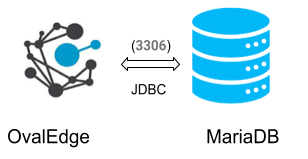
An out-of-the-box connector is available for MariaDB databases to support crawling database objects, profiling sample data, and lineage building.

<figure><img src="https://content.gitbook.com/content/hTnkoJQml0pok9awFDhx/blobs/F0XcU99YX4ImZvUEBfeA/MariaDB.webp" alt=""><figcaption></figcaption></figure>

The drivers used by the connector are mentioned below:

> Driver/ API: MariaDB JDBC driver                     &#x20;
>
> Version: 1.0
>
> Details: Is JDBC 5.1.29\
> <https://mvnrepository.com/artifact/MariaDB/MariaDB-connector-java/5.1.29\\>
> Note: Latest version is 8.0.25

## **Technical Specifications**

The following are the connector capabilities mentioned below:

### **Crawling**

<table><thead><tr><th width="179">Feature</th><th width="186.25">Supported Objects</th><th>Remarks</th></tr></thead><tbody><tr><td>Crawling</td><td>Tables</td><td></td></tr><tr><td>Crawling</td><td>Table columns</td><td>Supported Data types:<br>INT, TINYINT, SMALLINT, MEDIUMINT, BIGINT, FLOAT, DOUBLE, DECIMAL, DATE, DATETIME, TIMESTAMP, TIME, YEAR, CHAR, VARCHAR</td></tr><tr><td>Crawling</td><td>Views</td><td> </td></tr><tr><td>Crawling</td><td>Stored procedures</td><td> </td></tr><tr><td>Crawling</td><td>Functions</td><td> </td></tr><tr><td>Crawling</td><td>Roles</td><td> </td></tr><tr><td>Crawling</td><td>Users</td><td> </td></tr><tr><td>Crawling</td><td>Permissions</td><td> </td></tr><tr><td>Crawling</td><td>Usage statistics</td><td> </td></tr></tbody></table>

### **Profiling**

<table><thead><tr><th width="177.75">Feature</th><th>Support</th><th>Remarks</th></tr></thead><tbody><tr><td>Table Profiling</td><td>Row count, Columns count, View sample data</td><td> </td></tr><tr><td>View Profiling</td><td>Row count, Columns count, View sample data</td><td>View is treated as a table for profiling purposes</td></tr><tr><td>Column Profiling</td><td>Min, Max, Null count, distinct, top 50 values</td><td> </td></tr><tr><td>Full Profiling</td><td>Supported</td><td> </td></tr><tr><td>Sample Profiling</td><td>Supported</td><td> </td></tr></tbody></table>

### **Lineage Building**

| Lineage Entities | Details                                         |
| ---------------- | ----------------------------------------------- |
| Table lineage    | Supported                                       |
| Column lineage   | Supported                                       |
| Lineage Sources  | Stored procedures, functions, views, query logs |

### **Querying**

| Operation              | Details                    |
| ---------------------- | -------------------------- |
| Select                 | Supported                  |
| Insert                 | Not supported, by default. |
| Update                 | Not supported, by default. |
| Delete                 | Not supported, by default. |
| Joins within database  | Supported                  |
| Joins outside database | Not supported              |
| Aggregations           | Supported                  |
| Group By               | Supported                  |
| Order By               | Supported                  |

> By default, the service account provided for the connector will be used for any query operations. If the service account has write privileges, then Insert / Update / Delete queries can be executed.

## **Pre-requisites**

To use the connector, the following need to be available:

* Connection details as specified in the following section should be available.
* An admin/service account with read privileges.
* JDBC driver is provided by default. In case it needs to be changed, add MariaDB client drivers into the OvalEdge Jar path to communicate to the MariaDB database.
* Check the Configuration section for further details on how to add the drivers to the jar path.

## **Connection Details**

The following are the connection settings that need to be added for connecting to MariaDB database:

* **Database Type:** MariaDB
* **License Type:** Standard
* **Connection Name:** Select a Connection name for the MariaDB database. The name that you specify is a reference name to easily identify your MariaDB database connection in OvalEdge. Example: MariaDB Connection1
* **Hostname / IP Address:** Database instance URL (on-premises/cloud-based)\
  Example:oval-MariaDB.csklygkwz3dx.us-east-1.rds.amazonaws.com
* **Port number:** 3306
* **Sid/Database:** Name of the database to connect.
* **Username:** User account login credential MariaDB Authentication
* **Password:** Password (only for MariaDB Authentication)
* **Driver Name:** JDBC driver name for Exasol. It will be auto-populated.\
  **Example:** MariaDBJDBC42-no-awssdk-1.2.41.1065
* **Connection String:**  MariaDB connection string. Set the Connection string toggle button to automatic, to get the details automatically from the credentials provided. Alternatively, you can manually enter the string.\
  **Format:** jdbc:MariaDB://{server}:3306/{sid}\
  **Example:** jdbc:MariaDB://ovaledge.cpgvvwcraues.us-east-.MariaDB.amazonaws.com:3306;database=customers

> Once connectivity is established, additional configurations for Crawling and Profiling can be specified.

| Property                                 | Details                                                                             |
| ---------------------------------------- | ----------------------------------------------------------------------------------- |
| **Crawler configurations**               |                                                                                     |
| Tables, views & columns                  | By default, it is selected true                                                     |
| Relationships                            | Need to select for crawl relationships                                              |
| Procedures, functions view, source codes | Need to select for crawl Procedures, functions, view, source codes                  |
| Crawler rules                            | The default include tables regex has  regex = (.\*), which can crawl all the tables |
| **Profile Settings**                     |                                                                                     |
| Tables and columns                       | By default, it is selected true                                                     |
| Views and columns                        | By default, it is selected true                                                     |
| Profile Rules                            | Default includes tables regex has  regex = (.\*), which can profile all the tables  |
| Query Log Setting                        |                                                                                     |

***

&#x20;Copyright © 2025, OvalEdge LLC, Peachtree Corners GA USA
