# ClickHouse
Click House is a column-oriented Database Management System for Online Analytics Processing of Queries (OAPL).
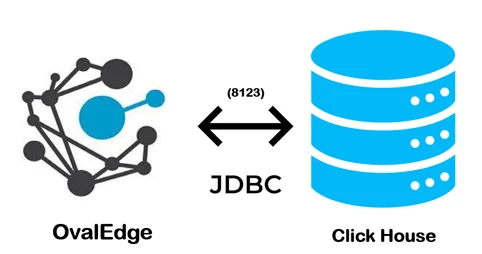 > The connectivity to Click House is via JDBC driver, which is included in the platform.
The drivers used by the connector are given below:
> **Driver / API:** ClickHouse JDBC driver
>
> **Version:** 1.0 (latest version is 0.31)
>
> **Details:** Is JDBC 0.2.4
>
>
## Connector Capabilities
The connector capabilities are shown below:
### **Crawling**
Supported objects for Crawling are:
| Supported Object | Supported Data type |
| ------------------------------------------------------------------------------------------------------- | ---------------------------------------------------------------------------------------- |
| Tables, Table Columns, Views, Stored Procedures, Functions, Roles, Users, Permissions, Usage Statistics | LONGBLOB, LONGTEXT, TINYTEXT, TEXT, VARCHAR, MEDIUMBLOB, BLOB, TINYBLOB, CHAR, MEDIUMTEX |
Please see this article [Crawling Data](https://support.ovaledge.com/step-by-step-guide-to-setup-ovaledge-crawlers) for more details on crawling.
### **Profiling**
| Feature | Support | Remarks |
| ---------------- | --------------------------------------------- | ------------------------------------------------- |
| Table Profiling | Row count, Columns count, View sample data | |
| View Profiling | Row count, Columns count, View sample data | View is treated as a table for profiling purposes |
| Column Profiling | Min, Max, Null count, distinct, top 50 values | |
| Full Profiling | Supported | |
| Sample Profiling | Supported | |
Please see [Profiling Data](https://support.ovaledge.com/step-by-step-guide-to-setup-ovaledge-profiling) for more details on profiling.
### **Lineage Building**
| Lineage Entities | Details |
| ---------------- | ----------------------------------------------- |
| Table lineage | Supported |
| Column lineage | Supported |
| Lineage Sources | Stored procedures, functions, views, query logs |
### **Querying**
| Operation | Details |
| ---------------------- | ---------------------------------------------------------- |
| Select | Supported |
| Insert | Supported provided its service account have the permission |
| Update | Supported provided its service account have the permission |
| Delete | Supported provided its service account have the permission |
| Joins within database | Supported |
| Joins outside database | Not supported |
| Aggregations | Supported |
| Group By | Supported |
| Order By | Supported |
> By default the service account provided for the connector will be used for any query operations. If the service account has write privileges, then Insert / Update / Delete queries can be executed.
## **Pre-requisites**
To use the connector, the following need to be available:
* Connection details as specified in the following section should be available.
* A service account with read privileges.
* JDBC driver is provided by default.
### **Connection Details**
The following connection settings should be added for connecting to a ClickHouse:
* **Database Type:** Click House
* **License Type:** Standard
* **Connection Name:** Select a Connection name for the ClickHouse database. The name that you specify is a reference name to easily identify your ClickHouse database connection in OvalEdge. Example: ClickHouse Connection
* **Hostname / IP Address:** Database instance URL (on-premises/cloud-based)\
Example: ip
* **Port number:** 8123 (Default)
* **Sid / Database:** Name of the database to connect to.
* **Username:** Default (based upon your connection)
* **Password:** 0valEdge! (based upon your connection)
* **Driver Name:** JDBC driver name for ClickHouse. Need to add in pom.xml. Need not to download external drivers.\
Example:
* **Connection String:** ClickHouse has a connection string. Set the Connection string toggle button to automatic, to get the details automatically from the credentials provided. Alternatively, you can manually enter the string.\
**Format:** jdbc:clickhouse://3.84.239.121:8123/test
> Once connectivity is established, additional configurations for [Crawling](https://support.ovaledge.com/understanding-crawler-settings) and [Profiling](https://support.ovaledge.com/understanding-profiling-settings) can be specified.
| Property | Details |
| -------------------------- | ---------------------------------------------------------------------------------- |
| **Crawler configurations** | |
| Tables, Views, Columns | By default it is selected true |
| Crawler rules | Default include tables regex has regex = (.\*) , which can crawl all the tables |
| **Profile Settings** | |
| Tables and columns | By default it is selected true |
| Views and columns | By default it is selected true |
| Profile Rules | Default include tables regex has regex = (.\*) , which can profile all the tables |
| Query Log Setting | |
***
Copyright © 2025, OvalEdge LLC, Peachtree Corners GA USA
> The connectivity to Click House is via JDBC driver, which is included in the platform.
The drivers used by the connector are given below:
> **Driver / API:** ClickHouse JDBC driver
>
> **Version:** 1.0 (latest version is 0.31)
>
> **Details:** Is JDBC 0.2.4
>
>
## Connector Capabilities
The connector capabilities are shown below:
### **Crawling**
Supported objects for Crawling are:
| Supported Object | Supported Data type |
| ------------------------------------------------------------------------------------------------------- | ---------------------------------------------------------------------------------------- |
| Tables, Table Columns, Views, Stored Procedures, Functions, Roles, Users, Permissions, Usage Statistics | LONGBLOB, LONGTEXT, TINYTEXT, TEXT, VARCHAR, MEDIUMBLOB, BLOB, TINYBLOB, CHAR, MEDIUMTEX |
Please see this article [Crawling Data](https://support.ovaledge.com/step-by-step-guide-to-setup-ovaledge-crawlers) for more details on crawling.
### **Profiling**
| Feature | Support | Remarks |
| ---------------- | --------------------------------------------- | ------------------------------------------------- |
| Table Profiling | Row count, Columns count, View sample data | |
| View Profiling | Row count, Columns count, View sample data | View is treated as a table for profiling purposes |
| Column Profiling | Min, Max, Null count, distinct, top 50 values | |
| Full Profiling | Supported | |
| Sample Profiling | Supported | |
Please see [Profiling Data](https://support.ovaledge.com/step-by-step-guide-to-setup-ovaledge-profiling) for more details on profiling.
### **Lineage Building**
| Lineage Entities | Details |
| ---------------- | ----------------------------------------------- |
| Table lineage | Supported |
| Column lineage | Supported |
| Lineage Sources | Stored procedures, functions, views, query logs |
### **Querying**
| Operation | Details |
| ---------------------- | ---------------------------------------------------------- |
| Select | Supported |
| Insert | Supported provided its service account have the permission |
| Update | Supported provided its service account have the permission |
| Delete | Supported provided its service account have the permission |
| Joins within database | Supported |
| Joins outside database | Not supported |
| Aggregations | Supported |
| Group By | Supported |
| Order By | Supported |
> By default the service account provided for the connector will be used for any query operations. If the service account has write privileges, then Insert / Update / Delete queries can be executed.
## **Pre-requisites**
To use the connector, the following need to be available:
* Connection details as specified in the following section should be available.
* A service account with read privileges.
* JDBC driver is provided by default.
### **Connection Details**
The following connection settings should be added for connecting to a ClickHouse:
* **Database Type:** Click House
* **License Type:** Standard
* **Connection Name:** Select a Connection name for the ClickHouse database. The name that you specify is a reference name to easily identify your ClickHouse database connection in OvalEdge. Example: ClickHouse Connection
* **Hostname / IP Address:** Database instance URL (on-premises/cloud-based)\
Example: ip
* **Port number:** 8123 (Default)
* **Sid / Database:** Name of the database to connect to.
* **Username:** Default (based upon your connection)
* **Password:** 0valEdge! (based upon your connection)
* **Driver Name:** JDBC driver name for ClickHouse. Need to add in pom.xml. Need not to download external drivers.\
Example:
* **Connection String:** ClickHouse has a connection string. Set the Connection string toggle button to automatic, to get the details automatically from the credentials provided. Alternatively, you can manually enter the string.\
**Format:** jdbc:clickhouse://3.84.239.121:8123/test
> Once connectivity is established, additional configurations for [Crawling](https://support.ovaledge.com/understanding-crawler-settings) and [Profiling](https://support.ovaledge.com/understanding-profiling-settings) can be specified.
| Property | Details |
| -------------------------- | ---------------------------------------------------------------------------------- |
| **Crawler configurations** | |
| Tables, Views, Columns | By default it is selected true |
| Crawler rules | Default include tables regex has regex = (.\*) , which can crawl all the tables |
| **Profile Settings** | |
| Tables and columns | By default it is selected true |
| Views and columns | By default it is selected true |
| Profile Rules | Default include tables regex has regex = (.\*) , which can profile all the tables |
| Query Log Setting | |
***
Copyright © 2025, OvalEdge LLC, Peachtree Corners GA USA