# Quickbase

## **Connectivity Summary**

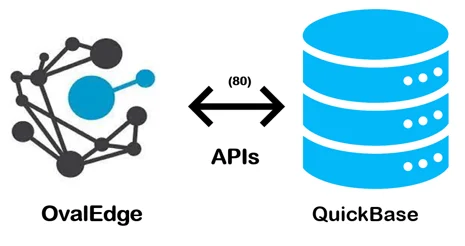
An out-of-the-box connector is available for QuickBase databases to support crawling database objects, profiling sample data, and relationships building.

<figure><img src="https://content.gitbook.com/content/hTnkoJQml0pok9awFDhx/blobs/HdbNAgPvuxouo2sqpHge/Quickbase.webp" alt=""><figcaption></figcaption></figure>

The drivers used by the connector are mentioned below:

> Driver/ API: API                  &#x20;
>
> Version: 1.0
>
> Details: APIs URL
>
> <https://help.quickbase.com/api-guide/intro.html>
>
> <https://developer.quickbase.com/>

## **Technical Specifications**

The following are the connector capabilities mentioned below:

### **Crawling**

Supported objects for Crawling are:

* Tables
* Table Columns

### **Profiling**

| Feature          | Support                                       |
| ---------------- | --------------------------------------------- |
| Table Profiling  | Row count, Columns count, View sample data    |
| View Profiling   | Row count, Columns count, View sample data    |
| Column Profiling | Min, Max, Null count, distinct, top 50 values |
| Full Profiling   | Supported                                     |
| Sample Profiling | Not Supported                                 |

### **Lineage Building**

| Lineage Entities | Details           |
| ---------------- | ----------------- |
| Table lineage    | Not Yet Supported |
| Column lineage   | Not Yet Supported |
| Lineage Sources  |                   |

### **Querying**&#x20;

| Operation              | Details                    |
| ---------------------- | -------------------------- |
| Select                 | Supported                  |
| Insert                 | Not supported, by default. |
| Update                 | Not supported, by default. |
| Delete                 | Not supported, by default. |
| Joins within database  | Supported                  |
| Joins outside database | Not supported              |
| Aggregations           | Supported                  |
| Group By               | Supported                  |
| Order By               | Supported                  |

> By default, the service account provided for the connector will be used for any query operations. If the service account has write privileges, then Insert / Update / Delete queries can be executed.

## **Pre-requisites**

To use the connector, the following need to be available:

* Connection details as specified in the following section should be available.
* An admin/service account with read privileges.

### **Connection Details**

The following are the connection settings that need to be added for connecting to QuickBase database:

* **Database Type:** Quickbase
* **License Type:** Standard
* **Connection Name:** Select a Connection name for the QuickBase database. The name that you specify is a reference name to easily identify your QuickBase database connection in OvalEdge.\
  **Example:** Quickbase  Connection1
* **Server:** Database instance URL (on-premises/cloud-based)\
  **Example:** premanvithatatikonda.quickbase.com
* **Port number:** 80
* **Username:** User account login credential (only for MySql Authentication)
* **Password:** Password (only for MySql Authentication)

> Once connectivity is established, additional configurations for [Crawling](https://support.ovaledge.com/understanding-crawler-settings) and [Profiling](https://support.ovaledge.com/understanding-profiling-settings) can be specified.

<table><thead><tr><th width="374">Property</th><th>Details</th></tr></thead><tbody><tr><td><strong>Crawler configurations</strong></td><td></td></tr><tr><td>Tables, views &#x26; columns</td><td>By default, it is selected true</td></tr><tr><td>Relationships</td><td>Need to select for crawl relationships</td></tr><tr><td>Crawler rules</td><td>Default includes tables regex has  regex = (.*), which can crawl all the tables</td></tr><tr><td><strong>Profile Settings</strong></td><td></td></tr><tr><td>Tables and columns</td><td>By default, it is selected true</td></tr><tr><td>Views and columns</td><td>By default, it is selected true</td></tr><tr><td>Profile Rules</td><td>Default includes tables regex has  regex = (.*), which can profile all the tables</td></tr></tbody></table>

***

&#x20;Copyright © 2025, OvalEdge LLC, Peachtree Corners GA USA
