# Microsoft Dynamics 365
## Connectivity Summary
An out of the box connector is available for the Dynamics 365 database. It provides support for crawling database objects and sample profiling of data.
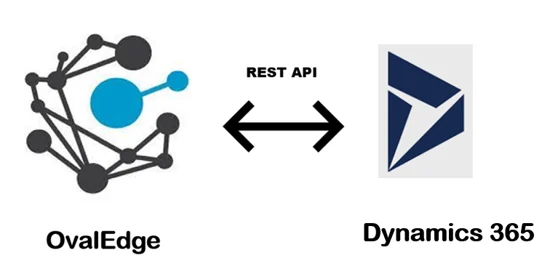 The connectivity to Dynamics 365 is via Rest API, which is included in the platform.
{% hint style="success" %}
*Note: OvalEdge connects to Dynamics 365 environment through the REST API given by Microsoft Dynamics 365.*
{% endhint %}
## Connector Capabilities
The connector capabilities are shown below:
### **Crawling**
Supported objects and data types for Crawling are:
| Supported Objects | Supported Data types |
| --------------------------------------------------------------------------------------------------------------------------- | -------------------------------------------------------------------------------- |
| Tables, Table Columns, Views, Stored Procedures, Functions, Triggers, Roles, Users, Permissions, Triggers, Usage Statistics | All the standard data types of Dynamics 365 as we only support Sample profiling. |
Please see this article [Crawling Data](https://support.ovaledge.com/step-by-step-guide-to-setup-ovaledge-crawlers) for more details on crawling.
### **Profiling**
| Feature | Support | Remarks |
| ---------------- | --------------------------------------------- | ------------------------------------------------- |
| Table Profiling | Row count, Columns count, View sample data | |
| View Profiling | Row count, Columns count, View sample data | View is treated as a table for profiling purposes |
| Column Profiling | Min, Max, Null count, distinct, top 50 values | |
| Full Profiling | Not Supported | |
| Sample Profiling | Supported | |
See this article [Profile Data](https://support.ovaledge.com/step-by-step-guide-to-setup-ovaledge-profiling) to know more about Profiling.
By default the service account provided for the connector will be used for any query operations. If the service account has write privileges, then Insert / Update / Delete queries can be executed.
## **Pre-requisites**
To use the connector, the following need to be available:
* Connection details as specified in the following section should be available.
* A service account, for crawling and profiling. The minimum privileges required are:
* Connection validate
* Crawl Schemas
* Crawl Tables
* Profile Schemas, Tables
* Query Logs
* Get Views, Procedures, Function code
## Connection Details
The following connection settings should be added for connecting to a Dynamics 365 database:
* **Database Type:** Dynamics 365
* **Connection Name:** Select a Connection name for the Dynamics 365 database. The name that you specify is a reference name to easily identify your Dynamics 365 database connection in OvalEdge.\
Example: Dynamics 365 Connection DB1
* **Hostname / IP Address:** Database instance URL (on-premises/cloud-based)\
Example:
* **Client secret:** Client secret of the environment
* **Client ID:** Client ID of the environment
* **Tenant ID:** Tenant ID of the environment
* **Connection String:** Dynamics 365 connection string. Set the Connection string toggle button to automatic, to get the details automatically from the credentials provided. Alternatively, you can manually enter the string.\
**Format:** https\://{servername}:/api/data/v9.2\
Example:
> Once connectivity is established, additional configurations for [Crawling](https://support.ovaledge.com/understanding-crawler-settings) and [Profiling](https://support.ovaledge.com/understanding-profiling-settings) can be specified.
## FAQs
1. **How does the Dynamics 365 Business edition differ from the Enterprise edition?**\
Microsoft states there will be only one edition - Enterprise edition for Dynamics 365. There are various apps for Sales, Marketing, Customer Services, Field Services, etc. to choose as per the requirement.
***
Copyright © 2025, OvalEdge LLC, Peachtree Corners GA USA
The connectivity to Dynamics 365 is via Rest API, which is included in the platform.
{% hint style="success" %}
*Note: OvalEdge connects to Dynamics 365 environment through the REST API given by Microsoft Dynamics 365.*
{% endhint %}
## Connector Capabilities
The connector capabilities are shown below:
### **Crawling**
Supported objects and data types for Crawling are:
| Supported Objects | Supported Data types |
| --------------------------------------------------------------------------------------------------------------------------- | -------------------------------------------------------------------------------- |
| Tables, Table Columns, Views, Stored Procedures, Functions, Triggers, Roles, Users, Permissions, Triggers, Usage Statistics | All the standard data types of Dynamics 365 as we only support Sample profiling. |
Please see this article [Crawling Data](https://support.ovaledge.com/step-by-step-guide-to-setup-ovaledge-crawlers) for more details on crawling.
### **Profiling**
| Feature | Support | Remarks |
| ---------------- | --------------------------------------------- | ------------------------------------------------- |
| Table Profiling | Row count, Columns count, View sample data | |
| View Profiling | Row count, Columns count, View sample data | View is treated as a table for profiling purposes |
| Column Profiling | Min, Max, Null count, distinct, top 50 values | |
| Full Profiling | Not Supported | |
| Sample Profiling | Supported | |
See this article [Profile Data](https://support.ovaledge.com/step-by-step-guide-to-setup-ovaledge-profiling) to know more about Profiling.
By default the service account provided for the connector will be used for any query operations. If the service account has write privileges, then Insert / Update / Delete queries can be executed.
## **Pre-requisites**
To use the connector, the following need to be available:
* Connection details as specified in the following section should be available.
* A service account, for crawling and profiling. The minimum privileges required are:
* Connection validate
* Crawl Schemas
* Crawl Tables
* Profile Schemas, Tables
* Query Logs
* Get Views, Procedures, Function code
## Connection Details
The following connection settings should be added for connecting to a Dynamics 365 database:
* **Database Type:** Dynamics 365
* **Connection Name:** Select a Connection name for the Dynamics 365 database. The name that you specify is a reference name to easily identify your Dynamics 365 database connection in OvalEdge.\
Example: Dynamics 365 Connection DB1
* **Hostname / IP Address:** Database instance URL (on-premises/cloud-based)\
Example:
* **Client secret:** Client secret of the environment
* **Client ID:** Client ID of the environment
* **Tenant ID:** Tenant ID of the environment
* **Connection String:** Dynamics 365 connection string. Set the Connection string toggle button to automatic, to get the details automatically from the credentials provided. Alternatively, you can manually enter the string.\
**Format:** https\://{servername}:/api/data/v9.2\
Example:
> Once connectivity is established, additional configurations for [Crawling](https://support.ovaledge.com/understanding-crawler-settings) and [Profiling](https://support.ovaledge.com/understanding-profiling-settings) can be specified.
## FAQs
1. **How does the Dynamics 365 Business edition differ from the Enterprise edition?**\
Microsoft states there will be only one edition - Enterprise edition for Dynamics 365. There are various apps for Sales, Marketing, Customer Services, Field Services, etc. to choose as per the requirement.
***
Copyright © 2025, OvalEdge LLC, Peachtree Corners GA USA