# Tables
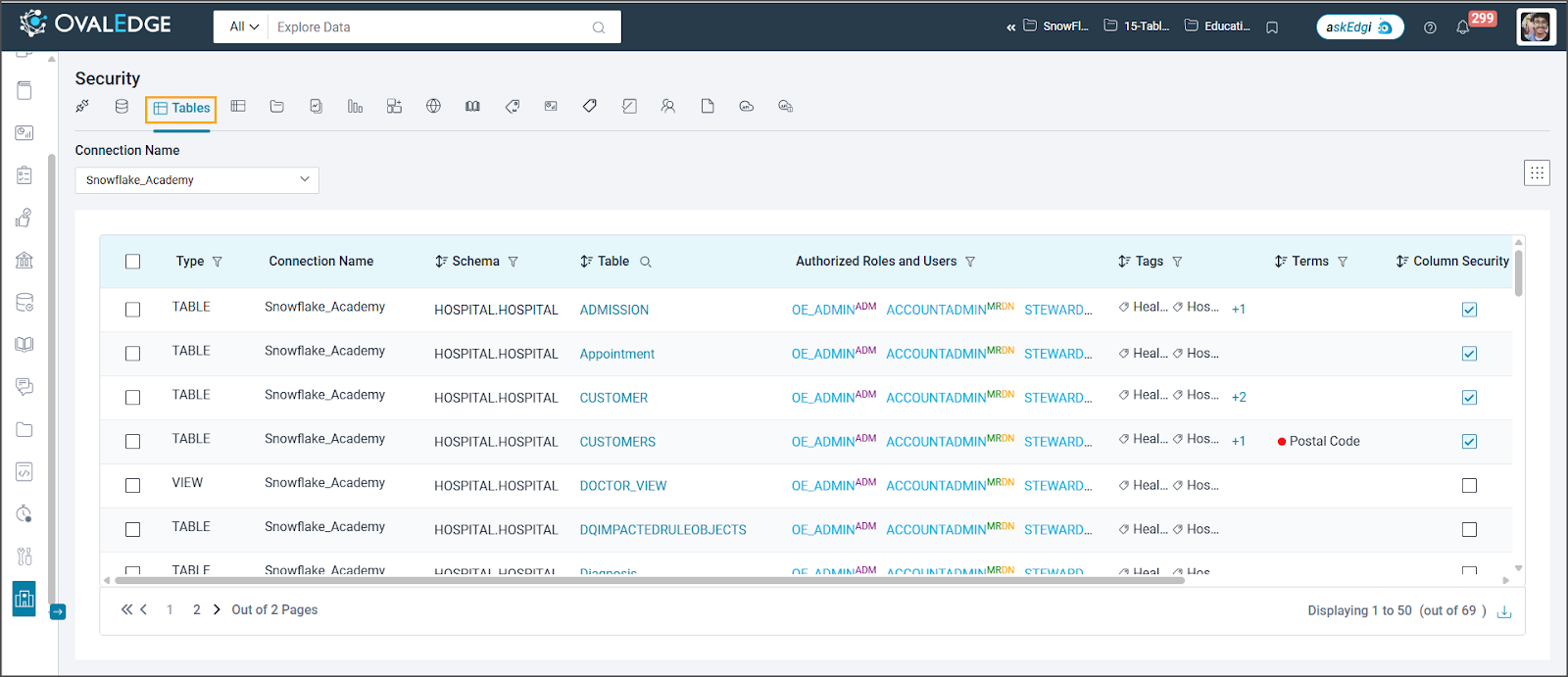
The "Tables Security" allows administrators to control access to database tables. Only authorized users or roles can view or edit table data.
* **Grant/Deny Table Access:** Define which users or roles can access specific tables.
* **Column-Level Security:** Enhance security on table columns by implementing data masking or restricting access to specific columns for unauthorized roles and users.
Based on the selected Data Source (Connection Name), the corresponding tables are displayed along with the governance roles, users, and roles with metadata and data permissions on those tables.
**Table Permissions and Governance**
* **Individual Permissions:** Add, modify, or delete metadata and data access permissions for specific roles or users on a table.
* **Bulk Permissions:** Simultaneously manage multiple tables' metadata and data access permissions.
* **Role-Based Access:** Set metadata and data permissions for roles based on the license type.
* **User-Based Access:** Set metadata and data permissions for individual users based on the license type.
* **Reflect to Table:** Inherit table-level permissions for a specific table within the database.
* **Define Table Admin:** Assign a role as SGA for a table, granting them the highest permissions.
**Governance Roles**
* **Defining Governance Roles:** Specify mandatory governance roles when setting up a connector (inherited by tables).
* **Update Governance Roles (Individual/Bulk):** Modify governance roles for single or multiple tables (SGA and default Role Admin).
* **Cascade Governance Roles:** Apply governance roles to all table columns within the table (SGA and default Role Admin).
* **Delete Role Access:** Remove permission assignments for roles on individual or multiple tables (SGA and OE\_ADMIN).