> For the complete documentation index, see [llms.txt](https://docs.ovaledge.com/llms.txt). Markdown versions of documentation pages are available by appending `.md` to page URLs; this page is available as [Markdown](https://docs.ovaledge.com/release8.3/connectors/connector-repositories/data-warehouse/vertica.md).
# Vertica
## Connectivity Summary
An out of the box connector is available for Vertica databases. It provides support for crawling database objects, profiling of sample data and lineage building.
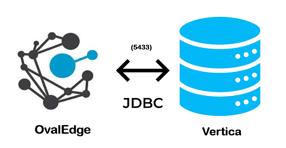 > The connectivity to Vertica is via JDBC driver, which is included in the platform.
The drivers used by the connector are given below:
> **Driver / API:** Vertica JDBC Driver
>
> **Version:** 7.0
>
> **Details:**
## Connector Capabilities
The connector capabilities are shown below:
## **Crawling**
Supported objects for Crawling are:
* Tables
* Table Columns
* Views
Please see this article [Crawling Data](https://support.ovaledge.com/step-by-step-guide-to-setup-ovaledge-crawlers) for more details on crawling.
## **Profiling**
Please see [Profiling Data](https://support.ovaledge.com/profile-data) for more details on profiling.
| **Feature** | **Support** | **Remarks** |
| ---------------- | --------------------------------------------- | ------------------------------------------------- |
| Table Profiling | Row count, Columns count, View sample data | |
| View Profiling | Row count, Columns count, View sample data | View is treated as a table for profiling purposes |
| Column Profiling | Min, Max, Null count, distinct, top 50 values | |
| Full Profiling | Supported | |
| Sample Profiling | Supported | |
## **Querying**
| **Operation** | **Details** |
| ---------------------- | ---------------------------------------------------------------- |
| Select | Supported |
| Insert | does not support subqueries as the target of an INSERT statement |
| Update | Not supported, by default. |
| Delete | Does not support no self joins. |
| Joins within database | Supported |
| Joins outside database | Not supported |
| Aggregations | Supported |
| Group By | Supported |
| Order By | Supported |
> By default the service account provided for the connector will be used for any query operations. If the service account has write privileges, then Insert / Update / Delete queries can be executed.
## **Pre-requisites**
To use the connector, the following need to be available:
* Connection details as specified in the following section should be available.
* A Service account, for crawling and profiling. The minimum privileges required are:
* Connection validate
* Crawl Schemas
* Crawl Tables
* Profile Schemas, Tables
* Query logs
* Get Views, Procedures, Function code
* JDBC driver is provided by default. In case it needs to be changed, add Vertica client drivers into the OvalEdge Jar path to communicate to Vertica database.
Check the [Configuration section](https://support.ovaledge.com/configuration) for further details on how to add the drivers to the jar path.
#### **Connection Details**
The following connection settings should be added for connecting to a Vertica database:
* **Database Type:** Vertica
* **Connection Name:** Select a Connection name for the Vertica database. The name that you specify is a reference name to easily identify your Vertica database connection in OvalEdge.
* **Hostname / IP Address:** Database instance URL\
Example: 54.210.69.0(varies)
* **Port number:** 5433
* **Sid / Database:** Name of the database to connect.
* **Username:** User account login credential.
* **Password:** Password
* **Driver Name:** JDBC driver name for Vertica. It will be auto-populated.\
Example: com.vertica.jdbc.Driver
* **Connection String:** Vertica connection string. Set the Connection string toggle button to automatic, to get the details automatically from the credentials provided. Alternatively, you can manually enter the string.\
**Format:** jdbc:vertica://{server}:5433/{sid}
> Once connectivity is established, additional configurations for [Crawling](https://support.ovaledge.com/understanding-crawler-settings) and [Profiling](https://support.ovaledge.com/understanding-profiling-settings) can be specified.
| **Property** | **Details** |
| -------------------------- | ---------------------------------------------------------------------------------- |
| **Crawler configurations** | |
| Tables, Views Columns | By default it is selected true |
| Relationships | Need to select for crawl relationships |
| Crawler rules | Default include tables regex has regex = (.\*) , which can crawl all the tables |
| **Profiler Settings** | |
| Tables and columns | By default it is selected true |
| Views and columns | By default it is selected true |
| Profile Rules | Default include tables regex has regex = (.\*) , which can profile all the tables |
#### **FAQs**
1. **How much does the driver cost?**\
The JDBC Driver for Vertica is available at no additional charge.
2. **Can I use the driver to access Vertica from a Linux computer?**\
Yes, you can use the driver to access Vertica from Linux and Unix platforms.
***
Copyright © 2025, OvalEdge LLC, Peachtree Corners GA USA
---
# Agent Instructions
This documentation is published with GitBook. GitBook is the documentation platform designed so that both humans and AI agents can read, navigate, and reason over technical content effectively. Learn more at gitbook.com.
## Querying This Documentation
If you need additional information that is not directly available in this page, you can query the documentation by asking a question.
Perform an HTTP GET request on the following URL with the `ask` and `goal` query parameters:
```
GET https://docs.ovaledge.com/release8.3/connectors/connector-repositories/data-warehouse/vertica.md?ask=&goal=
```
`ask` is the immediate question: it should be specific, self-contained, and written in natural language.
`goal` is what the user is ultimately trying to achieve, the reason they need the answer. Sharing it helps GitBook give you a better, more relevant answer. A goal is most helpful when it describes the outcome the user wants rather than restating the question. For example, with `ask=how do I create an API token`, a goal like `automate deployments from our CI pipeline` lets GitBook tailor the answer to that use case.
The response will contain a direct answer to the question and relevant excerpts and sources from the documentation.
Use this mechanism when the answer is not explicitly present in the current page, you need clarification or additional context, or you want to retrieve related documentation sections.
> The connectivity to Vertica is via JDBC driver, which is included in the platform.
The drivers used by the connector are given below:
> **Driver / API:** Vertica JDBC Driver
>
> **Version:** 7.0
>
> **Details:**
## Connector Capabilities
The connector capabilities are shown below:
## **Crawling**
Supported objects for Crawling are:
* Tables
* Table Columns
* Views
Please see this article [Crawling Data](https://support.ovaledge.com/step-by-step-guide-to-setup-ovaledge-crawlers) for more details on crawling.
## **Profiling**
Please see [Profiling Data](https://support.ovaledge.com/profile-data) for more details on profiling.
| **Feature** | **Support** | **Remarks** |
| ---------------- | --------------------------------------------- | ------------------------------------------------- |
| Table Profiling | Row count, Columns count, View sample data | |
| View Profiling | Row count, Columns count, View sample data | View is treated as a table for profiling purposes |
| Column Profiling | Min, Max, Null count, distinct, top 50 values | |
| Full Profiling | Supported | |
| Sample Profiling | Supported | |
## **Querying**
| **Operation** | **Details** |
| ---------------------- | ---------------------------------------------------------------- |
| Select | Supported |
| Insert | does not support subqueries as the target of an INSERT statement |
| Update | Not supported, by default. |
| Delete | Does not support no self joins. |
| Joins within database | Supported |
| Joins outside database | Not supported |
| Aggregations | Supported |
| Group By | Supported |
| Order By | Supported |
> By default the service account provided for the connector will be used for any query operations. If the service account has write privileges, then Insert / Update / Delete queries can be executed.
## **Pre-requisites**
To use the connector, the following need to be available:
* Connection details as specified in the following section should be available.
* A Service account, for crawling and profiling. The minimum privileges required are:
* Connection validate
* Crawl Schemas
* Crawl Tables
* Profile Schemas, Tables
* Query logs
* Get Views, Procedures, Function code
* JDBC driver is provided by default. In case it needs to be changed, add Vertica client drivers into the OvalEdge Jar path to communicate to Vertica database.
Check the [Configuration section](https://support.ovaledge.com/configuration) for further details on how to add the drivers to the jar path.
#### **Connection Details**
The following connection settings should be added for connecting to a Vertica database:
* **Database Type:** Vertica
* **Connection Name:** Select a Connection name for the Vertica database. The name that you specify is a reference name to easily identify your Vertica database connection in OvalEdge.
* **Hostname / IP Address:** Database instance URL\
Example: 54.210.69.0(varies)
* **Port number:** 5433
* **Sid / Database:** Name of the database to connect.
* **Username:** User account login credential.
* **Password:** Password
* **Driver Name:** JDBC driver name for Vertica. It will be auto-populated.\
Example: com.vertica.jdbc.Driver
* **Connection String:** Vertica connection string. Set the Connection string toggle button to automatic, to get the details automatically from the credentials provided. Alternatively, you can manually enter the string.\
**Format:** jdbc:vertica://{server}:5433/{sid}
> Once connectivity is established, additional configurations for [Crawling](https://support.ovaledge.com/understanding-crawler-settings) and [Profiling](https://support.ovaledge.com/understanding-profiling-settings) can be specified.
| **Property** | **Details** |
| -------------------------- | ---------------------------------------------------------------------------------- |
| **Crawler configurations** | |
| Tables, Views Columns | By default it is selected true |
| Relationships | Need to select for crawl relationships |
| Crawler rules | Default include tables regex has regex = (.\*) , which can crawl all the tables |
| **Profiler Settings** | |
| Tables and columns | By default it is selected true |
| Views and columns | By default it is selected true |
| Profile Rules | Default include tables regex has regex = (.\*) , which can profile all the tables |
#### **FAQs**
1. **How much does the driver cost?**\
The JDBC Driver for Vertica is available at no additional charge.
2. **Can I use the driver to access Vertica from a Linux computer?**\
Yes, you can use the driver to access Vertica from Linux and Unix platforms.
***
Copyright © 2025, OvalEdge LLC, Peachtree Corners GA USA
---
# Agent Instructions
This documentation is published with GitBook. GitBook is the documentation platform designed so that both humans and AI agents can read, navigate, and reason over technical content effectively. Learn more at gitbook.com.
## Querying This Documentation
If you need additional information that is not directly available in this page, you can query the documentation by asking a question.
Perform an HTTP GET request on the following URL with the `ask` and `goal` query parameters:
```
GET https://docs.ovaledge.com/release8.3/connectors/connector-repositories/data-warehouse/vertica.md?ask=&goal=
```
`ask` is the immediate question: it should be specific, self-contained, and written in natural language.
`goal` is what the user is ultimately trying to achieve, the reason they need the answer. Sharing it helps GitBook give you a better, more relevant answer. A goal is most helpful when it describes the outcome the user wants rather than restating the question. For example, with `ask=how do I create an API token`, a goal like `automate deployments from our CI pipeline` lets GitBook tailor the answer to that use case.
The response will contain a direct answer to the question and relevant excerpts and sources from the documentation.
Use this mechanism when the answer is not explicitly present in the current page, you need clarification or additional context, or you want to retrieve related documentation sections.