> For the complete documentation index, see [llms.txt](https://docs.ovaledge.com/llms.txt). Markdown versions of documentation pages are available by appending `.md` to page URLs; this page is available as [Markdown](https://docs.ovaledge.com/release8.1/deployment-and-maintenance/integration/governance-app-on-windows-os.md).
# Governance APP on Windows OS
This article outlines the steps required to install and configure the **OvalEdge Governance App** on a Windows-based system.
### Purpose
* Enable standalone deployment of the Governance App on a Windows machine.
* Integrate the Governance App with the OvalEdge platform.
## Prerequisites
### System Requirements
* **Windows Operating System:** Windows 10/11 or Windows Server 2016+.
* Administrative access to the Windows machine.
#### Java
* Java Development Kit (JDK) must be installed.
* Java must be available in the system `PATH`.
* Verify installation:
```bash
java -version
```
#### Internet Access
* Required to download dependencies such as the `application.yaml` file.
#### Required Permissions
* Ability to create directories on `C:\`.
* Permission to execute `.jar` files from the command prompt.
* Ability to open ports (ensure port **8082** is not blocked or in use).
#### Required Files
* `oe-gov-app.jar` – provided by the OvalEdge team.
* `application.yaml` – download from the official release link.
* Access to `oasis.properties` – located in the `extprop` directory of the OvalEdge setup.
#### Tomcat Access
* Permission to restart the Tomcat service on the OvalEdge host machine.
## Installation Steps
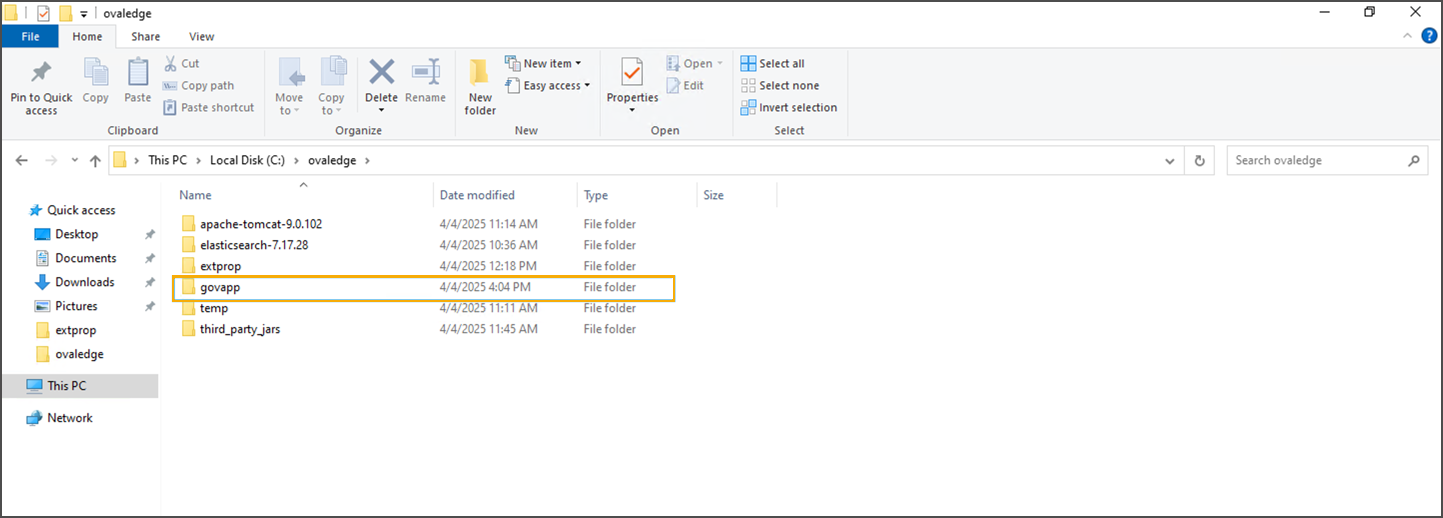
#### Create the Installation Directory
* Open File Explorer or Command Prompt.
* Create a directory named `govapp` on the `C:` drive:
```bash
mkdir C:\govapp
```
 #### Download and Place Configuration File
* Download `application.yaml` from:\
[https://ovaledge-releases.s3.ap-south-1.amazonaws.com/Release7.1.1/windows/application.yaml](https://ovaledge-releases.s3.ap-south-1.amazonaws.com/Release7.1.1/windows/application.yaml?utm_source=chatgpt.com)
#### Download and Place Configuration File
* Download `application.yaml` from:\
[https://ovaledge-releases.s3.ap-south-1.amazonaws.com/Release7.1.1/windows/application.yaml](https://ovaledge-releases.s3.ap-south-1.amazonaws.com/Release7.1.1/windows/application.yaml?utm_source=chatgpt.com)
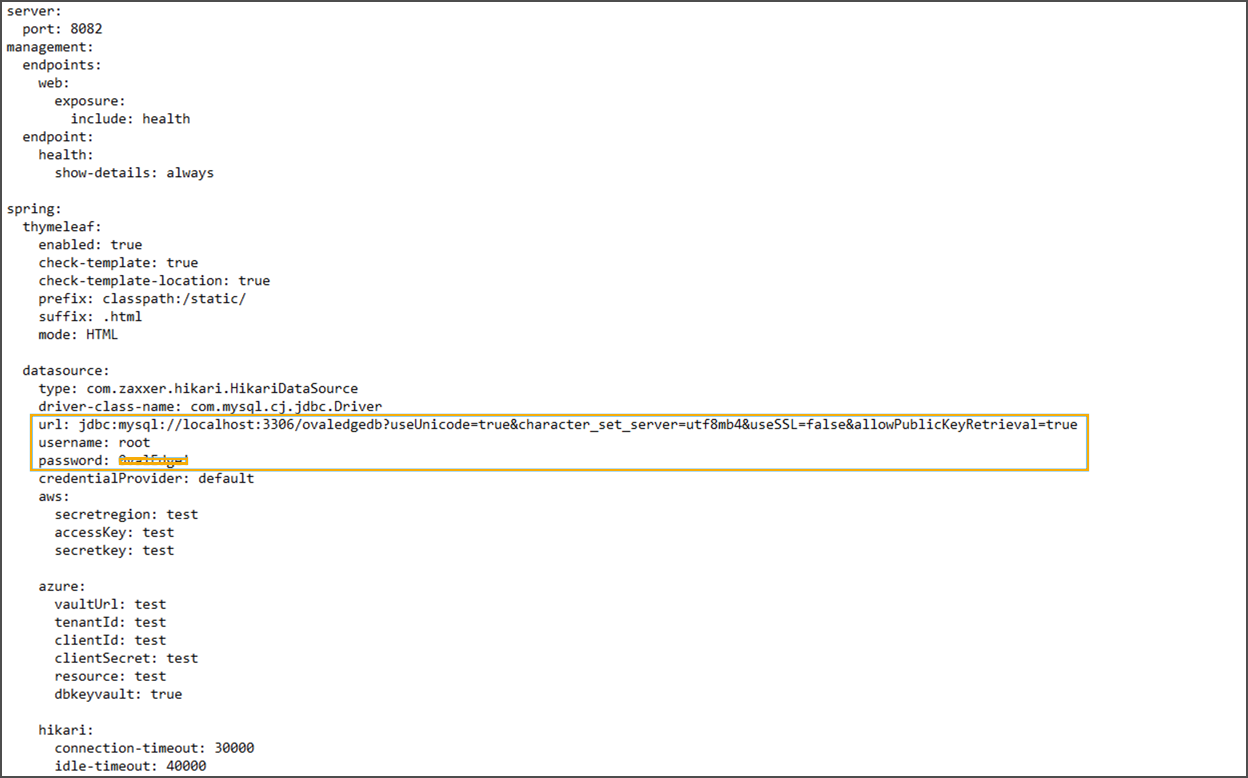 * Save it to `C:\govapp`.
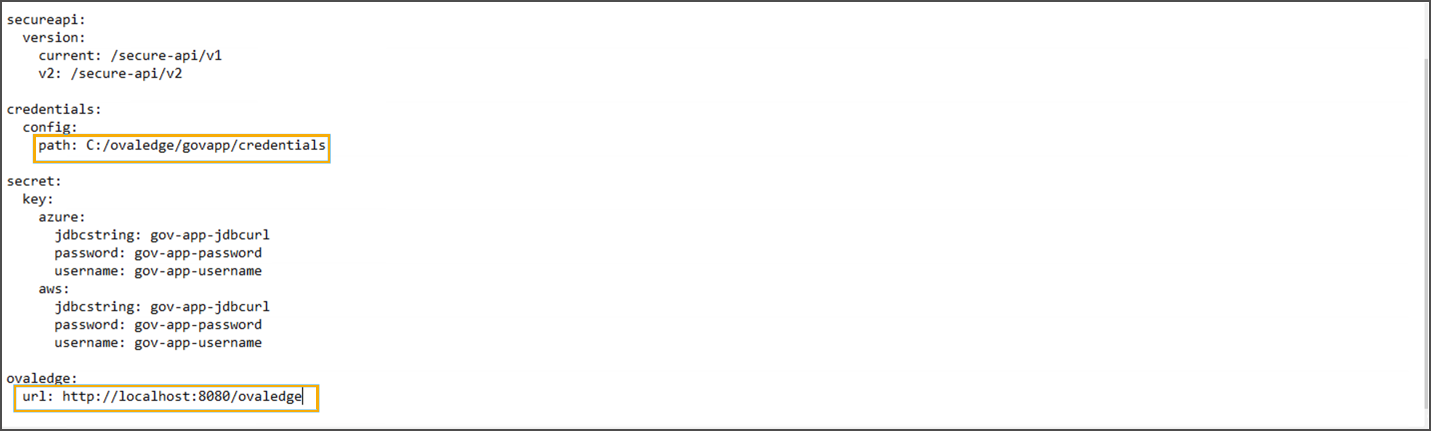 * Customize the contents (database credentials, service URLs, etc.).
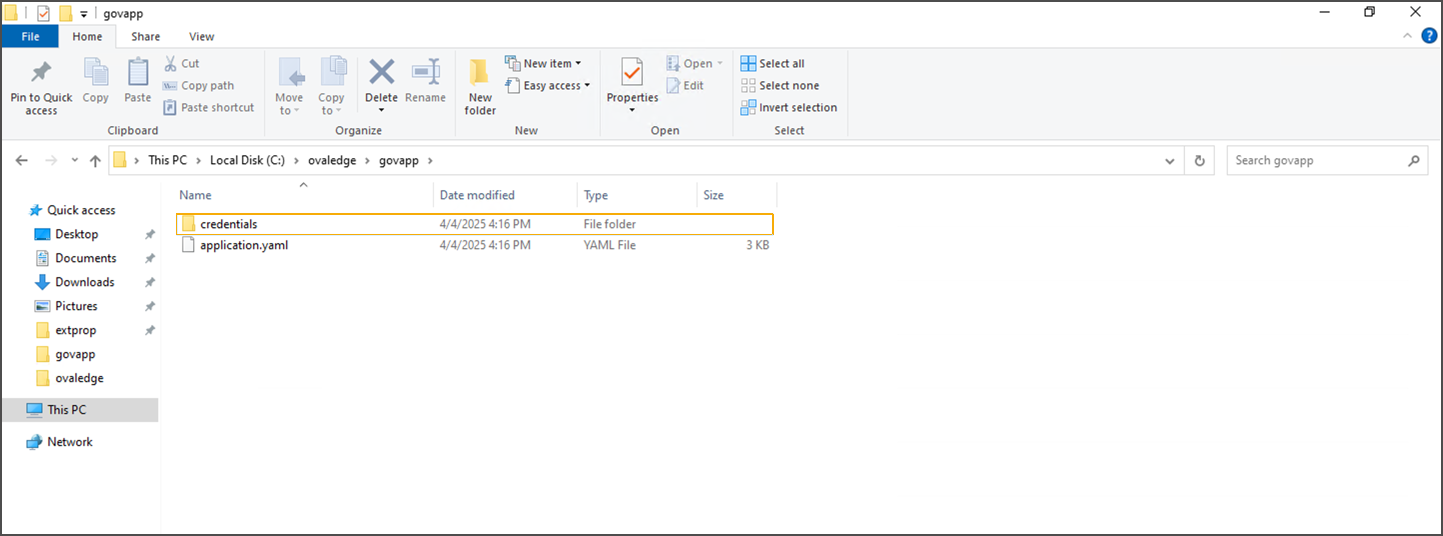
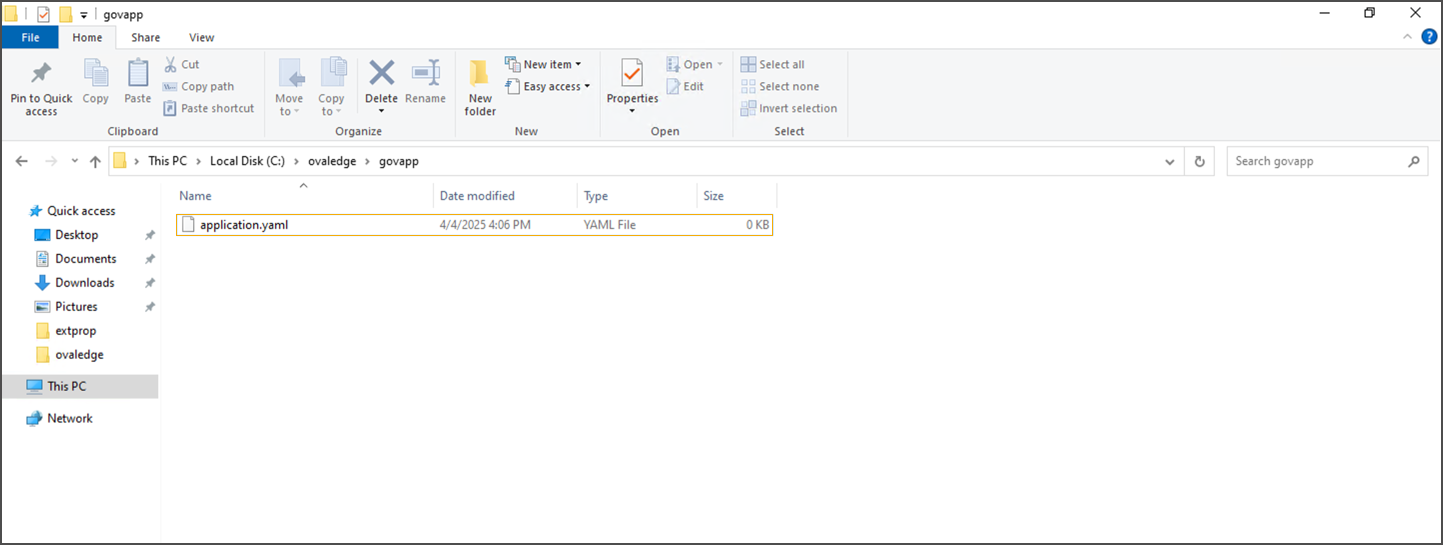 #### Create the Credentials Folder
* Inside `C:\govapp`, create a folder named `credentials`:
```bash
mkdir C:\govapp\credentials
```
#### Create the Credentials Folder
* Inside `C:\govapp`, create a folder named `credentials`:
```bash
mkdir C:\govapp\credentials
```
 #### Place the Governance App JAR File
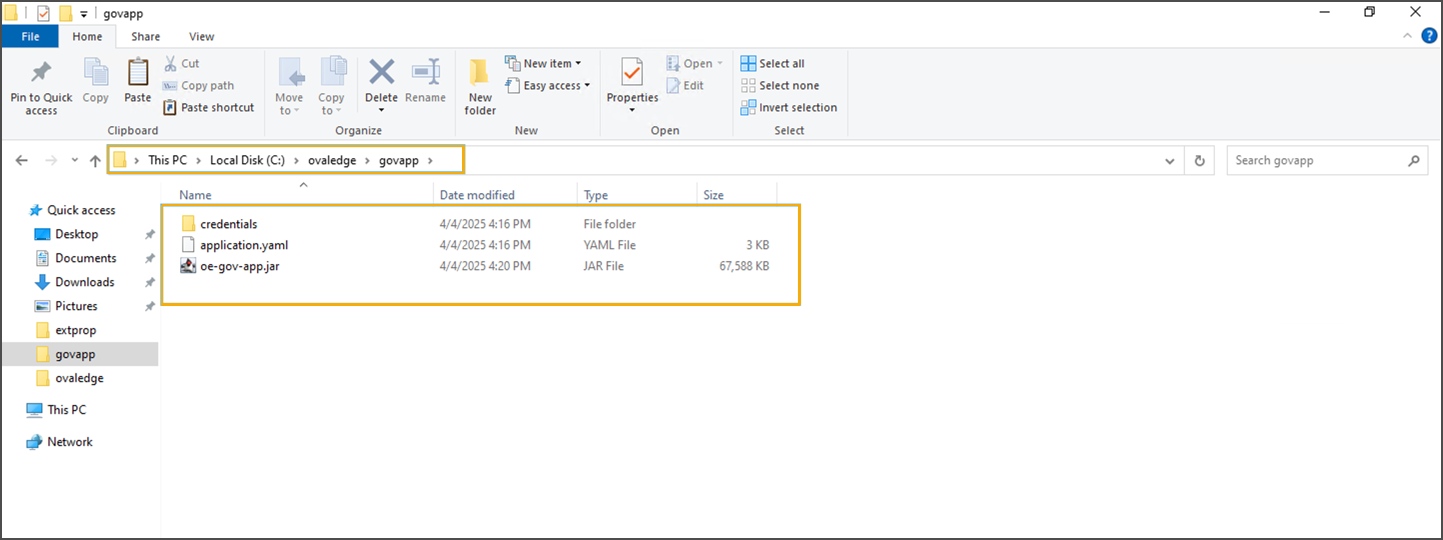
* Obtain `oe-gov-app.jar` from the OvalEdge support team.
* Copy the file into `C:\govapp`.
#### Place the Governance App JAR File
* Obtain `oe-gov-app.jar` from the OvalEdge support team.
* Copy the file into `C:\govapp`.
 #### Launch the Governance App
* Open Command Prompt as Administrator.
* Navigate to the directory:
```bash
cd C:\govapp
```
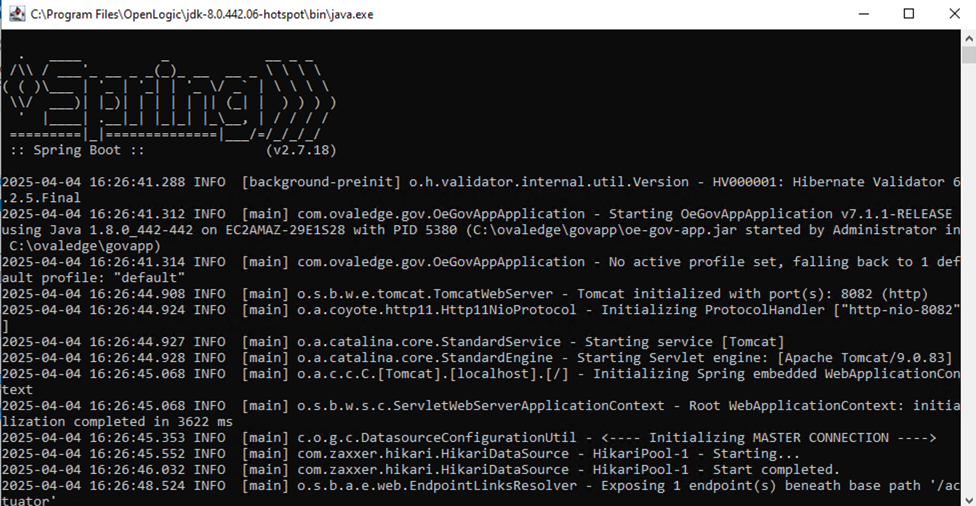
* Start the Governance App:
```bash
start java -jar "oe-gov-app.jar" --spring.config.location="application.yaml" 2>nul 1>nul
```
#### Launch the Governance App
* Open Command Prompt as Administrator.
* Navigate to the directory:
```bash
cd C:\govapp
```
* Start the Governance App:
```bash
start java -jar "oe-gov-app.jar" --spring.config.location="application.yaml" 2>nul 1>nul
```
 * Outcome: The Governance App runs in the background.
#### Port Availability
* Ensure **port 8082** is available and not blocked by firewalls or in use.
* This port is required for Governance App access.
* Outcome: The Governance App runs in the background.
#### Port Availability
* Ensure **port 8082** is available and not blocked by firewalls or in use.
* This port is required for Governance App access.
 ### Governance App Configuration in oasis.properties
#### Locate and Edit Properties File
* Navigate to the `extprop` directory in the OvalEdge installation.
### Governance App Configuration in oasis.properties
#### Locate and Edit Properties File
* Navigate to the `extprop` directory in the OvalEdge installation.
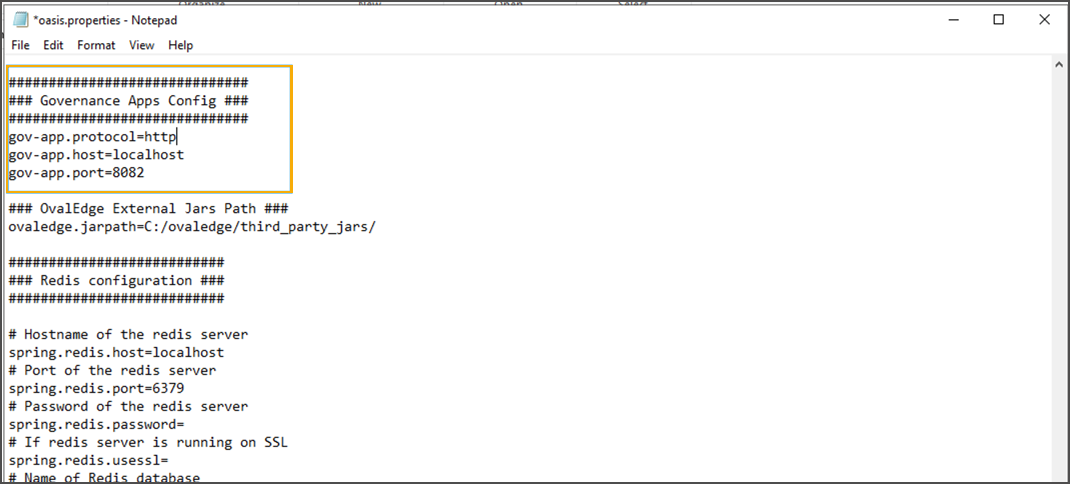
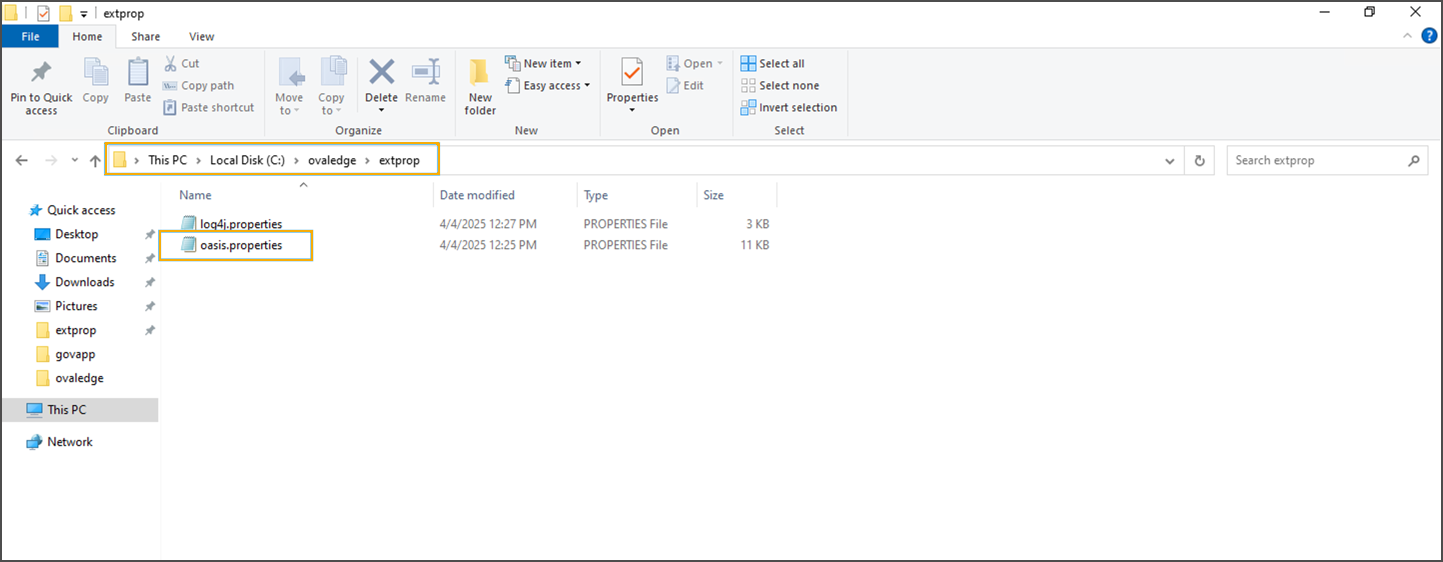 * Open `oasis.properties` in a text editor.
 #### Update Governance App Settings
* Ensure the following configuration is present:
```properties
governance.app.url=http://localhost:8082
```
* Update the host and port if using a different environment.
#### Restart Tomcat
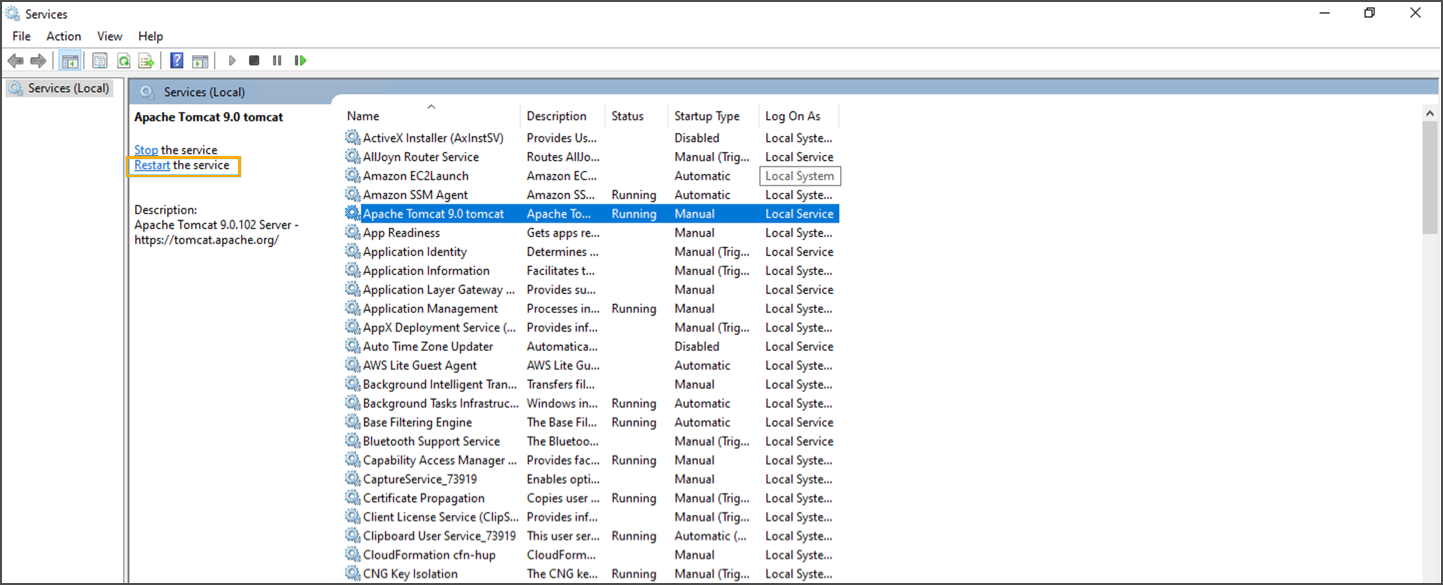
* Open **Services** (`services.msc`).
* Locate **Apache Tomcat \[version]**.
* Right-click → **Restart**.
#### Update Governance App Settings
* Ensure the following configuration is present:
```properties
governance.app.url=http://localhost:8082
```
* Update the host and port if using a different environment.
#### Restart Tomcat
* Open **Services** (`services.msc`).
* Locate **Apache Tomcat \[version]**.
* Right-click → **Restart**.
 ### Verification
* Wait \~5 minutes after restarting Tomcat.
* Open the OvalEdge application in a browser.
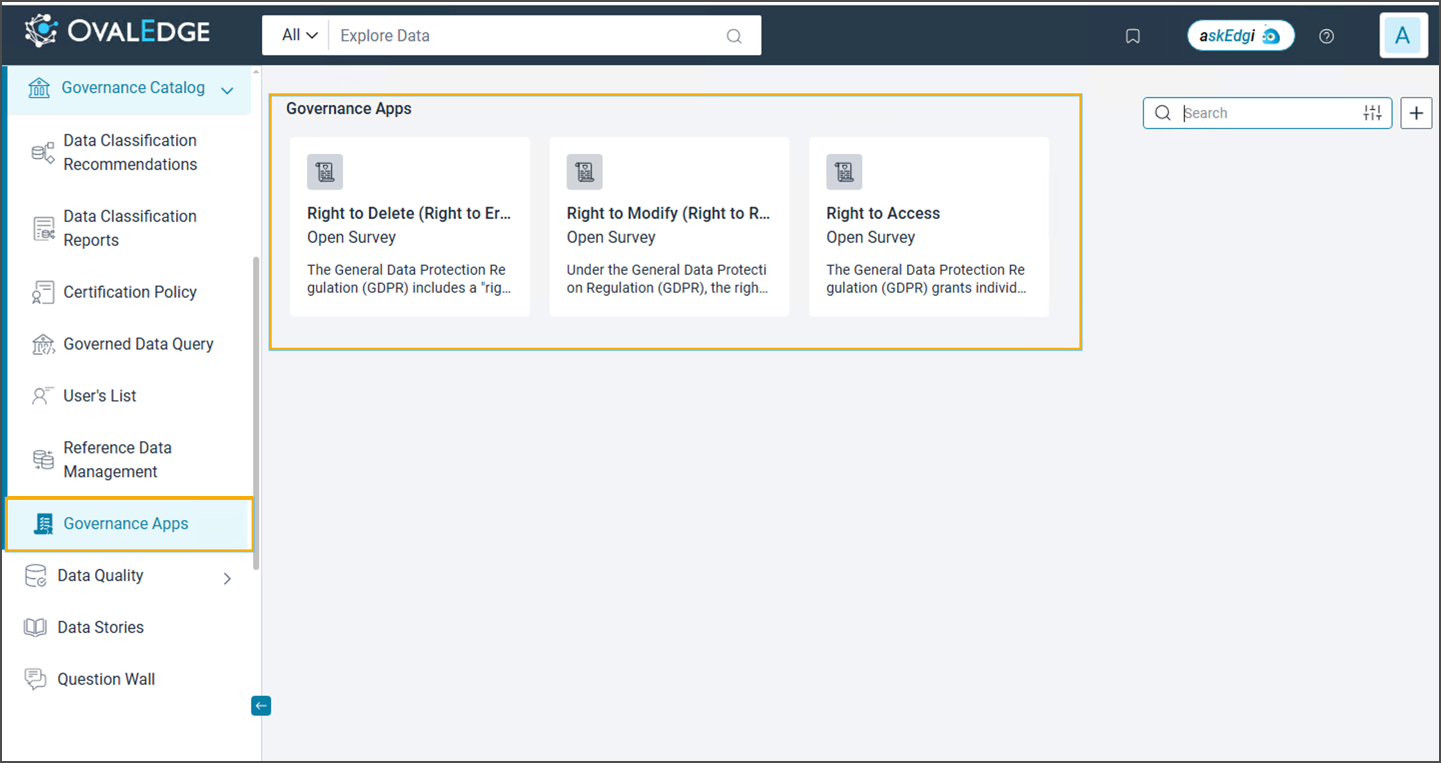
* Confirm that the Governance App is operational and integrated.
### Verification
* Wait \~5 minutes after restarting Tomcat.
* Open the OvalEdge application in a browser.
* Confirm that the Governance App is operational and integrated.
 {% hint style="info" %}
* **Port Conflicts**: If port **8082** is in use, modify `application.yaml` to specify another port.
* **Log Files**: Check the Command Prompt window for runtime logs if the application does not start.
* **Optional Service Setup**: For persistent execution, wrap the JAR as a Windows service using a tool like **NSSM (Non-Sucking Service Manager)**.
{% endhint %}
***
Copyright © 2025, OvalEdge LLC, Peachtree Corners, GA, USA.
***
---
# Agent Instructions
This documentation is published with GitBook. GitBook is the documentation platform designed so that both humans and AI agents can read, navigate, and reason over technical content effectively. Learn more at gitbook.com.
## Querying This Documentation
If you need additional information that is not directly available in this page, you can query the documentation dynamically by asking a question.
Perform an HTTP GET request on the current page URL with the `ask` query parameter, and the optional `goal` query parameter:
```
GET https://docs.ovaledge.com/release8.1/deployment-and-maintenance/integration/governance-app-on-windows-os.md?ask=&goal=
```
`ask` is the immediate question: it should be specific, self-contained, and written in natural language.
`goal` is optional and describes the broader end goal you are ultimately trying to accomplish on behalf of the user. GitBook uses it to tailor the answer towards what is most useful for that goal.
The response will contain a direct answer to the question and relevant excerpts and sources from the documentation.
Use this mechanism when the answer is not explicitly present in the current page, you need clarification or additional context, or you want to retrieve related documentation sections.
{% hint style="info" %}
* **Port Conflicts**: If port **8082** is in use, modify `application.yaml` to specify another port.
* **Log Files**: Check the Command Prompt window for runtime logs if the application does not start.
* **Optional Service Setup**: For persistent execution, wrap the JAR as a Windows service using a tool like **NSSM (Non-Sucking Service Manager)**.
{% endhint %}
***
Copyright © 2025, OvalEdge LLC, Peachtree Corners, GA, USA.
***
---
# Agent Instructions
This documentation is published with GitBook. GitBook is the documentation platform designed so that both humans and AI agents can read, navigate, and reason over technical content effectively. Learn more at gitbook.com.
## Querying This Documentation
If you need additional information that is not directly available in this page, you can query the documentation dynamically by asking a question.
Perform an HTTP GET request on the current page URL with the `ask` query parameter, and the optional `goal` query parameter:
```
GET https://docs.ovaledge.com/release8.1/deployment-and-maintenance/integration/governance-app-on-windows-os.md?ask=&goal=
```
`ask` is the immediate question: it should be specific, self-contained, and written in natural language.
`goal` is optional and describes the broader end goal you are ultimately trying to accomplish on behalf of the user. GitBook uses it to tailor the answer towards what is most useful for that goal.
The response will contain a direct answer to the question and relevant excerpts and sources from the documentation.
Use this mechanism when the answer is not explicitly present in the current page, you need clarification or additional context, or you want to retrieve related documentation sections.