> For the complete documentation index, see [llms.txt](https://docs.ovaledge.com/llms.txt). Markdown versions of documentation pages are available by appending `.md` to page URLs; this page is available as [Markdown](https://docs.ovaledge.com/release8.1/deployment-and-maintenance/installation/ovaledge-db-on-aws-rds.md).
# OvalEdge DB on AWS RDS
This article provides step-by-step instructions to provision an AWS MySQL-compatible RDS instance for the OvalEdge platform. It includes prerequisites, database creation, schema setup, and execution of OvalEdge database scripts to prepare the backend for application deployment.
## Prerequisites
Ensure the following requirements are met before starting the setup:
* **AWS Account Access**: An active AWS account with permissions to create and manage RDS resources.
* **AWS Management Console Access**: Ability to log in and navigate to the RDS service.
* **MySQL Client or GUI Tool Installed**: Tools such as MySQL Workbench, DBeaver, or the MySQL CLI should be available on your local machine or EC2 instance.
## Create MySQL Database in RDS
Follow the steps below to provision a new MySQL-compatible RDS instance:
1. Log in to the **AWS Management Console** and navigate to **RDS**.
2. Click **Create database**.
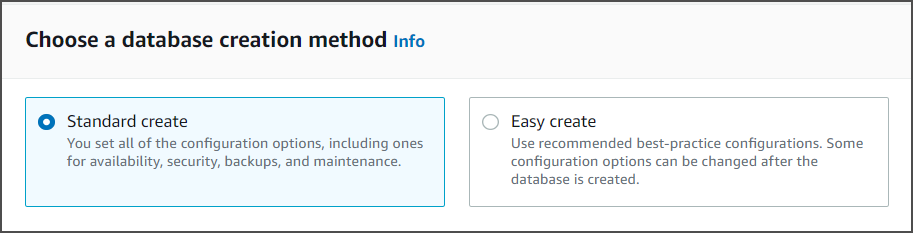
 3. Select **Standard Create**.
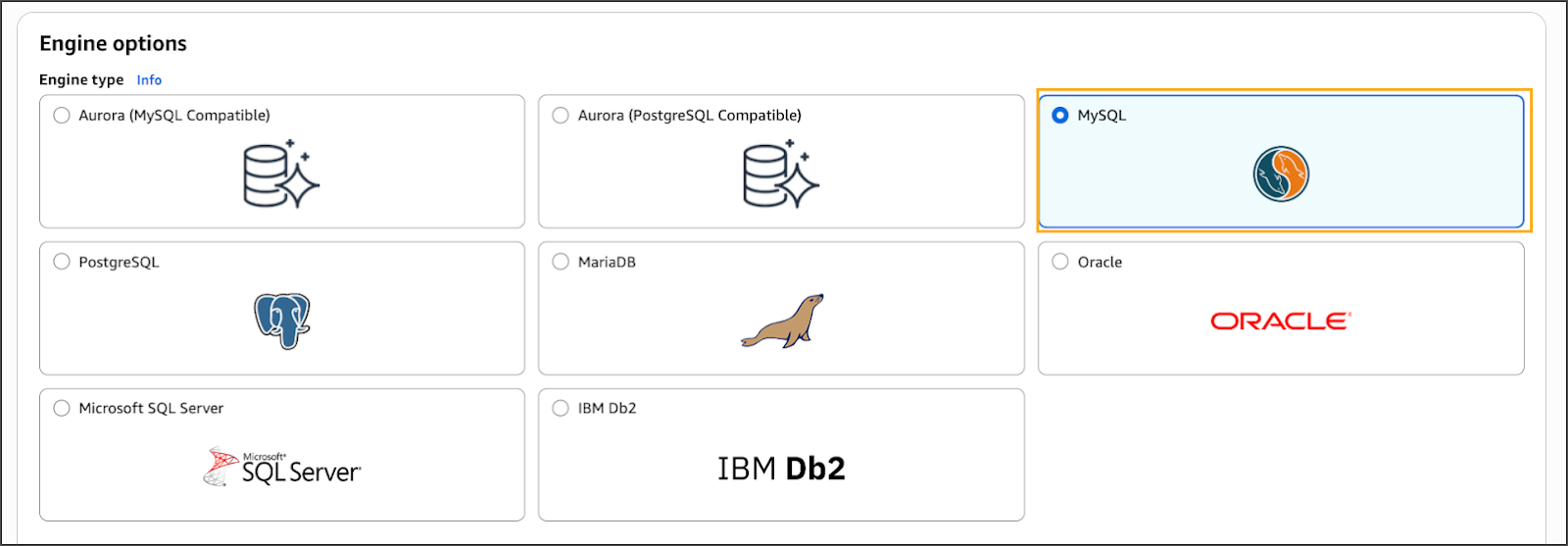
 4. Choose **MariaDB** as the engine.
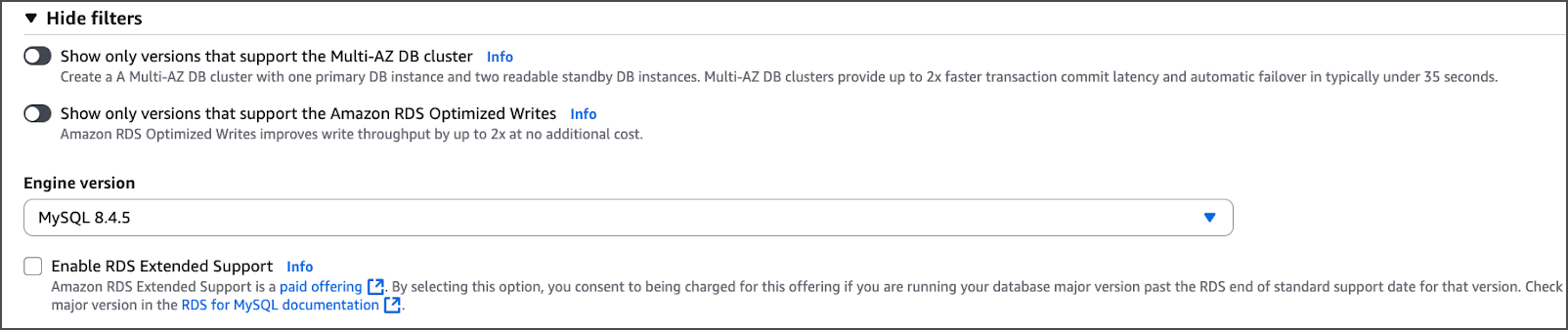
 5. Under **Version**, select the latest available in the **8.4.x** series.
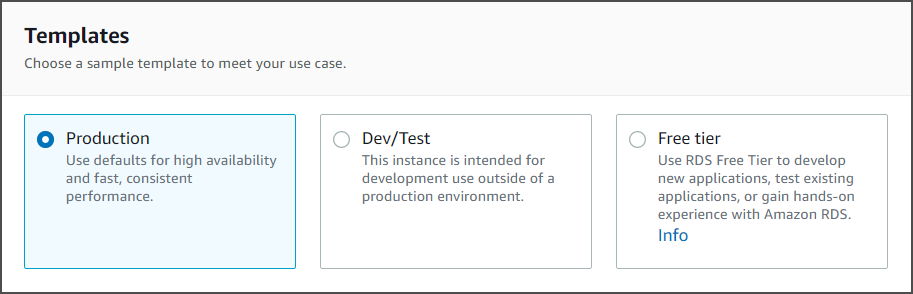
 6. Select a **template** based on workload (e.g., *Production* or *Dev/Test*).
 7. Enter a **DB instance identifier** (e.g., `ovaledge-db`).
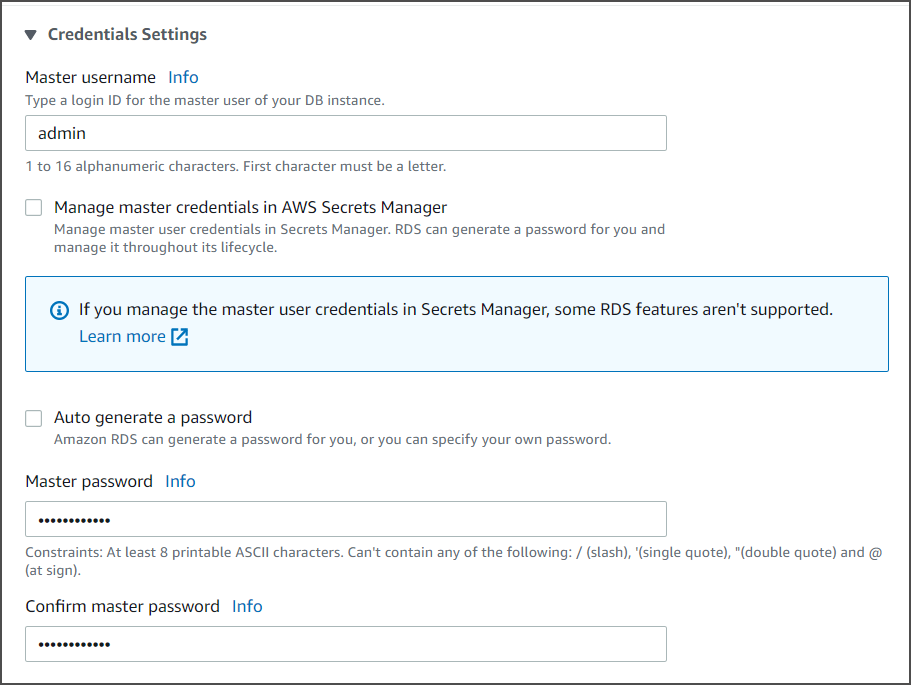
 8. Set the **Master username**, then either:
* Auto-generate the password, or
* Enter a custom secure password.
8. Set the **Master username**, then either:
* Auto-generate the password, or
* Enter a custom secure password.
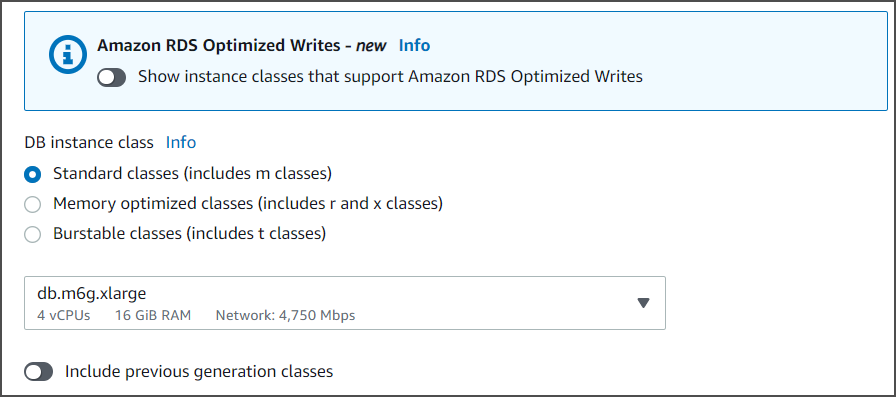
 9. Choose the desired **DB instance class** (e.g., `db.t3.medium`) based on performance needs.
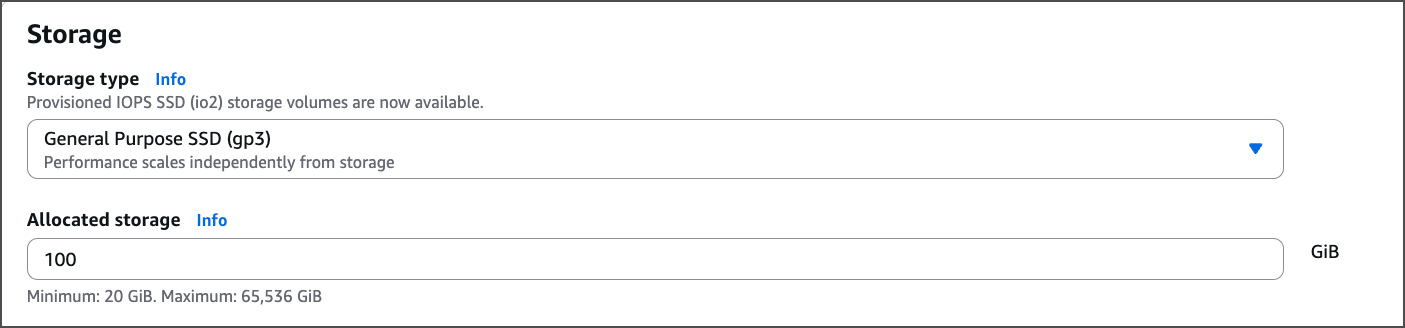
 10. Configure **Storage type** and allocate a minimum of **100 GB**.
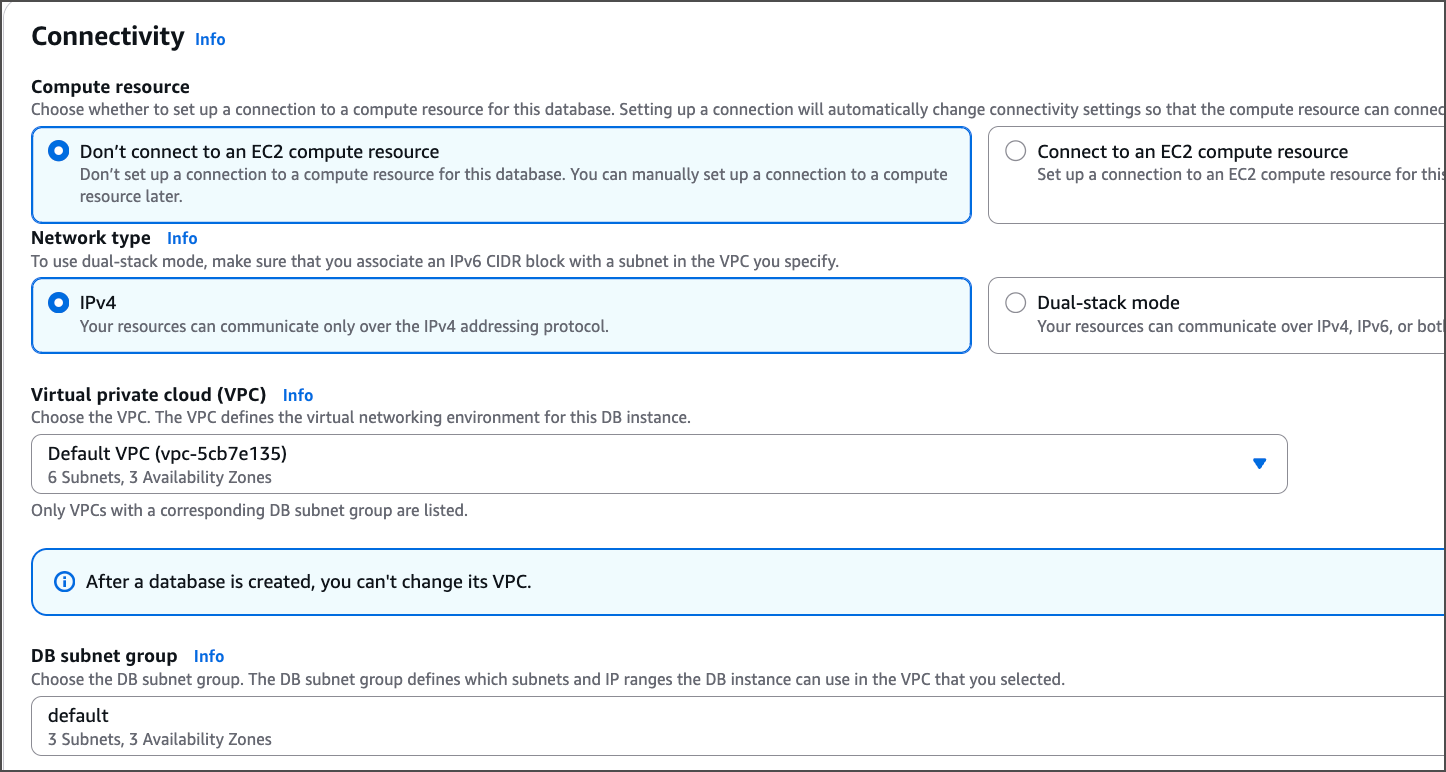
 11. Under **Connectivity**, configure VPC, subnet group, and security groups as required.
12. Expand **Additional Configuration** and set any custom DB parameters.
 13. Set **Public access** to **Yes** if remote connections are required.
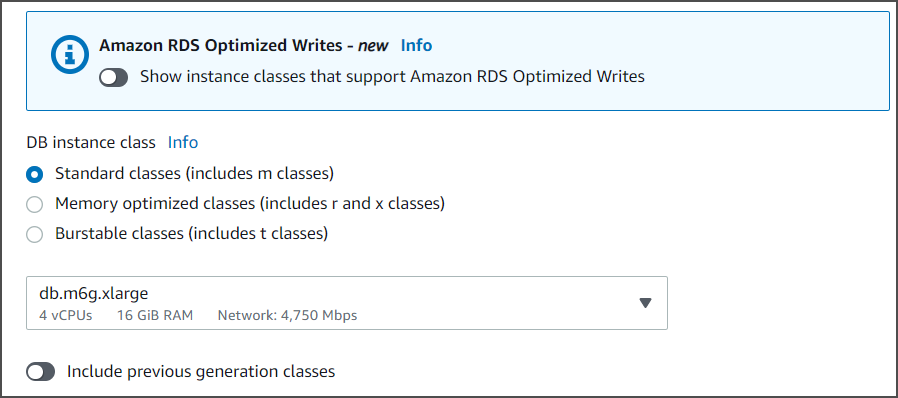 14. Click **Create Database**.
### Create OvalEdge Schema
Once the RDS instance is available:
1. Copy the **endpoint** from the RDS dashboard.
14. Click **Create Database**.
### Create OvalEdge Schema
Once the RDS instance is available:
1. Copy the **endpoint** from the RDS dashboard.
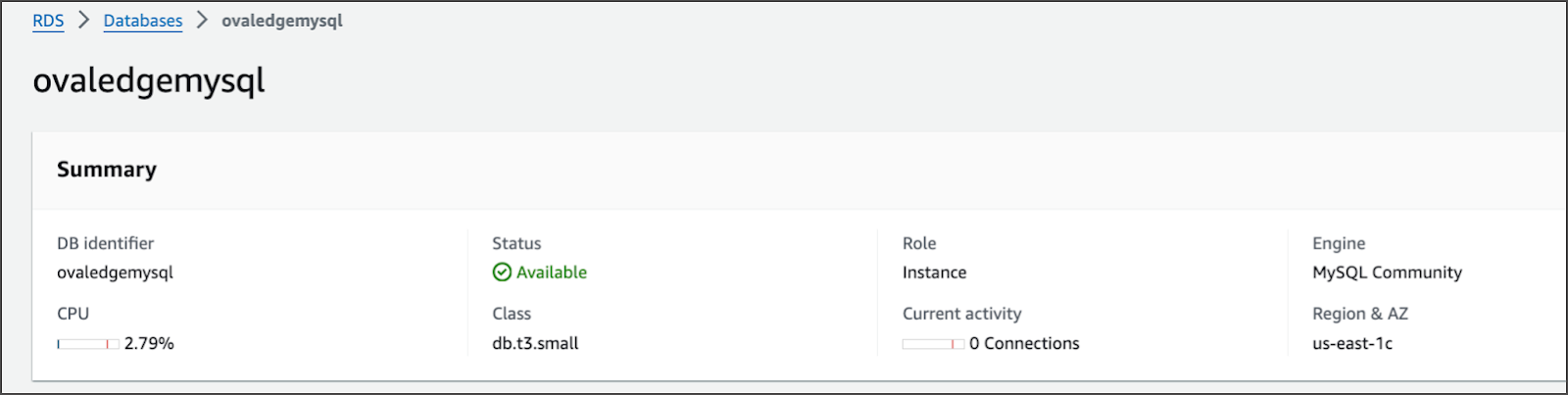
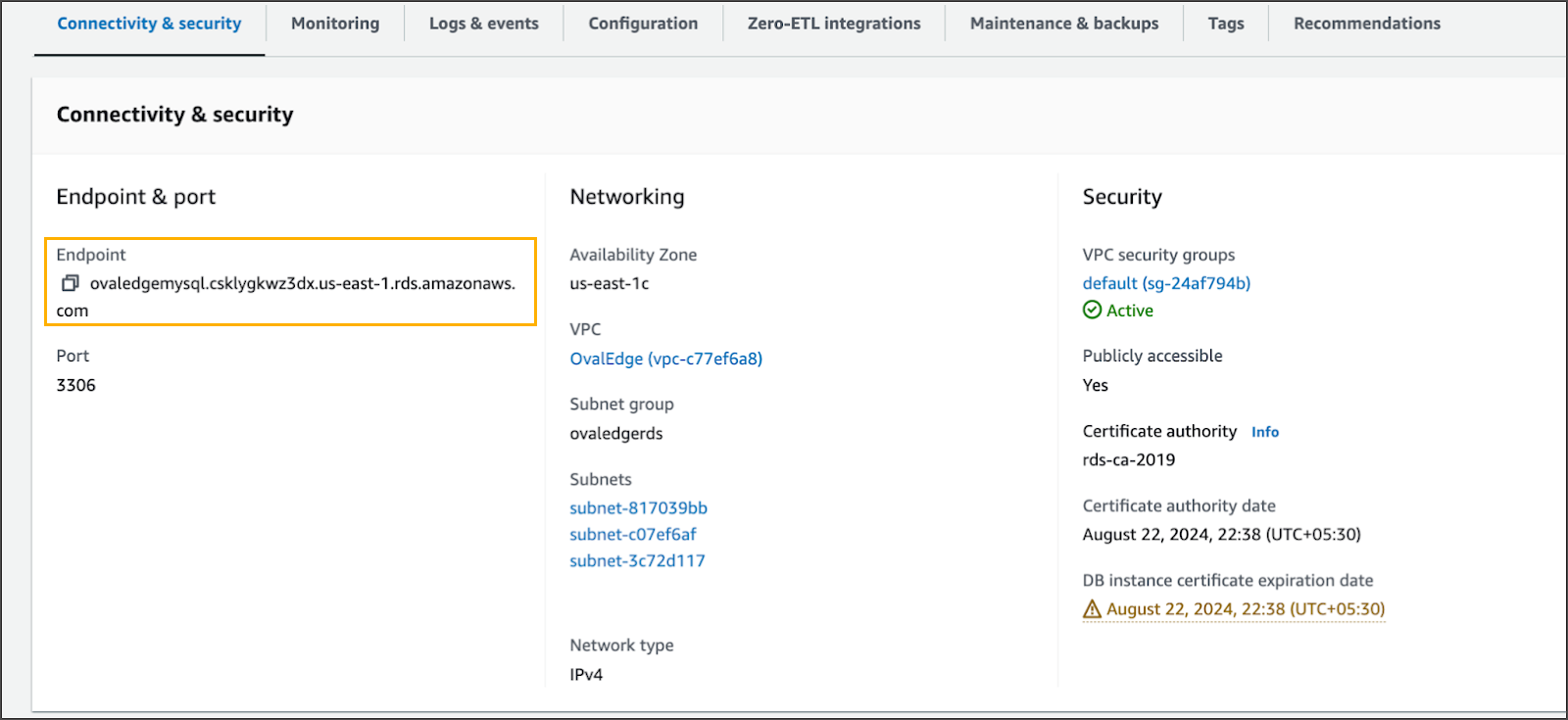 2. Connect to the instance using a database client (e.g., MySQL CLI):
```bash
mysql -h -u -p
```
## Download and Execute OvalEdge DB Scripts
1. Ensure the **OvalEdge DB scripts** are available on the EC2 instance (typically located under `$HOME/ovaledge/`).
2. Connect to the RDS instance using MySQL CLI:
2. Connect to the instance using a database client (e.g., MySQL CLI):
```bash
mysql -h -u -p
```
## Download and Execute OvalEdge DB Scripts
1. Ensure the **OvalEdge DB scripts** are available on the EC2 instance (typically located under `$HOME/ovaledge/`).
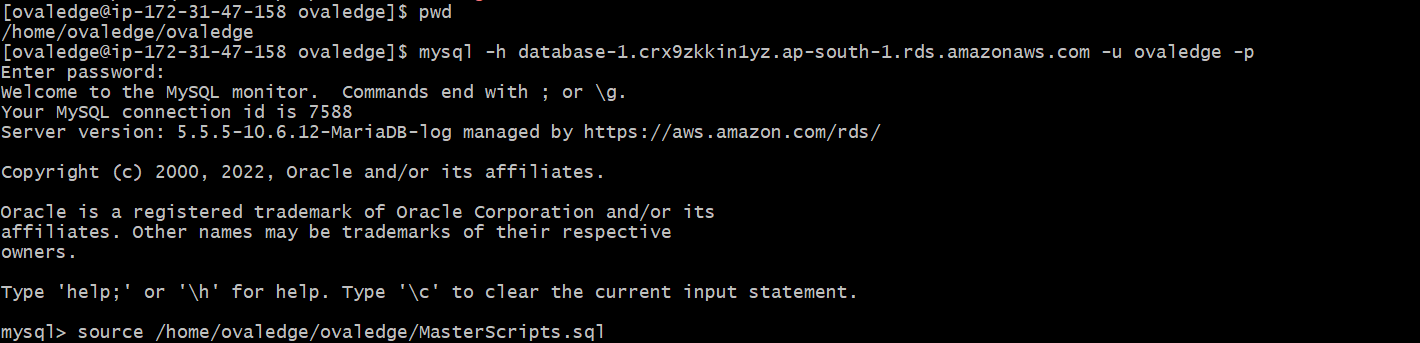
2. Connect to the RDS instance using MySQL CLI:
```bash
mysql -h -u -p
```
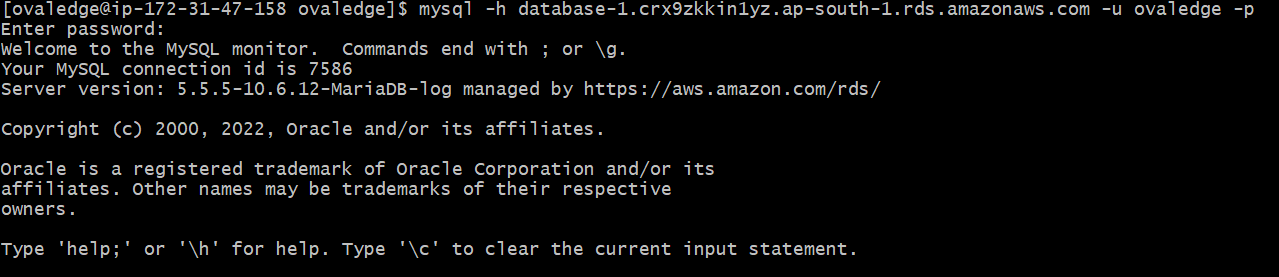 3. After logging in, execute the **master script**:
```bash
source /home/ec2-user/ovaledge/MasterScripts.sql;
```
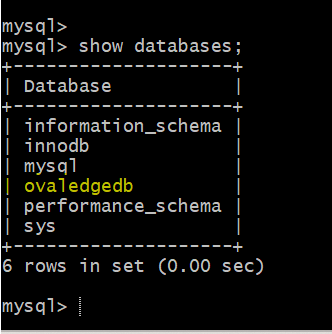
 4. Verify schema creation:
```sql
show databases;
```
The database **`ovaledgedb`** should be listed, confirming successful script execution.
4. Verify schema creation:
```sql
show databases;
```
The database **`ovaledgedb`** should be listed, confirming successful script execution.
 ***
Copyright © 2025, OvalEdge LLC, Peachtree Corners, GA, USA.
---
# Agent Instructions
This documentation is published with GitBook. GitBook is the documentation platform designed so that both humans and AI agents can read, navigate, and reason over technical content effectively. Learn more at gitbook.com.
## Querying This Documentation
If you need additional information that is not directly available in this page, you can query the documentation by asking a question.
Perform an HTTP GET request on the following URL with the `ask` and `goal` query parameters:
```
GET https://docs.ovaledge.com/release8.1/deployment-and-maintenance/installation/ovaledge-db-on-aws-rds.md?ask=&goal=
```
`ask` is the immediate question: it should be specific, self-contained, and written in natural language.
`goal` is what the user is ultimately trying to achieve, the reason they need the answer. Sharing it helps GitBook give you a better, more relevant answer. A goal is most helpful when it describes the outcome the user wants rather than restating the question. For example, with `ask=how do I create an API token`, a goal like `automate deployments from our CI pipeline` lets GitBook tailor the answer to that use case.
The response will contain a direct answer to the question and relevant excerpts and sources from the documentation.
Use this mechanism when the answer is not explicitly present in the current page, you need clarification or additional context, or you want to retrieve related documentation sections.
***
Copyright © 2025, OvalEdge LLC, Peachtree Corners, GA, USA.
---
# Agent Instructions
This documentation is published with GitBook. GitBook is the documentation platform designed so that both humans and AI agents can read, navigate, and reason over technical content effectively. Learn more at gitbook.com.
## Querying This Documentation
If you need additional information that is not directly available in this page, you can query the documentation by asking a question.
Perform an HTTP GET request on the following URL with the `ask` and `goal` query parameters:
```
GET https://docs.ovaledge.com/release8.1/deployment-and-maintenance/installation/ovaledge-db-on-aws-rds.md?ask=&goal=
```
`ask` is the immediate question: it should be specific, self-contained, and written in natural language.
`goal` is what the user is ultimately trying to achieve, the reason they need the answer. Sharing it helps GitBook give you a better, more relevant answer. A goal is most helpful when it describes the outcome the user wants rather than restating the question. For example, with `ask=how do I create an API token`, a goal like `automate deployments from our CI pipeline` lets GitBook tailor the answer to that use case.
The response will contain a direct answer to the question and relevant excerpts and sources from the documentation.
Use this mechanism when the answer is not explicitly present in the current page, you need clarification or additional context, or you want to retrieve related documentation sections.