# Informix

## Connectivity Summary

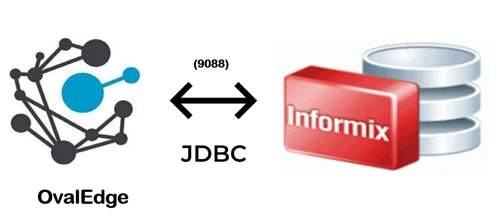
An out-of-the-box connector is available for Informix databases to support crawling database objects, profiling sample data, and lineage building.

<figure><img src="/files/XzHDjA30066E9yhuTQjG" alt=""><figcaption></figcaption></figure>

The drivers used by the connector are given below:

> **Driver / API:** IBM® Informix® JDBC Driver
>
> **Version:** 4.10 (latest version: 14.10.FC5)
>
> **Details:** <https://dbschema.com/jdbc-driver/Informix.html>

**Note:** IBM® Informix® JDBC Driver is a native-protocol, pure-Java driver (Type 4) that supports the JDBC specification.

{% hint style="success" %}
***Note:** IBM® Informix® JDBC Driver is a native-protocol, pure-Java driver (Type 4) that supports the JDBC specification.*
{% endhint %}

## Connector Capabilities

The connector capabilities are shown below:

### **Crawling**

Supported objects of Crawling are shown below:

<table><thead><tr><th width="220.3636474609375">Supported Objects</th><th>Remarks</th></tr></thead><tbody><tr><td>Tables</td><td> </td></tr><tr><td>Table columns</td><td><p>Supported Data types:</p><p>CHAR,SMALLINT,INTEGER,FLOAT,SMALLFLOAT,DECIMAL,SERIAL,DATE,MONEY,NULL,DATETIME,BYTE,TEXT,VARCHAR,INTERVAL,NCHAR,NVARCHAR,INT8,18,SERIAL81,SET,MULTISET,LIST,ROW (unnamed), COLLECTION, LVARCHAR fixed-length opaque types 2, BLOB/BOOLEAN/CLOB/variable-length opaque types 2,LVARCHAR (client-side only),BOOLEAN,BIGINT,BIGSERIAL 1,INT8,SERIAL8,CLOB,IDSSECURITYLABEL 23.</p></td></tr><tr><td>Views</td><td> </td></tr><tr><td>Stored procedures</td><td> </td></tr><tr><td>Functions</td><td> </td></tr></tbody></table>

### **Profiling**

| Feature          | Support                                       | Remarks                                           |
| ---------------- | --------------------------------------------- | ------------------------------------------------- |
| Table Profiling  | Row count, Columns count, View sample data    |                                                   |
| View Profiling   | Row count, Columns count, View sample data    | View is treated as a table for profiling purposes |
| Column Profiling | Min, Max, Null count, distinct, top 50 values |                                                   |

### **Lineage Building**

| Lineage Entities | Details                                                             |
| ---------------- | ------------------------------------------------------------------- |
| Table lineage    | Supported                                                           |
| Column lineage   | Supported                                                           |
| Lineage Sources  | Stored procedures, functions, views, SQL queries (from Query Sheet) |

### **Querying**

| Operation              | Details                    |
| ---------------------- | -------------------------- |
| Select                 | Supported                  |
| Insert                 | Not supported, by default. |
| Update                 | Not supported, by default. |
| Delete                 | Not supported, by default. |
| Joins within database  | Supported                  |
| Joins outside database | Not supported              |
| Aggregations           | Supported                  |
| Group By               | Supported                  |
| Order By               | Supported                  |

> By default, the service account provided for the connector will be used for any query operations. If the service account has write privileges, then Insert / Update / Delete queries can be executed.

## **Pre-requisites**

To use the connector, the following need to be available:

* Connection details as specified in the following section should be available.
* An admin / service account with read privileges.

### **Connection Details**

The following are the connection settings that need to be added for connecting to Informix database:      &#x20;

* **Database Type:** Informix
* **License Type:** Standard
* **Connection Name:** Select a Connection name for the Informix database. The name that you specify is a reference name to easily identify your informix database connection in OvalEdge.\
  **Example:** Informix Connection DB1
* **Hostname / IP Address:** Changes every time when the server starts.\
  **Example:** 34.54.23.43
* **Port number:** 9088 (Default)
* **Sid/Database:** Name of the database to connect.
* **Username:** User account login credential (only for Informix server Authentication)
* **Password:** Password (only for Informix server Authentication)
* **Driver Name:** JDBC driver name for Informix server. It will be auto-populated.\
  **Example:** com.informix.jdbc.IfxDriver
* **Connection String:** Informix Server connection string. Set the Connection string toggle button to automatic, to get the details automatically from the credentials provided. Alternatively, you can manually enter the string.\
  **Format:** jdbc:informix-sqli://{server}:9088/{sid}:INFORMIXSERVER=ol\_aws\
  **Example:**&#x6A;dbc:informix-sqli://34.54.23.43:9088/Informix Connection DB1:INFORMIXSERVER=ol\_aws

| Property                   | Details                                                                            |
| -------------------------- | ---------------------------------------------------------------------------------- |
| **Crawler configurations** |                                                                                    |
| Tables, views & columns    | By default, it is selected true                                                    |
| Relationships              | Need to select for crawl relationships                                             |
| Crawler rules              | Default includes tables regex has  regex = (.\*), which can crawl all the tables   |
| **Profile Settings**       |                                                                                    |
| Tables and columns         | By default, it is selected true                                                    |
| Views and columns          | By default, it is selected true                                                    |
| Profile Rules              | Default includes tables regex has  regex = (.\*), which can profile all the tables |

## **FAQs**

1. **How much does the driver cost?**\
   The JDBC Driver for Informix  is available at no additional charge.
2. **What should I do when we get an exception in logs like “Got minus one” ?**\
   If the server you are trying to communicate is busy with multiple users and operations running then please wait for some time and try to communicate again. If you face the same issue, then please check with all the users and try to restart the server.
3. **Can we profile system tables or overflow tables?**\
   System tables or overflow tables with columns which have unconventional data types cannot be profiled. User permission on the schemas should also be checked before profiling.
4. **What are the minimum permissions required for crawling Oracle Database?**\
   The user must have User Privileges ( can have all and dba privileges also) to connect to the oracle database. A minimum of read access is required on the particular schema which needs to be crawled / profiled.

***

&#x20;Copyright © 2025, OvalEdge LLC, Peachtree Corners GA USA


---

# Agent Instructions: Querying This Documentation

If you need additional information that is not directly available in this page, you can query the documentation dynamically by asking a question.

Perform an HTTP GET request on the current page URL with the `ask` query parameter:

```
GET https://docs.ovaledge.com/release8.1/connectors/connector-repositories/rdbms/informix.md?ask=<question>
```

The question should be specific, self-contained, and written in natural language.
The response will contain a direct answer to the question and relevant excerpts and sources from the documentation.

Use this mechanism when the answer is not explicitly present in the current page, you need clarification or additional context, or you want to retrieve related documentation sections.
