> For the complete documentation index, see [llms.txt](https://docs.ovaledge.com/llms.txt). Markdown versions of documentation pages are available by appending `.md` to page URLs; this page is available as [Markdown](https://docs.ovaledge.com/release8.1/connectors/connector-repositories/rdbms/clickhouse.md).
# ClickHouse
Click House is a column-oriented Database Management System for Online Analytics Processing of Queries (OAPL).
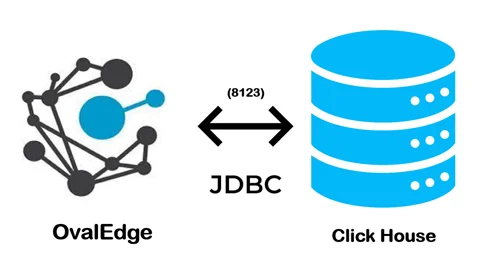 > The connectivity to Click House is via JDBC driver, which is included in the platform.
The drivers used by the connector are given below:
> **Driver / API:** ClickHouse JDBC driver
>
> **Version:** 1.0 (latest version is 0.31)
>
> **Details:** Is JDBC 0.2.4
>
>
## Connector Capabilities
The connector capabilities are shown below:
### **Crawling**
Supported objects for Crawling are:
| Supported Object | Supported Data type |
| ------------------------------------------------------------------------------------------------------- | ---------------------------------------------------------------------------------------- |
| Tables, Table Columns, Views, Stored Procedures, Functions, Roles, Users, Permissions, Usage Statistics | LONGBLOB, LONGTEXT, TINYTEXT, TEXT, VARCHAR, MEDIUMBLOB, BLOB, TINYBLOB, CHAR, MEDIUMTEX |
### **Profiling**
| Feature | Support | Remarks |
| ---------------- | --------------------------------------------- | ------------------------------------------------- |
| Table Profiling | Row count, Columns count, View sample data | |
| View Profiling | Row count, Columns count, View sample data | View is treated as a table for profiling purposes |
| Column Profiling | Min, Max, Null count, distinct, top 50 values | |
| Full Profiling | Supported | |
| Sample Profiling | Supported | |
### **Lineage Building**
| Lineage Entities | Details |
| ---------------- | ----------------------------------------------- |
| Table lineage | Supported |
| Column lineage | Supported |
| Lineage Sources | Stored procedures, functions, views, query logs |
### **Querying**
| Operation | Details |
| ---------------------- | ---------------------------------------------------------- |
| Select | Supported |
| Insert | Supported provided its service account have the permission |
| Update | Supported provided its service account have the permission |
| Delete | Supported provided its service account have the permission |
| Joins within database | Supported |
| Joins outside database | Not supported |
| Aggregations | Supported |
| Group By | Supported |
| Order By | Supported |
> By default the service account provided for the connector will be used for any query operations. If the service account has write privileges, then Insert / Update / Delete queries can be executed.
## **Pre-requisites**
To use the connector, the following need to be available:
* Connection details as specified in the following section should be available.
* A service account with read privileges.
* JDBC driver is provided by default.
### **Connection Details**
The following connection settings should be added for connecting to a ClickHouse:
* **Database Type:** Click House
* **License Type:** Standard
* **Connection Name:** Select a Connection name for the ClickHouse database. The name that you specify is a reference name to easily identify your ClickHouse database connection in OvalEdge. Example: ClickHouse Connection
* **Hostname / IP Address:** Database instance URL (on-premises/cloud-based)\
Example: ip
* **Port number:** 8123 (Default)
* **Sid / Database:** Name of the database to connect to.
* **Username:** Default (based upon your connection)
* **Password:** 0valEdge! (based upon your connection)
* **Driver Name:** JDBC driver name for ClickHouse. Need to add in pom.xml. No need to download external drivers.\
Example:
* **Connection String:** ClickHouse has a connection string. Set the Connection string toggle button to automatic, to get the details automatically from the credentials provided. Alternatively, you can manually enter the string.\
**Format:** jdbc:clickhouse://3.84.239.121:8123/test
| Property | Details |
| -------------------------- | ---------------------------------------------------------------------------------- |
| **Crawler configurations** | |
| Tables, Views, Columns | By default it is selected true |
| Crawler rules | Default include tables regex has regex = (.\*) , which can crawl all the tables |
| **Profile Settings** | |
| Tables and columns | By default it is selected true |
| Views and columns | By default it is selected true |
| Profile Rules | Default include tables regex has regex = (.\*) , which can profile all the tables |
| Query Log Setting | |
***
Copyright © 2025, OvalEdge LLC, Peachtree Corners GA USA
---
# Agent Instructions
This documentation is published with GitBook. GitBook is the documentation platform designed so that both humans and AI agents can read, navigate, and reason over technical content effectively. Learn more at gitbook.com.
## Querying This Documentation
If you need additional information that is not directly available in this page, you can query the documentation dynamically by asking a question.
Perform an HTTP GET request on the current page URL with the `ask` query parameter, and the optional `goal` query parameter:
```
GET https://docs.ovaledge.com/release8.1/connectors/connector-repositories/rdbms/clickhouse.md?ask=&goal=
```
`ask` is the immediate question: it should be specific, self-contained, and written in natural language.
`goal` is optional and describes the broader end goal you are ultimately trying to accomplish on behalf of the user. GitBook uses it to tailor the answer towards what is most useful for that goal.
The response will contain a direct answer to the question and relevant excerpts and sources from the documentation.
Use this mechanism when the answer is not explicitly present in the current page, you need clarification or additional context, or you want to retrieve related documentation sections.
> The connectivity to Click House is via JDBC driver, which is included in the platform.
The drivers used by the connector are given below:
> **Driver / API:** ClickHouse JDBC driver
>
> **Version:** 1.0 (latest version is 0.31)
>
> **Details:** Is JDBC 0.2.4
>
>
## Connector Capabilities
The connector capabilities are shown below:
### **Crawling**
Supported objects for Crawling are:
| Supported Object | Supported Data type |
| ------------------------------------------------------------------------------------------------------- | ---------------------------------------------------------------------------------------- |
| Tables, Table Columns, Views, Stored Procedures, Functions, Roles, Users, Permissions, Usage Statistics | LONGBLOB, LONGTEXT, TINYTEXT, TEXT, VARCHAR, MEDIUMBLOB, BLOB, TINYBLOB, CHAR, MEDIUMTEX |
### **Profiling**
| Feature | Support | Remarks |
| ---------------- | --------------------------------------------- | ------------------------------------------------- |
| Table Profiling | Row count, Columns count, View sample data | |
| View Profiling | Row count, Columns count, View sample data | View is treated as a table for profiling purposes |
| Column Profiling | Min, Max, Null count, distinct, top 50 values | |
| Full Profiling | Supported | |
| Sample Profiling | Supported | |
### **Lineage Building**
| Lineage Entities | Details |
| ---------------- | ----------------------------------------------- |
| Table lineage | Supported |
| Column lineage | Supported |
| Lineage Sources | Stored procedures, functions, views, query logs |
### **Querying**
| Operation | Details |
| ---------------------- | ---------------------------------------------------------- |
| Select | Supported |
| Insert | Supported provided its service account have the permission |
| Update | Supported provided its service account have the permission |
| Delete | Supported provided its service account have the permission |
| Joins within database | Supported |
| Joins outside database | Not supported |
| Aggregations | Supported |
| Group By | Supported |
| Order By | Supported |
> By default the service account provided for the connector will be used for any query operations. If the service account has write privileges, then Insert / Update / Delete queries can be executed.
## **Pre-requisites**
To use the connector, the following need to be available:
* Connection details as specified in the following section should be available.
* A service account with read privileges.
* JDBC driver is provided by default.
### **Connection Details**
The following connection settings should be added for connecting to a ClickHouse:
* **Database Type:** Click House
* **License Type:** Standard
* **Connection Name:** Select a Connection name for the ClickHouse database. The name that you specify is a reference name to easily identify your ClickHouse database connection in OvalEdge. Example: ClickHouse Connection
* **Hostname / IP Address:** Database instance URL (on-premises/cloud-based)\
Example: ip
* **Port number:** 8123 (Default)
* **Sid / Database:** Name of the database to connect to.
* **Username:** Default (based upon your connection)
* **Password:** 0valEdge! (based upon your connection)
* **Driver Name:** JDBC driver name for ClickHouse. Need to add in pom.xml. No need to download external drivers.\
Example:
* **Connection String:** ClickHouse has a connection string. Set the Connection string toggle button to automatic, to get the details automatically from the credentials provided. Alternatively, you can manually enter the string.\
**Format:** jdbc:clickhouse://3.84.239.121:8123/test
| Property | Details |
| -------------------------- | ---------------------------------------------------------------------------------- |
| **Crawler configurations** | |
| Tables, Views, Columns | By default it is selected true |
| Crawler rules | Default include tables regex has regex = (.\*) , which can crawl all the tables |
| **Profile Settings** | |
| Tables and columns | By default it is selected true |
| Views and columns | By default it is selected true |
| Profile Rules | Default include tables regex has regex = (.\*) , which can profile all the tables |
| Query Log Setting | |
***
Copyright © 2025, OvalEdge LLC, Peachtree Corners GA USA
---
# Agent Instructions
This documentation is published with GitBook. GitBook is the documentation platform designed so that both humans and AI agents can read, navigate, and reason over technical content effectively. Learn more at gitbook.com.
## Querying This Documentation
If you need additional information that is not directly available in this page, you can query the documentation dynamically by asking a question.
Perform an HTTP GET request on the current page URL with the `ask` query parameter, and the optional `goal` query parameter:
```
GET https://docs.ovaledge.com/release8.1/connectors/connector-repositories/rdbms/clickhouse.md?ask=&goal=
```
`ask` is the immediate question: it should be specific, self-contained, and written in natural language.
`goal` is optional and describes the broader end goal you are ultimately trying to accomplish on behalf of the user. GitBook uses it to tailor the answer towards what is most useful for that goal.
The response will contain a direct answer to the question and relevant excerpts and sources from the documentation.
Use this mechanism when the answer is not explicitly present in the current page, you need clarification or additional context, or you want to retrieve related documentation sections.