> For the complete documentation index, see [llms.txt](https://docs.ovaledge.com/llms.txt). Markdown versions of documentation pages are available by appending `.md` to page URLs; this page is available as [Markdown](https://docs.ovaledge.com/release8.1/connectors/connector-repositories/cloud-storage/google-cloud-storage.md).
# Google Cloud Storage
## Connectivity Summary
An out of the box connector is available for the Google Cloud Storage (GCS) database. It provides support for crawling database objects, profiling of sample data.
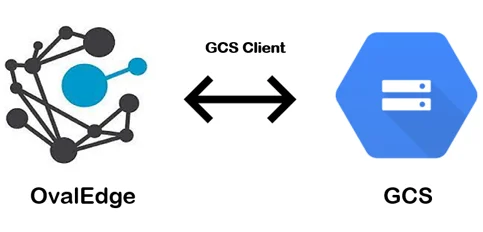 The connectivity to GCS is via Google Cloud Storage, which is included in the platform.
The drivers used by the connector are given below:
> Driver / API: Google Cloud Storage
>
> Version: 1.113.16
>
> Details:
>
> Note: Latest version is 1.117.1
## **Technical Specifications**
The connector capabilities are shown below:
### **Crawling**
| **Supported Objects** | **Remarks** |
| --------------------- | ---------------------------------------------------------------------------------------------------------- |
| Buckets | While crawling, Buckets / File Folders will be cataloged by default and Buckets will be crawled with tags. |
### **Profiling**
| **Feature** | **Support** |
| ---------------- | ----------------------------------------- |
| File Profiling | Row count, Column count, View sample data |
| Sample Profiling | Supported |
> By default, the service account provided for the connector will be used for any user operations. If the service account has write privileges, then Insert / Update / Delete operations can be executed.
## **Pre-requisites**
To use the connector, the following need to be available:
* Connection details as specified in the following section should be available.
* An admin / service account
* The minimum privileges required for Crawling and Profiling are:
* Connection validate
* Crawl Buckets
* Catalog Files/ Folders
* Profile Files / Folders
### **Connection Details**
The following connection settings should be added for connecting to a GCS Server:
* **Database Type:** GCS
* **Connection Name:** Select a Connection name for the GCS database. The name that you specify is a reference name to easily identify your SQL Server database connection in OvalEdge. Example: GCS Server Connection
* **ProjectId:**Most Google Cloud Libraries required ProjectId.\
Example:ovaledgeserver
* **File Path:** Provide the Path of JSON file service account credentials
* **Filter By Tags:** Buckets are based on the labels. It will crawl only the label buckets which are provided.
Validation occurs when the given projectid and projectid in the JSON file matches correctly.
The connectivity to GCS is via Google Cloud Storage, which is included in the platform.
The drivers used by the connector are given below:
> Driver / API: Google Cloud Storage
>
> Version: 1.113.16
>
> Details:
>
> Note: Latest version is 1.117.1
## **Technical Specifications**
The connector capabilities are shown below:
### **Crawling**
| **Supported Objects** | **Remarks** |
| --------------------- | ---------------------------------------------------------------------------------------------------------- |
| Buckets | While crawling, Buckets / File Folders will be cataloged by default and Buckets will be crawled with tags. |
### **Profiling**
| **Feature** | **Support** |
| ---------------- | ----------------------------------------- |
| File Profiling | Row count, Column count, View sample data |
| Sample Profiling | Supported |
> By default, the service account provided for the connector will be used for any user operations. If the service account has write privileges, then Insert / Update / Delete operations can be executed.
## **Pre-requisites**
To use the connector, the following need to be available:
* Connection details as specified in the following section should be available.
* An admin / service account
* The minimum privileges required for Crawling and Profiling are:
* Connection validate
* Crawl Buckets
* Catalog Files/ Folders
* Profile Files / Folders
### **Connection Details**
The following connection settings should be added for connecting to a GCS Server:
* **Database Type:** GCS
* **Connection Name:** Select a Connection name for the GCS database. The name that you specify is a reference name to easily identify your SQL Server database connection in OvalEdge. Example: GCS Server Connection
* **ProjectId:**Most Google Cloud Libraries required ProjectId.\
Example:ovaledgeserver
* **File Path:** Provide the Path of JSON file service account credentials
* **Filter By Tags:** Buckets are based on the labels. It will crawl only the label buckets which are provided.
Validation occurs when the given projectid and projectid in the JSON file matches correctly.
> Once connectivity is established, additional configurations for [Crawling](https://support.ovaledge.com/understanding-crawler-settings) and [Profiling](https://support.ovaledge.com/understanding-profiling-settings) can be specified.
| **Property** | **Details** |
| -------------------------- | ------------------------------------------------------------------------------ |
| **Crawler configurations** | |
| Crawler Options | File Folders/ Buckets by default enabled |
| Crawler Rules | Include and exclude regex for File Folders and Buckets only but not for files. |
| **Profile Settings** | |
| Profile Options | No existence for Profile |
| Profile Rules | No Profile rules exits |
## **Points to note**
1. Whenever application is deployed, we need to check if the system file path has service account credentials.
2. It crawls all File Folders/ Buckets with all the tags associated, when 'No Tag' is selected while creating connection.
3. Supported File Types: CSV, XLS, XLSX, JSON, AVRO, PARQUET, ORC
***
Copyright © 2025, OvalEdge LLC, Peachtree Corners GA USA
---
# Agent Instructions
This documentation is published with GitBook. GitBook is the documentation platform designed so that both humans and AI agents can read, navigate, and reason over technical content effectively. Learn more at gitbook.com.
## Querying This Documentation
If you need additional information that is not directly available in this page, you can query the documentation by asking a question.
Perform an HTTP GET request on the following URL with the `ask` and `goal` query parameters:
```
GET https://docs.ovaledge.com/release8.1/connectors/connector-repositories/cloud-storage/google-cloud-storage.md?ask=&goal=
```
`ask` is the immediate question: it should be specific, self-contained, and written in natural language.
`goal` is what the user is ultimately trying to achieve, the reason they need the answer. Sharing it helps GitBook give you a better, more relevant answer. A goal is most helpful when it describes the outcome the user wants rather than restating the question. For example, with `ask=how do I create an API token`, a goal like `automate deployments from our CI pipeline` lets GitBook tailor the answer to that use case.
The response will contain a direct answer to the question and relevant excerpts and sources from the documentation.
Use this mechanism when the answer is not explicitly present in the current page, you need clarification or additional context, or you want to retrieve related documentation sections.