# MySQL Upgrade from 8.0.4 to 8.4.x (Ubuntu)
This article provides step-by-step instructions to upgrade MySQL from **version 8.0.4 to 8.4**.**x.** It covers prerequisites, pre-upgrade checks, installation steps, post-upgrade validations, and rollback procedures to ensure a safe and production-ready upgrade.
### Prerequisites
* **OS Compatibility**
* Confirm the operating system supports MySQL 8.4.
* **Recommended:** Ubuntu 22.04 LTS or later.
* Check OS version:
```bash
cat /etc/os-release
```
* **System Requirements**
* **Disk space:** Sufficient for backups and rollback
* **Memory:** Minimum 16 GB RAM
* **Access:** Root or sudo privileges
### Pre-Upgrade Checks
* **Backup**
* **Logical backup:**
```bash
mysqldump -u root -p ovaledgedb > /home/ubuntu/mysql_backup/ovaledgedb_backup.sql
```
Ensure you use the correct schema.
 * Physical backup (recommended):
* Use Percona XtraBackup or filesystem-level copy.
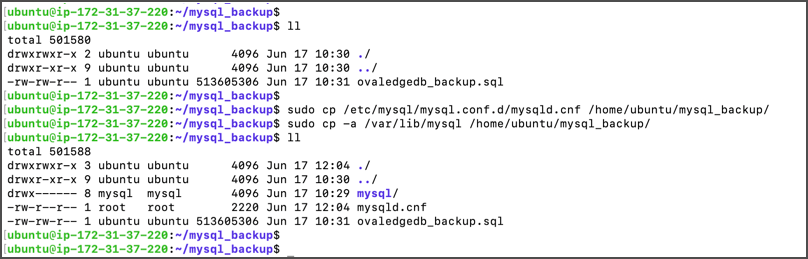
* **Backup configuration files:**
```bash
sudo cp /etc/mysql/mysql.conf.d/mysqld.cnf /home/ubuntu/mysql_backup/
sudo cp -a /var/lib/mysql /home/ubuntu/mysql_backup/
```
* Physical backup (recommended):
* Use Percona XtraBackup or filesystem-level copy.
* **Backup configuration files:**
```bash
sudo cp /etc/mysql/mysql.conf.d/mysqld.cnf /home/ubuntu/mysql_backup/
sudo cp -a /var/lib/mysql /home/ubuntu/mysql_backup/
```
 * **Collect Pre-Upgrade Database Information**
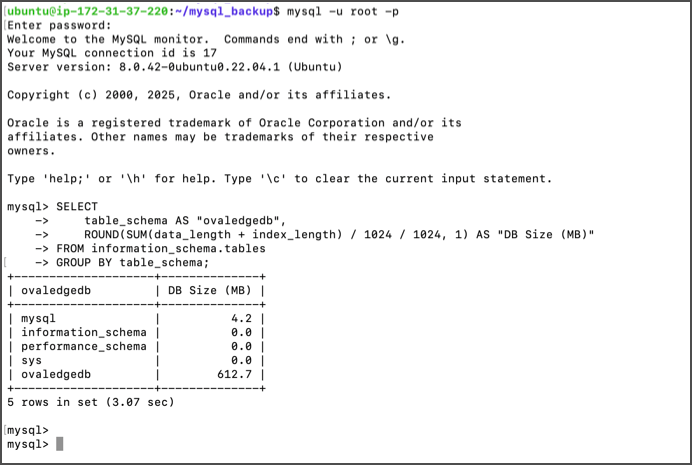
* **Database size query:**
```sql
SELECT
table_schema AS "Database Name",
ROUND(SUM(data_length + index_length) / 1024 / 1024, 1) AS "DB Size (MB)"
FROM information_schema.tables
GROUP BY table_schema;
```
* **Collect Pre-Upgrade Database Information**
* **Database size query:**
```sql
SELECT
table_schema AS "Database Name",
ROUND(SUM(data_length + index_length) / 1024 / 1024, 1) AS "DB Size (MB)"
FROM information_schema.tables
GROUP BY table_schema;
```
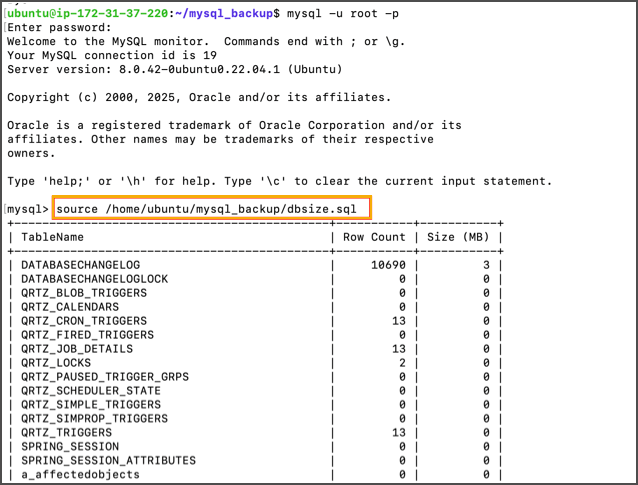
 * Row count query:\
\[[Download Query File](https://ovaledge.s3.us-west-1.amazonaws.com/queries/dbsize.sql?utm_source=chatgpt.com)]
* Row count query:\
\[[Download Query File](https://ovaledge.s3.us-west-1.amazonaws.com/queries/dbsize.sql?utm_source=chatgpt.com)]
 * Save query outputs for post-upgrade validation.
### Upgrade Execution
* **Stop MySQL Service**
```bash
sudo systemctl stop mysql
```
* Save query outputs for post-upgrade validation.
### Upgrade Execution
* **Stop MySQL Service**
```bash
sudo systemctl stop mysql
```
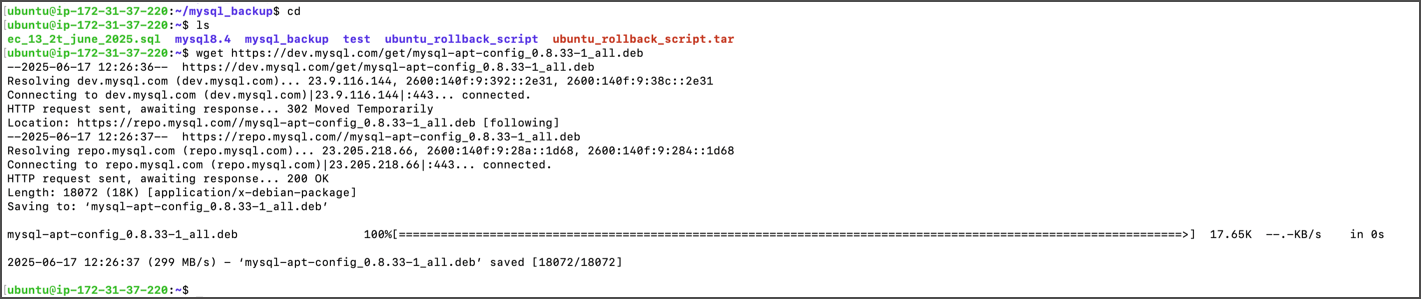
 * **Download MySQL APT Repository**
* Update package manager repo i,e, using deb packages for ubuntu.
```bash
cd
wget https://dev.mysql.com/get/mysql-apt-config_0.8.33-1_all.deb
```
* **Download MySQL APT Repository**
* Update package manager repo i,e, using deb packages for ubuntu.
```bash
cd
wget https://dev.mysql.com/get/mysql-apt-config_0.8.33-1_all.deb
```
 * **Update Repository**\
Update the deb packages as shown below.
```bash
sudo dpkg -i mysql-apt-config_0.8.33-1_all.deb
```
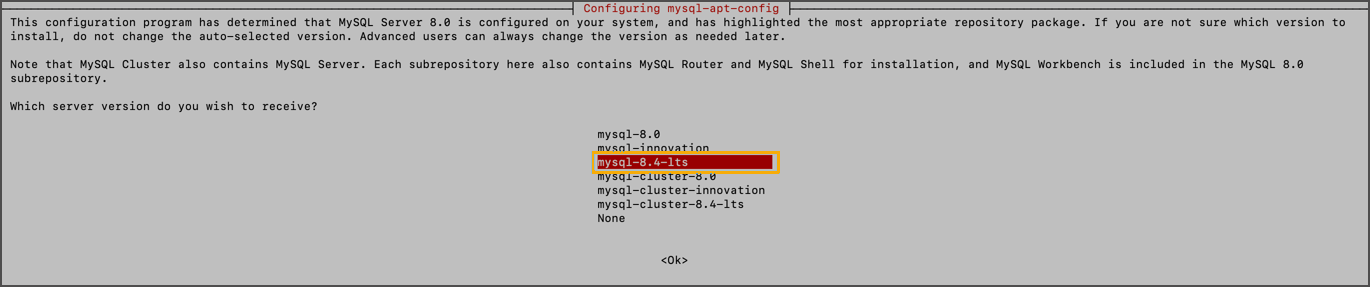
* Select the highlighted package below and hit Enter.
* **Update Repository**\
Update the deb packages as shown below.
```bash
sudo dpkg -i mysql-apt-config_0.8.33-1_all.deb
```
* Select the highlighted package below and hit Enter.
 * Select MySQL 8.4 LTS when prompted.
 * Confirm selections and continue.
 * Finally you will get below screen,
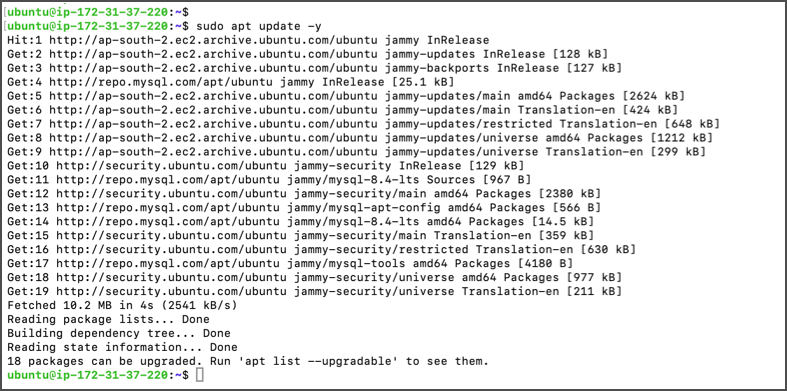
 * **Update Packages**\
Update the apt package repository.
```bash
sudo apt update -y
```
* **Update Packages**\
Update the apt package repository.
```bash
sudo apt update -y
```
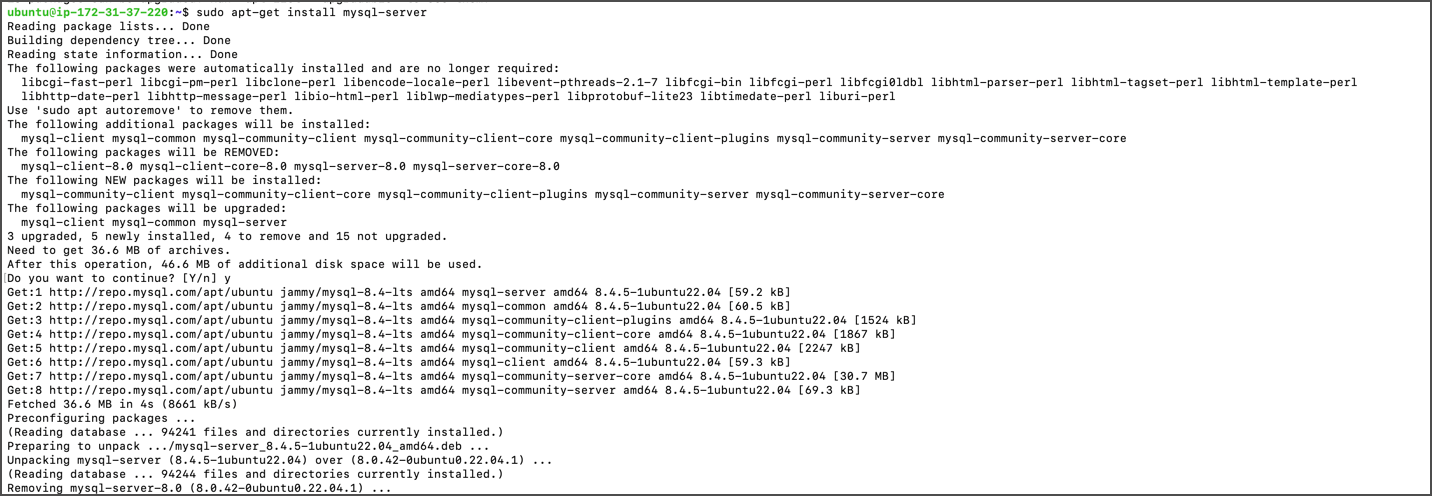
 * **Upgrade MySQL Server**\
Run the following command to upgrade the MySQL server:
```bash
sudo apt-get install mysql-server
```
* **Upgrade MySQL Server**\
Run the following command to upgrade the MySQL server:
```bash
sudo apt-get install mysql-server
```
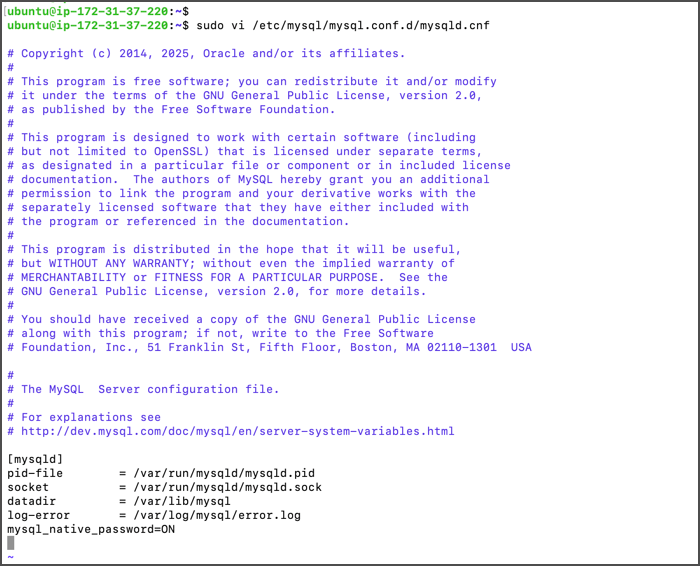
 * **Update Configuration**\
Open the MySQL configuration file:
```bash
sudo vi /etc/mysql/mysql.conf.d/mysqld.cnf
```
Add:
```
mysql_native_password=ON
```
* **Update Configuration**\
Open the MySQL configuration file:
```bash
sudo vi /etc/mysql/mysql.conf.d/mysqld.cnf
```
Add:
```
mysql_native_password=ON
```
 Save file and restart MySQL
```bash
sudo systemctl restart mysql
```
Save file and restart MySQL
```bash
sudo systemctl restart mysql
```
 * **Verify Version**
```bash
mysql --version
```
* **Verify Version**
```bash
mysql --version
```
 ### Post-Upgrade Validations
* **Row Count Verification**
```bash
mysql -u root -p
```
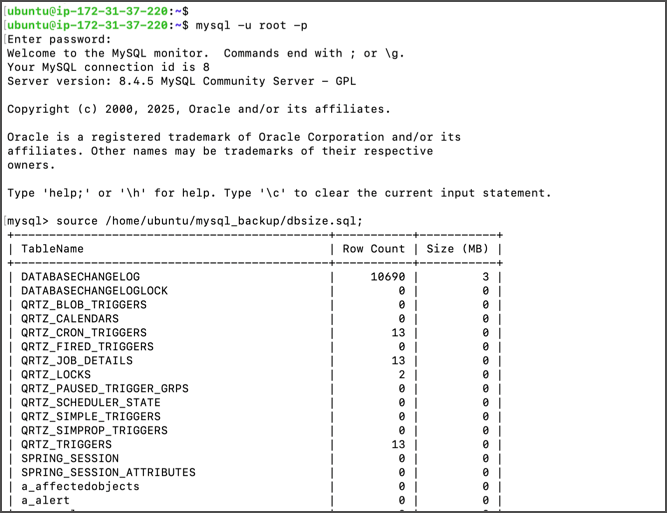
Run \[[Row Count Query](https://ovaledge.s3.us-west-1.amazonaws.com/queries/dbsize.sql?utm_source=chatgpt.com)] and compare results with pre-upgrade counts.
### Post-Upgrade Validations
* **Row Count Verification**
```bash
mysql -u root -p
```
Run \[[Row Count Query](https://ovaledge.s3.us-west-1.amazonaws.com/queries/dbsize.sql?utm_source=chatgpt.com)] and compare results with pre-upgrade counts.
 * **Database Size Verification**
```sql
SELECT
table_schema AS "Database Name",
ROUND(SUM(data_length + index_length) / 1024 / 1024, 1) AS "DB Size (MB)"
FROM information_schema.tables
GROUP BY table_schema;
```
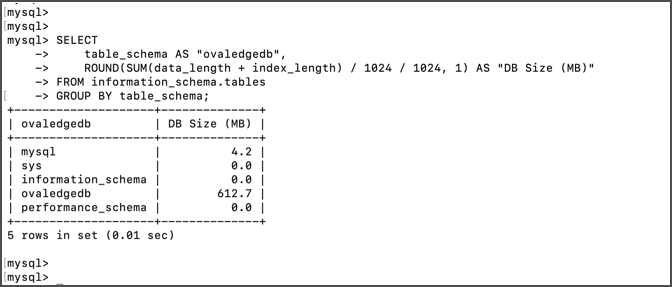 Compare with pre-upgrade values.
* **Update MySQL Parameters**\
Edit `/etc/mysql/mysql.conf.d/mysqld.cnf` and add:
```
max_binlog_size=1GB
binlog_expire_logs_seconds=2592000
group_concat_max_len=50000
max_connections=600
innodb_buffer_pool_size=10GB
max_allowed_packet=1G
bind-address=0.0.0.0
```
Compare with pre-upgrade values.
* **Update MySQL Parameters**\
Edit `/etc/mysql/mysql.conf.d/mysqld.cnf` and add:
```
max_binlog_size=1GB
binlog_expire_logs_seconds=2592000
group_concat_max_len=50000
max_connections=600
innodb_buffer_pool_size=10GB
max_allowed_packet=1G
bind-address=0.0.0.0
```
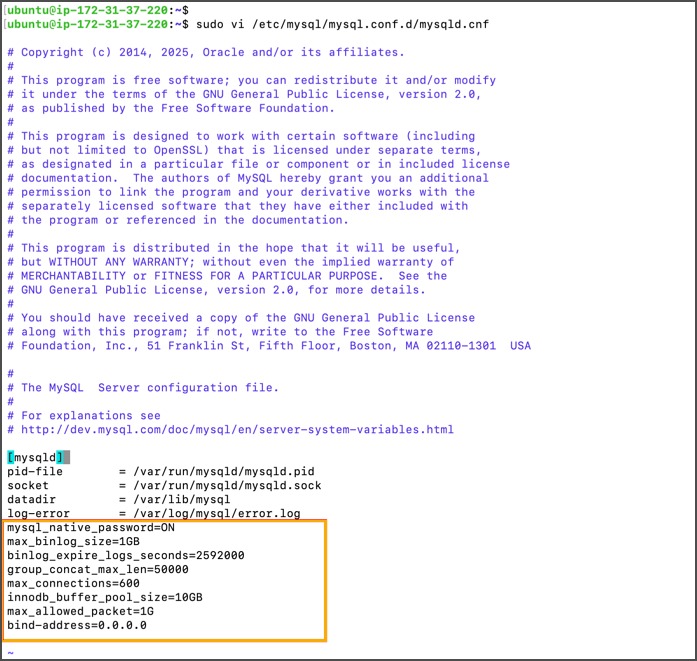 Adjust values based on instance size.\
**Restart MySQL:**
```bash
sudo systemctl restart mysql
```
Adjust values based on instance size.\
**Restart MySQL:**
```bash
sudo systemctl restart mysql
```
 * **Update OvalEdge User Password**
```sql
ALTER USER 'ovaledge'@'localhost' IDENTIFIED BY '';
ALTER USER 'ovaledge'@'%' IDENTIFIED BY '';
FLUSH PRIVILEGES;
```
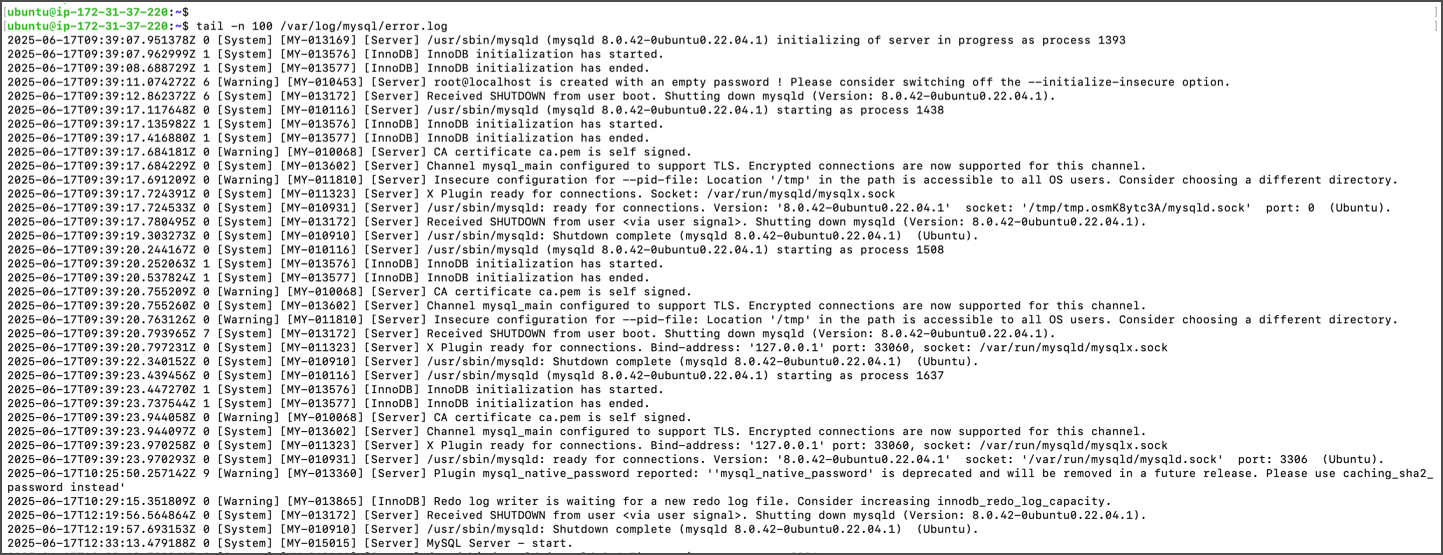
* **Check Logs**
```bash
tail -n 100 /var/log/mysql/error.log
```
* **Update OvalEdge User Password**
```sql
ALTER USER 'ovaledge'@'localhost' IDENTIFIED BY '';
ALTER USER 'ovaledge'@'%' IDENTIFIED BY '';
FLUSH PRIVILEGES;
```
* **Check Logs**
```bash
tail -n 100 /var/log/mysql/error.log
```
 * Once validations are complete, point the OvalEdge application to MySQL 8.4.
### Rollback Plan (If Needed)
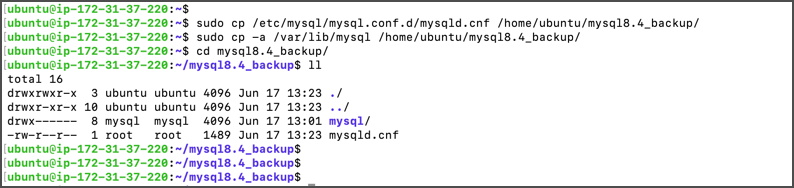
* Back up MySQL configuration and data directory:
```bash
sudo cp /etc/mysql/mysql.conf.d/mysqld.cnf /home/ubuntu/mysql8.4_backup/
sudo cp -a /var/lib/mysql /home/ubuntu/mysql8.4_backup/
```
* Once validations are complete, point the OvalEdge application to MySQL 8.4.
### Rollback Plan (If Needed)
* Back up MySQL configuration and data directory:
```bash
sudo cp /etc/mysql/mysql.conf.d/mysqld.cnf /home/ubuntu/mysql8.4_backup/
sudo cp -a /var/lib/mysql /home/ubuntu/mysql8.4_backup/
```
 * Stop MySQL service.
* Reinstall MySQL 8.0.4.
* Restore data from backups.
### Additional Information
* Test MySQL 8.4 installation in a separate folder before applying in production.
* Example: MySQL 8.4.4 installation in a separate folder on Ubuntu.
***
Copyright © 2025, OvalEdge LLC, Peachtree Corners, GA, USA.
* Stop MySQL service.
* Reinstall MySQL 8.0.4.
* Restore data from backups.
### Additional Information
* Test MySQL 8.4 installation in a separate folder before applying in production.
* Example: MySQL 8.4.4 installation in a separate folder on Ubuntu.
***
Copyright © 2025, OvalEdge LLC, Peachtree Corners, GA, USA.