# MySQL Upgrade from 8.0.4 to 8.4.x (RHEL) Internet
This article describes the steps, checks, and dependencies required to upgrade MySQL from version 8.0.4 to 8.4.x on RHEL 8 systems. It covers prerequisites, pre-upgrade tasks, upgrade execution, post-upgrade validations, and rollback procedures to ensure a safe and reliable production upgrade.
### Prerequisites
#### **OS Compatibility**
* Verify that the operating system supports MySQL 8.4.
* Recommended: RHEL 8.x or later.
* Check the OS version:
```bash
cat /etc/os-release
```
#### **System Requirements**
* Ensure sufficient disk space for backup and rollback (`df -Th`).
* Confirm root or sudo access.
* All listed commands must be executed.
## Pre-Upgrade Checks
### **Backup**
* Perform a logical backup of the MySQL database.
* **Log Management Procedure**
* Confirm you are backing up the correct schema.
```bash
mkdir /home/ec2-user/mysql_backup
mysqldump -u root -p ovaledgedb > /home/ec2-user/mysql_backup/ovaledgedb_backup.sql
```
 {% hint style="info" %}
Ensure sufficient space is available before running the `mysqldump` command.
{% endhint %}
* **Back up configuration files:**
```bash
sudo cp /etc/my.cnf /home/ec2-user/mysql_backup/
sudo cp -a /var/lib/mysql /home/ec2-user/mysql_backup/
```
{% hint style="info" %}
Ensure sufficient space is available before running the `mysqldump` command.
{% endhint %}
* **Back up configuration files:**
```bash
sudo cp /etc/my.cnf /home/ec2-user/mysql_backup/
sudo cp -a /var/lib/mysql /home/ec2-user/mysql_backup/
```
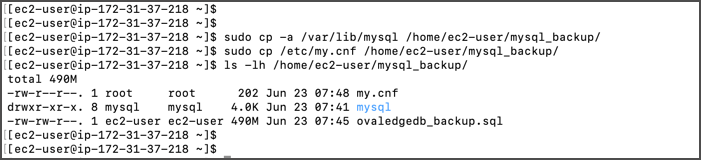 **Database Size and Row Count Check**
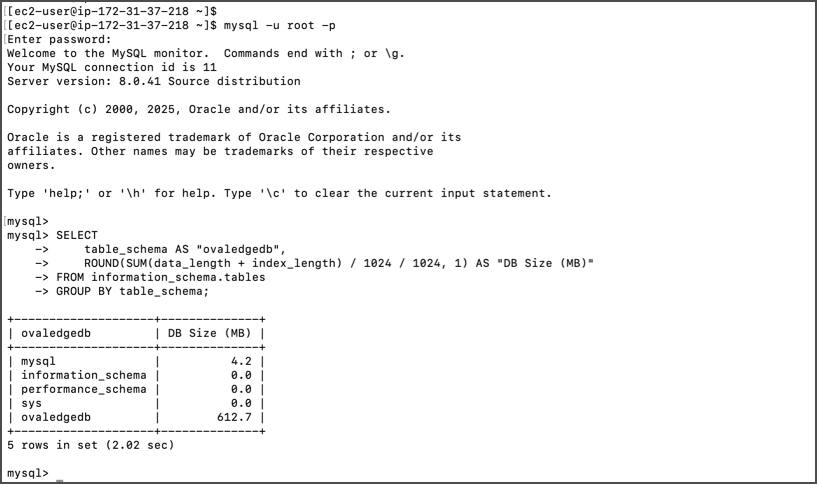
* Run the following queries before upgrading:
**Database size query:**
```sql
SELECT
table_schema AS "Database Name",
ROUND(SUM(data_length + index_length) / 1024 / 1024, 1) AS "DB Size (MB)"
FROM information_schema.tables
GROUP BY table_schema;
```
**Database Size and Row Count Check**
* Run the following queries before upgrading:
**Database size query:**
```sql
SELECT
table_schema AS "Database Name",
ROUND(SUM(data_length + index_length) / 1024 / 1024, 1) AS "DB Size (MB)"
FROM information_schema.tables
GROUP BY table_schema;
```
 **Row count query:**\
\&#xNAN;*(*[*Download SQL script*](https://ovaledge.s3.us-west-1.amazonaws.com/queries/dbsize.sql?utm_source=chatgpt.com)*)*
**Row count query:**\
\&#xNAN;*(*[*Download SQL script*](https://ovaledge.s3.us-west-1.amazonaws.com/queries/dbsize.sql?utm_source=chatgpt.com)*)*
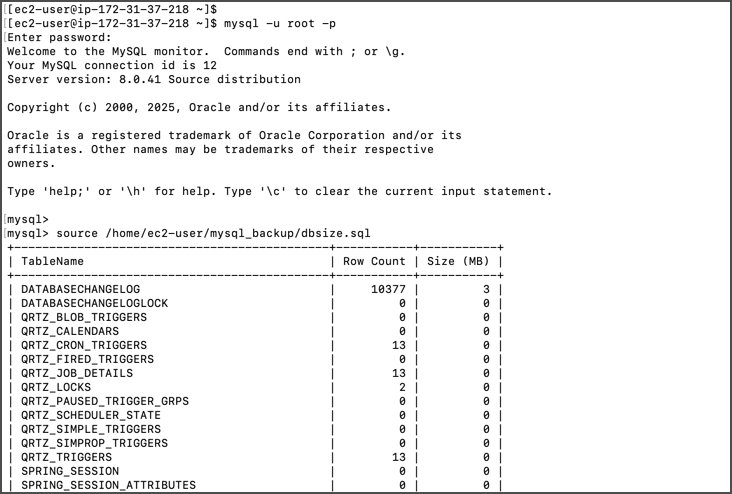 * Save outputs for post-upgrade comparison.
## Upgrade Execution
### **Stop MySQL Services**
Stop MySQL services by running the following command
* Save outputs for post-upgrade comparison.
## Upgrade Execution
### **Stop MySQL Services**
Stop MySQL services by running the following command
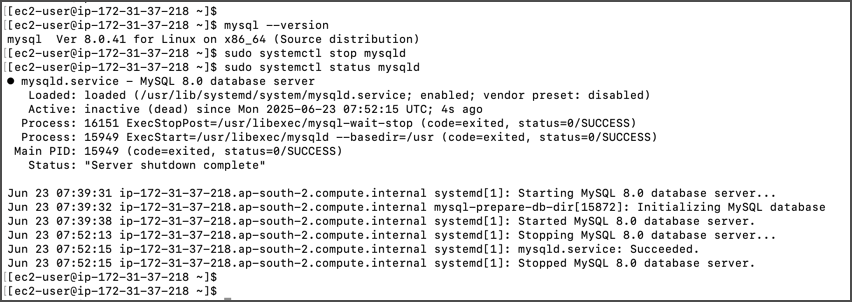 ```bash
mysql --version
sudo systemctl stop mysqld
```
### **Install MySQL 8.4.x**
* **Download repository package:**
```bash
wget https://dev.mysql.com/get/mysql84-community-release-el8-1.noarch.rpm
```
```bash
mysql --version
sudo systemctl stop mysqld
```
### **Install MySQL 8.4.x**
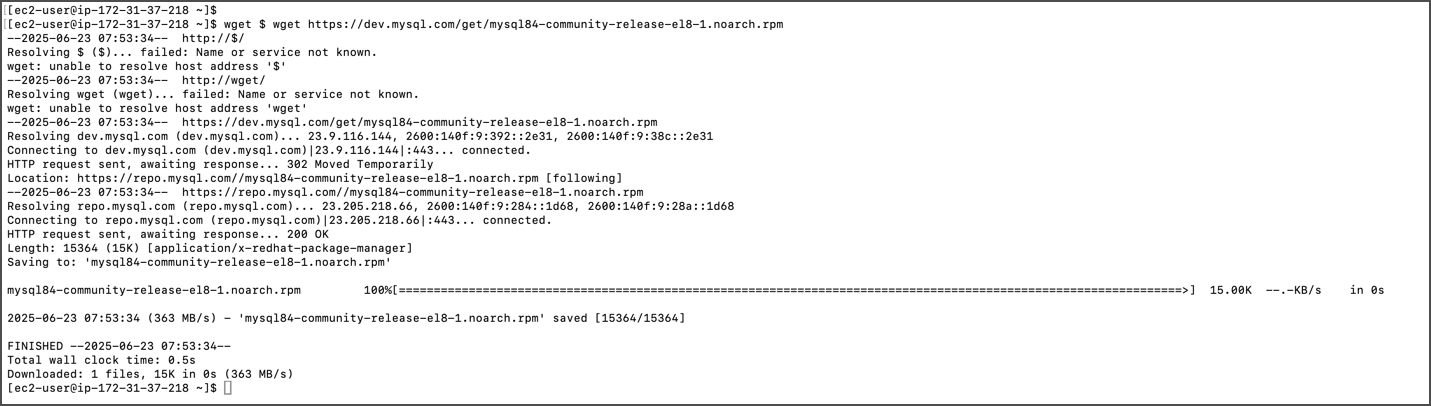
* **Download repository package:**
```bash
wget https://dev.mysql.com/get/mysql84-community-release-el8-1.noarch.rpm
```
 * **Install repository:**
```bash
sudo yum localinstall mysql84-community-release-el8-1.noarch.rpm
```
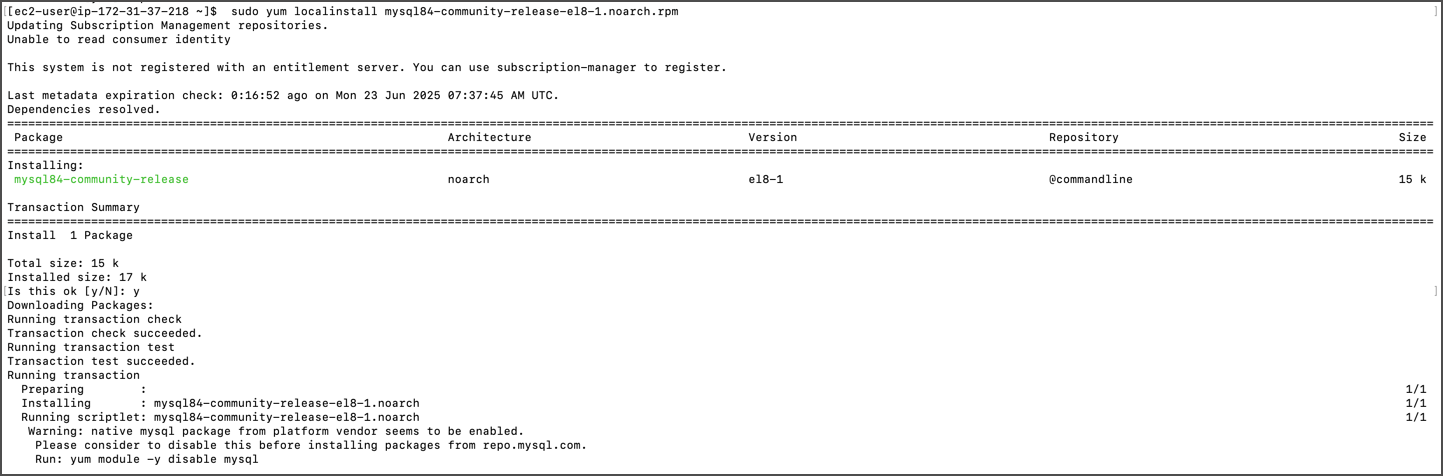
* **Install repository:**
```bash
sudo yum localinstall mysql84-community-release-el8-1.noarch.rpm
```
 * Disable any existing MySQL 8.0 repositories:
```bash
sudo vi /etc/yum.repos.d/mysql-community.repo
# enable=0 (disable) / enable=1 (enabled)
```
* Disable MySQL module in the package manager:
```bash
sudo yum module disable mysql -y
```
* Disable any existing MySQL 8.0 repositories:
```bash
sudo vi /etc/yum.repos.d/mysql-community.repo
# enable=0 (disable) / enable=1 (enabled)
```
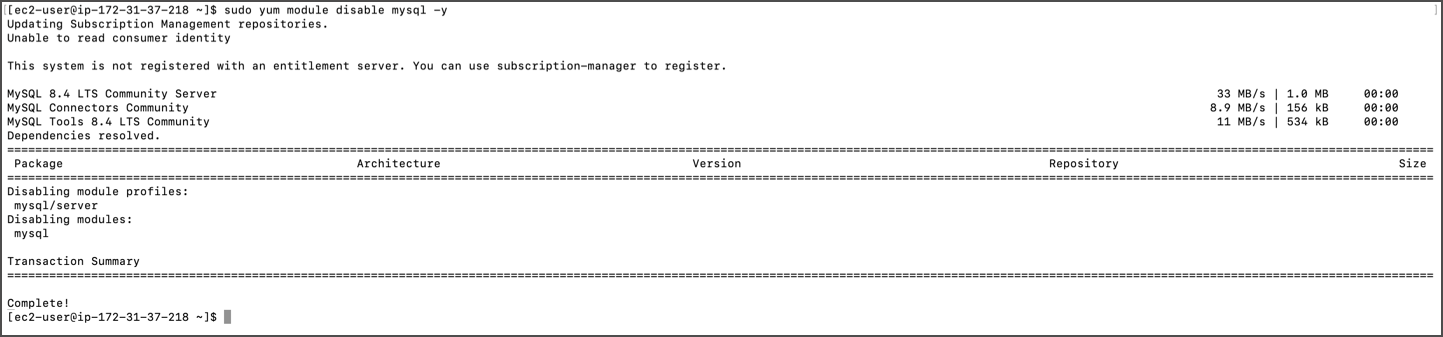
* Disable MySQL module in the package manager:
```bash
sudo yum module disable mysql -y
```
 * Install MySQL 8.4.x:
```bash
sudo yum install mysql-community-server
```
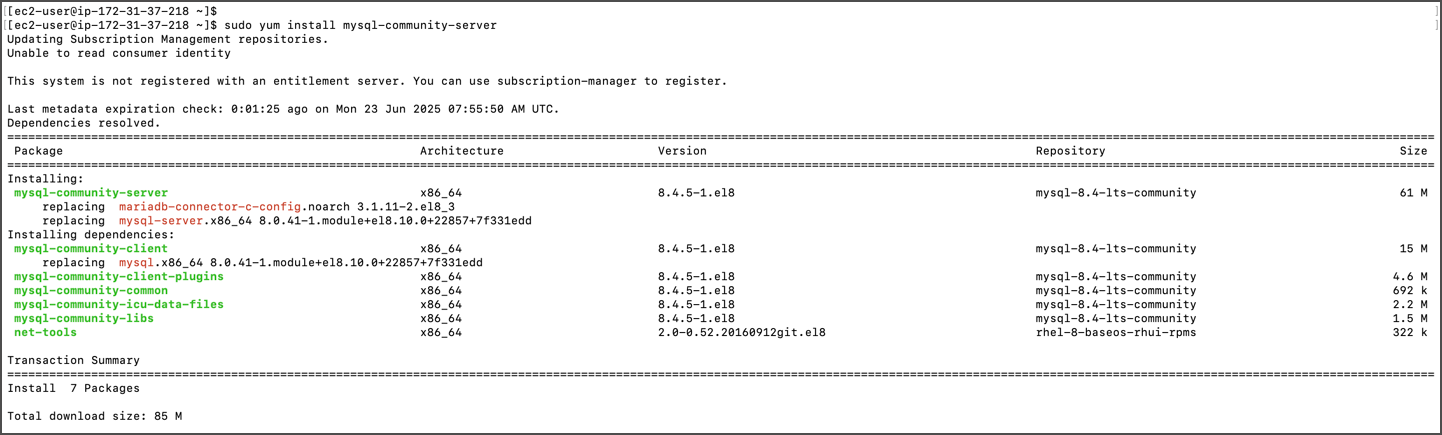
* Install MySQL 8.4.x:
```bash
sudo yum install mysql-community-server
```
 * Check installed version:
```bash
mysql --version
```
* Check installed version:
```bash
mysql --version
```
 **Update Configuration**
* Edit the configuration file:
```bash
sudo vi /etc/my.cnf
mysql_native_password=ON
```
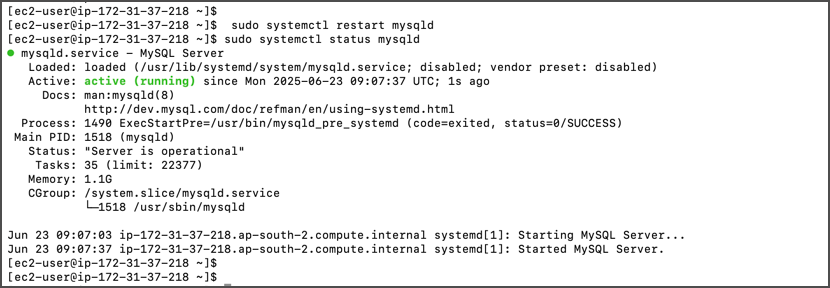
* Save file and restart MySQL:
```bash
sudo systemctl restart mysqld
sudo systemctl status mysqld
```
**Update Configuration**
* Edit the configuration file:
```bash
sudo vi /etc/my.cnf
mysql_native_password=ON
```
* Save file and restart MySQL:
```bash
sudo systemctl restart mysqld
sudo systemctl status mysqld
```
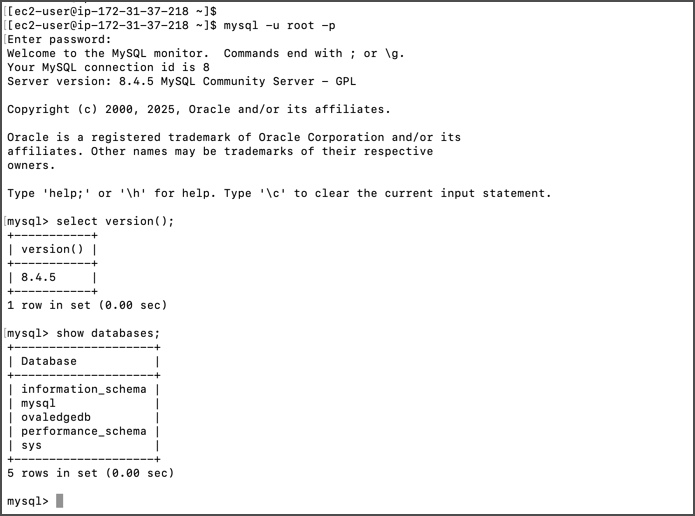
 * Verify upgrade by checking MySQL version.
 ## Post-Upgrade Validations
### **Verify Row Counts and Database Size**
* Connect to MySQL:
```bash
mysql -u root -p
```
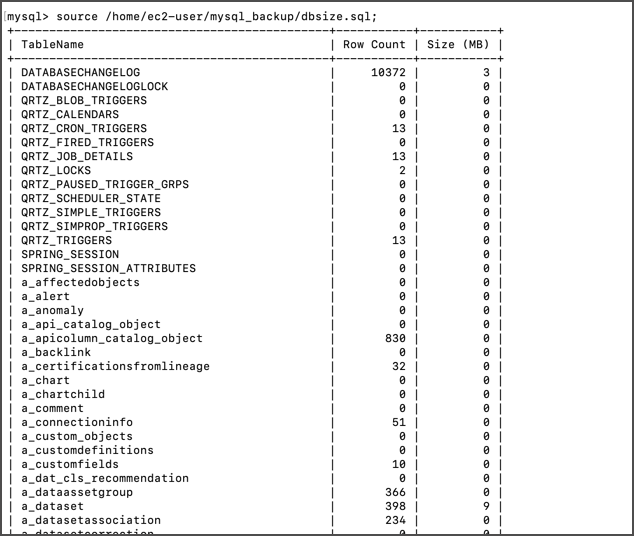
* Run validation queries:
* Row count query: [SQL Script](https://ovaledge.s3.us-west-1.amazonaws.com/queries/dbsize.sql)
## Post-Upgrade Validations
### **Verify Row Counts and Database Size**
* Connect to MySQL:
```bash
mysql -u root -p
```
* Run validation queries:
* Row count query: [SQL Script](https://ovaledge.s3.us-west-1.amazonaws.com/queries/dbsize.sql)
 * Database size query:
```sql
SELECT
table_schema AS "Database Name",
ROUND(SUM(data_length + index_length) / 1024 / 1024, 1) AS "DB Size (MB)"
FROM information_schema.tables
GROUP BY table_schema;
```
* Database size query:
```sql
SELECT
table_schema AS "Database Name",
ROUND(SUM(data_length + index_length) / 1024 / 1024, 1) AS "DB Size (MB)"
FROM information_schema.tables
GROUP BY table_schema;
```
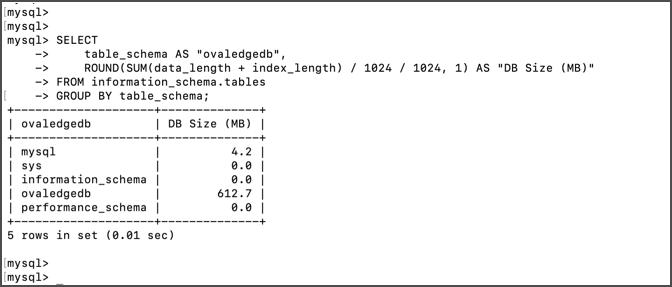 * Compare results with pre-upgrade outputs.
**Update MySQL Parameters**
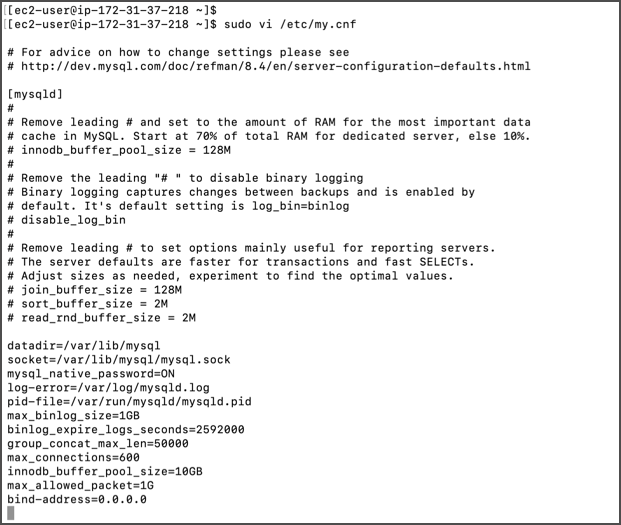
* Add/update parameters in `/etc/my.cnf`:
```
max_binlog_size=1GB
binlog_expire_logs_seconds=2592000
group_concat_max_len=50000
max_connections=600
innodb_buffer_pool_size=10GB
max_allowed_packet=1G
bind-address=0.0.0.0
```
* Adjust values as per client instance size.
* Compare results with pre-upgrade outputs.
**Update MySQL Parameters**
* Add/update parameters in `/etc/my.cnf`:
```
max_binlog_size=1GB
binlog_expire_logs_seconds=2592000
group_concat_max_len=50000
max_connections=600
innodb_buffer_pool_size=10GB
max_allowed_packet=1G
bind-address=0.0.0.0
```
* Adjust values as per client instance size.
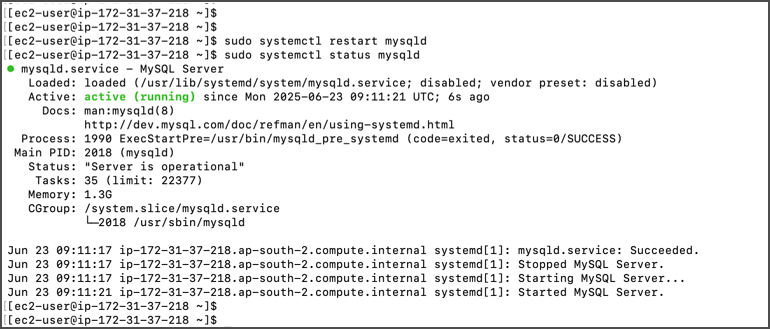
 * Restart MySQL:
```bash
sudo systemctl restart mysqld
```
* Restart MySQL:
```bash
sudo systemctl restart mysqld
```
 ### **Update Application User Passwords (Optional)**
* Change OvalEdge MySQL user passwords:
```sql
ALTER USER 'ovaledge'@'localhost' IDENTIFIED BY '';
ALTER USER 'ovaledge'@'%' IDENTIFIED BY '';
FLUSH PRIVILEGES;
```
At this stage, the MySQL database has been upgraded to version 8.4 and the default OvalEdge MySQL password has been changed.
### Rollback Plan (if required)
* Take backup of MySQL 8.4 installation before rollback:
```bash
mkdir /home/ec2-user/mysql8.4_backup
sudo cp /etc/my.cnf /home/ec2-user/mysql8.4_backup
sudo cp -a /var/lib/mysql /home/ec2-user/mysql8.4_backup
```
* Stop MySQL services, reinstall MySQL 8.0.4, start the service, and restore data from backups.
***
Copyright © 2025, OvalEdge LLC, Peachtree Corners, GA, USA.
### **Update Application User Passwords (Optional)**
* Change OvalEdge MySQL user passwords:
```sql
ALTER USER 'ovaledge'@'localhost' IDENTIFIED BY '';
ALTER USER 'ovaledge'@'%' IDENTIFIED BY '';
FLUSH PRIVILEGES;
```
At this stage, the MySQL database has been upgraded to version 8.4 and the default OvalEdge MySQL password has been changed.
### Rollback Plan (if required)
* Take backup of MySQL 8.4 installation before rollback:
```bash
mkdir /home/ec2-user/mysql8.4_backup
sudo cp /etc/my.cnf /home/ec2-user/mysql8.4_backup
sudo cp -a /var/lib/mysql /home/ec2-user/mysql8.4_backup
```
* Stop MySQL services, reinstall MySQL 8.0.4, start the service, and restore data from backups.
***
Copyright © 2025, OvalEdge LLC, Peachtree Corners, GA, USA.