

Elasticsearch 7.17.x on Ubuntu 22.04+
Prerequisites
Installation Steps
sudo apt update -y
sudo apt install -y openjdk-17-jdk
java --version
sudo apt update -y
sudo apt install apt-transport-https -y
wget -qO - https://artifacts.elastic.co/GPG-KEY-elasticsearch | sudo apt-key add - sudo sh -c 'echo "deb https://artifacts.elastic.co/packages/7.x/apt stable main" > /etc/apt/sources.list.d/elastic-7.x.list'sudo apt update sudo apt install elasticsearch -ysudo systemctl daemon-reexec sudo systemctl enable elasticsearch sudo systemctl start elasticsearch
sudo vi /etc/elasticsearch/elasticsearch.ymlcluster.name: ovaledge network.host: 0.0.0.0 http.port: 9200 transport.host: localhost transport.tcp.port: 9300 xpack.security.enabled: truesudo vi /etc/elasticsearch/jvm.options## -Xms4g ## -Xmx4g-Xms4g -Xmx4gsudo systemctl restart elasticsearch
sudo /usr/share/elasticsearch/bin/elasticsearch-reset-password -u elastic -i
curl http://localhost:9200 -u elastic:<password>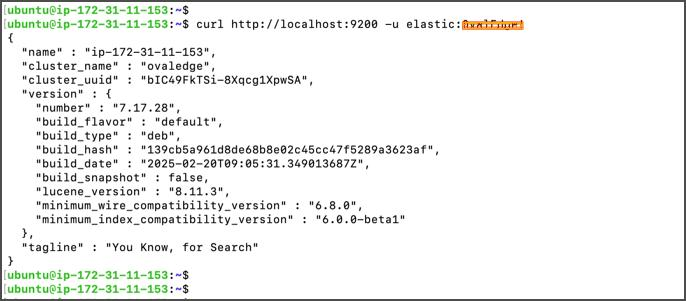
vi /path/to/ovaledge/extprop/oasis.propertieses.host=<elasticsearch_host> es.port=9200 es.protocol=http es.username=elastic es.password=<password>sudo systemctl restart tomcat


Was this helpful?