 {% hint style="info" %}
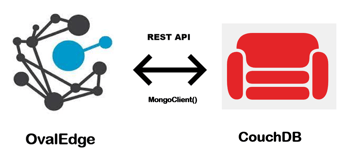
Ovaledge uses the **REST APIs** to make a connection to a running CouchDB instance.
{% endhint %}
## Connector Capabilities
The connector capabilities are shown below:
### **Crawling**
Supported objects and data types for Crawling are:
| **Supported Objects** | **Supported Data types** |
| --------------------- | ----------------------------- |
| Tables, Table Columns | number, string, array, object |
### **Profiling**
| **Feature** | **Support** |
| ---------------- | --------------------------------------------- |
| Table Profiling | Row count, Columns count, View sample data |
| Column Profiling | Min, Max, Null count, distinct, top 50 values |
| Full Profiling | Not Supported |
| Sample Profiling | Supported |
### **Lineage Building**
| **Lineage Entities** | **Details** |
| -------------------- | ------------------------- |
| Table lineage | Supported(Table to Table) |
| Column lineage | Not Supported |
| Lineage Sources | Documents |
## **Pre-requisites**
To use the connector, the following need to be available:
* Connection details as specified in the following section should be available.
* A service account, for crawling and profiling. The minimum privileges required are:
| **Operation** | **Access Permissions** |
| ------------------------------------ | ---------------------- |
| Connection validate | Read Access |
| Crawl schemas | Read Access |
| Crawl tables | Read Access |
| Profile schemas, tables | Read Access |
| Query logs | NA |
| Get views, procedures, function code | NA |
## **Connection Details**
The following connection settings should be added for connecting to a CouchDB database:
* **Database Type:** CouchDB
* **Connection Name:** Select a Connection name for the CouchDB Server database. The name that you specify is a reference name to easily identify your CouchDB Server database connection in OvalEdge.\
Example: CouchDB Connection.
* **Server:** CouchDB URL (can vary)\
Example: 18.117.142.180
* **Port:** 5984 (can vary)
* **Database:** testdb
* **License Type:** Standard
* **User name:** CouchDB User
* **Password:** CouchDB Password
* **Protocol:** http/https
| **Property** | **Details** |
| ---------------------------------------------- | ----------------------------------------------------------- |
| **Crawler configurations** | |
| Order | Priority of the rule |
| Start time and End time | Used when crawling/profiling are to be scheduled |
| No. of threads | No. of threads used to perform profiling |
|
{% hint style="info" %}
Ovaledge uses the **REST APIs** to make a connection to a running CouchDB instance.
{% endhint %}
## Connector Capabilities
The connector capabilities are shown below:
### **Crawling**
Supported objects and data types for Crawling are:
| **Supported Objects** | **Supported Data types** |
| --------------------- | ----------------------------- |
| Tables, Table Columns | number, string, array, object |
### **Profiling**
| **Feature** | **Support** |
| ---------------- | --------------------------------------------- |
| Table Profiling | Row count, Columns count, View sample data |
| Column Profiling | Min, Max, Null count, distinct, top 50 values |
| Full Profiling | Not Supported |
| Sample Profiling | Supported |
### **Lineage Building**
| **Lineage Entities** | **Details** |
| -------------------- | ------------------------- |
| Table lineage | Supported(Table to Table) |
| Column lineage | Not Supported |
| Lineage Sources | Documents |
## **Pre-requisites**
To use the connector, the following need to be available:
* Connection details as specified in the following section should be available.
* A service account, for crawling and profiling. The minimum privileges required are:
| **Operation** | **Access Permissions** |
| ------------------------------------ | ---------------------- |
| Connection validate | Read Access |
| Crawl schemas | Read Access |
| Crawl tables | Read Access |
| Profile schemas, tables | Read Access |
| Query logs | NA |
| Get views, procedures, function code | NA |
## **Connection Details**
The following connection settings should be added for connecting to a CouchDB database:
* **Database Type:** CouchDB
* **Connection Name:** Select a Connection name for the CouchDB Server database. The name that you specify is a reference name to easily identify your CouchDB Server database connection in OvalEdge.\
Example: CouchDB Connection.
* **Server:** CouchDB URL (can vary)\
Example: 18.117.142.180
* **Port:** 5984 (can vary)
* **Database:** testdb
* **License Type:** Standard
* **User name:** CouchDB User
* **Password:** CouchDB Password
* **Protocol:** http/https
| **Property** | **Details** |
| ---------------------------------------------- | ----------------------------------------------------------- |
| **Crawler configurations** | |
| Order | Priority of the rule |
| Start time and End time | Used when crawling/profiling are to be scheduled |
| No. of threads | No. of threads used to perform profiling |
| Profile Type
Row count Constraint
|Disabled/Auto/Sample
No. of rows to be fetched
| | Sample profile size | Sample profile row limit | | Sample data count | | | Query Timeout | Time to wait for response | | Crawler Options | Only Tables can be crawled | | Crawler rules | Only table columns include and Exclude regex can be used. | ## **Points to note** * In crawler rules, we won't be using include and exclude regex functionalities for functions and procedures. *** Copyright © 2025, OvalEdge LLC, Peachtree Corners GA USA --- # Agent Instructions This documentation is published with GitBook. GitBook is the documentation platform designed so that both humans and AI agents can read, navigate, and reason over technical content effectively. Learn more at gitbook.com. ## Querying This Documentation If you need additional information that is not directly available in this page, you can query the documentation by asking a question. Perform an HTTP GET request on the following URL with the `ask` and `goal` query parameters: ``` GET https://docs.ovaledge.com/release7.2/connectors/connector-repositories/nosql/apache-couchdb.md?ask=